
Using a teleprompter correctly makes recording easier by helping you maintain natural eye contact and confident delivery. Position it directly in front of the lens at eye level, ensuring your gaze feels genuine. Keep it stable and at the right height, so your speech flows smoothly. Proper lighting and glare reduction are also key to clear script visibility. Want to learn how to master these techniques and improve your videos? Keep going to discover more tips.

Get tech for your team delivered free — and shop member deals
- Fast, free delivery on millions of items
- Access to Prime Big Deal Days deals on October 6–7
- Prime Video, Amazon Music and more included
Key Takeaways
- Proper camera angles and eye-level positioning create natural eye contact and a more engaging, professional appearance.
- Stable teleprompter setups prevent distracting movements and support smooth, confident delivery.
- Correct lighting reduces glare and reflections, ensuring the script remains clear and readable.
- Seamless teleprompter movement with camera angles maintains consistent eye contact throughout the recording.
- Proper setup minimizes neck strain and encourages relaxed posture for better on-camera performance.
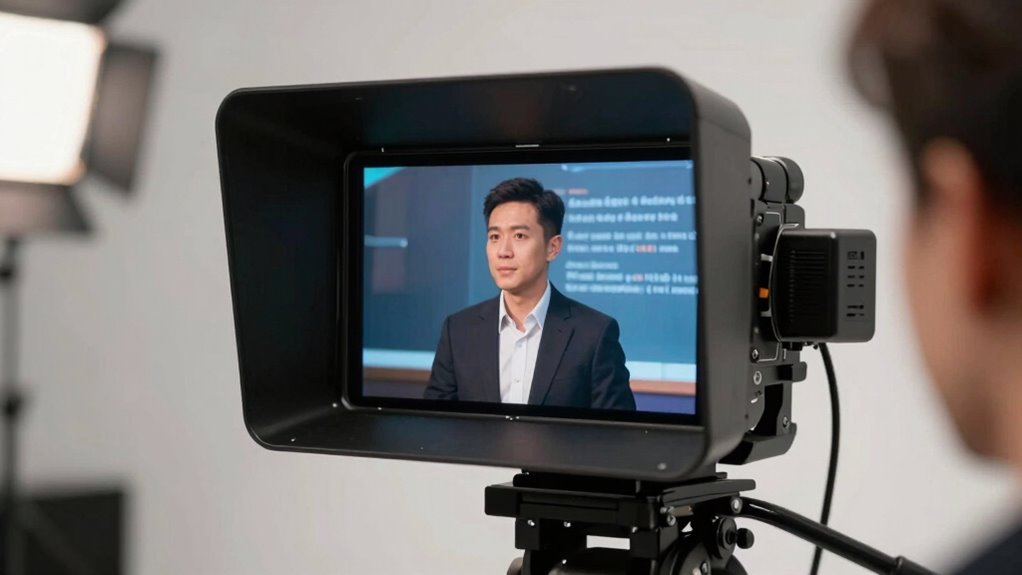
If you’ve ever struggled to remember your lines or maintain eye contact during a video recording, teleprompters can be a game-changer. They allow you to speak naturally without the awkward pauses or the constant need to glance away from the camera. But to truly maximize their benefits, you need to use them correctly, especially when it comes to camera angles and lighting techniques. The way you position your teleprompter and set up your environment directly impacts how smooth your delivery appears on camera.
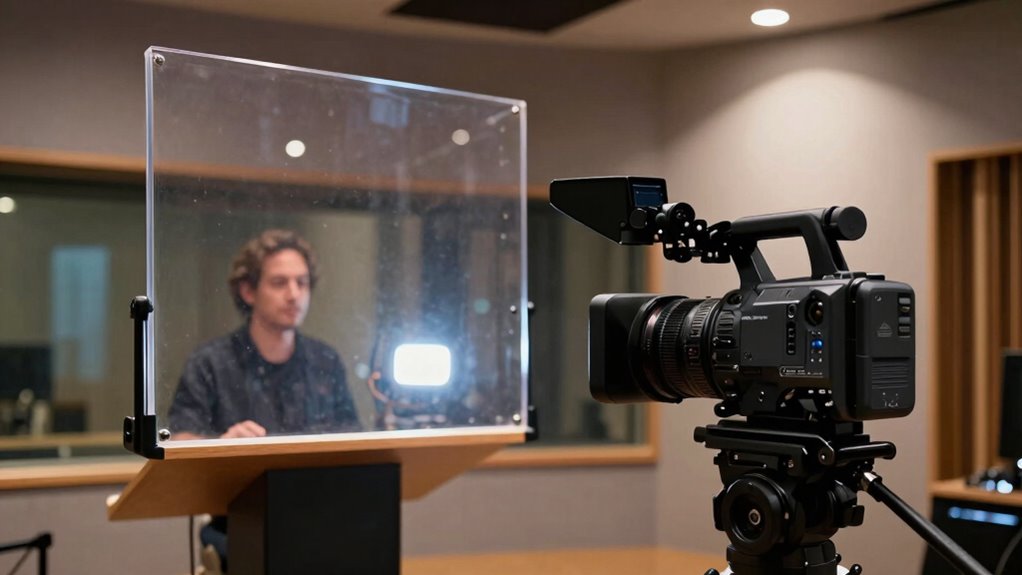
Start with your camera angles. Position your teleprompter directly in front of your camera lens, so your gaze remains natural and direct. When the teleprompter is slightly off-center or positioned too high or low, it creates an unnatural look, making it obvious you’re reading from a screen. Keep it at eye level or just below the lens to mimic real eye contact. This setup helps viewers feel connected to you, as if you’re speaking directly to them. It also minimizes neck strain and helps you maintain a relaxed posture. If you use different camera angles for variety, guarantee your teleprompter moves accordingly or has a flexible mounting system. That way, when you switch shots, your eye line stays consistent, and your delivery remains seamless. Proper camera positioning is essential for maintaining natural eye contact and a professional appearance. Additionally, paying attention to stability ensures your teleprompter remains steady, preventing distracting movements. Ensuring your equipment setup is secure will contribute to a smoother recording experience overall.
Lighting techniques play an essential role in making your teleprompter use look flawless. Proper lighting reduces glare on the glass of the teleprompter and ensures your face is well-lit without harsh shadows. Use soft, diffused lighting sources, such as ring lights or softboxes, positioned at a 45-degree angle to your face. This setup illuminates you evenly and prevents reflections on the teleprompter’s glass. Avoid direct overhead lighting, which can cast unflattering shadows or cause glare, making it difficult to read your script. Balance your lighting so that your face looks natural and inviting, encouraging viewers to stay engaged. Good lighting also enhances the overall clarity of the video, making your expressions and gestures more visible, which complements your confident delivery. Additionally, proper lighting can help reduce reflections and glare, ensuring your script remains easily readable throughout the recording. Ensuring optimal lighting conditions can also prevent distracting reflections, making your teleprompter experience smoother.
teleprompter with adjustable height
As an affiliate, we earn on qualifying purchases.
As an affiliate, we earn on qualifying purchases.
Frequently Asked Questions
How Do I Choose the Right Teleprompter Size?
You should choose a teleprompter size based on your filming distance and script pacing needs. A smaller one works well for close shots, keeping your eye contact natural and smooth. Larger screens are better for longer videos or if you move around, ensuring you see your script clearly without losing eye contact. Think about your setup and script length to select a size that helps you stay confident and engaging on camera.
Can Teleprompters Be Used Outdoors Effectively?
Using a teleprompter outdoors is like trying to read a map in bright sunlight—you’ll face sunlight glare and wind interference. To make it effective, choose a model with anti-glare screens and a sturdy mount to resist wind. You might also consider a shaded area or an adjustable hood. With these adjustments, you can confidently record outdoors, keeping your delivery smooth and professional despite environmental challenges.
What’s the Best Way to Practice With a Teleprompter?
To practice with a teleprompter effectively, start with script rehearsal to familiarize yourself with the words. Focus on timing practice by reading aloud and adjusting your pace to match the teleprompter’s speed. Record yourself to observe your delivery, ensuring natural speech and eye contact. Repeating these steps helps you build confidence, reduces errors, and makes your performance smooth and professional during actual recordings.
Are There Affordable Teleprompters for Beginners?
Yes, there are affordable teleprompters perfect for beginners. You can find cost-effective options that come with beginner-friendly features, making setup and use simple. These models often use your smartphone or tablet as the display, saving you money. Keep an eye out for portable, easy-to-use designs that won’t break the bank. With the right choice, you’ll master your delivery without stressing over expensive gear from the start.
How Do I Avoid Looking Unnatural While Using a Teleprompter?
To avoid looking unnatural while using a teleprompter, focus on maintaining good eye contact and delivering your lines naturally. Practice reading smoothly without rushing or sounding robotic. Adjust the teleprompter speed to match your natural speaking pace, and look directly into the camera lens as if you’re talking to your audience. Rehearse beforehand to build confidence, so your delivery stays authentic and engaging.
professional ring light for videos
As an affiliate, we earn on qualifying purchases.
As an affiliate, we earn on qualifying purchases.
Conclusion
Using a teleprompter is like having a trusted guide by your side, making your video recordings smoother and more confident. When you master its use, you’ll find your message flows naturally, and your audience stays engaged. Remember, it’s not just about reading words—it’s about connecting with your viewers effortlessly. With practice, a teleprompter becomes your secret weapon, turning what once felt intimidating into a walk in the park. So, embrace it and let your confidence shine!
As an affiliate, we earn on qualifying purchases.
glare reduction screen for teleprompter
As an affiliate, we earn on qualifying purchases.
As an affiliate, we earn on qualifying purchases.
Halloween Picks
halloween
As an affiliate, we earn on qualifying purchases.