Choosing an AI-powered recipe organizer is partly a question of what you want the software to do after you find a recipe. Paprika Recipe Manager is a dedicated library for collecting recipes, adjusting servings, planning meals, and making shopping lists. Samsung Food combines recipe saving with discovery, nutrition features, meal planning, and AI-assisted tools. The real tradeoff is control and a focused workflow versus a broader service with more automated help.

Get business pricing on tech for your team
- Business-only prices and quantity discounts
- Tax-exempt purchasing
- Multiple users, one account, clear invoices

AI-Powered Meal Planning – Weekly System to Stop Dinner Scramble, Cut Grocery Costs, and Save Hours
- ✔ Format: AI-assisted meal-planning system
- ✔ Primary focus: Weekly menus and dinner planning
- ✔ Recipe support: Recipes are described as part of personalized planning
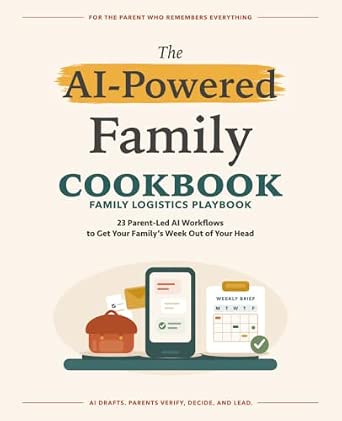
The AI-Powered Family Cookbook: 23 Parent-Led AI Workflows to Get Your Family’s Week Out of Your Head
- ✔ Format: Cookbook with AI workflow guidance
- ✔ Workflow count: 23 parent-led workflows
- ✔ Primary audience: Parents and family households
That difference matters most if your recipes already come from many websites and you want a dependable personal archive, or if you want an app to help decide what to cook and turn those ideas into a plan. Paprika is the stronger fit for cooks who want organization first and are comfortable paying for the app. Samsung Food is more appealing to people who want free access to a wider set of planning features and are willing to use an account-based platform. AI features and availability can change, so check current app details before relying on a particular tool.
At a Glance
| Criteria | Paprika Recipe Manager | Samsung Food | Winner |
|---|---|---|---|
| Recipe capture and library | Strong recipe saving, organizing, and hands-on library management | Save recipes and browse a broader food platform | A |
| AI assistance and discovery | Limited emphasis; the core strength is managing recipes you already choose | More emphasis on AI-assisted discovery and food-related features; tools may vary | B |
| Meal planning | Practical calendar and recipe planning tools | Broader meal planning and connected food features | B |
| Shopping workflow | Recipe ingredients can feed shopping lists | Shopping support tied to its recipes and planning workflow | Depends |
| Cost and value | Paid app; worth it for a focused, reusable personal cookbook | Free entry point makes experimentation easy; some features or services may vary | B |
| Privacy and platform fit | Dedicated app with recipes managed in a personal collection | Account-based service with broader platform integrations and settings to review | Depends |
AI-Powered Meal Planning – Weekly System to Stop Dinner Scramble, Cut Grocery Costs, and Save Hours
For readers who want one system to connect dinner decisions with grocery preparation, AI-Powered Meal Planning is the broader fit. Its description brings together weekly menus, personalized shopping lists, and recipes, so planning is framed as a connected routine rather than a collection of isolated meal ideas. The emphasis on using ingredients efficiently may also help us avoid planning dinners that require a separate set of groceries every night. Compared with The AI-Powered Family Cookbook, this option gives more explicit attention to the full weekly cycle and shopping list output.That breadth makes it our overall choice for organizing meals, but we should keep the claims in perspective. The listing does not explain the personalization process, name supported AI tools, or confirm how it accounts for allergies and dietary restrictions. It also states that reliable internet is required and that new users may face a learning curve. The family cookbook may be easier to approach for parents who prefer a defined set of family-oriented workflows. This system is better suited to readers who are comfortable setting up an AI-assisted routine and want menus and shopping coordinated; it is less compelling if we simply want a recipe collection that works offline.
Pros:
- Connects weekly menus, recipes, and personalized shopping lists in one planning approach.
- Ingredient-use optimization is intended to reduce buying groceries that do not carry across meals.
- Targets the recurring dinner-planning problem rather than offering recipes without a weekly structure.
- Has a wider weekly organization focus than the family cookbook’s parent-led workflow emphasis.
Cons:
- Requires reliable internet access according to the product description.
- The description notes a learning curve and does not identify the AI tools or integrations required.
- Dietary filters and personalization limits are not specified.
Best for: Households seeking a repeatable weekly menu and shopping-list process, and readers willing to use internet-connected AI tools.
Not ideal for: People who need confirmed offline use, a ready-made recipe app, or clearly documented dietary filters and integrations.
Bottom line: We’d choose this system for coordinated menus and grocery planning, provided its internet and setup requirements fit our routine.
“We’d choose this system for coordinated menus and grocery planning, provided its internet and setup requirements fit our routine.”
The AI-Powered Family Cookbook: 23 Parent-Led AI Workflows to Get Your Family’s Week Out of Your Head
The AI-Powered Family Cookbook takes a more guided, parent-centered route to recipe organization. Its 23 step-by-step workflows are meant to help families turn meal planning into a manageable routine, while family-friendly recipes give that planning a practical cooking focus. For busy parents, a clearly bounded set of workflows may feel more approachable than building a weekly system from scratch. Where AI-Powered Meal Planning stresses personalized menus and shopping lists, this book’s distinguishing promise is helping parents get household planning out of their heads.The narrower scope is also the main tradeoff. Twenty-three workflows may offer useful structure, but the description does not establish that they cover varied dietary needs, changing schedules, or every family’s preferred AI tools. It also assumes some familiarity with AI apps or tools, so “step-by-step” does not necessarily mean the process is automatic or entirely beginner-proof. We would pick it when parent-led guidance and family-oriented cooking matter more than explicitly described shopping-list coordination. Readers focused on reducing grocery waste or getting personalized weekly menus may find the other option more directly aligned with those priorities.
Pros:
- Provides 23 parent-led workflows to give family meal planning a repeatable structure.
- Pairs AI planning guidance with recipes described as suitable for the family table.
- Has a clear household audience, making its intended use easier to assess.
- Offers a more focused entry point than a general weekly planning system.
Cons:
- The fixed set of 23 workflows may not address every dietary requirement or planning situation.
- Readers need some familiarity with AI tools or apps to get full value.
- The description does not specify shopping-list features, app integrations, or offline use.
Best for: Parents who want structured prompts and workflows for organizing family meals alongside family-oriented recipes.
Not ideal for: Shoppers looking for a clearly specified automated meal-planning app, broad dietary coverage, or a detailed shopping-list system.
Bottom line: We’d choose this cookbook when parent-led family workflows are the priority and a defined, limited set of methods feels useful.
“We’d choose this cookbook when parent-led family workflows are the priority and a defined, limited set of methods feels useful.”
As an Amazon Associate we earn from qualifying purchases.
Key Differences
The biggest difference is the job each app prioritizes. Paprika helps you build and use a personal recipe collection. It suits someone who already knows where recipes come from and wants to save them, organize them, scale servings, and plan meals. Its advantage is a consistent, relatively focused workflow. Its limitation is that it is not primarily an AI meal ideation service, so cooks seeking suggestions or automated inspiration may find it less helpful.
Samsung Food reaches further into planning and discovery. AI-assisted features can help users explore meals or make decisions around food, while saved recipes, plans, and shopping tools connect those decisions to the week ahead. That breadth is useful if you want help moving from inspiration to a plan. It also means features depend more on the service’s current offerings, account setup, and supported integrations. For readers who value a durable cookbook they manage themselves, Paprika’s narrower focus is a strength.
Value comes down to repeated use, not simply whether an app has a free tier. Samsung Food is easier to try without an upfront app purchase, and its additional features may be worthwhile if you use them regularly. Paprika’s cost makes sense when the library and planning workflow become part of everyday cooking. Choose the service that solves your recurring problem: keeping recipes organized or generating and coordinating meal ideas.
Detailed Comparison
Recipe capture and library (Paprika Recipe Manager wins — moderate)
Paprika wins, with a moderate gap. Its defining purpose is collecting and managing recipes, which makes it a natural home for a personal cookbook assembled from different sources. Samsung Food also supports saving recipes, but it places that library inside a wider discovery and food-planning service. In practice, choose Paprika if retrieval and organization matter more than browsing; choose Samsung Food if you want saved recipes alongside a broader set of food features.
AI assistance and discovery (Samsung Food wins — moderate)
Samsung Food wins, with a moderate gap. AI-assisted discovery and related food tools are more central to its proposition. Paprika is strongest when you bring recipes to it, rather than expecting it to generate a steady stream of ideas. The practical advantage for Samsung Food is help finding what to cook; it is less decisive if you already have a backlog of recipes and mainly need a well-organized place to keep them. Confirm that the AI features you want are available in your region and plan.
Meal planning (Samsung Food wins — moderate)
Samsung Food wins narrowly to moderately. Both apps connect recipes with planning, but Samsung Food’s broader food platform gives meal planning a larger role. That can help someone who wants to move from choosing dishes to arranging meals in one service. Paprika remains capable for cooks who plan around their own library and want a straightforward calendar-style workflow. If AI-generated suggestions are not part of your routine, the gap matters less.
Shopping workflow (minor difference)
This is a close call, so the winner depends on your habits. Both can connect selected recipes to shopping lists, reducing the need to copy ingredients by hand. Paprika’s strength is keeping the list attached to a personal recipe-planning routine. Samsung Food’s advantage is the possibility of connecting shopping to its broader meal-planning experience. If your main need is a simple list generated from recipes, either can work; choose based on which library you expect to use most.
Cost and value (moderate difference)
Samsung Food wins on low-cost entry; Paprika can win on value for committed organizers. A free way to try the broader service lowers the barrier for curious cooks, though current feature access may vary. Paprika asks for a purchase, so its value depends on frequent use of its recipe library and planning tools. Paying for Paprika is worthwhile when it replaces scattered bookmarks and becomes the cookbook you return to. Pay more only if that focused ownership and workflow matter more than AI discovery.
Privacy and platform fit (moderate difference)
No universal winner. Paprika’s focused personal-library model may appeal to cooks who want their recipe management kept within a dedicated app. Samsung Food’s account-based platform and integrations can make a connected experience more useful, but users should review its current privacy settings and data practices. Platform compatibility, device support, and whether you want an account-based service are practical deciding factors. Neither choice should be made on privacy assumptions alone; read the current policies.
Paprika Recipe Manager: Pros and Cons
Pros:
- Purpose-built for collecting and organizing recipes
- Useful planning and shopping-list workflow for a personal cookbook
- Good fit for people who want control over a library they build over time
Cons:
- Paid app rather than a free starting point
- Less centered on AI-led ideas and food discovery
- Its focused design may feel limited if you want a broader connected food service
Samsung Food: Pros and Cons
Pros:
- Free entry point makes it easy to try
- AI-assisted discovery and broader food features
- Meal planning, saved recipes, and shopping support live in one service
Cons:
- Feature availability and integrations can vary
- An account-based platform may be less appealing to cooks seeking a simple, self-directed cookbook
- Its wider feature set may be unnecessary if all you need is recipe storage
Who Should Choose What
Choose Paprika Recipe Manager if:
- You already find recipes elsewhere and want one organized personal library.
- You value a focused recipe manager more than AI-generated inspiration.
- You plan meals from recipes you have saved and expect to use the app often enough to justify its price.
Choose Samsung Food if:
- You want help discovering what to cook as well as saving recipes.
- You prefer to try a free service before paying for a dedicated organizer.
- You want meal planning and food-related features connected in one platform.
Skip both if: Skip both if you only need a basic list of recipe links or if neither app supports your devices and preferred recipe sources; a notes app or bookmark manager may be enough.
Value for Money
Samsung Food is the lower-risk choice for trying an organizer because it offers a free entry point and more than recipe storage. That is good value if you make regular use of discovery, meal planning, and its connected features. A broad feature list has little value if you only want to file recipes, though, and service features may change.
Paprika’s paid model is easier to justify for a cook who saves recipes every week and wants one dependable library that also supports planning and shopping. In that case, the purchase pays back in reduced searching and repeated list-making. If you are unsure whether recipe management will become a habit, start with Samsung Food. If you already know that organization is your persistent problem, Paprika is the more focused investment.
Final Verdict
For most cooks explicitly seeking AI-powered ideas and an all-in-one food planning service, Samsung Food is the better starting point: it brings discovery and planning into a free-to-try platform. Choose Paprika if your real problem is a growing pile of recipes across websites and you want a dedicated, structured cookbook. The deciding factor is whether you need help choosing meals or help keeping chosen recipes useful. Paprika’s narrower scope is worth paying for when library control is the priority; otherwise, Samsung Food offers more ways to explore before committing.
Frequently Asked Questions
Which app is better for saving recipes from different websites?
Paprika is the clearer choice when the goal is building and organizing a personal collection from recipes you find elsewhere. Samsung Food can save recipes too, but its broader discovery and planning tools are a bigger part of the experience.
Which one has more AI features?
Samsung Food places more emphasis on AI-assisted discovery and related food tools. The specific features can change, so check the current app listing and availability where you live. Paprika is mainly a recipe manager rather than an AI cooking assistant.
Is Paprika worth paying for if Samsung Food has a free option?
It can be, if you regularly collect recipes and want a focused library and planning workflow you will keep using. If you are mainly curious about meal suggestions or want to test a service before paying, Samsung Food’s free entry point is better value.
Can either app create shopping lists from recipes?
Both offer shopping support connected to recipe planning. The better fit depends on where your recipes live and how you plan meals. Try building a list from your typical recipes before settling on either workflow.