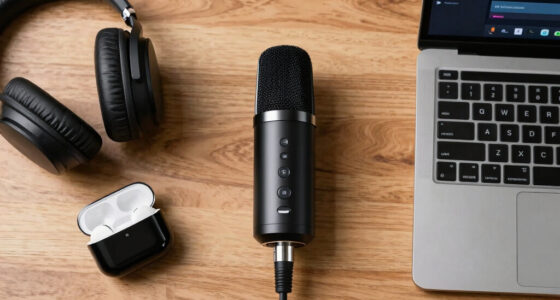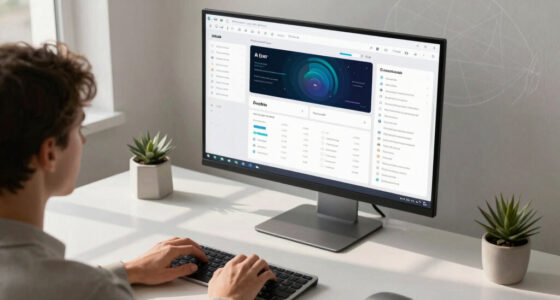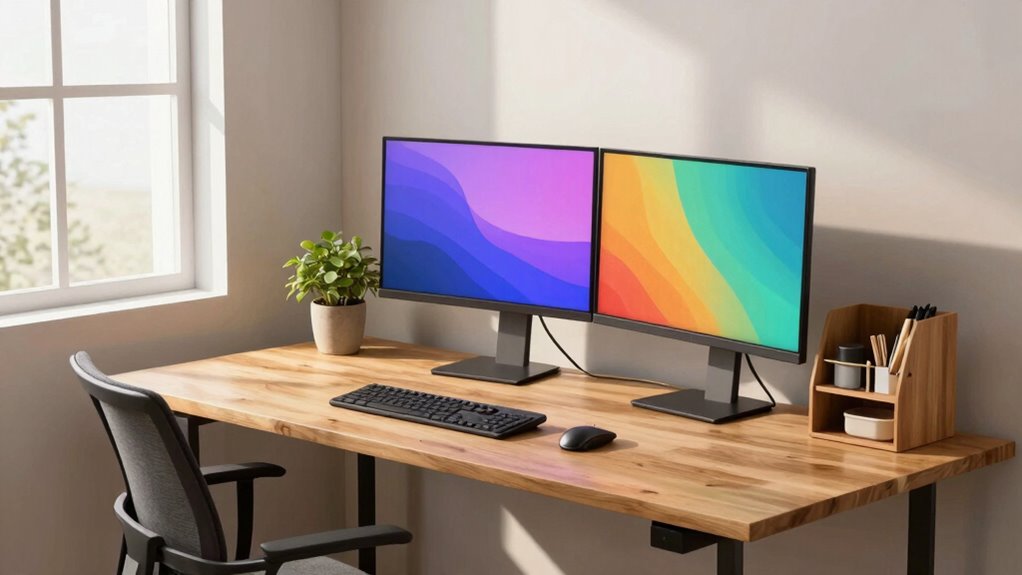

To design a productivity setup tailored to your work style, start by evaluating your energy patterns and preferred environment. Use ergonomic accessories like adjustable chairs, keyboards, and sit-stand desks to support comfort and reduce strain. Organize your digital workspace to minimize distractions, and adjust lighting and noise levels to suit your preferences. Keep essential tools within reach and personalize your space to boost focus. Keep exploring ways to optimize your setup for sustained productivity.

Get business pricing on tech for your team
- Business-only prices and quantity discounts
- Tax-exempt purchasing
- Multiple users, one account, clear invoices
Key Takeaways
- Assess your energy peaks and schedule demanding tasks during high-focus periods for optimal productivity.
- Incorporate ergonomic accessories tailored to your comfort needs to reduce physical strain and enhance focus.
- Organize your digital workspace with clear labels and decluttered files to minimize mental overwhelm.
- Adjust lighting, noise levels, and environment cues to match your preferred work conditions and boost concentration.
- Position essential tools within easy reach and customize your setup regularly to align with your evolving work style.

Creating an effective productivity setup begins with understanding your unique work habits and environment. You need to recognize what conditions help you focus and what obstacles get in your way. For some, comfort is key, which is where ergonomic accessories come into play. These tools, like adjustable chairs, sit-stand desks, or ergonomic keyboards, support your posture and reduce physical strain. When your body feels good, you naturally work more efficiently and stay concentrated longer. Think about your daily movements and discomforts—adding ergonomic accessories can make a noticeable difference, helping you maintain focus without the distraction of discomfort or pain.
Prioritize ergonomic accessories to support comfort, reduce strain, and enhance focus for a more productive work experience.
Next, consider your digital environment. Digital decluttering is essential because cluttered screens and disorganized digital files can sap your mental energy, making it harder to concentrate. Take time to organize your desktop, delete unused files, and streamline your digital tools. Use folders and labels to keep everything accessible, so you don’t waste time searching for that important document or email. When your digital workspace is tidy, your mind feels less overwhelmed, allowing you to focus solely on your tasks rather than the chaos around you. Incorporating ergonomic accessories into your setup can further enhance your comfort and efficiency. Additionally, paying attention to the environmental factors such as noise and lighting can significantly impact your ability to focus. Implementing ergonomic principles into your workspace design can also help prevent long-term physical issues and improve overall comfort. Recognizing the importance of systems thinking can help you optimize your entire workspace holistically rather than just focusing on isolated elements. Developing an awareness of work environment influences can further support your productivity by addressing subtle, yet impactful, environmental cues.
Beyond physical and digital organization, aligning your setup with your actual work style involves paying attention to your energy patterns and preferred working conditions. If you’re more productive in the morning, set up your most demanding tasks early in the day. If you work better with background noise, consider playing ambient music or working in a slightly lively environment. Conversely, if you need quiet, find a space that minimizes distractions. Adjust your lighting to suit your preferences—natural light often boosts alertness, but if you work late, a desk lamp with adjustable brightness can help reduce eye strain.
Your tools should complement your workflow, not hinder it. Keep only the essentials within arm’s reach to avoid unnecessary movement and interruptions. Position your monitor at eye level to prevent neck strain, and ensure your keyboard and mouse are ergonomic to reduce wrist fatigue. Regularly evaluate your setup—what worked a month ago might not be effective now. Making small, intentional adjustments based on your evolving work habits keeps your environment optimized for productivity.
Ultimately, designing a setup around your actual work style means creating a personalized space that supports both your physical comfort and mental clarity. When your environment reduces distractions—digital or physical—and aligns with your natural rhythms, you set yourself up for sustained focus and better results. It’s about making intentional choices that empower your work, making productivity feel less like a chore and more like a seamless part of your day.
ergonomic adjustable office chair
As an affiliate, we earn on qualifying purchases.
As an affiliate, we earn on qualifying purchases.
Frequently Asked Questions
How Do I Identify My Unique Work Style?
You identify your unique work style by paying attention to your personal routines and workspace ergonomics. Notice when you’re most alert and productive during the day, and adjust your routines accordingly. Experiment with your workspace layout to find what minimizes distractions and maximizes comfort. Reflect on these habits regularly, and refine your setup to suit your natural rhythms, ensuring your environment supports your productivity without forcing a one-size-fits-all approach.
What Tools Best Suit Different Work Preferences?
Ever wondered which tools match your work style? If you thrive on teamwork, collaborative tools like Slack or Trello keep you connected and organized. Struggle with distractions? Focus-oriented apps like Forest or Freedom help you manage interruptions. The best tools fit your habits—so, do you prefer real-time collaboration or solo focus? Experiment with different options to discover what enhances your productivity and keeps you engaged.
How Can I Adapt My Setup for Remote Work?
To adapt your setup for remote work, prioritize comfort and focus. Use ergonomic accessories like an adjustable chair and keyboard to prevent strain. Enhance your environment with ambient lighting to reduce eye fatigue and boost mood. Make sure your workspace is well-organized, with essentials within reach. Regularly take breaks and stretch. By customizing these elements, you create a work environment that supports productivity and well-being, even remotely.
What Common Mistakes Hinder Productivity Setup Customization?
Like trying to build a spaceship with duct tape, common mistakes hinder your productivity setup. You might ignore your work habits, forcing a one-size-fits-all approach, or neglect distraction management, letting interruptions take over. Failing to customize your environment to support habit formation, like dedicated work zones, causes inefficiency. Instead, identify your specific needs, minimize distractions, and tailor your space to foster consistent routines for better results.
How Often Should I Reevaluate My Productivity Setup?
You should reevaluate your productivity setup every few months, especially if your work habits or priorities change. Regular check-ins help you optimize time management and workspace ergonomics, ensuring you stay comfortable and efficient. Pay attention to signs like fatigue or decreased focus, which indicate it’s time for adjustments. By consistently refining your setup, you keep your environment aligned with your evolving work style, boosting overall productivity.
As an affiliate, we earn on qualifying purchases.
Conclusion
By building a balanced, personalized workspace that aligns with your work style, you boost both efficiency and enjoyment. Remember, the key is crafting a space that cultivates comfort, clarity, and creativity. When your setup suits your habits, productivity becomes a natural part of your routine. So, step back, select your space, and shape a sanctuary that sparks success. Your perfect productivity playground awaits—prepare to perform at your best by designing around your unique style.
ergonomic keyboard and mouse set
As an affiliate, we earn on qualifying purchases.
As an affiliate, we earn on qualifying purchases.
desk organization and cable management
As an affiliate, we earn on qualifying purchases.
As an affiliate, we earn on qualifying purchases.
Fall Picks
fall essentials
As an affiliate, we earn on qualifying purchases.