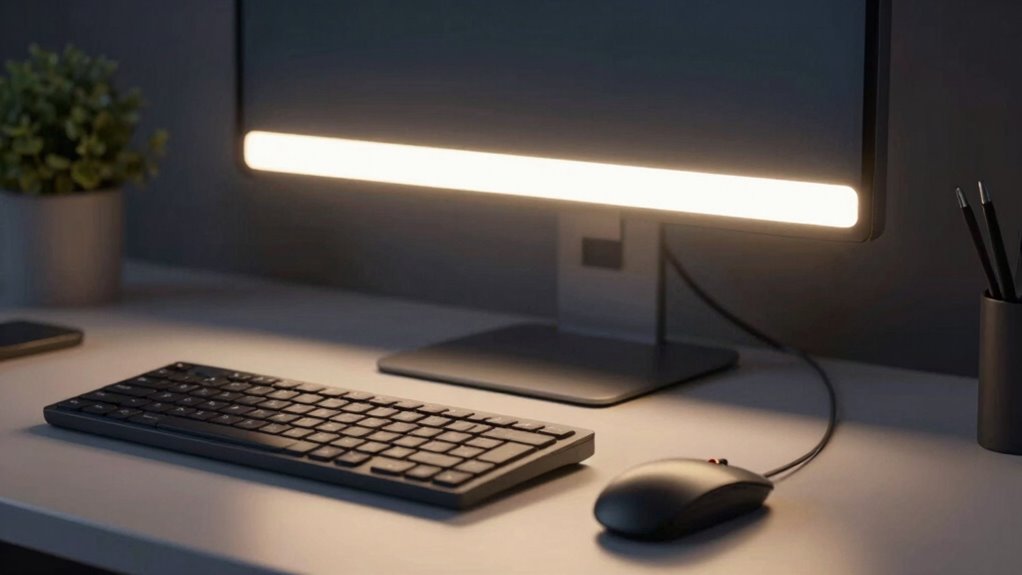
For better focus, choose monitor light bars and desk lamps that offer adjustable brightness and directionality. Proper placement minimizes glare and reflections on screens, reducing eye strain and fatigue. Use warmer tones for relaxed tasks and higher color temperatures to boost alertness for focused work. Incorporate glare reduction features and lighting controls to customize your environment throughout the day. Keep exploring for more tips on creating an efficient workspace that promotes comfort and concentration.

Get business pricing on tech for your team
- Business-only prices and quantity discounts
- Tax-exempt purchasing
- Multiple users, one account, clear invoices
Key Takeaways
- Use adjustable monitor light bars to provide focused illumination without causing screen glare or reflections.
- Combine desk lamps with high color temperature (5000K-6500K) for alertness and enhanced concentration.
- Position lights to minimize shadows and avoid direct glare on screens, reducing eye strain.
- Incorporate glare reduction features and adjustable brightness for customizable comfort during long sessions.
- Use lighting controls to adapt illumination based on task, time of day, or personal preference for optimal focus.
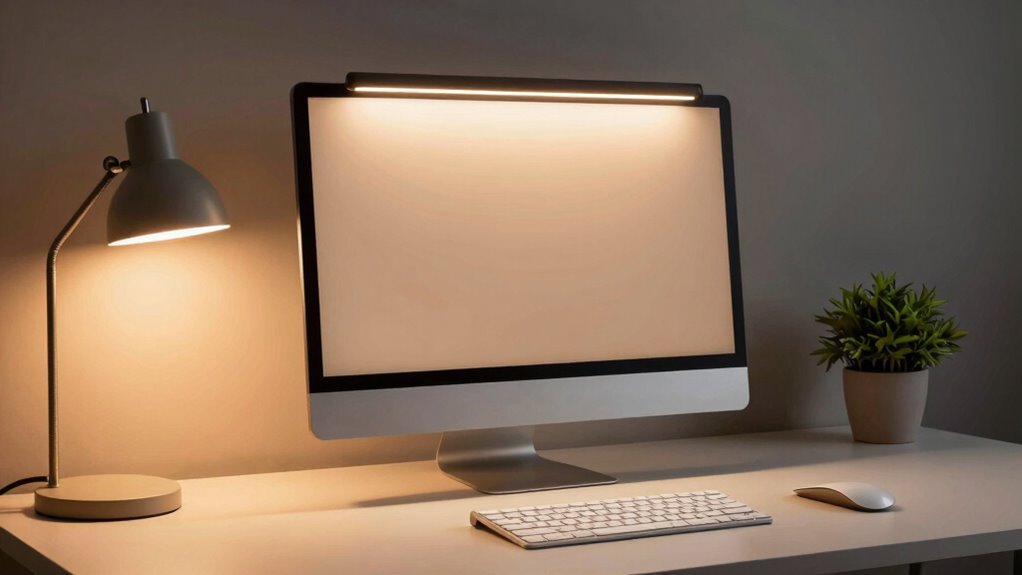
Good lighting is vital for maintaining focus and reducing eye strain during long work or study sessions. When your workspace is properly illuminated, you can concentrate better, avoid fatigue, and improve overall productivity. One effective way to enhance your lighting setup is by using monitor light bars and desk lighting that can be tailored to your needs. These lighting options allow you to control the environment around your screen, making a significant difference in how comfortably you work for extended periods.
Proper lighting boosts focus, reduces eye strain, and enhances productivity during long work or study sessions.
Choosing the right lighting involves paying attention to color temperature. Cooler temperatures, around 5000K to 6500K, mimic daylight and can help keep you alert and focused. Warmer tones, below 3000K, create a cozy, relaxed atmosphere, which might be better for winding down after work. When selecting a monitor light bar or desk lamp, make sure that the color temperature aligns with your activity. For tasks requiring high concentration, a higher color temperature can boost alertness. For casual reading or less intense work, warmer lighting may be more comfortable.
Glare reduction is another vital factor in customizing your workspace lighting. Bright or poorly directed light can cause reflections on your screen, creating glare that strains your eyes and hampers your focus. Look for light bars and desk lamps with adjustable brightness and directionality. These features enable you to position the light accurately, minimizing reflections and preventing harsh spots of light from hitting your screen or workspace. A well-placed light source can illuminate your desk evenly, reducing contrast and eye fatigue. Additionally, understanding lighting design principles can help you create a more effective and comfortable workspace environment. Incorporating appropriate lighting techniques can further optimize your setup for both comfort and efficiency. Being aware of light placement can help you prevent shadows and glare, making your workspace even more ergonomic. Furthermore, selecting lighting with glare reduction features can significantly improve visual comfort during long hours of work. Properly integrating lighting controls can also offer customized brightness levels that suit different tasks and time of day.
Products Worth Considering

Amazon Kindle Scribe Colorsoft, 64GB, 11-Inch Color Display with Premium Pen

Samsung 49-Inch Odyssey G93SC QD-OLED Curved Gaming Monitor

Samsung 27-inch Odyssey QD-OLED G8 4K 240Hz Gaming Monitor
As an affiliate, we earn on qualifying purchases.
Frequently Asked Questions
How Do Monitor Light Bars Impact Eye Strain Over Long Periods?
Monitor light bars can reduce eye strain over long periods by minimizing blue light exposure, which often causes eye fatigue. They provide focused illumination that helps you see the screen clearly without straining your eyes, especially in low-light environments. By reducing the contrast between your screen and surrounding area, these light bars make it easier to work comfortably for extended periods, ultimately decreasing eye fatigue and enhancing your focus.
Are There Specific Color Temperatures Best for Focus and Productivity?
You’ll find that a color temperature around 5000K to 6500K works best for focus and productivity. For example, imagine a remote worker using cooler, daylight-like lighting; they report feeling more alert and less fatigued. Your color temperature preferences influence ambient lighting effects, reducing eye strain and boosting concentration. Cooler tones mimic natural daylight, helping you stay alert, while warmer tones create a relaxing atmosphere, so choose based on your work environment and personal comfort.
Can Desk Lighting Reduce Headaches Caused by Poor Illumination?
Yes, proper desk lighting can reduce headaches caused by poor illumination. You should focus on adjusting ambient brightness to guarantee it’s neither too harsh nor too dim. Incorporate task lighting near your work area to provide direct, focused light. This setup minimizes eye strain and prevents headaches. By balancing ambient brightness with effective task lighting, you create a comfortable environment that enhances focus and reduces discomfort during long work sessions.
What Are the Best Placement Tips for Optimal Desk Lighting?
Think of your desk lighting like painting a masterpiece—you want the perfect balance. Place your task light slightly to the side to avoid glare and make certain it’s directed downward. Use ambient illumination to soften shadows, and pay attention to color contrast; warm lights can reduce eye strain. I once repositioned my lamp, and my headaches vanished—small adjustments can create a workspace that feels just right and keeps you focused.
Do Light Bars Require Special Compatibility With Monitors?
Light bars generally don’t require special compatibility with monitors, but you should check their specifications to confirm they fit your setup. Look at the light bar specifications for size, mounting options, and power sources, and compare these with your monitor’s compatibility features. Some light bars are USB-powered and can connect directly to your monitor’s USB port, offering seamless integration, while others may need a separate power source or mounting accessories.
Conclusion
By balancing bright bulbs and bold bars, you boost your brain’s brilliance and banish bothersome blinks. Properly placed lighting promotes productivity, prevents fatigue, and fosters focus. Don’t forget to fine-tune your desk décor for a seamless, serene workspace. With wise lighting choices, you’ll wield a world of wonder, working with unwavering willpower. Make your workspace a well-lit wonderland, and watch your work flourish with focus, finesse, and fantastic flair.