
To fix your overrun remote team meetings, establish a clear weekly system focusing on purposeful goals and a structured schedule. Define specific objectives, prioritize topics, and create concise agendas that everyone reviews beforehand. Use tools like scheduling apps and asynchronous check-ins to reduce unnecessary meetings. Continuously assess and refine your approach based on feedback. If you want streamlined sessions, keep addressing these strategies, and you’ll discover more ways to keep your team focused and productive.
Key Takeaways
- Establish a clear, purpose-driven weekly meeting framework with defined goals and prioritized topics.
- Create concise agendas with time allocations and share them in advance to improve focus and preparation.
- Implement structured meeting techniques and use collaboration tools to enhance efficiency and reduce unnecessary sessions.
- Schedule regular check-ins and revisit goals to maintain accountability and align team efforts.
- Continuously assess and refine your system based on feedback and key metrics to prevent fatigue and maximize productivity.
Why Too Many Remote Meetings Hurt Productivity and How to Recognize the Signs
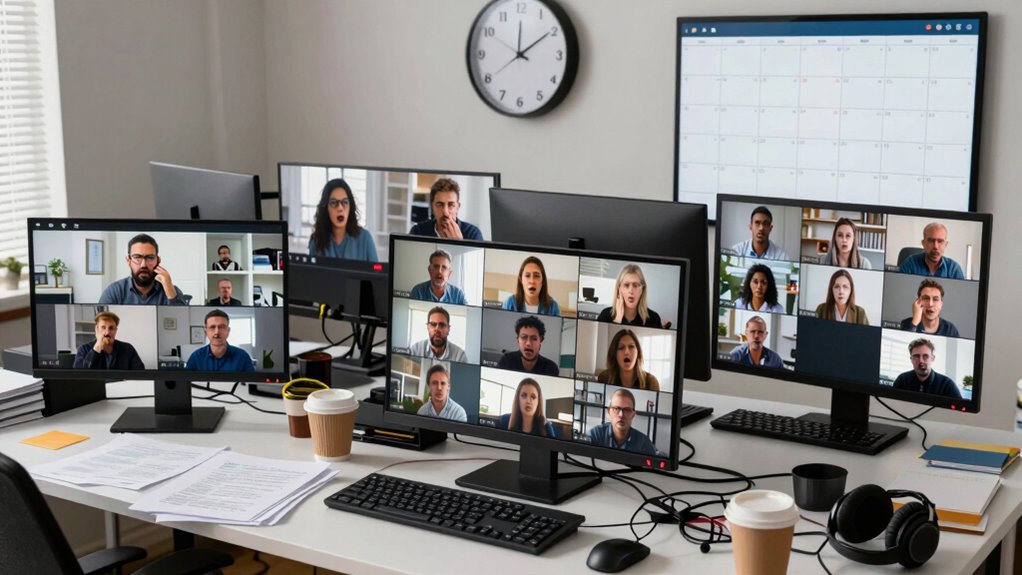
Though remote meetings are essential for collaboration, scheduling too many can quickly undermine productivity. When you overdo it, meeting fatigue sets in, leaving your team exhausted and disengaged. People start to dread these sessions, which leads to reduced focus and participation. Digital distractions also become rampant, as team members struggle to concentrate with notifications, emails, and other interruptions competing for attention. This environment can hinder the effectiveness of cloud-based collaboration tools, making it harder to maintain productive discussions. Recognizing these signs early is vital; if your team seems overwhelmed, disengaged, or frequently multitasking during meetings, it’s a clear indicator that you’re over-scheduling. Too many meetings can create a cycle of fatigue and distraction, ultimately hindering your team’s ability to work efficiently and achieve goals. Additionally, excessive meetings can negatively impact meeting quality, making it harder to cover important topics thoroughly and effectively.
How to Define Clear Goals for Your Weekly Meeting System

To make your weekly meetings more effective, you need to set clear objectives that guide the discussion. Focus on prioritizing the most important topics and guarantee everyone understands their specific outcomes. This way, your team stays aligned and productive, without wasting time.
Set Clear Objectives
Setting clear objectives is essential to running effective weekly team meetings. When you define specific goals, you enhance team cohesion by giving everyone a shared purpose. Clear objectives also help determine the right meeting frequency; if goals are too broad or vague, meetings can become unnecessary or unproductive. You can further prioritize tasks and streamline discussions by establishing well-defined objectives before each meeting. Focus on what you want to achieve during each session—whether it’s progress updates, problem-solving, or decision-making—and communicate these goals upfront. This clarity guarantees your team stays aligned and engaged. Incorporating Nike Tech innovations into your meeting tools or environment can also boost engagement and productivity. By setting well-defined objectives, you prevent meetings from drifting off-topic and make each session purposeful. Remember, the more precise your goals, the more focused your meetings will be, leading to better outcomes and stronger team connections.
Prioritize Key Topics
Prioritizing key topics is essential for ensuring your weekly meetings stay focused and productive. Start by identifying the most pressing issues using brainstorming techniques—this helps surface crucial topics without getting sidetracked. Focus on high-impact areas and avoid overloading your agenda, which can lead to meeting cancellation or fatigue. To keep everyone aligned, consider a simple table to rank topics by importance:
| Priority Level | Topic |
|---|---|
| High | Critical project deadlines |
| Medium | Process improvements |
| Low | Minor updates |
| Optional | Non-urgent suggestions |
This structure keeps your team focused and prevents wasted time, ensuring meetings are meaningful and targeted. Prioritize key topics to make every minute count. Incorporating Free Floating concepts can help create flexible and adaptable agendas that address both immediate needs and long-term goals.
Assign Specific Outcomes
Once you’ve identified the key topics for your meeting, it’s important to define clear outcomes for each discussion point. Clear outcomes guide virtual collaboration by setting expectations and keeping the meeting focused. When assigning outcomes, be specific—know exactly what you want to accomplish, whether it’s a decision, a task, or a follow-up. This approach improves meeting etiquette by minimizing unnecessary tangents and ensuring everyone understands their role. Clearly defined goals help your team stay aligned and accountable, reducing time wasted on unrelated topics. As you prepare, communicate these outcomes in advance so participants come ready to contribute. By assigning specific outcomes, you create a more efficient, productive meeting environment that respects everyone’s time and promotes effective virtual collaboration.
Creating a Weekly Meeting Schedule That Works for Remote Teams

To create a weekly meeting schedule that works, you need to align your goals and priorities with your team’s availability. Consistent check-ins help keep everyone on the same page and make certain accountability. By planning these meetings thoughtfully, you’ll boost productivity and foster better communication across your remote team.
Align Goals and Priorities
Aligning goals and priorities is essential for creating an effective weekly meeting schedule that keeps remote teams focused and productive. When everyone understands the team’s objectives, it enhances team cohesion and ensures efforts align with overall business goals. Clarifying priorities helps prevent wasted time on low-impact tasks, streamlining your meetings and making them more meaningful. Make sure each team member knows what’s most important for the week ahead, fostering communication clarity. This shared understanding reduces confusion and keeps everyone moving in the same direction. By regularly revisiting goals during your meetings, you reinforce a unified purpose, which boosts motivation and accountability. Incorporating goal alignment strategies can also promote team bonding and reduce stress, fostering a healthier work environment. Ultimately, aligning goals and priorities creates a focused environment where remote team members can collaborate effectively without feeling overwhelmed or disconnected.
Schedule Consistent Check-Ins
Scheduling consistent check-ins helps maintain the focus and momentum established by aligning goals and priorities. Regular meetings foster better virtual collaboration and guarantee everyone stays on the same page. To make these check-ins effective, set a recurring schedule that suits your team’s workflow and time zones. Follow proper meeting etiquette by preparing an agenda and encouraging participation. Consider these key points:
- Choose a consistent day and time for everyone’s convenience
- Keep meetings brief and focused on essential updates
- Use video to enhance engagement and clarity
- Rotate facilitation to promote shared responsibility
- Record key takeaways for absent team members
What Makes a Meeting Agenda Effective and Easy to Follow

An effective and easy-to-follow meeting agenda serves as the foundation for productive discussions. To achieve this, focus on agenda clarity—clearly outline each topic and time allocation to keep the meeting on track. Make sure every item is relevant to the meeting’s goal, ensuring topic relevance so participants stay engaged and purposeful. Avoid vague titles or unrelated items that can cause confusion or waste time. Use concise language and bullet points to convey key points quickly. Prioritize topics based on importance, and share the agenda in advance so everyone can prepare. When your agenda is clear and relevant, it guides the meeting smoothly, encourages focused participation, and helps you achieve your desired outcomes efficiently. Incorporating meeting structure techniques can further enhance the effectiveness of your agenda.
Tools and Practices to Cut Down Unnecessary Meetings

How can you prevent meetings from becoming a time drain? By leveraging the right tools and adopting best practices for virtual collaboration. Start by using scheduling apps that minimize overlaps and ensure clarity. Encourage the use of shared documents to replace lengthy verbal updates, fostering meeting etiquette that emphasizes concise communication. Implement asynchronous check-ins to reduce unnecessary gatherings and respect everyone’s time. Set clear objectives before each meeting to avoid tangents. Integrate video conferencing tools that support screen sharing and real-time collaboration. Consider implementing a “no meeting” day to give your team focused work time. These practices help streamline your schedule, keeping meetings purposeful and efficient, so your team stays productive without drowning in unnecessary discussions. Additionally, understanding effective meeting structures can help your team present ideas more effectively during meetings by choosing the right styling tools for a polished appearance. Incorporating research-driven insights from the latest studies on remote work can further optimize your meeting practices and foster a culture of efficient communication.
How to Continuously Improve Your Meeting System Over Time
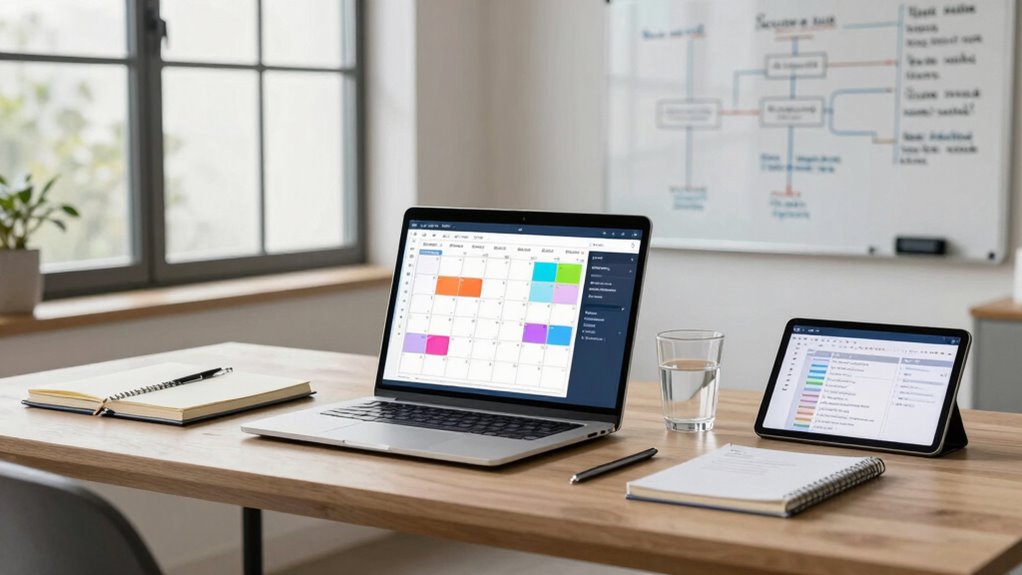
To keep your meeting system effective, you need to regularly assess and refine your approach based on team feedback and evolving needs. Establish feedback loops by asking your team what’s working and what’s not after each cycle. Use their input to identify bottlenecks or redundancies. Implement small adjustments consistently, fostering continuous refinement of your meeting practices. Track key metrics like meeting duration, participation levels, and action item follow-through to gauge progress. Regularly revisit your system—monthly or quarterly—to ensure it remains aligned with team goals. Be mindful of common goal-tracking pitfalls such as setting vague objectives or neglecting to celebrate small wins, and address them proactively. Incorporating safe electrical practices and clear communication can help prevent misunderstandings that lead to wasted time. Additionally, leveraging effective communication techniques can boost clarity and efficiency in meetings. By staying proactive and receptive to feedback, you create a dynamic process that adapts over time, reducing waste and boosting productivity. This ongoing improvement helps you keep meetings effective, engaging, and valuable for everyone involved.
Frequently Asked Questions
How Do I Handle Urgent Meetings That Can’t Be Scheduled Weekly?
When urgent meetings can’t be scheduled weekly, rely on ad hoc communication for quick updates. Use a clear emergency plan that defines who needs to be contacted and how, like instant messaging or quick calls. Keep a shared calendar updated with known urgent issues, so everyone stays prepared. This approach minimizes disruption, guarantees swift responses, and keeps your team aligned even during unexpected emergencies.
What Are Alternative Methods to Meetings for Remote Team Updates?
Imagine Jane’s team using asynchronous updates instead of constant meetings. They share progress via digital dashboards, allowing everyone to review and comment on their own schedule. This method keeps communication clear without disrupting workflows. You can implement tools like Slack channels or project management software to streamline updates, making your remote team more efficient and engaged while avoiding endless meetings.
How Can I Ensure Remote Team Members Stay Engaged During Meetings?
To keep your remote team members engaged during meetings, use interactive agendas that encourage participation and keep everyone focused. Incorporate visual engagement tools like shared screens, charts, or real-time polls to make discussions lively and dynamic. Ask open-ended questions and invite input regularly, making team members feel valued. These strategies help maintain attention, foster collaboration, and make certain your remote team stays actively involved throughout the meeting.
What Is the Ideal Duration for a Weekly Remote Team Meeting?
Think of your weekly meetings like a well-tuned engine—if they run too long, they overheat; too short, they stall. The ideal meeting length is about 30 to 45 minutes, ensuring focused discussions without fatigue. Keep sessions concise and consistent, and hold them once a week. This balance maintains engagement and productivity, preventing burnout and keeping your team energized and aligned.
How Do I Balance Meeting Time With Focused Individual Work?
To balance meeting time with focused individual work, you should prioritize effective time management by scheduling meetings during specific blocks and limiting their duration. Use productivity tools to set clear agendas and track tasks, ensuring meetings are concise and goal-oriented. Encourage your team to reserve uninterrupted periods for deep work, and consider implementing a no-meeting policy during certain hours to boost overall productivity and focus.
Conclusion
So, next time your remote team’s drowning in meetings, remember: more isn’t always better. Embrace a smarter system, cut the chaos, and watch productivity soar—because apparently, less really is more. Who knew that a little structure could save your team from drowning? If you want to keep your sanity and get things done, it’s time to stop the madness and start working smarter, not harder. Your inbox (and your brain) will thank you.