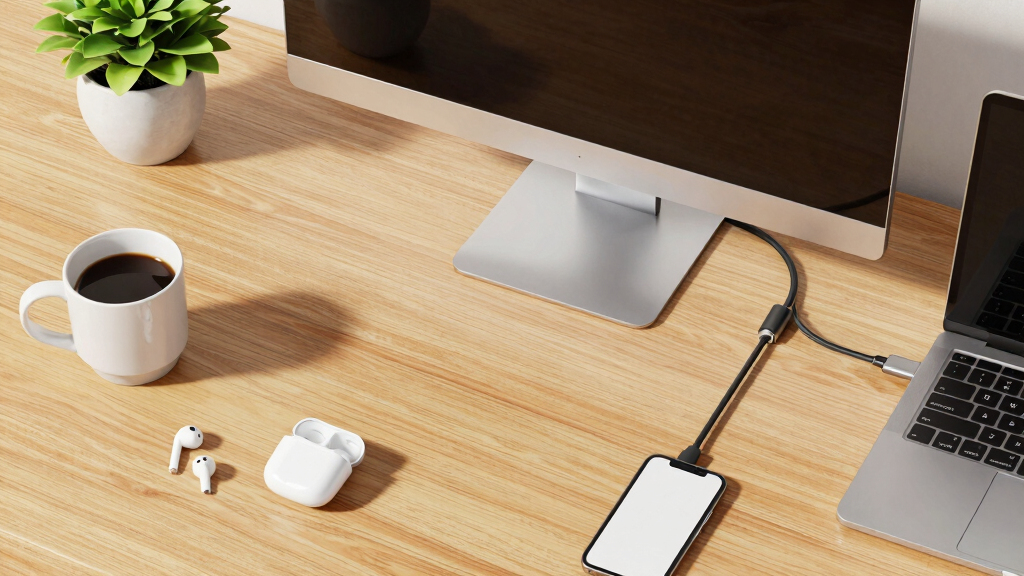

Choosing the best USB-C monitor for remote work requires balancing portability, display quality, and connectivity features. The UPERFECT 17.5″ Portable Monitor stands out for ultra-portability, ideal for those who work on the go. The Dell 27 Plus 4K USB-C Monitor offers a high-resolution display perfect for multitasking and detailed work. However, many options trade off between size, resolution, and price, making it hard to pick the right fit. Continue reading for a detailed comparison that helps you identify which monitor aligns with your remote work needs.
Key Takeaways
- Size and portability vary widely, with smaller portable options suited for frequent travelers and larger screens better for dedicated home setups.
- Resolution matters for clarity; 4K monitors provide sharper images but come at a higher price point and higher power demands.
- Built-in features like speakers and adjustable stands add convenience but can increase cost and complexity.
- Connectivity options, especially USB-C, simplify setups but ensure compatibility with your devices before purchasing.
- Price ranges reflect differences in features, build quality, and brand reputation—higher cost doesn’t always mean better value for every user.




More Details on Our Top Picks
UPERFECT 17.5″ Portable Monitor 1920×1200 FHD 16:10 IPS 125% sRGB 400 nits USB-C & HDMI Laptop Extender with 180° Adjustable Stand, Travel Second Screen for MacBook, PC, Phone & Gaming
This UPERFECT 17.5″ portable monitor stands out for its vibrant 125% sRGB color gamut, 400 nits brightness, and a sharp 1920×1200 resolution that provides a vivid display for creative tasks, gaming, and productivity on the go. Unlike smaller or lower-brightness options like the Anyuse 15.6″, this model offers a larger screen with wider viewing angles and a more immersive experience. Its adjustable 180° stand and VESA compatibility add flexibility for various setups, but it’s slightly heavier at 1200 grams, which may impact portability for some travelers. The dual USB-C ports and Mini HDMI ensure broad compatibility, and the plug-and-play design simplifies connection without extra drivers. Blue light flicker protection and stereo speakers enhance eye comfort and multimedia use. However, its 60Hz refresh rate is standard, not ideal for fast-paced gaming. This monitor makes the most sense for remote workers who need a larger, color-accurate secondary screen with flexible mounting options, and are willing to carry a slightly heavier device.
Pros:- 125% sRGB wide color gamut for accurate color reproduction
- 400 nits brightness for clear visibility in bright environments
- 180° adjustable stand and VESA compatibility for versatile setups
- Dual USB-C ports and HDMI for broad connectivity
Cons:- Weight of 1200 grams slightly reduces portability
- Limited 60Hz refresh rate not suited for fast-paced gaming
- No built-in camera or additional ergonomic adjustments
Best for: Remote workers, digital creators, and gamers who prioritize screen quality and flexibility in portable form.
Not ideal for: Travelers who need ultralight gear or gamers requiring high-refresh-rate displays for competitive play.
- Screen Size:17.5 inches
- Resolution:1920×1200
- Brightness:400 nits
- Color Gamut:125% sRGB
- Connectivity:USB-C & HDMI
- Stand:180° adjustable
- VESA Mount:Yes
- Contrast Ratio:1500:1
Bottom line: Ideal for remote workers and creatives who want a large, vibrant portable display with flexible mounting options, despite some weight tradeoffs.
This Dell S2725QC excels with its stunning 27-inch 4K resolution, offering crisp visuals ideal for professional editing, detailed spreadsheets, and immersive media. Its 120Hz refresh rate and AMD FreeSync Premium provide smooth motion, making it a good choice for both work and light gaming, unlike the KEFEYA 14″ which has a lower resolution and refresh rate. The 99% sRGB ensures accurate color reproduction, while ComfortView Plus reduces eye strain during long hours. The single USB-C connection delivers up to 65W power, reducing desk clutter, but the larger size and weight (around 14.8 pounds) are less portable. The built-in speakers and HDR support add multimedia convenience, though some users might prefer more ergonomic adjustments like height or swivel. This monitor suits professionals needing a high-resolution, color-accurate display with excellent connectivity and eye comfort, but it’s less portable for frequent travelers.
Pros:- 4K resolution for sharp, detailed visuals
- 120Hz refresh rate with FreeSync for smooth motion
- 99% sRGB color accuracy for professional tasks
- Single USB-C cable reduces desk clutter
Cons:- Relatively heavy at nearly 15 pounds, less portable
- No height or swivel adjustments, limited ergonomic flexibility
- Premium price point compared to smaller or lower-resolution monitors
Best for: Designers, video editors, and multitaskers who need a large, color-accurate, high-resolution monitor for remote work.
Not ideal for: Travelers or mobile workers seeking ultra-lightweight or compact displays, or gamers requiring higher refresh rates.
- Screen Size:27 inches
- Resolution:3840×2160
- Refresh Rate:120Hz
- Color Gamut:99% sRGB
- Contrast Ratio:1500:1
- Connectivity:USB-C & HDMI
- Built-in Speakers:Yes
- HDR:Yes
Bottom line: Best suited for remote professionals who require a large, high-res, color-accurate monitor with smooth motion and reliable connectivity, accepting its size and weight tradeoffs.
Anyuse Portable Monitor 15.6 Inch 1080P USB-C HDMI Ultra-Slim Travel Monitor with Kickstand, for Laptop, PC, Mac Phone, PS, Xbox, Swich IPS Ultra-Thin Zero Frame Gaming
This Anyuse 15.6″ portable monitor offers a crisp 1080p display with IPS technology, providing wide viewing angles and decent color reproduction for everyday remote work, casual editing, or gaming. Compared with larger options like the UPERFECT 17.5″, it’s significantly lighter at just 1.42 pounds and easier to carry, making it ideal for on-the-go use. Its compatibility with HDMI and USB-C devices supports plug-and-play setup, but the 60Hz refresh rate and 300-nit brightness may fall short in fast-paced gaming or bright outdoor environments. The built-in speakers add multimedia convenience, though the volume may be insufficient without headphones. Its ultra-slim profile and included kickstand make it highly portable and versatile for travel, but the smaller size limits multitasking compared to larger screens. This monitor is best for casual remote work, light multimedia, and gaming on the move, but less suitable for intensive creative tasks.
Pros:- Lightweight and ultra-slim for portability
- Full IPS panel with wide viewing angles
- Plug-and-play via USB-C and HDMI
- Includes kickstand for flexible positioning
Cons:- Limited 60Hz refresh rate not for high-speed gaming
- Brightness of 300 nits may be insufficient outdoors
- No ergonomic adjustments like height or tilt
Best for: Travelers, students, and casual remote workers who need a lightweight, compact secondary display for basic tasks and entertainment.
Not ideal for: Professionals requiring color accuracy, high refresh rates, or large multitasking real estate for detailed work.
- Screen Size:15.6 inches
- Resolution:1920×1080
- Brightness:300 nits
- Viewing Angle:178°
- Refresh Rate:60Hz
- Connectivity:USB-C & HDMI
- Built-in Speakers:Yes
- Weight:1.42 lbs
Bottom line: Best for casual remote work, media consumption, and gaming on the go, where portability and ease of use outweigh high-performance features.
One Cable Laptop Screen Extender, 15.6” Ultra-Slim Triple Portable Monitor, 1080P FHD IPS Display, USB-C/USB-A Connection, Travel Monitor for 13–17.3″ Laptops, MacOS/Windows/Android
This KEFEYA 15.6″ triple portable monitor provides a unique solution for power users needing a multi-screen setup with its three independent 1080p IPS screens, significantly boosting productivity for multitasking, programming, or presentations. Compared with single or dual monitors like the Rizpak P7 PRO, this model excels in creating a desktop-like experience in a portable form factor, though at a weight of 4 pounds, it’s heavier than most portable options. Its compatibility with Windows, Mac, Android, Switch, and PS5 makes it highly versatile, but it requires driver installation and additional power supply via the included PD port for optimal brightness. The aluminum alloy body and reinforced stand improve durability, while the 178° viewing angles and HDR support enhance visual quality. Ergonomic adjustments are limited, and the device’s bulk might be a drawback for some travelers. This multi-screen extender is best for remote professionals, programmers, and content creators who need a portable, multi-monitor workstation without sacrificing mobility.
Pros:- Three independent 1080p IPS screens for multitasking
- High compatibility across operating systems and devices
- Durable aluminum alloy construction and reinforced stand
- 180° foldable screens for versatile use
Cons:- Heavy at 4 pounds, reducing portability for frequent travelers
- Requires driver installation and external power supply for full brightness
- Limited ergonomic adjustments like height or tilt
Best for: Remote workers, programmers, content creators, and IT professionals who need a powerful portable multi-screen setup.
Not ideal for: Travelers seeking ultralight gear or users who only need a simple secondary screen for basic tasks.
- Screen Size:15.6 inches (x3)
- Resolution:1920×1080
- Refresh Rate:60Hz
- Color Gamut:72% NTSC
- Connectivity:USB-C & USB-A
- Material:Aluminum alloy
- Viewing Angle:178°
- Weight:4 lbs
Bottom line: Best suited for remote professionals needing multiple screens on the go, balancing power and portability with some added weight.
KEFEYA Laptop Screen Extender 14″, FHD 1080P IPS Laptop Monitor Extender Dual Screen, Portable Monitor for Laptops 13-17″ with USB-C/HDMI Port, Plug n Play for Windows/Mac/Android/Switch/PS5
This KEFEYA 14″ dual portable monitor offers a practical and affordable way to enhance productivity with a 1080p IPS display, suitable for remote work, light editing, or casual gaming. Its compact size and lightweight design (around 1.04 kg) make it highly portable, comparable to the Anyuse 15.6″ but with the advantage of dual screens. It supports plug-and-play via USB-C and HDMI, though users must connect an additional USB-A to USB-C cable for power when using HDMI, which adds some cable clutter. The 178° viewing angle and HDR support improve image quality, but the 60Hz refresh rate limits responsiveness for fast-action gaming or video editing. The monitor’s simple design and included accessories make it accessible for budget-conscious users, but the lack of ergonomic adjustments like height or tilt may limit long-term comfort. This monitor is an excellent option for basic remote work, light multimedia, and casual gaming, especially for those prioritizing portability and affordability.
Pros:- Lightweight and compact for portability
- Dual screens enhance multitasking
- Plug-and-play with USB-C and HDMI
- Affordable price point
Cons:- Requires extra USB-A to USB-C cable for power via HDMI
- Limited 60Hz refresh rate unsuitable for fast gaming
- No height or tilt adjustments for ergonomic comfort
Best for: Budget-conscious remote workers, students, and casual users who need a portable dual-screen setup for everyday tasks.
Not ideal for: Power users or gamers requiring high refresh rates, color accuracy, or ergonomic flexibility.
- Screen Size:14 inches
- Resolution:1920×1080
- Brightness:300 nits
- Viewing Angle:178°
- Refresh Rate:60Hz
- Connectivity:USB-C & HDMI
- Built-in Speakers:Yes
- Weight:1.04 kg
Bottom line: Great for budget-minded remote users needing dual screens for basic tasks and light entertainment, with some cable management considerations.
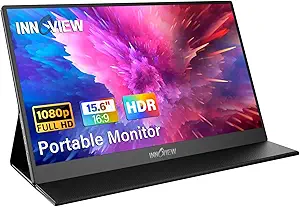
InnoView Portable Monitor, 15.6 Inch FHD 1080P HDMI USB C Second External Monitor for Laptop, Desktop, MacBook, Phones, Tablet, PS5/4, Xbox, Switch, Built-in Speaker with Protective Case
This InnoView portable monitor stands out for its plug-and-play simplicity and compatibility with a broad range of devices, including laptops, phones, and gaming consoles. Its IPS screen with HDR support delivers vivid, accurate colors, making it suitable for work, gaming, and multimedia on the go. Compared with the KYY model, this monitor offers a slightly larger display with a built-in stand and protective cover, enhancing portability and setup ease. The main tradeoff is its reliance on Thunderbolt 3 support for optimal performance; devices lacking this may experience flickering or limited power pass-through. The monitor’s lightweight design (2.65 pounds) and versatile stand make it perfect for frequent travelers, remote workers, or students who need a reliable second screen. However, it doesn’t feature touchscreen capabilities, which might be a downside for users seeking touch interaction.
Pros:- Plug-and-play with USB-C and HDMI, no driver needed
- IPS panel with HDR for vivid and accurate visuals
- Built-in stand and protective leather cover for convenience
Cons:- Requires Thunderbolt 3 support for best performance; may flicker otherwise
- No touchscreen functionality
- Limited to 60Hz refresh rate, less ideal for fast-paced gaming
Best for: Travelers, remote workers, and students needing a portable second monitor with broad device compatibility
Not ideal for: Users looking for a touchscreen or high-refresh-rate gaming monitor that stays stationary in a fixed workspace
- Screen Size:15.6 inches
- Resolution:1920 x 1080
- Display Technology:IPS
- Refresh Rate:60 Hz
- Contrast Ratio:1200:1
- Viewing Angle:178°
- Power:Supports power pass-through
- Connectivity:USB-C, HDMI
Bottom line: This monitor is ideal for frequent travelers and remote workers seeking a portable, versatile display with minimal setup fuss.
KYY Portable Monitor 15.6inch 1080P FHD USB-C, HDMI Computer Display HDR IPS Gaming Monitor w/Premium Smart Cover & Screen Protector, Speakers, for Laptop PC MAC Phone PS4 Xbox Switch
The KYY portable monitor excels with its HDR technology and IPS panel, providing rich colors and broad viewing angles, making it suitable for media consumption and light gaming. Its ultra-slim profile and lightweight design (1.7 lbs) make it highly portable for on-the-move use, especially compared to bulkier options. It offers dual Type-C ports and HDMI for wide device compatibility, matching the UPERFECT monitor’s connectivity. The built-in stereo speakers and smart leather cover add to its multimedia appeal. Nonetheless, the monitor’s refresh rate remains at 60Hz, which isn’t sufficient for fast-paced gaming, and its brightness (300 nits) might struggle in very bright environments. For users prioritizing portability and multimedia, this is a strong contender, but gamers seeking high refresh rates should look elsewhere.
Pros:- Ultra-slim and lightweight design for portability
- HDR and IPS for vivid, accurate images
- Multiple ports including Dual USB-C and HDMI for broad device compatibility
Cons:- Limited to 60Hz refresh rate, not suitable for high-speed gaming
- Brightness of 300 nits may be insufficient outdoors
- No touchscreen feature
Best for: On-the-go multimedia enthusiasts and casual gamers who need a lightweight, portable display
Not ideal for: Hardcore gamers or professionals requiring high refresh rates and color accuracy for editing
- Screen Size:15.6 inches
- Resolution:1920 x 1080
- Display Technology:IPS
- Refresh Rate:60 Hz
- Brightness:300 nits
- Viewing Angle:178°
- Connectivity:USB-C, HDMI
Bottom line: This monitor is perfect for media lovers and casual gamers needing a portable display with good visuals and easy connectivity.
BenQ GW2490TC 23.8″ IPS Computer Montior, 1080P FHD, 144Hz, Height and Tilt Adjustable, Home Office, USB-C, Visual Optimizer, Flicker-Free, Low Blue Light, Ultra Slim Bezel, TUV-Certified, Eye-CareU
The BenQ GW2490TC is designed for comfort and productivity, featuring 144Hz refresh rate and Eye-Care technologies that reduce eye strain during long work hours. Its USB-C port supports single-cable connection for video, data, and power, creating a clutter-free workspace. Compared to portable options like the Yxk monitor, this model offers a larger, more ergonomic screen with height and tilt adjustments, making it ideal for permanent desk setups. The monitor’s ultra-slim bezel and flicker-free display enhance visual comfort. The main drawback is its size and weight (around 3.54 kg), making it less portable. This display suits remote workers or office setups prioritizing comfort, color accuracy, and high refresh rates, but it’s less suited for frequent travel or tight space constraints.
Pros:- 144Hz refresh rate for smooth visuals and multitasking
- USB-C connection simplifies cable management
- Height and tilt adjustments for ergonomic comfort
Cons:- Size and weight reduce portability
- Not designed for gaming at high refresh rates beyond 144Hz
- Price point may be higher than portable models
Best for: Remote workers and professionals seeking a reliable, ergonomic monitor for extended use
Not ideal for: Travelers or users needing a portable second screen for frequent mobility
- Screen Size:23.8 inches
- Resolution:1920 x 1080
- Display Technology:IPS
- Refresh Rate:144Hz
- Contrast Ratio:3000:1
- Viewing Angle:178°
- Connectivity:USB-C
- Adjustability:Height and Tilt
Bottom line: This monitor is best for users who want an ergonomic, high-refresh-rate display for daily work and long hours at a desk.
Yxk Portable Monitor 15.6 Inch 1080P USB-C HDMI Ultra-Slim Travel Monitor with Kickstand, for Laptop, PC, Mac Phone, PS, Xbox, Swich IPS Ultra-Thin Zero Frame Gaming
The Yxk portable monitor offers a compelling balance of affordability and functionality, with a 15.6-inch FHD IPS display that provides decent color and viewing angles. Its ultra-slim profile (0.31 inches) and lightweight design (around 800 grams) make it highly portable, suitable for users who need a second screen on the go. It supports plug-and-play connectivity via USB-C and HDMI, matching the UPERFECT and other travel monitors in versatility. However, its lack of higher refresh rates and lower brightness (250 nits) limit its appeal for gaming or outdoor use. The monitor does not have a built-in stand, relying on an external kickstand, which slightly reduces convenience. It’s a solid choice for casual use, travel, or secondary display needs on a budget.
Pros:- Ultra-slim and portable design
- Plug-and-play with USB-C and HDMI
- Affordable price point for secondary display use
Cons:- Limited to 60Hz refresh rate, not suitable for competitive gaming
- Lower brightness may be insufficient outdoors
- No built-in stand, requiring an external kickstand for placement
Best for: Budget-conscious users needing a lightweight, portable second screen for work or gaming
Not ideal for: High-end gamers or professionals requiring high refresh rates and bright displays for outdoors
- Screen Size:15.6 inches
- Resolution:1920 x 1080
- Display Technology:IPS
- Refresh Rate:60 Hz
- Brightness:250 nits
- Viewing Angle:178°
- Connectivity:USB-C, HDMI
- Weight:around 800 grams
Bottom line: This monitor is a good value for users who prioritize portability and affordability over high refresh rates or brightness.
MNN Portable Monitor 15.6inch FHD 1080P USB C HDMI Gaming Ultra-Slim IPS Display w/Smart Cover & Speakers,HDR Plug&Play, External Monitor for Laptop PC Phone Mac
This portable monitor excels in delivering high-quality images with its 1920×1080 resolution and IPS panel, making it a strong contender for remote workers who need a secondary screen that’s easy to carry. Compared to the UPERFECT 17.5-inch, it sacrifices a bit of screen real estate but gains in lightweight design and convenience. Its dual USB-C ports simplify connection, reducing cable clutter, and the HDR mode enhances visual clarity for video calls and content consumption. However, the monitor’s reliance on a single small dial for adjustments can be frustrating, and it may not be suitable for those who require precise, frequent calibration. The built-in speakers and smart cover add to its versatility, transforming it into a stand and providing protection during travel. This model is better suited to remote workers who prioritize portability and quick setup over larger display size, but it might not satisfy those needing extensive screen space or dedicated controls.
Pros:- Lightweight and ultra-slim design for easy portability
- Dual USB-C ports for simple, single-cable connection
- Supports HDR for enhanced picture quality and vivid colors
- Includes a smart cover that doubles as a stand and protects the screen
Cons:- Adjustment controls are limited to a single small dial, which can be inconvenient
- Dependent on device support for power and video through USB-C; not all devices may be compatible
- Battery life isn’t explicitly specified, which could be a concern for all-day use without power source
Best for: Remote workers who need a lightweight, plug-and-play portable display that supports multiple devices and travel frequently.
Not ideal for: Desk-bound professionals requiring a large, adjustable monitor for extended hours of work; this model’s small size and limited adjustment options could hinder productivity.
- Display Size:15.6 inches
- Resolution:1920 x 1080 (Full HD)
- Panel Type:IPS
- Brightness:300 nits
- Viewing Angle:178 degrees
- Ports:2 x USB-C, 1 x HDMI
- Weight:1.53 pounds
- Power:Powered via USB-C (supporting Thunderbolt 3.0/USB 3.1)
Bottom line: This portable monitor is ideal for remote workers who prioritize mobility and quick setup over extensive screen adjustments or larger display size.

How We Picked
The monitors included in this roundup were selected based on their relevance to remote work, focusing on USB-C connectivity, display quality, portability, and usability. We prioritized models that offer a good balance of performance and value, considering factors like resolution, refresh rate, build quality, and additional features such as adjustable stands or built-in speakers. The ranking reflects a combination of user reviews, feature set, and overall versatility, ensuring that each product serves a distinct purpose for different remote work scenarios. Our evaluation aims to help buyers identify options suited for various budgets and needs, from portable travel monitors to high-resolution desktop displays.Factors to Consider When Choosing Best Usb-c Monitor For Remote Work
When selecting the best USB-C monitor for remote work, there are several key factors to consider beyond just screen size or resolution. Understanding these can prevent costly mistakes and ensure you choose a monitor that fits your workflow, device compatibility, and workspace constraints. Carefully weighing each factor will help you find a monitor that offers real value and enhances your productivity.Portability and Size
Portability is often the primary reason for choosing a USB-C monitor in remote work. Smaller, lightweight models are easier to carry and set up in various locations, but they may sacrifice screen real estate. Larger monitors provide more workspace for multitasking but can be cumbersome to transport and set up in tight spaces. Think about your typical work environment and how often you’ll need to move the monitor to find the best balance between convenience and usability.
Resolution and Display Quality
Higher resolution screens, like 4K, deliver sharper images and more detailed visuals, which benefit tasks like photo editing, design, or multitasking with multiple windows. However, they also demand more from your device’s graphics hardware and can increase costs. If your work is primarily document editing or browsing, a 1080p or FHD monitor might suffice, saving money without sacrificing clarity for everyday tasks.
Connectivity and Compatibility
USB-C is the preferred connection for a streamlined setup, offering both power and display signals through a single cable. However, ensure your devices support USB-C with DisplayPort Alt Mode or Power Delivery, otherwise, you might need adapters or different ports. Compatibility issues are a common mistake, so double-check your laptop or phone’s specifications before purchasing. Some monitors also offer additional ports for flexibility, which can become valuable as your device needs evolve.
Build Quality and Ergonomics
Adjustable stands, VESA compatibility, and robust construction improve comfort and long-term usability. For remote work, a monitor with tilt, swivel, and height adjustment helps reduce neck and eye strain. Cheaper models might skimp on ergonomic features, leading to discomfort after prolonged use. Investing in a well-built monitor with ergonomic options can pay off in increased productivity and comfort.
Additional Features and Value
Features like built-in speakers, USB hubs, or anti-glare coatings add convenience but can increase overall cost. Decide which extras genuinely support your workflow—if audio quality isn’t critical, you may prioritize display quality and portability. Be mindful of tradeoffs: a lower price might omit features you need, while premium models may include bells and whistles that you won’t use regularly. Focus on what enhances your remote work setup without overpaying for unnecessary extras.
Frequently Asked Questions
Can I use a USB-C monitor with a laptop that doesn’t have USB-C?
Yes, but you’ll likely need an additional adapter or docking station to connect via HDMI or DisplayPort. Many USB-C monitors support multiple connection types, so check the product specifications. If your laptop only offers HDMI or VGA, ensure you select an adapter compatible with your device to avoid compatibility issues. Also, some monitors may not support power delivery from non-USB-C ports, so consider your power needs accordingly.
Is a 4K monitor worth it for remote work?
For detailed tasks like design, video editing, or multitasking with numerous windows, a 4K monitor can significantly improve clarity and efficiency. However, it requires a powerful graphics card and can increase power consumption. If your work mainly involves document editing, spreadsheets, or browsing, a 1080p or FHD monitor will usually suffice and save money. Balance your performance needs against your hardware capabilities and budget.
How important is an adjustable stand for remote work?
An adjustable stand greatly enhances comfort by allowing you to set the monitor at eye level, reducing neck and eye strain during long hours. It also offers flexibility to switch between sitting and standing positions. Cheaper monitors may omit these features, leading to less ergonomic setups. Investing in a monitor with height, tilt, and swivel adjustments can boost your productivity and overall well-being in a remote workspace.
Should I prioritize portability over screen size?
If you frequently work from multiple locations or travel often, portability may be more important, favoring smaller, lightweight models. However, smaller screens can limit multitasking and workspace visibility, which might hinder productivity. For consistent home setups, larger monitors provide more screen real estate but sacrifice convenience. Consider your typical work environment and how much you value mobility versus screen size when making your choice.
Are built-in speakers necessary for a remote work monitor?
Built-in speakers add convenience by eliminating the need for external audio devices, especially if your workspace is limited. However, they often deliver lower sound quality compared to dedicated speakers or headphones. For critical audio work or frequent video calls, investing in external speakers or quality headphones might be preferable. Use built-in speakers as a bonus feature if you want a streamlined setup without extra clutter.
Conclusion
For most remote workers, the best overall pick is a versatile monitor that balances size, resolution, and connectivity. If budget is a concern, a reliable FHD portable monitor offers excellent value, especially for occasional use or travel. Professionals requiring sharp visuals and high performance should consider premium 4K models with robust ergonomic features. Beginners or those setting up a simple home office might prioritize ease of use and affordability, while power users or creatives benefit from larger, higher-resolution screens with advanced features. Tailor your choice to your specific workflow and workspace to get the best experience in 2026.