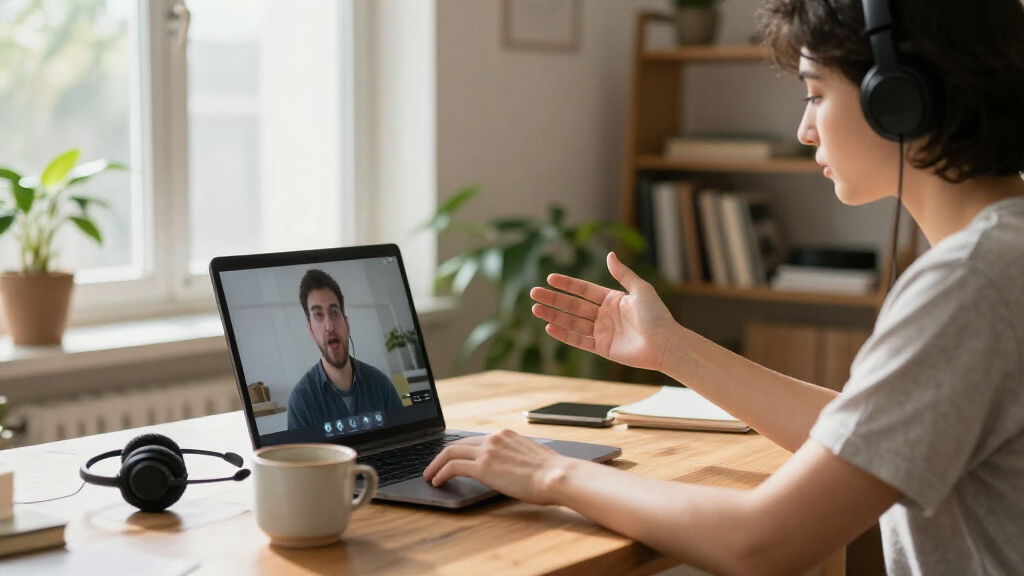
AI-powered video conferencing tools range from webcams that follow one speaker to room systems built to cover a whole table. My best overall pick is the Insta360 Link 2 for its 4K PTZ image and AI tracking in a compact setup; the Meeting Owl 3 stands out for shared-room coverage, while the Yealink MeetingBar A10 suits teams seeking an integrated room system. The main tradeoffs are individual tracking versus seeing everyone, simple USB connection versus dedicated room hardware, and built-in meeting functions versus reliance on separate software. Continue reading for the full breakdown and recommendations by room, workflow, and buyer type.

Get business pricing on tech for your team
- Business-only prices and quantity discounts
- Tax-exempt purchasing
- Multiple users, one account, clear invoices
Key Takeaways
- AI tracking works best when it matches the meeting format: the Insta360 Link 2 is geared toward a single presenter, while 360-degree cameras such as the Meeting Owl 3 and KanDao Meeting Pro aim to represent a group around a table.
- Room coverage and image resolution are separate priorities: several options offer 4K capture, but a wider view or 360-degree perspective may matter more than resolution in a shared meeting room.
- All-in-one systems trade portability for room readiness: the MeetingBar A10 models and Shure IntelliMix Bar Pro Kit combine more meeting-room components than a standalone webcam, but need more planning around setup and compatibility.
- Feature bundles are not interchangeable: the Philips PSE0550 includes a Sembly AI Meeting Assistant trial, while the KanDao Meeting Pro lists local recording; buyers should check how each feature fits their policies and workflow.
- The lineup has distinct jobs rather than one universal winner: webcams like the WyreStorm Focus 210 and RayBit SeeUp 4C fit simpler setups, while the PANOCORE360 and Meeting Owl 3 address group visibility from different 360-degree camera designs.
| Insta360 Link 2 PTZ 4K Webcam with AI Tracking |  | Best for Presenter Tracking | Sensor: 1/2-inch CMOS | Resolution: 4K UHD | Focus: Phase Detection Auto Focus (PDAF) | VIEW LATEST PRICE | See Our Full Breakdown |
| PANOCORE360 All-in-One 360° Meeting Camera |  | Best Compact 360° Room System | Video output: 1080p | Camera capture: 4K capture, 360° | Camera lenses: Four wide-angle lenses | VIEW LATEST PRICE | See Our Full Breakdown |
| Owl Labs Meeting Owl 3 360° 1080p HD Conference Camera |  | Best for Larger Hybrid Meetings | Video resolution: 1080p HD | Video capture: 360° | Audio pickup range: Up to 18 feet (5.5 m) | VIEW LATEST PRICE | See Our Full Breakdown |
| Philips SmartMeeting PSE0550 4K Video Conferencing System with Sembly AI Meeting Assistant Trial |  | Best for AI Meeting Follow-Up | Model: PSE0550 | Video resolution: 4K | Image sensor: 1/2.8-inch CMOS | VIEW LATEST PRICE | See Our Full Breakdown |
| TONGVEO 3-in-1 4K Webcam with Microphones, Speaker, AI Tracking, and Remote |  | Best All-in-One Desk Setup | Resolution and frame rate: Up to 3840 × 2160 at 30 fps | Image sensor: 1/2.8-inch CMOS, 8.29 MP | Fields of view: 118°, 100°, and 88° | VIEW LATEST PRICE | See Our Full Breakdown |
| Yealink MeetingBar A10 Conference Room Camera and Microphone System |  | Best for Teams and Zoom Room Integration | Model: A10-010 | Operating system: Android 11 | Camera: 4K, 1/2.8-inch CMOS sensor | VIEW LATEST PRICE | See Our Full Breakdown |
| WyreStorm Focus 210 4K AI-Powered Conference Webcam |  | Best Plug-and-Play Webcam for Small Rooms | Model: Focus 210 | Resolution: 4K | Field of view: 120 degrees | VIEW LATEST PRICE | See Our Full Breakdown |
| KanDao Meeting Pro 360° Video Conference System with AI Tracking and Local Recording |  | Best for 360-Degree Table Coverage | Model: Meeting Pro (MT0822) | Camera coverage: 360 degrees | Video resolution: 1080p | VIEW LATEST PRICE | See Our Full Breakdown |
| RayBit TB5 4K Video Conferencing System with 120° Wide-Angle Camera |  | Best for Broad Computer Compatibility | Model: TB5 | Video resolution: Ultra 4K | Field of view: 120 degrees | VIEW LATEST PRICE | See Our Full Breakdown |
| Yealink MeetingBar A10 All-in-One Video Conferencing System with CTP18 Touch Panel |  | Best All-in-One Touch-Controlled Room System | Model: A10-020 | Camera resolution: 4K | Viewing angle: 120 degrees | VIEW LATEST PRICE | See Our Full Breakdown |
| RayBit SeeUp 4C 4K Conference Webcam with Remote Control |  | Best Compact All-in-One | Camera resolution: UHD 4K | Sensor: 1/3-inch CMOS | Viewing angle: 94 degrees | VIEW LATEST PRICE | See Our Full Breakdown |
| Shure IntelliMix Bar Pro Kit All-in-One Video Conferencing System with Touch Panel, Black |  | Best for Large Collaboration Rooms | System type: All-in-one video conferencing bar | Cameras: Dual 4K | Microphone processing: IntelliMix echo, noise, and reverb suppression | VIEW LATEST PRICE | See Our Full Breakdown |
| AI-powered video conferencing tool | Connectivity | Microphones | Model |
|---|---|---|---|
| Insta360 Link 2 PTZ 4K Webcam | USB | — | — |
| PANOCORE360 All-in-One 360° Me | USB; USB-C or USB-A with power adapter | — | — |
| Owl Labs Meeting Owl 3 360° 10 | USB, Wi-Fi | — | — |
| Philips SmartMeeting PSE0550 4 | USB, Wi-Fi | Four-array microphone | PSE0550 |
| TONGVEO 3-in-1 4K Webcam with | USB 2.0/3.0 | Dual omnidirectional microphones with noise cancellation; pickup up to 16.4 ft | — |
| Yealink MeetingBar A10 Confere | Bluetooth, HDMI, Wi-Fi | 8 MEMS microphone array | A10-010 |
| WyreStorm Focus 210 4K AI-Powe | USB; 5 ft USB-A to USB-C cable included | Dual AI noise-canceling microphones | Focus 210 |
| KanDao Meeting Pro 360° Video | USB, Wi-Fi, HDMI | 8 omnidirectional | Meeting Pro (MT0822) |
| RayBit TB5 4K Video Conferenci | USB-C and USB-A | 4 microphone arrays | TB5 |
| Yealink MeetingBar A10 All-in- | HDMI, Wi-Fi, Bluetooth, Ethernet | 8 MEMS microphones | A10-020 |
| RayBit SeeUp 4C 4K Conference | USB | — | — |
| Shure IntelliMix Bar Pro Kit A | — | — | — |
More Details on Our Top Picks
Insta360 Link 2 PTZ 4K Webcam with AI Tracking
The Insta360 Link 2 is the strongest fit here for a solo presenter who moves around while speaking. Its AI pan-and-tilt tracking follows the subject, while the 4K sensor, HDR, and phase-detection autofocus help preserve detail as lighting and distance change. DeskView and Whiteboard modes also make it more adaptable for demonstrations than the room-focused Meeting Owl 3, which frames participants around a shared table rather than following one person’s presentation.
The tradeoff is that this is a webcam, not an all-in-one room system: buyers need a separate speaker setup, and the listed compatibility excludes ARM-based Windows computers. Its camera features make the most sense for teaching, streaming, or a one-person conference setup, not a group room that needs broad audio pickup.
Pros:- 4K UHD video, HDR, and a 1/2-inch sensor support detailed images across varied lighting.
- AI pan-and-tilt tracking keeps a moving presenter in frame.
- PDAF autofocus and noise-canceling audio support clearer calls.
- DeskView, Whiteboard, and gesture controls suit demonstrations and hands-on teaching.
Cons:- Not compatible with ARM-based Windows systems.
- Does not support Windows Hello Face Recognition.
- A standalone webcam setup lacks the integrated room speaker and microphone array found in the Meeting Owl 3.
Best for: Presenters, remote instructors, and streamers who want a detailed 4K image that follows them around a desk or teaching space.
Not ideal for: Teams using ARM-based Windows computers or groups seeking an integrated room camera, microphone, and speaker.
- Sensor:1/2-inch CMOS
- Resolution:4K UHD
- Focus:Phase Detection Auto Focus (PDAF)
- Connectivity:USB
- AI and camera features:AI tracking, HDR, gesture control, DeskView, Whiteboard, 4K Portrait Mode
- Compatibility:PC and Mac; compatible with major conferencing and streaming platforms
- Compatibility limitation:Not compatible with ARM-based Windows systems or Windows Hello Face Recognition
- Dimensions:2.06 × 2.72 × 1.62 inches
Our verdict“Choose the Insta360 Link 2 if presenter-following 4K video matters more than built-in room audio or broad Windows compatibility.”
PANOCORE360 All-in-One 360° Meeting Camera
The PANOCORE360 packs four cameras, three microphones, and a speaker into a compact unit for small meeting rooms. Its active-speaker focus and selectable 360° or dual 180° views give teams a way to show the room without setting up separate camera and audio gear. Compared with the Meeting Owl 3, it is lighter and offers local MicroSD recording, but its stated audio pickup range is shorter, making the Owl a better match for rooms where participants sit farther from the device.
This model’s 1080p output is practical for routine conference calls, though it is not the choice for buyers prioritizing 4K detail like the Insta360 Link 2. The recommended limit of 12 participants also sets a clear boundary: it suits compact huddle rooms, not larger boardrooms. Local recording requires a MicroSD card, and older or low-power computers may need the included power adapter.
Pros:- Combines four cameras, three microphones, and a speaker in one compact unit.
- Offers 360° and dual 180° viewing modes with active-speaker focus.
- Works plug-and-play with Zoom, Microsoft Teams, Webex, and Google Meet.
- Supports local audio and video recording to MicroSD.
Cons:- 1080p output offers less image detail than the 4K Insta360 Link 2 or Philips SmartMeeting.
- Designed for small to medium rooms, with a recommended maximum of 12 participants.
- Local recording requires a MicroSD card, and some computers may need the power adapter.
Best for: Small teams holding meetings in rooms of up to 12 people who want one compact device for 360° video, voice pickup, and playback.
Not ideal for: Large-room teams, buyers who need 4K output, or anyone who wants local recording without supplying a MicroSD card.
- Video output:1080p
- Camera capture:4K capture, 360°
- Camera lenses:Four wide-angle lenses
- Viewing modes:360° and dual 180°
- Audio:Three omnidirectional microphones; pickup up to 10 ft; one integrated speaker
- Connectivity:USB; USB-C or USB-A with power adapter
- Local recording:MicroSD (TF) card
- Recommended room size:Small to medium rooms, up to 12 participants
- Dimensions and weight:3.31 × 3.15 × 3.15 inches; 10 oz
Our verdict“Choose the PANOCORE360 for a small meeting room that needs a compact all-in-one 360° setup and local recording.”
Owl Labs Meeting Owl 3 360° 1080p HD Conference Camera
The Meeting Owl 3 is the better fit for hybrid teams that need a room camera and audio system to cover a broader seating area. Its AI speaker tracking shifts attention to whoever is speaking, while the stated 18-foot audio pickup range exceeds the PANOCORE360’s 10-foot range. That extra reach can help participants around a larger table remain part of the call without moving closer to the device. USB setup and compatibility with common meeting platforms also keep the system straightforward to connect.
Its 1080p video is less detailed than the Philips SmartMeeting PSE0550 and the Insta360 Link 2, both of which offer 4K. The Owl is also a comparatively tall, heavier unit, and expanding coverage may require compatible Owl Labs devices. I’d choose it for shared-room participation and audio reach rather than image resolution or solo-presenter control.
Pros:- 360° video captures a shared room for remote participants.
- AI speaker tracking automatically focuses on the active in-room speaker.
- Audio pickup range is listed at up to 18 feet.
- USB setup and compatibility with major meeting platforms support straightforward deployment.
Cons:- 1080p HD video has less resolution than the Philips SmartMeeting and Insta360 Link 2.
- Larger-room coverage may require additional compatible Owl Labs devices.
- Its 2.6-pound weight and tall form factor are less compact than the PANOCORE360.
Best for: Hybrid teams meeting around a larger table who need 360° room coverage and audio pickup across a wider area.
Not ideal for: Presenters who need 4K video, highly portable equipment, or a single-device solution for substantially expanding large-room coverage.
- Video resolution:1080p HD
- Video capture:360°
- Audio pickup range:Up to 18 feet (5.5 m)
- Connectivity:USB, Wi-Fi
- Wireless compatibility:802.11ac, Bluetooth
- Operating systems:Chrome, Linux, Mac, Windows
- Platform compatibility:Microsoft Teams certified; compatible with Zoom, Google Meet, GoTo Meeting, Cisco Webex, and others
- Dimensions and weight:4.37 × 4.37 × 10.72 inches; 2.6 pounds
Our verdict“Choose the Meeting Owl 3 when a hybrid room needs 360° coverage and longer audio reach more than 4K video.”
Philips SmartMeeting PSE0550 4K Video Conferencing System with Sembly AI Meeting Assistant Trial
The Philips SmartMeeting PSE0550 stands apart by pairing 4K video and voice tracking with Sembly AI transcripts and action points. That makes it a stronger match than the Insta360 Link 2 for teams whose main need extends beyond framing a speaker to capturing what was said and what needs doing next. Its four-microphone array is specified for pickup up to 20 feet and up to six speakers, while camera presets and pan, tilt, and zoom controls help frame different meeting setups.
The tradeoff is that key details need scrutiny: the listing gives no manufacturer warranty, and it does not specify the included Sembly trial’s duration or terms. It is also heavier than the compact PANOCORE360. Buyers who only need automatic room framing may find the Meeting Owl 3 simpler, while teams choosing Philips should be comfortable relying on the listed AI assistant offer for meeting notes.
Pros:- 4K video and a 1/2.8-inch CMOS sensor support detailed conference images.
- Sembly AI provides speaker-separated transcripts and automated action points.
- Four-microphone array is specified for pickup up to 20 feet and up to six speakers.
- Voice tracking, pan/tilt/zoom controls, and three presets help adjust camera framing.
Cons:- The listed manufacturer warranty is none.
- The Sembly AI feature is described as a trial, but its duration and terms are not specified.
- At 1.1 kg, it is heavier than the compact PANOCORE360.
Best for: Small teams that want a 4K conference camera and AI-generated speaker-separated transcripts and action points after meetings.
Not ideal for: Buyers who require a stated manufacturer warranty, need a compact lightweight camera, or do not want meeting-assistant features tied to a trial.
- Model:PSE0550
- Video resolution:4K
- Image sensor:1/2.8-inch CMOS
- Microphones:Four-array microphone
- Microphone pickup range:Up to 20 feet; supports up to six speakers
- Camera features:Voice tracking, pan, tilt, zoom, three presets
- Connectivity:USB, Wi-Fi
- Included accessories:Remote control, speaker microphone, USB-C cord
- Weight and warranty:1.1 kg; no warranty listed
Our verdict“Choose the Philips SmartMeeting if AI-generated transcripts and action points matter as much as 4K video and speaker framing.”
TONGVEO 3-in-1 4K Webcam with Microphones, Speaker, AI Tracking, and Remote
The TONGVEO 3-in-1 is aimed at people who want a camera, microphones, and speaker in one USB device rather than a room system like the Meeting Owl 3. Its 4K capture, AI auto-framing, and voice tracking help keep a solo caller or active speaker visible, while the remote lets users adjust zoom, audio, and among three fields of view without reaching for software controls. The built-in privacy cover is a useful physical safeguard for a shared desk or home office.
It is less suited to groups needing a true 360° view: its widest listed field of view is 118°, so it cannot show an entire room like the PANOCORE360. The digital zoom specification is also inconsistent, listed as 5× in the description and 4× elsewhere in the product information. Buyers should not rely on a particular zoom level until that discrepancy is clarified.
Pros:- Captures up to 4K at 30 fps with AI auto-framing and voice tracking.
- Built-in dual noise-canceling microphones and a 3W speaker provide an all-in-one desk setup.
- Remote controls zoom, audio, and three adjustable fields of view.
- Plug-and-play USB connection and a privacy cover suit everyday desktop calls.
Cons:- Digital zoom information conflicts, listing both 4× and 5×.
- The 118° maximum field of view cannot provide the 360° room coverage of the Meeting Owl 3 or PANOCORE360.
- A 3W integrated speaker is a limited match for larger meeting rooms.
Best for: Remote workers, online instructors, and small-office presenters who want 4K video with integrated call audio and hands-on remote controls.
Not ideal for: Teams needing 360° room coverage, buyers who require a confirmed digital zoom specification, or groups whose seating extends beyond a forward-facing camera view.
- Resolution and frame rate:Up to 3840 × 2160 at 30 fps
- Image sensor:1/2.8-inch CMOS, 8.29 MP
- Fields of view:118°, 100°, and 88°
- Digital zoom:Conflicting listed specifications: 5× in description and 4× in product information
- Microphones:Dual omnidirectional microphones with noise cancellation; pickup up to 16.4 ft
- Speaker:3W
- Connectivity:USB 2.0/3.0
- Compatibility:Windows 7/8/10/11 and Mac OS
- Privacy feature:Privacy cover
Our verdict“Choose the TONGVEO for a forward-facing 4K desk setup with integrated audio, but skip it if your meetings need 360° coverage.”
Yealink MeetingBar A10 Conference Room Camera and Microphone System
The Yealink MeetingBar A10 brings a 4K camera, speaker, and eight-microphone array into one compact unit, reducing the separate equipment and cabling a small room might otherwise need. Its AI auto framing and speaker tracking help keep the active participants in view, while the 120-degree field of view suits a table where people sit close to the camera. Compared with the USB-connected WyreStorm Focus 210, the A10 is a more room-oriented system with built-in Android and support for Microsoft Teams Rooms and Zoom Rooms, rather than a webcam plugged into a computer. The tradeoff is setup: this A10-010 listing requires a separate controller and professional IT setup. Buyers who want a ready-to-operate touch interface should look at the A10-020 with CTP18 instead.
Pros:- Combines a 4K camera, speaker, and eight-microphone array in one unit.
- AI auto framing and speaker tracking adapt the view as people speak or move.
- 120-degree field of view covers participants around a compact meeting table.
- Built-in Android supports Teams Rooms and Zoom Rooms use.
Cons:- A separate controller is required for this A10-010 configuration.
- Professional setup may be needed, making it less suitable for plug-and-play use.
- No water resistance is specified.
Best for: Small businesses setting up a dedicated Microsoft Teams Rooms or Zoom Rooms space with IT support available.
Not ideal for: Remote workers or small teams who want a simple USB webcam setup, or buyers who need a controller included in this A10-010 configuration.
- Model:A10-010
- Operating system:Android 11
- Camera:4K, 1/2.8-inch CMOS sensor
- Field of view:120 degrees
- Microphones:8 MEMS microphone array
- Digital zoom:4x
- Connectivity:Bluetooth, HDMI, Wi-Fi
- Room platform compatibility:Microsoft Teams Rooms and Zoom Rooms
Our verdict“Choose the A10-010 for a dedicated Teams or Zoom room when you have IT support and can supply a separate controller.”
WyreStorm Focus 210 4K AI-Powered Conference Webcam
The WyreStorm Focus 210 is the straightforward pick for a small meeting room that needs AI framing without a dedicated room system. Its USB connection and plug-and-play support for Zoom, Teams, and Webex make setup simpler than the room-focused Yealink MeetingBar A10, which may require a controller and IT assistance. The Focus 210 adds presenter tracking, a 120-degree view, and a physical privacy cover, so it can follow a speaker while still capturing a group. Dual noise-canceling microphones are rated for pickup up to five meters, a useful fit for a modest conference table but less reassuring in a larger space. Unlike the more integrated RayBit TB5, this is a webcam rather than a video bar with a stereo speaker, so buyers should check their room’s audio needs.
Pros:- USB plug-and-play setup works with Zoom, Microsoft Teams, and Webex.
- AI auto-framing and presenter tracking support both group calls and presentations.
- 120-degree field of view captures participants around a small-room table.
- Physical privacy cover and dual noise-canceling microphones are included.
Cons:- Microphone pickup is specified only up to five meters, limiting suitability for larger rooms.
- It is a webcam, not an all-in-one system with a built-in speaker.
- No water resistance is specified.
Best for: Small teams that want AI speaker and presenter tracking through a USB webcam with minimal setup.
Not ideal for: Teams using larger rooms or needing a built-in speaker and longer-range microphone coverage.
- Model:Focus 210
- Resolution:4K
- Field of view:120 degrees
- Microphones:Dual AI noise-canceling microphones
- Microphone range:Up to 5 meters
- Connectivity:USB; 5 ft USB-A to USB-C cable included
- Video frame rate:1080p at 60 fps
- Compatibility:Mac OS 10.10 or higher, Windows 10/11, laptops, PCs, and tablets
Our verdict“Pick the Focus 210 for a small room where easy USB setup and AI presenter tracking matter more than integrated room audio.”
KanDao Meeting Pro 360° Video Conference System with AI Tracking and Local Recording
The KanDao Meeting Pro takes a different approach from the forward-facing cameras in the RayBit TB5 and WyreStorm Focus 210: its 360-degree capture is designed to show people seated around the whole table. AI face and motion tracking, smart zoom, and five viewing modes let teams choose between a room-wide view and a more focused layout. Eight omnidirectional microphones with an 18-foot pickup range and a built-in speaker make this a standalone meeting hub, while local SD card recording offers a way to save sessions without relying on cloud storage. The tradeoff is 1080p video rather than the 4K offered by several alternatives. Setup flexibility is also tempered by the note that connecting multiple units may require help from KanDao support.
Pros:- 360-degree camera coverage captures participants around the room.
- AI face and motion tracking with smart zoom and five viewing modes adapts the meeting view.
- Eight omnidirectional microphones have an 18-foot pickup range.
- Records directly to an SD card and connects through USB or HDMI.
Cons:- 1080p resolution is lower than the 4K video offered by the Yealink A10 and RayBit TB5.
- Connecting multiple units may require assistance from KanDao support.
- No water resistance is specified.
Best for: Teams with participants seated around a shared table who want 360-degree coverage and local meeting recording.
Not ideal for: Buyers who prioritize 4K detail, or organizations that need to connect multiple units without vendor assistance.
- Model:Meeting Pro (MT0822)
- Camera coverage:360 degrees
- Video resolution:1080p
- Microphones:8 omnidirectional
- Microphone pickup range:18 ft
- Recording:Local recording to SD card
- Connectivity:USB, Wi-Fi, HDMI
- Supported platforms:Microsoft Teams, Zoom, Google Meet
Our verdict“Choose the Meeting Pro when whole-table coverage and SD-card recording matter more than 4K resolution.”
RayBit TB5 4K Video Conferencing System with 120° Wide-Angle Camera
The RayBit TB5 pairs 4K video with a 120-degree field of view and AI face and speaker tracking, giving small and medium rooms a sharper, wider alternative to the 1080p KanDao Meeting Pro. Its four microphone arrays, stereo speaker, noise reduction, and echo cancellation make it more of an integrated video bar than the webcam-style WyreStorm Focus 210. USB-C and USB-A connections, plus support for Windows, Mac, Chrome OS, and Linux, give it broad flexibility across mixed-device workplaces. The supplied five-meter cable and remote help with room placement and control. One limitation is that an expansion microphone is optional, so larger groups may need extra audio coverage; the listing also says the remote’s AAA batteries are not included.
Pros:- Ultra 4K video and a 120-degree view cover a wide meeting-room scene.
- AI face and speaker tracking, auto framing, and focus help keep participants in view.
- Four microphone arrays and a stereo speaker include noise reduction and echo cancellation.
- USB-C and USB-A connections support Windows, Mac, Chrome OS, and Linux.
Cons:- An expansion microphone is optional rather than included.
- Remote-control AAA batteries are not included.
- At 1.66 kg, it is heavier than the 8-ounce WyreStorm Focus 210 webcam.
Best for: Small and medium meeting rooms with mixed operating systems that need 4K video, integrated audio, and AI tracking.
Not ideal for: Larger rooms where the built-in microphone arrays may not cover everyone and a standard expansion microphone is expected in the box.
- Model:TB5
- Video resolution:Ultra 4K
- Field of view:120 degrees
- Microphones:4 microphone arrays
- Digital zoom:6x
- Connectivity:USB-C and USB-A
- Compatible operating systems:Windows, Mac OS, Chrome OS, Linux
- Included accessories:5 m USB-C cable, power adapter, remote control, USB-C-to-USB-A adapter
Our verdict“Choose the TB5 for a flexible 4K video bar across different computer platforms, provided its built-in microphones suit your room.”
Yealink MeetingBar A10 All-in-One Video Conferencing System with CTP18 Touch Panel
This Yealink MeetingBar A10 A10-020 suits buyers who want a dedicated small-room system with its controller included. Like the A10-010, it combines a 4K camera, eight microphones, speaker, and Android-based computing; unlike that configuration, this kit includes an 8-inch CTP18 touch panel, reducing the need to source a separate controller. Auto framing, speaker tracking, noise cancellation, and an electric privacy shutter make daily meeting control and camera privacy easier to manage. Compared with the USB webcam WyreStorm Focus 210, it is a more complete room installation for Teams or Zoom, but also a heavier, more specialized purchase. Its intended fit is home offices and small meeting rooms, not larger spaces that need expanded coverage.
Pros:- Combines camera, microphones, speaker, and Android-based computing in one system.
- Includes an 8-inch CTP18 touch panel for meeting control.
- 4K camera, 120-degree view, auto framing, and speaker tracking support group calls.
- Electric privacy shutter and noise cancellation add practical room controls.
Cons:- Designed primarily for small rooms and home offices.
- At 4.42 kg, it is heavier than the A10-010 listed at 0.71 kg.
- No water resistance is specified.
Best for: Small-office teams and home-office users setting up a dedicated Teams or Zoom room who want an included touch controller.
Not ideal for: Large meeting rooms or buyers seeking a lightweight, computer-connected webcam rather than a dedicated conferencing system.
- Model:A10-020
- Camera resolution:4K
- Viewing angle:120 degrees
- Microphones:8 MEMS microphones
- Touch panel:CTP18, 8 inches
- Connectivity:HDMI, Wi-Fi, Bluetooth, Ethernet
- Audio:Noise cancellation and full-duplex audio
- Compatibility:Microsoft Teams and Zoom
Our verdict“Choose this A10-020 kit for a small dedicated Teams or Zoom room when the included touch panel is worth more than webcam-style simplicity.”
RayBit SeeUp 4C 4K Conference Webcam with Remote Control
The RayBit SeeUp 4C suits small meeting spaces that need camera, speaker, and microphones in one USB-connected device. Its AI auto-framing and presenter tracking help keep people in view without requiring a dedicated operator, while the remote adds presets, audio controls, and 5x digital zoom for quick adjustments. Compared with the more room-oriented Shure IntelliMix Bar Pro Kit, this is a much smaller, simpler setup rather than a managed system for medium-to-large collaboration spaces. The tradeoff is less room-filling equipment and infrastructure: the RayBit has a single built-in speaker and digital zoom, not dual cameras or the Shure’s advanced audio processing and remote-management features. It makes the most sense for buyers who value a compact, plug-and-play setup over expansive room coverage and enterprise deployment controls.
Pros:- Combines a UHD 4K camera, speaker, and noise-canceling microphone array in one device
- AI auto-framing and presenter tracking help keep participants in view
- Remote offers camera presets, audio controls, and 5x digital zoom
- USB plug-and-play connectivity supports PCs, Macs, and common conferencing apps
Cons:- 5x zoom is digital rather than optical, so zooming crops the image
- A single built-in speaker may be less suited to larger rooms than a dedicated room system
- Remote control batteries are not included
Best for: Small teams and home offices that want a USB-connected camera, speaker, microphones, and remote in one compact unit.
Not ideal for: Medium-to-large conference rooms or organizations needing advanced room-wide audio processing, dual-camera coverage, or centralized device management.
- Camera resolution:UHD 4K
- Sensor:1/3-inch CMOS
- Viewing angle:94 degrees
- Zoom:5x digital
- Focus:Autofocus
- Audio:Built-in speaker and noise-canceling microphone array
- Connectivity:USB
- Dimensions and weight:2.36 × 4.72 × 1.18 inches; 450 g
Our verdict“Choose the SeeUp 4C for compact USB meetings with built-in AI framing; choose a room system such as the Shure IntelliMix Bar Pro Kit for larger spaces and centralized management.”
Shure IntelliMix Bar Pro Kit All-in-One Video Conferencing System with Touch Panel, Black
The Shure IntelliMix Bar Pro Kit is the room-scale pick here: it combines dual 4K cameras, AI speaker tracking, IntelliMix audio processing, and a 10-inch touch panel in a managed conferencing system. Its echo, noise, and reverb suppression are aimed at making speech easier to follow in busier spaces, while PoE+ support, zero-touch provisioning, and remote management suit organizations deploying equipment across rooms. This is a different proposition from the compact RayBit SeeUp 4C, which connects by USB and bundles basic room audio into a smaller device. Shure brings more deployment and room-coverage capability, but its 27-pound, nearly 40-inch bar is excessive for a desk or small huddle room. The product information also names supported UC platforms without listing them, so buyers should verify platform compatibility before selecting it.
Pros:- Dual 4K cameras and AI speaker tracking adapt the view to active participants
- IntelliMix processing targets echo, noise, and reverb that can interfere with speech
- Included 10-inch touch panel provides a dedicated meeting-control interface
- PoE+, zero-touch provisioning, and remote management support scalable deployments
Cons:- Its size and 27-pound weight make it excessive for small rooms and desk setups
- Specific supported UC platforms are not identified in the supplied product information
- A more involved room system than a simple USB webcam such as the RayBit SeeUp 4C
Best for: IT and workplace teams equipping medium-to-large collaboration rooms and managing conferencing devices across multiple spaces.
Not ideal for: Home offices, small huddle rooms, or buyers seeking a compact USB webcam with clearly listed conferencing-platform compatibility.
- System type:All-in-one video conferencing bar
- Cameras:Dual 4K
- Microphone processing:IntelliMix echo, noise, and reverb suppression
- Operating system:Android-based
- Network and installation:PoE+ support and zero-touch provisioning
- Management:Remote management
- Touch panel:10-inch
- Room size:Medium to large
- Dimensions and weight:39.4 × 10.4 × 10.1 inches; 27 pounds
Our verdict“Choose the Shure kit for managed medium-to-large rooms that need AI camera tracking and enhanced audio processing, but verify platform support and room fit first.”
How We Picked
I ranked these products by how well their AI and conferencing features address a clear buyer need: presenter tracking, group visibility, room audio and video coverage, or a more integrated meeting-space setup. I also weighed the practical consequences of each format, including whether a product is a compact webcam or a dedicated conference system, what capabilities are explicitly described, and how much setup complexity a buyer may need to manage. A feature only mattered when it could change the meeting experience—for example, tracking a speaker or making a group easier to see.
The order favors options with a clearly defined role and a useful balance of capability and setup burden. The Link 2 ranks first as a flexible presenter-focused pick; the Meeting Owl 3 and MeetingBar A10 serve different shared-room needs. Systems with narrower use cases, less detail about their AI functions, or more involved room hardware sit lower—not because they cannot suit a buyer, but because their fit depends on more specific requirements. I did not treat a claimed feature as proof of broad compatibility, so buyers should confirm software, device, and privacy requirements before purchasing.
| AI-powered video conferencing tool | Model |
|---|---|
| Insta360 Link 2 PTZ 4K Webcam | — |
| PANOCORE360 All-in-One 360° Me | — |
| Owl Labs Meeting Owl 3 360° 10 | — |
| Philips SmartMeeting PSE0550 4 | PSE0550 |
| TONGVEO 3-in-1 4K Webcam with | — |
| Yealink MeetingBar A10 Confere | A10-010 |
| WyreStorm Focus 210 4K AI-Powe | Focus 210 |
| KanDao Meeting Pro 360° Video | Meeting Pro (MT0822) |
| RayBit TB5 4K Video Conferenci | TB5 |
| Yealink MeetingBar A10 All-in- | A10-020 |
| RayBit SeeUp 4C 4K Conference | — |
| Shure IntelliMix Bar Pro Kit A | — |
Factors to Consider When Choosing AI-powered Video Conferencing Tools
Before choosing a camera, decide what should improve in your meetings. AI labels can describe very different jobs: following a presenter, selecting a speaker, framing a group, or assisting with meeting notes. The right pick depends on the room and workflow, not the length of a feature list.
Match AI Framing to the Way People Meet
Start by asking whether meetings usually feature one person speaking or several people around a table. A tracking webcam can keep a presenter in frame, but it is not automatically the best way to show a group discussion. A 360-degree camera is designed around shared-room coverage, though it may present a different image style than a traditional front-facing camera. Avoid paying extra for tracking if participants rarely move or if your priority is seeing everyone at once. Also check whether the framing behavior can be adjusted or disabled to suit presentations, calls, and recordings. The useful question is not whether a product has AI, but whether its AI solves a recurring problem in your meetings.
Plan for the Room, Not Just the Camera
Room size, table shape, seating distance, and display placement all affect whether a camera can show participants clearly. A wide-angle view may capture more of a room, but it can make people farther away appear smaller. A 360-degree format can help when participants sit around the camera, yet the camera’s position and line of sight still matter. Before buying, sketch where people sit and where the device can be mounted; this simple check can expose blocked views or awkward cable runs. Do not assume a conference-room system will suit every table simply because it is marketed for meetings. When a room is used in several layouts, prioritize flexibility over a feature optimized for only one arrangement.
Separate Camera Quality From Meeting-Ready Audio
Video resolution is only one part of a call that feels clear. Microphone pickup, speaker placement, room echo, and background noise can shape the experience just as much as the camera image. A 4K label does not tell you how well voices will carry from the far end of a table, and a wide view does not guarantee useful audio from every seat. Check whether the product includes microphones and speakers or expects you to connect separate equipment. For a small desk setup, a compact webcam may be enough; for a shared room, audio coverage should be planned for the farthest participant. If your room has hard surfaces or persistent noise, account for acoustic improvements before treating a new camera as the whole solution.
Check Compatibility and Setup Before Committing
A USB webcam and an all-in-one room system can demand very different setup work. Confirm which meeting platforms, operating systems, displays, control panels, and connection methods your organization relies on. A dedicated bar or touch-panel bundle may simplify a room once configured, but it can require coordination with existing hardware and workplace IT. A basic webcam is often easier to move between desks, yet may leave audio, mounting, or room control to the buyer. Ask who will install, update, and support the device after purchase, especially if several rooms are involved. A modestly simpler setup can be the better fit when the team lacks time or technical support to manage room equipment.
Treat AI Notes and Recording as Workflow and Policy Choices
Meeting assistance, local recording, and camera tracking raise different questions from image quality. Before relying on summaries or recordings, check where content is processed or stored, who can access it, and how long it remains available. A trial of an AI assistant is not the same as a permanent service, so confirm what continues after the trial and whether it fits your team’s software workflow. Local recording may appeal to teams with specific data-handling needs, but buyers should verify storage, access controls, and file management rather than infer them from the feature name. Tell participants when a meeting is recorded or transcribed and follow workplace policy. Choose these features for a defined process, not simply because they appear in a product bundle.
Pay for Capabilities Your Team Will Use
More integrated hardware can reduce the number of separate devices in a room, but it also makes sense only when the room needs those functions. A dedicated meeting system may be a good fit for a permanent conference space; a compact webcam may be easier to share, move, or assign to an individual. Compare the cost of the whole setup, including any needed display, microphones, mounting, software, or installation—not just the camera itself. Likewise, do not assume that a bundled assistant or control panel replaces your existing tools without checking compatibility. List the two or three meeting problems you want to fix, then pay for features that directly address them. If a capability will rarely be used, a simpler device can leave more room in the budget for audio or room improvements.
Frequently Asked Questions
Should I choose a tracking webcam or a 360-degree conference camera?
Choose based on who needs to be visible during a typical call. A tracking webcam is a stronger fit when one presenter moves around or leads most meetings from a desk. A 360-degree camera is more suited to a group seated around a shared table, where seeing multiple participants matters more than following one person. Neither format automatically solves poor room placement or audio coverage. If your team alternates between presentations and group discussion, check whether the camera can support both meeting styles without awkward repositioning.
Is 4K worth prioritizing for a conference-room camera?
4K can help retain image detail, especially when the camera view needs to be cropped or focused on a speaker, but it is not a complete measure of call quality. Lighting, framing, room distance, network conditions, and microphone pickup affect what participants experience. In a large room, useful coverage and clear voices may matter more than maximum resolution. Check the camera’s field of view and the distance from participants before treating a resolution label as a deciding factor. For many buyers, a balanced room setup will matter more than a single video specification.
Do AI meeting summaries or recording features require a separate service?
It depends on the product and on what the included feature actually covers. A listed assistant trial may have a limited term, while recording could be stored or managed differently from a cloud-based summary service. Before buying, verify which functions remain available after any trial, whether a subscription is required, and how the tools connect to your meeting platform. Check data storage, access permissions, and retention rules with whoever manages your organization’s meeting policies. Do not assume that a camera’s AI feature includes a complete meeting-management workflow.
Can an all-in-one meeting bar replace my existing webcam and speakerphone?
It may replace separate camera and audio devices in a room if its connections, platform support, and coverage match your setup. That does not mean it will work as a simple drop-in replacement for every computer or meeting service. Confirm whether your preferred platform can run on the system, whether a display or control panel is needed, and how participants will start and manage calls. Consider how often the room layout changes and whether a fixed installation suits that use. Keep existing equipment until the new system has been checked against the real room workflow.
What should a small team prioritize when outfitting its first meeting room?
Begin with dependable audio, a camera view that fits the seating arrangement, and a setup people can start without technical help. A compact webcam can be a sensible choice for a small room or flexible desk setup, while a group camera or meeting bar may suit a permanent shared space. Before selecting a device, check the room’s display, connection options, seating distance, and meeting software. Avoid buying for features the team has not yet identified a use for, such as recording or advanced room controls. A straightforward system that fits current habits can be easier to support than a more elaborate installation.
Conclusion
For a flexible presenter-focused setup, I recommend the Insta360 Link 2 as the best overall. The best value depends on whether you need a personal webcam or a shared-room camera, so compare the simpler webcam options against the room features your team will actually use. For a best premium room installation, the Shure IntelliMix Bar Pro Kit is the pick for buyers seeking an integrated system with a touch panel; confirm platform and room requirements first. Beginners outfitting a desk or small setup should start with the WyreStorm Focus 210 or RayBit SeeUp 4C, choosing based on the controls and connections they need. For group visibility, look at the Meeting Owl 3 or KanDao Meeting Pro; for a more integrated room system, compare the two Yealink MeetingBar A10 listings. Match the device to the meeting format and room before deciding which AI features deserve a place in the setup.