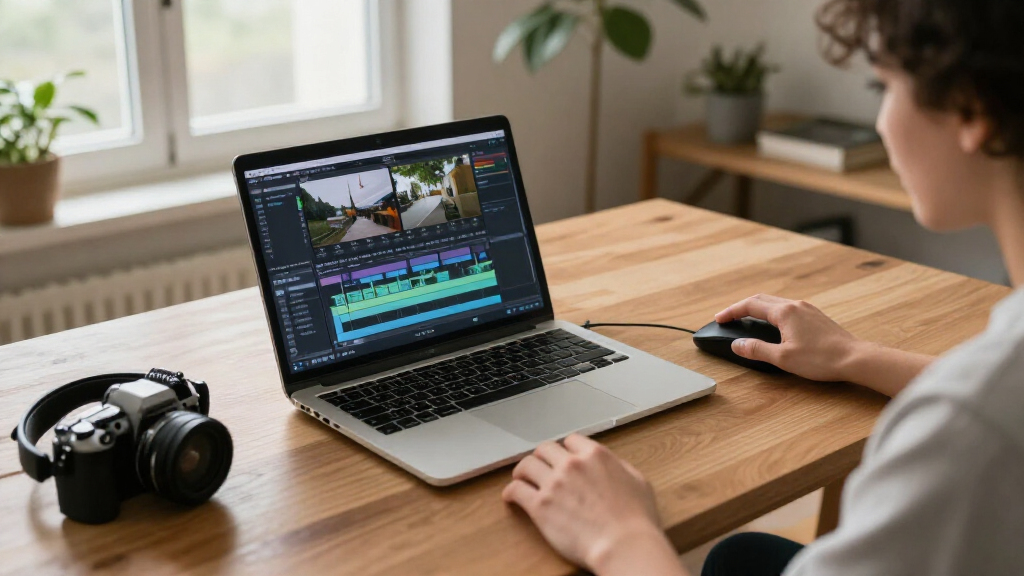
CyberLink PowerDirector 2027 Ultimate is my best overall pick among these AI video editing software options, pairing AI-assisted tools with a broad editing feature set. Adobe Premiere Pro stands out for editors who want a more advanced, subscription-based workflow, while Adobe Premiere Elements suits buyers who prefer a guided editor with a defined license term. The main tradeoffs are creative control versus automation, how much editing complexity you want, and whether you need Windows-only software or cross-platform support. Bundled photo apps and different purchase formats also affect which package makes sense. Read on for the full breakdown and help matching a product to your editing habits.

Get business pricing on tech for your team
- Business-only prices and quantity discounts
- Tax-exempt purchasing
- Multiple users, one account, clear invoices
Key Takeaways
- PowerDirector 2027 Ultimate is the strongest all-around fit in this lineup for buyers seeking a Windows editor that combines AI-assisted features with a substantial toolset.
- PowerDirector 2027 appears in several editions and delivery formats; compare the exact edition and whether you want a product key card or online code before choosing.
- Adobe Premiere Elements 2027 is a better match for buyers who want a guided editing experience and a 3-year license rather than a recurring subscription.
- Adobe Premiere Pro is the advanced-workflow pick, but its 1-year subscription makes more sense for ongoing editing than for occasional projects.
- The bundles with PhotoDirector or Photoshop Elements add photo tools, but they are only useful value if you will actually work with still images as well as video.
| CyberLink PowerDirector 2027 Ultra AI Video Editing Software for Windows (Product Key Card) |  | Best for Chat-Based Editing | License type: One-time purchase; no subscription | Operating system: 64-bit Windows 10 and Windows 11, including ARM | AI credits: 500 for the first year | VIEW LATEST PRICE | See Our Full Breakdown |
| CyberLink PowerDirector 2027 Ultimate Video Editing Software for Windows (Product Key Card) |  | Best for Advanced 4K and HDR Editing | Platform: 64-bit Windows 10 and Windows 11, including Windows 11 on Arm | Purchase model: One-time purchase; no subscription | Delivery format: Physical product key card; no disc | VIEW LATEST PRICE | See Our Full Breakdown |
| CyberLink PowerDirector 2027 Ultra and PhotoDirector 2027 Ultra for Windows (Product Key Card) |  | Best Video-and-Photo Bundle | Included software: PowerDirector 2027 Ultra and PhotoDirector 2027 Ultra | Platform: 64-bit Windows 10 and Windows 11, including Windows 11 on Arm | License: One-time purchase; no subscription | VIEW LATEST PRICE | See Our Full Breakdown |
| CyberLink PowerDirector 2027 Ultimate AI Video Editing Software for Windows (PC Online Code) |  | Best for Audio Cleanup and Effects | Platform: Windows PC | Delivery format: Online code | License model: One-time purchase; subscription-free | VIEW LATEST PRICE | See Our Full Breakdown |
| CyberLink PowerDirector 2027 Ultra Video Editing Software for Windows (PC Online Code) |  | Best for Social-Format Editing | Platform: Windows PC | License: Subscription-free, one-time purchase | Included AI credits: 500 for the first year | VIEW LATEST PRICE | See Our Full Breakdown |
| Adobe Premiere Elements 2027 Video Editing Software, 3-Year License, PC/Mac Online Code |  | Best for Guided AI Editing | License term: 3 years | Platform: Windows PC and macOS | Activation: Online activation required | VIEW LATEST PRICE | See Our Full Breakdown |
| CyberLink PowerDirector 2026 Video Editing Software for Windows |  | Best for Screen Recording and AI Cleanup | Platform: Windows | Version: 2026 | Format: Box with download code | VIEW LATEST PRICE | See Our Full Breakdown |
| Adobe Premiere AI-Powered Video Editing Software, 1-Year Subscription, PC/Mac Online Code |  | Best for Advanced AI-Assisted Workflows | Subscription term: 1 year | Delivery format: Online code | Supported platforms: PC and Mac; iPhone app also available | VIEW LATEST PRICE | See Our Full Breakdown |
| Nero Video Maker Video Editing Software for Windows |  | Best for a Lifetime License and Format Flexibility | Platform: Windows 10 and 11 | License: Lifetime license for 1 PC | Supported resolutions: HD, 4K, and 8K | VIEW LATEST PRICE | See Our Full Breakdown |
| Adobe Photoshop Elements & Premiere Elements 2027, AI Photo and Video Editing Software, 3-Year License for PC and Mac |  | Best for Photo-and-Video Creators | License term: 3 years | Platform: Windows and macOS | Activation: Required; internet connection required | VIEW LATEST PRICE | See Our Full Breakdown |
| VEGAS Pro Edit 21 – The creative standard for video and audio (1 license, PC) |  | Best for Timeline-Based Creative Control | Operating system: Microsoft Windows 10 and 11 | CPU requirement: 4 × 2.5 GHz | RAM requirement: 16 GB | VIEW LATEST PRICE | See Our Full Breakdown |
| CyberLink PowerDirector 2026 and PhotoDirector 2026 for Windows |  | Best Video-and-Photo Editing Bundle | Included software: CyberLink PowerDirector 2026 and PhotoDirector 2026 | Platform: Windows | System requirements: Windows 10 or 11, 64-bit | VIEW LATEST PRICE | See Our Full Breakdown |
| AI video editing software | Platform | Delivery format |
|---|---|---|
| CyberLink PowerDirector 2027 U | — | — |
| CyberLink PowerDirector 2027 U | 64-bit Windows 10 and Windows 11, including Windows 11 on Arm | Physical product key card; no disc |
| CyberLink PowerDirector 2027 U | 64-bit Windows 10 and Windows 11, including Windows 11 on Arm | Physical product key card; software downloaded online |
| CyberLink PowerDirector 2027 U | Windows PC | Online code |
| CyberLink PowerDirector 2027 U | Windows PC | PC online code |
| Adobe Premiere Elements 2027 V | Windows PC and macOS | — |
| CyberLink PowerDirector 2026 V | Windows | — |
| Adobe Premiere AI-Powered Vide | — | Online code |
| Nero Video Maker Video Editing | Windows 10 and 11 | — |
| Adobe Photoshop Elements & Pre | Windows and macOS | — |
| VEGAS Pro Edit 21 | — | — |
| CyberLink PowerDirector 2026 a | Windows | Printed download code in a box; no physical disc |
More Details on Our Top Picks
CyberLink PowerDirector 2027 Ultra AI Video Editing Software for Windows (Product Key Card)
PowerDirector 2027 Ultra is the clearest fit here for Windows creators who want to describe an edit in everyday language rather than hunt through menus. Its Video Edit by Chat feature can help simplify tasks such as removing objects or changing backgrounds, while Auto Reframe, subtitles, templates, and screen recording cover common creator workflows. Compared with PowerDirector 2027 Ultimate, this Ultra edition is positioned around accessible editing rather than the listed 4K/HDR export and advanced controls of Ultimate. The one-time license also avoids a recurring subscription, but it does not make the AI features unlimited: the 500 first-year credits can run out, and more may require a separate purchase. It is Windows-only, and activation and AI features need internet access.
Pros:- Video Edit by Chat can make certain editing tasks more approachable through natural-language commands
- One-time purchase avoids a recurring subscription
- Includes templates, screen recording, Auto Reframe, and subtitle tools
- 500 AI credits are included for the first year
Cons:- Some AI features use credits, and additional credits may cost extra
- Internet access is required for activation and AI features
- Runs on Windows only
Best for: Windows creators who want chat-guided edits and built-in tools for producing social videos without a recurring software subscription
Not ideal for: Mac or Linux users, and frequent generative-AI users who need predictable access beyond the included credits
- License type:One-time purchase; no subscription
- Operating system:64-bit Windows 10 and Windows 11, including ARM
- AI credits:500 for the first year
- Delivery method:Physical product key card
- AI editing:Video Edit by Chat, Object Removal, and Storytelling
- Additional tools:Templates, screen recorder, Auto Reframe, and subtitles
- Internet requirement:Required for activation and AI features
Our verdict“Choose this Ultra edition if chat-guided editing and a broad set of everyday tools matter more than Ultimate’s listed 4K/HDR export features.”
CyberLink PowerDirector 2027 Ultimate Video Editing Software for Windows (Product Key Card)
PowerDirector 2027 Ultimate makes the strongest case for editors who want AI assistance alongside more hands-on control. It combines chat-based editing, object removal, and audio cleanup with keyframes, motion tracking, color controls, and 4K/HDR export. That gives it a broader technical editing brief than the Ultra edition, which is a better match when chat-guided convenience and everyday tools take priority. Ultimate still keeps a one-time purchase model, but its AI features are not unlimited: the 500 credits apply to the first year, and some uses may call for extra credits. Delivery is a physical key card rather than an installation disc, so buyers must download the software and have an internet connection. I’d pick it over the online-code Ultimate if a mailed key card suits the buyer’s setup.
Pros:- Supports 4K and HDR export
- Combines AI editing and audio cleanup with keyframes, motion tracking, and color controls
- One-time purchase does not require a subscription
- Includes 500 AI credits for the first year
Cons:- Some AI features use credits, and additional credits may cost extra
- Internet access and a software download are required
- The physical key card includes no installation disc
Best for: Windows editors who work with 4K or HDR footage and want AI tools alongside keyframes, motion tracking, and color controls
Not ideal for: Editors who want offline setup, use macOS or Linux, or depend on frequent credit-based AI features without extra purchases
- Platform:64-bit Windows 10 and Windows 11, including Windows 11 on Arm
- Purchase model:One-time purchase; no subscription
- Delivery format:Physical product key card; no disc
- Export:4K and HDR
- AI credits:500 for the first year
- Editing controls:Keyframes, motion tracking, and color controls
- Internet requirement:Required
Our verdict“Pick Ultimate over PowerDirector Ultra if 4K/HDR output and advanced timeline controls are central to your Windows editing workflow.”
CyberLink PowerDirector 2027 Ultra and PhotoDirector 2027 Ultra for Windows (Product Key Card)
This bundle is the most practical choice in this group for Windows creators who move between video and still images. PowerDirector 2027 Ultra and PhotoDirector 2027 Ultra bring both workflows under one one-time purchase, and the bundle includes 800 AI credits for the first year—more than the 500 listed with the standalone PowerDirector options. Its video side includes a screen recorder and social-format tools, while the photo app adds a separate place for image editing and design. Compared with PowerDirector 2027 Ultra on its own, the added value is the second application, not a stated upgrade to video editing controls. The tradeoff is that buyers who only edit video may have little use for PhotoDirector, and the credits remain time-limited. Software is downloaded from a physical key card, with no disc, and internet access is required.
Pros:- Includes both PowerDirector and PhotoDirector
- Provides 800 AI credits for the first year, compared with 500 for the listed standalone PowerDirector options
- Combines video and photo AI editing tools in one bundle
- Includes a screen recorder and tools for social video formats
Cons:- PhotoDirector adds little value for buyers who only edit video
- Internet access is required and software must be downloaded
- The included AI credits cover the first year only
Best for: Windows content creators who regularly edit both videos and photos and want a single purchase covering both workflows
Not ideal for: Video-only editors who will not use a photo application, or buyers who need offline installation or ongoing AI credits
- Included software:PowerDirector 2027 Ultra and PhotoDirector 2027 Ultra
- Platform:64-bit Windows 10 and Windows 11, including Windows 11 on Arm
- License:One-time purchase; no subscription
- AI credits:800 for the first year
- Delivery format:Physical product key card; software downloaded online
- Video tools:Screen recorder and social-format tools
- Internet connection:Required
Our verdict“Choose the bundle over standalone PowerDirector Ultra if photo editing is also part of your regular creator workflow.”
CyberLink PowerDirector 2027 Ultimate AI Video Editing Software for Windows (PC Online Code)
PowerDirector 2027 Ultimate suits Windows editors who need to repair sound as well as shape the picture. Its listed audio tools include speech enhancement, wind removal, denoise, and de-reverb, alongside object removal, storytelling, motion tracking, color correction, and screen recording. Compared with the key-card version of PowerDirector 2027 Ultimate, the described editing capabilities are closely aligned; the clearest stated difference is delivery, with this version supplied as an online code. That makes it a fit for buyers who prefer digital delivery, but the software still needs internet access. Its one-time license avoids a subscription, while credit-based generative or agentic AI can create ongoing costs beyond the included 500 first-year credits. The Windows focus also rules it out for Mac and Linux editors.
Pros:- Offers a broad set of audio cleanup tools, including denoise and de-reverb
- Pairs AI editing with motion tracking, color correction, and effects
- Subscription-free one-time purchase
- Includes 500 AI credits for the first year
Cons:- Some generative and agentic AI features may require paid credits beyond the included allowance
- Windows PC only
- Internet access is required
Best for: Windows creators who need AI-assisted video editing plus tools to clean dialogue, wind noise, and room echo
Not ideal for: Mac or Linux users, buyers seeking offline access, or editors who want frequent generative AI without additional credit costs
- Platform:Windows PC
- Delivery format:Online code
- License model:One-time purchase; subscription-free
- Included AI credits:500 for the first year
- Video features:Object removal, storytelling, motion tracking, screen recording, HDR output, and 4K preview
- Audio features:Speech enhancement, wind removal, audio denoise, de-reverb, and voice changer
- Internet requirement:Required
Our verdict“Choose this online-code Ultimate if audio repair tools are as important to your projects as AI-assisted video editing.”
CyberLink PowerDirector 2027 Ultra Video Editing Software for Windows (PC Online Code)
PowerDirector 2027 Ultra is a strong match for creators who routinely reshape one video for several platforms. Its Auto Reframe adapts footage to different formats, while timeline editing, motion tracking, color tools, subtitles, and screen recording support a fuller production workflow. Video Edit by Chat, AI Storytelling, object and background removal, and video enhancement add shortcuts for common tasks. Compared with PowerDirector 2027 Ultimate, this Ultra version emphasizes format adaptation and creator tools rather than the Ultimate edition’s listed 4K/HDR export and broader audio cleanup controls. The online code avoids waiting for a mailed key card, but the license is still Windows-only and requires a download. Its 500 first-year AI credits are useful for trying credit-based features, not a guarantee of unlimited generative editing.
Pros:- Auto Reframe adapts footage for different social and video formats
- Combines timeline editing, motion tracking, color tools, and screen recording
- Includes chat-based editing, storytelling, object removal, and video enhancement
- One-time purchase includes 500 AI credits for the first year
Cons:- Some AI features may cost extra after included credits are used
- The included AI credits apply to the first year
- Windows PC only
Best for: Windows social-video creators who repurpose footage across portrait, landscape, and other formats and want built-in recording tools
Not ideal for: Mac or Linux editors, buyers focused on Ultimate’s listed 4K/HDR export features, or heavy AI users who need more than the included credits
- Platform:Windows PC
- License:Subscription-free, one-time purchase
- Included AI credits:500 for the first year
- Delivery format:PC online code
- Editing features:Timeline editing, motion tracking, color tools, green screen editing, and Auto Reframe
- AI features:Video Edit by Chat, AI Storytelling, object removal, background removal, and video enhancement
- Additional tools:Screen recording, subtitles, templates, transitions, and effects
Our verdict“Choose this Ultra online code if fast social-format reframing matters more than the 4K/HDR export features listed for PowerDirector Ultimate.”
Adobe Premiere Elements 2027 Video Editing Software, 3-Year License, PC/Mac Online Code
Premiere Elements 2027 suits people who want AI assistance without starting in a professional-style editing workflow. Its Quick, Guided, and Advanced modes let beginners follow step-by-step edits and give more experienced users room to take control. AI-supported trimming, resizing, audio fixes, and color adjustments can speed up common jobs; tools for 360° and VR video and stop-motion add creative options that Nero Video Maker does not list. The tradeoff is a relatively demanding setup: it needs recent operating systems and online activation, and heavier HD or 4K work benefits from more memory and GPU capacity. Compared with the subscription-based Adobe Premiere, Elements offers a three-year license and a more guided approach, but fewer professional workflow signals. Choose it for accessible editing, not the broadest pro toolkit.
Pros:- Quick, Guided, and Advanced modes accommodate different skill levels
- AI assistance covers trimming, resizing, audio fixes, and color adjustments
- Supports 360° and VR editing as well as stop-motion creation
- Three-year license covers both Windows PC and macOS
Cons:- Online activation and internet access for feature and content downloads are required
- Requires recent operating systems and processors
- HD and 4K projects can call for more memory and GPU capacity than the minimum
Best for: Windows or Mac creators who want guided AI-assisted edits, occasional 360° or VR projects, and a multi-year license rather than a subscription.
Not ideal for: Editors with older computers, limited internet access, or a need for a professional subscription workflow and higher-end project controls.
- License term:3 years
- Platform:Windows PC and macOS
- Activation:Online activation required
- Minimum RAM:8 GB
- Minimum storage:10.5 GB for Windows; 8.2 GB for macOS
- Minimum display resolution:1440 x 900
- Processor requirement:Windows: Intel Core 9th Generation or newer, or AMD equivalent; macOS: Apple silicon M1 or newer
- Internet requirement:Required for activation and downloading features and online content
Our verdict“Choose Premiere Elements for guided AI editing and a three-year PC or Mac license, but skip it if your computer is older or you need a professional subscription workflow.”
CyberLink PowerDirector 2026 Video Editing Software for Windows
PowerDirector 2026 is a practical Windows pick for creators who need screen recording alongside editing, rather than an editing app focused mainly on guided lessons. Its AI object masking, background removal, and audio denoising target common cleanup tasks, while speech-to-text captions can reduce manual subtitle work across multiple languages. That makes it a stronger fit for tutorials and recorded presentations than Nero Video Maker, whose listed strengths lean toward formats, templates, and effects. The tradeoff is that some AI capabilities come with limits: generative AI requires separately purchased credits, and frame interpolation works only on Intel AI PCs. Adobe Premiere offers cross-device iPhone and desktop continuity, which PowerDirector does not list. I’d pick this for Windows creators who value recording and practical AI edits, not buyers seeking unrestricted generative tools or broad platform support.
Pros:- Combines screen recording with video editing and slideshow creation
- AI tools include object masking, background removal, and audio denoising
- Speech-to-text captions support multiple languages
- Includes effects, transitions, and color adjustment tools
Cons:- Generative AI tools require separately purchased credits
- Frame interpolation is available only on Intel AI PCs
- Windows-only software limits use across Mac and mobile workflows
Best for: Windows tutorial makers and educators who want screen recording, automatic captions, and AI tools for cleaning up footage and audio.
Not ideal for: Mac or iPhone-first editors, and buyers who want generative AI included without separately purchased credits or rely on frame interpolation on non-Intel AI PCs.
- Platform:Windows
- Version:2026
- Format:Box with download code
- Key features:Video editing, screen recording, slideshow creation, effects and transitions, AI audio denoise, AI background removal, speech-to-text captions
- Frame interpolation availability:Intel AI PCs only
- Generative AI credits:Sold separately
Our verdict“Pick PowerDirector 2026 for Windows screen recording, captioning, and AI cleanup, but look elsewhere if you need Mac support or included generative AI credits.”
Adobe Premiere AI-Powered Video Editing Software, 1-Year Subscription, PC/Mac Online Code
Adobe Premiere is the most workflow-oriented choice in this batch: its AI tools can extend clips, mask subjects, search footage, and generate captions, while its effects, audio tools, and color correction support more involved edits. The ability to continue projects between iPhone and desktop gives it an advantage over PowerDirector 2026, which is Windows-only, and over Premiere Elements, which is positioned around Quick, Guided, and Advanced modes. That reach comes with a one-year subscription and more demanding requirements, including a 4 GB GPU memory minimum and higher recommended RAM for HD and 4K work. I’d choose it when AI features need to fit into a desktop-and-phone workflow, but skip it if you want a non-subscription license or an easier, more guided starting point.
Pros:- AI tools support subject masking, captions, footage search, and clip extension
- Projects can continue between iPhone and desktop
- Includes effects, transitions, audio tools, and color correction
- Supports both PC and Mac
Cons:- Requires a paid one-year subscription and activation
- Hardware requirements include at least 4 GB of GPU memory
- Recommended RAM rises to 32 GB or more for 4K media
Best for: Creators who edit on both iPhone and desktop and want AI tools for captions, footage search, subject masking, and clip extension.
Not ideal for: Buyers who prefer a perpetual or multi-year license, have older hardware, or want a guided beginner-first editing experience.
- Subscription term:1 year
- Delivery format:Online code
- Supported platforms:PC and Mac; iPhone app also available
- Operating systems:Windows 11 version 24H2 or later; macOS 14 Sonoma or later
- Minimum RAM:8 GB; 16 GB required for Windows on ARM
- Recommended RAM:16 GB for HD media; 32 GB or more for 4K media
- Minimum available storage:8 GB
- Minimum GPU memory:4 GB
Our verdict“Choose Adobe Premiere for AI-assisted editing across iPhone and desktop, provided you accept a subscription and have hardware suited to demanding projects.”
Nero Video Maker Video Editing Software for Windows
Nero Video Maker stands apart in this lineup with a lifetime license for one PC and listed export support up to 8K. Its multi-track timeline, green screen, picture-in-picture, and motion tracking give Windows editors tools for layered projects, while more than 1,000 templates and effects offer material for quick visual variety. Compared with the AI-heavy Adobe Premiere, Nero emphasizes editing tools and formats rather than a detailed set of generative or automated editing capabilities; its listed AI feature is media management. That makes it less compelling for buyers specifically seeking AI to handle captions, masking, or clip extension. The Windows 10 and 11 restriction and one-PC limit also narrow its fit. I’d choose it for a Windows-based editor who values a non-subscription license and resolution options over a broad AI toolkit.
Pros:- Lifetime license for one PC with no subscription fees
- Supports HD, 4K, and 8K exports
- Includes multi-track editing, green screen, picture-in-picture, and motion tracking
- Offers more than 1,000 templates and effects
Cons:- Compatible only with Windows 10 and 11
- License is limited to one PC
- Listed AI capability focuses on media management rather than a broad set of editing automations
Best for: Windows 10 or 11 editors who want multi-track tools, high-resolution exports, and a lifetime license for one computer.
Not ideal for: Mac users, people who switch between multiple PCs, or buyers whose main priority is AI-driven captions, masking, and generative editing.
- Platform:Windows 10 and 11
- License:Lifetime license for 1 PC
- Supported resolutions:HD, 4K, and 8K
- Templates and effects:Over 1,000
- Editing features:Multi-track editing, green screen, picture-in-picture, motion tracking, AI media management
Our verdict“Choose Nero Video Maker for Windows editing with a lifetime license and 8K export support, but not if AI automation is your main reason for buying.”
Adobe Photoshop Elements & Premiere Elements 2027, AI Photo and Video Editing Software, 3-Year License for PC and Mac
This bundle makes the most sense when photo editing and video editing belong in the same toolkit. Photoshop Elements adds AI-assisted photo tasks such as distraction removal and background replacement, while Premiere Elements brings guided video editing, title art, and automated adjustments. Automatic tagging, sorting, and face recognition can also help users manage a mixed library instead of leaving media scattered across separate apps. Compared with the standalone Premiere Elements, the bundle adds photo tools but also needs more storage: 14.7 GB on Windows or 12 GB on macOS, versus the video-only product’s lower listed requirements. It shares the Elements line’s recent operating-system and processor demands, and 4K work calls for substantially more RAM. I’d choose this for household or creator libraries spanning stills and clips; video-only editors may get more value from the standalone product.
Pros:- Combines photo and video editing software in one bundle
- AI tools assist with tasks such as distraction removal, background replacement, and title-art creation
- Quick, Guided, and Advanced modes support different editing experience levels
- Automatic tagging, sorting, and face recognition help organize media
Cons:- Internet connection is required for activation and online content
- Requires recent operating systems and processors
- 4K work benefits from 32 GB or more of RAM, well above the minimum
Best for: Photo-and-video creators who want guided editing, AI-assisted image fixes, and automatic organization in one PC or Mac bundle.
Not ideal for: Editors who work only with video, have older computers, or lack the storage and memory headroom recommended for HD and 4K projects.
- License term:3 years
- Platform:Windows and macOS
- Activation:Required; internet connection required
- RAM:8 GB minimum; 16 GB recommended for HD and 32 GB or more for 4K
- Storage:14.7 GB for Windows; 12 GB for macOS
- Display:1440 x 900 minimum; 1920 x 1080 or higher recommended
- Processor:Windows: Intel 9th Generation or newer or AMD equivalent with AVX2 and SSE4.2; macOS: Apple silicon M1 or newer
- GPU:4 GB VRAM recommended
Our verdict“Choose the bundle if you edit and organize photos as well as video; if your work is video-only, the standalone Premiere Elements is the leaner fit.”
VEGAS Pro Edit 21 – The creative standard for video and audio (1 license, PC)
VEGAS Pro Edit 21 suits editors who want hands-on control over video, compositing, color, and sound rather than a workflow centered on automated edits. Its AI-assisted masking can speed up isolating subjects for effects, while the flexible timeline and VST3 plugin support give more room for detailed audio and visual work than an all-in-one bundle such as CyberLink PowerDirector 2026 and PhotoDirector 2026. GPU-accelerated export can also shorten the wait after complex projects, provided the computer has suitable hardware. The tradeoff is a higher system bar: it calls for 16 GB of RAM and a multi-core CPU, and it runs on Windows rather than macOS. I’d choose it for deliberate, layered editing—not for someone seeking the simplest AI-led route from clips to a finished video.
Pros:- AI-assisted masking and compositing can reduce repetitive subject-isolation work.
- GPU-accelerated export can speed rendering on compatible systems.
- Broad effects, transitions, titles, and color tools support detailed creative control.
- VST3 plugin support gives sound-focused editors more audio options.
Cons:- The listed 16 GB RAM and multi-core CPU requirements may rule out older or entry-level PCs.
- Windows-only compatibility excludes Mac users.
- Internet access is required for activation and updates.
Best for: Windows-based creators who edit layered video projects, use audio plugins, and want AI masking within a hands-on timeline workflow.
Not ideal for: Mac users, beginners seeking mostly automated edits, or editors with less than 16 GB of RAM and a suitable multi-core processor.
- Operating system:Microsoft Windows 10 and 11
- CPU requirement:4 × 2.5 GHz
- RAM requirement:16 GB
- Activation and updates:Internet connection required
- AI tools:AI-assisted masking and compositing
- Export:GPU-accelerated export
- Audio support:VST3 audio plugins
Our verdict“Choose VEGAS Pro Edit 21 if you want AI-assisted tools inside a flexible Windows timeline and have hardware suited to demanding editing work.”
CyberLink PowerDirector 2026 and PhotoDirector 2026 for Windows
CyberLink PowerDirector 2026 and PhotoDirector 2026 is the better fit when editing footage is only part of the job: the bundle adds a separate photo editor with AI enhancement, object masking and removal, and batch editing. PowerDirector also includes screen and webcam recording, giving tutorial makers and small content teams a way to capture and edit in one package. Compared with VEGAS Pro Edit 21, this pair broadens the workflow across video and still images, while VEGAS offers a more explicitly timeline-focused set of creative and audio tools. The lifetime licenses avoid recurring subscription fees, but that does not make every AI feature included: generative tools require separately purchased credits. It is Windows-only, and the boxed delivery contains a download code rather than a disc, so buyers need internet access to obtain the software.
Pros:- Combines video editing and photo editing in one software bundle.
- AI tools support object masking and removal, along with image enhancement.
- Screen and webcam recording help tutorial creators capture source footage.
- Lifetime licenses avoid recurring subscription fees.
Cons:- Generative AI features require separately purchased credits.
- Requires a 64-bit Windows 10 or 11 system and is not listed for macOS.
- The box contains a printed download code, not a physical disc.
Best for: Windows creators who produce both videos and photos, record screen or webcam footage, and prefer lifetime software licenses.
Not ideal for: Mac users, buyers who need generative AI features included without extra credit purchases, or anyone expecting a physical installation disc.
- Included software:CyberLink PowerDirector 2026 and PhotoDirector 2026
- Platform:Windows
- System requirements:Windows 10 or 11, 64-bit
- License:Lifetime license; one-time purchase
- Delivery format:Printed download code in a box; no physical disc
- AI credits:Generative AI credits sold separately
- Video features:AI editing tools, screen recording, and webcam recording
- Photo features:AI image enhancement, object masking and removal, and batch editing
Our verdict“Choose this bundle if you want lifetime Windows software for both video and photo work, and are comfortable paying separately for generative AI credits.”
How We Picked
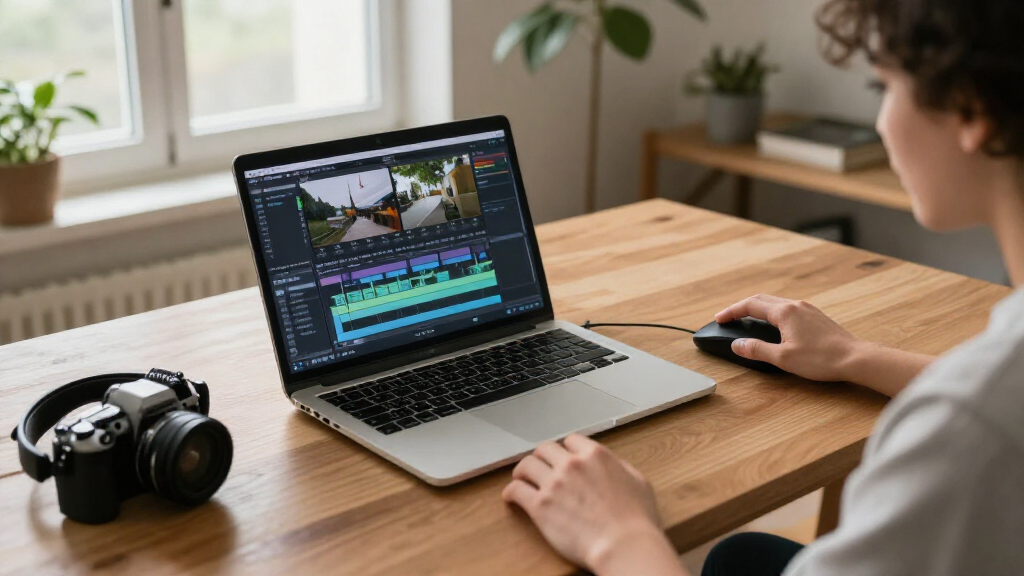
I ranked these products by how well their editing approach, AI-assisted capabilities, and overall toolset match common buyer needs. I also weighed platform support, the clarity of the license or delivery format, and whether bundles add useful tools or simply expand the package. Because the list includes both guided and more advanced editors, I favored products that offer a clear path for their intended user rather than treating feature count as the only measure.
PowerDirector 2027 Ultimate leads as the most balanced choice in this group, while PowerDirector Ultra editions offer a more streamlined route within the same product family. Adobe Premiere Pro ranks for users who need an advanced editing workflow and accept a subscription; Premiere Elements ranks for guided editing and a fixed license term. Nero Video and VEGAS Pro Edit serve narrower needs, while older 2026 editions and photo-video bundles rank lower when their age, format, or extra software may not suit every buyer.
| AI video editing software | Delivery format |
|---|---|
| CyberLink PowerDirector 2027 U | — |
| CyberLink PowerDirector 2027 U | Physical product key card; no disc |
| CyberLink PowerDirector 2027 U | Physical product key card; software downloaded online |
| CyberLink PowerDirector 2027 U | Online code |
| CyberLink PowerDirector 2027 U | PC online code |
| Adobe Premiere Elements 2027 V | — |
| CyberLink PowerDirector 2026 V | — |
| Adobe Premiere AI-Powered Vide | Online code |
| Nero Video Maker Video Editing | — |
| Adobe Photoshop Elements & Pre | — |
| VEGAS Pro Edit 21 | — |
| CyberLink PowerDirector 2026 a | Printed download code in a box; no physical disc |
Factors to Consider When Choosing AI Video Editing Software
Before choosing, match the software to the work you actually do. AI tools can reduce repetitive editing, but they do not remove the need to organize footage, refine timing, or choose a delivery format. The factors below can help you avoid paying for complexity or bundled features you will not use.
Decide How Much Editing Control You Need
AI-assisted editing can mean anything from guided suggestions to tools inside a full timeline editor, so identify how much creative control you want before comparing feature lists. If you mainly trim clips, add titles, and assemble family or social videos, a guided workflow may save time. If you routinely adjust multiple tracks, sound, color, and effects, prioritize a fuller editor even if its learning curve is steeper. A common mistake is choosing the software with the most automation and then finding it limits the edits you want to make. The reverse mistake is buying an advanced suite for simple projects and spending more time learning than editing. Match the interface and workflow to your regular projects, not the most ambitious video you might make someday.
Check What the AI Tools Actually Help You Do
AI branding alone does not tell you whether a program will speed up your particular workflow. Look for capabilities tied to tasks you repeat, such as organizing footage, creating captions, improving audio, or making rough edits. If you work with interviews, speech-related tools may matter more than effects; for short promotional clips, quick reframing and reusable templates may be more useful. Check whether automated results remain editable, since a tool that produces a first pass but blocks fine adjustments may not save time overall. Consider how often you would use each feature, rather than treating a long AI feature list as a measure of quality. Product names and editions can differ, so confirm the included tools for the exact version you are buying.
Match the License and Delivery Format to Your Plans
These options include a one-year subscription, a three-year license, product key cards, and online codes, so the purchase format changes how you access the software. A subscription may suit regular editors who want an ongoing professional workflow, while a fixed-term license may be easier to plan around for occasional projects. Do not assume a product key card and an online code offer the same setup steps or account requirements; check the seller and software details before purchase. Also verify whether the license covers the computer or operating systems you intend to use. If you are choosing an older edition, confirm that its included features and support period match your needs. The best fit is the format you can keep using without unwanted renewal or activation surprises.
Confirm Platform and Computer Compatibility
Most CyberLink options in this roundup are for Windows, while the listed Adobe Premiere Elements and Premiere Pro products support PC and Mac. That difference can settle the decision before feature comparisons begin, especially if you switch between computers. Check the current system requirements for your operating system, processor, memory, graphics hardware, and available storage. AI-assisted effects and high-resolution footage can place greater demands on a computer than basic trimming. Buyers sometimes focus on software features and overlook that their machine may struggle with the kind of footage they edit. If you expect to work with large projects, also plan for storage space and a workflow for keeping media organized.
Pay for Bundles Only When the Second App Has a Job
Several choices pair video editing with photo software, including PowerDirector and PhotoDirector bundles and Adobe Photoshop Elements with Premiere Elements. These packages can simplify buying if you regularly edit still images alongside video, such as creating thumbnails, social posts, or photo-based slideshows. If your work is video-only, an extra application may add clutter rather than value. Before choosing a bundle, list the photo tasks you currently do and check whether the included app supports them. Do not let a larger bundle distract from differences in the video editor or license. A single-purpose product may be the cleaner choice when you have no plan to use the companion software.
Choose Between Newer Editions and a Familiar Older Version
The lineup includes both 2026 and 2027 versions of PowerDirector, but a newer year does not automatically make a purchase right for every editor. Compare the exact feature set, supported operating systems, and project compatibility rather than relying on the year in the name. An older edition may be enough for an established workflow if it supports your footage and the tools you need. Newer software can be a better fit when a specific updated capability matters to your next project. Avoid assuming that a familiar product name means every edition has identical AI tools or bundled content. Check the edition-level details before replacing software or starting a new project in a different version.
Frequently Asked Questions
Should I choose PowerDirector 2027 Ultra or Ultimate?
Choose between them by comparing the included tools for the projects you make, not by the edition name alone. The Ultimate version is the stronger starting point if you want a broader toolset and expect to use more than basic editing functions. Ultra may suit buyers who prefer a more focused package, provided its listed features cover their workflow. Check the product details for the exact edition because this roundup includes multiple PowerDirector versions and delivery formats. If a specific AI feature matters to you, confirm that it is included in the exact listing before buying.
Is Premiere Elements a better fit than Premiere Pro for occasional video editing?
Premiere Elements is generally the more approachable option here for occasional editors who want guided tools and a three-year license. Premiere Pro is better suited to buyers who need a more advanced editing workflow and are comfortable with a one-year subscription. The choice is not simply about how many features each program has; it is about whether you will use the added control often enough to justify the commitment. Consider how frequently you edit and whether you need a professional timeline workflow. If you only make a few straightforward videos, a more guided editor may be easier to keep using.
Do I need a photo-editing bundle with my video editor?
A photo bundle makes sense if you regularly prepare still images for video projects, create thumbnails, or edit photos alongside clips. The PowerDirector and PhotoDirector pairings and the Photoshop Elements with Premiere Elements package are aimed at buyers who want both kinds of tools. If you only edit video, the companion app may go unused and should not drive your decision. Compare the video software on its own merits before treating a bundle as an advantage. A useful test is to name a recurring photo task you expect to handle with the extra app.
Is a product key card different from an online code for PowerDirector?
The listings use different delivery formats, so check the exact purchase details rather than assuming the setup process is identical. A product key card provides a physical card with activation information, while an online code is delivered digitally. Both formats may require an account or online activation, depending on the product terms. Confirm the included edition, license conditions, and compatibility before choosing one. If you need the software quickly or prefer not to handle a physical card, the delivery method may influence your choice.
Can a Windows-only editor work for me if I also use a Mac?
A Windows-only option is a poor fit if you need to edit the same projects directly on both Windows and Mac. The CyberLink products listed here are for Windows, while the Adobe products in this roundup include PC and Mac support. Cross-platform availability does not automatically mean project files or workflows will move seamlessly between computers, so check the software’s project and license details. If you edit on more than one operating system, confirm that the exact edition supports both machines. For a single-computer workflow, choose based on your computer’s operating system and editing needs.
Conclusion
For most Windows editors seeking a balanced AI-assisted toolkit, I recommend CyberLink PowerDirector 2027 Ultimate as the best overall pick. Buyers focused on a more streamlined PowerDirector package can compare the Ultra editions for value, while Premiere Elements 2027 is my choice for beginners who want guided editing and a defined license term. For a best premium fit, choose Adobe Premiere Pro if you need an advanced workflow and are comfortable with its subscription. If you edit photos as well as video, look at the PhotoDirector or Photoshop Elements bundles; for Windows-only alternatives, compare Nero Video and VEGAS Pro Edit against your preferred workflow. Before you buy, verify the exact edition, operating system, license, and delivery format.
Halloween Picks

Star Wars Yoda and R2-D2 Inflatable Halloween Decor, 6 ft with LEDs, Indoor/Outdoor

Thuodo 8 FT Tall Halloween Inflatable Three-Headed Dragon with LEDs

Gemmy 5.4 ft The Nun Animatronic Halloween Decoration
As an affiliate, we earn on qualifying purchases.