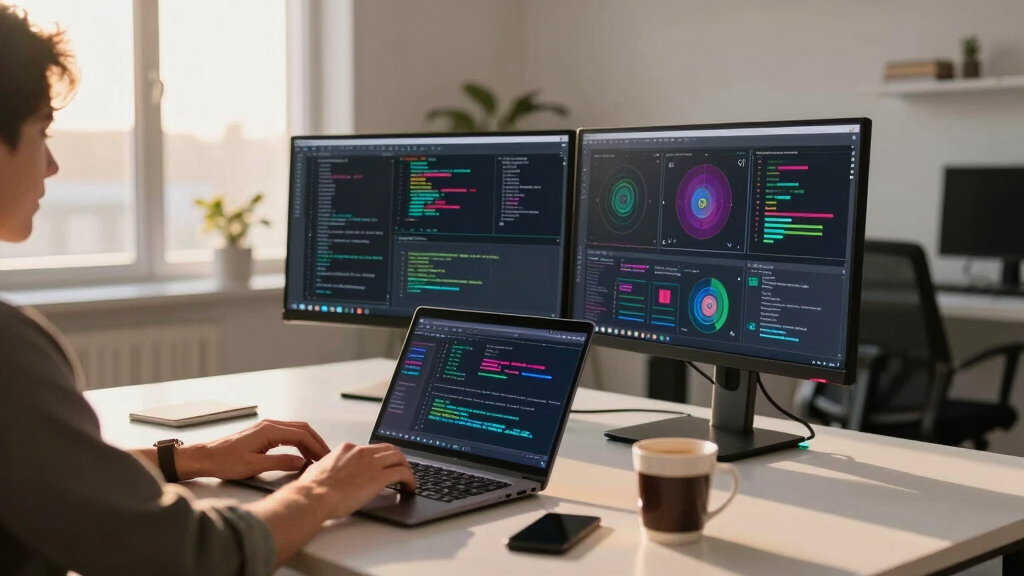

Choosing the best desktop workstation for data science requires balancing raw processing power, memory, and graphics performance. The top models offer exceptional specs suited for heavy machine learning, data analysis, and modeling, but come at different price points and complexity levels. The HP Envy Desktop stands out for its balanced performance and user-friendly design, while high-end options like the NOVATECH AI Workstation with RTX 5090 deliver maximum power for demanding tasks. Many buyers face a tradeoff between cost and capability, especially when scaling for AI or large data sets. Continue reading for a detailed breakdown of the best options for varied needs and budgets.
Key Takeaways
- High-core count CPUs and large RAM are essential for smooth data processing and machine learning tasks.
- Graphics cards like RTX 5090 or RTX 6000 significantly speed up GPU-accelerated workflows, justifying their premium prices.
- Storage capacity and speed matter—SSD and NVMe drives reduce bottlenecks during large data transfers.
- Form factor and expandability influence future-proofing; compact models may limit upgrades.
- Price varies widely; buyers should prioritize specs aligned with their workload rather than simply opting for the most expensive option.


More Details on Our Top Picks
HP Envy Desktop PC 11TB Storage + SSD 64GB RAM Win 11 Pro (Intel Core 14th Generation i9-14900K Processor – 3.20GHz Turbo Boost to 6.00GHz, NVIDIA GeForce RTX 8GB GDDR6) Business Computer
This HP Envy Desktop stands out for its blazing-fast Intel Core i9-14900K with Turbo Boost up to 6.00GHz, making it ideal for demanding data science workflows. Unlike the more specialized workstations, this model balances raw CPU power with a robust GPU, suitable for visualizations and machine learning tasks. The generous 64GB of DDR4 RAM supports large datasets, and the 11TB combined storage (including a 1TB SSD) ensures ample space for data and applications. However, its gaming-oriented NVIDIA GeForce RTX may not match professional-grade GPUs like the RTX PRO 6000 found in higher-tier workstations, which could be a concern for ultra-intensive AI training. Still, for users needing a fast, versatile machine that handles data analysis, visualization, and some AI workloads, this pick offers excellent value, though it sacrifices some specialized GPU features.
Pros:- Blistering CPU speeds with 14th Gen Intel Core i9-14900K
- Massive 64GB DDR4 RAM supports large datasets and multitasking
- 11TB storage with fast SSD for quick data access
Cons:- Gaming-oriented GeForce RTX may lack features optimized for professional AI workloads
- Higher-end professional GPUs like RTX PRO are absent, limiting deep learning performance
Best for: Data scientists requiring a powerful, all-around desktop capable of handling large datasets and visuals without needing ultra-pro GPU features.
Not ideal for: AI researchers focusing on deep neural network training with the latest professional GPUs, who should prefer workstations with RTX PRO or similar cards.
- Processor:Intel Core i9-14900K up to 6.00GHz
- RAM:64 GB DDR4
- Storage:11 TB (1TB SSD + 10TB HDD)
- Graphics:NVIDIA GeForce RTX 8GB GDDR6
- Operating System:Windows 11 Pro
- Dimensions:11.97 x 6.12 x 13.28 inches
- Weight:33 Pounds
Bottom line: Ideal for data scientists who want a fast, flexible machine for varied workloads, balancing performance and storage at a competitive price.
Sentinel Threadripper PRO 9955WX 16-Core Workstation PC RTX 5060 Ti 16GB, 32GB RAM, 2TB Gen5 SSD+3TB HDD, W11P
This Sentinel Threadripper PRO 9955WX offers 16 cores and 32 threads at 4.5 GHz, making it superior for multi-threaded data processing and complex modeling. Compared with the HP Envy, it’s focused on professional-grade CPU performance, ideal for large-scale AI training and CAD applications. The 32GB DDR5 RAM and 2TB Gen5 SSD provide fast data throughput and ample space for big datasets, while the RTX 5060 Ti with 16GB GDDR7 supports CUDA acceleration for deep learning. Its manageability and expandability surpass typical consumer desktops, but it’s bulkier and more expensive, with less emphasis on gaming performance. Perfect for AI engineers and CAD designers who need reliability and power, though less suited for casual data analysis or visualizations.
Pros:- 16 cores and 32 threads for excellent multi-threaded performance
- Fast 2TB Gen5 NVMe SSD for rapid data access
- Professional-grade RTX 5060 Ti with 16GB GDDR7 for CUDA and AI acceleration
- Highly expandable RAM up to 384GB for future-proofing
Cons:- Large and less portable due to its bulk
- Higher price point limits accessibility for casual users
- Less optimized for gaming compared to consumer GPU setups
Best for: AI researchers and CAD professionals needing a workstation with robust multi-core CPU and professional GPU for intensive modeling and neural network training.
Not ideal for: Gamers or casual data analysts, as the workstation’s high cost and focus on professional workloads may be overkill.
- Processor:AMD Ryzen Threadripper PRO 9955WX, 16 cores
- RAM:32 GB DDR5, expandable to 384 GB
- Storage:2TB Gen5 NVMe SSD + 3TB HDD
- Graphics:RTX 5060 Ti 16GB GDDR7
- Operating System:Windows 11 Pro
- Size:Approx. 21 x 10 x 23 inches
Bottom line: A top-tier workstation for AI development and CAD work, offering unmatched multi-core CPU performance paired with a professional GPU, though at a premium price.
NOVATECH AI Workstation Desktop PC – Intel Core i9-14900K, Liquid Cooling – Machine Learning, Data Science, 3D Rendering, Video Editing (RTX 5090 | 96GB RAM | 5TB)
This NOVATECH AI Workstation excels with an Intel Core i9-14900K and RTX 5090 with 96GB RAM, making it exceptional for deep learning, neural networks, and real-time analytics. Its ultra-fast 5TB NVMe SSD and liquid cooling ensure stability and smooth operation under heavy AI workloads. Compared to the Sentinel, it offers even more GPU compute power for CUDA-accelerated tasks, ideal for researchers training large models or working with complex datasets. The workstation’s high RAM capacity and professional GPU make it less suited for casual tasks or gaming, but perfect for AI practitioners who need maximum GPU and CPU synergy. Its main tradeoffs are cost and size, making it less ideal for smaller workspaces.
Pros:- Powerful Intel Core i9 with Turbo up to 6 GHz
- RTX 5090 with 96GB RAM accelerates AI and deep learning workloads
- Massive 5TB NVMe SSD supports large datasets and fast training
- Liquid cooling maintains optimal thermal performance during intensive tasks
Cons:- Very high cost limits accessibility
- Large footprint and complex cooling setup require space
- Overkill for standard data analysis or visualization
Best for: AI researchers and deep learning engineers requiring cutting-edge GPU and CPU performance for neural network training and data analysis.
Not ideal for: Casual data analysts or small-scale users who do not need this level of GPU acceleration and high RAM capacity.
- Processor:Intel Core i9-14900K, up to 6.00GHz
- RAM:96 GB DDR5
- Storage:5TB NVMe SSD
- Graphics:RTX 5090 96GB GDDR7
- Cooling:Liquid cooling
- Dimensions:Standard tower size
Bottom line: Best suited for AI and deep learning professionals who need maximum GPU and CPU power to handle extensive neural network training and large datasets.
NOVATECH AI Workstation Desktop PC – Intel Core i9-14900K, Liquid Cooling – Machine Learning, Data Science, 3D Rendering (RTX 5080 | 64GB RAM | 2TB)
This NOVATECH workstation offers Intel Core i9-14900K and RTX 5080 with 64GB RAM, providing a solid balance for AI, data science, and 3D rendering. Its 2TB NVMe SSD enables quick data processing and storage, while the liquid cooling ensures stability during prolonged heavy workloads. Compared to the even more powerful 96GB RAM model, this setup is more cost-effective and suitable for mid-sized AI projects and data analysis. It lacks the extreme GPU memory of the RTX 5090 but still delivers excellent CUDA acceleration for most deep learning tasks. Its moderate size and cooling make it a good fit for dedicated workspaces, though it might be underwhelming for very large neural network training at the cutting edge.
Pros:- High-speed Intel i9 CPU with Turbo Boost
- RTX 5080 GPU with 64GB GDDR7 accelerates AI workloads
- Fast 2TB NVMe SSD handles large data efficiently
- Liquid cooling maintains thermal stability
Cons:- Less GPU memory compared to top-tier models
- Not as expandable as high-end workstations
- Tradeoff between cost and maximum GPU capacity
Best for: Data scientists and AI developers needing a high-performance yet balanced workstation for neural networks and large datasets.
Not ideal for: Deep learning experts with the need for multi-hundred GB GPU memory or ultra-large datasets that require the RTX 5090.
- Processor:Intel Core i9-14900K, up to 6 GHz
- RAM:64 GB DDR5
- Storage:2TB NVMe SSD
- Graphics:RTX 5080 64GB GDDR7
- Cooling:Liquid cooling
- Dimensions:Standard tower
Bottom line: This workstation offers a well-rounded mix of CPU and GPU power for data science and AI tasks without the expense of maximum GPU memory setups.
Dell Pro Micro Plus Mini PC (Next Gen OptiPlex 7000 MFF), Business Desktop AI PC, Intel 14-Core Ultra 5 235T (Beat i7-13700T), 16GB RAM, 1TB SSD, WiFi 6, 4X DP, Windows 11 Pro
The Dell Pro Micro Plus excels as a space-saving mini PC with 14 cores and 16GB DDR5 RAM, ideal for business environments where desk space is limited. Its 4 DisplayPort outputs support up to four 4K monitors, perfect for real-time dashboards and multi-monitor setups in data analysis or command centers. Compared to all other options, this model sacrifices raw GPU power, relying on integrated or minimal GPU capabilities, which limits its use for AI training but makes it highly suitable for data visualization and light ML tasks. Its 1TB SSD ensures fast boot and data access, and WiFi 6 guarantees network performance. The compact footprint makes it ideal for deployment behind monitors or in VESA mounts, but it’s not suitable for GPU-intensive deep learning workloads.
Pros:- Ultra-compact form factor for limited space
- Supports four 4K displays via 4x DisplayPort
- Powered by a 14-core Intel Ultra 5 processor
- WiFi 6 and Bluetooth 5.3 for fast connectivity
Cons:- Limited GPU capabilities for AI training
- Smaller RAM and storage compared to larger workstations
- Less expandable for future high-performance needs
Best for: Business users needing multi-monitor support and space-efficient data analysis stations or command center workstations.
Not ideal for: Deep learning practitioners or AI researchers requiring high-end GPU acceleration and large datasets.
- Processor:Intel Ultra 5 235T, 14 cores
- RAM:16 GB DDR5
- Storage:1TB SSD
- Graphics:Integrated Intel graphics
- Connectivity:WiFi 6, Bluetooth 5.3
- Dimensions:7.17 x 7.01 x 1.41 inches
Bottom line: Perfect for space-conscious businesses focused on multi-monitor data visualization and light analysis, but not for GPU-heavy AI workloads.
NOVATECH AI Workstation Desktop PC – Intel Core i9-14900K, Liquid Cooling – Machine Learning, Data Science, 3D Rendering, Video Editing, Simulation (RTX PRO 6000 | 192GB RAM | 10TB)
This workstation stands out for its extreme AI and machine learning performance, thanks to the Intel Core i9-14900K and RTX PRO 6000 with 96GB VRAM, making it ideal for handling complex neural networks and large datasets. Compared to the Novatech Apex with AMD Threadripper, this model offers superior GPU acceleration and larger memory capacity, but it comes with a higher price tag and increased power consumption. The 192GB DDR5 RAM ensures smooth multitasking during intensive analysis, while the 10TB NVMe SSD provides rapid data access and storage. Its liquid cooling and 1000W power supply support stability under heavy loads. Tradeoffs include a hefty footprint and premium cost. This pick is perfect for data scientists working on cutting-edge AI projects who need top-tier hardware.
Pros:- Exceptional GPU with 96GB VRAM for deep learning tasks
- Massive 192GB DDR5 RAM enables seamless multitasking
- Fast 10TB NVMe SSD for large data handling
- Reliable liquid cooling maintains performance under load
Cons:- High cost limits accessibility for smaller teams
- Large physical size may not fit in compact workspaces
- Significant power consumption requires robust electrical setup
Best for: Data scientists and AI researchers requiring maximum computational power and large datasets.
Not ideal for: Budget-conscious users or those with limited space seeking a more compact solution.
- Processor:Intel Core i9-14900K, 3.2 GHz (Max 6 GHz)
- Graphics:NVIDIA RTX PRO 6000, 96GB VRAM
- Memory:192GB DDR5 6000MHz
- Storage:10TB NVMe SSD
- Cooling:Liquid cooling
- Power Supply:1000W 80+ Gold
Bottom line: This workstation is best suited for advanced AI and data science projects where top-tier hardware justifies the investment.
HP Workstation PC Desktop Computer | Editing and Design | NVIDIA Quadro K1200 4GB GPU | Intel Core i5 | 32GB DDR4 RAM, 1TB SSD + 4TB HDD | Windows 11 Pro (Renewed)
This HP workstation offers a balanced configuration with a reliable Intel Core i5 and 32GB DDR4 RAM, making it suitable for entry-level data analysis and creative workflows. Unlike the high-end Novatech AI Workstation, it provides a more affordable price point, though it sacrifices some GPU power with the Quadro K1200 4GB, which is less capable for large-scale AI training. The 1TB SSD ensures quick boot and load times, while the additional 4TB HDD offers ample storage for datasets and projects. Its professional ISV certification guarantees compatibility with common data and design applications. However, the GPU limits its suitability for heavy neural network workloads and large models. This model is ideal for users starting with data science or doing light machine learning.
Pros:- Affordable renewed option with solid performance
- Large 32GB DDR4 RAM suitable for multitasking
- Dual storage with 1TB SSD and 4TB HDD
- ISV-certified for compatibility with most creative and data apps
Cons:- Limited GPU power for large neural networks
- Processor may bottleneck heavy computation tasks
- Older GPU might struggle with future AI workloads
Best for: Beginners in data science or professionals needing a dependable workstation for moderate tasks.
Not ideal for: Advanced AI developers or those working on deep learning requiring high GPU memory.
- Processor:Intel Core i5-8th Gen, 3.2 GHz
- Graphics:NVIDIA Quadro K1200, 4GB
- Memory:32GB DDR4
- Storage:1TB SSD + 4TB HDD
- OS:Windows 11 Pro
- Ports:Multiple USB, DisplayPort, Serial
Bottom line: This workstation is a good choice for entry-level data analysis and creative tasks but not for intensive AI training.
NOVATECH Apex WS9965X AI Workstation & Gaming PC – AMD Ryzen Threadripper PRO 9965WX (32 Core, 64 Thread), RTX 5080 16GB, 128GB RAM, 2TB NVMe SSD – AI, Data Science, 3D Rendering, Simulation
This workstation is tailored for intensive AI, data science, and creative workflows, featuring the AMD Ryzen Threadripper PRO 9965WX with 32 cores and 64 threads, paired with an RTX 5080 16GB GPU. Compared to the Novatech AI Workstation with Intel CPU, this AMD model excels in multi-threaded tasks and multi-tasking, making it ideal for simulations and rendering. The 128GB DDR5 RAM supports large datasets and complex models, while the 2TB NVMe SSD guarantees rapid data access. It also offers excellent multi-monitor support and high reliability for long processing sessions. The main tradeoff is the higher power draw and larger physical size. Best suited for professionals handling 3D rendering, big data, or advanced AI projects requiring maximum processing capacity.
Pros:- Powerful 32-core AMD Ryzen Threadripper CPU
- Large 128GB DDR5 RAM for big data and multitasking
- Fast 2TB NVMe SSD for data-heavy workflows
- High-end RTX 5080 GPU for rendering and AI acceleration
Cons:- High energy consumption and heat output
- Larger physical footprint may not fit in compact setups
- Premium price may be prohibitive for some users
Best for: Advanced data scientists and 3D artists needing extreme multi-core performance.
Not ideal for: Casual users or those with limited space and power capacity.
- Processor:AMD Ryzen Threadripper PRO 9965WX, 4.2 GHz
- Graphics:RTX 5080, 16GB VRAM
- Memory:128GB DDR5 6600MHz
- Storage:2TB NVMe SSD
- Cooling:Air cooling
- Power Supply:Premium high wattage unit
Bottom line: This workstation is ideal for demanding AI, 3D rendering, and large-scale data projects where maximum hardware power is necessary.
Lenovo ThinkStation P3 Ultra Small Form Factor Gen 2 Workstation: Intel Core Ultra 9 285 vPro, 64GB DDR5 6400MHz RAM, 2TB NVMe Gen 5 SSD, WiFi 7, Win 11 Pro, Mini SFF Computer AI Business PC Tower
This compact workstation combines Intel Core Ultra 9 285 vPro with 64GB DDR5 RAM and a 2TB NVMe Gen 5 SSD, making it a solid choice for AI-driven business environments in a space-saving form. Compared to larger tower workstations like the Novatech AI, it offers a smaller footprint with enterprise-grade connectivity including WiFi 7. Its 24-core CPU provides strong single-threaded and multi-threaded performance suitable for moderate AI and data analysis workloads. The integrated Intel Arc graphics can handle visualization tasks but are less optimal for heavy GPU-accelerated machine learning. Its limited upgrade potential and small size make it less ideal for future expansion. This model is perfect for enterprise users needing AI acceleration in a small, reliable package.
Pros:- Compact, space-saving design
- Next-gen WiFi 7 and enterprise connectivity
- Powerful 64GB DDR5 RAM for multitasking
- Fast 2TB NVMe Gen 5 SSD for rapid data access
Cons:- Limited GPU capability for deep learning models
- Restricted upgrade options due to small form factor
- Higher cost per performance ratio for heavy workloads
Best for: Business professionals deploying AI or data analysis in tight spaces with enterprise connectivity needs.
Not ideal for: Heavy AI training or 3D rendering due to limited GPU power and upgradeability.
- Processor:Intel Core Ultra 9 285 vPro, up to 5.4 GHz
- Graphics:Integrated Intel Arc Graphics
- Memory:64GB DDR5 6400MHz
- Storage:2TB NVMe Gen 5 SSD
- Connectivity:WiFi 7, Bluetooth 5.4
- Form Factor:Ultra Small Form Factor
Bottom line: This mini workstation is excellent for AI deployment and data analysis in space-constrained business environments, but less suited for intensive GPU-based training.
Quiet Rackmount Computer (Intel 10-Core 3.2-4.9GHz Ultra 7 265 CPU, 32GB DDR5 RAM, 1TB SSD, W11 Pro) – 2U Rack Mount Server or Workstation Desktop PC for Home or Business
This 2U rackmount system features an Intel Core Ultra 7 265 with 10 cores and 20 threads, 32GB DDR5 RAM, and a 1TB SSD, making it suitable for dedicated server or workstation tasks in space-limited environments. Unlike traditional towers like the HP Workstation, its rackmount form factor allows deployment in data centers or server rooms. Its high-performance CPU with up to 5.5GHz boost supports moderate data analysis and virtualization. The integrated Intel UHD graphics handle visualization but fall short for GPU-accelerated AI workloads. Its design prioritizes reliability and compactness over raw GPU power. Ideal for small-scale enterprise data processing or hosting AI services in a rack-mounted format.
Pros:- Compact rackmount design saves space
- High-boost CPU for responsive performance
- Supports virtualization and moderate data workloads
- Reliable enterprise-grade hardware
Cons:- Limited GPU capability for deep learning
- Small internal storage without expansion options
- Higher initial cost compared to standard servers
Best for: Businesses needing a space-saving, reliable rackmount for moderate data tasks or hosting AI services.
Not ideal for: Heavy AI training or 3D rendering that demand substantial GPU resources.
- Processor:Intel Core Ultra 7 265, up to 5.5 GHz
- Graphics:Integrated Intel UHD
- Memory:32GB DDR5
- Storage:1TB SSD
- Form Factor:2U Rackmount
- OS:Windows 11 Pro
Bottom line: This rackmount system is best for space-constrained environments requiring moderate data processing and AI hosting capabilities.
NOVATECH Apex AI Workstation & Gaming PC – AMD Ryzen 9 9950X3D, Machine Learning, Data Science, 3D Rendering, Video Editing, Simulation
This workstation excels for demanding AI training, deep learning, and large data analytics thanks to its powerful AMD Ryzen 9 9950X3D paired with the RTX 5080, which offers a robust GPU for neural networks and model training. Compared with the Dell Optiplex, which is more affordable but less optimized for GPU-accelerated tasks, this model provides superior processing and graphics power. The 64GB DDR5 RAM and 2TB NVMe SSD ensure rapid data throughput, making it ideal for complex workflows. The tradeoff involves a higher price point and larger size, which might be less suitable for compact spaces. This pick makes the most sense for AI researchers and data scientists needing top-tier performance without compromise.
Pros:- Exceptional GPU acceleration with RTX 5080 for neural network training
- High-speed DDR5 RAM at 6000MHz for data intensive tasks
- Fast 2TB NVMe Gen 5 SSD minimizes data bottlenecks
- Quiet liquid cooling system maintains thermal stability during heavy workloads
Cons:- High cost may be prohibitive for smaller teams or individual users
- Large physical footprint makes it less suitable for limited desk space
Best for: Data scientists and AI developers working on large models who need maximum compute and GPU power
Not ideal for: Budget-conscious users or those with limited space, as this model is bulky and expensive
- Processor:AMD Ryzen 9 9950X3D
- GPU:NVIDIA RTX 5080 16GB VRAM
- Memory:64GB DDR5-6000MHz
- Storage:2TB NVMe Gen 5 SSD
- Cooling:Liquid cooling
- Supported Workloads:AI, deep learning, 3D rendering
- Assembly:Assembled & supported in the USA
Bottom line: This workstation is perfect for AI and data science professionals who demand top performance and have the space to accommodate it.
NOVATECH Apex AI Workstation & Gaming PC – AMD Ryzen 9 9950X3D, Machine Learning, Data Science, 3D Rendering, Video Editing, Simulation (PRO 6000 | 192GB RAM | 10TB)
This workstation stands out for its massive RAM and storage capacity, making it ideal for handling enormous datasets, complex simulations, and multiple concurrent projects. Paired with the RTX PRO 6000, it offers exceptional GPU power for professional 3D rendering and AI training. Compared to the Novatech Apex AI Workstation & Gaming PC (64GB RAM, 2TB SSD), this model provides triple the RAM and significantly larger storage for data-heavy workflows. The tradeoff is its size and higher price, which could be overkill for typical small-scale projects. This makes it suitable for AI labs, large research teams, or multimedia production environments that require extensive resources.
Pros:- Unmatched 192GB DDR5 RAM for multi-tasking and large dataset processing
- Massive 10TB storage for extensive data repositories
- 96GB VRAM on RTX PRO 6000 accelerates complex rendering
- Support for multi-monitor setups enhances productivity
Cons:- High cost and energy consumption due to extensive hardware
- Large physical size limits placement options in smaller offices
Best for: Researchers and enterprise teams working on large-scale AI models, extensive data analytics, and multi-user environments
Not ideal for: Individual hobbyists or small startups with limited budgets or workspace constraints
- Processor:AMD Ryzen 9 9950X3D
- GPU:NVIDIA RTX PRO 6000 96GB VRAM
- Memory:192GB DDR5-6000MHz
- Storage:10TB NVMe Gen 5 SSD
- Cooling:Liquid cooling
- Supported Workloads:AI, 3D rendering, big data analytics
- Assembly:Assembled & supported in the USA
Bottom line: This workstation is ideal for large teams and intensive data projects that demand maximum RAM and storage capacity.
Dell Workstation Desktop Computer – Editing/Design | Nvidia Quadro P620 2GB | Intel i7-9700 | 32GB RAM, 1TB SSD + 4TB HDD | Windows 11 Pro (Renewed)
This renewed Dell workstation provides a solid entry point for data science and design with a capable Intel i7-9700 processor, 32GB RAM, and a reliable Quadro P620 GPU. Compared to the Novatech Apex models, which are geared toward high-end AI tasks, this Dell offers less GPU power and smaller storage options but at a significantly lower price. The 1TB SSD ensures quick access to data, while the additional 4TB HDD provides ample space for larger datasets. Its smaller size and lower cost make it less suitable for intensive AI training or large-scale analytics. This is ideal for students, small teams, or those starting out in data science with modest project needs.
Pros:- Affordable price point for a workstation with decent specs
- Reliable performance for moderate data science tasks
- Ample 32GB RAM supports multitasking
- Fast 1TB SSD for quick data access
Cons:- Limited GPU capability for intensive AI workloads
- Older CPU and hardware may struggle with very large datasets
- Renewed condition might have reliability concerns over brand-new units
Best for: Beginners, students, or small teams initiating data analysis or basic machine learning projects
Not ideal for: Advanced AI research or large-scale data processing where high GPU performance and massive storage are required
- Processor:Intel Core i7-9700
- GPU:NVIDIA Quadro P620 2GB
- Memory:32GB DDR4
- Storage:1TB SSD + 4TB HDD
- Operating System:Windows 11 Pro
- Form Factor:Tower
- Weight:11.57 pounds
Bottom line: This Dell is a good starter option for those new to data science or with limited budgets, but it falls short for high-end AI projects.
How We Picked
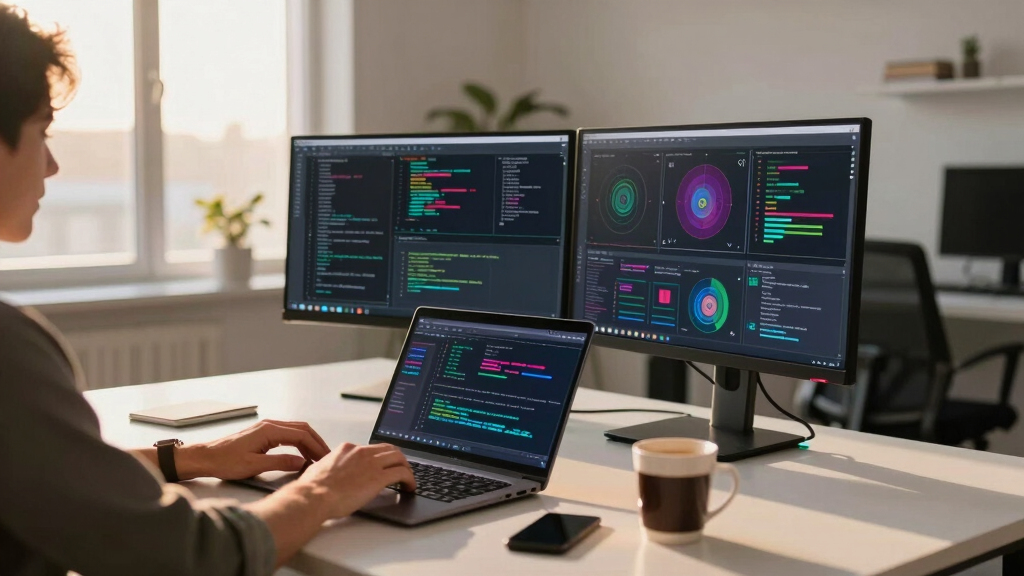
Our evaluation focused on performance metrics relevant to data science, including CPU and GPU power, memory capacity, storage options, and expandability. We also considered build quality, cooling solutions, and ease of maintenance, as these impact long-term reliability. Cost-to-performance ratio played a key role, ensuring options deliver value without unnecessary overinvestment. The ranking reflects a balance between raw capability and practical usability, catering to different budgets and user levels—from beginners to enterprise-level professionals.Factors to Consider When Choosing Best Desktop Workstation For Data Science
When selecting a desktop workstation for data science, it’s important to weigh several core factors. Performance and expandability are vital for handling large datasets and complex algorithms, but so is build quality and future-proofing. Understanding your workload—whether focused on machine learning, data analysis, or visualization—guides the choice of CPU, GPU, and memory. Budget considerations can lead to compromises, but investing in a system with sufficient specs avoids bottlenecks. Additionally, form factor and upgrade options influence longevity and flexibility. Avoid common pitfalls like undervaluing GPU needs or overestimating initial storage requirements, which can hamper workflow efficiency over time.Performance and CPU Power
The core of any data science workstation is its CPU—look for high-core count processors like AMD Ryzen Threadripper or Intel Xeon for multi-threaded tasks. These CPUs drastically reduce training and processing times. Balanced systems also ensure enough processing power without overspending on unnecessary features. Avoid systems with underpowered CPUs if you plan to run complex models routinely, as this can create significant bottlenecks.
GPU Capabilities
Graphics cards like the NVIDIA RTX 5090 or RTX 6000 are game-changers for GPU-accelerated tasks such as deep learning and 3D modeling. They reduce training times and enable larger models. However, premium GPUs come with high costs and increased power consumption. For lighter or mid-tier workloads, a GTX or lower-tier RTX might suffice, saving money while still providing acceleration benefits.
Memory and Storage
Ample RAM—often 64GB or more—is essential for working with large datasets and avoiding slowdowns. Storage should include fast NVMe SSDs, ideally 2TB or larger, to speed up data access and save time. Multiple drives enable organizing projects and backups efficiently. Be cautious of systems with limited upgrade options or insufficient storage, which can restrict project size and workflow flexibility.
Expandability and Upgradability
Future-proofing often depends on how easily you can upgrade components like RAM, storage, or GPU. Compact or all-in-one models may limit upgrades, making them less suitable for long-term data science workflows. Choose a system with accessible slots and space for additional drives or cards, especially if your needs evolve over time.
Form Factor and Price
Size impacts expandability and ease of setup—full towers offer more room for upgrades but take up more space. Mini or compact models save space but often sacrifice upgrade potential. Price varies dramatically; investing in a high-end system makes sense for enterprise or intensive research, but mid-range options can suffice for smaller-scale projects. Carefully match your needs with your budget, avoiding overspending on unnecessary features or underbuying critical components.
Frequently Asked Questions
Do I need a high-end GPU for data science tasks?
For most data analysis and modeling, a mid-range GPU like the RTX 3060 or RTX 4070 can provide a significant speed boost without the high cost of top-tier cards. However, if you work extensively with deep learning, neural network training, or large-scale GPU-accelerated applications, investing in a more powerful GPU such as the RTX 5090 or RTX 6000 can drastically reduce training times and enable larger models. Assess your workload carefully to determine whether the GPU upgrade justifies the expense.
How much RAM do I need for heavy data science workloads?
For serious data science tasks involving large datasets, at least 64GB of RAM is recommended, with some professional setups opting for 128GB or more. Insufficient RAM leads to frequent swapping and slowdowns, especially when working with multi-terabyte datasets or running multiple models simultaneously. If your budget allows, prioritize systems with upgrade paths to expand memory as your projects grow.
Should I prioritize storage capacity or speed?
Both matter, but speed tends to have a more immediate impact on workflow. Fast NVMe SSDs drastically cut down data loading and saving times, which is critical during iterative modeling. Capacity is also important; aim for at least 2TB if you handle large datasets regularly. Combining both—fast, large SSDs—provides the best balance, ensuring quick access and ample space for projects.
Is a compact workstation enough for data science?
Compact workstations are appealing for space-saving, but they often sacrifice upgrade options and thermal management. For lighter workloads or personal projects, a mini or small-form-factor system may suffice. However, if you anticipate scaling up your work or running intensive models, a full tower with better cooling, expandability, and power supply is often more reliable and future-proof.
When should I consider a workstation over a regular PC?
A workstation becomes necessary when your data science tasks demand high levels of processing power, extensive memory, and GPU acceleration. Workstations are built with professional-grade components, better cooling, and expandability, making them more durable for continuous heavy use. For casual or entry-level work, a high-spec consumer PC might be enough, but for ongoing, large-scale projects, investing in a dedicated workstation provides better reliability and performance.
Conclusion
For those seeking the best overall balance of power and usability, the HP Envy Desktop offers a compelling mix of performance and user-friendly features. If your priority is maximum capacity for AI or large data modeling, the NOVATECH RTX 5090 Workstation stands out as the top premium option. Beginners or those on a budget should consider systems like the Dell Pro Micro Plus or Dell Renewed Workstation for reliable performance at a lower cost. For enterprise-level or highly specialized needs, high-end configurations like the NOVATECH PRO 6000 or Sentinel Threadripper PRO provide unmatched scalability. Align your choice with your workload, budget, and future expansion plans to make the most of your investment.