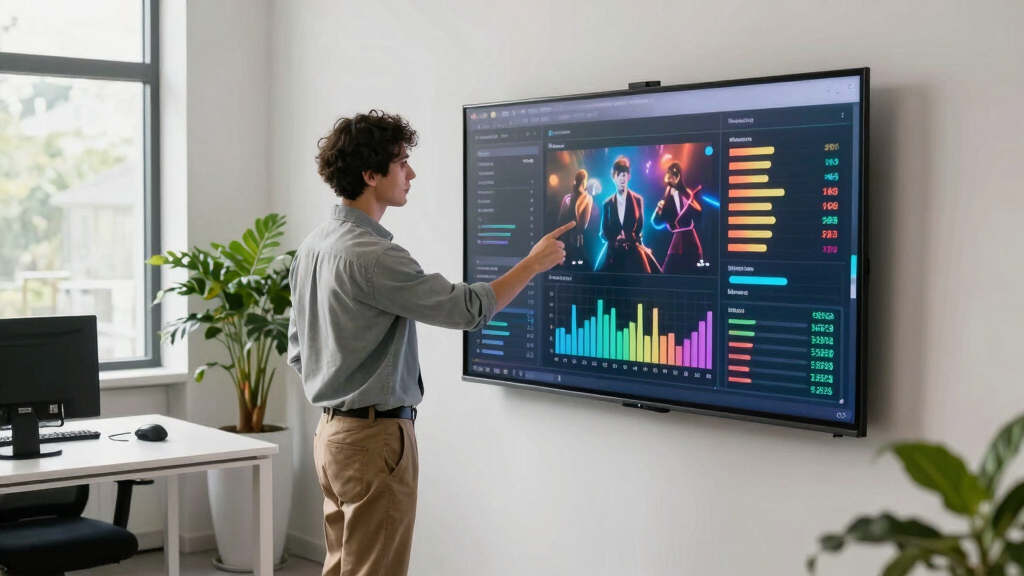

Choosing the best digital wallboard for support performance metrics requires balancing display quality, interactivity, ease of integration, and scalability. For 2026, I’ve identified three standout options: the Smart Board 49 Inch offers impressive collaboration features ideal for office and classroom environments, but it’s less suited for quick support dashboards. The Promethean ActivPanel LE 65” provides a familiar Android experience with robust support tools, making it excellent for training and support rooms, yet it comes at a higher price point. Lastly, the OmninexHub 49″ Smart Board excels in versatile installation options and multitasking, perfect for support centers needing flexible layouts, but it may lack some advanced analytics features of premium options. These tradeoffs highlight that the right choice depends heavily on your support team’s specific needs and environment.
Key Takeaways
- The Smart Board 49 Inch is best suited for collaborative environments like classrooms and small teams, but less ideal for real-time dashboards.
- Promethean ActivPanel LE offers a familiar Android interface with extensive app support, ideal for support training and dynamic presentations.
- OmninexHub’s versatile mounting and multitasking capabilities make it suitable for support centers that require flexible, multi-input displays.
- All three options balance interactivity with durability, but tradeoffs include price and advanced analytics capabilities.
- Ease of setup and device integration are key factors influencing overall usability for support performance metrics display.


More Details on Our Top Picks
Smart Board, 49 Inch Digital Electronic Whiteboard with 8-Core CPU, Support 8K UHD Decoding, Smartboard for Classroom, Screen Mirroring for Live Streaming, Advertising(Board Only)
The Smart Board 49 Inch stands out for its ultra-responsive 6ms stylus input and 10-point multi-touch, enabling seamless multi-user collaboration. Its octa-core CPU ensures smooth performance during intensive support operations, and the support for 8K UHD decoding provides sharp visuals for detailed dashboards. Compared to the Promethean, it offers more flexible open app ecosystems, making it suitable for support teams that need to customize their software environment. It’s less ideal if you need a dedicated analytics dashboard, as it’s primarily designed for collaboration rather than data visualization. Durability is solid with a glass hardness of ≥7H, but it lacks built-in analytics tools and may need external software for support metrics analysis.
Pros:- High responsiveness with 6ms touch response
- Supports 8K UHD decoding for crisp visuals
- Open app ecosystem for customization
- Supports multi-device sharing and annotations
Cons:- No dedicated analytics or support metrics software
- Limited internal support for specialized dashboards
- Requires external hardware for video conferencing
Best for: Support teams needing versatile, real-time collaboration with multimedia capabilities
Not ideal for: Purely dashboard-focused support metrics without collaboration needs
- Screen Size:49 Inches
- Resolution:1920 x 1080 pixels
- Processor:8-Core Cortex-A76
- UHD Support:8K UHD decoding
- Touch Points:10-point multi-touch
- Connectivity:HDMI, USB, Wi-Fi, Miracast
Bottom line: A flexible, high-performance whiteboard ideal for collaborative support environments, though less tailored for dedicated metrics dashboards.
Promethean ActivPanel LE 65” Digital Whiteboard + Wall Mount, 4K UHD, Interactive Display, Android OS, EDLA Certified, 3 Year Onsite Support
The Promethean ActivPanel LE 65” excels with its familiar Android interface, making it easy for teams to run apps like Google Drive, YouTube, and Promethean’s own annotation tools. Its 4K UHD resolution ensures sharp support dashboards, and the built-in apps facilitate quick collaboration and training. Compared to the Smart Board, it offers a more polished, integrated experience for support teams that rely on multimedia content and app-based analytics. However, the higher cost and less flexible hardware customization may be drawbacks for smaller or budget-conscious teams. It’s best suited for environments where ease of use and app support outweigh advanced analytics capabilities.
Pros:- Familiar Android OS with Google app support
- 4K UHD display for crisp visuals
- Pre-installed apps like Google Drive and YouTube
- 3-year onsite support included
Cons:- Higher price point
- Limited customization outside pre-installed apps
- Less suitable for complex analytics dashboards
Best for: Support teams focused on training, support sessions, and dynamic content sharing
Not ideal for: Teams needing highly customizable dashboards or extensive analytics integration
- Screen Size:65 Inches
- Resolution:4K UHD
- Operating System:Android
- Connectivity:Wi-Fi, HDMI, USB
- Support Period:3 Years
- Mounting:Wall Mount
Bottom line: An intuitive, app-rich display perfect for training and multimedia support, but less flexible for detailed metrics visualization.
49″ Smart Board, Electronic Interactive Smartboard for Classroom, Screen Mirroring, Android iOS 12, Digital Whiteboard for Presention Annotation Live Streaming(Wall Mount Included)
The OmninexHub 49″ Smart Board offers a robust RK3588 octa-core processor with 2.4GHz speed, ensuring responsive multitasking and smooth support metrics display. Its infrared touch technology with 1mm accuracy and 10-point multi-touch support makes it highly interactive, ideal for support centers that need to display multiple dashboards or run concurrent apps. Compared to the other two, it provides more flexible mounting options and a split-screen multitasking feature, perfect for environments where support agents need to monitor various data streams simultaneously. Its wide viewing angle and inbuilt Wi-Fi, Bluetooth, and hotspot support add to its versatility, although it lacks some of the advanced analytics integrations found in higher-end solutions.
Pros:- Flexible wall mount and portable options
- Responsive infrared touch with 10-point multitouch
- Split-screen multitasking for multiple dashboards
- Supports both landscape and portrait modes
Cons:- No built-in advanced analytics tools
- Limited internal app ecosystem compared to Android or Windows solutions
- Requires external software for detailed support metrics
Best for: Support centers requiring flexible installation and multitasking capabilities
Not ideal for: Teams needing integrated advanced analytics or dedicated dashboard tools
- Screen Size:49 Inches
- Resolution:1080P FHD
- Touch Technology:Infrared
- Processor:RK3588 Octa-Core
- Connectivity:Wi-Fi, Bluetooth, LAN, HDMI
- Mounting:Wall Mount Included
Bottom line: A highly adaptable, multitasking-friendly display suited for support environments needing flexible hardware and multi-inputs.

How We Picked
Our selection process focused on the core needs of support teams: clear visibility of metrics, real-time collaboration, ease of integration with existing systems, and durability. We compared display quality, input responsiveness, ecosystem support, and installation flexibility across various price ranges. Each product was evaluated based on how well it balances these factors while considering potential tradeoffs like cost, feature depth, and user-friendliness. We prioritized options with proven reliability in support environments and those offering scalable solutions for future growth.
Factors to Consider When Choosing Best Digital Wallboard For Support Performance Metrics
When selecting a digital wallboard for support performance metrics, it’s vital to consider display clarity, interactivity, scalability, and ecosystem compatibility. The right device should facilitate quick data visualization, support multi-user engagement, and integrate seamlessly with your existing support tools. Additionally, installation flexibility and durability are key in high-traffic support environments. The following sections will guide you through the most important factors to help you find a solution tailored to your support team’s specific needs.
Display Quality and Responsiveness
High resolution and fast touch response are essential for support dashboards that display real-time metrics and require quick interactions. Look for screens with at least Full HD resolution, and for more detailed visuals, 4K support can be beneficial. Responsiveness, typically measured in milliseconds, impacts how smoothly support agents can navigate and interact with the display, reducing frustration and improving efficiency.
Interactivity and Multi-Device Support
Multi-touch support allows several agents to collaborate or monitor different data streams simultaneously. Infrared and capacitive touch technologies tend to offer the best accuracy and durability. Compatibility with smartphones, tablets, and laptops via screen mirroring or casting is also vital, enabling support staff to display metrics directly from their devices without complex setups.
Ecosystem and App Compatibility
For support metrics, choosing a device that supports essential apps—such as dashboards, analytics tools, or communication platforms—is critical. Android and Windows-based displays provide extensive app ecosystems, while proprietary systems may limit customization. Consider whether the device supports remote management and updates to keep your support environment current.
Installation Flexibility and Durability
Support environments vary from fixed offices to mobile support stations. Wall mounts, portable stands, and flexible rotation options enhance adaptability. Durability features like tempered glass and sturdy frames extend the lifespan of your display, especially in high-traffic areas where accidental bumps are common.
Price and Scalability
While high-end solutions offer advanced features, they come with a higher price tag. Balance your budget against required features like multi-device support, onboard analytics, and mounting options. Scalability—adding more displays or integrating with existing systems—is a key consideration for growing support teams, so choose solutions that offer future-proof features and easy expansion paths.
Frequently Asked Questions
What is the ideal screen size for a support metrics wallboard?
The ideal screen size depends on your environment and viewing distance. For most support centers, a 49 to 65-inch display provides a good balance between visibility and space efficiency. Larger screens such as 65 inches are better for open areas where multiple agents need to view the dashboard simultaneously, while smaller sizes may suffice for individual monitoring stations.
Which touchscreen technology is best for support dashboards?
Infrared touch technology is highly recommended for support dashboards due to its durability and high accuracy, supporting multiple touches simultaneously. Capacitive screens are also common and offer excellent responsiveness but may be less durable in busy environments. Your choice should consider the environment’s wear-and-tear and the need for multi-user interaction.
Can these wallboards integrate with existing support software?
Most modern wallboards support integration through open ecosystems like Android or Windows, allowing compatibility with common support or analytics tools. Checking for app support, casting, and API accessibility ensures you can embed real-time metrics, dashboards, and reporting tools within your display environment.
How important is installation flexibility?
Installation flexibility is crucial if your support environment requires adaptable layouts or mobile setups. Wall mounts, portable stands, and rotation capability can help you optimize visibility and ergonomics. Durable construction ensures longevity in high-traffic areas, reducing maintenance costs over time.
What is the typical lifespan of a support support wallboard?
High-quality digital wallboards typically last between 5 to 10 years, depending on usage, environment, and maintenance. Features like tempered glass screens and sturdy frames extend lifespan, while regular software updates and proper handling prevent premature failures. Investing in a reputable brand and warranty can further enhance durability and support.
Conclusion
For support teams prioritizing collaboration and multimedia integration, the Smart Board 49 Inch offers a versatile and responsive solution. Support centers needing a straightforward, app-rich display with easy setup should consider the Promethean ActivPanel LE 65”. Organizations requiring flexible mounting options and multitasking capabilities will find the OmninexHub 49″ best suited. Budget-conscious teams might opt for the OmninexHub, while those focused on training or multimedia presentations lean toward Promethean. Carefully evaluate your environment, technical needs, and future growth plans to select the most effective support performance metrics display for 2026.