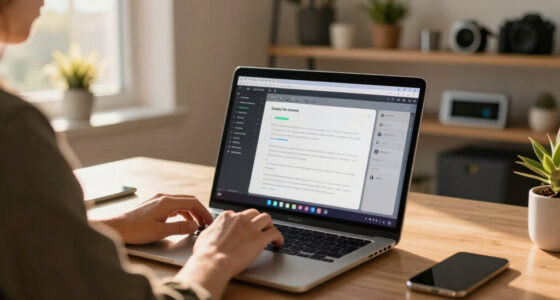
Choosing the right AI transcription software depends heavily on whether you need a hands-free writing assistant or a dedicated tool for professional audio processing. My top overall pick is the AI VoiceWriter, which stands out for its seamless integration of voice input with AI-powered proofreading and rewriting across devices. For those who prefer hardware-centric workflows, the NeoSapien Neo 1 offers a unique wearable approach to note-taking, while the Express Scribe Pro suite remains the industry standard for journalists who rely on foot pedals for precise control. The main tradeoff here is between automation and manual precision; AI tools speed up drafting but may lack the verbatim accuracy required for legal or medical transcripts. Continue reading to see which of these six options aligns best with your specific workflow needs.

Get business pricing on tech for your team
- Business-only prices and quantity discounts
- Tax-exempt purchasing
- Multiple users, one account, clear invoices
Key Takeaways
- Hardware-integrated tools like the AI VoiceWriter offer superior workflow continuity compared to standalone software by combining transcription with real-time editing.
- The Express Scribe family dominates the professional transcription niche because foot pedals provide manual control that current AI cannot fully replicate for complex audio.
- Wearable AI devices like the NeoSapien Neo 1 prioritize convenience and capture speed over the deep formatting capabilities found in desktop software.
- Digital downloads for transcription software often come with complex licensing structures that can create friction for users expecting plug-and-play simplicity.
- Multilingual support is a key differentiator in 2027, with AI-driven tools handling language switching far better than traditional manual transcription setups.
| AI VoiceWriter – Smart Dictation & AI Writing Assistant |  | Best for Desktop Productivity | Platform Compatibility: Windows 10+, macOS 13+ | Mobile App Support: iOS 15+, Android 9.0+ | Input Method: USB Dongle + Mobile App Microphone | VIEW LATEST PRICE | See Our Full Breakdown |
| NeoSapien Neo 1 AI Note-Taking Device |  | Best for On-the-Go Capture | Form Factor: Wearable Pendant | Battery Life: Up to 2 days per charge | Microphone Range: Up to 2 meters | VIEW LATEST PRICE | See Our Full Breakdown |
| Express Scribe Software Pro Transcription Software (CD-ROM) |  | Best for Legacy Compatibility | Media Format: CD-ROM | Playback Features: Variable Speed, Constant Pitch | File Support: Audio, Video, Encrypted Dictation | VIEW LATEST PRICE | See Our Full Breakdown |
| Express Scribe Transcription Software – Use with Foot Pedal |  | Best Digital Download for Transcribers | Delivery Method: Digital Download | Playback Control: Variable Speed with Constant Pitch | Media Support: Audio, Video, Encrypted Files | VIEW LATEST PRICE | See Our Full Breakdown |
| Express Scribe Pro Transcription Software with USB Foot Pedal |  | Best Complete Kit for Beginners | Bundle Contents: Software License + USB Foot Pedal | Pedal Model: Infinity IN-USB-3 | Pedal Weight: 2.3 lbs | VIEW LATEST PRICE | See Our Full Breakdown |
| Express Scribe Transcription Software – Use with Foot Pedal for Transcription [Download] | ” image=”https://m.media-amazon.com/images/I/71RYZh3mCPL._AC_SX342_SY445_QL70_ML2_.png” link=”0″] | Best for Hardware Integration | Primary Function: Audio/Video Playback Control | AI Transcription: None | Hardware Support: USB Foot Pedals | VIEW LATEST PRICE | See Our Full Breakdown |
| AI transcription software | Platform |
|---|---|
| AI VoiceWriter | — |
| NeoSapien Neo 1 AI Note-Taking | — |
| Express Scribe Software Pro Tr | PC and Mac |
| Express Scribe Transcription S | PC and Mac |
| Express Scribe Pro Transcripti | PC and Mac |
| Express Scribe Transcription S | Windows/macOS/Linux (Download) |
More Details on Our Top Picks
AI VoiceWriter – Smart Dictation & AI Writing Assistant
This option stands out for its seamless integration into existing desktop workflows, allowing users to dictate directly into Word or email clients without switching contexts. Unlike the Neo 1, which focuses on capturing ambient conversations, the AI VoiceWriter acts as an active writing tool, using AI to proofread and rephrase text in real time. The inclusion of a mobile app to enhance microphone quality is a clever workaround for poor laptop audio. However, it requires a specific hardware setup (USB dongle plus phone), which can feel cumbersome compared to purely software-based solutions. It is a strong choice for professionals who write extensively on computers but want to bypass typing entirely.Pros:- Integrates directly with desktop applications like Word and Gmail
- Uses mobile phone microphone for higher-quality voice capture
- Includes AI-powered proofreading and rewriting features
- One-time purchase model avoids recurring subscription fees
Cons:- Requires a USB dongle and a paired smartphone to function optimally
- Setup process involves installing both desktop and mobile components
- Limited to specific supported languages for AI writing features
Best for: Professionals who draft emails, reports, and creative content on Windows or Mac computers and prefer voice input over typing.
Not ideal for: Users who need to record meetings or conversations away from a desk, as this relies on a computer connection for core functionality.
- Platform Compatibility:Windows 10+, macOS 13+
- Mobile App Support:iOS 15+, Android 9.0+
- Input Method:USB Dongle + Mobile App Microphone
- Language Support:33 Languages for Dictation
- AI Features:Proofreading, Rephrasing, Formatting
- Purchase Model:One-Time Purchase (No Subscription)
- Item Weight:75 g
Our verdict“Ideal for writers and office workers who want to replace typing with voice input while retaining editing control on their main computer.”
NeoSapien Neo 1 AI Note-Taking Device
The Neo 1 distinguishes itself with a wearable pendant form factor, making it ideal for capturing real-world conversations that desktop software like the AI VoiceWriter cannot handle. It excels at turning spoken words into searchable summaries and tasks, bridging the gap between recording and actionable notes. While it lacks the direct text-editor integration of desktop tools, its strength lies in portability and privacy, offering encrypted data handling without a mandatory subscription. The tradeoff is battery life; at two days, it requires frequent charging compared to wired solutions. This device is best suited for those who need to record meetings, interviews, or ideas while moving, rather than sitting at a desk.Pros:- Wearable design allows for hands-free recording during meetings
- Supports over 140 languages for broad accessibility
- Automatic summary and task extraction from transcripts
- Strong privacy focus with encrypted data and no cloud subscription
Cons:- Battery life is limited to approximately two days of continuous use
- Small form factor makes physical button access difficult for some users
- Requires smartphone app for primary management and viewing
Best for: Consultants, journalists, and managers who need to record and summarize meetings or ideas while away from a computer.
Not ideal for: Users who primarily dictate long-form documents at a desk and require immediate text editing capabilities.
- Form Factor:Wearable Pendant
- Battery Life:Up to 2 days per charge
- Microphone Range:Up to 2 meters
- Language Support:140+ Languages
- Connectivity:Bluetooth (iPhone/Android)
- Privacy Features:Encrypted Data, Auto-Deletion
- Weight:1.76 ounces
- Dimensions:4.33 x 3.15 x 1.97 inches
Our verdict“A specialized tool for capturing and organizing spoken information in dynamic, non-desk environments.”
Express Scribe Software Pro Transcription Software (CD-ROM)
This physical CD-ROM version of Express Scribe Pro offers the same robust transcription engine found in digital downloads but appeals to users who prefer tangible media or offline installation. Compared to the digital-only B00WGMEA1K, it provides a backup of the installer, which can be valuable in restricted IT environments. The software focuses on playback control rather than AI transcription, offering variable speed and pitch adjustment that remains industry-standard for human transcribers. It does not include a foot pedal, requiring separate hardware purchase. This is a niche choice for those who distrust cloud-based installations or need a specific offline license format, though the digital version is generally more convenient for modern setups.Pros:- Physical CD-ROM provides a local backup of the software installer
- Supports variable speed playback with constant pitch for accuracy
- Compatible with professional USB foot pedals for hands-free control
- Handles encrypted dictation files and multiple media formats
Cons:- Requires a CD drive or external optical drive for installation
- Does not include a foot pedal, adding to total setup cost
- Lacks AI transcription features, relying on human typing
Best for: Transcriptionists who require an offline installation method or prefer physical media for software licensing and backup.
Not ideal for: Users looking for AI-powered automatic transcription or those who prefer instant digital access without physical media.
- Media Format:CD-ROM
- Playback Features:Variable Speed, Constant Pitch
- File Support:Audio, Video, Encrypted Dictation
- Hardware Support:USB Foot Pedals
- Network Features:Auto-load via FTP/Email
- Platform:PC and Mac
- License Type:Perpetual License
Our verdict“A reliable, offline-capable transcription player for professionals who need stable, legacy-friendly software installation.”
Express Scribe Transcription Software – Use with Foot Pedal
As the digital counterpart to the CD-ROM version, this download offers immediate access to the same powerful playback controls used by professional transcribers. It excels in workflow efficiency by allowing users to control audio with foot pedals or hotkeys while typing in any text editor. Unlike the AI VoiceWriter, which generates text automatically, this tool assumes a human transcriber is typing, giving it an edge in accuracy for complex or noisy audio. It lacks built-in transcription AI, which is a significant limitation for those wanting automation. However, for pure transcription speed and control, it remains a staple. It is the logical choice for users who want the software without the clutter of physical media.Pros:- Instant digital download with no physical media required
- Customizable hotkeys allow playback control from any application
- Maintains audio pitch at variable speeds for clearer listening
- Broad compatibility with encrypted and standard media formats
Cons:- No built-in AI engine; requires external text editor and manual typing
- Does not include a foot pedal, requiring separate hardware purchase
- Interface is utilitarian and lacks modern UI polish
Best for: Professional transcriptionists who need fast, reliable audio playback controls and prefer digital license delivery.
Not ideal for: Beginners expecting the software to automatically convert speech to text without human intervention.
- Delivery Method:Digital Download
- Playback Control:Variable Speed with Constant Pitch
- Media Support:Audio, Video, Encrypted Files
- Hardware Compatibility:USB Foot Pedals
- Control Options:Customizable Hotkeys
- Platform:PC and Mac
- License Type:Perpetual License
Our verdict“The standard choice for human transcriptionists who need precise audio control and a clean digital license.”
Express Scribe Pro Transcription Software with USB Foot Pedal
This bundle removes the friction of sourcing separate hardware by pairing Express Scribe Pro with the heavy-duty Infinity IN-USB-3 foot pedal. Compared to the standalone software options (B00WGMEA1K or B00UZHHOC0), this kit offers an out-of-the-box solution for new transcriptionists. The pedal is weighted and durable, designed to withstand long sessions, which addresses a common pain point with cheaper pedals. While the software itself lacks AI features found in the AI VoiceWriter, the physical hardware significantly boosts typing speed and comfort. The digital download nature of the license keeps it convenient, though the physical pedal requires shipping. It is the most practical entry point for those who want to start transcribing immediately with professional-grade tools.Pros:- Includes heavy-duty USB foot pedal for immediate hands-free control
- Bundles software and hardware, simplifying the setup process
- Pedal features sensitive switches for minimal foot fatigue
- Digital license delivery combined with physical hardware convenience
Cons:- Higher upfront cost compared to software-only purchases
- Requires shipping for the physical pedal component
- Software still relies on manual typing rather than AI transcription
Best for: New transcriptionists who want a ready-to-use setup with both the software and a professional-grade foot pedal included.
Not ideal for: Users who already own a compatible foot pedal or prefer AI-driven automatic transcription over manual typing.
- Bundle Contents:Software License + USB Foot Pedal
- Pedal Model:Infinity IN-USB-3
- Pedal Weight:2.3 lbs
- Software Features:Variable Speed, Multi-Channel Control
- License Delivery:Digital Download
- Pedal Interface:USB
- Platform:PC and Mac
Our verdict“The most convenient package for starting a transcription career, providing both essential software and professional hardware in one purchase.”
Express Scribe Transcription Software – Use with Foot Pedal for Transcription [Download]
” image=”https://m.media-amazon.com/images/I/71RYZh3mCPL._AC_SX342_SY445_QL70_ML2_.png” link=”0″]Best for Hardware Integration
View Latest PriceThis software occupies a unique niche by prioritizing hardware compatibility over AI-driven automation. Unlike the AI VoiceWriter, which attempts to generate text automatically, Express Scribe acts as a robust player that relies on your typing skills. It excels at constant pitch playback, allowing you to slow down audio without distorting voices, which is critical for accurate manual transcription. The ability to integrate with professional USB foot pedals provides ergonomic control, letting you pause, rewind, and play without leaving the keyboard. However, this comes with a tradeoff: it offers zero automatic transcription. If you want AI to write the words for you, you must look at the AI VoiceWriter or NeoSapien. This tool is strictly for those who prefer the accuracy of manual entry combined with hardware efficiency.
Pros:- Seamless integration with professional USB foot pedals
- Constant pitch playback preserves audio clarity at slower speeds
- Supports encrypted dictation files for secure workflows
Cons:- No AI-based automatic transcription features
- Interface feels dated compared to modern web-based tools
- Requires manual typing, which slows down overall output
Best for: Professional medical or legal transcribers who rely on foot pedals and require precise playback control.
Not ideal for: Users seeking automated AI transcription or those who dislike manual typing.
- Primary Function:Audio/Video Playback Control
- AI Transcription:None
- Hardware Support:USB Foot Pedals
- Playback Feature:Constant Pitch Speed Control
- File Support:Most Audio/Video Formats
- Security Feature:Encrypted Dictation File Support
- Interface Method:Hotkeys and Pedal Input
- Platform:Windows/macOS/Linux (Download)
Our verdict“Choose this if you are a manual transcriber who needs reliable playback controls and pedal support, not AI automation.”
How We Picked
I evaluated these products based on three core criteria: workflow integration, accuracy potential, and usability friction. First, I looked at how each tool fits into a daily routine. Does it require a separate learning curve, or does it integrate with existing operating systems? Second, I assessed the balance between AI automation and human control. While AI transcription is powerful, professional users often need the ability to pause, rewind, and verify specific segments, which favors hardware-assisted software. Finally, I considered the setup process. Products with straightforward installation and clear licensing scored higher than those with convoluted download instructions.
The ranking reflects a hierarchy of utility for different user types. Tools that offer comprehensive writing assistance alongside transcription rank higher for general productivity users. Conversely, specialized software like Express Scribe ranks lower for casual users but remains essential for professionals who require exact verbatim records. This ordering helps you identify whether you need a smart assistant or a robust transcription engine.
| AI transcription software | Platform |
|---|---|
| AI VoiceWriter | — |
| NeoSapien Neo 1 AI Note-Taking | — |
| Express Scribe Software Pro Tr | PC and Mac |
| Express Scribe Transcription S | PC and Mac |
| Express Scribe Pro Transcripti | PC and Mac |
| Express Scribe Transcription S | Windows/macOS/Linux (Download) |
Factors to Consider When Choosing AI Transcription Software
Selecting the right transcription solution requires looking beyond simple word-to-text conversion. You need to match the tool’s capabilities with your specific output requirements and input sources.Hardware Dependency vs. Pure Software
One of the most significant decisions involves whether you need physical hardware. Tools like the AI VoiceWriter and NeoSapien Neo 1 rely on dedicated hardware or specific device integrations to function optimally. This can limit portability if you switch devices frequently. In contrast, pure software solutions like Express Scribe are platform-agnostic but often require additional peripherals, such as foot pedals, to unlock their full potential. If you value a minimalist desk setup, a pure software option with a good user interface might be better. However, if you transcribe for hours daily, investing in ergonomic hardware like a foot pedal can prevent repetitive strain injuries and increase overall speed.
Post-Transcription Editing Features
Transcription is rarely the final step; you usually need to clean up the text. Many basic tools dump raw text into a document, leaving you with punctuation errors and run-on sentences. Advanced tools like the AI VoiceWriter include built-in proofreading and rewriting capabilities, which save significant time. When evaluating options, check if the software offers AI-assisted editing or if it simply provides raw output. If you are a journalist or content creator, the ability to rephrase and format text within the transcription environment is a major productivity booster. Pure transcription engines often lack these features, requiring you to switch between multiple applications.
Licensing and Installation Complexity
Professional-grade transcription software often comes with complex licensing models. Digital downloads, as seen with some Express Scribe versions, may require manual license key entry or specific activation steps that can be confusing. Some products ship with physical media or require you to find download links inside the packaging, which adds unnecessary friction. For users who prefer a smooth onboarding experience, cloud-based or app-store distributed software is preferable. However, if you work in secure environments with no internet access, offline licenses and local processing are non-negotiable. Always verify the installation process before purchasing to avoid technical headaches.
Audio Source Compatibility
Not all transcription tools handle every audio source equally. Some are optimized for live voice input, such as dictation via a microphone, while others excel at processing pre-recorded audio files. The NeoSapien Neo 1 is designed for capturing live conversations on the go, whereas Express Scribe is built for playing back recorded files with precision. If your workflow involves interviewing subjects and transcribing the recordings later, you need software with robust playback controls, including variable speed and loop functions. If you are dictating notes in real-time, you need low-latency processing and noise cancellation. Matching the tool to your primary audio source prevents performance bottlenecks.
Accuracy vs. Contextual Understanding
AI transcription has improved dramatically, but it still struggles with heavy accents, technical jargon, or poor audio quality. Traditional manual transcription with software assistance, like Express Scribe, relies on human ears, which can catch nuances that AI misses. Conversely, AI tools like AI VoiceWriter use contextual language models to guess words based on surrounding text, which can be a double-edged sword. It may correct a typo intelligently but could also invent a word that sounds similar but is incorrect. For high-stakes documents, a hybrid approach where AI drafts the text and a human verifies it is often the most reliable strategy.
Frequently Asked Questions
Can AI transcription software replace human transcribers entirely?
No, AI transcription software cannot fully replace human transcribers for high-stakes or complex content. While tools like the AI VoiceWriter provide excellent drafts for general use, they often struggle with overlapping speakers, heavy accents, or specialized technical terminology. Human transcribers excel at interpreting context and ensuring verbatim accuracy, which is required in legal and medical fields. AI is best used as a productivity multiplier that handles the bulk of the work, allowing humans to focus on editing and verification rather than typing from scratch.
Is a foot pedal still necessary if I have AI transcription?
A foot pedal remains highly relevant for professional transcriptionists who require precise control over audio playback. Software like Express Scribe is designed to work with foot pedals to allow hands-free pausing, rewinding, and speeding up of audio. AI transcription automates the typing process, but it does not automate the review process. When you need to verify a specific word or phrase, stopping and restarting playback with a foot pedal is significantly faster and more ergonomic than using a keyboard or mouse, reducing fatigue during long sessions.
What is the main difference between the AI VoiceWriter and the NeoSapien Neo 1?
The primary difference lies in their form factor and intended use case. The AI VoiceWriter is a desktop and mobile solution focused on drafting documents, emails, and reports with integrated writing assistance. It is ideal for office work and content creation. The NeoSapien Neo 1 is a wearable device designed for capturing ideas and notes on the go. It prioritizes portability and quick capture over deep document editing. Choose the VoiceWriter for heavy typing tasks and the NeoSapien for spontaneous idea capture.
Why do some transcription software products require a USB dongle?
Some products, like certain versions of the AI VoiceWriter, use USB dongles to bypass system limitations or to provide a dedicated hardware interface for voice input. This can result in lower latency and better noise isolation compared to using a computer’s built-in microphone and audio processing. Additionally, dongles can sometimes serve as hardware license keys, ensuring that the software runs only when the authorized device is connected. This adds a layer of security but reduces portability, as you must carry the physical dongle with you.
Is digital download transcription software harder to use than boxed versions?
Digital downloads can sometimes be more cumbersome to set up because they often rely on email delivery and manual activation codes. Products like the Express Scribe Pro digital version require you to locate license information that may be buried in the packaging or email, which can lead to confusion. Boxed versions or app-store downloads typically have clearer instructions and integrated update mechanisms. However, digital downloads eliminate the risk of losing physical media and allow for instant access. If you are tech-savvy, digital is fine; if you prefer clear, physical documentation, boxed versions may be less frustrating.
Conclusion
If you need a versatile tool that combines transcription with writing assistance for daily productivity, the AI VoiceWriter is the best overall choice. It bridges the gap between dictation and editing seamlessly. For professionals who demand exact control over audio playback and are willing to manage hardware peripherals, the Express Scribe Pro suite remains the best value for specialized workflows. If you are a beginner looking for a simple, wearable way to capture thoughts without sitting at a desk, the NeoSapien Neo 1 is the best entry point. Ultimately, your choice depends on whether you prioritize automated drafting speed or manual precision control.