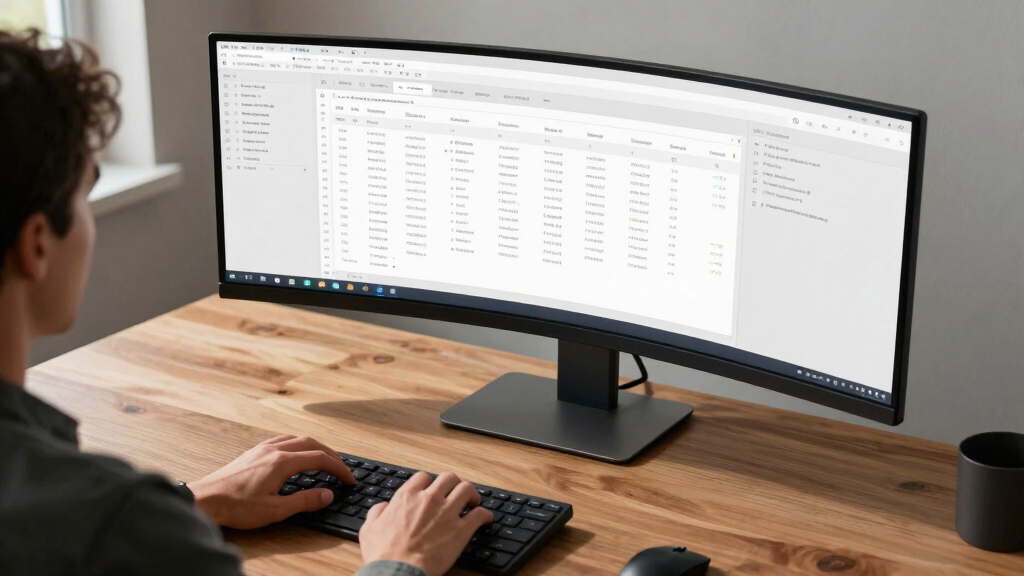

For spreadsheet power users, the ideal ultrawide monitor offers expansive real estate, sharp clarity, and smooth performance to handle multiple windows and complex data effortlessly. The Philips 346E2CUAE stands out for its balanced blend of size, resolution, and color accuracy, making it a versatile choice for detailed work. The Sceptre 34-Inch Curved Ultrawide delivers a high refresh rate, appealing to those who also want a monitor that can double for light gaming or fast-paced tasks. Meanwhile, the Dell 34 Plus provides excellent contrast and color coverage for media-rich spreadsheets. The main tradeoffs in this category typically involve balancing size, resolution, refresh rate, and price. Continue reading for a detailed breakdown of these options and how they match different needs.
Key Takeaways
- High resolution (3440×1440) is essential for clear, detailed spreadsheet viewing across the entire ultrawide screen.
- A good balance of size and curvature improves comfort during extended use without overwhelming your desk space.
- Features like USB-C charging and multi-view support add productivity benefits for multitasking workflows.
- Refresh rates above 100Hz offer smoother scrolling, especially helpful when working with large datasets.
- Build quality and adjustability significantly impact long-term comfort and usability, especially for extended work sessions.


More Details on Our Top Picks
Philips 346E2CUAE 34” Curved Frameless UltraWide QHD 3440×1440,100Hz 1ms MPRT, sRGB 121%, USB-C Charging, MultiView PIP/PBP, Height Adjustable, 4Yr Advance Replacement
This Philips model stands out for its expansive 3440×1440 resolution and 21:9 ultra-wide format, making it ideal for spreadsheet power users needing multiple windows open simultaneously. Its curved VA panel delivers immersive viewing, while the USB-C charging simplifies workspace clutter, a feature that outshines standard flat monitors like the Dell S3425DW. Compared to the less color-rich options, Philips offers a remarkable 121% sRGB gamut, ensuring vibrant, true-to-life visuals essential for detailed data analysis. The 1ms response time and 100Hz refresh rate ensure smooth interactions, even during fast scrolling or complex graphs. However, the curved VA panel can sometimes produce narrower viewing angles compared to IPS panels, and the price is higher than basic models. This pick makes the most sense for professionals who prioritize accurate color and multitasking efficiency.
Pros:- Expansive 34” ultra-wide QHD resolution for multiple applications
- Excellent color reproduction with 121% sRGB coverage
- Ergonomic height adjustment and frameless design for comfortable use
Cons:- Narrower viewing angles due to VA panel technology
- Higher cost compared to standard monitors without USB-C or color features
Best for: Spreadsheet users who need high color fidelity, multi-window setups, and ergonomic adjustability.
Not ideal for: Casual users or gamers who prioritize fast-paced gaming over accurate color or ergonomic features.
- Display Size:34 Inches
- Resolution:3440 x 1440
- Refresh Rate:100 Hz
- Response Time:1ms
- Panel Technology:VA
- Color Gamut:121% sRGB
Bottom line: Best suited for professionals demanding high-resolution, accurate colors, and ergonomic flexibility in a large workspace.
CRUA 34” White Gaming Monitor, 165HZ/144HZ, WQHD(3440x1440P) IPS UltraWide Screen Computer Monitors with Built-in Speakers, Supports FreeSync, 120% sRGB, HDMI 2.0 & DP 1.4, Wall Mountable Installs
This CRUA monitor makes a compelling case for those who want a large, vibrant WQHD display with IPS technology for wide viewing angles and accurate colors, surpassing typical TN panels. Its 165Hz refresh rate ensures smooth visuals, making it suitable for multitasking and casual gaming, though not necessarily for high-end competitive play. The 120% sRGB coverage offers vivid colors, ideal for detailed spreadsheets, creative tasks, or media consumption. Its built-in speakers add convenience in a cluttered workspace, while the support for FreeSync and multiple ports facilitate versatile setup. Downsides include the limited 1-year warranty and potential glare issues with the glossy finish. This monitor makes excellent sense for users balancing productivity and entertainment on a budget.
Pros:- Large 34-inch IPS screen with vivid color reproduction
- 165Hz refresh rate for smooth multitasking and casual gaming
- Supports FreeSync and multiple input options
Cons:- Limited 1-year warranty compared to premium models
- Potential glare due to glossy screen surface
Best for: Data analysts and multitaskers seeking vibrant visuals and a smooth experience at an affordable price.
Not ideal for: Competitive gamers or professionals requiring color calibration with wider color spaces for precise work.
- Display Size:34 Inches
- Resolution:3440 x 1440
- Refresh Rate:165Hz
- Panel Technology:IPS
- Color Gamut:120% sRGB
- Warranty:1 Year
Bottom line: Ideal for users who want a colorful, large display that balances productivity and casual entertainment affordably.
This Dell monitor strikes a balance between color accuracy and ergonomic comfort, with a VA panel that offers deep blacks and high contrast ratios of 3000:1, making it excellent for detailed data work. Its 99% sRGB and 95% DCI-P3 coverage ensures vibrant, true-to-life colors, suitable for professional spreadsheets, media editing, and extended work sessions. The 120Hz refresh rate paired with AMD FreeSync provides smooth visuals during scrolling and light gaming. Its USB-C port supports 65W power delivery, reducing desk clutter. Compared to the Philips, Dell’s VA panel offers better contrast but slightly narrower viewing angles. Cons include a higher price point and limited tilt adjustment. This model is best for professionals who prioritize high contrast, deep blacks, and ergonomic features.
Pros:- High contrast ratio of 3000:1 for deep blacks
- Excellent color coverage with 99% sRGB and 95% DCI-P3
- USB-C with 65W power delivery for a clutter-free desk
Cons:- Narrower viewing angles compared to IPS panels
- Higher price than entry-level ultrawides
Best for: Data professionals and designers needing high contrast and color fidelity with comfortable ergonomics.
Not ideal for: Gamers seeking ultra-fast response times or users preferring wider viewing angles over contrast.
- Display Size:34 Inches
- Resolution:3440 x 1440
- Refresh Rate:120 Hz
- Panel Technology:VA
- Color Gamut:99% sRGB, 95% DCI-P3
- Connectivity:USB-C (65W)
Bottom line: Best suited for professionals who need great contrast and accurate colors in a comfortable, ergonomic design.
This Dell model offers a VA panel with a contrast ratio of 3000:1, making it exceptional for tasks requiring deep blacks and rich colors, like detailed spreadsheets or media work. Its 99% sRGB and 95% DCI-P3 color coverage ensures vibrant, accurate visuals from any angle. The 120Hz refresh rate and AMD FreeSync provide smooth interaction even during scrolling or light gaming. Its USB-C port supports 65W power, reducing cable clutter. Compared with IPS options, contrast and black levels excel, but viewing angles are narrower. Price is on the higher side, reflecting its professional-grade features. This monitor is perfect for users who value contrast, deep blacks, and color accuracy for their workday.
Pros:- Deep blacks and high contrast for professional detail work
- Excellent color accuracy with 99% sRGB and 95% DCI-P3
- USB-C with 65W power delivery for streamlined setup
Cons:- Narrower viewing angles compared to IPS panels
- Higher price point than basic ultrawide monitors
Best for: Professionals needing high contrast and color precision with ergonomic comfort for extended work sessions.
Not ideal for: Gamers seeking ultra-fast response times or users seeking wide viewing angles for collaborative work.
- Display Size:34 Inches
- Resolution:3440 x 1440
- Refresh Rate:120 Hz
- Panel Technology:VA
- Color Gamut:99% sRGB, 95% DCI-P3
- Connectivity:USB-C (65W)
Bottom line: Best for users prioritizing contrast and color fidelity in a professional, ergonomic package.
This Dell monitor excels in offering deep blacks and excellent contrast, thanks to its VA panel with a 3000:1 contrast ratio, making it ideal for detailed data analysis or media work. Its color coverage of 99% sRGB and 95% DCI-P3 supports vibrant, accurate visuals from multiple angles. The 120Hz refresh rate combined with AMD FreeSync ensures smooth scrolling and light gaming, while the ergonomic design promotes long hours of comfortable use. The USB-C port delivers 65W power, reducing cable clutter. Compared to IPS-based monitors, contrast and blacks are superior, but the narrower viewing angles might be limiting for team environments. The price is justified by its professional-grade features. This monitor is perfect for those who need contrast and color accuracy for extended workdays.
Pros:- Exceptional contrast ratio of 3000:1 for rich blacks
- High color accuracy with 99% sRGB and 95% DCI-P3
- USB-C with 65W power for minimal cable clutter
Cons:- Limited viewing angles compared to IPS panels
- Higher price than entry-level alternatives
Best for: Long-hour professionals and media editors who need high contrast and ergonomic comfort.
Not ideal for: Gamers who require ultra-fast response times or wide viewing angles for group viewing.
- Display Size:34 Inches
- Resolution:3440 x 1440
- Refresh Rate:120 Hz
- Panel Technology:VA
- Color Gamut:99% sRGB, 95% DCI-P3
- Connectivity:USB-C (65W)
Bottom line: Ideal for users who prioritize deep contrast and accurate colors in a comfortable, professional setup.
CRUA 34” Gaming Monitor 165Hz/144Hz, UWQHD 3440x1440P IPS Ultrawide Screen Computer Monitors with Built-in Speakers, Supports FreeSync, 120% sRGB, PIP/PBP, HDMI2.0 & DP1.4, Wall Mount&Tilt Adjustable
This CRUA monitor offers a 3440×1440 resolution on an IPS panel with 120% sRGB, making it perfect for users who want vibrant visuals during data work or multimedia editing. The 165Hz refresh rate ensures ultra-smooth interactions, making it suitable for gaming or fast-paced spreadsheet scrolling. Its PIP/PBP modes support multitasking from multiple sources, and the built-in speakers add convenience. The stand’s tilt adjustment and wall-mount capability enhance ergonomic comfort. While the IPS panel provides wide viewing angles, it may be slightly less contrast-rich than VA panels, and the 1-year warranty offers less coverage than premium models. This monitor is ideal for those who want high refresh rates, vivid colors, and multitasking capabilities.
Pros:- High 165Hz refresh rate for smooth visuals
- Vibrant 120% sRGB coverage with IPS clarity
- Supports PIP/PBP for multitasking from multiple devices
Cons:- Limited 1-year warranty
- Potential for glare with glossy screen finish
Best for: Gamers and multitaskers demanding high refresh rates and vibrant visuals for work and play.
Not ideal for: Professionals needing the deepest blacks or maximum contrast for detailed media editing.
- Display Size:34 Inches
- Resolution:3440 x 1440
- Refresh Rate:165Hz
- Panel Technology:IPS
- Color Gamut:120% sRGB
- Input Options:HDMI 2.0 & DP 1.4
Bottom line: Best for users seeking high refresh rates, vivid colors, and multitasking features in a large ultrawide display.
LG 34WR55QK-B 34-inch UltraWide WQHD (3440 x 1440) Curved Computer Monitor, 100Hz, 5ms, HDR10, Reader Mode, HDMI, DisplayPort, USB Type-C, Tilt/Height Adjustable Stand, Black
This LG monitor stands out for delivering a wide 21:9 aspect ratio and a sharp 3440 x 1440 resolution, making it an ideal choice for spreadsheet power users who need to view multiple documents side by side. Its curved VA panel enhances immersion and reduces eye strain during extended work sessions. Compared to the Samsung Odyssey G5, the LG offers a more practical, office-oriented feature set like adjustable height and blue light reduction, though it sacrifices the ultra-fast response times favored by gamers. The 100Hz refresh rate ensures smooth scrolling and window movement, which is beneficial for multitasking. Its USB-C port provides a single-cable connection for power, data, and video, simplifying desk clutter. The monitor’s color accuracy (99% sRGB) and HDR10 support improve visual clarity for detailed spreadsheets with color-coded data. However, the VA panel’s contrast ratio might produce less vibrant colors and narrower viewing angles than IPS panels, potentially affecting color-critical work. The built-in speakers are a nice touch, but they lack depth, so external audio is recommended for prolonged use.
Pros:- Generous 34-inch ultra-wide display enhances multitasking
- Height and tilt adjustability for ergonomic comfort
- USB-C with 65W power delivery reduces cable clutter
- High color accuracy (99% sRGB) and HDR10 support
Cons:- VA panel may have narrower viewing angles and less vibrant colors than IPS
- Response time of 5ms isn’t ideal for fast-paced gaming or video editing
- Built-in speakers are mediocre and better external audio solutions are needed
Best for: Spreadsheet enthusiasts and multitaskers who value a large, adjustable workspace with good color accuracy.
Not ideal for: Gamers seeking ultra-fast response times or those requiring wide viewing angles for collaborative tasks.
- Display Size:34 inches
- Resolution:3440 x 1440
- Refresh Rate:100Hz
- Response Time:5ms
- Panel Technology:VA
- Color Gamut:99% sRGB
- Connectivity:HDMI, DisplayPort, USB Type-C
- Stand Adjustments:Height and tilt
- HDR Support:HDR10
Bottom line: This monitor makes the most sense for spreadsheet users who prioritize extensive screen real estate and flexible ergonomics over ultra-fast gaming specs.
Samsung 34′ Odyssey G5 Ultra-Wide Gaming Monitor with 1000R Curved Screen, 165Hz, 1ms, FreeSync Premium, Large Display, Eye Comfort, Multiple Ports, WQHD, LC34G55TWWNXZA, Black
The Samsung Odyssey G5 excels in providing a highly immersive curved display with a 1000R curvature that matches the human eye’s natural field of view, making it a compelling option for those who need both productivity and gaming versatility. Its 165Hz refresh rate and 1ms response time surpass the LG for responsiveness, which benefits fast scrolling and dynamic data viewing common in large spreadsheets. Unlike the LG, which emphasizes ergonomic flexibility, the Samsung’s focus is on visual immersion, with a VA panel that offers excellent contrast and deep blacks, ideal for detailed work in dark environments. The HDR10 support enhances color depth, and AMD FreeSync Premium ensures smooth visuals during rapid window switching or when working with graph-heavy spreadsheets. However, the aggressive curvature and high refresh rate come at the expense of some color accuracy and viewing angles, which are sufficient for most spreadsheet tasks but less ideal for color-sensitive work. Its large size can also be overwhelming on smaller desks or for users prioritizing ergonomic adjustability.
Pros:- Highly immersive 1000R curved screen enhances focus
- Fast 165Hz refresh rate and 1ms response time for smooth interaction
- Deep contrast and black levels from VA panel
- Multiple ports including HDMI, DisplayPort, and USB-C
Cons:- Color accuracy and viewing angles are inferior to IPS panels
- Overly aggressive curvature may cause distortion for some users
- Larger physical footprint may require more desk space
Best for: Power users who need a large, curved display for multitasking and benefit from high refresh rates for smooth window management.
Not ideal for: Color-critical work such as photo editing or tasks requiring wide viewing angles; those with limited desk space might find the size cumbersome.
- Display Size:34 inches
- Resolution:3440 x 1440
- Refresh Rate:165Hz
- Response Time:1ms
- Panel Technology:VA
- Curvature:1000R
- Color Gamut:HDR10
- Connectivity:HDMI, DisplayPort, USB
- Adaptive Sync:FreeSync Premium
Bottom line: This monitor is ideal for users who want both high responsiveness and immersive viewing, especially if they balance productivity with gaming or media consumption.
How We Picked
These monitors were selected based on their ability to meet the needs of spreadsheet power users who require expansive screen real estate, sharp resolution, and reliable color performance. Performance factors such as resolution, refresh rate, and response time were prioritized to ensure smooth multitasking and minimal eye strain. Build quality, ergonomic features, and connectivity options also played key roles, as these impact long-term comfort and versatility. The ranking reflects a balance between value and performance, favoring models that provide the best combination of features for heavy multitasking at different price points.Factors to Consider When Choosing Best Ultrawide Monitor For Spreadsheet Power Users
Choosing the best ultrawide monitor for spreadsheet work involves multiple considerations beyond just size and resolution. It’s important to think about how features like color accuracy, connectivity, and ergonomic adjustments can enhance your daily workflow. Additionally, understanding common tradeoffs—such as price versus performance—helps in making a purchase that fits your specific needs and budget. Here are the key factors to keep in mind:Screen Size and Curvature
For spreadsheet power users, a 34-inch ultrawide is generally ideal, offering enough space to view multiple columns and rows without excessive scrolling. Curved screens further improve immersion and reduce eye strain by keeping the entire display at a consistent focal distance. However, larger sizes can clutter smaller desks, so consider your workspace before choosing a model with aggressive curvature or larger dimensions.
Resolution and Panel Quality
Resolution directly impacts how clearly data appears, with 3440×1440 (WQHD) being the standard for ultrawide monitors suitable for detailed spreadsheet work. IPS panels excel in color accuracy and viewing angles, making them preferable for tasks requiring visual precision. VA panels, like in some Dell models, offer better contrast but may have slower response times, which matter if you multitask with fast scrolling or other media.
Connectivity and Ergonomics
Features like USB-C ports simplify cable management by enabling charging and data transfer through a single connection. Height adjustment and tilt capabilities are vital for long-term comfort, especially during extended spreadsheets sessions. Wall-mount compatibility and multi-view features can boost productivity by enabling multiple data sources or simultaneous workflows.
Refresh Rate and Response Time
Higher refresh rates (above 100Hz) contribute to smoother scrolling and reduce flicker, which can diminish eye fatigue. Response time is less critical for spreadsheet work but remains worth considering if you multitask with gaming or fast-moving visuals. Most ultrawides in this category offer at least 100Hz, striking a balance between performance and cost.
Price and Build Quality
Budget options like the CRUA models provide great value but may lack advanced ergonomic features or color accuracy. Premium models like the Philips or Samsung offer enhanced build quality, better color coverage, and more adjustment options, justifying higher prices for demanding users. Avoid compromises on build or connectivity if you plan long hours at your desk.
Frequently Asked Questions
Is a curved ultrawide monitor better for spreadsheet work?
Curved ultrawide monitors can reduce eye strain and improve immersion when working on large spreadsheets, as they keep the entire screen at a consistent focal distance. They are especially beneficial if you have a wide desk and want to see multiple windows without turning your head frequently. However, some users might prefer flat screens for precise alignment or if they work at close viewing distances. Overall, curved screens tend to be more comfortable for extended multitasking sessions.
Do I need a high refresh rate for spreadsheet tasks?
While a higher refresh rate (above 100Hz) isn’t strictly necessary for static spreadsheet work, it does make scrolling and navigating large data sets smoother and reduces flicker-related eye fatigue. If you frequently switch between multiple windows or work with animated dashboards, a higher refresh rate can improve overall fluidity. For most spreadsheet-focused tasks, 100Hz to 144Hz offers a noticeable comfort advantage without a significant premium.
How important is color accuracy for spreadsheet work?
Color accuracy isn’t a top priority for spreadsheet tasks unless you work with color-coded data or visual dashboards. An IPS panel with 99% sRGB coverage is sufficient for clear, vibrant visuals, but most ultrawide monitors in this category meet these standards. If color precision is less critical than clarity and size, prioritizing resolution and ergonomic features makes more sense.
Should I pay extra for USB-C or multi-view features?
Investing in USB-C and multi-view capabilities can streamline your workspace, reducing cable clutter and enabling multiple data sources or windows. These features add convenience, especially if you connect to laptops or need to display different sources simultaneously. For heavy multitasking or a clean setup, paying more for these features can significantly boost productivity, though they are less critical if your setup is simpler.
Is resolution more important than size for spreadsheet clarity?
Resolution directly affects how crisp and detailed the data appears, making it a more critical factor than size alone. A 3440×1440 resolution on a 34-inch ultrawide provides sharp, legible text and allows for multiple windows without sacrificing clarity. Larger screens with lower resolution may cause text to appear blurry or pixelated, reducing overall readability. Balancing size with appropriate resolution ensures you get both ample workspace and clear visuals.
Conclusion
For most users seeking the best ultrawide monitor for spreadsheet work, the Philips 346E2CUAE offers an excellent blend of size, resolution, and versatility, making it ideal as the overall pick. Budget-conscious buyers or those new to ultrawides should consider the CRUA 34” models for great value, while professionals requiring premium features and build quality should look at the Samsung Odyssey G5. If ergonomic adjustability or color precision is vital, the Dell 34 Plus stands out. Ultimately, your choice depends on your workspace, workload, and whether you prioritize performance, comfort, or cost.