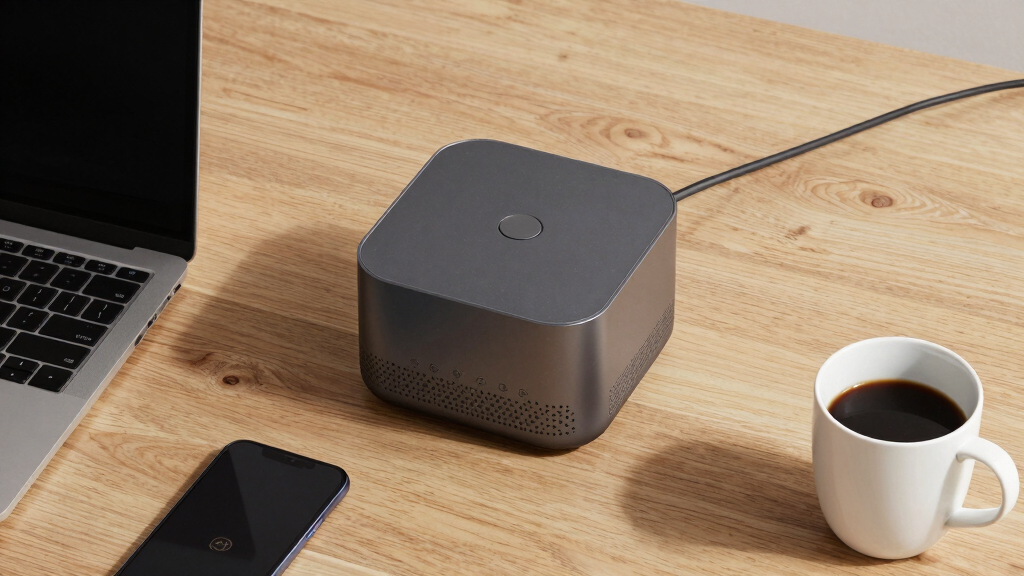

Finding the best wireless presentation display for hybrid teams means balancing performance, ease of use, and compatibility across diverse environments. The Barco ClickShare C-10 stands out for its scalability and robust collaboration features, making it ideal for larger teams. The NearHub S Pro 4K UHD offers an all-in-one solution with built-in cameras and microphones, perfect for fully integrated hybrid meetings. Meanwhile, the Vibe S1 4K UHD Smart Board excels in interactive capabilities suited for smaller teams or dynamic brainstorming sessions. These options illustrate the core tradeoffs: higher performance often comes with a higher price, while simpler models may lack advanced features. Continue reading for a detailed comparison to find the right fit for your hybrid workspace.
Key Takeaways
- Top-tier models like Barco C-10 deliver excellent scalability but come at a premium price point.
- All-in-one smart boards with integrated cameras and microphones simplify setup but may lack advanced wireless sharing features.
- Larger screens (75 inches) enhance visibility but can be more expensive and harder to install in small spaces.
- Ease of use and seamless connectivity are recurring priorities, with many models supporting multiple platforms and apps.
- Tradeoffs between price and features mean buyers should prioritize what collaboration functionalities matter most for their team size and environment.


More Details on Our Top Picks
JAV 86 Inch Smart Board 4K UHD Interactive Whiteboard with EDLA Certification Built-in Android OS for Classroom Office Home Digital Display 8+128 GB for Hybrid Work (86 Inch)
This model stands out for its expansive 86-inch 4K touchscreen, combining high-performance Android 14.0 with ample storage and robust security features like EDLA certification and USB password protection. Unlike the smaller Vibe S1, its larger display supports more participants and detailed collaboration, making it ideal for large teams. The built-in camera and open app ecosystem facilitate seamless remote participation and customization, but its hefty 80-pound weight and higher price tag are tradeoffs for extensive functionality. Compared to the NearHub S Pro 75”, it offers a bigger visual workspace but requires more space and installation effort. Its high responsiveness and security make it suitable for classrooms, corporate trainings, or large hybrid meetings.
Pros:- Massive 86-inch 4K UHD display with anti-glare tempered glass
- Built-in camera and microphone for remote collaboration
- Open app ecosystem and secure Android OS
Cons:- Heavy at 80 pounds, requiring robust mounting and space
- Higher cost compared to smaller or less feature-rich alternatives
Best for: Large educational or corporate teams needing a high-capacity, secure, and expansive display for hybrid collaboration.
Not ideal for: Small conference rooms or users seeking a portable, lightweight display due to its heavy weight and size.
- Screen Size:86 Inches
- Display Resolution:4K UHD 3840 x 2160
- Operating System:Android 14.0
- Storage Capacity:8GB RAM + 128GB
- Built-In Camera:Yes
- Connectivity:HDMI, USB, Wi-Fi
Bottom line: This smart board is best for large teams or institutions that prioritize size, security, and high performance in hybrid settings.
Vibe S1 4K UHD Smart Board, 75 Inch Digital Whiteboard for Office and Classroom, Electronic Presentation Meeting Device for Hybrid Work, Interative Touchscreen Display, Chrome OS and 250+ Free Apps
Compared with the Jav 86-inch, the Vibe S1 offers a slightly smaller 75-inch 4K display but excels in ease of use, thanks to its Chrome OS and large app ecosystem with 250+ free apps. Its real-time content saving and cloud integration support remote brainstorming, making it ideal for smaller teams or educational environments that value simplicity and app flexibility. Unlike the NearHub S Pro with Windows 11, the Chrome OS provides a more straightforward, less customizable experience, which might limit complex enterprise integrations but simplifies everyday use. Its lighter weight (128 pounds) and wireless sharing make setup easier, though the smaller display could be a drawback for larger groups. Overall, it’s perfect for educators or small business teams seeking an intuitive, versatile digital whiteboard.
Pros:- Bright 75-inch 4K UHD touchscreen with matte finish
- Seamless real-time content saving and cloud support
- Runs on Chrome OS with 250+ free apps
Cons:- Slightly smaller display than Jav 86-inch, limiting participant view
- Less enterprise customization compared to Windows-based systems
Best for: Small to medium teams or educators needing an easy-to-use, app-rich digital whiteboard for hybrid classes or meetings.
Not ideal for: Large organizations requiring extensive app customization or larger displays for bigger groups, as it is less expansive than the Jav 86-inch.
- Screen Size:75 Inches
- Display Resolution:4K UHD 3840 x 2160
- Operating System:Chrome OS
- Connectivity:HDMI, USB, Wireless
- App Ecosystem:250+ Free Apps
- Contrast Ratio:4000:1
Bottom line: This pick makes the most sense for educational or small-team settings that prioritize simplicity and app flexibility.
NearHub S Pro 4K UHD Smart Board,75” Windows 11 Interactive Whiteboard for Business &Education,Touchscreen Display with Built-In Camera &Microphones,All-in-One Collaboration Device for Hybrid Meetings
The NearHub S Pro 75” offers a full Windows 11 environment, supporting all desktop applications without limitations, unlike the Android or Chrome OS options. Its 4K wide-angle camera, omnidirectional microphones, and dual speakers make it an ideal all-in-one conferencing tool for hybrid meetings. Compared to the Jav 86-inch, it provides a more compact footprint and native Windows apps, but its 75-inch display may be less impactful for large groups. The ultra-low latency and support for up to 40 touchpoints ensure natural multi-user interaction, although the higher price and complexity of Windows 11 may require more setup and maintenance. It’s suited for organizations seeking enterprise-level security, full app support, and professional video conferencing capabilities.
Pros:- Full Windows 11 environment with no app limitations
- Built-in 4K wide-angle camera and omnidirectional mics
- Supports up to 40 simultaneous touchpoints
Cons:- Higher cost and more complex setup compared to Android or Chrome OS whiteboards
- Slightly smaller 75-inch display may be less suitable for very large groups
Best for: Businesses and educational institutions needing enterprise-grade security, full Windows app support, and integrated video conferencing for hybrid meetings.
Not ideal for: Small teams or users with limited IT support who prefer simpler, plug-and-play solutions due to Windows 11’s complexity.
- Screen Size:75 Inches
- Display Resolution:4K UHD 3840 x 2160
- OS:Windows 11
- Touch Points:Up to 40
- Built-In Camera:Yes
- Connectivity:HDMI, USB, Wireless
Bottom line: This device is ideal for organizations that prioritize full desktop app compatibility, enterprise security, and integrated video conferencing.
Barco ClickShare C-5 — Wireless Presentation and Collaboration System for Small to Medium Sized Meeting Rooms — Video Conferencing System with Wireless Display, Share Content Instantly
Compared with dedicated interactive whiteboards like Jav or NearHub, the Barco ClickShare C-5 excels in simple, reliable wireless sharing, perfect for small to medium meeting rooms. Its one-click operation supports instant content sharing from any device via the ClickShare app, AirPlay, GoogleCast, or Miracast, making it highly intuitive. While it doesn’t feature a built-in display or touchscreen, its compatibility with existing displays makes it flexible for various setups. Its enterprise-grade security and remote management are advantages over simpler consumer devices, but it lacks the large, integrated display of the Jav or NearHub options. This system is best suited for teams that already have a display but need easy, secure wireless sharing for hybrid meetings.
Pros:- One-click wireless sharing from any device
- Supports multiple protocols: AirPlay, GoogleCast, Miracast
- Enterprise security with ISO27001 certification
Cons:- Requires existing display or projector; no built-in screen
- Less suited for large group interaction without additional hardware
Best for: Small to medium-sized teams that want a reliable, secure wireless content-sharing solution without the need for a proprietary display.
Not ideal for: Organizations seeking an all-in-one interactive whiteboard with integrated display and touch features.
- Device Type:Wireless Presentation System
- Supports:HDMI, Wireless
- Security:ISO27001
- Compatibility:PC, Mac, Mobile
- Ideal Room Size:Small to Medium
- Display Required:Yes
Bottom line: This system is perfect for teams prioritizing quick, secure wireless sharing in smaller conference rooms or huddle spaces.
NearHub S Pro 4K UHD Smart Board,65” Windows 11 Interactive Whiteboard for Business &Education,Touchscreen Display with Built-In Camera &Microphones,All-in-One Collaboration Device for Hybrid Meetings
Compared to the Jav 86-inch, the NearHub S Pro 65” offers a smaller 4K display that fits more comfortably in smaller offices or classrooms, but still delivers full Windows 11 support for running complex applications. Its integrated camera, microphones, and support for professional peripherals make it an all-in-one conference solution, ideal for organizations needing a space-efficient device with enterprise features. However, its 65-inch size may limit visibility for large groups compared to the Jav or NearHub 75”, and its weight of around 2.6 pounds makes it more portable but less suitable as a permanent fixture. The ultra-low latency and multi-touch support ensure smooth collaboration, but the smaller size could be a drawback for bigger spaces.
Pros:- Full Windows 11 environment with no app limitations
- Support for professional peripherals and complex applications
- Compact 65-inch form factor fits in smaller spaces
Cons:- Smaller display size compared to Jav or NearHub 75”
- Less impactful for large group presentations
Best for: Small to medium teams that need a Windows-based interactive display with enterprise features in confined spaces.
Not ideal for: Large classrooms or conference halls where a bigger display is necessary for visibility.
- Screen Size:65 Inches
- Display Resolution:4K UHD 3840 x 2160
- OS:Windows 11
- Touch Points:Multiple
- Built-In Camera:Yes
- Connectivity:HDMI, USB, Wireless
Bottom line: Ideal for smaller enterprise or educational environments requiring full Windows support and a space-efficient display.
Microsoft Presenter+ (2022), Wireless and Bluetooth Presentation Clicker for PowerPoint, Advanced Built-in Features, Black Color
This presentation clicker excels at bridging the gap between in-person and virtual presentations, especially when paired with tools like PowerPoint Live. Compared to the Barco ClickShare C-10, it offers more precise slide navigation and digital on-screen pointing, but it lacks the collaborative sharing capabilities of a full wireless display system. The integrated mute button and Microsoft Teams join feature streamline meetings, making it ideal for hybrid environments where control from your desk matters most. Its limited range of 10 meters and single-device support are tradeoffs for advanced control features. This pick is best for professionals who prioritize presentation control over content sharing in small to medium spaces. BestFor: Corporate presenters, educators, or trainers needing reliable remote control.
NotIdealFor: Teams that require collaborative content sharing or multiple users simultaneously presenting.
Pros: Precise slide navigation, On-screen digital pointing, Built-in mute with status indicator, Seamless Teams integration.
Cons: Limited range (10 meters), Supports only one device at a time, No wireless display sharing.
Verdict: Perfect for presenters who need reliable, advanced remote control with minimal collaboration features.
Specs: Maximum supported device: 1, Connectivity: Bluetooth, Range: 10 meters, Battery life: up to 6 days, Color: Black, Controller type: Button control, Compatibility: PowerPoint, Teams, Bluetooth-enabled devices.Pros:- Precise slide navigation and on-screen pointing
- Integrated mute control with status indicator
- Quickly joins Microsoft Teams meetings
- Reliable control from a distance
Cons:- Limited to one device at a time
- Range constrained to 10 meters
- No support for content sharing or collaboration
Best for: Professionals and educators needing precise remote presentation control and easy meeting join features.
Not ideal for: Teams needing multi-user content sharing or full wireless display collaboration.
- Supported Devices:1
- Connectivity Technology:Bluetooth
- Maximum Range:10 meters
- Battery Life:Up to 6 days
- Color:Black
- Controller Type:Button control
- Compatible Apps:PowerPoint, Teams
Bottom line: This clicker is ideal for users prioritizing control and integration over shared content capabilities.
The Barco ClickShare C-10 stands out for enabling instant, cable-free content sharing in medium to large conference rooms, surpassing the basic control of the Microsoft Presenter+ by supporting multiple users simultaneously. Its one-click wireless screen sharing works seamlessly with Microsoft Teams, Zoom, or Webex, making it highly suitable for hybrid collaboration across different platforms. The interactive features like annotation, local display view, and touch back support elevate it above simpler wireless display solutions, but it involves a steeper learning curve and higher cost. This system is best suited for teams needing quick, multi-user presentations and collaboration in larger spaces. BestFor: Medium to large enterprises aiming for effortless multi-user sharing and advanced interactivity.
NotIdealFor: Small teams or classrooms that only require basic content sharing without multi-user support.
Pros: Supports multiple users simultaneously, One-click sharing, Interactive features including annotation and touch control, Compatible with all major conferencing platforms.
Cons: Higher price point, Slightly complex setup and management, Overkill for small rooms or simple presentations.
Verdict: Perfect for collaborative environments that demand quick, multi-user sharing and interactive features in larger meeting spaces.
Specs: Connectivity: Wireless, Supported Platforms: MS Teams, Zoom, Webex, Supports: 2 users side-by-side, Resolution: Full HD, Compatible Devices: PC, Mac, Tablets, Security: ISO27001 certified, Size: Suitable for medium/large rooms, Easy to use: One-click, Advanced interactivity: Annotation, touch back, local display view.Pros:- Supports multiple users simultaneously
- One-click wireless sharing for instant content display
- Rich interactive features like annotation and touch back
- Platform agnostic—Works with MS Teams, Zoom, Webex
Cons:- Higher investment cost
- Setup and management are more complex
- Overly sophisticated for small or simple rooms
Best for: Organizations with medium to large conference rooms seeking effortless multi-user content sharing and interaction.
Not ideal for: Small rooms, budget-sensitive setups, or environments only requiring basic presentation sharing.
- Supported Platforms:MS Teams, Zoom, Webex
- Number of Users Supported:2
- Resolution:Full HD
- Connectivity:Wireless
- Security:ISO27001 Certified
- Room Size Suitability:Medium to Large
- Supports Interactive Features:Yes
Bottom line: This solution is best for teams needing fast, multi-user collaboration with advanced interactivity in larger spaces.
JAV Smart Board 4K UHD Interactive Whiteboard with EDLA Certification Built-in Android OS for Classroom Office Home Digital Display 8+128 GB for Hybrid Work (75 Inch)
The JAV Smart Board combines high-resolution 4K visuals with a built-in Android OS, making it highly versatile for both educational and business settings. Unlike the wireless systems like Barco ClickShare, it offers a large touchscreen and direct device interaction, suitable for dynamic presentations and collaborative work. Its seamless device compatibility across Mac, Windows, iOS, and Android, plus wireless mirroring, makes it a strong choice for environments that need real-time interaction. The EDLA certification and security features add confidence for sensitive data sharing. However, it involves a larger physical footprint, higher cost, and requires local setup, which can be drawbacks for smaller or remote setups. This display is perfect for users seeking an all-in-one interactive solution with high visual clarity. BestFor: Educational institutions, large conference rooms, or offices needing an interactive, high-resolution display with device versatility.
NotIdealFor: Small meeting spaces or teams primarily needing wireless content sharing without touch interaction.
Pros: 4K UHD resolution, Seamless multi-platform device compatibility, Built-in camera and microphone, Android OS with app ecosystem, EDLA certification for security, Large 75-inch touchscreen.
Cons: Bulkier physical size, Higher price, Requires local installation and setup, Not solely a wireless sharing system.
Verdict: Ideal for teams that want an interactive, high-resolution display capable of dynamic presentations and collaboration across multiple device types. Specs: Operating System: Android 14.0, Screen Size: 75 inches, Resolution: 4K UHD, Storage: 8+128 GB, Connectivity: Wireless, HDMI, USB, Bluetooth, Built-in camera, Microphone, EDLA Certification, Item weight: 80 pounds, Dimensions: 73 x 7 x 46 inches, Compatible with Mac, Windows, iOS, Android.Pros:- Stunning 4K UHD visuals with anti-glare tempered glass
- Seamless multi-device and platform compatibility
- Built-in camera and microphone for remote collaboration
- Android OS with extensive app ecosystem
Cons:- Heavy and large physical footprint
- Higher cost compared to basic wireless systems
- Requires local installation and setup
Best for: Educational institutions and large collaborative environments seeking an interactive, high-quality visual display.
Not ideal for: Small rooms, teams solely focused on simple wireless content sharing without touch interaction.
- Operating System:Android 14.0
- Display Size:75 inches
- Resolution:4K UHD
- Storage:8+128 GB
- Connectivity:Wireless, HDMI, USB, Bluetooth
- Built-in Camera/Microphone:Yes
- Weight:80 pounds
Bottom line: This smart board is best for teams seeking a large, high-resolution interactive display with versatile device support for engaging presentations and remote collaboration.

How We Picked
Each product was evaluated based on performance, usability, build quality, and compatibility. We prioritized models that support multiple operating systems and wireless protocols, ensuring flexibility for hybrid teams. Ease of setup and ongoing maintenance were also key factors, as well as overall value for the features offered. The ranking emphasizes solutions that balance advanced collaboration tools with user-friendly interfaces, making them suitable for a range of team sizes and budgets. We aimed to identify options that truly enhance hybrid meeting experiences, rather than just offering basic display capabilities.Factors to Consider When Choosing Best Wireless Presentation Display For Hybrid Teams
Choosing the best wireless presentation display for hybrid teams involves considering several critical factors to ensure seamless collaboration. The right device should be compatible with existing hardware, support multiple operating systems, and offer easy connection methods. Considering room size and display quality helps determine the appropriate screen size and resolution. Additional features like integrated cameras, microphones, and touch capabilities can significantly improve meeting productivity. Budget constraints are also important; understanding where to invest more for future-proof features can save costs long-term.Compatibility and Connectivity
Ensure the display supports common wireless protocols like Miracast, AirPlay, or Chromecast, depending on your existing devices. Compatibility with Windows, macOS, Android, and iOS helps prevent connection issues during meetings. Look for models that support multiple users simultaneously, especially in larger teams. Wireless connection stability is vital—intermittent drops can disrupt collaboration. Consider whether the device offers wired options as a backup, particularly for high-stakes presentations or larger rooms.
Screen Size and Resolution
The size of the display should match your room’s dimensions to maximize visibility without overwhelming space. Larger screens (75 inches and above) are ideal for bigger rooms but come with higher costs and installation challenges. Resolution matters—4K displays ensure crisp, clear visuals, especially for detailed charts or high-definition video content. Avoid lower resolutions in larger screens, as pixelation can hinder clarity. Balancing size and resolution based on room layout ensures an engaging, professional presentation experience.
Ease of Use and Setup
A user-friendly interface minimizes onboarding time and reduces frustration during meetings. Look for plug-and-play setups with minimal configuration required. Features like auto-detection of connected devices and simple app interfaces help streamline interactions. Touch capabilities and built-in controls add flexibility for spontaneous brainstorming. Complex systems with steep learning curves may deter frequent use, so prioritizing intuitive designs enhances overall collaboration.
Built-In Features
Integrated cameras and microphones can transform a display into a complete collaboration hub, especially in hybrid environments. They eliminate the need for separate conference systems, saving space and setup time. Consider models with adjustable camera angles and high-quality audio to ensure clear communication. Touchscreens and annotation tools add interactivity, making meetings more engaging. However, additional features often increase cost, so evaluate whether they align with your typical meeting needs.
Budget and Future-Proofing
While investing in a high-end display can seem costly upfront, it often delivers better longevity and feature sets. Cheaper models might suffice for small, infrequent meetings but may lack scalability or advanced features needed for growing teams. Think about future needs—support for new wireless standards or software updates can extend the device’s usefulness. Balancing current budget constraints with long-term value ensures your investment supports evolving collaboration demands.
Frequently Asked Questions
Can these displays support multiple users sharing content at the same time?
Yes, many of the highlighted models, such as the Barco ClickShare series and NearHub Smart Boards, support multiple users sharing content simultaneously. This capability is essential for dynamic meetings where several participants contribute ideas or data. The effectiveness of multi-user support depends on the device’s wireless protocols and software, so checking the specifications for concurrent streaming limits and ease of switching between presenters is important. Devices that facilitate easy switching and robust connectivity generally deliver a smoother collaborative experience.
Are these displays compatible with popular video conferencing platforms?
Most of these displays are designed to integrate seamlessly with popular platforms like Zoom, Microsoft Teams, and Google Meet. Built-in cameras, microphones, and wireless sharing options enable direct connection with these services, either through native apps or via screen sharing. Compatibility varies depending on the operating system and software support, so verifying that the device supports your preferred conferencing tools is wise. Choosing a display with open connectivity standards minimizes integration issues and maximizes meeting flexibility.
What is the typical setup process for these wireless presentation displays?
Setup procedures vary, but most modern displays emphasize simplicity with plug-and-play features. Usually, connecting the device to your network and installing companion apps on participant devices suffices. Some models require initial configuration for wireless protocols and user accounts, but overall, they are designed for quick deployment. Devices with auto-discovery and minimal configuration reduce downtime and help teams start collaborating faster. Reviewing setup guides beforehand can also smooth the onboarding process.
How do I choose the right size display for my meeting room?
Room size and viewing distance are key factors in selecting the optimal display size. Larger rooms benefit from bigger screens (75 inches or more) to ensure all participants see clearly without straining their eyes. Smaller rooms can accommodate 65-inch or 75-inch displays comfortably, providing a balance between visibility and space. The resolution also matters—higher resolutions like 4K prevent pixelation in larger displays. Measuring your room and considering the typical number of attendees helps pinpoint the best size, ensuring a professional and engaging meeting environment.
Is it worth investing in an all-in-one smart board with integrated cameras and microphones?
For hybrid teams that rely heavily on video calls and interactive collaboration, investing in an all-in-one smart board can be highly beneficial. These devices eliminate the need for separate conferencing equipment, simplifying setup and reducing clutter. They enable seamless interaction, allowing participants to annotate, share, and communicate naturally. However, they tend to be more expensive and may include features that go unused in smaller or less tech-dependent teams. Carefully assessing your meeting needs and space constraints will help determine if the added integration justifies the investment.