Starting with graphic tablets can feel overwhelming, especially with so many options tailored for beginners. The best overall pick for newcomers is the Wacom Intuos Small, thanks to its user-friendly design and reliable performance. For those looking for a larger drawing surface, the GAOMON PD1161 offers a bright screen and versatile features, though it comes at a higher price. Meanwhile, the XPPen StarG640 stands out as an affordable, compact choice for absolute beginners prioritizing simplicity. As you explore options, you’ll face tradeoffs between size, display, and budget. Continue reading for a detailed breakdown to help you find the best fit for your needs.
Key Takeaways
- Larger active areas are ideal for detailed work but can be less portable and more expensive.
- Built-in screens significantly enhance the drawing experience but typically come with a higher price tag.
- Battery-free styluses offer better convenience and less maintenance compared to battery-powered options.
- Compatibility across devices (Windows, Mac, Android) varies and can influence your choice based on your setup.
- Entry-level tablets with fewer shortcut keys are more budget-friendly but may limit workflow efficiency.


| graphic tablets for beginner | Compatibility | Connectivity | Stylus |
|---|---|---|---|
| GAOMON PD1161 Drawing Tablet w | Windows 7 or later, macOS 10.12 or later | — | Battery-free with 8192 pressure levels and tilt |
| GAOMON M10K Drawing Tablet | Windows, macOS, Android | USB | 8192 pressure levels, battery-free |
| UGEE M708 V2 Drawing Tablet wi | Windows, macOS, Chrome OS, Android | USB | Battery-free |
| HUION Kamvas 13 | — | USB-C single cable | — |
| Wacom Intuos Small Bluetooth G | Mac, Windows, Chromebook | Bluetooth and USB-A | — |
| XPPen Deco 01 V3 Drawing Table | Windows 7+, macOS 10.13+, Android 10+, Chrome OS 88+ | USB-C, adapters included | Battery-free, supports tilt |
| XP-PEN Artist12 11.6 Inch FHD | — | HDMI, USB-A | — |
| XPPen Artist 13.3 Pro Drawing | — | — | — |
| Huion Inspiroy 2 Large Drawing | MacOS 10.12+, Windows 7+, Linux, Android 6.0+ | USB-C | Battery-Free PW110 |
| HUION Inspiroy H1060P Graphics | Windows 7+, MacOS 10.12+, Android 6.0+, Linux | USB | Battery-free, tilt and pressure sensitive |
| Wacom Intuos Small Wired Graph | Mac, Windows, Chromebook | Wired | — |
| RubensTab T11 Pro Standalone D | — | — | — |
| XP-Pen Artist 13.3 Pro V2 Draw | Windows 7+, macOS 10.13+, Chrome OS, Android, Linux | — | — |
| XPPen StarG640 Digital Graphic | Mac, Windows, Chromebook | — | Battery-free PN01 |
More Details on Our Top Picks
GAOMON PD1161 Drawing Tablet with Screen, 11.6-inch IPS Display, Battery-Free Stylus, 8 Shortcut Keys for Digital Art and Design
The GAOMON PD1161 stands out as the best all-around choice for beginners who want a pen display that closely mimics traditional drawing on paper. Its full HD IPS screen offers vibrant colors and a matte finish that reduces glare, making it ideal for extended creative sessions. Compared to the Wacom Intuos Small, which lacks a screen, this model provides immediate visual feedback, enhancing the learning curve. However, its reliance on a computer and connections via HDMI and USB can be limiting for portability and setup flexibility. The stylus’s 8192 pressure levels and tilt support enable nuanced strokes, essential for developing skills. The inclusion of customizable shortcut keys streamlines workflow, a feature absent on many entry-level tablets. Still, the need for external power and connections may be cumbersome for some users. Overall, this pick is perfect for beginners who want an integrated screen experience without investing in a standalone device.
Pros:- High-quality full HD IPS display with matte surface for paper-like feel
- Stylus with 8192 pressure levels and tilt support for nuanced control
- 8 customizable shortcut keys for efficient workflow
- Wide software compatibility including Photoshop and Clip Studio Paint
Cons:- Requires connection to a computer; not standalone
- Needs HDMI and USB ports or adapters, which can be inconvenient
- Power supply may be necessary for some setups
Best for: Beginners who want an affordable, all-in-one drawing screen that connects easily to their computer
Not ideal for: Users seeking a portable, wireless solution or a standalone device with no external connection needs
- Screen Size:11.6 inches
- Display Resolution:Full HD IPS
- Color Gamut:72% NTSC (100% sRGB)
- Stylus:Battery-free with 8192 pressure levels and tilt
- Shortcut Keys:8 customizable keys
- Compatibility:Windows 7 or later, macOS 10.12 or later
Our verdict“This model is ideal for beginners wanting an affordable, integrated display with reliable performance for digital art on a computer.”
GAOMON M10K Drawing Tablet, 10×6 inch Large Graphics Tablet with Touch Ring, 8192 Levels Battery-Free Stylus, 10 Hot Keys, Compatible with Mac, Windows, Android
The GAOMON M10K offers a significantly larger drawing surface than the Wacom Intuos Small or UGEE M708 V2, making it well-suited for artists who prefer more space to work. Its 10×6.25 inch textured surface feels natural and provides ample room for detailed projects. The tablet’s battery-free stylus with 8192 pressure levels ensures precise strokes, comparable to the UGEE M708 V2 but with added comfort. The inclusion of a touch ring and 10 hotkeys enhances workflow, particularly for users who want customizable controls. While the large size improves workspace, it can be unwieldy in tight setups, and the necessity of driver installation is a consideration. Compared to smaller tablets, this model suits those prioritizing drawing space and multi-OS compatibility, including Android devices.
Pros:- Large 10×6.25 inch textured drawing surface for natural control
- Stylus with 8192 pressure levels and tilt support
- Touch ring and 10 hotkeys for customizable workflow
- Compatible with Windows, macOS, and Android
Cons:- Requires driver installation and uninstallation when switching devices
- USB connectivity limits portability compared to wireless options
- Large footprint may be less suitable for small desks
Best for: Designers and artists needing a spacious drawing tablet compatible across multiple operating systems, including Android
Not ideal for: Users with limited desk space or those who prefer a portable, compact device without extensive driver management
- Size:10 x 6.25 inches
- Stylus:8192 pressure levels, battery-free
- Hot Keys:10 customizable
- Touch Ring:Yes, programmable
- Connectivity:USB
- Compatibility:Windows, macOS, Android
Our verdict“This tablet makes sense for artists who need a large workspace and versatile OS compatibility, especially if portability is not a priority.”
UGEE M708 V2 Drawing Tablet with 10×6 Inch Active Area, Battery-Free Stylus, 8 Hot Keys, Android & PC Compatibility
The UGEE M708 V2 is tailored for beginners who want a large, highly sensitive drawing surface that works across a broad range of devices. Its 10×6 inch active area provides generous space for detailed work, and the 16,384 pressure levels on its stylus surpass many competitors, including the GAOMON M10K. Compatibility extends beyond Windows and macOS to Chrome OS and Android, offering excellent flexibility for students and casual users. Its lightweight, slim design makes it easier to transport, but this means it might feel less sturdy than larger, more robust options. The 8 hotkeys are programmable for quick access, though some users may find the placement less intuitive. It’s an excellent choice for multi-device use, especially for those who need a high-sensitivity tablet that adapts to various systems.
Pros:- Large active area with 16,384 pressure levels for detailed strokes
- Compatible with Windows, macOS, Chrome OS, and Android
- Lightweight and slim for portability
- 8 customizable hotkeys for workflow efficiency
Cons:- Requires driver setup for each device; no wireless option
- Not a standalone device, dependent on connection to other devices
- Hotkey placement may feel less intuitive to some users
Best for: Beginners who want a large, highly sensitive tablet compatible with multiple operating systems including Android
Not ideal for: Users seeking a standalone device or who prefer a smaller, more portable tablet without extensive driver setup
- Active Area:10 x 6 inches
- Pressure Sensitivity:16,384 levels
- Stylus:Battery-free
- Hot Keys:8, programmable
- Connectivity:USB
- Compatibility:Windows, macOS, Chrome OS, Android
Our verdict“This tablet is ideal for beginners who need high sensitivity and multi-device compatibility in a portable form factor.”
HUION Kamvas 13 (Gen 3) Drawing Tablet with Screen, Dual Dial, 13.3″, Black
The HUION Kamvas 13 (Gen 3) offers a compelling option for beginners who want a pen display with high color fidelity and advanced features. Its 13.3-inch fully laminated screen with anti-glare Canvas Glass 2.0 provides excellent visibility, akin to the XP-PEN Artist 13.3 Pro, but with added color accuracy thanks to 99% sRGB coverage. The PenTech 4.0 stylus with 16,384 pressure levels ensures natural strokes, comparable to the HUION Kamvas 13 (Gen 3), but with a more refined drawing experience. The dual dial and programmable shortcut buttons streamline workflows, making it suitable for detailed work and learning. However, it is not a standalone device and requires connection to a computer, which might be a limiting factor for portable use. This tablet is perfect for users seeking professional-grade color and precision in a beginner-friendly package.
Pros:- High color accuracy with 99% sRGB coverage
- Fully laminated, anti-glare screen for sharp visuals
- Advanced PenTech 4.0 stylus with 16,384 pressure levels
- Dual dial and programmable buttons for workflow efficiency
Cons:- Requires connection to a computer; not standalone
- Higher price point compared to basic models
- Learning curve for new users unfamiliar with pen displays
Best for: Beginners who want professional color accuracy and a high-quality pen display for detailed work
Not ideal for: Those looking for a fully standalone, portable device or with budget constraints, as it is a mid-range investment
- Screen Size:13.3 inches
- Color Coverage:99% sRGB
- Color Accuracy:Avg. ΔE<1.5
- Pen Pressure Levels:16384
- Pen Technology:PenTech 4.0
- Connectivity:USB-C single cable
Our verdict“This pick suits beginners eager to explore professional-grade color precision in a user-friendly pen display.”
Wacom Intuos Small Bluetooth Graphics Drawing Tablet with Pen and Software
The Wacom Intuos Small appeals to beginners who prioritize wireless freedom and simplicity. Its Bluetooth connectivity allows users to work without cables, a significant advantage over wired-only options like the XPPen Deco 01 V3. The battery-free EMR stylus offers a natural drawing experience, comparable to the XP-PEN Artist12, but with fewer hotkeys—only four—limiting quick access to shortcuts. Its compact size makes it ideal for portability, yet this also means less workspace for detailed projects. The package includes useful software and tutorials, making it a straightforward entry point for newcomers. However, the limited number of ExpressKeys might restrict advanced workflow customization. Overall, this tablet delivers reliable performance with a focus on wireless convenience for beginner users.
Pros:- Wireless Bluetooth connection for flexible use
- Battery-free stylus for natural drawing sensation
- Includes creative software and tutorials
- Compatible with Mac, Windows, and Chromebook
Cons:- Small active area limits workspace for complex projects
- Only 4 ExpressKeys reduce quick-access options
- Limited to Bluetooth pairing, which may have connectivity issues
Best for: Beginners seeking a compact, wireless tablet with integrated software support and moderate shortcut controls
Not ideal for: Artists needing extensive shortcut customization or larger work areas for detailed projects
- Size:Small
- Pressure Sensitivity:4096 levels
- ExpressKeys:4
- Connectivity:Bluetooth and USB-A
- Compatibility:Mac, Windows, Chromebook
- Included Software:Yes
Our verdict“This tablet is well-suited for beginners who want wireless operation and an easy-to-use package for casual or light creative work.”
XPPen Deco 01 V3 Drawing Tablet with Battery-Free Stylus, 10×6 Inch, 16,384 Pressure Levels, 8 Hotkeys, Compatible with Windows, Mac, Android, Chromebook
The XPPen Deco 01 V3 stands out as a well-rounded choice for beginners seeking a large drawing surface and high-pressure sensitivity. Its 10×6 inch active area provides ample space for detailed work, making it a step above smaller tablets like the XP-PEN StarG640, which may feel cramped for more ambitious projects. The battery-free stylus with 16,384 pressure levels ensures a natural drawing experience, comparable to more expensive models like the XP-PEN Artist 12, but at a more accessible price point. The inclusion of 8 hotkeys adds workflow efficiency, although some users may find this limited if they prefer extensive shortcut customization. Its compatibility across multiple OS and devices makes it flexible, yet setup can involve multiple adapters, which might challenge complete beginners. This tablet’s portability and versatility make it ideal for learners who want an expansive, adaptable device without a hefty price tag.
Pros:- Large 10×6 inch active area for detailed artwork
- High 16,384 pressure sensitivity for natural strokes
- Compatible with multiple OS including Android and Chrome OS
- Lightweight and portable for on-the-go use
Cons:- Requires setup of multiple adapters for some devices
- Limited to 8 hotkeys, which may be insufficient for advanced workflows
- Learning curve for complete beginners unfamiliar with tablet setup
Best for: Beginners who want a large, portable tablet compatible with various devices and software
Not ideal for: Users who prefer a simple, plug-and-play experience without dealing with adapters or setup complexity
- Pressure Sensitivity:16,384 levels
- Active Area:10 x 6 inches
- Stylus:Battery-free, supports tilt
- Hotkeys:8 customizable keys
- Connectivity:USB-C, adapters included
- Compatibility:Windows 7+, macOS 10.13+, Android 10+, Chrome OS 88+
Our verdict“This pick makes the most sense for beginners who value a large drawing surface and device flexibility without a steep price.”
XP-PEN Artist12 11.6 Inch FHD Drawing Monitor with Battery-Free Pen and Accessories
The XP-PEN Artist12 provides a compact, high-resolution display perfect for those who want to see their work come to life in vivid detail. Its 11.6-inch FHD IPS screen offers vibrant colors and wide viewing angles, making it a great alternative to the larger Artist 13.3 Pro for space-constrained desks. The battery-free stylus with customizable shortcut keys enhances creative control, but the need for HDMI and USB-A ports might complicate setup without the right adapters—especially compared to the simpler connection options of the Wacom Intuos Small. Since it requires a computer to operate, it’s not suitable for those seeking a standalone device. This monitor makes sense for beginners who want a portable, color-accurate display for digital drawing, photo editing, or remote work, but it’s less ideal for users wanting a simple, all-in-one solution.
Pros:- Vivid 1920×1080 resolution with IPS panel
- Battery-free stylus with shortcut keys
- Pre-installed anti-reflective screen protector
- Compatible with multiple operating systems
Cons:- Requires HDMI and USB-A ports for connection
- Must be connected to a computer to function
- Setup can be complex without proper adapters
Best for: Beginners seeking a compact, color-rich drawing display to connect to existing computers
Not ideal for: Users looking for a standalone tablet or with limited port options on their devices
- Display Size:11.6 inches
- Resolution:1920×1080 FHD
- Color Gamut:72% NTSC (100% sRGB)
- Pen Sensitivity:8192 levels
- Included Accessories:Stylus, pen holder, glove, nibs
- Connectivity:HDMI, USB-A
Our verdict“This monitor is best for users who want a portable, high-quality display to enhance their digital art setup.”
XPPen Artist 13.3 Pro Drawing Tablet with Screen and Adjustable Stand
The XPPen Artist 13.3 Pro offers a larger, fully laminated 13.3-inch display with impressive color accuracy, making it ideal for those ready to upgrade from basic tablets like the Huion Inspiroy 2. Its 123% sRGB coverage, tilt support, and high color fidelity support more detailed, professional-quality artwork, though it requires a connection to a computer or Android device—limiting its portability compared to standalone models. The adjustable stand adds comfort for longer sessions, but the complexity of setup and initial calibration can be daunting for absolute beginners. This device suits artists who want precise, natural control over their work and are comfortable with a slightly steeper learning curve, unlike simpler pen tablets that don’t include screens.
Pros:- High color accuracy with 123% sRGB coverage
- Fully laminated screen reduces parallax
- Tilt support for natural brush strokes
- Includes adjustable stand for comfort
Cons:- Requires connection to a computer or Android device
- Setup and calibration can be complex for novices
- No standalone functionality
Best for: Beginners eager to develop their skills with a high-quality, color-accurate screen and tilt support
Not ideal for: Users seeking a portable, standalone device or those new to digital art without patience for setup
- Display Size:13.3 inches
- Resolution:1920×1080
- Color Gamut:123% sRGB
- Tilt Support:Up to 60°
- Pressure Levels:16384
- Includes:Adjustable stand, stylus case, nibs
Our verdict“This tablet is best for beginners who want a high-quality display with natural drawing feel but are prepared for setup complexity.”
Huion Inspiroy 2 Large Drawing Tablet with Customizable ExpressKeys and Scroll Wheel
The Huion Inspiroy 2 combines portability with a large drawing surface, making it ideal for artists who need flexibility on the move. Its 10.5×6.56 inch active area offers plenty of space for detailed sketches, with PenTech 3.0 ensuring smooth, precise control. The customizable shortcut keys and scroll wheel improve workflow efficiency, especially compared to smaller, less feature-rich models like the Wacom Intuos Small. Its slim, lightweight design enhances mobility, but since it requires connection to a computer or mobile device, it isn’t truly standalone. The driver installation might pose a challenge for absolute beginners unfamiliar with device setup. Overall, it’s a strong choice for those balancing portability and creative control, but not for users seeking a plug-and-play, standalone experience.
Pros:- Large 10.5×6.56 inch active area for detailed work
- PenTech 3.0 for smooth, precise control
- Customizable shortcut keys and scroll wheel
- Ultra portable and slim design
Cons:- Requires connection to a computer or mobile device
- Driver installation may be complex for new users
- No internal power source, not standalone
Best for: Digital artists and students who want a large, portable drawing tablet with customizable controls
Not ideal for: Beginners seeking a simple, standalone device without the need for driver setup or external connections
- Size:10.5×6.56 inches
- Stylus:Battery-Free PW110
- Pressure Levels:8192
- Express Keys:3 groups, 8 keys
- Connectivity:USB-C
- Compatibility:MacOS 10.12+, Windows 7+, Linux, Android 6.0+
Our verdict“This tablet suits beginners who want a sizable, portable drawing surface with flexible shortcut options but are comfortable with setup requirements.”
HUION Inspiroy H1060P Graphics Drawing Tablet, 10 x 6.25 in, 12+16 Hot Keys, 8192 Pressure Levels, Battery-Free Stylus, Compatible with Mac, Windows, Android
The HUION Inspiroy H1060P offers a large 10×6.25 inch working area, making it suitable for artists who need space for intricate designs. Its 8192 pressure levels and tilt support allow for nuanced strokes, comparable to more advanced models like the Artist 13.3 Pro but at a more affordable price. The 12 programmable hot keys provide quick access to tools, though they might feel limited for highly complex workflows. Compatibility with Windows, Mac, Android, and Linux broadens its appeal, yet it requires a USB connection and driver installation, which could be a hurdle for complete newcomers. This device is ideal for hobbyists and students looking for a sizable, versatile tablet that balances features and affordability.
Pros:- Generous 10×6.25 inch working area
- Stylus with tilt and pressure sensitivity
- Multiple customizable hot keys
- Compatible with multiple OS including Linux and Android
Cons:- Requires driver installation and setup
- USB connection limits portability
- No standalone operation—needs a computer
Best for: Beginners who want a large, versatile tablet with extensive compatibility for various projects
Not ideal for: Those seeking a portable, lightweight device or a completely plug-and-play experience
- Working Area:10 x 6.25 inches
- Stylus:Battery-free, tilt and pressure sensitive
- Hot Keys:12 programmable
- Pressure Levels:8192
- Connectivity:USB
- Compatibility:Windows 7+, MacOS 10.12+, Android 6.0+, Linux
Our verdict“This tablet is best for beginners who want a spacious, adaptable device for detailed digital art but are comfortable with setup processes.”
Wacom Intuos Small Wired Graphic Drawing Tablet with Pen and Software
The Wacom Intuos Small stands out for its battery-free pen that mimics the feel of traditional paper, making it an excellent choice for newcomers who want a natural drawing experience. Compared to the XP-Pen StarG640, it offers more precise pressure sensitivity and a smoother pen glide, though its wired connection limits mobility and workspace freedom. The inclusion of software and training helps beginners get started quickly, but the small size may be restrictive for those with larger drawing styles or if they prefer a more expansive surface. This model is ideal for users who prioritize compatibility across Mac, Windows, and Chromebook and are okay with a wired setup.
Pros:- Battery-free pen offers a natural drawing experience
- Compatible across multiple operating systems and software
- Includes useful software and tutorials for learning
Cons:- Wired connection can restrict movement and workspace
- Small active area may feel cramped for some artists
Best for: Beginners who want a reliable, compatible device with a natural pen feel and don’t mind wired connectivity
Not ideal for: Users seeking a portable, wireless solution or larger drawing areas for detailed work
- Size:Small
- Connectivity:Wired
- Pen Technology:EMR (Electromagnetic Resonance)
- ExpressKeys:4
- Compatibility:Mac, Windows, Chromebook
- Included Software:Yes
Our verdict“This pick makes the most sense for beginners who value compatibility and a natural pen feel over portability or size.”
RubensTab T11 Pro Standalone Drawing Tablet, 10.1 inch FHD Display, Octa-Core CPU, Pre-Installed Drawing Apps & Tutorials
The RubensTab T11 Pro is designed for artists who want to draw without a computer, offering a 10.1-inch Full HD IPS display that delivers vibrant colors and sharp images. Unlike the XP-Pen Artist 13.3 Pro V2, which requires a connection to a PC, this tablet runs independently, making it ideal for on-the-go use or in environments where a computer isn’t always available. Its long-lasting battery supports up to 5 hours of continuous work, but this can be limiting during extended sessions. The pre-installed drawing apps and tutorials simplify the learning curve, though the battery life and storage options might be insufficient for very intensive workflows. This device suits users seeking a portable, all-in-one drawing solution for casual or professional use.
Pros:- Operates independently without a computer
- Vivid Full HD display with IPS technology
- Pre-installed drawing apps and tutorials
Cons:- Limited battery life for prolonged use
- No mention of expandable storage
Best for: Artists and students needing a portable, standalone device with pre-installed apps
Not ideal for: Creative professionals requiring extensive storage or longer working hours without recharging
- Display:10.1 inch FHD IPS
- Processor:Octa-Core CPU
- Battery:5800mAh, up to 5 hours
- Charging:USB-C
- Pen:Pressure-sensitive, no battery
- Included Apps:Drawing apps and tutorials
Our verdict“This tablet is perfect for mobile artists who want a self-contained device with vibrant visuals and preloaded resources.”
XP-Pen Artist 13.3 Pro V2 Drawing Tablet with Screen and Stylus
The XP-Pen Artist 13.3 Pro V2 offers a sizable 13.3-inch screen with impressive color accuracy thanks to 125% sRGB and 107% Adobe RGB coverage, making it ideal for artists who work with color-sensitive projects. Its high responsiveness—featuring 16,384 pressure levels—provides fine control, and the adjustable stand enhances ergonomics for long sessions. Compared to the Wacom Intuos Small, which lacks a screen, this model delivers direct visual feedback, but it requires a connection to a computer and has a steeper learning curve for beginners unfamiliar with digital interfaces. The limited OS compatibility and need for setup make it better suited for users comfortable with software installation and calibration.
Pros:- High color accuracy with wide color gamut
- Responsive stylus with 16,384 pressure levels
- Adjustable stand for ergonomic comfort
Cons:- Requires a computer connection, not standalone
- Limited operating system compatibility
Best for: Beginners who want a high-quality display with accurate colors and are okay with a wired setup
Not ideal for: Absolute beginners seeking plug-and-play simplicity or wireless operation
- Screen Size:13.3 inches
- Display:Full-laminated AG glass, IPS
- Color Gamut:125% sRGB, 107% Adobe RGB
- Brightness:250 cd/m²
- Pen Pressure Levels:16,384
- Compatibility:Windows 7+, macOS 10.13+, Chrome OS, Android, Linux
Our verdict“This tablet makes the most sense for beginners ready to invest in a high-precision, screen-based drawing experience with some technical setup.”
XPPen StarG640 Digital Graphic Drawing Tablet 6×4 Inch with Battery-Free Stylus for Mac, Windows, Chromebook
The XPPen StarG640 offers a compact 6×4-inch active drawing area, ideal for those who need a tiny, portable option. Its battery-free stylus ensures uninterrupted drawing sessions without the hassle of charging, making it a practical choice for note-taking, quick sketches, or remote lessons. Compared to larger tablets like the XP-Pen Artist 13.3 Pro V2, its limited active area restricts detailed work, but its slim profile and low price make it perfect for casual users or students. Its compatibility with Mac, Windows, and Chromebook broadens its appeal, though users should note that its feature set is basic and may lack the precision or customization options some advanced beginners desire.
Pros:- Battery-free stylus for consistent use
- Highly portable due to small size
- Compatible across multiple operating systems
Cons:- Limited active drawing area can restrict detailed work
- Basic feature set may not satisfy more advanced needs
Best for: Students, digital note-takers, or remote educators needing a portable, easy-to-use device
Not ideal for: Artists looking for a larger workspace or more advanced features for complex projects
- Size:6×4 inches
- Stylus:Battery-free PN01
- Compatibility:Mac, Windows, Chromebook
- Thickness:2 mm
Our verdict“This tablet suits beginners prioritizing portability and affordability over expansive drawing surfaces.”
How We Picked
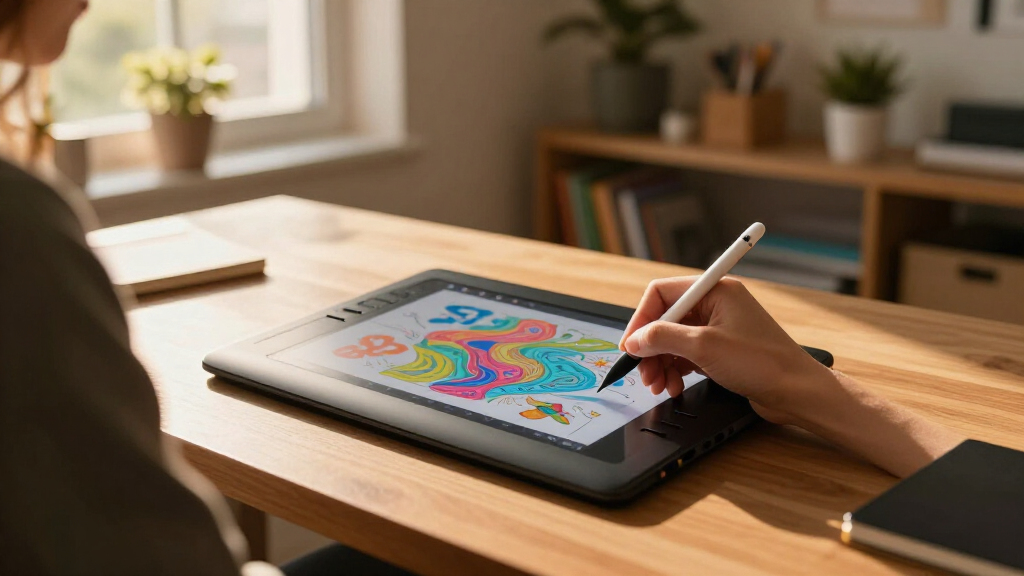
To determine the best graphic tablets for beginners, I evaluated each device based on ease of use, price, build quality, and feature set. Devices were ranked according to their suitability for those new to digital art, emphasizing intuitive interfaces, affordable price points, and reliability. I also considered compatibility with common operating systems and the availability of useful features such as shortcut keys or screens. The goal was to identify options that balance learnability and value, helping beginners get started without feeling overwhelmed or overspending. The top picks stood out for offering a clear pathway into digital art with minimal setup hassle and strong performance in their price range.Factors to Consider When Choosing Graphic Tablets For Beginners
Choosing the right graphic tablet as a beginner involves weighing several factors beyond just price. Understanding these key considerations will help you avoid common pitfalls and select a device that truly supports your learning curve and artistic growth.Size and Active Area
The size of the tablet’s active area directly impacts your drawing comfort and precision. Smaller tablets are more portable and affordable but may restrict your workflow, especially for detailed projects. Larger surfaces offer more room for natural strokes, which can be beneficial for learning proper technique. Consider your workspace and whether portability matters—if you plan to carry your tablet around, a compact model might be preferable. Conversely, if you want to replicate a traditional drawing experience, a bigger active area is worth the investment.
Display vs. Non-Display
Tablets with screens, like the Gaomon PD1161 and Huion Kamvas 13, bring your drawing directly onto the display, making them more intuitive for beginners. These models tend to cost more but reduce the disconnect between your hand and the image, easing the learning process. Non-display tablets, such as the Wacom Intuos series, require looking at your computer screen while drawing, which can be a bit awkward initially but are more budget-friendly. Decide whether the immersive experience justifies the higher price or if a basic model suits your current skill level.
Stylus Technology and Responsiveness
The stylus is your primary tool, so its responsiveness and feel are vital. Battery-free styluses, like those on many higher-end models, offer less hassle and are generally lighter, making extended drawing sessions more comfortable. Look for pressure sensitivity—higher levels (like 8,192) allow for more nuanced control, helpful as you grow more confident. Some inexpensive tablets have styluses with limited sensitivity or poorer tracking, which can hinder your progress. Prioritize a responsive stylus that feels natural in your hand.
Compatibility and Connectivity
Ensure the tablet you choose works seamlessly with your computer or device. Many beginner models support Windows, Mac, and Android, but some have restrictions or require adapters. Wired tablets tend to have lower latency but limit mobility, whereas Bluetooth models add convenience at a slightly higher cost. Check whether your device supports the necessary ports or wireless standards before buying. Compatibility issues can be frustrating, especially if you plan to switch between devices or upgrade later.
Price and Future-Proofing
Budget constraints are natural, but investing slightly more can significantly improve your experience. Cheaper tablets often lack features like customizable shortcut keys or higher pressure sensitivity, which can limit growth. Conversely, more expensive models tend to offer better build quality, larger surfaces, and enhanced features that keep pace with your developing skills. Think about your long-term goals: if drawing becomes a serious hobby or profession, a slightly higher initial investment may save you from needing an upgrade soon.
Frequently Asked Questions
Can I use a beginner graphic tablet for professional work later?
Many entry-level tablets are capable of producing high-quality digital art, but their limitations in screen size, pressure sensitivity, and build quality can hinder professional-level work. If you plan to pursue digital art seriously, investing in a tablet with a larger active area, higher pressure sensitivity, and a display might be worthwhile. However, for starting out and learning the fundamentals, a good beginner tablet can serve as a solid foundation, and many features can be upgraded as your skills improve.
Is a screen necessary for a beginner tablet?
While screens provide an intuitive drawing experience by allowing you to see your work directly under your stylus, they are usually more expensive. Beginners can start with non-display tablets, which are more affordable and still effective for learning basic techniques. It might take some time to get used to drawing without a screen, but many artists find this approach builds better control and understanding of digital art fundamentals. Ultimately, a screen isn’t essential at first, but it can accelerate learning once you’re comfortable with the basics.
How important is pressure sensitivity for beginners?
Pressure sensitivity plays a key role in achieving dynamic, expressive lines and shading in digital art. For beginners, a tablet with at least 4,096 levels of pressure sensitivity is recommended, as it offers sufficient control for most styles. Higher sensitivity levels, like 8,192, provide even more nuance, but the difference may not be noticeable to new users. Focusing on a responsive stylus with good pressure recognition helps develop better technique early on. Less sensitive tablets can make it harder to learn how to vary line weight and shading effectively.
Should I prioritize portability or size for my first tablet?
This depends on your typical workspace and whether you’ll be drawing on the go. A more portable, smaller tablet is easier to carry and store, but it may limit your ability to draw comfortably for extended periods. Larger tablets provide a more natural drawing experience and more space for detailed work, but they are less portable. If you plan to draw mainly at home, a larger tablet makes sense; if commuting or traveling is frequent, a compact model is more practical. Balancing size and portability can help you find the best fit for your routine.
Are shortcut keys necessary for beginners?
Shortcut keys can significantly streamline your workflow by allowing quick access to tools and functions, which is beneficial as you develop your skills. However, for absolute beginners, these keys are less critical; focusing on learning basic drawing techniques first is more important. Many budget-friendly tablets come with few or no shortcut keys, which isn’t a deal-breaker. As your confidence grows, investing in a tablet with customizable keys can improve efficiency and make digital art more enjoyable.
Conclusion
For beginners seeking simplicity and affordability, the Wacom Intuos Small remains the best overall choice, thanks to its balance of ease-of-use and reliable performance. Those wanting a larger workspace or a more immersive experience should consider the GAOMON PD1161 with its built-in screen, despite its higher price. If portability and budget are your priorities, the XPPen StarG640 offers a compact, straightforward solution. For aspiring artists aiming for professional growth, investing in a model with higher sensitivity and more features makes sense, even if it costs a bit more. Ultimately, your choice should match your current needs and future ambitions, ensuring your first digital art device supports your creative journey.