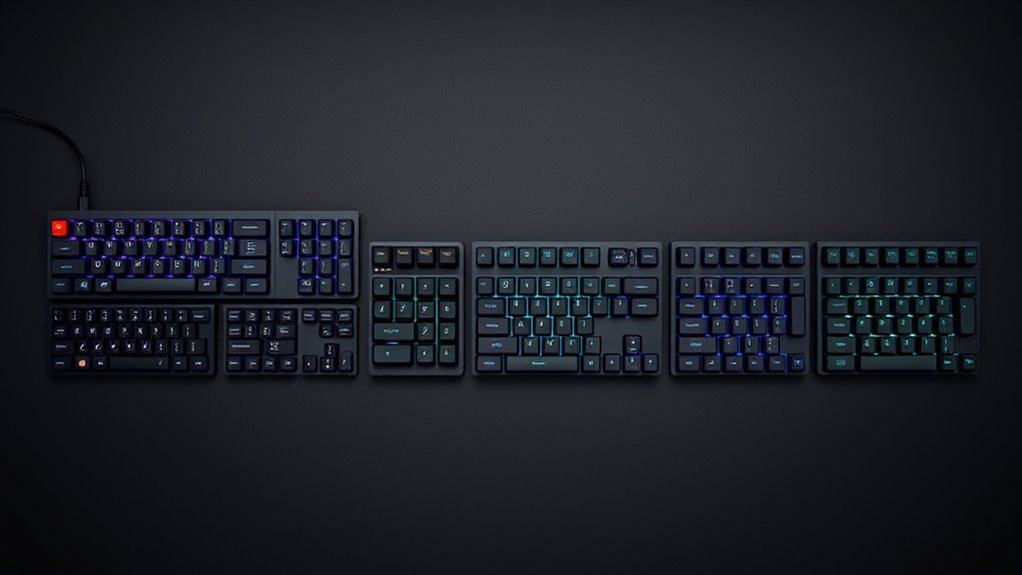

Quiet mechanical keyboards are designed for users who want the satisfying feel of mechanical switches without the loud noise. The best models balance smooth, responsive keystrokes with minimal sound, making them ideal for office environments and shared spaces. The main tradeoffs involve choosing between different switch types, build quality, and features like wireless connectivity or programmability. While some prioritize silence first, others offer more customization at a slight noise cost. Continue reading for a detailed breakdown of the top options and what makes each stand out.

Get business pricing on tech for your team
- Business-only prices and quantity discounts
- Tax-exempt purchasing
- Multiple users, one account, clear invoices
Key Takeaways
- Top-performing quiet switches like Cherry MX Silent and linear options such as Red Red switches dominate the market for low noise.
- Wireless models often trade off some tactile feedback for reduced noise and convenience, with Tri-Mode connectivity becoming a common feature.
- Build quality varies significantly; premium metal or PBT keycaps contribute to durability and a quieter typing experience.
- Customization options like hot-swappable switches and programmable keys are more prevalent in higher-end models, offering tailored quietness.
- Affordability remains a factor; the best quiet keyboards often balance price with features, but premium options deliver superior noise reduction and build.
| AUSDOM H98 Silent Wireless Mechanical Keyboard, 98-Key Pink |  | Best Overall for Versatile Wireless Quiet Typing | Layout: 98 keys with numpad and function keys | Connectivity: Bluetooth 5.3, 2.4GHz wireless, USB-C wired | Bluetooth Device Support: Up to 3 devices | VIEW ON AMAZON | See Our Full Breakdown |
| be quiet! Dark Mount Mechanical Keyboard | Linear | Hot-Swappable Silent Switches | Detachable Numpad & Media Dock | Programmable ARGB Keys | PBT Double Shot Keycaps |  | Best for High Customization and Quiet Typing in a Modular Design | Switch Type: Silent linear | Connectivity: USB-C | Features: Hot-swappable switches, detachable numpad, programmable ARGB | VIEW ON AMAZON | See Our Full Breakdown |
| Redragon K771 Wireless Mechanical Gaming Keyboard, 108-Key, Blue/White |  | Best for Versatile Wireless Connectivity and Quiet Gaming | Layout: 108 keys | Connectivity: 2.4GHz wireless, Bluetooth 5.0/3.0, USB-C wired | Sound Dampening: Five-layer foam and silicone | VIEW ON AMAZON | See Our Full Breakdown |
| Logitech MX Mechanical Wireless Keyboard with Tactile Quiet Switches |  | Best for Seamless Multi-Device Quiet Typing | Switch Type: Low-profile tactile quiet | Connectivity: Bluetooth LE, Logi Bolt | Backlighting: Smart white | VIEW ON AMAZON | See Our Full Breakdown |
| Cherry KC 200 MX Wired Mechanical Office Keyboard with Aluminum Surface |  | Best for Elegant Office Environments and Quiet Reliability | Switch Type: Cherry MX2A Silent Red | Connection: USB-A | Material: Anodized aluminum | VIEW ON AMAZON | See Our Full Breakdown |
| SteelSeries Apex 3 RGB Wired Gaming Keyboard with Magnetic Wrist Rest |  | Best Overall Quiet Mechanical Keyboard for Durability and Comfort | Connectivity: Wired | Switch Type: Whisper Quiet | Switch Lifespan: 20 million keypresses | VIEW ON AMAZON | See Our Full Breakdown |
| Logitech G413 SE Full-Size Mechanical Gaming Keyboard |  | Best for Quiet Reliability in a Sleek Design | Switch Type: Tactile Mechanical | Backlit: White LED | Material: Black brushed aluminum | VIEW ON AMAZON | See Our Full Breakdown |
| Redragon K686 PRO 98-Key Wireless Gasket RGB Mechanical Keyboard with Linear Red Switches, Blue Himmel |  | Best Wireless Versatility with Sound Dampening | Number of Keys: 98 | Switch Type: Linear Red | Connectivity: USB-C, Bluetooth 3.0/5.0, 2.4 GHz | VIEW ON AMAZON | See Our Full Breakdown |
| AULA F99 Tri-Mode Wireless Mechanical Keyboard |  | Best for Versatile Connectivity and Quiet Typing | Layout: 96%, 99 keys | Connectivity: Bluetooth 5.0, 2.4 GHz, USB-C | Switch Type: Pre-lubed linear | VIEW ON AMAZON | See Our Full Breakdown |
| Kisnt KN85 Wireless Silent Mechanical Keyboard, 75% Layout, Berry Red |  | Best Compact Quiet Keyboard with Multi-Connection Support | Layout: 75%, 85 keys | Switch Type: Pre-lubed silent linear | Connectivity: USB-C, Bluetooth 5.0, 2.4GHz | VIEW ON AMAZON | See Our Full Breakdown |
| Tri-Mode Wireless Keyboard with RGB Backlit and Display Screen, 94 Keys, Silent Membrane, PBT Keycaps, Bluetooth/2.4G/Wired |  | Best Versatile Compact Wireless Keyboard | Connectivity: Bluetooth 5.0, 2.4G wireless, USB-C wired | Keys: 94 | Keycaps: PBT | VIEW ON AMAZON | See Our Full Breakdown |
| SOLAKAKA KI99 Pro Wireless Mechanical Keyboard with RGB Backlit and Hot Swappable Switches |  | Best Mechanical Flexibility and Customization | Connection Modes: Bluetooth 5.0, 2.4G, Type-C | Battery Capacity: 10,000mAh | Layout: 96% | VIEW ON AMAZON | See Our Full Breakdown |
| LEOBOG x Aula Green Wireless Silent Gaming Keyboard with RGB Backlit and Tri-Mode Connectivity |  | Best Quiet Gaming Keyboard for Shared Spaces | Number of Keys: 98 | Battery Capacity: 2000mAh | Connectivity: Bluetooth 5.0, 2.4GHz, USB-C | VIEW ON AMAZON | See Our Full Breakdown |
| Redragon K745 PRO Wireless Gasket RGB Gaming Keyboard, 108 Keys Mechanical Keyboard with Extra Hotkeys and Hot-Swap Sockets |  | Best Full-Size Quiet Mechanical Keyboard | Keys: 108 | Switch Type: Mint Mambo Linear | Connection Modes: USB-C wired, Bluetooth 3.0/5.0, 2.4Ghz wireless | VIEW ON AMAZON | See Our Full Breakdown |
| quiet mechanical keyboard | Switch Type | Connectivity | Layout |
|---|---|---|---|
| AUSDOM H98 Silent Wireless Mec | — | Bluetooth 5.3, 2.4GHz wireless, USB-C wired | 98 keys with numpad and function keys |
| be quiet! Dark Mount Mechanica | Silent linear | USB-C | Full-size with numpad |
| Redragon K771 Wireless Mechani | Pre-lubed linear | 2.4GHz wireless, Bluetooth 5.0/3.0, USB-C wired | 108 keys |
| Logitech MX Mechanical Wireles | Low-profile tactile quiet | Bluetooth LE, Logi Bolt | — |
| Cherry KC 200 MX Wired Mechani | Cherry MX2A Silent Red | — | — |
| SteelSeries Apex 3 RGB Wired G | Whisper Quiet | Wired | — |
| Logitech G413 SE Full-Size Mec | Tactile Mechanical | — | Full-size, TKL available |
| Redragon K686 PRO 98-Key Wirel | Linear Red | USB-C, Bluetooth 3.0/5.0, 2.4 GHz | — |
| AULA F99 Tri-Mode Wireless Mec | Pre-lubed linear | Bluetooth 5.0, 2.4 GHz, USB-C | 96%, 99 keys |
| Kisnt KN85 Wireless Silent Mec | Pre-lubed silent linear | USB-C, Bluetooth 5.0, 2.4GHz | 75%, 85 keys |
| Tri-Mode Wireless Keyboard wit | — | Bluetooth 5.0, 2.4G wireless, USB-C wired | QWERTY |
| SOLAKAKA KI99 Pro Wireless Mec | Silent, hot-swappable (3/5-pin) | — | 96% |
| LEOBOG x Aula Green Wireless S | — | Bluetooth 5.0, 2.4GHz, USB-C | — |
| Redragon K745 PRO Wireless Gas | Mint Mambo Linear | — | — |
More Details on Our Top Picks
AUSDOM H98 Silent Wireless Mechanical Keyboard, 98-Key Pink
The AUSDOM H98 stands out for its multi-mode connectivity, supporting Bluetooth 5.3, 2.4GHz wireless, and wired USB-C, making it highly adaptable for various devices. Its long battery life — over two months with backlighting off — surpasses many competitors like the Logitech MX, which sacrifices some longevity when backlighting is active. The hot-swappable switches and programmable keys add a customization edge, but the 98-key layout can feel less compact for users prioritizing desk space. The quiet typing experience benefits from its layered foam design, yet the layout’s size might be a drawback for those seeking a more minimalist setup. This pick makes the most sense for users needing a versatile, wireless, quiet keyboard that can support multiple devices at once.
Pros:- Flexible multi-device Bluetooth and wired connectivity
- Exceptional battery life suitable for all-day use
- Hot-swappable switches and programmable keys for customization
- Quiet, layered foam construction enhances acoustics
Cons:- 98-key layout may be less space-efficient for some users
- Remapping keys is limited to Windows and wired/2.4GHz modes
Best for: Multitasking professionals who switch between devices frequently and value silent, wireless performance
Not ideal for: Minimalists or users with limited desk space who prefer a more compact keyboard without a numpad
- Layout:98 keys with numpad and function keys
- Connectivity:Bluetooth 5.3, 2.4GHz wireless, USB-C wired
- Bluetooth Device Support:Up to 3 devices
- Battery Capacity:8000mAh
- Battery Life with Backlight:63.74 hours
- Keycaps:MDA spherical double-shot PBT
- Switch Compatibility:Hot-swappable 3-pin and 5-pin switches
- Response Time:2 ms
Our verdict“This keyboard suits those who need a highly adaptable, quiet, and long-lasting wireless solution for multiple devices.”
be quiet! Dark Mount Mechanical Keyboard | Linear | Hot-Swappable Silent Switches | Detachable Numpad & Media Dock | Programmable ARGB Keys | PBT Double Shot Keycaps
The be quiet! Dark Mount excels by blending extensive customization with a focus on sound dampening, making it ideal for quiet office environments. Its detachable numpad and media dock provide a level of modularity that rivals the Redragon K771, but with a more streamlined, noise-reducing design. The triple-layer dampening and factory-lubricated silent linear switches ensure a very quiet and smooth typing experience, suitable for shared workspaces. However, its complex setup and premium price can be a barrier for beginners or budget-conscious buyers. The durable PBT keycaps and magnetic cushioned palm rest add comfort and longevity. This makes sense for users who prioritize quiet operation, extensive customization, and modularity over simplicity or affordability.
Pros:- Highly customizable with detachable components and programmable keys
- Quiet, smooth linear switches with triple-layer dampening
- Durable PBT double-shot keycaps and cushioned palm rest
Cons:- Setup can be complex for less experienced users
- Higher price point compared to simpler models
- Limited compatibility outside PC platforms
Best for: Power users who want a customizable, quiet, and modular mechanical keyboard for professional or intensive typing tasks
Not ideal for: Beginners or casual users who prefer plug-and-play simplicity and lower cost
- Switch Type:Silent linear
- Connectivity:USB-C
- Features:Hot-swappable switches, detachable numpad, programmable ARGB
- Keycaps:PBT double-shot
- Additional Features:Triple-layer dampening, magnetic palm rest
- Layout:Full-size with numpad
Our verdict“This keyboard is perfect for users seeking a quiet, highly customizable, and modular solution for professional use.”
Redragon K771 Wireless Mechanical Gaming Keyboard, 108-Key, Blue/White
The Redragon K771 offers a full-size layout with gasket mounting and five-layer sound dampening, making it well-suited for quiet gaming and multitasking. Its pre-lubed linear switches deliver smooth keystrokes that are quieter than typical gaming switches, especially compared with non-dampened models. The gasket mount and foam layers significantly reduce case ping and hollow sounds, setting it apart from standard wireless keyboards like the Logitech MX. However, its larger footprint and dedicated gaming features may be less appealing for office-focused setups. The software support for customization is comprehensive, but the full layout demands more desk space. This is a strong choice for those who want a quiet, feature-rich, wireless mechanical keyboard for both gaming and productivity.
Pros:- Supports up to five devices with three connection modes
- Gasket mount and five-layer dampening reduce noise and case ping
- Pre-lubed linear switches for smooth, quiet keystrokes
- Extensive customization with software and programmable keys
Cons:- Requires more desk space due to full 108-key layout
- Software installation necessary for advanced features
- Higher weight and bulk compared to smaller options
Best for: Gamers or multitaskers needing a quiet, full-size wireless keyboard with extensive device support
Not ideal for: Users with limited space or seeking a compact or minimalist setup
- Layout:108 keys
- Connectivity:2.4GHz wireless, Bluetooth 5.0/3.0, USB-C wired
- Sound Dampening:Five-layer foam and silicone
- Switch Type:Pre-lubed linear
- Battery Capacity:8000mAh
- Features:Gasket mount, programmable keys, per-key RGB
Our verdict“Ideal for users who want a quiet, full-featured wireless keyboard that balances gaming and productivity needs.”
Logitech MX Mechanical Wireless Keyboard with Tactile Quiet Switches
The Logitech MX Mechanical is designed for users who value quiet, tactile feedback with minimal noise, thanks to its low-profile switches. Its smart backlighting adjusts to ambient lighting, unlike the static lighting seen in the Cherry KC 200, adding convenience without disturbance. The multi-device support for up to three devices makes it ideal for productivity workflows, but the battery life can decline rapidly when backlighting is active, unlike the longer-lasting AUSDOM H98. The overall build quality, with recycled plastic content, promotes sustainability, but the lack of wireless options beyond Bluetooth and Logi Bolt limits versatility for some users. This makes sense for professionals who need quiet, multi-platform operation with seamless device switching.
Pros:- Quiet tactile switches provide precise feedback with less noise
- Smart backlighting adapts to ambient light for convenience
- Supports up to three devices with seamless switching
- Sustainable design with recycled plastic content
Cons:- Battery life significantly drops with backlighting enabled
- Advanced customization requires Logi Options+ software
- Limited to Bluetooth and Logi Bolt connections
Best for: Office workers and multitaskers who need quiet, multi-device wireless keyboards with easy switching
Not ideal for: Gamers or users needing extensive customization or wired options
- Switch Type:Low-profile tactile quiet
- Connectivity:Bluetooth LE, Logi Bolt
- Backlighting:Smart white
- Multi-Device Support:Up to 3 devices
- Battery Life:Up to 15 days with backlight, 10 months off
- Material:45% post-consumer recycled plastic
Our verdict“Best suited for professionals seeking a quiet, multi-platform wireless keyboard with adaptive lighting and easy device management.”
Cherry KC 200 MX Wired Mechanical Office Keyboard with Aluminum Surface
The Cherry KC 200 excels with its sleek aluminum design, offering a professional aesthetic that complements office spaces. Equipped with Cherry MX2A Silent Red switches, it provides a quiet and smooth typing experience that outperforms many membrane or louder mechanical options, especially in shared work environments. Its full N-key rollover and anti-ghosting ensure reliable input, while the white status LEDs add subtle status indicators. Compared with wireless options like the AUSDOM H98, this wired model emphasizes reliability and simplicity, though it lacks wireless flexibility. The durable keycaps and robust construction make it a long-lasting choice for office use. This is the ideal pick for users who prioritize quiet, dependable, wired operation with a stylish, professional look.
Pros:- Quiet, smooth typing with Cherry MX2A Silent Red switches
- Elegant aluminum surface enhances professional aesthetics
- Full N-key rollover and anti-ghosting ensure accuracy
- Durable with abrasion-resistant keycaps
Cons:- Limited color options (Black or Bronze only)
- No wireless connectivity, less flexible for some setups
- Lacks macro keys or advanced customization
Best for: Office workers or professionals who prefer a wired, quiet, and stylish mechanical keyboard for daily use
Not ideal for: Users seeking wireless flexibility or a more compact form factor
- Switch Type:Cherry MX2A Silent Red
- Connection:USB-A
- Material:Anodized aluminum
- Features:White status LEDs, N-key rollover
- Durability:Over 50 million actuations
- Keycaps:Molded, abrasion-resistant
Our verdict“This keyboard offers a sleek, quiet, and reliable wired experience ideal for professional office environments.”
SteelSeries Apex 3 RGB Wired Gaming Keyboard with Magnetic Wrist Rest
The SteelSeries Apex 3 stands out for its combination of whisper-quiet switches rated for 20 million keypresses and water-resistant build, making it ideal for gamers who prioritize durability and quiet operation. Unlike the be quiet! Dark Mount, which offers hot-swappable silent switches, the Apex 3’s water resistance and magnetic wrist rest enhance comfort and protection during long sessions. The main tradeoff is its wired-only connection, which limits placement flexibility, and its less customizable RGB lighting compared to per-key options. Still, for those seeking a reliable, quiet keyboard with added durability, this model offers a solid balance of features and comfort.
Pros:- Whisper-quiet switches rated for 20 million keypresses
- IP32 water resistance protects against spills
- Magnetic wrist rest for ergonomic comfort
- Gaming-grade anti-ghosting for reliable performance
Cons:- Limited to wired connection reduces flexibility
- RGB lighting is less customizable than per-key systems
- ABS plastic enclosure may feel less premium
Best for: Gamers who need a durable, quiet keyboard with full-size layout and extra comfort features
Not ideal for: Users seeking a wireless setup or highly customizable RGB lighting
- Connectivity:Wired
- Switch Type:Whisper Quiet
- Switch Lifespan:20 million keypresses
- Backlighting:10-zone RGB
- Water Resistance:IP32
- Keyboard Layout:QWERTY
- Number of Keys:104
- Compatible Devices:Windows, Mac OS X, Xbox Series S/X, PS4, PS5
Our verdict“This keyboard is ideal for gamers who want a quiet, durable option with comfort features but don’t need wireless connectivity.”
Logitech G413 SE Full-Size Mechanical Gaming Keyboard
The Logitech G413 SE offers a sleek aluminum design paired with tactile mechanical switches, providing a reliable and quiet experience suitable for both work and gaming. Compared to the SteelSeries Apex 3, which emphasizes water resistance and RGB customization, the G413 SE is more focused on durability and aesthetic simplicity, with reliable anti-ghosting and high-quality PBT keycaps. However, it lacks dedicated media keys, which could be a drawback for users who want quick access to controls. Its wired-only connection is typical for gaming keyboards, but might be limiting for those seeking wireless flexibility. Overall, this keyboard is well-suited for users who want a quiet, durable, and stylish mechanical keyboard without the need for extensive customization.
Pros:- Durable PBT keycaps resistant to wear
- Reliable anti-ghosting with 6-key rollover
- Sleek black aluminum construction
- Quiet tactile switches suitable for shared spaces
Cons:- No dedicated media keys for quick access
- Limited to wired connection
- Switch type may not appeal to all preferences
Best for: Office workers and gamers who value durability and a clean design over RGB customization
Not ideal for: Users who need wireless connectivity or dedicated media controls
- Switch Type:Tactile Mechanical
- Backlit:White LED
- Material:Black brushed aluminum
- Anti-Ghosting:6-Key rollover
- Layout:Full-size, TKL available
- Compatibility:Windows, macOS
Our verdict“This keyboard is best for users wanting a durable, quiet, and stylish mechanical keyboard for daily use and gaming.”
Redragon K686 PRO 98-Key Wireless Gasket RGB Mechanical Keyboard with Linear Red Switches, Blue Himmel
The Redragon K686 PRO offers an impressive mix of wireless versatility, gasket-mounted quiet linear switches, and sound dampening, making it ideal for quiet environments. Its support for USB-C, Bluetooth 3.0/5.0, and 2.4 GHz wireless connects seamlessly across multiple devices, surpassing many wired-only options like the Logitech G413 SE. The gasket design and five-layer dampening significantly reduce typing noise, but it comes at the expense of water resistance and a slightly larger footprint. While software support is limited, the hot-swappable switches and extensive connectivity options make this a flexible choice for multi-device users needing a quiet, customizable experience.
Pros:- Supports wired, Bluetooth, and 2.4 GHz wireless connections
- Gasket-mounted design with five layers of sound dampening
- Hot-swappable switches for easy customization
- Compact 98-key layout with RGB lighting
Cons:- Not water resistant
- Software support may require separate download
- Larger than typical tenkeyless layouts
Best for: Multi-device users seeking a quiet, wireless, and customizable mechanical keyboard
Not ideal for: People who need water resistance or prefer wired-only setups
- Number of Keys:98
- Switch Type:Linear Red
- Connectivity:USB-C, Bluetooth 3.0/5.0, 2.4 GHz
- Mounting Design:Gasket
- Sound Dampening:Five layers
- Compatible Devices:PC, laptop, tablet
Our verdict“This model is excellent for users who want a quiet, multi-connection, customizable mechanical keyboard without water resistance concerns.”
AULA F99 Tri-Mode Wireless Mechanical Keyboard
The AULA F99 combines tri-mode connectivity—Bluetooth 5.0, 2.4 GHz, and wired USB-C—with a gasket-mounted, sound-absorbing structure, making it suitable for quiet workspaces and multi-device setups. Its pre-lubed linear switches and double-shot PBT keycaps minimize noise and enhance durability, while the extensive customization options via macros and lighting add versatility. Compared to the Kisnt KN85, which also offers multi-mode connectivity, the F99’s larger 96% layout may feel cramped for some users, but its advanced macro capabilities and long battery life make it a strong choice for productivity and gaming.
Pros:- Supports three connection modes and five devices
- Hot-swappable switches and sound dampening
- Large 8000mAh battery for extended use
- Extensive macro and lighting customization
Cons:- 96% layout may feel cramped
- Advanced features require software installation
- Relatively heavy due to battery size
Best for: Power users needing multi-device, quiet, and customizable keyboard for work and gaming
Not ideal for: Those preferring a compact, 75% layout or lacking driver software for advanced customization
- Layout:96%, 99 keys
- Connectivity:Bluetooth 5.0, 2.4 GHz, USB-C
- Switch Type:Pre-lubed linear
- Keycaps:Double-shot PBT
- Battery Capacity:8000mAh
- Construction:Gasket structure with five-layer sound dampening
Our verdict“This is an excellent choice for users who need a multi-mode, quiet, and feature-rich keyboard for diverse workflows.”
Kisnt KN85 Wireless Silent Mechanical Keyboard, 75% Layout, Berry Red
The Kisnt KN85 excels in compact design with its 75% layout, pre-lubed silent linear switches, and multi-connection support—USB-C, Bluetooth 5.0, and 2.4 GHz. Its multi-layer sound dampening and hot-swappable sockets make it especially suitable for quiet environments and customization enthusiasts. Compared to the Redragon K686 PRO, which offers a slightly larger layout and RGB lighting, the KN85’s smaller form factor is perfect for limited desk space. However, its lack of a dedicated number pad and Windows-only software could be drawbacks for users who rely heavily on macros or extensive customizations. Overall, this model is ideal for those who want a quiet, portable, and versatile keyboard for on-the-go or space-constrained setups.
Pros:- Quiet pre-lubed linear switches and sound dampening layers
- Supports three connection modes and multiple devices
- Hot-swappable switches for customization
- Compact 75% layout with arrow keys and shortcuts
Cons:- No dedicated number pad
- Windows-only customization software
- Charging takes approximately 7–8 hours
Best for: Space-conscious users who need a quiet, portable, multi-connection keyboard
Not ideal for: Users who require a full-size layout or extensive software customization on non-Windows platforms
- Layout:75%, 85 keys
- Switch Type:Pre-lubed silent linear
- Connectivity:USB-C, Bluetooth 5.0, 2.4GHz
- Battery Capacity:4000mAh
- Color:Berry Red
- Additional:Hot-swappable switches
Our verdict“This keyboard is well-suited for users seeking a quiet, portable, and multi-connection solution with a compact footprint.”
Tri-Mode Wireless Keyboard with RGB Backlit and Display Screen, 94 Keys, Silent Membrane, PBT Keycaps, Bluetooth/2.4G/Wired
This keyboard stands out for its tri-mode connectivity, making it highly adaptable for users who switch between devices frequently. Compared with the Redragon K745 PRO, it offers a more compact form factor but uses membrane switches, which may lack the tactile feel some users desire. Its display screen and multifunction control knob add convenience without complicating setup. While the membrane keys keep noise levels down, they also diminish the typing feedback found in mechanical alternatives. The long battery life and ergonomic design make it suitable for extended use, but the basic display features and limited function keys could frustrate power users needing advanced controls. This pick makes the most sense for multi-device users working across different platforms in shared environments.
Pros:- Multiple connectivity options for seamless device switching
- Quiet membrane keys ideal for quiet environments
- Customizable RGB lighting and multifunction control knob
Cons:- Limited to 94 keys, lacking some dedicated function keys
- Display screen features are basic and may not satisfy advanced users
Best for: Professionals or students who need quiet, multi-device connectivity in a small, ergonomic form
Not ideal for: Mechanical switch enthusiasts seeking tactile feedback or gamers requiring high responsiveness
- Connectivity:Bluetooth 5.0, 2.4G wireless, USB-C wired
- Keys:94
- Keycaps:PBT
- Backlit:RGB
- Display:Screen showing battery, connection, lighting
- Control:Multifunction knob for volume and lighting
- Battery:2000mAh
- Material:PBT
- Layout:QWERTY
Our verdict“This keyboard is perfect for multi-device users prioritizing quiet operation and compact design over tactile feedback.”
SOLAKAKA KI99 Pro Wireless Mechanical Keyboard with RGB Backlit and Hot Swappable Switches
Compared with the Redragon K745 PRO, the SOLAKAKA KI99 Pro offers the advantage of hot-swappable switches, empowering users to tailor their typing experience easily. Its 96% layout maximizes desk space while maintaining full functionality, making it attractive for those who want a compact mechanical option. The silent, yet tactile, switches are a plus for quiet environments, but the requirement for software for full customization can be a hurdle for less tech-savvy buyers. The RGB lighting is vibrant and customizable, adding aesthetic appeal without noise. However, battery life may vary with usage, and some users might find the silent switches less tactile than their preferred clicky options. This makes it ideal for gamers and productivity users who want a customizable, space-saving mechanical keyboard that won’t disturb others.
Pros:- Supports multiple connection modes including Bluetooth and 2.4G
- Hot-swappable switches for easy customization
- Compact 96% layout saves desk space
- Vibrant RGB with customizable effects
Cons:- Battery life can be inconsistent with intensive use
- Requires software for full customization, which might be complex
Best for: Gamers or power users who want switch customization and a compact mechanical layout
Not ideal for: Beginners or users seeking plug-and-play simplicity without software customization
- Connection Modes:Bluetooth 5.0, 2.4G, Type-C
- Battery Capacity:10,000mAh
- Layout:96%
- Switch Type:Silent, hot-swappable (3/5-pin)
- Keycaps:PBT, wear-resistant, fade-proof
- Lighting:Full RGB with side light bars
- Additional Features:Control knob, gasket structure
Our verdict“This keyboard suits those who want a customizable, space-efficient mechanical experience with versatile connectivity options.”
LEOBOG x Aula Green Wireless Silent Gaming Keyboard with RGB Backlit and Tri-Mode Connectivity
Compared with the Redragon K745 PRO, the LEOBOG x Aula Green emphasizes silent operation through silicone-dampened keys, making it ideal for late-night gaming or shared environments. Its 98-key layout balances full functionality with a smaller footprint, while adjustable tilt and a rechargeable 2000mAh battery enhance ergonomic comfort. The silicone dampening effectively reduces noise, but the softer key feel may not satisfy those craving tactile or clicky feedback. Multi-device connectivity ensures smooth switching across platforms including Windows and Mac. However, the recharge time of about 7-8 hours is a consideration, and the silicone keys’ sound varies with nail length. This model fits gamers and shared space users needing quiet, versatile performance without sacrificing essential features.
Pros:- Silicone-dampened keys for quiet typing
- Multi-device connectivity with easy switching
- Compact design saves desk space
- Adjustable tilt for ergonomic comfort
Cons:- Recharge time of 7-8 hours may be inconvenient
- Silicone keys can produce different sounds depending on nail length
Best for: Late-night gamers or shared-space users needing quiet, multi-device functionality
Not ideal for: Tactile feedback enthusiasts or users needing a full-size layout with dedicated numpad
- Number of Keys:98
- Battery Capacity:2000mAh
- Connectivity:Bluetooth 5.0, 2.4GHz, USB-C
- Backlighting:RGB with dynamic effects
- Dimensions:Compact layout, 30% less space than full-size
- Material:Silicone-dampened keys
Our verdict“This keyboard is perfect for quiet gaming or work in shared spaces where noise reduction is a priority.”
Redragon K745 PRO Wireless Gasket RGB Gaming Keyboard, 108 Keys Mechanical Keyboard with Extra Hotkeys and Hot-Swap Sockets
Compared with the SOLAKAKA KI99 Pro, the Redragon K745 PRO offers a full 108-key layout with extra hotkeys, making it more suitable for users who need dedicated functions and multimedia controls. Its gasket design effectively dampens noise, and the customizable Mint Mambo linear switches appeal to those seeking a quieter, smooth typing experience. The versatile tri-mode connectivity and PBT keycaps provide durability and reliable performance. However, the complexity of the hot-swap sockets may intimidate beginners, and the higher price reflects its advanced features. The RGB lighting and noise dampening make it an excellent choice for gamers and professionals wanting a full-size, quiet mechanical setup with extra shortcuts for productivity.
Pros:- Versatile tri-mode wireless and wired connectivity
- Customizable switches and RGB lighting
- Enhanced noise dampening with gasket design
- Extra hotkeys for shortcuts and multimedia controls
Cons:- Complex hot-swap system may intimidate beginners
- Higher price point due to features and build quality
Best for: Gamers and professionals desiring a full-sized, quiet, feature-rich mechanical keyboard with hotkeys
Not ideal for: Users preferring smaller layouts or those new to mechanical switches who prefer plug-and-play simplicity
- Keys:108
- Switch Type:Mint Mambo Linear
- Connection Modes:USB-C wired, Bluetooth 3.0/5.0, 2.4Ghz wireless
- Hotkeys:4 extra shortcut keys
- Noise Dampening:5-layer dampening system
- Keycap Material:PBT
- Backlight:RGB
Our verdict“This full-size mechanical keyboard offers quiet, customizable performance ideal for demanding gaming and work environments, with some setup complexity.”
How We Picked
Our selection process focused on identifying keyboards that prioritize quiet operation without sacrificing typing feel or build quality. We evaluated each model’s switch type, sound profile, and typing smoothness, emphasizing low noise levels. Usability features like wireless connectivity, programmability, and build durability were also key considerations. We compared price points to ensure options across different budgets, and considered user reviews to verify real-world silence performance. This approach helps ensure the rankings reflect practical quietness, comfort, and value for various user needs.Factors to Consider When Choosing Quiet Mechanical Keyboards
Choosing the right quiet mechanical keyboard involves weighing several factors beyond just noise levels. Understanding key switch types, build quality, and connectivity options can help you select a model that fits your workspace and typing preferences. Considering your primary use—whether gaming, office work, or casual typing—will guide your feature priorities. Additionally, paying attention to keycap material and layout can influence both sound and durability. Being aware of common tradeoffs, like price versus customization, helps avoid buying a keyboard that doesn’t meet your expectations.Switch Types and Noise Levels
The core of a quiet mechanical keyboard is its switches. Linear switches like Cherry MX Silent and Red Red switches tend to produce the least noise because they lack tactile bumps, making them ideal for quiet environments. Tactile or clicky switches, while satisfying for some, generally generate more sound. Hot-swappable switches offer flexibility to switch to quieter options later, but the overall sound profile depends on the switch design. Choosing the right switch type aligns with your noise tolerance and typing feel preference.
Build Quality and Material Choices
Durability and sound dampening are heavily influenced by build materials. Keyboards with metal or aluminum cases tend to absorb sound better and prevent vibrations that amplify noise. PBT keycaps are thicker and less prone to producing keystroke noise compared to ABS caps, adding to a quieter experience. A sturdy, well-constructed case minimizes unwanted noise and vibrations, especially with long-term use. Recognizing these factors can help you select a keyboard that remains quiet over time and withstands daily wear.
Connectivity and Extra Features
Wireless connectivity, such as Bluetooth or tri-mode options, offers convenience and reduces clutter, but may introduce slight latency or compromise some noise reduction features. Programmable keys and backlit options enhance usability but can add to the cost and complexity. For quieter operation, look for models with customizable layers or silent mode features. Balance your need for mobility and features against the importance of keeping noise levels low, especially in shared or office settings.
Price and Value
The cost of quiet mechanical keyboards varies widely. Premium models often incorporate sound-dampening features, high-quality switches, and durable materials, but may price out casual users. Budget-friendly options with membrane or semi-mechanical switches can offer decent noise reduction but might lack longevity or premium feel. Understanding your budget and how much noise reduction you need will help prevent overspending on features you won’t use. Focus on the core aspects—switch type, build quality—before adding bells and whistles.
Common Mistakes and Considerations
One common mistake is choosing a keyboard solely based on switch type without considering build quality or keycap material, which can greatly influence noise levels. Overlooking the layout or size may lead to dissatisfaction if the keyboard doesn’t fit your workspace or preferences. Also, assuming all ‘silent’ switches are equally quiet; some models still produce residual noise due to case vibrations or keycap contact. Test or read reviews specifically about noise performance before buying, and consider adding sound-dampening accessories like o-rings or desk mats for further quieting.
Frequently Asked Questions
Are wireless quiet mechanical keyboards as quiet as wired ones?
Wireless quiet mechanical keyboards generally perform similarly to wired models in terms of noise reduction, especially if they use the same switch types. The main difference lies in the overall construction and additional electronics, which may introduce minimal vibrations or slight sound variations. However, the key switch design remains the primary factor in noise levels. For most users, wireless models with silent switches offer a comparable quiet experience, along with added convenience of cable-free operation.
Can I make my existing mechanical keyboard quieter?
Yes, there are several ways to reduce noise on an existing mechanical keyboard. Installing o-rings or dampening pads beneath keycaps can significantly soften keystrokes. Using switches with built-in sound dampening, like Cherry MX Silent, is another option if your keyboard supports switch swaps. Additionally, placing a desk mat or sound-absorbing pad underneath can reduce vibrations and echoes. While these modifications won’t eliminate noise entirely, they can make your current setup much more suitable for quiet environments.
What is the best switch type for a quiet gaming keyboard?
Linear switches like Cherry MX Silent Red or similar variants are generally the best choice for quiet gaming keyboards because they produce less noise during actuation and bottoming out. These switches offer smooth keystrokes with minimal tactile feedback, which many gamers find desirable. However, if you prefer some feedback, well-damped tactile switches can also be relatively quiet with proper case design. Ultimately, the choice depends on your preference for feel versus noise level, but silent linear switches tend to be the preferred option for a quieter gaming experience.
Are all PBT keycaps quieter than ABS keycaps?
In most cases, PBT keycaps do produce a slightly quieter sound compared to ABS because of their thicker, denser material, which absorbs keystroke noise better. They also resist shine and wear over time, contributing to a more consistent sound profile. However, the overall noise level also depends on the switch type and case construction. Upgrading to PBT keycaps can help reduce some keystroke noise, but for maximum quietness, choosing switches designed for silent operation is essential.
Is a more expensive quiet mechanical keyboard worth the investment?
Investing in a higher-priced quiet mechanical keyboard often means better sound dampening, higher-quality switches, and more durable materials, which can provide a noticeably quieter and more comfortable typing experience. For those working in shared spaces or recording environments, this extra investment can be justified. However, budget options with semi-mechanical or membrane switches can still offer acceptable noise reduction for casual use. The decision depends on your noise sensitivity, usage context, and how much you value long-term durability and features.
Conclusion
For users seeking the best overall experience, the Logitech MX Mechanical stands out for its balance of quiet switches, build quality, and wireless convenience. Those on a budget should consider models like the Redragon K771 for good noise reduction at a lower price. If premium features and ultimate silence are your priority, the be quiet! Dark Mount offers advanced damping and high-quality materials. Beginners or casual users might prefer simpler, more affordable options, while gamers and professionals with specific needs should look at models with customizable switches and connectivity options. Your ideal choice hinges on balancing noise, features, and budget.