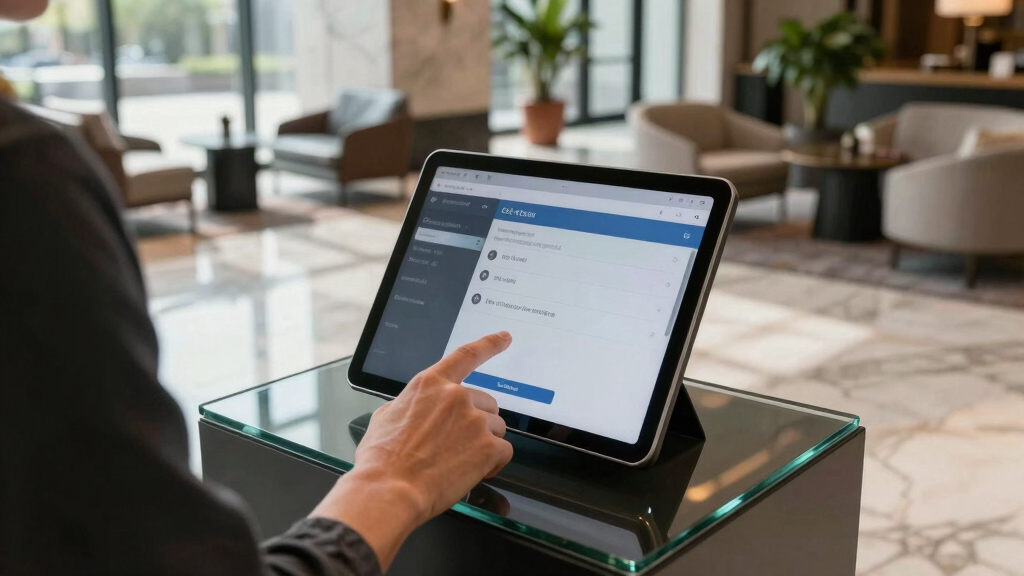

Choosing the best tablet kiosk for self check-in workflows involves balancing durability, security, ease of use, and compatibility. The Mount-It! Anti-Theft iPad Floor Kiosk stands out for its robust security features, ideal for busy environments. The Sprocket X Print Mini Desktop Stand offers compact convenience for smaller setups, while the 21.5 Inch Touch Screen Kiosk provides a large display for user engagement. Each option trades off between portability, security, or screen size, making it vital to identify which features align with your needs. Keep reading for a detailed breakdown of these options and more to find your perfect fit.

Get business pricing on tech for your team
- Business-only prices and quantity discounts
- Tax-exempt purchasing
- Multiple users, one account, clear invoices
Key Takeaways
- Security features like anti-theft mounting and lockable enclosures are essential for high-traffic areas.
- Screen size plays a significant role in user experience, with larger displays improving visibility but reducing portability.
- Compatibility with printers and peripherals varies; choosing an integrated solution can streamline workflows.
- Adjustability and build quality influence long-term durability and ease of maintenance.
- Budget options often sacrifice security or premium build, so balancing cost with features is key.
| Sprocket X Print Mini Desktop Tablet Stand with Brother QL Label Printer Integration |  | Best Overall for Desktop Self Check-In Stations | Form Factor: Desk stand | Compatible Devices: Tablets | Compatible Phone Models: Apple iPad 11th Gen (A16), iPad 10.9 10th Gen | VIEW LATEST PRICE | See Our Full Breakdown |
| Mount-It! Anti-Theft iPad Floor Kiosk, Height Adjustable, VESA 75×75 Mount |  | Best for Public Spaces Requiring Height Flexibility | Compatibility: iPad models including A16, iPad Pro 10.5″, 11″; iPad Air 10.5″, 10.9″; iPad 11 (A16) | Weight Capacity: 2.2 lbs | Height Range: 25″ to 42.5″ | VIEW LATEST PRICE | See Our Full Breakdown |
| Sprocket T Print Label & Badge Printer Kiosk with iPad Floor Stand and Brother QL Printer Integration |  | Best for High-Volume Self-Check-In and Badge Printing | Form Factor: Tower | Compatible Devices: Brother QL-810W, QL-820NWB, QL-820NWBc, iPad 11-inch (A16) | Mounting Type: Floor Stand | VIEW LATEST PRICE | See Our Full Breakdown |
| 21.5 Inch Touch Screen Self Service Kiosk with Android 13, FHD 1080P, Floor Standing Digital Signage Display |  | Best for Interactive Customer Engagement | Display Size: 21.5 inches | Resolution: 1920 x 1080 | Brightness: 500 nits | VIEW LATEST PRICE | See Our Full Breakdown |
| Sprocket Premium Kiosk Stand T Print B15 – Secure Adjustable Tablet Floor Stand with Label Printer Compatibility |  | Best for Secure, Flexible Floor Kiosks with Printing Capabilities | Compatibility: iPad 10.9″/10.2″ and Brother QL-810W, QL-820NWB, QL-820NWBc | Material: Steel and aluminum | Base Size: 15 inches | VIEW LATEST PRICE | See Our Full Breakdown |
| CTA Digital Deluxe Kiosk Floor Stand with Premium Tablet Enclosure, LED Light, and Printer Compartment |  | Best Overall for High-Traffic Retail Environments | Compatibility: iPad, Galaxy & More Tablets | LED Lighting: Multicolor, programmable, remote-controlled | Enclosure Material: Metal | VIEW LATEST PRICE | See Our Full Breakdown |
| Tablet Kiosk Floor Stand, All Metal Rotate Lockable – Compatible with 10.9″ iPad 10th, Pro 11″ (1 2 3 4), Air 4 5, Air 11″ (M2/M3/M4), iPad 11″ (A16) |  | Best for Precise Security and Adjustable Viewing in Public Settings | Compatibility: 10.9″ iPad 10th, Pro 11″ (1 2 3 4), Air 4 5, Air 11″ (M2/M3/M4), iPad 11″ (A16) | Material: Metal | Height: 39 inches | VIEW LATEST PRICE | See Our Full Breakdown |
| Mount-It! iPad Kiosk Stand with Printer Shelf, Locking Anti-Theft, Black |  | Best for Flexible, Secure POS Solutions with Printer Integration | Compatible Devices: iPad Pro (10.5″, 11″), iPad Air (10.5″, 10.9″), iPad 11 (A16), iPad 10 (10.9″), iPad 9 (10.2″), iPad 8 (10.2″), iPad 7 (10.2″) | Material: Alloy Steel | Dimensions: 11.4 x 16.2 x 8.8 inches | VIEW LATEST PRICE | See Our Full Breakdown |
| tablet kiosk for self check-in workflow | Compatibility |
|---|---|
| Sprocket X Print Mini Desktop | — |
| Mount-It! Anti-Theft iPad Floo | iPad models including A16, iPad Pro 10.5", 11"; iPad Air 10.5", 10.9"; iPad 11 (A16) |
| Sprocket T Print Label & Badge | — |
| 21.5 Inch Touch Screen Self Se | — |
| Sprocket Premium Kiosk Stand T | iPad 10.9"/10.2" and Brother QL-810W, QL-820NWB, QL-820NWBc |
| CTA Digital Deluxe Kiosk Floor | iPad, Galaxy & More Tablets |
| Tablet Kiosk Floor Stand | 10.9" iPad 10th, Pro 11" (1 2 3 4), Air 4 5, Air 11" (M2/M3/M4), iPad 11" (A16) |
| Mount-It! iPad Kiosk Stand wit | — |
More Details on Our Top Picks
Sprocket X Print Mini Desktop Tablet Stand with Brother QL Label Printer Integration
This desktop stand stands out for its sleek, secure design combined with integrated wireless printing, making it ideal for streamlined visitor management. Compared with the Mount-It! Anti-Theft iPad Floor Kiosk, it offers a more compact footprint suitable for counter spaces, though it sacrifices the height adjustability of floor models. Its theft-resistant case and concealed cable setup enhance security, but it requires separate purchases of compatible iPads and printers, which can add to setup complexity. The adjustable tilt and orientation offer flexibility in positioning, improving user engagement at check-in stations.
Pros:- Secure, theft-resistant design with concealed cables
- Wireless printing integration for badge and ID printing
- Adjustable tilt and orientation for flexible use
Cons:- Requires separate purchase of compatible iPad and Brother printers
- Limited to specific iPad and printer models
- No included power adapter or printer
Best for: Small reception desks or counter-based check-in points needing a tidy, secure setup
Not ideal for: Large public spaces or environments requiring height adjustability and mobility, where a floor stand is better
- Form Factor:Desk stand
- Compatible Devices:Tablets
- Compatible Phone Models:Apple iPad 11th Gen (A16), iPad 10.9 10th Gen
- Mounting Type:Tabletop
- Color:Silver/Gray
- Adjustable:Yes
- Tilt Mechanism:Yes
- Supports:iPad 11th Gen, iPad 10.2 9th Gen, Brother QL-810W, QL-820NWB, QL-820NWBc printers
- Includes:Secure case with keys, desk stand, fastener kit, 2m charge cable
Our verdict“This pick is best for counter setups prioritizing security and a clutter-free appearance, despite requiring additional accessories.”
Mount-It! Anti-Theft iPad Floor Kiosk, Height Adjustable, VESA 75×75 Mount
This floor-standing kiosk excels in environments where height adjustability and theft resistance are priorities. Compared with the Sprocket X Print Mini Desktop Stand, it offers the advantage of height adjustment from 25″ to 42.5″, making it suitable for standing or seated users, but it doesn’t support portrait-rotation, limiting display versatility. Its VESA compatibility and tilting feature provide flexible viewing angles, ideal for retail or hospitality settings. However, it does not accommodate iPad mini or larger 12.9″ iPads, which could restrict device choices for some users.
Pros:- Secure anti-theft enclosure suitable for high-traffic areas
- Height adjustable from 25″ to 42.5″ for versatile user access
- Stable base with bolt-down option for added security
Cons:- Does not support iPad mini or larger 12.9″ iPads
- Tilts but does not rotate between portrait and landscape
- Requires bare tablets, not compatible with cases
Best for: Public-facing environments like retail or hospitality requiring adaptable height and security
Not ideal for: Counter-based check-in points or environments with space constraints, where a compact desktop stand is better
- Compatibility:iPad models including A16, iPad Pro 10.5″, 11″; iPad Air 10.5″, 10.9″; iPad 11 (A16)
- Weight Capacity:2.2 lbs
- Height Range:25″ to 42.5″
- Tilt Range:Up to 90 degrees
- VESA Mount:75×75
- Base Dimensions:17.3″ x 12.75″
- Cable Management:Integrated
- Warranty:Lifetime
- Support:US-based
Our verdict“This model works well for spaces demanding flexible height and security but may restrict device options due to size limitations.”
Sprocket T Print Label & Badge Printer Kiosk with iPad Floor Stand and Brother QL Printer Integration
This tower-style kiosk blends security with functionality, supporting visitor badge printing and self-service check-ins. Compared with the Sprocket X Print Mini Desktop Stand, it offers a taller, more prominent presence suitable for busy environments, though it involves more complex assembly and setup. Its key lock and enclosed cables enhance security, making it ideal for high-traffic areas needing quick badge issuance. The model’s limited to specific Brother QL printers and iPad 11-inch (A16), which could restrict device choices, but its internal cable management helps maintain a professional look.
Pros:- Secure anti-theft design with key lock and enclosed cables
- Compatible with multiple Brother QL printers and iPad 11-inch (A16)
- Compact, sleek design that maintains sightlines and branding space
Cons:- Tablet, printer, and power supply are not included
- Assembly may require technical setup
- Limited to specific printer models
Best for: High-volume check-in areas like conference centers or event venues needing rapid badge printing
Not ideal for: Small reception desks or environments where space is limited, due to its larger footprint
- Form Factor:Tower
- Compatible Devices:Brother QL-810W, QL-820NWB, QL-820NWBc, iPad 11-inch (A16)
- Mounting Type:Floor Stand
- Item Dimensions:15 x 15 x 47 inches
- Item Weight:12.38 kg
- Color:Black
Our verdict“This kiosk suits high-volume environments needing quick badge output but involves a more involved setup process and device compatibility considerations.”
21.5 Inch Touch Screen Self Service Kiosk with Android 13, FHD 1080P, Floor Standing Digital Signage Display
This large touch screen offers vibrant visuals and interactive capabilities for customer engagement, making it ideal for retail, hospitality, or advertising. Compared with the Sprocket Premium Kiosk Stand, which focuses on secure self-check-in, this display prioritizes visual impact and interactivity, though it requires external software to operate and manage content. Its high brightness and durable build support continuous operation, but internal storage is limited, meaning content management needs external solutions. Its size and focus on multimedia make it less suitable for simple check-in workflows but excellent for kiosk-based promotions or information displays.
Pros:- Bright, high-resolution 1080P display with wide viewing angles
- Supports touch and audio for engaging interactions
- Durable metal and tempered glass construction for 24/7 indoor use
Cons:- Application software must be installed separately
- Limited internal storage for large multimedia content
- Requires external management software to run full workflows
Best for: Retail or hospitality spaces seeking engaging digital signage and interactive experiences
Not ideal for: Counter-based check-in workflows or environments where simple, static check-in workflows are sufficient
- Display Size:21.5 inches
- Resolution:1920 x 1080
- Brightness:500 nits
- Touch Points:10-point capacitive
- Operating System:Android 13
- RAM:4GB
- Storage:32GB
- Connectivity:WiFi, Ethernet, USB, HDMI, TF card
Our verdict“This display excels at interactive digital engagement but is less suited for straightforward self check-in workflows without external software integration.”
Sprocket Premium Kiosk Stand T Print B15 – Secure Adjustable Tablet Floor Stand with Label Printer Compatibility
This premium stand combines security and flexibility, featuring a high-strength steel and aluminum build with key lock access, making it ideal for check-in or promotional use in busy environments. Unlike the Sprocket X Print Mini Desktop Stand, its adjustable mount allows positioning from 0 to 90 degrees, accommodating various user heights and angles. The integrated support for Brother QL printers enables on-demand label printing, perfect for check-in badges or promotional labels. Its sturdy construction and optional wheels enhance mobility, but the need for separate purchase of the printer and the fact that wheels are optional may limit immediate deployment.
Pros:- Secure, key-locked high-strength steel and aluminum construction
- Adjustable mount for flexible positioning
- Includes integrated printing capabilities for on-demand labels
Cons:- Printer sold separately, requiring additional purchase
- Limited to specific iPad and printer models
- Wheels are optional and may not be included in all packages
Best for: Self-service check-in areas or promotional kiosks in high-traffic venues needing security and mobility
Not ideal for: Small counters or environments with space constraints, where a more compact solution is preferable
- Compatibility:iPad 10.9″/10.2″ and Brother QL-810W, QL-820NWB, QL-820NWBc
- Material:Steel and aluminum
- Base Size:15 inches
- Adjustable Range:0-90 degrees
- Included Accessories:Internal power supply, 2m charge cable, printer bracket
- Supports:Wheels for easy positioning
Our verdict“This stand offers a professional, secure, and adaptable solution for self-service environments demanding on-demand printing, with some setup considerations.”
CTA Digital Deluxe Kiosk Floor Stand with Premium Tablet Enclosure, LED Light, and Printer Compartment
This kiosk stand stands out for its combination of eye-catching LED lighting and robust security features, making it ideal for busy retail or hospitality settings. Unlike simpler models like the Mount-It! iPad Kiosk, it offers customizable multicolor LEDs that enhance visual appeal, along with a lockable enclosure that secures various tablets. The integrated storage for a mini-PC and receipt printer keeps the setup clean, but these accessories are sold separately, adding to overall cost. Its weighted base ensures stability in crowded areas, though that makes it less portable once installed. The complex setup process might challenge less technical users, but its durability and visual impact justify the effort. Best suited for environments needing a visually engaging, secure, and organized self check-in station.
Pros:- Eye-catching multicolor LED lighting with customizable effects
- Secure, adjustable enclosure compatible with various tablets
- Integrated storage for mini-PC and receipt printer keeps setup organized
- Supports both portrait and landscape orientations
Cons:- Printer and mini-PC are not included, requiring additional purchase
- Heavy baseline may complicate relocation after installation
- Complex setup may need technical expertise
Best for: Retailers or hospitality venues requiring a secure, visually appealing kiosk with integrated printing and minimal clutter
Not ideal for: Small businesses or spaces with limited installation flexibility, due to its weight and setup complexity
- Compatibility:iPad, Galaxy & More Tablets
- LED Lighting:Multicolor, programmable, remote-controlled
- Enclosure Material:Metal
- Supports:Portrait and landscape orientations
- Mini-PC Dimensions:up to 1.4″ D x 7″ W x 7.2″ H
- Printer Storage:Hidden compartment with slide-out bracket
Our verdict“This pick is best for high-traffic venues seeking a durable, customizable, and visually striking kiosk setup.”
Tablet Kiosk Floor Stand, All Metal Rotate Lockable – Compatible with 10.9″ iPad 10th, Pro 11″ (1 2 3 4), Air 4 5, Air 11″ (M2/M3/M4), iPad 11″ (A16)
This stand excels in durability and security, making it well-suited for environments where theft prevention is paramount, such as public check-in points or information kiosks. Its all-metal construction offers superior stability compared to lighter plastic options like the Mount-It! iPad Kiosk, and the lockable feature ensures devices stay secure even in busy spaces. The adjustable rotation of 120 degrees allows for tailored viewing angles, but its weight can make repositioning cumbersome. The stand’s height of 39 inches aligns with ADA compliance, making it accessible for a wide range of users. However, it’s compatible only with specific iPad models listed, limiting flexibility for different device types. This product is ideal for those prioritizing security, stability, and compliance over portability.
Pros:- Durable all-metal construction ensures stability and long lifespan
- Lockable design provides anti-theft security for public use
- Adjustable rotation enhances user comfort and interaction
- Supports ADA compliance with appropriate height
Cons:- Heavy weight makes it less portable and harder to move
- Limited to specific iPad models, not universal
- Installation may require effort and some tools
Best for: Public-facing check-in or info stations requiring a sturdy, lockable, and adjustable iPad stand
Not ideal for: Small offices or mobile setups where frequent repositioning or universal device compatibility is needed
- Compatibility:10.9″ iPad 10th, Pro 11″ (1 2 3 4), Air 4 5, Air 11″ (M2/M3/M4), iPad 11″ (A16)
- Material:Metal
- Height:39 inches
- Rotation:120 degrees
- Lockable:Yes
- Support ADA:Yes
Our verdict“This stand is best for security-conscious environments needing a stable, adjustable, and ADA-compliant iPad kiosk solution.”
Mount-It! iPad Kiosk Stand with Printer Shelf, Locking Anti-Theft, Black
This stand offers a practical combination of security, flexibility, and integrated printing, making it a strong contender for retail or hospitality check-in workflows. Its lockable steel enclosure keeps devices safe from theft, similar to the Mount-It! anti-theft model, but adds a built-in printer shelf for streamlined transactions. The tilt and rotation features support varied user interactions, and the option for freestanding or bolt-down installation provides versatility. Compared with the CTA Digital model, it’s more focused on POS applications and less on visual effects, but its simpler design may appeal to those seeking straightforward functionality. A notable limitation is that it only supports certain iPad models, and case compatibility can be an issue. This stand is ideal for those prioritizing secure device placement combined with integrated printing capabilities.
Pros:- Secure lockable steel enclosure prevents theft
- Built-in printer shelf consolidates POS components
- Adjustable tilt and rotation for user comfort
- Supports both portable and fixed installations
Cons:- Limited case compatibility restricts use with certain iPads
- Tools may be needed for bolt-down installation
- Designed specifically for select iPad models without universal fit
Best for: Retail or hospitality operators needing a secure, versatile POS station with printer integration
Not ideal for: Users seeking a highly customizable or visually dynamic kiosk, or those with incompatible iPad cases
- Compatible Devices:iPad Pro (10.5″, 11″), iPad Air (10.5″, 10.9″), iPad 11 (A16), iPad 10 (10.9″), iPad 9 (10.2″), iPad 8 (10.2″), iPad 7 (10.2″)
- Material:Alloy Steel
- Dimensions:11.4 x 16.2 x 8.8 inches
- Weight Capacity:2.2 lbs
- Tilt Range:+145° to -20°
- Rotation:90°
Our verdict“This stand suits busy retail or restaurant environments that need a secure, printer-ready iPad kiosk with flexible positioning.”
How We Picked
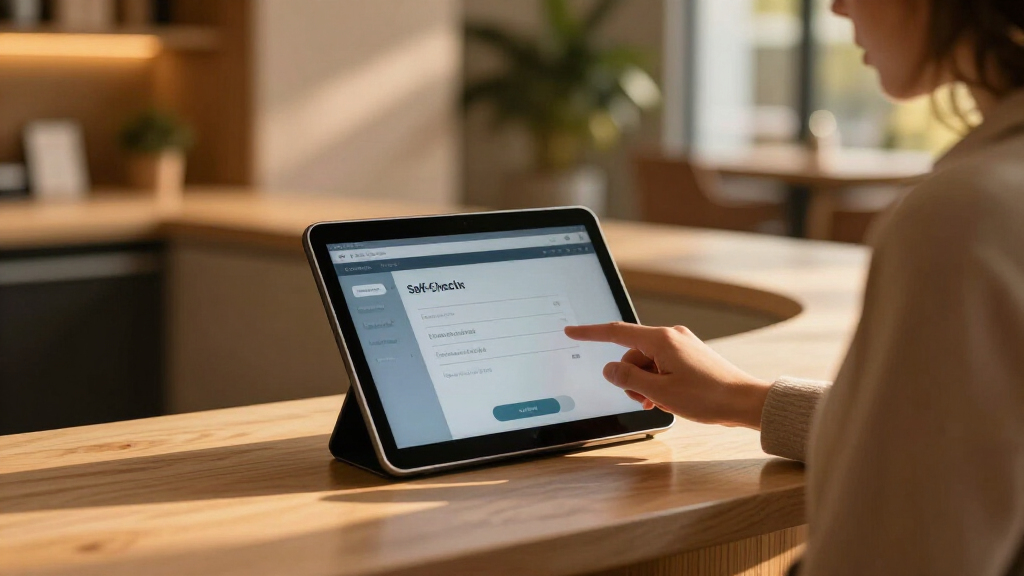
These products were evaluated based on their durability, security, ease of installation, compatibility with printers and other peripherals, and overall build quality. We prioritized options that are designed specifically for self check-in workflows, considering factors such as user interface, adjustability, and anti-theft features. The ranking reflects a combination of performance, versatility, and value, aiming to provide solutions suitable for a range of business environments—from small clinics to large hospitality venues.Factors to Consider When Choosing Best Tablet Kiosk For Self Check-in Workflows
When selecting a tablet kiosk for self check-in workflows, it’s important to consider several key factors that influence functionality, security, and user experience. Properly assessing these aspects can help you avoid common pitfalls such as choosing incompatible accessories or sacrificing security for aesthetics. The right kiosk should seamlessly integrate into your existing infrastructure while withstanding daily use. Below are the most critical considerations to keep in mind.Security and Durability
For self check-in, security is paramount—look for kiosks with lockable enclosures, anti-theft mounting options, and sturdy materials. Durability ensures the kiosk withstands frequent use without degradation, especially in high-traffic environments. Avoid lightweight or flimsy designs if your setting demands long-term reliability, but also consider ease of installation and maintenance to prevent ongoing issues.
Screen Size and Visibility
The size of the display influences user engagement and accessibility. Larger screens, typically 21 inches or more, improve visibility from a distance and enhance user interaction, but they can be bulkier and less portable. Smaller options are easier to relocate and fit into tight spaces but may compromise on clarity. Choose a size that balances space constraints with user comfort.
Compatibility and Peripherals
Ensure the kiosk can connect with necessary peripherals such as printers, card readers, or scanners. Some models come with integrated printer shelves or ports, simplifying workflows. Compatibility issues can lead to delays or increased setup costs, so verify the kiosk supports your existing hardware and software systems before purchase.
Adjustability and Ergonomics
Adjustable stands or height settings improve accessibility for users of different statures and mobility needs. A stable, lockable rotation feature can also facilitate maintenance and cleaning. Poor ergonomics may cause user frustration or accessibility issues, especially in diverse environments.
Price and Value
Budget constraints often influence feature selection. Cheaper options might lack robust security or reliable build quality, leading to higher long-term costs. Conversely, premium kiosks offer enhanced durability, security, and features, but at a higher upfront investment. Evaluate what features are non-negotiable versus what can be sacrificed to optimize your investment.
Frequently Asked Questions
Can I customize the interface on these kiosks?
Many kiosks support customization through their software or firmware, allowing you to tailor the user interface to match your branding and workflow. It’s important to verify compatibility with your existing systems and whether the manufacturer provides easy-to-use customization tools. Customization can enhance user experience and streamline check-in procedures, making the process more efficient.
Are these kiosks secure against theft or vandalism?
Most options include security features such as lockable enclosures, anti-theft mounting brackets, and tamper-resistant construction. For environments prone to vandalism or theft, prioritizing these features is essential. Additional security measures like surveillance cameras or alarms can also be integrated for added protection.
What is the typical installation process for these kiosks?
Installation varies based on the model but generally involves mounting the kiosk to a stable surface or floor stand, connecting peripherals, and configuring software settings. Some models come with pre-assembled stands and straightforward mounting hardware, simplifying setup. It’s advisable to consider professional installation if the setup requires electrical work or complex integrations.
How do I know if a kiosk fits my space requirements?
Measure your available space carefully, including height, width, and depth. Review the product specifications for dimensions and compare them to your site layout. Remember to account for clearance around the kiosk for accessibility and maintenance. Choosing a slightly smaller or more compact model can prevent space constraints that hinder workflow.
Can these kiosks support multiple users at once?
Most kiosks are designed for single-user operation, but some larger models with bigger screens or dual interfaces can accommodate multiple users simultaneously. If your workflow requires multi-user access, look for kiosks with larger displays or configurable multi-touch interfaces. Otherwise, plan to manage user flow to avoid congestion.
Conclusion
For most small to medium-sized businesses, the Mount-It! Anti-Theft iPad Floor Kiosk offers a balanced combination of security, durability, and ease of use, making it the best overall choice. If budget is a primary concern, the Sprocket X Print Mini Desktop Stand provides essential functionality at a lower cost. For those seeking a premium experience with larger screens and advanced features, the 21.5 Inch Touch Screen Kiosk stands out. Beginners or less tech-savvy users will benefit from models with straightforward setup, while high-traffic venues should prioritize security features. Making the right choice depends on your specific workflow, security needs, and budget constraints.
As an affiliate, we earn on qualifying purchases.Fall Picks
fall essentials