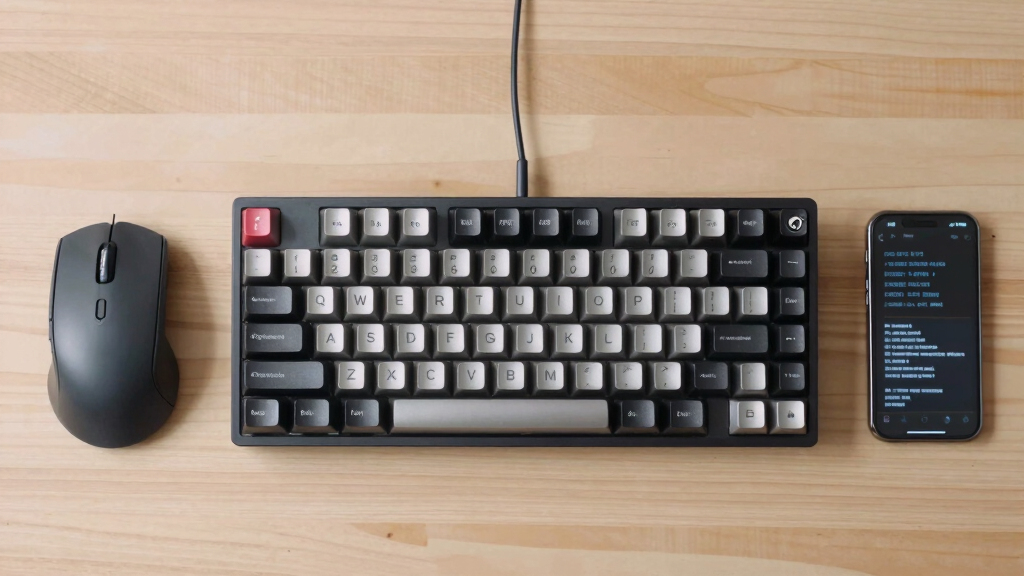

Choosing the best mechanical keyboard with quiet switches for development work involves balancing noise reduction with typing feel and build quality. The Logitech MX Mechanical Wireless Illuminated Keyboard Tactile stands out as the overall top pick for combining quiet switches with a premium wireless experience. The Keychron K10 HE offers a highly silent hall-effect option for those who prioritize minimal noise, while the Cherry KC 200 provides a wired solution for stability and consistent performance. Developers face the challenge of finding a keyboard that is both quiet enough for shared spaces and comfortable for long coding sessions. Keep reading for a detailed breakdown of the best options and what sets them apart.

Get tech for your team delivered free — and shop member deals
- Fast, free delivery on millions of items
- Access to Prime Big Deal Days deals on October 6–7
- Prime Video, Amazon Music and more included
Key Takeaways
- Wireless options like the Logitech MX Mechanical excel in convenience without sacrificing quiet operation.
- Hall effect switches, as in the Keychron K10 HE, tend to offer the quietest and most durable typing experience.
- Wired keyboards like the Cherry KC 200 provide unmatched stability, appealing to those who prioritize consistency over mobility.
- Switch type and keycap material significantly influence noise levels and feel, with red and brown switches being popular for quiet use.
- Price ranges vary widely; premium models deliver better build quality and features, but affordable options can still meet quiet typing needs.
| Logitech MX Mechanical Wireless Illuminated Keyboard Tactile – Graphite |  | Best Overall for Developers Who Value Versatility and Long Battery Life | Switch Type: Tactile Quiet Mechanical | Backlit Keys: Smart illumination that adjusts automatically | Connectivity: Bluetooth Low Energy, Logi Bolt receiver | VIEW LATEST PRICE | See Our Full Breakdown |
| Keychron K10 HE Wireless Hall Effect Mechanical Keyboard with Silent Banana Switch |  | Best for Aesthetic and Customization Enthusiasts Who Need Quiet, Responsive Switches | Layout: Full-size (104 keys) | Switch Type: Magnetic Silent Banana Switch | Connectivity: Tri-Mode Wireless (Bluetooth 5.2, 2.4 GHz, USB-C wired) | VIEW LATEST PRICE | See Our Full Breakdown |
| RK Royal Kludge S98 Wireless Mechanical Keyboard with Smart Display & Knob |  | Best for Advanced Users Who Want Functionality and Customization in a Gaming-Friendly Design | Display: Smart display showing GIF, date, connection mode, battery status | Connectivity: Bluetooth 5.0, 2.4Ghz wireless, USB-C wired | Design: Top-mount gaming-friendly with sound dampening | VIEW LATEST PRICE | See Our Full Breakdown |
| Keychron K2 75% Layout Bluetooth Wireless Mechanical Gaming Keyboard with Red Switches and White LED Backlit |  | Best Compact Choice for Developers Needing Space and Quiet, Smooth Typing | Layout: 75% | Connectivity: Bluetooth 5.1, USB-C wired | Number of Keys: 84 | VIEW LATEST PRICE | See Our Full Breakdown |
| Logitech MX Mechanical Full-Size Wireless Mechanical Keyboard |  | Best for All-Day Productivity with Quiet, Tactile Feedback | Switch Type: Tactile Quiet | Backlit Keys: Smart, auto-adjusting | Connectivity: Bluetooth, USB-C, Logi Bolt receiver | VIEW LATEST PRICE | See Our Full Breakdown |
| Keychron K8 Wireless Mechanical Keyboard – Silent Red Switch, TKL 87 Keys, White LED Backlight, Bluetooth & USB-C Wired, Mac & Windows Compatible |  | Best Overall for Versatile Quiet Work and Light Gaming | Switch Type: Silent Red | Layout: Tenkeyless (87 keys) | Backlight: White LED | VIEW LATEST PRICE | See Our Full Breakdown |
| Cherry KC 200 MX Wired Mechanical Office Keyboard with Silent Red Switches |  | Best Durable Wired Office Keyboard for Quiet, Long-Term Use | Switch Type: Cherry MX2A Silent Red | Connectivity: Wired | Key Features: Full N-key rollover, anti-ghosting, molded keycaps | VIEW LATEST PRICE | See Our Full Breakdown |
| Keychron C2 Full Size Wired Mechanical Keyboard, Brown Switch, Retro |  | Best Retro Aesthetic with Tactile Feedback for Light Gaming and Office | Keys: 104 | Switch Type: Brown | Connectivity: Wired USB Type-C | VIEW LATEST PRICE | See Our Full Breakdown |
| mechanical keyboard with quiet switches for developer | Switch Type | Connectivity |
|---|---|---|
| Logitech MX Mechanical Wireles | Tactile Quiet Mechanical | Bluetooth Low Energy, Logi Bolt receiver |
| Keychron K10 HE Wireless Hall | Magnetic Silent Banana Switch | Tri-Mode Wireless (Bluetooth 5.2, 2.4 GHz, USB-C wired) |
| RK Royal Kludge S98 Wireless M | Hot-swappable | Bluetooth 5.0, 2.4Ghz wireless, USB-C wired |
| Keychron K2 75% Layout Bluetoo | Silent K Pro Red | Bluetooth 5.1, USB-C wired |
| Logitech MX Mechanical Full-Si | Tactile Quiet | Bluetooth, USB-C, Logi Bolt receiver |
| Keychron K8 Wireless Mechanica | Silent Red | Bluetooth 5.1 and USB-C wired |
| Cherry KC 200 MX Wired Mechani | Cherry MX2A Silent Red | Wired |
| Keychron C2 Full Size Wired Me | Brown | Wired USB Type-C |
More Details on Our Top Picks
Logitech MX Mechanical Wireless Illuminated Keyboard Tactile – Graphite
The Logitech MX Mechanical stands out as the best overall choice due to its combination of wireless convenience, quiet tactile switches, and adaptive backlighting. Unlike the Keychron K10, it offers a full-size ergonomic layout with a more refined design, making it suitable for prolonged typing sessions. While it’s more expensive, the long battery life—up to 15 days with backlight—makes it ideal for heavy daily use. The support for multi-device pairing and customizable keys enhances productivity for developers juggling multiple systems. However, its premium price and larger footprint may deter budget-conscious or space-constrained users. Compared to other options, its seamless integration and adaptive lighting are real advantages, but it requires Bluetooth or Logi Bolt receiver, which could be a drawback for those seeking simplicity.
Pros:- Quiet tactile switches provide precise feedback without noise
- Automatic backlit keys adapt to lighting conditions for convenience
- Supports multi-device pairing with customizable keys
- Long battery life with quick USB-C charging
Cons:- Premium price may be high for some users
- Full-size layout requires more desk space
- Wireless dependency means needing Bluetooth or Logi Bolt setup
Best for: Developers who need a reliable, versatile wireless keyboard with long battery life and multi-device support.
Not ideal for: Users with small desks or on a tight budget, as its premium price and size may be limiting.
- Switch Type:Tactile Quiet Mechanical
- Backlit Keys:Smart illumination that adjusts automatically
- Connectivity:Bluetooth Low Energy, Logi Bolt receiver
- Battery Life:Up to 15 days with backlighting, 10 months with backlighting off
- Material:Includes 45% post-consumer recycled plastic
Our verdict“This keyboard suits developers seeking a premium, adaptable wireless option with excellent battery life and quiet feedback.”
Keychron K10 HE Wireless Hall Effect Mechanical Keyboard with Silent Banana Switch
Best for Aesthetic and Customization Enthusiasts Who Need Quiet, Responsive Switches
View Latest PriceThe Keychron K10 HE offers a compelling balance of wireless versatility, aesthetic appeal, and silent, responsive switches, making it ideal for multi-platform users. Its magnetic silent banana switches are notably quieter and smoother than typical tactile switches—comparable to the Cherry MX Silent Red—yet provide a satisfying responsive feel. Unlike the Logitech MX Mechanical, its wood accents and customizable RGB lighting add a unique style. The tri-mode connectivity makes switching between devices effortless, but requires some software setup for full macro and key remapping. While its large, full-size layout is great for multitasking, it can be bulky for tight spaces, and Linux users may experience limited compatibility without remapping. Overall, this model is better suited for those who prioritize aesthetics and switch responsiveness over plug-and-play simplicity.
Pros:- Magnetic silent banana switches deliver quiet, smooth, and responsive typing
- Tri-mode connectivity supports seamless device switching
- Premium design with wood accents and durable PBT keycaps
- Hot-swappable switches for easy customization
Cons:- Full setup may require software and remapping for full functionality
- Bulky size could be unsuitable for small desks
- Limited Linux compatibility may need workarounds
Best for: Design-conscious developers who want quiet, highly customizable switches and multi-device flexibility.
Not ideal for: Users seeking a plug-and-play experience or those with limited desk space, due to its size and setup complexity.
- Layout:Full-size (104 keys)
- Switch Type:Magnetic Silent Banana Switch
- Connectivity:Tri-Mode Wireless (Bluetooth 5.2, 2.4 GHz, USB-C wired)
- Backlighting:RGB
- Additional Features:Hot-swappable, programmable keys, magnetic switches
Our verdict“This keyboard fits developers who value aesthetic customization, quiet switches, and multi-device connectivity, willing to handle setup complexity.”
RK Royal Kludge S98 Wireless Mechanical Keyboard with Smart Display & Knob
Best for Advanced Users Who Want Functionality and Customization in a Gaming-Friendly Design
View Latest PriceThe RK Royal Kludge S98 combines stylish features like a smart display and multifunctional knob with versatile connectivity options, making it a distinctive choice. Its sound-absorbing design and hot-swappable PCB help reduce typing noise, aligning with the desire for quieter switches. The smart display adds a unique touch, showing GIFs, notifications, and connection status—appealing for users who want a more interactive experience. Unlike the Logitech or Keychron options, its complex setup may challenge beginners, and limited battery life information can be a concern for heavy daily use. The sound dampening features are a real advantage over less specialized models, but the price reflects its advanced tech, making it less suitable for budget-conscious buyers. This model is best for those who want a feature-rich, customizable keyboard with noise reduction elements.
Pros:- Versatile wireless options including Bluetooth and 2.4Ghz
- Sound-absorbing features for quieter typing
- Hot-swappable switches for easy customization
- Smart display for notifications and visual feedback
Cons:- Complex setup process may be daunting for newcomers
- Limited battery life data may affect daily planning
- Higher price point due to advanced features
Best for: Tech-savvy developers interested in multifunctionality and noise control, willing to handle a setup process.
Not ideal for: Beginners or users who prioritize straightforward setup and extensive battery life over extra features.
- Display:Smart display showing GIF, date, connection mode, battery status
- Connectivity:Bluetooth 5.0, 2.4Ghz wireless, USB-C wired
- Design:Top-mount gaming-friendly with sound dampening
- Switch Type:Hot-swappable
- Keycaps:Double-shot PBT
Our verdict“Ideal for advanced users seeking a multifunctional, customizable keyboard with noise reduction and innovative features.”
Keychron K2 75% Layout Bluetooth Wireless Mechanical Gaming Keyboard with Red Switches and White LED Backlit
The Keychron K2 offers a compact yet functional layout, making it an attractive option for developers who need space efficiency without sacrificing wireless convenience. Its pre-lubed Silent K Pro Red switches deliver quiet, smooth keystrokes that are well-suited for long coding sessions, especially compared with noisier switch options. The 75% layout balances functionality and desk space, but it does omit some keys which could limit users requiring dedicated function or navigation keys. The white LED backlighting is straightforward, yet lacks RGB customization, making it less vibrant than some alternatives. While easy to connect via Bluetooth to multiple devices, its limited key set might not meet the needs of power users requiring extensive macros or dedicated keys. It’s an excellent choice for those prioritizing quiet, space-saving typing with simple setup.
Pros:- Compact 75% layout saves desk space
- Quiet, pre-lubed switches provide smooth, silent typing
- Supports multiple devices via Bluetooth
- Dedicated Mac and Windows keys for seamless cross-platform use
Cons:- Limited number of keys reduces functionality for advanced shortcuts
- Backlit only in white, no RGB options
- Requires Bluetooth pairing for wireless operation
Best for: Developers needing a compact, quiet keyboard that fits small desks and supports multiple devices without extra frills.
Not ideal for: Power users who rely heavily on macros or extensive keys, or those wanting RGB lighting for aesthetic flair.
- Layout:75%
- Connectivity:Bluetooth 5.1, USB-C wired
- Number of Keys:84
- Switch Type:Silent K Pro Red
- Backlight:White LED
Our verdict“This keyboard is perfect for developers seeking a quiet, space-efficient wireless option with basic functionality and easy multi-device support.”
Logitech MX Mechanical Full-Size Wireless Mechanical Keyboard
The Logitech MX Mechanical is designed for users who need a full-size, quiet typing experience with multi-device flexibility. Its tactile quiet switches and auto-adjusting backlit keys create a comfortable environment for long work hours. Compared to the Keychron K10, it offers a more refined ergonomic layout and a metal top plate for durability, which can translate into better comfort during extended typing. Its support for Bluetooth and Logi Bolt makes device switching seamless, but the bulkier design and higher price might be less appealing for those with limited space or tight budgets. Battery life is robust, up to several months with backlight off, making it suitable for continuous use. Overall, it makes the most sense for users who prioritize durability, multi-device support, and quiet feedback in a full-size form.
Pros:- Quiet, tactile switches support precise, noise-free typing
- Supports multiple devices with easy switching
- Auto-adjusting backlit keys enhance visibility in different lighting
- Metal top plate adds durability and premium feel
Cons:- Bulkier size may not fit smaller desks
- Higher price point compared to more basic models
- Battery life can vary with intensive use
Best for: Developers needing a full-sized, quiet keyboard with durable build and multi-device support for daily work.
Not ideal for: Users with limited desk space or budget constraints, due to its larger size and premium price.
- Switch Type:Tactile Quiet
- Backlit Keys:Smart, auto-adjusting
- Connectivity:Bluetooth, USB-C, Logi Bolt receiver
- Battery Life:Up to 15 days with backlight on, months with backlight off
- Material:Metal top plate
Our verdict“This keyboard is ideal for developers seeking a full-size, durable, quiet typing experience with multi-device capabilities for daily productivity.”
Keychron K8 Wireless Mechanical Keyboard – Silent Red Switch, TKL 87 Keys, White LED Backlight, Bluetooth & USB-C Wired, Mac & Windows Compatible
The Keychron K8 stands out for combining wireless convenience with quiet operation, thanks to its Silent Red switches. Compared to the Cherry KC 200 MX, it offers dual connectivity—Bluetooth 5.1 and wired USB-C—making it more flexible for users who move between devices or prefer a clutter-free setup. While its 87-key layout limits the number pad, this size strikes a good balance between portability and functionality. The white LED backlight adds visibility without being distracting, but it might not suffice in very bright environments. The pre-lubed switches deliver smooth, quiet typing, ideal for shared spaces or late-night work sessions. However, the backlight’s brightness could be insufficient in bright offices, and the compact size might be a drawback for users needing a dedicated numpad. This pick makes the most sense for developers who want wireless freedom without sacrificing typing comfort, and are okay with a smaller footprint.
Pros:- Wireless and wired connectivity for flexible use
- Quiet, smooth typing with pre-lubed switches
- Compatible with both Mac and Windows systems
- Compact design suitable for limited desk space
Cons:- Limited to 87 keys, lacking dedicated numeric keypad
- Backlight brightness may be insufficient in bright settings
Best for: Developers who need a versatile, wireless keyboard with quiet switches for both home and office use
Not ideal for: Users requiring a full-size layout with dedicated numpad or maximum backlight brightness in bright environments
- Switch Type:Silent Red
- Layout:Tenkeyless (87 keys)
- Backlight:White LED
- Connectivity:Bluetooth 5.1 and USB-C wired
- Compatibility:Mac and Windows
- Polling Rate:1000 Hz
Our verdict“This is an excellent all-around choice for developers seeking wireless convenience and quiet typing in a compact form.”
Cherry KC 200 MX Wired Mechanical Office Keyboard with Silent Red Switches
The Cherry KC 200 MX excels in durability and straightforward office functionality. Its Cherry MX2A Silent Red switches provide a smooth, quiet experience similar to the Keychron K8 but without wireless options. The full-size layout, including a number pad, makes it suitable for users who handle extensive data entry or prefer a traditional setup. Its full N-key rollover and anti-ghosting ensure accuracy during fast typing, while the durable, abrasion-resistant keycaps and metal plate support long-term use. Unlike the Keychron K8, it lacks wireless connectivity, which could be a downside for those seeking a clutter-free workspace. The plain design might not appeal to users who want a more modern aesthetic. For heavy-duty office tasks and durability, this keyboard makes a compelling choice, but it is less suited for flexible or gaming-focused setups.
Pros:- Highly durable with over 50 million key actuations
- Quiet, smooth Cherry MX2A Silent Red switches
- Full-size layout with dedicated numpad
- Includes useful function keys and indicators
Cons:- No wireless connectivity, limiting flexibility
- Design may be too plain for users wanting a modern look
- Less suited for gaming or casual use
Best for: Office workers or developers who prioritize durability, accuracy, and a full-size wired setup for daily productivity
Not ideal for: Those seeking wireless flexibility or a more stylish, modern aesthetic for their workspace
- Switch Type:Cherry MX2A Silent Red
- Connectivity:Wired
- Key Features:Full N-key rollover, anti-ghosting, molded keycaps
- LED Indicators:Caps Lock, Scroll Lock, Num Lock
- Additional Keys:Calculator, volume control
- Material:Anodized metal plate
Our verdict“This keyboard is perfect for those needing a reliable, durable wired option with quiet switches for everyday office or development tasks.”
Keychron C2 Full Size Wired Mechanical Keyboard, Brown Switch, Retro
The Keychron C2 offers a distinct retro style with tactile brown switches suited for users who prefer a more responsive feel. Unlike the Keychron K8, it lacks backlighting, which could be a disadvantage in low-light settings, but its simple, no-frills design appeals to those valuing aesthetics and durability. The full-size layout, including a number pad, makes it ideal for productivity, especially for developers who need to manage spreadsheets or databases. The 50 million keystroke lifespan and sturdy build ensure reliability over time. While the absence of backlight limits usability in dark conditions, the tactile brown switches provide satisfying feedback without noise, making it a good compromise for light gaming or extended typing sessions. This keyboard is best for users who want a durable, stylish, full-size keyboard with tactile feel but minimal visual distractions.
Pros:- Full-size layout with number pad for productivity
- Responsive tactile brown switches
- Retro color keycaps with unique aesthetic
- Compatible with Mac and Windows
Cons:- No backlight, limiting low-light usability
- Design may not appeal to users seeking a modern look
- Limited gaming features
Best for: Developers who appreciate a retro look and tactile feedback in a full-size, wired keyboard for daily work
Not ideal for: Users who require backlit keys or primarily work in low-light environments
- Keys:104
- Switch Type:Brown
- Connectivity:Wired USB Type-C
- Backlight:None
- Compatibility:Mac and Windows
- Key Lifespan:50 million keystrokes
Our verdict“This keyboard suits developers who want a tactile, stylish full-size keyboard with a distinctive retro look for daily use.”

How We Picked
Our evaluation focused on several key factors: switch noise level, typing comfort, build quality, connectivity options, and overall value. We prioritized switches specifically designed for quiet operation, such as red or silent variants, to ensure minimal disturbance in shared or office environments. Durability and build materials were also considered, as longer-lasting keyboards reduce long-term costs. The ranking reflects a balance between performance, price, and versatility, with wireless models favored for convenience and wired options valued for reliability. This approach ensures that each top pick offers a clear advantage for developers seeking quiet, dependable typing tools.Factors to Consider When Choosing Best Mechanical Keyboard With Quiet Switches For Developers
When selecting the best mechanical keyboard with quiet switches for development work, understanding a few critical factors can help prevent common pitfalls. Not all switches labeled as ‘quiet’ perform equally, and some tradeoffs in feel or price may influence your decision. Compatibility with your setup, whether wireless or wired, impacts usability. Additionally, keycap material and layout influence typing sound and comfort, which are essential for long coding sessions. Considering these factors carefully will help you find a keyboard that enhances productivity without unnecessary noise or discomfort.Switch Type and Noise Level
Choosing the right switch is vital for quiet operation. Red and silent Red switches are engineered specifically for minimal noise, making them ideal for office environments or shared spaces. Brown switches offer a quieter tactile feel, suitable for those who want feedback without loud clicks. Be aware that some switches may feel softer or less responsive, so testing different types can help find a balance between quietness and typing sensation. Avoid switches known for loud clicks if noise reduction is a primary goal, but also factor in how the feel aligns with your typing style.
Wireless vs. Wired Connectivity
Wireless keyboards provide greater freedom of movement and reduce desk clutter, but may introduce slight latency or battery management concerns. Wired options ensure a stable connection with no input lag, which can be beneficial when fast, accurate typing is crucial. Developers should consider their workspace setup: if mobility and clean desk space matter most, wireless models like the Logitech MX Mechanical stand out. Conversely, wired keyboards like the Cherry KC 200 offer reliability and consistent performance, especially during long sessions or in environments prone to interference.
Build Quality and Durability
Manufacturers vary in the materials and construction quality of their keyboards. Metal or high-grade plastic cases tend to resist wear and feel more premium, which can contribute to longer lifespan. Keycap material also impacts sound and comfort; PBT keycaps are generally more durable and less shiny than ABS. For those who type extensively, a sturdy build reduces flex and provides better stability. Keep an eye on reviews about durability, especially for wireless models that might have more complex internal components.
Layout and Keycap Material
The layout influences ergonomics and workflow. Compact 60% or TKL layouts save space but may reduce functionality for some users, while full-size models offer dedicated keys for productivity. Keycap material influences sound and feel—PBT keycaps tend to produce less noise and feel more comfortable over time. Additionally, consider whether the keyboard supports your preferred operating system, as some models offer Mac and Windows compatibility with specific key mappings. Matching the layout and keycap material to your working style enhances both comfort and quietness.
Price and Value
Pricing varies from budget-friendly to premium models, often reflecting build quality, switch type, and features. While cheaper options may meet your quiet switch requirement, they might lack durability or advanced features like backlit keys or wireless connectivity. Premium models, though more expensive, often include better materials, wireless options, and longer-lasting switches. Balance your budget with your specific needs: investing in a higher-quality keyboard can improve comfort and reduce the need for replacements over time.
Frequently Asked Questions
Are mechanical keyboards with quiet switches suitable for long coding sessions?
Yes, mechanical keyboards with quiet switches are well-suited for extended use, especially if they feature comfortable key feel and good build quality. Quiet switches reduce fatigue and noise, making them ideal for shared workspaces or late-night coding. Look for models with ergonomic features and quality keycaps to maximize comfort during long typing periods. Properly chosen, they can significantly enhance your productivity and reduce strain over time.
Can I use a quiet mechanical keyboard for gaming as well as development?
Many quiet mechanical keyboards perform well for gaming, especially those with fast, responsive switches like silent reds. However, gaming often benefits from switches that offer tactile feedback or clicky sound for better response, which might come with more noise. If your priority is silent operation in a multi-purpose keyboard, models with linear, silent switches can handle both tasks comfortably. Just ensure the keyboard has a good debounce time and responsiveness for gaming performance.
Is wireless always better than wired for a mechanical keyboard?
Wireless keyboards offer greater flexibility and a cleaner workspace, but may introduce slight latency or require battery management. Wired models eliminate these issues, providing a more consistent and reliable connection, which can be critical during intensive work or gaming. The choice depends on your workspace needs: if mobility and minimal cable clutter matter, wireless is advantageous; if you prioritize stability and zero lag, wired models like the Cherry KC 200 are preferable.
How important is keycap material for noise reduction?
Keycap material significantly influences sound and feel. PBT keycaps tend to produce less noise and maintain their texture longer, making them desirable for quiet environments. ABS keycaps, while often less expensive, can become shiny and may produce a higher-pitched sound over time. Selecting high-quality keycaps can improve your typing experience and reduce noise, especially if you are sensitive to sound or work in shared spaces.
Should I prioritize features like backlit keys or a numeric keypad?
Features like backlit keys and numeric keypads depend on your specific needs. Backlit keys help in low-light environments, improving visibility and reducing eye strain, which is beneficial during late-night coding. A numeric keypad can speed up data entry but adds bulk, reducing portability and desk space. Focus on features that support your workflow—if you often work in dim environments, backlit keys are worthwhile; if you need quick number entry, a full-size layout might be better.
Conclusion
For developers seeking the best overall experience, the Logitech MX Mechanical Wireless Illuminated Keyboard Tactile offers a balanced combination of quiet switches, wireless convenience, and durable build. The Keychron K10 HE is an excellent choice for those prioritizing the quietest, most durable switches in a wireless setup. Budget-conscious users or those new to mechanicals might prefer the Keychron K2 or RK Royal Kludge S98, which deliver solid quiet performance at a lower price point. Premium buyers who want maximum build quality and features should consider the Cherry KC 200 for wired reliability or the Keychron C2 for a vintage aesthetic with quiet switches. Ultimately, your choice depends on your workspace, budget, and whether you value wireless freedom or wired stability most.
As an affiliate, we earn on qualifying purchases.Halloween Picks
halloween