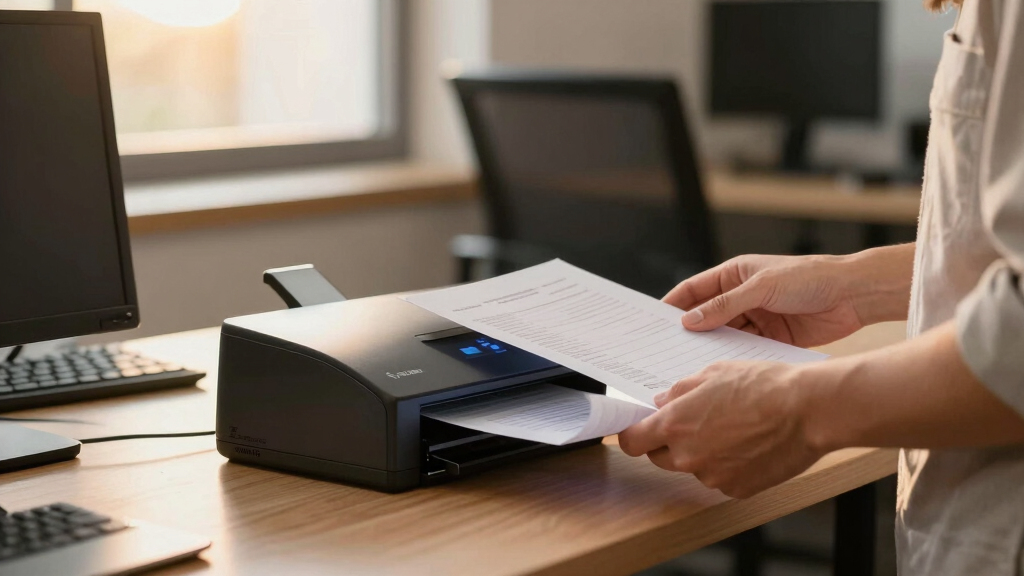

For paper-heavy teams, finding a reliable digital mailroom scanner is essential to streamline document intake and improve efficiency. The Brother ADS-4900W stands out as the best overall choice thanks to its fast speeds, duplex scanning, and versatile connectivity. The RICOH fi-8170 offers high-volume capacity ideal for large teams, while the Epson WorkForce ES-50 provides a compact option for teams on the go. These options highlight the core tradeoffs: speed vs. portability, and cost vs. capacity. Continue reading for a detailed breakdown of each model and what makes them suitable for different team needs.

Get business pricing on tech for your team
- Business-only prices and quantity discounts
- Tax-exempt purchasing
- Multiple users, one account, clear invoices
Key Takeaways
- Speed and duty cycle are critical for paper-heavy environments, making high ppm and robust feeders top priorities.
- Connectivity options like wireless and Ethernet enhance workflow flexibility but can impact cost and complexity.
- Compact models sacrifice some capacity and speed, making them better suited for smaller teams or mobile use.
- Higher-end models with advanced features tend to come with a higher price tag but reduce long-term manual effort.
- Ease of use and maintenance impact daily productivity; touchscreen interfaces and reliable feeders are valued features.
| Brother ADS-3350W Wireless High-Speed Desktop Scanner with Touchscreen |  | Best Overall for Small to Medium Paper-Heavy Teams | Model: ADS-3350W | Connectivity: Wireless, Wired Ethernet, Mobile App | Touchscreen: 2.8-inch color touchscreen | VIEW LATEST PRICE | See Our Full Breakdown |
| Epson WorkForce ES-50 Compact & Lightweight Mobile Document Scanner |  | Best for On-the-Go Scanning and Mobile Use | Scan Speed: 5.5 seconds per page | Maximum Document Size: 8.5 x 72 inches | Connectivity: USB 2.0 | VIEW LATEST PRICE | See Our Full Breakdown |
| RICOH fi-8170 USB 3.2 Gigabit Ethernet LED Workgroup Scanner with ADF, Duplex, A4, 70ppm/140ipm |  | Best for High-Volume Office Environments | Scanner Type: Workgroup | Connection Type: USB 3.2, Ethernet | Resolution: 600 dpi | VIEW LATEST PRICE | See Our Full Breakdown |
| Brother ADS-4900W Professional Desktop Scanner with Fast Scan Speeds, Duplex, Wireless, and Touchscreen |  | Best for Enterprise-Level Paper-Heavy Workgroups | Scan Speed: 60 pages per minute | Document Feeder Capacity: 100 pages | Connectivity: Wireless, Ethernet, USB 3.0 | VIEW LATEST PRICE | See Our Full Breakdown |
| Epson FastFoto FF-680W High-Speed Duplex Photo and Document Scanner |  | Best for Digitizing Photos and Mixed Media Collections | Scan Speed: 1 photo per second | Batch Capacity: 36 photos | Maximum Photo Size: 8 x 10 inches | VIEW LATEST PRICE | See Our Full Breakdown |
| Plustek PS188 High-Speed Double-Sided Color Document Scanner with Automatic Document Feeder |  | Best Value for Speed and Simplicity | Scanner Type: Document | Connection Type: USB | Resolution: 600 dpi | VIEW LATEST PRICE | See Our Full Breakdown |
| ScanSnap iX2500 Wireless and USB Document Scanner, Black |  | Best for Flexible, High-Speed Digital Mailrooms | Connectivity: Wi-Fi 6, USB-C | Scan Speed: 45 ppm double-sided | Document Capacity: 100 sheets | VIEW LATEST PRICE | See Our Full Breakdown |
| digital mailroom scanner for paper-heavy team | Connectivity | Scan Speed |
|---|---|---|
| Brother ADS-3350W Wireless Hig | Wireless, Wired Ethernet, Mobile App | Up to 40ppm |
| Epson WorkForce ES-50 Compact | USB 2.0 | 5.5 seconds per page |
| RICOH fi-8170 USB 3.2 Gigabit | — | — |
| Brother ADS-4900W Professional | Wireless, Ethernet, USB 3.0 | 60 pages per minute |
| Epson FastFoto FF-680W High-Sp | USB, Wireless | 1 photo per second |
| Plustek PS188 High-Speed Doubl | — | — |
| ScanSnap iX2500 Wireless and U | Wi-Fi 6, USB-C | 45 ppm double-sided |
More Details on Our Top Picks
Brother ADS-3350W Wireless High-Speed Desktop Scanner with Touchscreen
The Brother ADS-3350W stands out for its combination of speed, versatility, and ease of use in a compact form. With scanning speeds up to 40ppm, it handles typical small office workloads efficiently, outperforming the more portable Epson ES-50, which is limited to single-sheet scans and lacks wireless connectivity. Its user-friendly 2.8-inch color touchscreen simplifies operation, making it a strong choice for teams that need straightforward, reliable scanning. However, its reliance on network connections and additional software downloads can slow setup, and it’s not designed for extremely high-volume environments. This model makes the most sense for small teams or remote offices needing dependable, fast document capture without excessive complexity.
Pros:- Compact and space-saving design
- Fast scanning speeds of up to 40ppm
- Intuitive touchscreen interface
- Supports multiple scan destinations and formats
Cons:- Requires network connection for full functionality
- Additional software downloads may be needed
- Limited to mid-volume scanning tasks
Best for: Small to medium-sized teams in small offices or home environments needing reliable, fast scans with wireless flexibility.
Not ideal for: Large, high-volume document centers or teams requiring bulk scanning without network dependency, as it’s limited in capacity and speed compared to larger units like the RICOH fi-8170.
- Model:ADS-3350W
- Connectivity:Wireless, Wired Ethernet, Mobile App
- Touchscreen:2.8-inch color touchscreen
- Scan Speed:Up to 40ppm
- Document Capacity:Up to 60 pages
- Supported Paper Sizes:Legal, long paper, business cards, receipts, photos
Our verdict“This scanner is ideal for small teams seeking a balance of speed, ease of use, and wireless flexibility in a compact device.”
Epson WorkForce ES-50 Compact & Lightweight Mobile Document Scanner
The Epson WorkForce ES-50 excels in portability, making it perfect for paper-heavy teams that often work remotely or need to scan documents in the field. Its ability to scan a page in just 5.5 seconds is impressive for its size, especially compared to larger, desktop models like the Brother ADS-4900W, which offers greater speed and capacity but sacrifices portability. This scanner’s USB-powered operation and lightweight design suit users who need quick, on-the-fly digitization. However, it’s limited to single-sheet scanning and lacks wireless connectivity, which can hinder workflows that require multiple scans or remote access. This pick makes the most sense for mobile professionals or teams with low-volume, ad hoc scanning needs.
Pros:- Lightweight and portable design
- Fast scanning speed of 5.5 seconds per page
- Includes OCR for searchable PDFs and editable files
- No external power supply needed
Cons:- Limited to single-sheet scanning
- Requires software download and internet for full features
- No wireless connectivity options
Best for: Mobile professionals or small teams needing quick, on-the-move scanning without the need for wireless or multi-page batch processing.
Not ideal for: High-volume teams or those requiring batch scanning, multi-page merging, or wireless connectivity, as the Epson ES-50 is limited to single sheets and wired USB only.
- Scan Speed:5.5 seconds per page
- Maximum Document Size:8.5 x 72 inches
- Connectivity:USB 2.0
- Power:USB-powered
- Software:Epson ScanSmart, Nuance OCR
- Compatibility:Windows and Mac
Our verdict“This scanner suits mobile workers or small teams needing quick, single-page scans on the go, with minimal setup and no network dependency.”
RICOH fi-8170 USB 3.2 Gigabit Ethernet LED Workgroup Scanner with ADF, Duplex, A4, 70ppm/140ipm
The RICOH fi-8170 is designed for high-capacity, fast-paced environments, with a remarkable 70 pages per minute scanning speed and an automatic document feeder supporting 100 sheets. Its dual connectivity via USB 3.2 and Ethernet provides flexible integration into existing workflows, making it ideal for large offices handling large volumes of documents. Compared to the Brother ADS-4900W, it offers comparable speed but with a more robust media handling capability, including support for passports and various media sizes. Its bulkier, heavier build is a tradeoff for durability and speed, and it lacks advanced software features or security options out of the box. This makes it suitable for large teams needing relentless throughput rather than simple user-friendly operation.
Pros:- High-speed scanning at 70 ppm
- Supports multiple media types, including passports
- Dual connectivity with USB and Ethernet
- Large 100-sheet automatic document feeder
Cons:- Heavy and bulky design
- Limited media type support for specialized documents
- No advanced software or security features included
Best for: High-volume, busy office environments demanding rapid throughput and durable hardware for large document loads.
Not ideal for: Small teams or environments with limited space or lower volume needs, as its size and cost may outweigh its benefits for lighter workloads.
- Scanner Type:Workgroup
- Connection Type:USB 3.2, Ethernet
- Resolution:600 dpi
- Color Depth:24 bits
- Standard Sheet Capacity:100 sheets
- Media Types:Business card, Postcard, Passport
Our verdict“This scanner is ideal for high-volume offices needing fast, reliable throughput with durable hardware for continuous operation.”
Brother ADS-4900W Professional Desktop Scanner with Fast Scan Speeds, Duplex, Wireless, and Touchscreen
The Brother ADS-4900W sets a new standard for demanding office environments, with blazing fast 60ppm duplex scanning and a large 100-page auto feeder. Its 4.3-inch touchscreen provides a highly customizable experience, and the device’s support for cloud, email, and mobile destinations makes it versatile for enterprise workflows. While its setup can be complex for less technical users, the device’s high price reflects its professional-grade build and extensive feature set, surpassing the capabilities of smaller or less feature-rich models like the Epson ES-50 or even the Brother ADS-3350W. This scanner is best suited for teams that prioritize speed, security, and extensive connectivity options over portability or simple operation.
Pros:- High-speed duplex scanning up to 60ppm
- Large 100-page auto document feeder
- Versatile scan destinations including cloud and mobile
- Intuitive touchscreen with customizable shortcuts
Cons:- Setup may be complex for non-technical users
- Relatively large footprint for small spaces
- Premium price point
Best for: Large offices or workgroups in need of high-speed, high-volume, secure scanning with extensive integration options.
Not ideal for: Small teams or individuals with limited space or lower throughput needs, given its size and cost.
- Scan Speed:60 pages per minute
- Document Feeder Capacity:100 pages
- Connectivity:Wireless, Ethernet, USB 3.0
- Display:4.3-inch color touchscreen
- Security:Triple Layer Security
- Supported Destinations:Email, cloud, SharePoint, USB, mobile
Our verdict“This scanner is best for large teams requiring fast, secure, and versatile document digitization at high volumes with enterprise features.”
Epson FastFoto FF-680W High-Speed Duplex Photo and Document Scanner
The Epson FastFoto FF-680W excels in high-speed batch scanning of photos and documents, making it a unique choice for teams that need to digitize large collections quickly. Its auto enhancement and color restoration features set it apart from typical document scanners like the Brother ADS-4900W or RICOH fi-8170, which focus more on volume than image quality. With a scan speed of up to 1 photo per second and support for up to 36 photos in a batch, it’s ideal for preserving memories or scanning mixed media. However, it’s not suited for high-volume office workflows that require bulk document scanning, and many features depend on software and device compatibility. This makes it best for teams with specialized needs, such as archiving or creative projects.
Pros:- Fast scanning speed for photos and documents
- Batch scanning up to 36 photos
- Auto enhancement and color restoration
- Wireless connectivity for easy sharing
Cons:- Requires app download for full features
- Expensive for casual or low-volume users
- Designed primarily for photos, not continuous document workflow
Best for: Teams focused on digitizing large photo archives or mixed media collections, not suited for heavy daily document processing.
Not ideal for: High-volume, paper-heavy teams in need of rapid bulk document scanning, as its primary strength is photo batch processing, not speed or capacity for documents.
- Scan Speed:1 photo per second
- Batch Capacity:36 photos
- Maximum Photo Size:8 x 10 inches
- DPI Options:300, 600, 1200 dpi
- Connectivity:USB, Wireless
- OCR:Yes
Our verdict“This scanner is best for teams that need to digitize large photo collections or rare media, not for high-volume business document workflows.”
Plustek PS188 High-Speed Double-Sided Color Document Scanner with Automatic Document Feeder
The Plustek PS188 stands out for its impressive speed of 30 pages per minute, making it an excellent choice for teams that need quick turnaround on large volumes of documents. Compared with the ScanSnap iX2500, it offers a more streamlined setup without the complexity of wireless connectivity, focusing solely on fast USB operation. While it lacks wireless support and advanced OCR, its dedicated barcode recognition and customizable scan profiles boost efficiency for routine mailroom workflows. However, its dependency on Windows and limited connectivity options could be a drawback for some teams.
This pick makes the most sense for paper-heavy teams that prioritize straightforward, high-speed scanning over wireless flexibility or extensive cloud integration.
Pros:- Fast scanning speed of 30 pages per minute for double-sided documents
- Automatic Document Feeder with 50-sheet capacity
- Supports customizable scan profiles for efficiency
- Barcode recognition for easy file naming
Cons:- Limited to USB connection, no wireless support
- No mention of advanced OCR capabilities
- Requires compatible Windows OS versions
Best for: Teams that need reliable, high-volume scanning with minimal setup complexity and primarily use Windows-based systems.
Not ideal for: Organizations seeking wireless or multi-device connectivity, or those requiring advanced OCR and cloud features for integrated digital workflows.
- Scanner Type:Document
- Connection Type:USB
- Resolution:600 dpi
- Standard Sheet Capacity:50
- Color Depth:48 bpp
- Item Dimensions:5″D x 11″W x 6″H
Our verdict“Ideal for paper-heavy environments that prioritize speed and simplicity over wireless flexibility and advanced OCR features.”
ScanSnap iX2500 Wireless and USB Document Scanner, Black
The ScanSnap iX2500 offers a substantial upgrade in versatility and speed, with 45 pages per minute double-sided scanning and a large touchscreen interface that simplifies operation for busy mailrooms. Unlike the Plustek PS188, it combines Wi-Fi 6 and USB-C for seamless multi-device connectivity, making it suitable for teams that need to scan directly to cloud platforms or mobile devices. Its higher capacity of 100 sheets reduces the need for frequent reloading, and automatic optimization features streamline the digitization process. The main tradeoff is its premium price, which might be prohibitive for smaller teams or casual users, and its bulkier size demands dedicated space.
This model is best suited for larger, tech-savvy teams that value speed, connectivity, and ease of access across multiple devices.
Pros:- Fast double-sided scanning at 45 pages per minute
- Large, responsive touchscreen for intuitive control
- Flexible connectivity options including Wi-Fi 6 and USB-C
- Supports cloud services and automatic file management
Cons:- Premium price may be high for casual or small teams
- Setup can be complex for non-technical users
- Bulkier design requires dedicated space
Best for: Medium to large teams with high-volume mailroom workflows that require flexible connectivity and cloud integration.
Not ideal for: Smaller teams or budget-conscious organizations that don’t need wireless or high-capacity features, or where space is limited.
- Connectivity:Wi-Fi 6, USB-C
- Scan Speed:45 ppm double-sided
- Document Capacity:100 sheets
- Display:Large touchscreen
- Supported Platforms:Mac, PC, iOS, Android
- Features:Automatic optimization, cloud support, customizable profiles
Our verdict“Best suited for high-volume, tech-forward teams that need rapid, versatile scanning with seamless cloud integration.”
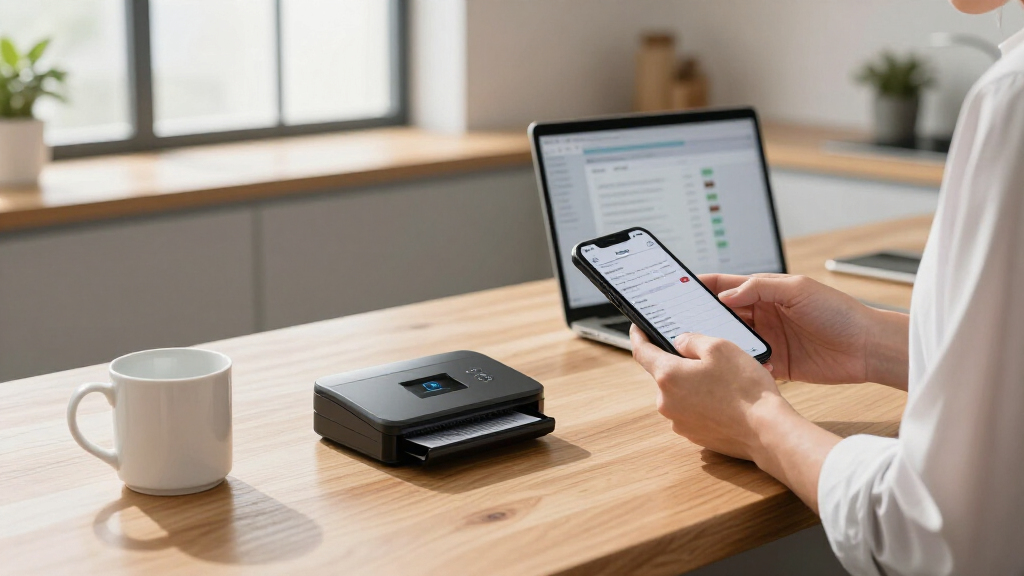
How We Picked
These products were evaluated based on their scanning speed, duty cycle, connectivity options, build quality, and ease of use. We prioritized models that handle large volumes efficiently without frequent jams or maintenance. Cost-effectiveness and versatility were also key factors, ensuring that the top picks serve different team sizes and workflows. Our rankings reflect a balance between performance, durability, and value, aiming to guide paper-heavy teams toward the best fit for their specific needs.| digital mailroom scanner for paper-heavy team | Connectivity |
|---|---|
| Brother ADS-3350W Wireless Hig | Wireless, Wired Ethernet, Mobile App |
| Epson WorkForce ES-50 Compact | USB 2.0 |
| RICOH fi-8170 USB 3.2 Gigabit | — |
| Brother ADS-4900W Professional | Wireless, Ethernet, USB 3.0 |
| Epson FastFoto FF-680W High-Sp | USB, Wireless |
| Plustek PS188 High-Speed Doubl | — |
| ScanSnap iX2500 Wireless and U | Wi-Fi 6, USB-C |
Factors to Consider When Choosing Best Digital Mailroom Scanner For Paper-heavy Teams
Choosing the right digital mailroom scanner involves understanding your team’s volume, workflow, and technical environment. Beyond specs, consider how easy the device is to operate daily, how much downtime it might cause, and whether it integrates smoothly with your existing systems. Properly assessing these factors can prevent costly mismatches and ensure long-term productivity gains.Scanning Speed and Duty Cycle
For paper-heavy teams, high scanning speed (measured in pages per minute) and a strong duty cycle (the maximum number of pages a scanner can process daily) are vital. Slow speeds can bottleneck your workflow, while low duty cycles lead to frequent maintenance. Prioritize models that can comfortably handle your daily volume to avoid bottlenecks and reduce equipment wear over time.
Connectivity and Integration
Wireless, Ethernet, and USB options offer flexibility in how your team accesses scanned documents. Wireless models facilitate mobile and remote workflows, but they may introduce security considerations. Ethernet connections typically provide faster, more stable transfer speeds in office environments. Consider your existing infrastructure and how the scanner will fit into your document management ecosystem to choose appropriately.
Capacity and Paper Handling
Automatic Document Feeders (ADF) with higher capacity reduce the need for manual reloading, especially important for large batches. Look for models with duplex scanning to save time and paper. However, higher capacity feeders often come with larger footprints and increased costs. Balance your typical batch size with available space and budget to select the most suitable model.
Ease of Use and Maintenance
Intuitive touchscreens, simple interfaces, and reliable feeders minimize user errors and downtime. Consider devices with easy-to-clean components and accessible parts for maintenance. Investing in user-friendly models can significantly impact daily productivity, especially when multiple team members operate the scanner regularly.
Cost and Long-Term Value
While premium models offer advanced features and faster speeds, they come with higher upfront costs. Cheaper models may save money initially but could lead to higher maintenance or lower productivity. Evaluate your long-term needs and choose a model that provides the best balance between initial investment and ongoing efficiency benefits.
Frequently Asked Questions
How do I choose a scanner that can handle my team’s daily volume?
Assess your team’s typical daily page count and pick a scanner with a duty cycle that exceeds this volume by at least 20-30%. This margin prevents frequent shutdowns or jams, ensuring consistent workflow. Also, consider models with high ppm ratings, so multiple users can operate the device without delays, and verify the durability of the paper feed mechanism for long-term reliability.
Is wireless connectivity necessary for a mailroom scanner?
Wireless connectivity offers flexibility, especially for teams that need to scan from multiple locations or operate remotely. However, wired connections tend to be more stable and secure, reducing potential data breaches or connectivity issues. If your environment requires frequent mobility or shared access, wireless is beneficial, but ensure your network’s security protocols are robust to protect sensitive documents.
Should I prioritize speed over capacity?
Speed and capacity are both important, but their relevance depends on your workflow. For high-volume environments, a model with a high duty cycle and fast ppm is essential to prevent bottlenecks. Conversely, if your team processes smaller batches but needs portability, a compact scanner with decent speed may suffice. Aim for a balanced approach tailored to your daily volume and space constraints.
Are duplex scanning features worth the extra cost?
Yes, duplex scanning significantly saves time by scanning both sides of a document in one pass, which is vital for paper-heavy workflows. Although it may increase the upfront price, the time saved and reduction in manual effort justify the investment for most professional environments. Avoid models lacking duplex capabilities if you handle double-sided documents regularly.
How important is the scanner’s build quality and ease of maintenance?
Build quality directly influences a scanner’s durability and reliability, especially in high-volume settings. A well-made device with accessible parts simplifies maintenance and reduces downtime. Frequent jams or complex cleaning procedures can slow your team down, making ease of use and robust construction valuable factors to consider when selecting a scanner for paper-heavy use.
Conclusion
For teams prioritizing overall performance and reliability, the Brother ADS-4900W emerges as the best choice. Smaller teams or mobile units may find the Epson WorkForce ES-50 offers a practical balance of portability and speed. For those with very high volumes, the RICOH fi-8170 provides the capacity needed to keep pace. Beginners or budget-conscious teams should consider models like the Plustek PS188, which balances features with affordability. Ultimately, selecting the right scanner depends on matching features to your specific workflow demands and budget constraints.Fall Picks
fall essentials
As an affiliate, we earn on qualifying purchases.