📊 Full opportunity report: How to Reduce Heat and Noise in a High-Power AI Workstation on ThorstenMeyerAI.com — validation score, market gap, and execution plan.

Get business pricing on tech for your team
- Business-only prices and quantity discounts
- Tax-exempt purchasing
- Multiple users, one account, clear invoices
TL;DR
High-power AI workstations run hot and loud due to sustained GPU load. Key solutions include undervolting GPUs, optimizing airflow, and upgrading cooling systems. This guide explains proven methods and what remains uncertain.
High-power AI workstations generate significant heat and noise due to sustained GPU loads, making them louder and warmer than typical gaming PCs. Experts confirm that targeted cooling strategies, including undervolting and improved airflow, can significantly reduce these issues, improving both performance and comfort.
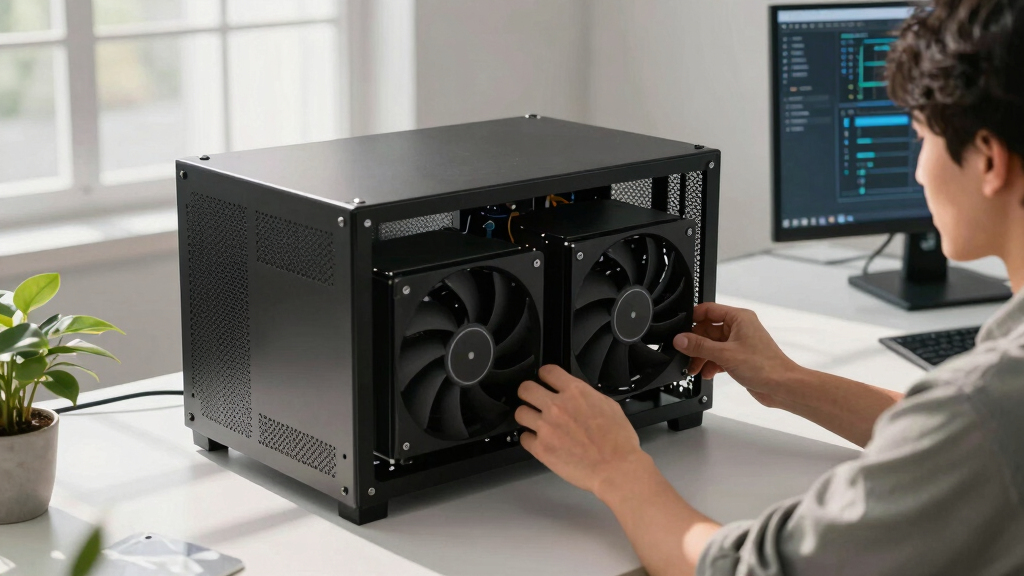
AI workstations running continuous inference tasks place persistent stress on GPUs, which operate at or near full load for hours. Unlike gaming PCs, which handle bursty loads, these systems produce continuous heat, primarily from GPUs, CPUs, and power supplies. The main source of noise is the fans, which run at high speeds to dissipate heat.
Confirmed solutions include undervolting GPUs to lower power consumption and heat output without sacrificing performance, and optimizing case airflow to prevent recirculation of hot air. Upgrading cooling components, such as high-quality fans or liquid cooling systems, can further reduce noise levels. Power supplies and VRMs also contribute to heat but are often overlooked in cooling strategies.
Experts emphasize that the most effective initial step is reducing heat at the source through undervolting and power capping, which can cut heat and noise significantly with minimal cost or effort. Proper case ventilation and component placement are also critical in maintaining lower temperatures and quieter operation.
An AI workstation isn’t a gaming PC —
and that’s why it runs hot.
Local inference is a sustained load: the GPU sits near full power for hours with no loading screens, so the heat never dissipates and the fans never get a break. Here’s where the heat comes from — and the five levers that reduce it.
Why Cooling Strategies Impact AI Workstation Performance and Comfort
Implementing proven cooling and noise reduction techniques in high-power AI workstations is essential for maintaining hardware longevity, ensuring stable performance, and creating a more comfortable working environment. These improvements can prevent thermal throttling, reduce fan wear, and lower ambient noise, making AI development and inference tasks more efficient and less disruptive.
high-performance GPU undervolting tools
As an affiliate, we earn on qualifying purchases.
As an affiliate, we earn on qualifying purchases.
Background on Heat and Noise Challenges in AI Workstations
Unlike gaming PCs, AI workstations handle continuous workloads that keep GPUs at high utilization levels for extended periods. This sustained load results in higher thermal output and fan noise. Prior to recent developments, many users relied on standard cooling solutions designed for bursty gaming loads, which are insufficient for continuous AI inference. Experts now recommend specific strategies such as undervolting and airflow optimization to address these issues effectively.
“Undervolting GPUs and optimizing airflow are the most cost-effective ways to reduce heat and noise without sacrificing performance in AI workstations.”
— Thorsten Meyer, AI hardware expert
liquid cooling system for AI workstation
As an affiliate, we earn on qualifying purchases.
As an affiliate, we earn on qualifying purchases.
Remaining Questions About Long-Term Cooling Effectiveness
It is not yet clear how long-term use of undervolting and power capping impacts hardware longevity and stability under different workloads. Further testing is needed to optimize cooling configurations for various AI inference scenarios.As an affiliate, we earn on qualifying purchases.
Next Steps for Optimizing High-Power AI Workstation Cooling
Future developments include more refined undervolting techniques, advanced cooling hardware, and integrated thermal management systems. Users should monitor hardware temperatures and noise levels continuously and adjust cooling setups accordingly. Ongoing research aims to establish standardized best practices for cooling high-power AI systems over extended periods.
quiet power supply for gaming and AI workstations
As an affiliate, we earn on qualifying purchases.
As an affiliate, we earn on qualifying purchases.
Key Questions
Can undervolting GPUs affect performance?
In most memory-bound inference workloads, undervolting reduces heat and noise without affecting performance significantly. However, aggressive undervolting may cause instability in some cases, so gradual adjustments and testing are recommended.
What cooling upgrades are most effective for noise reduction?
High-quality, low-noise fans, liquid cooling systems, and improved airflow with case fans positioned for optimal venting are proven to reduce noise levels effectively.
Is case ventilation more important than cooling hardware?
Proper case ventilation is critical; it ensures that heat is expelled efficiently, preventing recirculation and reducing the workload on cooling hardware, which in turn lowers noise and temperature.
How do power supplies contribute to heat in AI workstations?
Power supplies and VRMs generate heat when pushing high wattage continuously. Using high-efficiency PSUs and adequate cooling for these components can help reduce overall system temperature and noise.
Source: ThorstenMeyerAI.com
Fall Picks
fall essentials
As an affiliate, we earn on qualifying purchases.