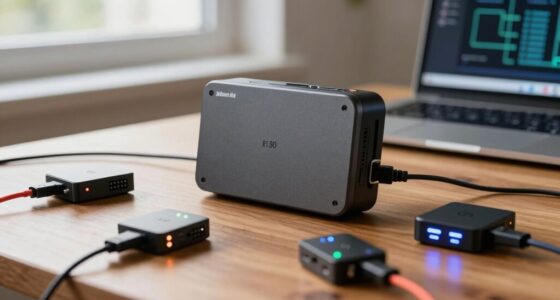
🔍 Read the full analysis: A Look At 10 Best External GPUs For AI And Creative Work In 2027 on ThorstenMeyerAI.com

Get business pricing on tech for your team
- Business-only prices and quantity discounts
- Tax-exempt purchasing
- Multiple users, one account, clear invoices
TL;DR
A buying guide from ThorstenMeyerAI.com compares 10 external GPU options for AI and creative workloads, ranking them by connectivity, compatibility and total cost. Its recommendations depend on having the right host port: Thunderbolt is more widely supported, while OCuLink can offer more bandwidth but is less common.
ThorstenMeyerAI.com has published its 2027 guide to 10 external GPU options for AI and creative work, ranking products by bandwidth, compatibility and cost. The guide names the Razer Core X V2 its general-purpose choice, while recommending OCuLink docks such as the MINISFORUM DEG1 for buyers whose computers support that less common connection.
The guide separates external GPU products into two broad groups: enclosures and docks that need a separately purchased graphics card, and integrated units that arrive with a GPU. That distinction affects both the initial cost and the ability to upgrade. The Razer Core X V2 is presented as a Thunderbolt 4 enclosure, while the guide describes the ASUS ROG XG Mobile and NIMO RX 7600M XT as integrated options.
For connectivity, the guide contrasts Thunderbolt 4’s 40Gbps link rate with OCuLink’s direct PCIe connection, which it says can provide up to 63Gbps. Those figures describe connection bandwidth, not guaranteed application performance. Results also depend on the host computer, graphics card, workload and setup. OCuLink’s higher bandwidth is useful only to buyers with a compatible port.
The guide also includes lower-cost DIY docks, including OwlTree and RGEEK options. These require buyers to source components such as a GPU and, depending on the dock, a power supply. The article frames them as flexible, lower-entry-cost choices for technically confident builders, rather than simple plug-and-play products.
The 10 picks
- 1
 GIGABYTE AORUS RTX 5090 AI Box External GPUView on Amazon →
- 2
 ASUS ROG XG Mobile (2025) External Graphics Card with NVIDIA GeForce RTX 5090View on Amazon →
- 3
 NIMO External Graphics Card Enclosure with AMD Radeon RX 7600M XTView on Amazon →
- 4
 NIMO External GPU Docking Station with AMD Radeon RX 7600M XT 8GB GDDR6View on Amazon →
- 5
 Razer Core X V2 External Graphics Enclosure (eGPU)View on Amazon →
- 6
 MINISFORUM DEG1 OCuLink eGPU DockView on Amazon →
- 7
 RGEEK PCIe 5.0 OCuLink eGPU Dock for External Graphics CardsView on Amazon →
- 8
 OCuLink PCIe 4.0 x4 eGPU Dock with 19.7-Inch CableView on Amazon →
- 9
 OwlTree PCIe 4.0 x4 eGPU Dock with OCuLink CableView on Amazon →
- 10
 OwlTree PCIe 3.0 x16 eGPU Dock with Thunderbolt 4 CableView on Amazon →
Matching the GPU to the Host Port
The main purchasing issue is not simply which graphics card is fastest: it is whether the computer can feed that card effectively. A high-end GPU connected over a bandwidth-limited interface may not deliver the performance a buyer expects, particularly in workloads that exchange data frequently between the host processor and GPU. The guide says Thunderbolt can limit some top-tier cards, but its cited 15–20% performance loss in CPU-bound scenarios is a source claim, not a universal result for every computer or application.
That matters for creative work and AI because users may be choosing an external GPU to accelerate rendering, editing or computation while keeping a compact laptop or mini PC. The connection, available memory, software support and workload all affect whether an eGPU is a practical improvement. Buyers should compare those requirements with the full setup cost, including the enclosure, graphics card, power supply and any separate laptop charger.
Convenience and upgradeability also pull in different directions. An integrated unit reduces assembly work but can limit future GPU upgrades; a dock with a replaceable card gives more flexibility while requiring more research and setup. The guide’s rankings are recommendations based on its stated criteria, not independent performance certification.
Products Worth Considering

Jackery HomePower 2000 Plus v2 Portable Power Station, 2048Wh
Bose SoundLink Max Portable Bluetooth Speaker, IP67 Waterproof, Black

DJI Osmo Action 5 Pro 4K Waterproof Action Camera with Dual OLED Touchscreens, Froggi 47-Piece Sport Kit and SD Card
As an affiliate, we earn on qualifying purchases.
Why Connection Type Shapes the List
The guide says it assessed products using bandwidth efficiency, compatibility and total cost of ownership. It favors broad compatibility for general buyers, which helps explain the Razer Core X V2’s top position, while giving OCuLink products appeal for enthusiasts with supported hardware.
Thunderbolt and USB4 connections are available on a wider range of computers than OCuLink, according to the guide’s comparison. OCuLink’s direct PCIe link can offer higher bandwidth, but it is not a universal port. The guide also notes that Thunderbolt enclosures may provide laptop charging through Power Delivery, while OCuLink setups generally use separate power and may need a separate laptop charger.
“The Razer Core X V2 stands out as the best overall choice for most users due to its universal Thunderbolt 4 compatibility and robust build, though it requires a separate graphics card.”
— ThorstenMeyerAI.com guide
Performance Claims Need Testing
The supplied guide material does not provide a full, verifiable list of all 10 products, current prices, detailed test methods or benchmark results for each configuration. It names the Razer Core X V2, ASUS ROG XG Mobile, MINISFORUM DEG1, NIMO RX 7600M XT, OwlTree and RGEEK options, but does not specify the other picks in the material provided. A complete 10-item ranking cannot be independently reconstructed from those details alone.
Some claims also need product- and system-specific confirmation. The guide describes the ASUS unit as pairing a custom NVIDIA RTX 5090 with proprietary connectivity and says Thunderbolt may reduce performance by 15–20% in certain CPU-bound cases. The provided material does not include test data, dates, configurations or independent verification for those figures. Buyers should check the exact product version, port support, power delivery, GPU configuration and compatibility before relying on them.
Verify Models Before Buying
Readers comparing these products should confirm that their laptop or mini PC supports the required connection, then check the manufacturer’s current specifications for GPU compatibility, power delivery and included components. For AI and creative workloads, they should also compare application-specific benchmarks using a similar host system rather than treating link bandwidth as a performance guarantee.
Because this is a buyer’s guide rather than a product launch, the next relevant development is updated pricing, availability and independent testing of the listed configurations. The supplied source material does not identify a scheduled test update or a publication date beyond its 2027 framing.
Key Questions
Which external GPU does the guide recommend for most users?
It names the Razer Core X V2 as its general-purpose choice, citing Thunderbolt 4 compatibility. It is an enclosure, so buyers must provide a separate graphics card.
Is OCuLink faster than Thunderbolt 4 for an external GPU?
The guide gives OCuLink a higher stated connection bandwidth, up to 63Gbps, compared with Thunderbolt 4’s 40Gbps link rate. That does not guarantee a particular performance gain, and OCuLink requires a compatible host port.
Which option is described as the best value?
The guide calls the MINISFORUM DEG1 its value pick for technically confident users. It is a dock, so the total price depends on the graphics card and other required components.
Are all 10 products named in the supplied source material?
No. The supplied material identifies several products and product families, but does not provide enough detail to verify or reproduce a complete list of 10 distinct picks.
Source: ThorstenMeyerAI.com