AI photo editing software ranges from quick, guided fixes to detailed tools for photographers who want control over every step. I’d put Adobe Creative Cloud Photography Plan first for its combination of Lightroom and Photoshop, while CyberLink PhotoDirector 2027 Ultra stands out for a Windows-focused editing and design workflow, and Adobe Photoshop Elements 2027 suits buyers who prefer guided editing without a full creative suite. The main tradeoffs are how much hands-on control you want, whether you need video tools or cloud storage, and whether a subscription or fixed-term license fits your workflow. Older versions and alternate license formats in this lineup may suit specific buyers, but they are not interchangeable with the newest edition. Read on for the full breakdown and help matching an editor to your needs.

Get business pricing on tech for your team
- Business-only prices and quantity discounts
- Tax-exempt purchasing
- Multiple users, one account, clear invoices
Key Takeaways
- Adobe Creative Cloud Photography Plan ranks first for buyers who want both Lightroom’s photo workflow and Photoshop’s detailed editing tools, rather than a single-purpose editor.
- CyberLink PhotoDirector 2027 Ultra is the strongest Windows-centered alternative here; its 2027 edition is a better fit than the 2026 version for shoppers prioritizing a current release.
- Photoshop Elements 2027 narrows the focus to photo editing, while the 2027 Elements & Premiere Elements bundle adds video editing for people who want both in one package.
- Lightroom plans differ in commitment, not just storage: the listed 12-month and 24-month options call for checking term length and included services before choosing.
- Luminar AI’s lifetime and two-seat listings may appeal to buyers who want a different licensing setup, but buyers should confirm platform coverage, seat limits, and update terms before purchase.
| CyberLink PhotoDirector 2027 Ultra Photo Editing and Design Software for Windows (PC Online Code) |  | Best All-in-One Creative Toolkit | Platform: Windows | Format: PC online code | Purchase model: Subscription-free; one-time purchase | VIEW LATEST PRICE | See Our Full Breakdown |
| Adobe Photoshop Elements & Premiere Elements 2027, AI-Powered Photo and Video Editing Software, 3-Year License, PC/Mac Online Code |  | Best for Guided Photo-and-Video Editing | Included software: Adobe Photoshop Elements & Premiere Elements 2027 | License term: 3 years | Platforms: Windows PC and macOS | VIEW LATEST PRICE | See Our Full Breakdown |
| CyberLink PhotoDirector 2026 Photo Editor for Windows |  | Best for Focused AI Cleanup | Version: 2026 | Platform: Windows download | Operating system requirement: Windows 11 | VIEW LATEST PRICE | See Our Full Breakdown |
| Adobe Lightroom with 1TB Cloud Storage, 24-Month Subscription, PC/Mac |  | Best for Cross-Device Photo Libraries | Subscription term: 24 months | Cloud storage: 1TB | Generative AI credits: 250 per month | VIEW LATEST PRICE | See Our Full Breakdown |
| Adobe Creative Cloud Photography Plan with 1TB Cloud Storage, 1-Year Subscription, PC/Mac Online Code |  | Best Premium AI Editing Suite | Subscription duration: 1 year | Included software: Photoshop, Lightroom desktop and mobile, and Lightroom Classic | Cloud storage: 1TB | VIEW LATEST PRICE | See Our Full Breakdown |
| Adobe Photoshop Elements & Premiere Elements 2026 Student & Teacher Edition, 3-Year Software License for PC and Mac | 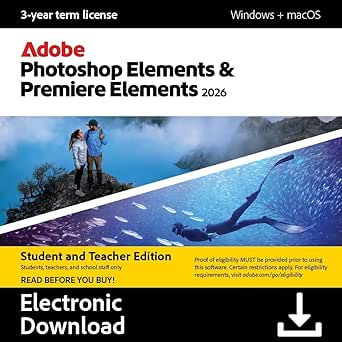 | Best for Photo-and-Video Projects | Included software: Adobe Photoshop Elements 2026 and Adobe Premiere Elements 2026 | Edition: Student & Teacher | License term: 3 years from redemption | VIEW LATEST PRICE | See Our Full Breakdown |
| CyberLink PhotoDirector 2027 Ultra Photo Editing Software for Windows (Product Key Card) |  | Best for AI Editing Without a Subscription | Platform: Windows | System requirements: 64-bit Windows 10 or 11, including Windows 11 on Arm | License: One-time purchase; no subscription | VIEW LATEST PRICE | See Our Full Breakdown |
| Skylum Luminar AI Photo Editing Software – Lifetime License for Desktop, Mobile, and Web |  | Best for Cross-Platform Editing | License: Lifetime | Platforms: Windows, macOS, iOS, Android, Web | Compatibility: Standalone app or plugin for Adobe Lightroom and Photoshop | VIEW LATEST PRICE | See Our Full Breakdown |
| Adobe Photoshop Elements 2027 Photo Editing Software, 3-Year License (PC/Mac, Online Code) |  | Best for Guided Photo Editing | License term: 3 years | Platform: Windows PC and Mac | Processor: 64-bit; Windows: Intel Core 9th Generation or newer or AMD equivalent with AVX2 and SSE4.2; Mac: Apple silicon M1 or newer | VIEW LATEST PRICE | See Our Full Breakdown |
| Luminar AI Photo Editing Software for Mac and Windows – 2 Seats |  | Best for Consistent AI Styling | Software type: AI-powered photo editor | Compatible operating systems: Windows 10, Mac OS X | Processor: 64-bit | VIEW LATEST PRICE | See Our Full Breakdown |
| Adobe Lightroom 1TB, 12-Month Subscription |  | Best for Cross-Device AI Photo Workflows | Subscription duration: 12 months | Cloud storage: 1TB | Generative AI credits: 250 per month | VIEW LATEST PRICE | See Our Full Breakdown |
More Details on Our Top Picks
CyberLink PhotoDirector 2027 Ultra Photo Editing and Design Software for Windows (PC Online Code)
PhotoDirector 2027 Ultra earns this role by bringing conventional photo adjustments, portrait retouching, design tools, and generative AI into one subscription-free Windows editor. Its AI options reach beyond cleanup: text-to-image, background replacement, object replacement, and image-to-video give creative users room to make assets as well as refine photos. Compared with CyberLink PhotoDirector 2026, this edition adds a broader generative toolkit and organization features such as AI search and smart collections. That breadth suits people who want one workspace for editing and side projects, while layers, masks, and batch editing support more deliberate workflows. The tradeoff is that generative features draw from 300 first-year credits, and both those credits and the included cloud storage are limited to the first year; ongoing AI-heavy use may bring extra costs.
Pros:- Combines color adjustments, layers, masks, batch editing, and portrait retouching in one editor.
- Offers generative tools for text-to-image, image-to-video, background replacement, and object replacement.
- AI search, face and text tags, and metadata support help manage growing photo libraries.
- Includes 25 GB of cloud storage and 300 AI credits for the first year.
Cons:- Generative AI features use credits, and additional use may cost extra.
- The included AI credits and cloud storage last only for the first year.
- Windows-only availability excludes Mac users.
Best for: Windows users who want traditional photo editing, portrait retouching, graphic design, and generative tools in one subscription-free application.
Not ideal for: Mac users or anyone planning frequent AI generation who wants predictable ongoing access without credit limits or possible extra charges.
- Platform:Windows
- Format:PC online code
- Purchase model:Subscription-free; one-time purchase
- Included cloud storage:25 GB for 1 year
- Included AI credits:300 for the first year
- Editing tools:Color and tone adjustments, layers, masks, batch editing, denoise, lens correction, HDR effects, and photo retouching
- AI features:Edit by Chat, Text to Image, Image to Video, AI Try-On, AI Replace, Face Swap, and AI Background Replacement
- Organization tools:AI photo search, smart collections, albums, face and text tags, calendar view, and EXIF/IPTC support
Our verdict“Choose PhotoDirector 2027 Ultra if you want a wide creative toolkit on Windows and can work within its first-year AI credit allowance.”
Adobe Photoshop Elements & Premiere Elements 2027, AI-Powered Photo and Video Editing Software, 3-Year License, PC/Mac Online Code
Photoshop Elements & Premiere Elements 2027 is the approachable pick for people who want AI-assisted photo editing alongside practical video work. Quick, Guided, and Advanced modes let a beginner follow instructions for tasks such as distraction removal or background replacement, while experienced editors can move into less guided controls. That makes the bundle easier to approach than the more open-ended Adobe Creative Cloud Photography Plan, though the latter includes full Photoshop and Lightroom tools for a broader professional workflow. Premiere Elements adds trimming, reframing, effects, music, and color correction, so this package serves households making both still images and short videos. The tradeoff is a three-year license rather than an ongoing plan, plus demanding system requirements, online activation, and substantial disk space needs.
Pros:- Includes both photo and video editing applications.
- Quick, Guided, and Advanced modes accommodate different editing skill levels.
- AI tools can remove distractions, sharpen details, replace backgrounds, and create images from text prompts.
- Automatic sorting, tagging, curation, and face recognition help organize media.
Cons:- Internet access is required for activation and downloading online content.
- Requires recent operating systems and processors; Windows on ARM and Intel Macs are not supported.
- Needs substantial storage, with additional space required for online content and temporary files.
Best for: PC or Mac users who want guided AI photo edits and basic video projects in a single three-year software license.
Not ideal for: Photographers seeking full Photoshop and Lightroom workflows, or owners of older computers that do not meet the listed OS and processor requirements.
- Included software:Adobe Photoshop Elements & Premiere Elements 2027
- License term:3 years
- Platforms:Windows PC and macOS
- Delivery and activation:Online code; internet connection required
- Minimum operating systems:Windows 11 version 24H2 or later, 64-bit; macOS 15.5 or later, or macOS 26.5 or later
- Memory:8 GB minimum; 16 GB recommended for HD and 32 GB or more for 4K
- Storage:14.7 GB for Windows; 12 GB for macOS
- AI editing tools:Distraction removal, detail sharpening, background replacement, and text-prompt image and title-art creation
Our verdict“Pick this bundle if guided photo editing and accessible video tools matter more than a full professional Photoshop and Lightroom setup.”
CyberLink PhotoDirector 2026 Photo Editor for Windows
CyberLink PhotoDirector 2026 focuses its AI on improving existing photos: it can remove objects and wires, denoise or deblur images, and retouch faces and bodies. Quick Actions analyze an image and apply personalized edits, which can reduce the number of manual adjustments needed before sharing. Compared with the more expansive PhotoDirector 2027 Ultra, this 2026 edition has a narrower feature brief: it emphasizes cleanup, enhancement, and retouching rather than text-to-image creation, image-to-video, and a larger design toolkit. Layers, color controls, and visual effects still offer room for hands-on edits after the AI pass. The main limitations are its Windows 11 requirement and a retouching approach that can reshape facial or body features, which may not suit naturalistic editing preferences.
Pros:- AI object and wire removal can clean up distracting elements in a photograph.
- Image enhancement includes denoising, deblurring, and face retouching.
- Layers and color controls allow edits beyond automated fixes.
- Quick Actions analyze photos and apply personalized adjustments.
Cons:- Requires Windows 11.
- Face and body retouching can reshape features in ways some users may find unnatural.
- Its AI toolset is narrower than the generative and design features in PhotoDirector 2027 Ultra.
Best for: Windows 11 users who mainly want AI-assisted object and wire removal, image enhancement, and portrait retouching.
Not ideal for: Mac users, people on older Windows versions, or photographers who want generative design and image-to-video tools.
- Version:2026
- Platform:Windows download
- Operating system requirement:Windows 11
- AI cleanup:Object removal and wire removal
- AI enhancement:Image enhancement and Quick Actions
- Portrait tools:Face and body retouching
- Editing features:Layer editing, color controls, visual effects, and photo retouching
Our verdict“Choose PhotoDirector 2026 if your priority is cleaning up and enhancing photos on Windows 11 rather than creating AI-generated assets.”
Adobe Lightroom with 1TB Cloud Storage, 24-Month Subscription, PC/Mac
Adobe Lightroom with 1TB Cloud Storage is built for photographers who want their library and edits available across desktop, mobile, and web. Lightroom handles connected workflows, while Lightroom Classic supplies a desktop-focused option for photographers who prefer a traditional local-library setup. AI tools such as Generative Remove, Lens Blur, Quick Actions, and generative upscaling bring cleanup and creative refinements into that organizing workflow. Compared with the Adobe Creative Cloud Photography Plan, this option centers on Lightroom applications and cloud syncing rather than also including Photoshop; it also has fewer monthly generative credits. In exchange, the straightforward Lightroom focus may suit people who do not need a separate pixel-level design application. The tradeoff is a 24-month subscription, and Classic does not extend to mobile or web.
Pros:- Lightroom works across desktop, mobile, and web, with Lightroom Classic included for desktop.
- 1TB of cloud storage supports syncing a large photo library across devices.
- AI features include Generative Remove, Lens Blur, Quick Actions, and generative upscaling.
- Includes 250 generative AI credits each month.
Cons:- Access is limited to a 24-month subscription term.
- Lightroom Classic is available on desktop only.
- Does not include Photoshop, unlike the Adobe Creative Cloud Photography Plan.
Best for: Photographers who edit across desktop, mobile, and web and want a large synced library with Lightroom and Lightroom Classic.
Not ideal for: Editors who need Photoshop for layered composites and graphic design, or buyers who do not want a time-limited subscription.
- Subscription term:24 months
- Cloud storage:1TB
- Generative AI credits:250 per month
- Compatible platforms:PC and Mac
- Access:Desktop, mobile, and web
- Included applications:Lightroom and Lightroom Classic
- AI tools:Generative Remove, Lens Blur, Quick Actions, and generative upscaling
- Delivery format:Digital download / online code
Our verdict“Choose this Lightroom subscription if synced photo management matters more than Photoshop’s wider compositing and design tools.”
Adobe Creative Cloud Photography Plan with 1TB Cloud Storage, 1-Year Subscription, PC/Mac Online Code
Adobe Creative Cloud Photography Plan is the broadest choice here for users who want AI photo editing plus room for detailed compositing and design. It combines full Photoshop with Lightroom and Lightroom Classic, so a photographer can organize and adjust a library in Lightroom, then move to Photoshop for layered edits or more elaborate creative work. Its 1TB of cloud storage and cross-device syncing support a connected workflow, while 1,000 monthly generative AI credits give it a much larger stated allowance than the Lightroom subscription in this lineup. That makes it a stronger fit for frequent AI-assisted creation, though it is still a subscription rather than a one-time purchase. Activation and online services require an internet connection and Adobe ID, and its roughly 28GB storage requirement and memory needs call for a capable computer.
Pros:- Includes Photoshop, Lightroom, and Lightroom Classic for distinct editing and organization workflows.
- Generative AI supports prompt-based editing, upscaling, object removal, and creative design.
- Provides 1TB of cloud storage and file synchronization across devices.
- Includes 1,000 monthly generative AI credits.
Cons:- Requires an internet connection and Adobe ID for activation and ongoing online services.
- The one-year subscription does not provide perpetual access.
- Requires about 28GB of available storage and at least 8GB of RAM.
Best for: Photographers and designers who want Photoshop’s layered editing alongside Lightroom library management, cloud syncing, and frequent generative AI use.
Not ideal for: Casual editors who only need basic photo cleanup, want a one-time license, or prefer to avoid Adobe ID and ongoing online service requirements.
- Subscription duration:1 year
- Included software:Photoshop, Lightroom desktop and mobile, and Lightroom Classic
- Cloud storage:1TB
- Generative AI credits:1,000 per month
- Platforms:PC and Mac; Lightroom mobile supports iOS, iPadOS, and Android
- System memory:8GB minimum; 16GB or more recommended
- Available storage required:Approximately 28GB
- Internet requirement:Required for activation, subscription validation, cloud sync, and online features
- Delivery and activation:Online code; Adobe ID required
Our verdict“Choose this plan if you need Photoshop alongside Lightroom and expect to use generative AI regularly throughout the year.”
Adobe Photoshop Elements & Premiere Elements 2026 Student & Teacher Edition, 3-Year Software License for PC and Mac
Photoshop Elements & Premiere Elements 2026 is the most versatile pick here for students and teachers who want AI-assisted photo editing alongside video tools in one package. Its Quick, Guided, and Advanced modes offer a gentler learning path than a full professional editor, while still leaving room to take more control. Compared with the photo-only Adobe Photoshop Elements 2027, this edition adds video projects, including 360° and VR footage, stop-motion movies, and slideshows. That breadth suits class projects and personal media collections, but it may be more software than someone needs for photo edits alone. The tradeoff is a three-year license, not perpetual access, and activation is required. The supplied system requirements also name Windows 11 or macOS without further version or hardware detail, so check compatibility before redeeming.
Pros:- Combines AI-assisted photo editing with video editing in one package.
- Quick, Guided, and Advanced modes accommodate different skill levels.
- Supports 360° and VR footage, stop-motion movies, collages, and slideshows.
- Includes creative tools such as effects, titles, transitions, and animations.
Cons:- Access ends after the three-year license term.
- Activation is required.
- Operating system requirements are listed only broadly as Windows 11 or macOS.
Best for: Students and teachers who want guided AI photo editing plus video and multimedia project tools on a PC or Mac.
Not ideal for: Photo-only editors who want lasting access or need precise, detailed system requirements before purchase.
- Included software:Adobe Photoshop Elements 2026 and Adobe Premiere Elements 2026
- Edition:Student & Teacher
- License term:3 years from redemption
- Renewal:No automatic renewal
- Platforms:PC and Mac
- Delivery:Software download; online code
- Activation:Required
- Operating system requirements:Windows 11 or macOS
Our verdict“Choose this student-and-teacher edition if you want approachable AI photo editing with video and creative project tools, and are comfortable with a three-year license.”
CyberLink PhotoDirector 2027 Ultra Photo Editing Software for Windows (Product Key Card)
CyberLink PhotoDirector 2027 Ultra suits Windows users who want prompt-based edits and image-generation tools without a recurring software subscription. Alongside object removal and background replacement, it includes portrait retouching, restoration, batch editing, and photo organization, making it broader than a tool focused mainly on automated enhancements. Compared with Skylum Luminar AI, PhotoDirector adds stated photo organization and batch-editing features, which can help when working through a larger image collection. Its one-time software purchase is appealing, but the included 300 AI credits and 25GB of cloud storage are specified for the first year, so those inclusions should not be mistaken for permanent allowances. The product key card contains no disc, and an internet connection is required for downloading and using the software. It is a Windows-only option, not a fit for Mac users.
Pros:- Supports text-prompt editing, image generation, and object removal.
- Includes portrait retouching, photo restoration, batch editing, and organization tools.
- Software license is a one-time purchase with no subscription.
- Includes 25GB of cloud storage and 300 AI credits for the first year.
Cons:- Requires an internet connection.
- The key card has no disc; software must be downloaded.
- Cloud storage and AI credits are specified for the first year only.
Best for: Windows photo editors who want prompt-based AI tools, batch processing, and organization features without a software subscription.
Not ideal for: Mac users, offline editors, or buyers who expect the included AI credits and cloud storage to last beyond the first year.
- Platform:Windows
- System requirements:64-bit Windows 10 or 11, including Windows 11 on Arm
- License:One-time purchase; no subscription
- Delivery format:Physical product key card; software download required; no disc included
- Cloud storage:25GB for 1 year
- AI credits:300 for the first year
- Internet connection:Required
Our verdict“Pick PhotoDirector Ultra if you use Windows and want a broad AI editing toolkit with a one-time software license, while treating its cloud and credit allotments as limited-term extras.”
Skylum Luminar AI Photo Editing Software – Lifetime License for Desktop, Mobile, and Web
Skylum Luminar AI stands out for buyers who want automated photo enhancements across desktop, mobile, and web, with a stated lifetime license. Its toolset targets common high-effort edits—sky replacement, portrait retouching, object removal, and relighting—so it can speed up creative adjustments without requiring a long manual workflow. It can run as a standalone editor or as a plugin for Adobe Lightroom and Photoshop, giving existing Adobe users another route to AI-assisted edits. Compared with the Windows-only CyberLink PhotoDirector 2027 Ultra, Luminar lists support for several operating systems and common RAW, JPEG, and PNG files. The tradeoff is less clarity about which features are available on each platform and what hardware each version needs. Buyers who rely on a specific mobile or web tool should verify its availability before choosing this broad platform listing.
Pros:- Includes AI-assisted enhancements, portrait retouching, sky replacement, object removal, and relighting.
- Can run as a standalone editor or as a Lightroom and Photoshop plugin.
- Lists support for Windows, macOS, iOS, Android, and web.
- Lifetime license and support for RAW, JPEG, and PNG files.
Cons:- System requirements are not specified in the supplied product details.
- Feature availability by platform is unclear.
- The broad platform list may require buyers to verify compatibility for their particular device and workflow.
Best for: Photographers who want AI-assisted retouching across desktop and mobile, or a plugin option for Adobe Lightroom and Photoshop.
Not ideal for: Buyers who need clearly documented system requirements or confirmed feature parity across desktop, mobile, and web.
- License:Lifetime
- Platforms:Windows, macOS, iOS, Android, Web
- Compatibility:Standalone app or plugin for Adobe Lightroom and Photoshop
- Supported formats:RAW, JPEG, PNG
- Enhancement features:Auto enhancements, portrait retouching, sky replacement, object removal, relighting
- Creative features:Background editing, color grading, effects
Our verdict“Choose Luminar AI for a lifetime-licensed, multi-platform AI editor if its specific platform features meet your needs.”
Adobe Photoshop Elements 2027 Photo Editing Software, 3-Year License (PC/Mac, Online Code)
Adobe Photoshop Elements 2027 is the photo-focused choice for people who want AI-assisted edits, guided instruction, and image organization without stepping up to a broader video-editing suite. Quick, Guided, and Advanced modes let beginners follow structured edits and give experienced users more control, while tools for distraction removal, restoration, generated backgrounds, and automatic tagging cover both editing and library upkeep. Compared with the bundled Photoshop Elements & Premiere Elements 2026, this option drops video editing and centers its toolkit on still images. That makes the package more focused, but the three-year license still limits how long it can be used. Its system requirements are unusually specific: recent operating systems, compatible processors, and substantial storage are required, and Windows on ARM and Intel Macs are not supported. Activation and online downloads also require an internet connection.
Pros:- AI tools remove distractions, restore and enhance photos, and generate images or backgrounds.
- Quick, Guided, and Advanced modes support different levels of editing experience.
- Includes automatic tagging, curation, and face recognition for organizing photos.
- Offers creative tools for collages, photo reels, effects, text, graphics, and animation.
Cons:- The license lasts three years rather than providing perpetual access.
- Activation and downloads of features and online content require an internet connection.
- Requires recent operating systems and compatible hardware, with notable platform exclusions and substantial storage needs.
Best for: PC and Mac users who want guided AI photo edits, basic creative projects, and automatic photo organization in a photo-only package.
Not ideal for: People using Windows on ARM or Intel Macs, anyone with older hardware, or buyers seeking perpetual access or video editing.
- License term:3 years
- Platform:Windows PC and Mac
- Processor:64-bit; Windows: Intel Core 9th Generation or newer or AMD equivalent with AVX2 and SSE4.2; Mac: Apple silicon M1 or newer
- Operating system:Windows 11 version 24H2 or later; macOS 15.5 or later or macOS 26.5 or later
- Memory:8 GB required; 16 GB recommended
- Storage:9.6 GB available space for Windows; 7.2 GB for macOS
- Display:1280 x 800 minimum; 1920 x 1080 or higher recommended
- Graphics:1.5 GB GPU memory required on Windows; DirectX 12-compatible display driver
- Activation and installation:Internet connection required; installation on case-sensitive volumes or removable flash-storage devices is not supported
Our verdict“Choose Photoshop Elements 2027 if guided AI photo editing and organization matter more than video tools, and your computer meets its specific requirements.”
Luminar AI Photo Editing Software for Mac and Windows – 2 Seats
Luminar AI for Mac and Windows is aimed at photographers who want the software to handle prominent visual adjustments—such as skies, faces, skin, bodies, and atmosphere—with a relatively simple interface. Its templates give users a repeatable starting style, which is useful when editing a set of images that should feel cohesive. Compared with the broader, multi-platform Skylum Luminar AI lifetime-license edition, this listing names Mac and Windows support and specifies two seats, but it provides less detail about formats, platform-specific functions, and licensing duration. That makes it easier to identify as a two-seat desktop option, yet harder to assess as a long-term purchase from the supplied specifications. The listed 10GB memory requirement is also worth checking against the computer you plan to use, while the storage requirement is not stated as a clear capacity.
Pros:- AI tools target skies, faces, skin, bodies, and atmosphere.
- Templates help apply a consistent style across a group of photos.
- Designed with a simple interface for creative and professional use.
- Supports Mac and Windows and lists two seats.
Cons:- The supplied product details do not specify an exact storage capacity.
- Requires a 64-bit processor and 10GB of memory.
- License duration and supported file formats are not specified in the supplied details.
Best for: Two-person households or small creative teams using Mac or Windows who want AI-assisted portrait and sky edits with repeatable templates.
Not ideal for: Buyers who need clearly stated storage requirements, detailed format support, or confirmation of a lifetime license for this specific listing.
- Software type:AI-powered photo editor
- Compatible operating systems:Windows 10, Mac OS X
- Processor:64-bit
- Memory:10 GB
- Storage requirement:Mac OS 10.13 available space; exact capacity not specified
- Seats:2
- AI editing targets:Skies, faces, skin, bodies, and atmosphere
- Editing aid:Templates for consistent photo styling
Our verdict“Choose this two-seat Luminar AI listing if you want streamlined AI styling on Mac or Windows, but verify storage and license details before buying.”
Adobe Lightroom 1TB, 12-Month Subscription
Lightroom’s strongest advantage is a connected editing workflow: its desktop, mobile, and web apps sync through 1TB of cloud storage, so a photo library can move between devices without relying on separate manual transfers. AI tools include Generative Remove, Lens Blur, and generative upscaling, giving it more than basic one-tap enhancement. Compared with Adobe Photoshop Elements 2027, this subscription is better suited to photographers who want an ongoing, synced library rather than a standalone editing license. Lightroom Classic also adds a desktop-focused option for organizing and editing larger collections. The tradeoff is that generative features draw from 250 monthly credits, so frequent AI use has a defined limit, and the subscription auto-renews. Buyers who prefer a one-time or fixed-term license may find Elements or Luminar AI a better fit.
Pros:- Generative Remove, Lens Blur, and generative upscaling support several distinct AI editing tasks.
- Lightroom and Lightroom Classic offer both cloud-connected and desktop-focused workflows.
- 1TB of cloud storage syncs photos across PC, Mac, mobile, and web.
- 250 monthly generative AI credits are included.
Cons:- The subscription automatically renews, so buyers must manage renewal settings if they want it to end.
- Generative AI use is limited by a monthly credit allowance.
- The ongoing subscription may not suit buyers who prefer a standalone license such as Adobe Photoshop Elements 2027.
Best for: Photographers who edit across desktop and mobile and want a large cloud-synced library with AI retouching tools.
Not ideal for: Buyers seeking a non-renewing license, or anyone who expects to use generative AI heavily beyond the monthly credit allowance.
- Subscription duration:12 months
- Cloud storage:1TB
- Generative AI credits:250 per month
- Platforms:PC, Mac, mobile, and web
- Included apps:Lightroom and Lightroom Classic
- AI features:Generative Remove, Lens Blur, and generative upscaling up to 4x
- Delivery format:Digital download
- Renewal:Auto-renewal
Our verdict“Choose this Lightroom subscription if cross-device syncing and a broad set of AI photo tools matter more than avoiding auto-renewal or monthly generative-credit limits.”

How We Picked
I ranked these options by how well they address the real jobs people seek from AI photo editing software: making edits faster, improving images without a steep learning curve, and retaining enough control for personal or creative work. I also weighed workflow fit, including whether a product focuses on photo editing, includes video tools, supports cloud-based photo organization, or targets Windows, Mac, mobile, and web use. A broad toolset earned an advantage only when it matched a clear buyer need; extra features alone did not automatically make a product a better pick.
The order favors current, flexible options first, followed by focused editors and then variations that mainly differ by year, bundle, license term, or delivery format. That puts the Creative Cloud Photography Plan ahead for versatility, with PhotoDirector 2027 Ultra as a strong Windows alternative and Photoshop Elements 2027 as a more approachable photo-only choice. I treated the 2026 editions, education listing, and alternate Lightroom or Luminar licenses as narrower fits because buyers need to weigh edition differences, eligibility, platform support, and license terms before selecting them.
Factors to Consider When Choosing AI Photo Editing Software
Before choosing a tool, match its editing approach and license to the way you actually handle photos. These broader checks can prevent a common mismatch: paying for a broad creative suite when you need guided fixes, or choosing a simple editor that leaves you short on control.
Choose Between Guided Edits and Manual Control
AI features can mean anything from one-click suggestions to tools that help with a specific step while leaving the rest of the edit to you. Decide how much you want the software to make choices on your behalf before comparing feature lists. Guided workflows can save time on routine corrections, but they may offer less flexibility when you want a distinctive result. A layered or more advanced editor gives you room to refine an AI-assisted edit, though it can take longer to learn. A common mistake is choosing by the number of AI tools rather than asking whether those tools fit your editing habits. If you regularly adjust images in stages, prioritize control and the ability to revisit changes; if you mostly want quick improvements, prioritize clarity and speed.
Think About Your Whole Workflow, Not Just the Edit
Editing is only one part of managing a photo library: importing, sorting, finding, sharing, and storing images can shape your day-to-day experience just as much. A cloud-centered workflow may help when you work across devices, while a desktop-first editor may make more sense if you keep projects on one computer. Before selecting a plan, check what storage is included and whether it covers the amount and type of work you produce. Do not assume that cloud storage means every file, feature, or device is covered in the same way. Buyers who rarely edit away from a desktop may have little reason to prioritize sync features. Those who switch between devices should check supported platforms and how their catalog and edits move between them.
Compare License Lengths and Edition Years
A software listing’s edition year and license duration affect more than the label on the package: they shape how long you can use the included software and which release you receive. This roundup includes 2026 and 2027 editions, along with 12-month, 24-month, three-year, and lifetime listings. Check the exact license terms, renewal expectations, and update policy before buying rather than assuming a longer term includes every future release. An older edition may still fit a buyer who needs its stated tools, but it should not be treated as equivalent to the newer version. Product-key cards and online codes describe delivery formats, so confirm what is provided and how activation works. When two listings appear similar, compare the included applications and term first, not just the product name.
Pay for Bundles Only When You Need Their Extra Apps
Bundles can be useful when their extra applications match work you already do; otherwise, they can add complexity without improving your photo workflow. The Elements & Premiere Elements option includes video editing, while Photoshop Elements focuses on photos. A Lightroom-and-Photoshop plan serves a different purpose by pairing photo organization and editing with a broader image-editing toolset. Before paying for more software, list the tasks you expect to handle in a typical month and identify which app would handle each one. Buyers who only edit still photos may prefer a focused product over a bundle. Creators who regularly work with both photos and video may value a combined package, but should check that its editing style suits their projects.
Check Platform, Eligibility, and Seat Limits
Platform labels and license restrictions can rule out a product before its editing features matter. Some listings here target Windows, while others name PC and Mac or include desktop, mobile, and web access. Confirm support for your operating system and the devices you plan to use; do not rely on a general product-family name to establish compatibility. The Student & Teacher Edition also calls for checking eligibility requirements before purchase. A two-seat license may be useful for more than one eligible installation, but verify what the vendor counts as a seat and whether simultaneous use is permitted. These checks are especially valuable when buying for a household, classroom, or mixed-device workflow.
Frequently Asked Questions
Should I choose Lightroom or the Creative Cloud Photography Plan for photo editing?
Choose Lightroom when your main needs are photo organization, editing, and a workflow tied to its cloud storage offering. The Creative Cloud Photography Plan adds Photoshop, which is useful when you need more detailed image manipulation alongside Lightroom. That extra flexibility can make it a better fit for varied creative work, but it also means learning and using another application. Compare the exact term and included services of the listings rather than assuming every plan with “1TB” has identical terms. If you rarely need Photoshop-style tools, a Lightroom-only plan may be the simpler match.
Is Photoshop Elements 2027 a better beginner choice than CyberLink PhotoDirector 2027 Ultra?
They serve different kinds of beginners, so the better choice depends on whether you value a photo-focused approach or a Windows-based editing and design workflow. Photoshop Elements 2027 is the more direct option if you want to concentrate on still photos. PhotoDirector 2027 Ultra may suit someone looking for a broader Windows editing environment, but its range can take more time to explore. Check current feature details and system support before buying, since product names alone do not explain how guided or advanced a workflow feels. If video editing matters too, compare the separate Elements & Premiere Elements bundle rather than assuming either photo editor includes it.
Is it worth choosing the Elements & Premiere Elements bundle if I mainly edit photos?
It is most useful when you also expect to edit video and want the two applications in one package. If your work is almost entirely still photography, Photoshop Elements 2027 is the more focused listing and may be easier to match to that need. A bundle does not automatically improve photo edits; its value depends on whether you will use the added video tools. Check the exact edition and license term, since this lineup includes both a 2027 bundle and a separate student and teacher edition from 2026. Confirm education eligibility before buying the latter.
What should I verify before buying a lifetime or two-seat Luminar AI license?
Read the license details closely: confirm which operating systems and devices are supported, what “lifetime” covers, and whether it includes updates or only continued use of a particular release. For the two-seat listing, check whether both seats can be used at once and how they are assigned. The product names also describe different access arrangements, so do not assume the lifetime and two-seat versions include the same services. Confirm whether the listed desktop, mobile, and web access applies to the version you are buying. These checks help prevent a license that sounds flexible from falling short of your actual setup.
Should I buy the 2026 edition or the 2027 edition of the same software?
Start by checking the software vendor’s feature comparison and the exact license terms for both listings. A newer year identifies a newer edition, but it does not by itself tell you which features changed or whether those changes matter for your work. The 2026 CyberLink and Elements listings may fit buyers who have a specific edition or eligibility requirement in mind, while the 2027 versions are the clearer match for shoppers seeking the current listed release. Confirm operating-system compatibility and whether your intended features are included. Avoid treating two editions as interchangeable just because their names are similar.
Conclusion
Best overall: I recommend the Adobe Creative Cloud Photography Plan for buyers who want Lightroom and Photoshop in one workflow. Best value: CyberLink PhotoDirector 2026 is the focused alternative to compare when its edition and Windows support match your needs, while buyers prioritizing a newer release should look at PhotoDirector 2027 Ultra. Best premium: the Creative Cloud plan is also the strongest fit for people who will use both applications and value a broader toolkit. Best for beginners: Photoshop Elements 2027 keeps the choice centered on photo editing; choose the Elements & Premiere Elements bundle instead if video work is part of the plan. For specific licensing needs, compare Lightroom’s 12- and 24-month options or the Luminar lifetime and two-seat listings only after checking term, platform, and seat details. The right pick is the one whose editing style and license match the way you actually work.