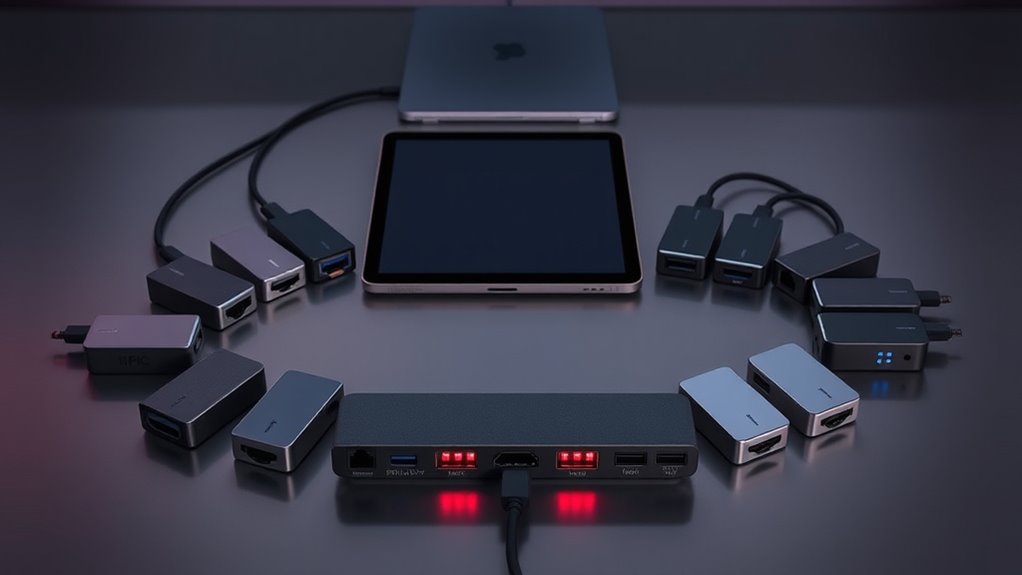

If you’re looking to expand your iPad Pro’s capabilities with a USB-C hub, you’re facing a range of options that vary in features, price, and build quality. The best hubs offer fast data transfer, reliable power delivery, and multiple ports, but often require tradeoffs between size, compatibility, and affordability. The iPad Pro USB-C Hub, 7-in-1 Adapter stands out as the overall top pick for its versatility and robust feature set. The UGREEN Revodok Pro provides a high-speed connection with minimal fuss, making it a great choice for power users. Keep reading for a detailed breakdown of these options to find the perfect fit for your needs.

Get business pricing on tech for your team
- Business-only prices and quantity discounts
- Tax-exempt purchasing
- Multiple users, one account, clear invoices
Key Takeaways
- Multiple ports are common, but not all support 4K at 60Hz, which is key for high-quality video output.
- Power delivery (PD) capability varies, affecting whether the hub can charge your iPad while in use—important for long work sessions.
- Build quality and size differ significantly; some hubs are compact but lack durability, while larger stations often include more ports.
- Compatibility with different iPad Pro models and iOS updates influences long-term usability—choose a hub with broad support.
- Price often correlates with features; premium hubs tend to offer faster data transfer and more reliable power delivery, but budget options can suffice for basic needs.
| iPad Pro USB-C Hub, 7-in-1 Adapter for iPad Pro, iPad Air, iPad Mini – 4K HDMI, USB-C PD, SD/TF Card Reader, USB 3.0, Headphone Jack |  | Best Overall for Versatile Connectivity | Compatibility: iPad Pro 13-inch/11-inch/12.9-inch M4 M2 M1, iPad Air 5, iPad mini 6 | HDMI Output: 4K UHD at 30Hz | Audio: 3.5mm headphone jack with Hi-Res sound up to 384kHz-32bit | VIEW ON AMAZON | See Our Full Breakdown |
| USB C Hub for iPad Pro 9-in-1 Adapter with 4K HDMI, USB-C PD, SD/TF Card Reader, USB 3.0, 3.5mm Headphone Jack, Type C Data |  | Best for Compact Multi-Device Use | Hardware Interface: HDMI, MicroSD, USB, USB 3.0, USB Type C | Additional Features: Fast Charging, Fast Data Transfer, Lightweight, Plug and Play | Compatible Devices: iPad Pro 13″ (M4), iPad Pro 11″ (M4), iPad Air 13″ (M2), iPad mini 6 | VIEW ON AMAZON | See Our Full Breakdown |
| USB C Hub for iPad Pro, Multiport Docking Station with 4K HDMI, 100W Power Delivery, SD/TF Card Reader, 3 USB A, 3.5mm Audio Jack, 9-in-1 |  | Best for Productivity and High-Quality Video | Number of Ports: 9 | HDMI Output: 4K@60Hz | Power Delivery: 100W | VIEW ON AMAZON | See Our Full Breakdown |
| UGREEN Revodok Pro USB-C Hub 6-in-1 with 10Gbps, 4K HDMI, 100W Power Delivery |  | Best for High-Speed Data and Versatility | Number of ports: 6 | USB-C ports: 2 | USB-A ports: 2 | VIEW ON AMAZON | See Our Full Breakdown |
| iPad Pro USB C Hub Adapter for iPad Pro 2024 M4 M2 M1, 7-in-1 Hub with 4K@60Hz HDMI, 3.5mm Jack, USB 3.0, PD 60W, SD/TF Card Slot, iPad Air 4/5, iPad mini 6, iPad Pro Accessories |  | Best for Latest iPad Models and Balanced Features | Compatibility: iPad Pro 2024, 2022, 2021, 2020; iPad Air 4/5; iPad mini 6 | HDMI Output: 4K@60Hz | USB Ports: USB 3.0, SD/TF | VIEW ON AMAZON | See Our Full Breakdown |
| 7-in-1 Adapter for iPad Pro and iPad Air – 4K HDMI, USB-C PD Charging, 3.5mm Audio, USB 3.0, SD/MicroSD Card Reader |  | Best Overall for Versatile Connectivity | Compatibility: iPad Pro M1/M2/M4, 11/12.9 inch, iPad Air 5 | Ports: HDMI 4K@60Hz, USB-C PD 100W, 3.5mm audio, USB 3.0, SD/microSD card reader | Video Output: 4K HDMI at 60Hz | VIEW ON AMAZON | See Our Full Breakdown |
| Anker USB-C Hub, 7-in-1 Multi-Port USB Adapter for Laptop and Mac |  | Best for Sleek, Portable Performance | Hardware Interface: USB 3.0 | HDMI: Yes, 4K@60Hz | SD/TF Card Reader: Yes | VIEW ON AMAZON | See Our Full Breakdown |
| iPad Pro USB C Hub Stand, Multiport Adapter for iPad Pro M1/M2/M3/M4, 13/12.9/11 Inch, iPad Air Docking Station, 4K HDMI, PD Charging, SD/TF Card Reader, 3 USB 3.0, 3.5mm Audio |  | Best for Versatile, Desktop-Style Setup | Hardware Interface: 3.5mm Audio, HDMI, MicroSD, USB 3.0 Type A, USB Type C | Compatible Devices: Macbook M1/M2/M3, iPad Air/Pro, iMac, Steam Deck, Smartphones, Nintendo Switch | Total USB Ports: 3 | VIEW ON AMAZON | See Our Full Breakdown |
| usbc hubs for ipad pro | Power Delivery |
|---|---|
| iPad Pro USB-C Hub | 100W pass-through charging |
| USB C Hub for iPad Pro 9-in-1 | — |
| USB C Hub for iPad Pro | 100W |
| UGREEN Revodok Pro USB-C Hub 6 | 100W |
| iPad Pro USB C Hub Adapter for | 60W |
| 7-in-1 Adapter for iPad Pro an | — |
| Anker USB-C Hub | — |
| iPad Pro USB C Hub Stand | — |
More Details on Our Top Picks
iPad Pro USB-C Hub, 7-in-1 Adapter for iPad Pro, iPad Air, iPad Mini – 4K HDMI, USB-C PD, SD/TF Card Reader, USB 3.0, Headphone Jack
This 7-in-1 hub stands out for its broad compatibility and comprehensive port selection, making it a strong choice for users who want an all-in-one solution. Compared with the iPad Pro USB C Hub Adapter for iPad Pro 2024, it offers similar port options but includes a headphone jack with Hi-Res audio, which some other hubs lack. The inclusion of 4K HDMI at 30Hz suits most casual media needs, but for smoother video, the USB C Hub for iPad Pro 9-in-1 supports 4K at 60Hz. The tradeoff here is that this hub is designed for thinner cases, so it might feel loose with thicker ones, and compatibility is limited to certain iPad models. This pick makes the most sense for those who need a versatile, all-in-one hub that combines multimedia and data transfer in a single package.
Pros:- Expands iPad connectivity with multiple ports including HDMI, USB, and card readers
- Supports 4K video output for high-quality display sharing
- Provides fast data transfer and 100W charging pass-through
Cons:- Designed for slim cases; may feel loose with thicker cases
- Limited to specific iPad models; not universal
Best for: Power users who want maximum port variety and multimedia support in a single device
Not ideal for: Users with thick cases or those needing universal compatibility beyond specific iPad models
- Compatibility:iPad Pro 13-inch/11-inch/12.9-inch M4 M2 M1, iPad Air 5, iPad mini 6
- HDMI Output:4K UHD at 30Hz
- Audio:3.5mm headphone jack with Hi-Res sound up to 384kHz-32bit
- USB Ports:USB 3.0 port for data transfer at 5Gbps
- Card Readers:SD and MicroSD card slots
- Power Delivery:100W pass-through charging
Our verdict“Ideal for users seeking a comprehensive, multi-port hub for multimedia, data, and charging needs on compatible iPads.”
USB C Hub for iPad Pro 9-in-1 Adapter with 4K HDMI, USB-C PD, SD/TF Card Reader, USB 3.0, 3.5mm Headphone Jack, Type C Data
This 9-in-1 hub excels in portability and broad device compatibility, making it ideal for those who need a lightweight yet versatile accessory. Unlike the iPad Pro USB C Hub, 7-in-1 Adapter, it adds a dedicated 4K HDMI at 60Hz, appealing to users who prioritize smoother video. The inclusion of multiple port types — HDMI, SD/TF, USB-A, USB-C — offers a comprehensive solution for multimedia and file management. However, it requires a 30W or higher power adapter for full charging capabilities, which could be inconvenient for on-the-go users. Its size may feel bulky compared to the UGREEN Revodok Pro, which is more streamlined. This hub makes sense for users who want a portable, all-in-one device compatible with a variety of tablets and smartphones.
Pros:- Expands a single USB-C port into multiple useful ports including HDMI, SD, TF, and USB-A
- Supports 4K video output at 60Hz for smooth visuals
- Provides up to 100W pass-through charging for full device power
Cons:- Requires a 30W+ power adapter for full charging support
- Some may find the size bulky for pocket portability
Best for: Mobile professionals and content creators needing a portable, multi-device hub
Not ideal for: Those who prefer a smaller, more streamlined hub for minimal use or are limited by power source availability
- Hardware Interface:HDMI, MicroSD, USB, USB 3.0, USB Type C
- Additional Features:Fast Charging, Fast Data Transfer, Lightweight, Plug and Play
- Compatible Devices:iPad Pro 13″ (M4), iPad Pro 11″ (M4), iPad Air 13″ (M2), iPad mini 6
- Total USB Ports:9
- Data Transfer Rate:5 Gigabits Per Second
- Enclosure Material:Aluminum
Our verdict“Best suited for users who need a multi-port, portable hub compatible with various devices, prioritizing versatility over compactness.”
USB C Hub for iPad Pro, Multiport Docking Station with 4K HDMI, 100W Power Delivery, SD/TF Card Reader, 3 USB A, 3.5mm Audio Jack, 9-in-1
This 9-in-1 hub offers high-performance features like 4K@60Hz HDMI output and 100W pass-through charging, making it suitable for demanding productivity tasks. Its support for 4K at 60Hz surpasses many competitors like the iPad Pro USB-C Hub, 7-in-1 which only offers 30Hz at 4K, appealing to users who want smoother visuals for presentations or editing. The inclusion of multiple USB-A ports and card slots enhances data transfer flexibility. A key drawback is that it requires a 30W or higher power adapter for optimal charging, which can add complexity. Its larger size might not suit those seeking ultra-portability. This hub is ideal for professionals who need high-quality video and multiple device connections while working at a desk.
Pros:- Supports 4K@60Hz HDMI output for fluid high-resolution display
- Enables multiple device connections with three USB-A ports and card readers
- Offers 100W Power Delivery for fast charging
Cons:- Requires a 30W+ power adapter for full charging capability
- Size may be bulky for portable or travel use
Best for: Professionals needing a high-performance dock for presentations, editing, and multitasking
Not ideal for: Travelers or users with limited desk space who prefer smaller, lighter hubs
- Number of Ports:9
- HDMI Output:4K@60Hz
- Power Delivery:100W
- USB Ports:3 USB 3.0
- SD Card Reader:Yes
- MicroSD Card Reader:Yes
Our verdict“Perfect for productivity-focused users who prioritize high-quality video output and multiple device connections at their workspace.”
UGREEN Revodok Pro USB-C Hub 6-in-1 with 10Gbps, 4K HDMI, 100W Power Delivery
The UGREEN Revodok Pro stands out for its high data transfer speeds and balanced port selection, making it ideal for users who need rapid file transfers alongside high-quality video. Its two USB-C ports and two USB-A ports support data speeds up to 10Gbps, surpassing many competitors like the iPad Pro USB C Hub, 7-in-1 Adapter, which offers standard USB 3.0 speeds. The 4K HDMI at 60Hz complements the fast data transfer, while the 100W Power Delivery ensures quick charging. However, it’s limited to devices with compatible USB-C ports and offers no extra ports beyond the six included, which could restrict use for some. This model makes sense for professionals working with large files and high-resolution displays simultaneously.
Pros:- Supports high-speed data transfer up to 10Gbps
- Provides 4K 60Hz HDMI for crisp visuals
- Enables multiple device connections with 6 ports total
Cons:- Limited to devices with USB-C ports; no compatibility for older or non-USB-C devices
- No additional ports beyond the six included
Best for: Creative professionals and power users needing fast data transfer and high-quality video output
Not ideal for: Casual users or those with devices lacking USB-C ports, as it’s not universally compatible
- Number of ports:6
- USB-C ports:2
- USB-A ports:2
- HDMI:Yes, 4K 60Hz
- Power Delivery:100W
- Data transfer speed:10Gbps
Our verdict“Designed for users demanding fast data speeds and high-quality video in a compact, versatile hub.”
iPad Pro USB C Hub Adapter for iPad Pro 2024 M4 M2 M1, 7-in-1 Hub with 4K@60Hz HDMI, 3.5mm Jack, USB 3.0, PD 60W, SD/TF Card Slot, iPad Air 4/5, iPad mini 6, iPad Pro Accessories
This 7-in-1 hub is tailored for the newest iPad models, supporting 4K@60Hz HDMI and a variety of ports suitable for work and entertainment. Unlike the iPad Pro USB-C Hub, 7-in-1 Adapter, it emphasizes compatibility with 2024 models and offers a 60W Power Delivery, sufficient for most users but less than the 100W options. Its inclusion of USB 3.0, SD/TF card slots, and audio jack balances streaming, data transfer, and audio needs. However, its bulkier design may be less appealing for frequent travelers, and it’s limited to iPadOS devices, excluding laptops or other tablets. If you need a reliable, feature-rich hub for the latest iPads, this is a solid choice.
Pros:- Supports 4K HDMI at 60Hz for sharp video output
- Multiple ports including USB 3.0, SD/TF card slots, and audio jack
- Allows charging while in use with 60W Power Delivery
Cons:- Bulkier than some portable hubs, less ideal for travel
- Limited to iPadOS devices; incompatible with laptops
Best for: Owners of the latest iPad Pro models seeking reliable, multi-purpose connectivity
Not ideal for: Travelers or users seeking ultra-lightweight hubs or wider device compatibility
- Compatibility:iPad Pro 2024, 2022, 2021, 2020; iPad Air 4/5; iPad mini 6
- HDMI Output:4K@60Hz
- USB Ports:USB 3.0, SD/TF
- Power Delivery:60W
- Material:Aluminum
- Number of Ports:7
Our verdict“Best suited for users with the latest iPad Pro who want dependable, multi-purpose connectivity without portability concerns.”
7-in-1 Adapter for iPad Pro and iPad Air – 4K HDMI, USB-C PD Charging, 3.5mm Audio, USB 3.0, SD/MicroSD Card Reader
This 7-in-1 adapter stands out for its comprehensive port selection, combining high-quality 4K HDMI output, fast data transfer, and multiple card readers in one compact device. Compared with the Anker USB-C Hub, it offers a broader array of ports including both SD and microSD slots, making it ideal for creatives needing quick file transfers and high-resolution display support. However, its multiple ports contribute to increased bulk, which may be a concern for users prioritizing portability. The inclusion of 4K @ 60Hz HDMI and 384kHz/32bit audio support ensures high-quality video and audio, perfect for professional presentations or media workflows. The requirement for multiple port connections can make setup slightly more cumbersome, and its compatibility is limited mainly to newer iPad Pro and Air models.
Pros:- Supports 4K HDMI output at 60Hz for crisp video
- Includes SD and microSD card readers for fast data transfer
- High-speed USB 3.0 and USB-C data transfer up to 5Gbps
- Supports 100W power delivery for charging
Cons:- Relatively bulky due to multiple ports and features
- Requires multiple connections which may limit portability
- Limited compatibility with older iPad models
Best for: Creative professionals and power users who need multiple ports for file transfer, display, and audio in one device.
Not ideal for: Casual users or travelers who prefer a slim, lightweight hub without complex setup or multiple connections.
- Compatibility:iPad Pro M1/M2/M4, 11/12.9 inch, iPad Air 5
- Ports:HDMI 4K@60Hz, USB-C PD 100W, 3.5mm audio, USB 3.0, SD/microSD card reader
- Video Output:4K HDMI at 60Hz
- Audio:Supports Hi-Res up to 384kHz/32bit
- Data Transfer Speed:Up to 5Gbps
- Dimensions:Not specified
Our verdict“This adapter is perfect for users who need maximum port variety and high-resolution output in a single, robust device.”
Anker USB-C Hub, 7-in-1 Multi-Port USB Adapter for Laptop and Mac
The Anker USB-C Hub excels with its sleek, durable metal design and support for 4K@60Hz HDMI output, making it well-suited for users who value portability without sacrificing display quality. Compared to the more feature-rich 7-in-1 Adapter for iPad Pro, this hub emphasizes a compact form factor and high build quality, ideal for on-the-go use. Its 85W power delivery and fast data transfer rates of 5Gbps support efficient workflows for laptops and tablets alike. However, the charger must be purchased separately, and the USB-C port is limited to data, not video, which could be restrictive for some users. Its limited port variety makes it less suitable for those with extensive peripheral needs, but it remains an excellent choice for minimalists.
Pros:- Supports 4K@60Hz HDMI for high-quality video
- Compact, lightweight metal construction
- Power delivery up to 85W for fast charging
- Supports multiple USB-A and USB-C data connections
Cons:- Charger must be purchased separately
- USB-C port is data only, not for video
- Limited port options for extensive peripherals
Best for: Travelers or professionals seeking a durable, stylish hub that complements their portable devices with high-performance video and charging.
Not ideal for: Users needing extensive port options or built-in SD/microSD readers for quick media transfer.
- Hardware Interface:USB 3.0
- HDMI:Yes, 4K@60Hz
- SD/TF Card Reader:Yes
- USB-C Data Port:Yes
- Total USB Ports:3
- Maximum Power Delivery:85W
Our verdict“This hub is ideal for users who prioritize portability, style, and high-quality video output in a lightweight form factor.”
iPad Pro USB C Hub Stand, Multiport Adapter for iPad Pro M1/M2/M3/M4, 13/12.9/11 Inch, iPad Air Docking Station, 4K HDMI, PD Charging, SD/TF Card Reader, 3 USB 3.0, 3.5mm Audio
The iPad Pro USB C Hub Stand offers a compact, foldable design that combines multiple ports with a stand, making it perfect for workspace setups or mobile stations. Unlike the bulkier 7-in-1 adapters, this pick emphasizes portability and ease of use, supporting high-resolution 4K HDMI output and multiple USB 3.0 ports for rapid data transfer. Its foldable form allows users to keep their workspace tidy, which makes it appealing for those who want a multi-purpose stand and hub in one. However, its compatibility is limited to newer iPads and select devices, and the port count may fall short for users with extensive peripheral needs. Its versatility makes it suitable for temporary or mobile workstations rather than full desktop setups.
Pros:- Supports 4K@60Hz HDMI output for crisp visuals
- Foldable, portable design for travel and desk use
- Multiple USB 3.0 ports for fast data transfer
- Built-in stand for convenient desk setup
Cons:- Limited to specific compatible devices
- Port count may be insufficient for complex setups
- No smart home or additional advanced connectivity features
Best for: Students or remote workers who need a portable, multi-function dock for occasional use with high-quality video output.
Not ideal for: Power users with extensive peripheral devices or those seeking extensive port options for complex workflows.
- Hardware Interface:3.5mm Audio, HDMI, MicroSD, USB 3.0 Type A, USB Type C
- Compatible Devices:Macbook M1/M2/M3, iPad Air/Pro, iMac, Steam Deck, Smartphones, Nintendo Switch
- Total USB Ports:3
- Total HDMI Ports:1
- Item Weight:0.52 Kilograms
Our verdict“This hub is best suited for users who need a space-saving, portable multiport solution for moderate connectivity and high-quality video output.”

How We Picked
These products were selected based on their port configurations, build quality, and user-centric features like fast data transfer and reliable power delivery. We prioritized hubs that are specifically compatible with the latest iPad Pro models, ensuring seamless integration. Durability, ease of use, and value for money also played key roles in the ranking. Our goal was to identify options that balance performance and affordability while addressing common buyer needs, such as charging during use and supporting multiple peripherals simultaneously.Factors to Consider When Choosing Usbc Hubs For Ipad Pro
Choosing the right USB-C hub for your iPad Pro involves considering several key factors beyond just port count. Understanding these can help you avoid common pitfalls and select a hub that truly meets your needs, whether for professional work, entertainment, or casual use.Port Selection and Compatibility
Not all USB-C hubs are created equal in port variety. Consider what peripherals you need—whether it’s HDMI for external displays, SD card readers for photography, or USB-A ports for accessories. Make sure the hub supports the latest standards like USB 3.1 or Thunderbolt 3/4 for speed and compatibility, especially with high-resolution displays or fast data transfers. Compatibility with your specific iPad Pro model and iOS updates is critical to avoid connectivity issues down the line.
Power Delivery (PD) Support
Power delivery is vital if you plan to use the hub while charging your iPad Pro. A hub with at least 30W PD can keep your device charged during intensive tasks or extended work sessions. However, some cheaper options may offer insufficient wattage, causing your iPad to drain even while connected. Investing in a hub with robust PD support ensures uninterrupted productivity and preserves your device’s battery health.
Build Quality and Size
Since you’ll likely carry your hub around, size and durability matter. Compact hubs are easier to transport but may have fewer ports or less sturdy construction. Larger, docking-style hubs often include more features and better build materials but can be cumbersome. Consider where you’ll use it most—on the go or at a desk—and choose accordingly to balance portability with functionality.
Video and Data Transfer Performance
If you plan to connect external monitors or transfer large files frequently, check for hubs supporting 4K@60Hz output and high-speed data transfer (10Gbps or more). Not all hubs deliver consistent video quality or transfer speeds, which can affect your workflow. Read reviews to confirm performance stability, especially for demanding tasks like video editing or gaming.
Price and Long-term Value
While budget options can seem attractive, they often come with compromises in build quality or performance. Consider investing a bit more for a hub that offers durability, faster data rates, and reliable charging. Think about your typical use case—if you need a hub for daily professional work, spending extra can save you frustration and replacement costs later. Conversely, casual users might find a mid-range or budget hub sufficient for their needs.
Frequently Asked Questions
Can I connect multiple external displays to my iPad Pro using a USB-C hub?
Yes, some USB-C hubs support 4K@60Hz output, allowing you to connect external displays to your iPad Pro. However, the capability depends on both the hub’s specifications and your iPad model. For seamless performance, select a hub explicitly supporting high-resolution video output and verify compatibility with your iPad Pro’s hardware and iOS version. Keep in mind that connecting multiple displays may require a more premium hub with Thunderbolt or HDMI 2.0 support.
Will a USB-C hub drain my iPad Pro’s battery even while charging?
This depends on the hub’s power delivery wattage. A hub with insufficient PD support might not provide enough power to charge your iPad while in use, leading to battery drain. Look for hubs that offer at least 30W of power delivery for most professional workflows. Higher wattage hubs—up to 60W or more—are better suited for prolonged use, ensuring your device stays charged without interruption.
Are all USB-C hubs compatible with all iPad Pro models?
While many hubs are designed to work across various iPad Pro generations, compatibility can vary based on port standards and iOS updates. It’s important to check the product specifications and ensure the hub supports the latest iPadOS versions. Some older or budget hubs may lack the necessary protocol support or fail to recognize newer models, so reading user reviews and manufacturer compatibility lists is advisable before purchasing.
Should I prioritize more ports or higher quality ports when choosing a hub?
Balancing port quantity with quality is key. More ports offer greater versatility but may compromise on speed or build quality if not well-designed. Prioritize high-speed ports like USB 3.1 or Thunderbolt for data-intensive tasks, and ensure critical ports like HDMI or SD card readers are supported at full resolution and speed. For most users, a well-rounded hub with essential ports and solid performance will serve better than one overloaded with less reliable options.
Is it better to buy a dedicated iPad Pro hub or a universal laptop hub?
Dedicated iPad Pro hubs are usually optimized for the device’s power and port specifications, ensuring better compatibility and performance. Universal laptop hubs might include more ports but can sometimes lack the power delivery or compatibility needed for seamless iPad operation. If you primarily use your iPad Pro with peripherals, a dedicated hub designed for iPad is often the more reliable choice, especially for high-resolution video output and charging needs.
Conclusion
For most users, the iPad Pro USB-C Hub, 7-in-1 Adapter offers a balanced mix of versatility, build quality, and price, making it the best overall pick. If you’re budget-conscious but need reliable performance, the UGREEN Revodok Pro delivers excellent value with high-speed data transfer and robust power support. Professionals seeking premium features and durability should consider the iPad Pro USB C Hub Stand for its comprehensive port selection and sturdy design. Beginners or casual users can confidently choose a mid-range option that covers essential ports without overpaying. Tailoring your choice to your specific needs will ensure seamless connectivity and productivity with your iPad Pro in 2026.
Halloween Picks
halloween
As an affiliate, we earn on qualifying purchases.