
TL;DR

Get business pricing on tech for your team
- Business-only prices and quantity discounts
- Tax-exempt purchasing
- Multiple users, one account, clear invoices
Bigarrow, introduced in a Show HN post and published on GitHub, is a macOS command-line tool and agent skill for drawing temporary arrows, boxes and text over app windows. Its creator says it can guide a person to a control but cannot click, type or capture the screen; independent adoption and broader testing are not established in the supplied material.
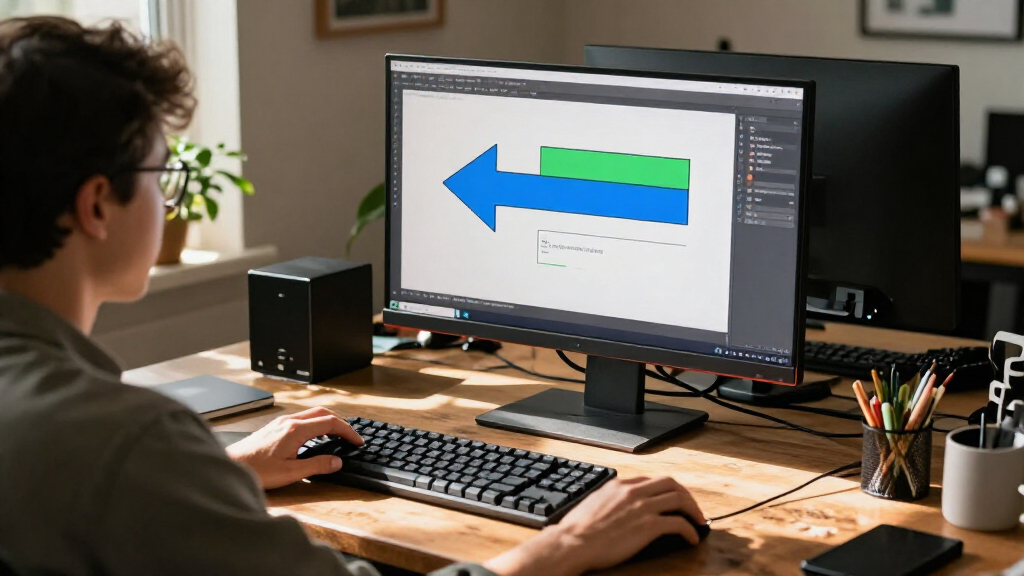
A developer has released Bigarrow, an open-source macOS command-line tool that lets AI agents place arrows, boxes and text over app windows to direct a person to a control. The tool is designed for moments when an agent needs a user to handle a permission prompt, sign-in step or other action; its project description says it does not click, type or capture the screen.
The project is available on GitHub under the MIT license and is described as a single Swift binary, with skills for Claude Code and Codex. Its creator says the overlay can appear above windows across displays and virtual desktops, while mouse clicks pass through it and keyboard focus remains unchanged. The project says drawing requires no macOS permission.
Users or agents can point to a control by its label and app name, give screen coordinates, or mark a window. A command can add a message, choose an arrow’s direction, shape and color, and set how long it stays visible. The documented examples include highlighting an “Allow” control in System Settings and guiding someone through a sequence of steps in Keynote.
The project says an arrow can be stopped manually or configured to disappear after a time limit or when the process that created it exits. Other listed options include turning text into a copy-and-paste button, reading a message aloud, and rendering an image for documentation. These are capabilities described by the project; the supplied material does not include independent testing or user adoption figures.
A Visual Handoff for Mac Agents
Bigarrow addresses a narrow but practical gap in agent-operated software: an AI system may be able to locate a control and explain what is needed, yet leave the person to find it on screen. A temporary visual marker can make that handoff easier to follow than instructions printed in a terminal or a verbal description such as “the button at the top.”
The tool’s stated limits matter as much as its features. It is designed to guide rather than act, leaving a human to approve permissions, enter credentials, or decide whether to proceed. That separation may suit tasks where a user must retain control, though the project description alone does not establish how well the utility performs across different apps or setups.
For developers of desktop agents, the release offers one approach to connecting an agent’s instructions with the interface a person sees. It does not, by itself, solve the broader challenge of safely automating desktop work: users still need to judge the requested action, and the tool does not verify that a person clicked the intended control.
Products Worth Considering

Anker SOLIX S2000 Portable Power Station, 2,010Wh, 1,500W

LG 34GX90SA-W 34-inch Ultragear WQHD OLED Curved Gaming Monitor

Apple Watch SE 3 GPS 44mm Smartwatch
As an affiliate, we earn on qualifying purchases.
From Terminal Instructions to Overlays
The project frames its use around a recurring agent workflow: a system completes much of a task but reaches a step that requires human action or approval. Examples in the documentation include permission dialogs, two-factor authentication, CAPTCHAs, passkeys and payments. In those situations, the agent can point to the relevant area rather than perform the action itself.
The repository also shows examples for Finder, Chrome, TextEdit and Keynote, including arrows that distinguish between similar-looking controls. It describes installation through Homebrew or a release built from source, and lists macOS 14 or later and Xcode 16 or later for building. These are project documentation claims; the supplied source does not include a separate review or evaluation.
“It only points.”
— Bigarrow project description
Testing and Adoption Remain Open
The supplied source is the project’s own GitHub material and a Show HN announcement. It does not provide independent test results, user numbers, or evidence about reliability across different macOS versions, display arrangements and applications. The page gives a macOS 27 example and states a macOS 14 minimum for building, but does not document a systematic compatibility assessment.
It is also not clear from the material how accurately the tool matches interface labels to controls in every app, or how it behaves when windows move or layouts change. The creator’s claims that the overlay passes clicks through and requires no permission are not independently verified in the supplied source. Wider use and testing may show where the approach works well and where manual coordinates or other adjustments are needed.
Install, Test, and Track Feedback
The project’s next step is practical testing by Mac users and agent developers. The GitHub page offers installation instructions, sample commands and examples; people using the supported workflows can assess whether labels and coordinates point reliably to the intended controls. The announcement does not list a release schedule or a planned next feature.
Readers can watch the repository and its Show HN discussion for reports about compatibility, usability and updates. Until those results emerge, Bigarrow is best understood as a released, developer-described utility for making human handoffs more visible—not as a verified general solution for agent control of macOS.
Key Questions
What is Bigarrow?
Bigarrow is an MIT-licensed macOS command-line utility that draws temporary arrows, boxes and text over app windows. Its creator also provides agent skills for Claude Code and Codex.
Can it click buttons or type for the user?
No. The project says Bigarrow only points; it does not click, type or capture the screen. A person must perform and approve the action.
What kinds of tasks is it intended to help with?
The project gives examples such as finding a permission control, identifying a browser tab, following a multi-step app guide, or directing someone to a sign-in step. Those examples come from the developer’s documentation.
How can users install it?
The repository documents a Homebrew installation and building from source with Swift. It lists macOS 14 or later and Xcode 16 or later for a source build.
Has Bigarrow been independently evaluated?
The supplied material does not include independent test results, adoption data or a systematic compatibility review. Its behavior and reliability beyond the developer’s examples remain to be assessed.
Source: hn