🔍 Read the full analysis: Create A Pick-and-Place Robot Simulation Using SimReady Assets on ThorstenMeyerAI.com

Get business pricing on tech for your team
- Business-only prices and quantity discounts
- Tax-exempt purchasing
- Multiple users, one account, clear invoices
TL;DR
A Hugging Face walkthrough demonstrates a beverage-can pick-and-place simulation in Isaac Sim using a UR17G arm, Robotiq 2F-140 gripper and SimReady can asset. The asset reports pass specified joint-drive checks, but users still need to assemble the scene, add controls and test whether the complete task works.
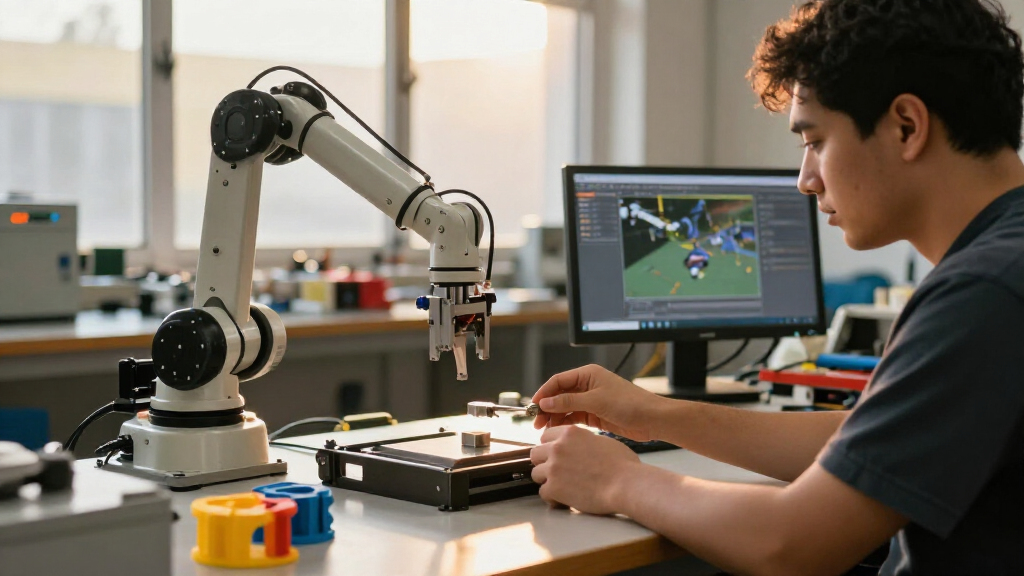
Hugging Face has published a walkthrough for building a beverage-can pick-and-place simulation in Isaac Sim, using a UR17G robot arm, a Robotiq 2F-140 gripper and a can asset from SimReady Central. The example shows how reusable assets can provide simulation-ready properties, but users must still assemble the scene, add controls and check the robot’s behavior during a run, as in the original walkthrough.
The three asset packages include models and simulation settings, part of the ready-to-use 3D assets supporting robotics and AI factories. For the robot and gripper, these cover joint-related properties; for the can, they include collision and mass settings. Users download the complete asset folders, load the relevant USD files and provide their local paths while composing the scene. The walkthrough advises checking for missing-file errors before moving on.
The scene still needs to be assembled: the arm and gripper must be connected, the robot, can and work surface positioned, and controls supplied for arm movement and gripper operation. The task is to grasp the can, lift it, move it and release it. The example uses Isaac Sim 6.2 and describes enabling its remote Python server so an AI agent can interact with the simulation; users can also follow the documentation and set up the scene manually.
The walkthrough reports that the arm’s Robot-Body 4.0.0 profile and the gripper’s Robot-Gripper 3.0.0 profile pass PhysX driven-joint checks. Those checks inspect joint-drive settings. They do not establish that the assembled robot will successfully grasp or move the can under every scene configuration or control method.
Build a robot pick-and-place simulation with SimReady assets
A Hugging Face walkthrough combines reusable assets in Isaac Sim. Profile checks offer a starting point, while the assembled task still needs to be run and inspected.
The example scene
Three assets form a beverage-can pick-and-place task.
UR17G
Its asset package includes the model and simulation settings for the arm joints.
Robotiq 2F-140
The gripper package includes settings for its joints.
Beverage can
The can asset includes collision and mass settings.
What validation checks
SimReady profiles specify requirements for assets prepared for a simulation use case.
| Asset | Profile | Reported check |
|---|---|---|
| UR17G arm | Robot-Body 4.0.0 | PhysX driven-joint check passed |
| Robotiq 2F-140 | Robot-Gripper 3.0.0 | PhysX driven-joint check passed |
Assemble the scene
The walkthrough uses Isaac Sim 6.2 and allows agent-assisted or manual setup.
Download all three packages, keep each complete folder intact, and load their USD files.
Compose the scene with the arm, gripper, can, and work surface.
Provide code for arm movement and gripper operation; check assets load without missing-file errors.
Run and inspect
Asset checks do not establish that the complete task will work reliably.
Asset Checks Meet Task Testing
The example illustrates a practical distinction for robotics teams: asset validation is not task validation. Authored simulation settings and profile reports can give users a shared starting point and reduce some setup work. A passing report, however, only covers the requirements specified by that profile. It cannot confirm that the robot, gripper, object, work surface and controller will interact correctly once assembled.
That matters because a model can appear properly configured while stationary yet behave differently when driven. The walkthrough tells users to inspect joint limits and drive settings, test small arm movements, open and close the gripper, and confirm the can rests on the surface. They should also watch whether it remains held as the arm moves. These checks place responsibility on the user to assess the complete simulation, not just the asset files.
The example also points to a possible role for AI agents in scene assembly and task-code execution. That could help users get a simulation running, but the walkthrough warns that generated code and results can vary. Users still need to inspect the code and verify what happens in the simulator before treating the output as reliable.
Products Worth Considering

Jackery Explorer 1000 v2 Portable Power Station

Logitech MX Master 4 Ergonomic Wireless Mouse with Haptic Feedback, Graphite

Samsung 32-Inch Odyssey G5 QHD 180Hz Gaming Monitor
As an affiliate, we earn on qualifying purchases.
How SimReady Profiles Work
The walkthrough describes SimReady as an OpenUSD asset prepared for a defined simulation use case. SimReady Foundation organizes its specifications into profiles, features and requirements: a profile groups features for a use case, features describe capabilities, and requirements define checks on asset settings. Validation tests whether an asset meets the requirements of its selected profile.
SimReady Central is described as an open Hugging Face library for robot and object assets with authored simulation properties and profile-validation evidence. The walkthrough also points to a USD Search endpoint for finding OEM-curated content. In this demonstration, those resources supply the robot, gripper and can; they do not supply a finished, tested pick-and-place task.
The source names GPT-6 Sol for its agent example and says other agent and model combinations may work if they can load the required skills and run Python against Isaac Sim. It does not provide a publication date or a measured comparison of agent-assisted and manual setup, so the walkthrough is best read as a build example rather than a performance evaluation.
“A robot can look visually correct while stationary in Isaac Sim but move or interact with objects incorrectly when the simulation runs.”
— Hugging Face walkthrough
What the Checks Do Not Show
The walkthrough reports passing profile checks for the arm and gripper, but does not provide grasp-success rates, repeatability figures or results across multiple runs. It does not establish that other asset combinations, scene layouts or controllers will perform reliably. The supplied material also does not specify in detail how the task controls are generated.
Asset folder structures can vary, according to the walkthrough, so users may need to inspect settings in their own loaded scene. It remains unclear how much time agent-assisted setup saves compared with manual work, or whether the demonstrated task completed successfully under a measured evaluation. The report should not be read as evidence of broad reliability beyond the described example.
Build, Run and Inspect
The described workflow is to download the three asset packages, load their USD files into Isaac Sim, compose the scene and add or generate code for robot assembly and pick-and-place controls. Users then run the simulation and inspect the grasp, lift, movement and release, checking that the can stays in the gripper and is placed on the work surface as intended.
Users can proceed with an agent connected through the remote Python server or carry out the setup manually. In either case, the next meaningful result is the behavior of the completed scene during a run. The walkthrough provides instructions for building and checking that example, but no broader test results or quantitative measures of its success.
Key Questions
What does the Hugging Face walkthrough demonstrate?
It describes how to assemble a beverage-can pick-and-place simulation in Isaac Sim using a UR17G arm, Robotiq 2F-140 gripper and SimReady can asset.
Do the SimReady assets provide a complete working robot task?
No. The packages include models and simulation settings, but users still need to compose the scene, connect and position components, and provide controls for the arm and gripper.
What do the reported validation results confirm?
The walkthrough says the arm and gripper pass specified PhysX driven-joint checks under their listed profiles. The checks do not measure the success or repeatability of the complete pick-and-place task.
Can users follow the example without an AI agent?
Yes. The walkthrough describes an agent connected to Isaac Sim through its remote Python server, but also points users to documentation for manual scene setup.
What should users verify during a simulation run?
They should test arm movement and gripper operation, check that assets load correctly, and observe whether the can is grasped, held during movement and released onto the work surface.
Primary source: Hugging Face · via ThorstenMeyerAI.com