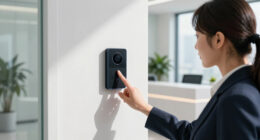

Choosing between facial recognition and fingerprint time clocks depends on your priorities. Facial recognition offers a touchless, hygienic, and fast option, ideal for health-conscious environments, while fingerprint scanners provide high accuracy but require physical contact, which can be less sanitary. Privacy concerns and data security are essential for both methods. Environmental factors and regulatory standards also impact effectiveness. Want to discover more about these options’ pros and cons? Keep exploring to find the best fit for your workforce.

Get tech for your team delivered free — and shop member deals
- Fast, free delivery on millions of items
- Access to Prime Big Deal Days deals on October 6–7
- Prime Video, Amazon Music and more included
Key Takeaways
- Fingerprint clocks are highly accurate but can be affected by dirt, cuts, or skin conditions, while facial recognition improves with advanced algorithms.
- Facial recognition offers a touchless, hygienic process, reducing contact-related hygiene concerns compared to fingerprint scanners.
- Both systems require secure biometric data handling; fingerprint data is sensitive, and facial recognition depends on proper environmental conditions.
- Fingerprint clocks process verification quickly, suitable for high-traffic environments, whereas facial recognition may experience delays in certain conditions.
- Privacy, regulatory compliance, and data security considerations are critical factors influencing the choice between the two systems.
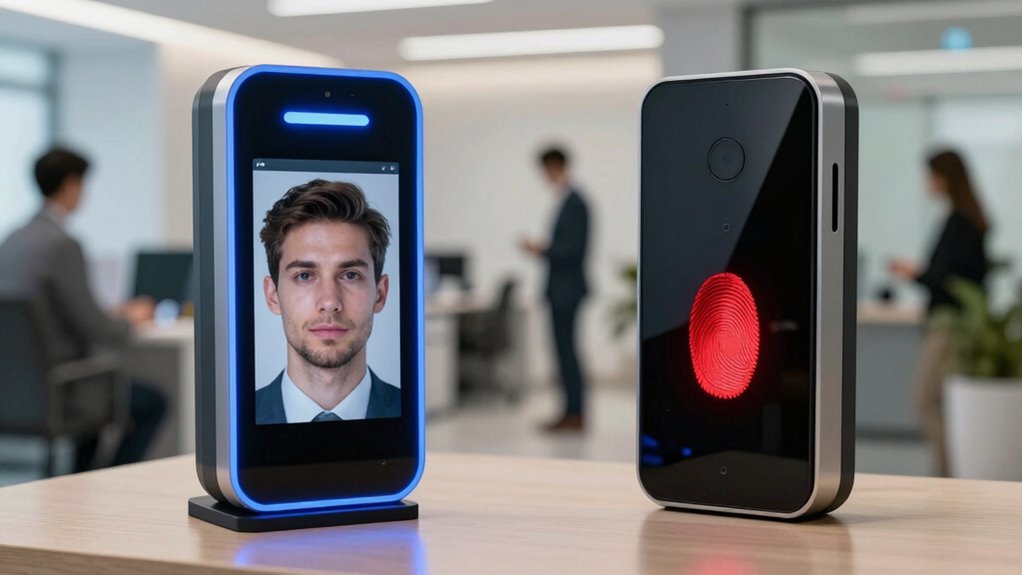
As businesses seek more efficient ways to track employee attendance, facial recognition and fingerprint time clocks have emerged as popular options. Both methods aim to streamline clocking in and out, reduce errors, and eliminate buddy punching. However, they come with distinct advantages and challenges you should contemplate before choosing the right system for your workplace. Privacy concerns are at the forefront, especially with facial recognition technology, which captures biometric data through images or videos. Employees may worry about how their photos are stored, used, and protected, raising questions about data security and potential misuse. Fingerprint clocks, while generally less intrusive, still raise privacy issues, as fingerprint data is sensitive biometric information that needs secure handling to prevent theft or identity fraud.
Choosing between facial recognition and fingerprint clocks involves balancing privacy, accuracy, and workplace efficiency.
Technology accuracy is another vital factor. You want a system that reliably records attendance without frequent errors or false readings. Fingerprint scanners tend to be highly accurate when properly maintained, but factors like dirt, cuts, or skin conditions can interfere with readings, causing delays or inaccuracies. Facial recognition technology has improved markedly over recent years, with advanced algorithms capable of high precision, even in varying lighting or angles. Still, it’s not perfect. Environmental conditions, camera quality, and changes in appearance—like facial hair or glasses—can affect recognition rates, leading to potential misidentification or the need for manual adjustments. Additionally, concerns about biometric data security have become increasingly prominent as biometric systems handle highly sensitive personal information. The importance of data encryption in protecting biometric data cannot be overstated, as it adds an extra layer of security against potential breaches. Furthermore, ongoing advancements in biometric authentication methods continue to enhance overall system reliability. It’s also crucial to consider the regulatory landscape, as compliance with privacy laws and industry standards varies across regions and can influence your choice of system. Staying informed about evolving biometric regulations is essential for maintaining legal compliance and safeguarding employee rights.
Speed is also important. Fingerprint clocks typically scan and verify prints quickly, making them suitable for high-traffic environments. Facial recognition systems, depending on the software and hardware quality, can process images swiftly but sometimes introduce slight delays, especially if multiple employees clock in simultaneously or if the system struggles with certain faces. You should evaluate your workplace size and flow to determine which method minimizes wait times and maximizes efficiency.
Another aspect to contemplate is ease of use. Fingerprint scanners require physical contact, which can be inconvenient or unsanitary, especially in health-conscious settings. Facial recognition offers a touchless experience, which many employees find more comfortable and hygienic. However, it demands adequate camera placement and lighting to function effectively. Both systems require proper setup and ongoing maintenance to ensure their accuracy and security. Considering employee comfort and workplace hygiene standards is increasingly vital in the decision-making process.
Ultimately, choosing between facial recognition and fingerprint time clocks hinges on your specific needs, privacy policies, and the environment. While both aim to improve workforce tracking, understanding their privacy implications and technological reliability will help you select a solution that balances efficiency, security, and employee comfort.
facial recognition employee time clock
As an affiliate, we earn on qualifying purchases.
As an affiliate, we earn on qualifying purchases.
Frequently Asked Questions
How Do Costs Compare Between Facial Recognition and Fingerprint Time Clocks?
You’ll find that facial recognition systems generally have higher upfront costs due to advanced technology, but they often reduce long-term expenses through faster, contactless authentication. Fingerprint clocks tend to be more affordable initially, but maintenance and potential hygiene concerns can increase costs over time. A thorough cost analysis considering technology advancements shows that while facial recognition offers improved efficiency, fingerprint systems might be a more budget-friendly choice for smaller operations.
What Training Is Required for Employees to Use Each System?
You’ll need minimal training for both systems, focusing on employee adaptation and system calibration. For facial recognition, employees should understand how to position their face for quick, accurate scans, and staff may need guidance on privacy practices. Fingerprint clocks require users to properly place their finger on the scanner, with calibration ensuring consistent readings. Overall, clear instructions and brief demonstrations help employees adapt seamlessly to either system.
How Do These Systems Perform in Outdoor or Harsh Environments?
Facial recognition systems tend to perform better outdoors or in harsh environments, thanks to their environmental durability, as they can function despite dirt, weather, or lighting changes. Fingerprint clocks may struggle with moisture, dirt, or wear on fingerprints, reducing system reliability. So, if you need reliable workforce tracking outdoors, facial recognition offers more consistent performance, minimizing downtime and ensuring accurate attendance data even in challenging conditions.
Are There Specific Industries That Prefer One System Over the Other?
You’ll find that industries with high security needs, like healthcare and government, prefer facial recognition for its advanced technological features and contactless convenience. Conversely, manufacturing and construction sectors often lean toward fingerprint time clocks due to their durability and reliability in rugged environments. Industry adoption depends on specific operational demands and technological preferences, with some prioritizing hygiene and touchless access, while others emphasize robustness and simplicity.
How Do Privacy Concerns Differ Between Facial Recognition and Fingerprint Systems?
You might find that privacy concerns differ between facial recognition and fingerprint systems. Facial recognition raises more biometric privacy issues because it captures images of your face, which can be stored and misused. Fingerprint systems, on the other hand, involve storing unique fingerprint data that can be protected with data encryption. Both systems require strict security measures, but facial recognition often faces more scrutiny due to its potential for mass data collection and privacy infringement.
biometric fingerprint time clock
As an affiliate, we earn on qualifying purchases.
As an affiliate, we earn on qualifying purchases.
Conclusion
Choosing between facial recognition and fingerprint time clocks is like selecting the right key for a lock—each has its strengths and quirks. Facial recognition offers seamless, contactless convenience, while fingerprint clocks provide tried-and-true accuracy. Ultimately, your decision hinges on your workforce’s needs and priorities. Think of it as picking the best tool for the job—both can open efficiency, but only one will fit perfectly into your organization’s rhythm.
touchless biometric attendance system
As an affiliate, we earn on qualifying purchases.
As an affiliate, we earn on qualifying purchases.
employee clock-in facial recognition
As an affiliate, we earn on qualifying purchases.
As an affiliate, we earn on qualifying purchases.
Halloween Picks
halloween
As an affiliate, we earn on qualifying purchases.