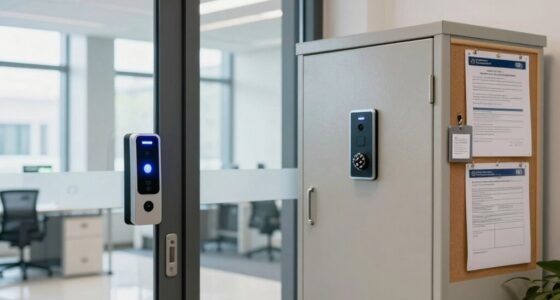

To protect sensitive files, enable NAS encryption, which converts your data into unreadable ciphertext using strong algorithms like AES. Be sure to also implement access controls, such as role-based permissions, multi-factor authentication, and regular permission reviews, to restrict data to authorized users only. Protect your encryption keys carefully and consider using built-in key management features. Mastering these basics will help you better secure your files, and more details await if you keep exploring.

Get tech for your team delivered free — and shop member deals
- Fast, free delivery on millions of items
- Access to Prime Big Deal Days deals on October 6–7
- Prime Video, Amazon Music and more included
Key Takeaways
- Enable built-in NAS encryption features like AES to protect data at rest from unauthorized access.
- Implement role-based access controls and multi-factor authentication to restrict file permissions securely.
- Store encryption keys separately from data and utilize NAS key management tools for secure handling.
- Regularly review and update permissions to prevent privilege creep and ensure only authorized access.
- Stay informed on security threats and adopt best practices for encryption and key management to maintain data confidentiality.
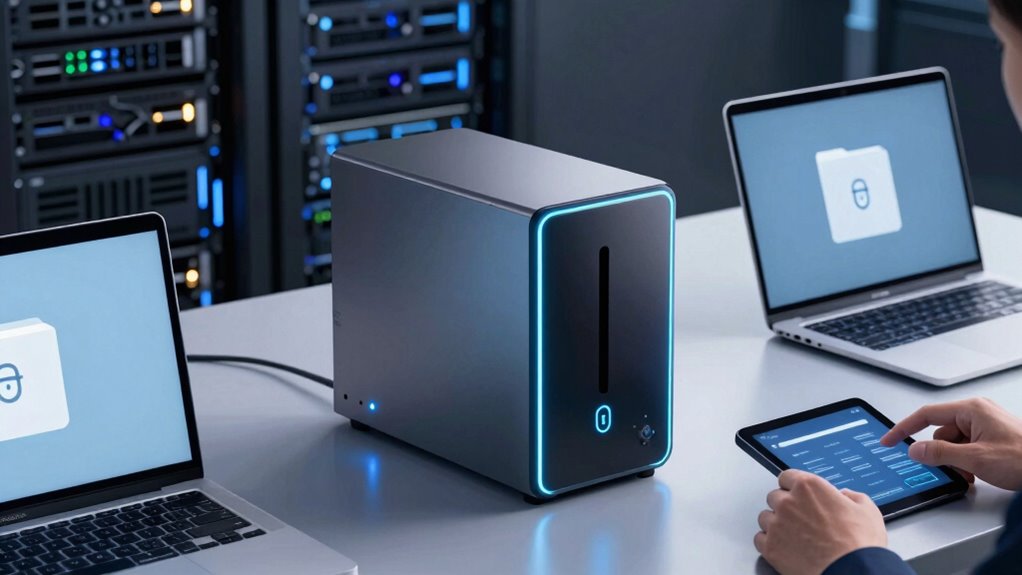
Are you wondering how to protect the data stored on your Network-Attached Storage (NAS)? When handling sensitive files, safeguarding that data is crucial, especially if your team collaborates across different locations. Implementing NAS encryption guarantees that your files remain secure from unauthorized access, even if someone intercepts the data or gains physical access to the storage device. Data encryption converts your files into unreadable ciphertext, which can only be decrypted with the correct keys. This means that, without proper decryption, no one can make sense of your sensitive information, providing an extra layer of security beyond simple passwords or network protections.
Encrypt your NAS data to keep sensitive files secure from unauthorized access and physical threats.
But encryption alone isn’t sufficient. You also need to control who can access your data. That’s where access control comes into play. By setting strict access permissions, you determine which team members or external users can view, modify, or delete files stored on your NAS. Combining data encryption with robust access control policies creates an all-encompassing security environment. For instance, you can restrict sensitive data to specific user groups, enforce multi-factor authentication, or set expiration dates on access privileges. These measures minimize the risk of accidental leaks or malicious intrusions.
To get started, ensure your NAS supports advanced encryption algorithms like AES (Advanced Encryption Standard). Many modern NAS devices offer built-in encryption options, allowing you to encrypt data at rest seamlessly. After enabling encryption, focus on defining clear access policies. Use role-based access controls to assign permissions based on job functions, and regularly review these permissions to prevent privilege creep. Strong password policies and multi-factor authentication further bolster your security stance.
Remember that encryption keys are the backbone of data security. Protect your keys carefully, preferably storing them separately from the encrypted data. Some NAS solutions include key management features, simplifying this process. Without proper key management, even the best encryption can become ineffective. Additionally, understanding encryption algorithms and their strengths can help you choose the most suitable method for your security needs. Implementing encryption key management best practices is essential to maintaining overall data integrity and confidentiality. Moreover, staying informed about current security threats related to NAS devices can help you proactively address vulnerabilities. Ensuring proper encryption practices and awareness of potential risks strengthens your overall security posture.
In essence, safeguarding sensitive files on your NAS involves a combination of data encryption and access control. Encryption ensures that stored data remains unreadable if compromised, while access control restricts who can access that data in the first place. By implementing these measures diligently, you create a secure environment where your team can collaborate confidently, knowing that your sensitive information stays protected against threats.
As an affiliate, we earn on qualifying purchases.
Frequently Asked Questions
How Does NAS Encryption Impact Data Transfer Speeds?
NAS encryption can impact your data transfer speeds, mainly due to the encryption algorithms used. These algorithms require additional processing, which can lead to performance degradation, especially with high data volumes. You might notice slower transfer rates, but modern hardware and optimized encryption methods help minimize this impact. Ultimately, while encryption enhances security, it can slightly reduce transfer speeds, so balancing security needs with performance is essential.
What Are the Best Practices for Key Management?
You realize the importance of safeguarding your keys, so you implement best practices for key management. You guarantee secure key storage, using encrypted vaults or hardware modules, and set strict access controls to limit who can view or modify keys. Regularly rotate keys, keep detailed logs, and restrict access to trusted personnel. These steps help maintain trust, protect sensitive data, and prevent unauthorized access, keeping your team’s files safe and secure.
Can NAS Encryption Be Bypassed by Malware?
Yes, NAS encryption can be bypassed by malware through vulnerabilities like encryption bypass techniques. Malware may exploit vulnerabilities in the NAS system or encryption implementation, allowing unauthorized access to sensitive files. To minimize this risk, you should keep your NAS firmware up to date, use robust security measures, and monitor for suspicious activity. Remember, no system is entirely foolproof, so combining encryption with other security practices is essential.
How Often Should Encryption Keys Be Rotated?
You should rotate encryption keys regularly, ideally every three to six months, to maintain security. This practice, known as key rotation, helps limit potential damage if a key is compromised. Incorporate key rotation into your encryption lifecycle to guarantee ongoing protection of sensitive files. Regularly updating keys minimizes vulnerabilities, keeping your NAS environment more secure against threats and reducing the risk of unauthorized access to your critical data.
Is NAS Encryption Compatible With Cloud Backups?
Imagine your NAS encryption as a secure vault; while it keeps your data safe locally, cloud backups might not always be compatible. Many NAS encryption solutions face cloud compatibility limitations, meaning encrypted files may need decryption before backing up or restoring. Before choosing a solution, check if your encryption method supports seamless cloud integration, or you risk exposing sensitive data during transfer, despite local security.
As an affiliate, we earn on qualifying purchases.
Conclusion
By embracing NAS encryption, you’re quietly fortifying your digital fortress, turning fragile whispers of data into an unbreakable chorus. Think of it as cloaking your sensitive files in a shimmering shield, ensuring only trusted eyes can see through the veil. As you navigate this secure landscape, you’ll find peace of mind blooming like a secret garden, where your most delicate secrets rest safely, protected by the gentle strength of encryption’s silent watch.
As an affiliate, we earn on qualifying purchases.
As an affiliate, we earn on qualifying purchases.
Halloween Picks
halloween
As an affiliate, we earn on qualifying purchases.