
To optimize your video call lighting, aim for a balance in color temperature, around 4000K–5000K for a natural, daylight-like look. Adjust brightness so your face is evenly lit without glare or shadows—use soft, diffuse lights or ring lights for best results. Position your light slightly above and facing you, preferably near a window for natural light, or control artificial lights to match your environment. Continue exploring for more tips to perfect your setup.

Get business pricing on tech for your team
- Business-only prices and quantity discounts
- Tax-exempt purchasing
- Multiple users, one account, clear invoices
Key Takeaways
- Use natural light facing the window for a soft, even glow; diffuse harsh sunlight with sheer curtains.
- Place artificial lights slightly above and in front of your face to minimize shadows and create a natural look.
- Adjust color temperature: warm (2700K–3000K) for coziness, cool (4000K–5000K) for daylight clarity.
- Ensure brightness is sufficient to illuminate your face evenly without causing glare or washout.
- Balance placement and quality of lighting to enhance facial visibility, reducing shadows and improving image quality.
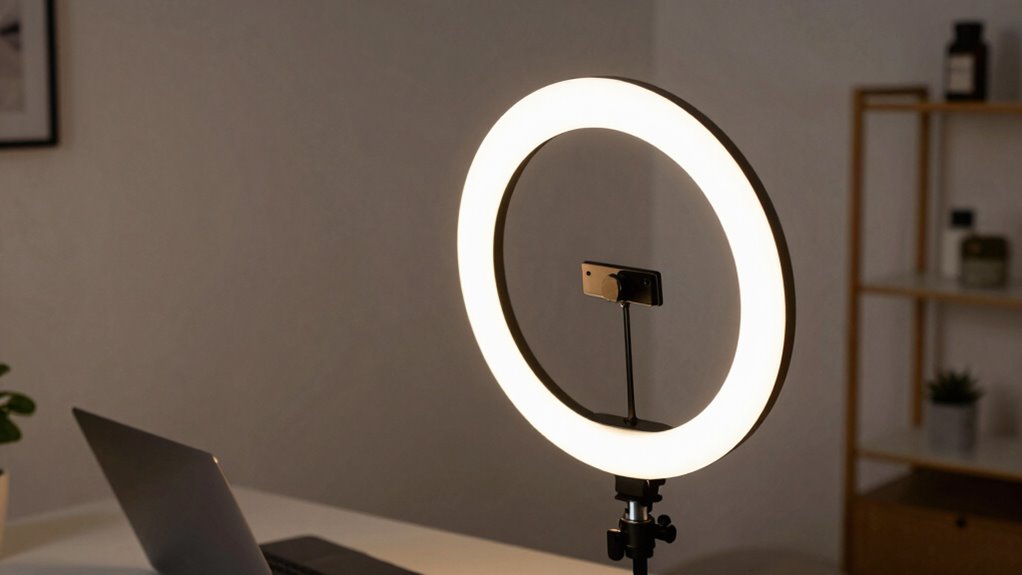
Have you ever noticed how your appearance on a video call can be drastically improved—or worsened—by the lighting? The right lighting setup can make you look more professional, approachable, and clear, while poor lighting can cause shadows, glare, or wash out your features. The key is understanding how natural light and artificial lighting work together to create a flattering setup. Natural light is often the best choice because it provides a soft, even glow that enhances your skin tone and reveals your facial expressions. When you position yourself near a window, try to face the light instead of having it behind you, which can turn you into a silhouette. If sunlight is too harsh or inconsistent, you can diffuse it with sheer curtains or a light cloth. This prevents overexposure and creates a more balanced look. However, natural light isn’t always available or convenient, especially during evenings or cloudy days, so artificial lighting becomes essential.
Artificial lighting gives you control over brightness, color temperature, and placement. To avoid unflattering shadows, place your light source slightly above and in front of you, aiming it toward your face. This setup mimics natural sunlight and highlights your features evenly. You should also consider the color temperature of your lights. Warm tones—around 2700K to 3000K—create a cozy, inviting glow, but they can sometimes make your skin look too yellow or orange. Cooler tones—around 4000K to 5000K—offer a more neutral, crisp appearance, closely resembling daylight. The best approach is to choose a light with adjustable color temperature, so you can fine-tune it based on your environment. Additionally, understanding the color temperature of your lighting can help you achieve a natural look that complements your skin tone and surroundings. Properly calibrated lighting can also reduce eye strain during long video calls, making your experience more comfortable. Moreover, selecting the right lighting can also help control color accuracy, ensuring your appearance remains true to life on camera.
Brightness is equally important. Too dim, and your face appears shadowed, making it hard for others to see your expressions. Too bright, and you risk washing out your features or causing glare. Ideally, your lighting should be bright enough to illuminate your face evenly without creating harsh reflections. Using a ring light or a softbox can help distribute light smoothly across your face, avoiding sharp shadows. Keep in mind that your camera’s exposure settings also play a role; sometimes, slightly increasing your camera’s exposure can compensate for dimmer lighting, but this isn’t a substitute for good light placement and quality.
In essence, balancing natural light with artificial lighting, adjusting brightness, and positioning your light source correctly can dramatically improve your video call appearance. When you pay attention to these details, you’ll look more polished and confident, making your virtual interactions more effective and engaging.
adjustable LED ring light for video calls
As an affiliate, we earn on qualifying purchases.
As an affiliate, we earn on qualifying purchases.
Frequently Asked Questions
How Do I Prevent Glare on My Glasses During Video Calls?
To prevent glare on your glasses during video calls, you should focus on glare reduction techniques. Adjust your lighting so it’s soft and indirect, avoiding harsh lights directly in front of you. Wearing glasses with an anti-reflective coating can also minimize glare. Additionally, position your monitor to reduce reflections and consider using a matte screen or anti-glare filter. These steps help create clearer visuals and improve your overall video call experience.
What’s the Best Type of Light for Outdoor Video Calls?
For outdoor video calls, the best light is natural diffused sunlight, especially during overcast weather, as it offers soft, even illumination. You should consider a portable setup like a ring light or a flexible LED panel that’s weather-resistant. These options help you maintain consistent lighting despite changing weather conditions. Position the light to face you directly, avoiding harsh shadows or glare, ensuring you look clear and professional on camera.
How Does Lighting Affect Audio Quality in Video Calls?
Lighting considerably impacts your audio quality in video calls by affecting audio synchronization and microphone clarity. Proper lighting reduces shadows and glare, helping your camera focus better, which minimizes distractions that can lead to miscommunication. When your face is well-lit, your microphone picks up your voice more clearly, and the overall audio appears more synchronized. Good lighting creates a relaxed environment, encouraging better speech delivery and enhancing the overall quality of your call.
Can Natural Light Be Adjusted to Improve Video Call Quality?
Natural light can be adjusted to improve your video call quality through natural light manipulation and light temperature adjustment. By positioning yourself near windows or using sheer curtains, you control natural light’s intensity, reducing harsh shadows. You can also diffuse or reflect sunlight to soften the glow. Adjusting your environment’s light temperature—like using warm or cool tones—enhances your appearance, making your video clearer and more professional.
What Are Affordable Lighting Options for Small Home Offices?
You can improve your small home office lighting with affordable lamps and desk lighting. Look for budget-friendly LED desk lamps that offer adjustable brightness and color temperature to suit your needs. Position them to reduce shadows and guarantee your face is well-lit during video calls. These options are easy to set up, cost-effective, and can substantially enhance your video quality without breaking the bank.
color temperature adjustable desk lamp
As an affiliate, we earn on qualifying purchases.
As an affiliate, we earn on qualifying purchases.
Conclusion
Now that you know how to optimize your lighting for video calls, remember that good lighting can make or break your presentation. Pay attention to color temperature, brightness, and placement to look professional and confident. Don’t forget, the devil is in the details—small adjustments can make a big difference. Keep experimenting until you find what works best for you, because at the end of the day, a well-lit face speaks volumes without saying a word.
natural light photography softbox
As an affiliate, we earn on qualifying purchases.
As an affiliate, we earn on qualifying purchases.
As an affiliate, we earn on qualifying purchases.
Halloween Picks
halloween
As an affiliate, we earn on qualifying purchases.