
Treating your help center search like a product guarantees it provides relevant, accurate results that meet user expectations. By regularly analyzing search behavior and feedback, you can identify areas for improvement and optimize algorithms accordingly. Continuous updates and content adjustments help deliver a seamless experience, boosting user satisfaction and trust. When you approach search as a product and focus on ongoing refinement, you create a more effective support tool. Keep exploring to discover how to make this process even more impactful.

Get business pricing on tech for your team
- Business-only prices and quantity discounts
- Tax-exempt purchasing
- Multiple users, one account, clear invoices
Key Takeaways
- Viewing search as a product ensures continuous improvement and alignment with user needs.
- Regular analysis and updates optimize search relevance and user satisfaction.
- Prioritizing search performance reduces frustration and support tickets.
- Treating search as a product highlights its role in delivering a seamless customer experience.
- Ongoing refinement builds trust and enhances overall help center effectiveness.
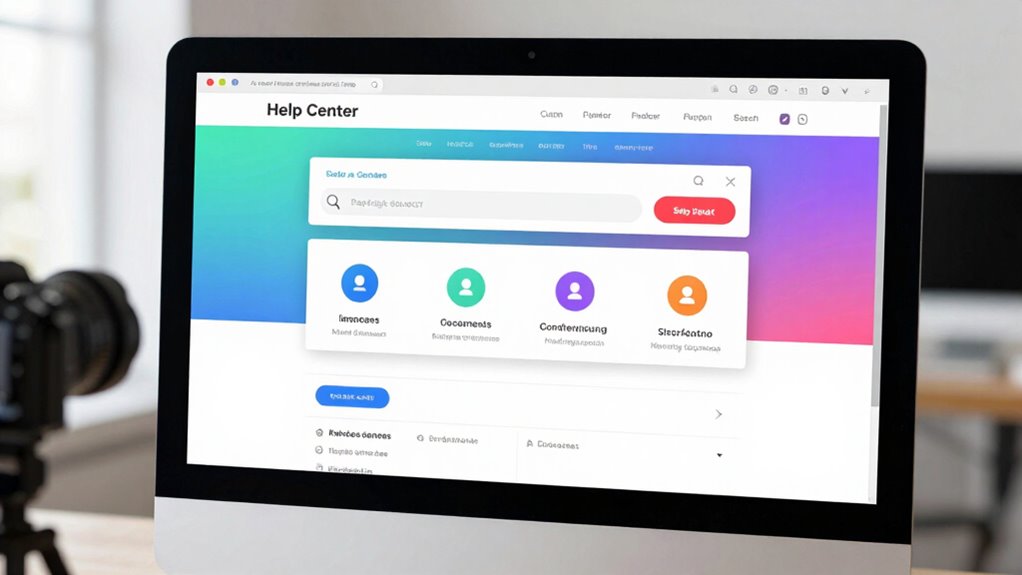
Have you ever wondered how users find the answers they need quickly within your support portal? It’s more than just typing a few keywords into a search bar. Their search intent—what they’re truly looking for—and their behavior shape how effectively your search feature serves them. When you treat the help center search like a product feature, you recognize that it’s a critical touchpoint in the customer experience, not just a tool to retrieve information. Your users come with expectations: they want relevant, accurate results fast, and if they don’t get that, frustration grows. Understanding user behavior reveals much about what they need and how they search. Some users phrase queries differently, some prefer broad questions, while others use specific keywords. Recognizing these patterns helps you optimize the search experience, making it more intuitive and responsive.
Designing your search as a product feature means you pay close attention to the nuances of user intent. For example, if someone searches for “reset password,” they’re likely looking for step-by-step instructions. But if a user types “can’t log in,” they might need troubleshooting tips or account recovery options. You need to interpret these different search intents and deliver tailored results. This involves analyzing search queries and adjusting algorithms to prioritize the most relevant articles, videos, or guides. It’s about creating a seamless flow from query to solution, reducing the number of steps a user must take to find what they need. Optimizing search algorithms** ensures the results align better with user expectations and search intent. Additionally, incorporating search behavior analysis helps you identify opportunities for content improvements that can better serve your users. Recognizing content gaps and updating your knowledge base accordingly can significantly improve search effectiveness. Conducting search trend analysis** allows you to stay ahead of emerging user needs and adapt your content proactively.
Treat search as a product: interpret intent, deliver tailored results, and create seamless solutions for happier users.
Additionally, user behavior informs how you improve your search functionality over time. You can track common queries, identify where users drop off, and see which results they click on most. This data lets you refine your content and optimize the search experience continually. If users often search for a particular issue, ensure that content is highly visible and easily accessible through the search. When you see patterns of unsuccessful searches, it’s a signal to enhance your content or adjust your search algorithms. By treating search as a product, you’re not just fixing bugs—you’re actively enhancing how your customers find solutions, which boosts satisfaction and reduces support tickets.
In essence, a well-designed search feature aligned with user behavior and search intent transforms your help center into a powerful, customer-centric product. It’s an ongoing process of understanding, analyzing, and refining, but the payoff is clear: users find answers faster, feel more supported, and trust your brand more.
Products Worth Considering

Jackery HomePower 3600 Plus Portable Power Station, 3584Wh, 3600W

Apple MacBook Air 13-inch Laptop with M5 Chip, 16GB Memory, 512GB SSD, 12MP Center Stage Camera, Touch ID, Wi-Fi 7, Midnight

EcoFlow DELTA 3 Portable Power Station (1024Wh, 1800W)
As an affiliate, we earn on qualifying purchases.
Frequently Asked Questions
How Do Users Typically Discover the Search Feature?
You typically discover the search feature through search visibility cues, like prominent placement or clear labels, which catch your attention. When it’s easy to find, you’re more likely to engage with it, enhancing user engagement. Users often notice the search bar at the top of the Help Center or through intuitive icons. Making the search feature visible and accessible encourages you to use it, improving your overall experience.
What Metrics Measure Search Feature Success?
Your search feature’s success hinges on metrics like search relevance and user engagement. When search results match user intent perfectly, engagement skyrockets—it’s like lighting a fire in their satisfaction! Track metrics such as click-through rate, time spent on help articles, and bounce rate to gauge how well your search performs. These indicators reveal whether users find what they need quickly, ensuring your search truly becomes a powerhouse in your help center.
How Often Should Search Algorithms Be Updated?
You should update search algorithms regularly, ideally every few weeks or monthly, depending on your user feedback and performance metrics. Incorporate personalization strategies to enhance relevance and guarantee the algorithms adapt to evolving user needs. Also, prioritize algorithm transparency to build trust and identify issues early. Frequent updates help maintain search effectiveness, improve user satisfaction, and keep your help center aligned with changing content and user expectations.
What Are Common User Frustrations With Search?
Imagine you’re stuck in a dial-up era—frustrating, right? Common user frustrations with search include poor autocomplete accuracy and irrelevant search results. You often feel let down when the suggestions don’t match your intent or the results don’t address your questions. Improving autocomplete and search result relevance can make your experience smoother, saving you time and reducing irritation. When search feels intuitive, you’re more likely to find what you need effortlessly.
How Do Search Features Influence Overall User Satisfaction?
Search features greatly influence your overall satisfaction by improving search optimization, ensuring you find relevant results quickly. When search is intuitive and efficient, your user engagement increases because you’re more likely to stay on the platform and resolve issues faster. A well-designed search experience reduces frustration, boosts confidence, and makes your interaction seamless. Ultimately, prioritizing search as a key feature enhances your experience and encourages continued use.
Conclusion
Treat your Help Center search like a treasured product feature—tuning, testing, and tirelessly transforming it. By prioritizing precision, personalization, and performance, you empower users to effortlessly find solutions. When search becomes seamless and sophisticated, satisfaction skyrockets, and support struggles diminish. So, seize this strategic stance, streamline the search system, and serve up a smoother, smarter experience. Remember, a well-worn search is a winning, wonderful way to wow users and win loyalty.