
If you’re considering smart locks for your small office, you’ll appreciate how they simplify access with digital keys, codes, or smartphone app controls. They enhance security by allowing you to set permissions, monitor activity, and quickly revoke access. Make sure the lock integrates with your existing security protocols, offers strong encryption, and has backup power options. For better security practices, regularly update permissions and firmware. Keep exploring to discover how to choose the best system for your needs.

Get business pricing on tech for your team
- Business-only prices and quantity discounts
- Tax-exempt purchasing
- Multiple users, one account, clear invoices
Key Takeaways
- Ensure smart locks are compatible with your existing security systems and support audit trails for activity monitoring.
- Prioritize locks with robust encryption and cybersecurity features to prevent hacking vulnerabilities.
- Incorporate manual override options and backup power for emergency access and system reliability.
- Regularly update user permissions and firmware to maintain security and control over access.
- Balance convenience with security by choosing reliable, feature-rich smart locks suited for small office needs.
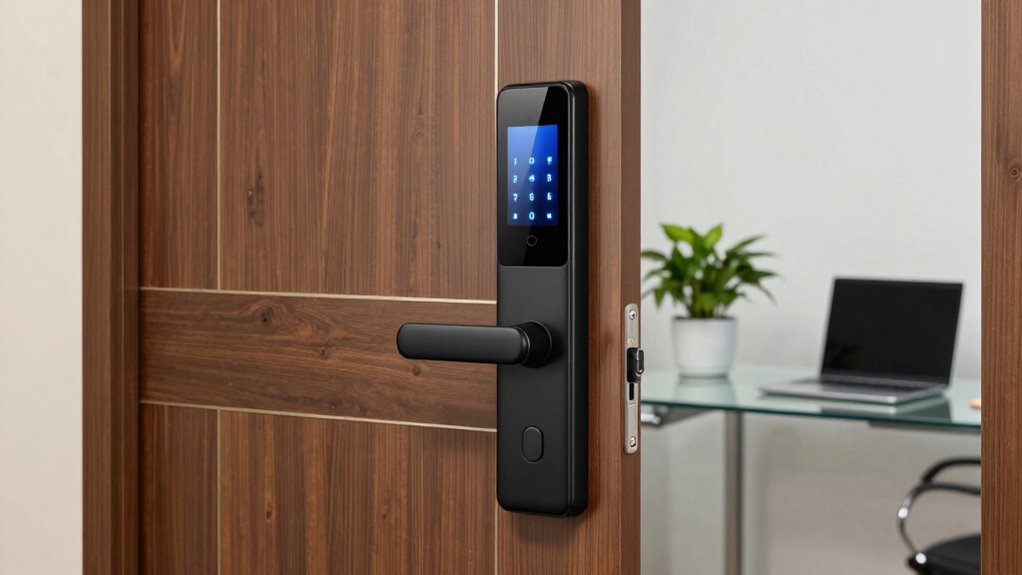
Smart locks are transforming security for small offices by offering a convenient and high-tech way to control access. Instead of traditional keys, you can now manage who enters your space with digital keys, codes, or even smartphone apps. This shift not only streamlines access control but also enhances your ability to monitor activity in real time. With smart locks, you can set specific permissions for employees, contractors, or visitors, guaranteeing everyone only gets into the areas they’re authorized to access. This flexibility is essential for small offices that need to accommodate varying needs without complicating security protocols.
When considering smart locks, you should think about how they integrate with your existing security protocols. These devices often come with features like audit trails, which log every entry and exit, giving you a clear record for security reviews or investigations. It’s crucial to choose smart locks that align with your protocols for emergency situations, such as lockouts or power failures. Many models offer manual key overrides or backup power options, guaranteeing access remains possible even if your primary system encounters an issue. By doing so, you maintain a balance between convenience and safety, avoiding potential vulnerabilities. Additionally, understanding the importance of cybersecurity measures can help you select a system that is resistant to hacking attempts.
Another point to keep in mind is the level of encryption and cybersecurity measures the smart lock employs. Since these devices connect to your Wi-Fi or Bluetooth networks, they can be vulnerable to hacking if not properly secured. Look for locks with robust security features and encrypted communication to prevent unauthorized access. Regular firmware updates from the manufacturer also help patch vulnerabilities and keep your system secure. Implementing strong access control policies around your smart lock system is equally important. This includes regularly updating user permissions, revoking access for former employees, and using multi-factor authentication when possible. Additionally, selecting smart locks with encryption and cybersecurity features ensures your system remains protected from potential threats.
As an affiliate, we earn on qualifying purchases.
Frequently Asked Questions
Are Smart Locks Compatible With Existing Office Security Systems?
Yes, smart locks often integrate with existing office security systems, enhancing access control and enabling keyless entry. You can usually connect them via Wi-Fi or Bluetooth, making it simple to manage who enters and when. However, compatibility varies by brand and system, so it’s essential to verify that the smart lock you choose functions seamlessly with your current security infrastructure. This guarantees smooth operation and improved office security.
How Do Smart Locks Handle Power Outages or Internet Outages?
Smart locks handle power or internet outages by relying on battery backups, guaranteeing offline access remains available. You won’t lose control or access during outages because these locks continue functioning, allowing authorized personnel to enter. Some models also enable offline access through physical keys or temporary codes, providing a reliable security solution that adapts to power disruptions. Always check the lock’s backup features to ensure continuous security and access.
Can Smart Locks Be Integrated With Office Management Software?
Yes, smart locks can be integrated with office management software, enhancing your access control and user management. This integration allows you to remotely grant or revoke access, monitor entry logs, and streamline visitor management. By linking smart locks with your software, you guarantee better security and convenience, making it easier to manage who enters your office and when. This seamless connection keeps your small office secure and efficiently run.
What Are the Costs of Installing and Maintaining Smart Locks?
Picture your office’s security as a fortress, now upgrade to smart locks. The cost comparison varies, with installation procedures typically straightforward, often lightning-fast and budget-friendly. Expect initial investments from $150 to $300 per lock, depending on features, plus possible monthly fees for maintenance or software updates. Over time, these costs are offset by enhanced security and convenience, making smart locks a wise investment in safeguarding your business.
How Secure Are Smart Locks Against Hacking or Technical Vulnerabilities?
Smart locks are generally secure, but you should be aware of cybersecurity risks and privacy concerns. Hackers can exploit vulnerabilities if the locks aren’t updated or properly configured, potentially gaining unauthorized access. To stay safe, keep firmware current, use strong passwords, and enable two-factor authentication. Regularly monitor activity logs, and choose reputable brands with robust security features to protect your office from hacking threats.
As an affiliate, we earn on qualifying purchases.
Conclusion
So, now you’re armed with all you need to know about smart locks for small offices—because what’s more reassuring than letting a digital stranger guard your precious assets? Remember, in the world of tech, today’s convenience can quickly become tomorrow’s chaos. But hey, if your door’s smarter than your staff, at least you’ll know who’s sneaking out early. Just don’t forget to change those passwords… or your “smart” lock might just be smarter than you think.
Wi-Fi smart lock with backup power
As an affiliate, we earn on qualifying purchases.
As an affiliate, we earn on qualifying purchases.
As an affiliate, we earn on qualifying purchases.
Fall Picks
fall essentials
As an affiliate, we earn on qualifying purchases.