🔍 Read the full analysis: A Closer Look At 10 High Refresh Gaming Monitors For 2027 on ThorstenMeyerAI.com

Get business pricing on tech for your team
- Business-only prices and quantity discounts
- Tax-exempt purchasing
- Multiple users, one account, clear invoices
TL;DR
ThorstenMeyerAI.com highlights 10 gaming monitors with refresh rates from 144Hz to 240Hz, including QHD, Full HD, curved and ultrawide options. Its list favors the Acer Nitro XV272U W2bmiiprx as an all-around pick, but the source provides no independent testing or prices, and buyers should match resolution and refresh rate to their hardware.
ThorstenMeyerAI.com has published a guide to 10 high-refresh gaming monitors, spanning 144Hz to 240Hz models and including QHD, Full HD, curved and ultrawide displays. The guide names the 27-inch Acer Nitro XV272U W2bmiiprx, with QHD resolution, an IPS panel and 240Hz refresh rate, as its best all-around option, while stressing that the right choice depends on a player’s hardware, games and desk setup.
The guide’s lineup ranges from the Acer Nitro XV272U W2bmiiprx and AOC Q27G41ZE, both listed as QHD 240Hz displays, to the Dell SE2426HG and ASUS TUF Gaming VG259QM5A, which pair 240Hz with Full HD. It also includes QHD models rated at 180Hz, curved Full HD options, a 34-inch Sceptre ultrawide and a compact 22-inch Sceptre listed at 144Hz. The source does not provide prices or a complete specification sheet for every monitor.
The author ranks the Acer XV272U W2bmiiprx first for combining QHD detail, IPS and 240Hz in a 27-inch format. The AOC Q27G41ZE has a similar core specification, while the Dell and ASUS are presented as choices for players who favor high frame rates over additional resolution. These are the guide author’s recommendations, not results from independent performance tests described in the material.
The article says its comparisons focus on refresh rate, resolution, panel type where specified, size and display format. It advises buyers to check the exact model’s connectivity, stand adjustments and adaptive-sync support rather than assuming those features are present. It also notes that the maximum advertised refresh rate may depend on the resolution and connection used.
The 10 picks
- 1
 SANSUI 32-Inch Curved 240Hz FHD Gaming MonitorView on Amazon →
- 2
 New! Sceptre Curved 34-inch Prime Gaming Monitor 3440 x 1440 up to 240Hz 1500…View on Amazon →
- 3
 SANSUI 27-Inch Curved FHD 240Hz Gaming MonitorView on Amazon →
- 4
 Samsung 32-inch Odyssey G5 QHD 180Hz Gaming MonitorView on Amazon →
- 5
 Acer Nitro XV272U W2bmiiprx 27-Inch QHD 240Hz IPS Gaming MonitorView on Amazon →
- 6
 AOC 27" Gaming Monitor QHD 240Hz Overclocked IPS NVIDIA G‑Sync Q27G41ZEView on Amazon →
- 7
 ASUS TUF Gaming VG259QM5A 24.5-Inch 1080p 240Hz Gaming MonitorView on Amazon →
- 8
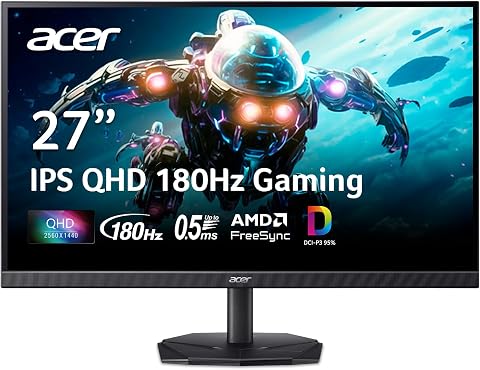 Acer Nitro KG271U 27-Inch QHD IPS Gaming Monitor, 180HzView on Amazon →
- 9
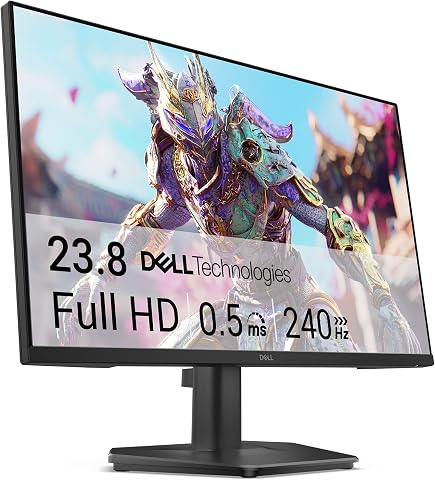 Dell 24 240Hz Gaming Monitor – SE2426HG – 23.8-inch FHD (1920×1080) 240Hz Dis…View on Amazon →
- 10
 Sceptre E225W-FW144 22-Inch FHD 144Hz Gaming MonitorView on Amazon →
Match Screen Speed to Your PC
The list frames a common buying tradeoff: a high refresh rate is useful only when a game and computer can produce enough frames to make use of it. A 240Hz display may better suit players prioritizing competitive frame rates, but it is not automatically a better fit for someone whose system cannot sustain high frame rates or who values sharper images more.
Resolution adds another demand on graphics hardware. The guide presents QHD as a detail-oriented middle ground in several 27-inch models, while Full HD options are pitched toward frame-rate-focused play. Curved and ultrawide monitors may suit different games and desks, but the source cautions that game support for wider formats can vary. Readers should weigh those tradeoffs against the games they play and the graphics performance they can expect.
Products Worth Considering

Samsung Odyssey G55C 32-Inch QHD 1000R Curved Gaming Monitor

Samsung 32-Inch Odyssey G5 (G51F) QHD 180Hz Gaming Monitor

LG UltraGear 32-inch QHD Curved Gaming Monitor, 180Hz, 1ms, FreeSync
As an affiliate, we earn on qualifying purchases.
How the Ten Models Differ
The guide organizes the models by the balance of speed, detail and format rather than treating the largest refresh-rate figure as the sole measure. Its main comparison is between QHD at 240Hz in the Acer and AOC models and Full HD at 240Hz in the Dell and ASUS. The listed QHD 180Hz alternatives include the Acer Nitro KG271U and Samsung Odyssey G5, offering a lower listed refresh rate than the 240Hz picks while retaining QHD resolution.
Other entries address different setups: curved SANSUI models and the 34-inch Sceptre ultrawide emphasize screen shape or width, while the 22-inch Sceptre E225W-FW144G is the smaller 144Hz option. The source does not include a testing methodology with measured response times, motion clarity or image quality, so its rankings should be read as a buying guide based on listed specifications and stated use cases.
“The Acer Nitro XV272U W2bmiiprx stands out as the strongest all-around balance in this group: QHD detail, an IPS panel, and 240Hz in a 27-inch format.”
— ThorstenMeyerAI.com guide
Testing and Model Details Missing
The supplied guide does not state its publication date, list prices, or provide independent benchmark results. It also does not give a complete specification set for all 10 displays, including confirmed connectivity, adaptive-sync support and stand adjustments. The recommendations therefore cannot establish which monitor has the best measured motion performance, image quality or value.
It is also unclear how the listed maximum refresh rates behave across specific connections and resolutions. The source itself advises buyers to verify supported rates for their setup. Shoppers should check current manufacturer listings for the exact model and regional version before purchasing.
Verify Specs Before Buying
The guide does not announce a product launch or provide a future testing date; it is a set of recommendations, and no next milestone is specified. Buyers can use its list to narrow options by resolution, refresh rate, screen size and format, then check current manufacturer specifications and retailer listings for price and availability.
Before choosing, compare the monitor’s supported refresh rate at the intended resolution and connection with the PC or console’s capabilities. For curved and ultrawide options, check desk space and support in the games played. Independent reviews and measurements would be needed to compare performance beyond the specifications cited in the guide.
Key Questions
Which monitor does the guide rank first?
The guide names the Acer Nitro XV272U W2bmiiprx its all-around pick, citing its 27-inch QHD IPS display and 240Hz refresh rate. That ranking reflects the guide author’s assessment, not independent testing detailed in the source.
Which listed monitors combine QHD and 240Hz?
The source lists the Acer Nitro XV272U W2bmiiprx and AOC Q27G41ZE as QHD 240Hz options. It does not provide enough test data to establish which performs better.
Is a 240Hz monitor a better choice than 180Hz?
Not for every setup. The guide says the computer and game must deliver enough frames for a higher refresh rate to be useful, so buyers should compare expected performance with their chosen resolution and games.
Does the guide confirm prices or every model’s features?
No. The supplied material does not provide prices or complete specifications for every display. It advises checking the exact model’s connectivity, stand adjustments, adaptive-sync support and supported refresh rates before buying.
Source: ThorstenMeyerAI.com