

To run effective async stand-ups, choose formats that suit your team’s style, like written updates on messaging platforms, short videos, or audio recordings. Use structured templates to keep updates clear and consistent. Leverage tools like Slack, Teams, or project management apps to streamline communication. Incorporate visuals or sound for richer engagement. If you want practical tips and tools to improve your process, keep exploring how to tailor these solutions to your team’s needs.
Key Takeaways
- Use structured templates like daily check-ins or progress reports for clear, consistent updates.
- Incorporate visual media such as videos, diagrams, or photos to enhance understanding and engagement.
- Leverage messaging platforms (Slack, Teams) with clear standards for concise, timely written updates.
- Utilize asynchronous tools like Standuply, Geekbot, Asana, or Trello for organized, automated stand-up workflows.
- Tailor formats to team preferences, time zones, and cultural norms to promote inclusive and effective communication.
Common Formats for Asynchronous Stand-Ups
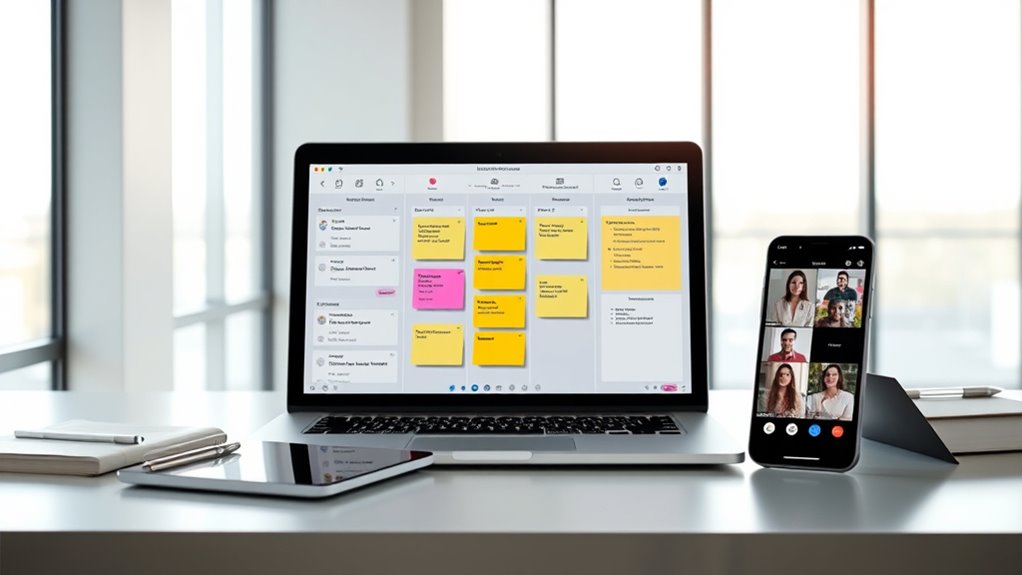
When it comes to asynchronous stand-ups, choosing the right format can make a significant difference in team communication. Visual storytelling is a popular method, where team members share photos, diagrams, or videos to convey updates quickly and clearly. This approach can be especially effective for visual learners and helps break down language barriers. Cultural considerations are also vital; some cultures favor direct, concise updates, while others prefer more detailed storytelling. Using visual formats respects diverse communication styles and can foster inclusivity. Whether you opt for text, images, or embedded videos, selecting a format that aligns with your team’s cultural norms ensures everyone stays engaged and informed. The right choice streamlines updates and encourages meaningful participation. Incorporating sound healing science principles can also inspire creative ways to present updates, making meetings more engaging and soothing.
Selecting the Right Format for Your Team

Choosing the right format for your team’s asynchronous stand-ups depends on understanding your members’ communication preferences and work styles. To boost team engagement and guarantee cultural adaptability, consider these factors:
- Communication Speed: Do team members prefer quick updates or detailed reflections?
- Time Zones: Are members spread across different regions? Choose a format that accommodates varying schedules.
- Work Style: Do team members thrive with visual summaries or written narratives?
- Participation Level: Is active engagement essential, or do some prefer passive updates?
Matching these elements helps you select a format that fosters inclusive participation and respects diverse cultural backgrounds. The goal is to find a style that encourages consistent communication, improves team cohesion, and adapts seamlessly to your team’s unique dynamics. Incorporating juice cleansing principles can also inspire approaches to maintaining clear and healthy communication practices within your team.
Written Updates via Messaging Platforms

To make written updates via messaging platforms effective, you need clear communication standards so everyone knows what to include. Integrating these updates with your existing tools can streamline workflows and keep information centralized. Also, setting expectations for timely responses helps maintain momentum and accountability across your team. Encouraging active listening and empathy during updates ensures clarity and understanding among team members.
Clear Communication Standards
Clear communication standards are essential for ensuring that written updates on messaging platforms are effective and easily understood. When everyone follows consistent guidelines, feedback loops become faster, and team accountability improves. You should establish clear expectations for message clarity, tone, and detail. Consider these points:
- Use concise, specific language to avoid misunderstandings
- Highlight key points with bullet points or headings
- Respond promptly to clarify ambiguities, maintaining feedback loops
- Hold team members accountable for updates that meet standards
- Incorporate content standards from established guidelines to ensure clarity and consistency in communication.
Platform Integration Benefits
Integrating your messaging platforms with other tools streamlines written updates by centralizing communication and reducing context-switching. This integration allows you to automatically share updates across project management, file sharing, and calendar apps, keeping everyone aligned without switching platforms. It enhances productivity by making information accessible in one place, minimizing missed updates or duplicated efforts. Additionally, integrating with secure platforms ensures your team’s data privacy and platform security remain protected, adhering to privacy standards and safeguarding sensitive information. You can set permissions and controls that restrict access where necessary, maintaining confidentiality. Moreover, understanding local gym hours can help your team plan wellness activities that support overall productivity and well-being. Overall, platform integration boosts efficiency, promotes seamless collaboration, and helps you maintain control over your data privacy and security, all while simplifying your asynchronous communication process.
Ensuring Timely Responses
Ensuring timely responses in asynchronous stand-ups requires setting clear expectations and establishing accountability. When team members know when to provide updates, it encourages timely feedback and keeps projects moving smoothly. To promote response accountability, consider these strategies:
- Set firm deadlines for submitting updates each day or week
- Clearly communicate the importance of prompt replies for team cohesion
- Use reminders or automated alerts to nudge members who are late
- Track response times to identify and address delays proactively
- Incorporate animated movies into team-building activities to foster emotional connections and improve communication.
Video and Audio Updates for Rich Communication

Using video and audio updates can make your communication clearer and more expressive, capturing tone and nuance that text alone can’t transmit. However, connectivity issues can sometimes disrupt these rich exchanges, so it’s important to have backup plans. Balancing quality and reliability helps ensure your team stays connected effectively. Regularly checking your internet connection quality can help prevent interruptions during important updates.
Enhancing Clarity With Video
Have you ever found that text updates leave too much room for misinterpretation? Using video can dramatically improve clarity by leveraging visual storytelling. When your team shares quick video updates, you get clearer insights into progress, challenges, and context. To enhance video clarity, focus on:
- Good lighting to ensure your face and surroundings are visible
- Clear, steady camera work to avoid distracting shakiness
- Concise visuals that directly support your message
- Natural facial expressions and gestures to convey nuance
These elements help your audience interpret your updates accurately and efficiently. Video not only clarifies complex ideas but also adds emotional nuance, making communication richer. By prioritizing visual storytelling, you ensure your updates are engaging, understandable, and impactful. Additionally, visual clarity plays a crucial role in effective communication, especially when conveying detailed information.
Voice Tone and Nuance
While video visuals clarify what you’re saying, capturing tone and nuance requires paying close attention to audio. Your voice tone conveys emotions and intent that visuals alone can’t express, making nuance detection essential. Maintaining tone consistency throughout your updates ensures your message is clear and avoids misunderstandings. When recording audio, speak naturally and vary your pitch to highlight key points or emotions, helping listeners pick up on subtle cues. Clear audio quality also plays a vital role; muffled or inconsistent sound can obscure tone, reducing effective communication. By focusing on audio clarity and tone variation, you make your updates more engaging and easier to interpret, fostering better understanding and connection within your team. Additionally, understanding audio quality fundamentals can significantly improve how your message is received and interpreted.
Overcoming Connectivity Challenges
Connectivity issues can hinder your ability to deliver clear and engaging video and audio updates, but proactive strategies can help you overcome these challenges. To maintain effective communication, consider preparing offline collaboration materials in case of connectivity lapses. Manage time zones carefully to ensure everyone has access to updates when they’re most available. Use reliable tools that allow recording and downloading updates for asynchronous review. Establish backup plans, like switching to audio-only or text summaries if video stalls. Regularly check your internet connection and optimize your setup for stability. By planning ahead and leveraging these strategies, you guarantee your team stays informed despite connectivity hurdles. Additionally, understanding content spoilage signs can help you prepare backup materials to ensure your updates remain consistent and reliable. This approach keeps your async stand-ups smooth, inclusive, and productive across different locations and network conditions.
Structured Templates to Streamline Updates

Structured templates can markedly improve the efficiency of asynchronous stand-ups by providing a clear framework for updates. Using daily check-ins, you guarantee team members know exactly what information to share each day, reducing confusion and repetition. Progress templates help team members quickly summarize their work, highlight roadblocks, and set priorities without lengthy explanations. These templates streamline communication, making updates quick and consistent. By standardizing what everyone reports, you minimize misunderstandings and facilitate easier review of progress. They also save time by guiding team members on what details are necessary, preventing unnecessary elaboration. Additionally, understanding the expiration of vape juice and other consumables can help teams maintain quality and safety in their routines. Overall, structured templates keep everyone aligned, promote accountability, and make your async stand-ups more effective and less time-consuming.
Tools Facilitating Async Stand-Ups

Using dedicated tools can markedly enhance the effectiveness of asynchronous stand-ups by streamlining communication and organizing updates. These tools help you manage time zone considerations, ensuring team members contribute at convenient times. They also promote team engagement strategies by enabling everyone to see updates and comment asynchronously. Popular options include:
Dedicated tools streamline communication, manage time zones, and boost team engagement for more effective asynchronous stand-ups.
- Slack or Microsoft Teams, with dedicated channels for updates
- Asana or Trello for task-specific check-ins and progress tracking
- Notion or Confluence for structured update templates and documentation
- Standuply or Geekbot, which automate prompts and reminders. Incorporating spiritual practices can help maintain team well-being and focus during remote work. These tools foster clarity, reduce miscommunication, and keep everyone aligned, regardless of location or schedule. Choosing the right platform depends on your team’s needs and workflow, but each supports smoother asynchronous communication and stronger team cohesion.
Integrating Asynchronous Stand-Ups Into Your Workflow

To successfully integrate asynchronous stand-ups into your workflow, you need to align them with your team’s existing processes and communication habits. Start by evaluating how your team shares updates and collaborates daily. Incorporate asynchronous stand-ups gradually, ensuring everyone understands their purpose and benefits. Address asynchronous challenges early by establishing clear guidelines on responses and timing, which helps maintain team morale. Consistent routines and accessible platforms foster engagement, making the process seamless. Communicate expectations transparently to minimize confusion and resistance. Regularly gather feedback to refine the approach, keeping everyone motivated and connected. Additionally, understanding regional resources and local laws can improve coordination, especially for geographically dispersed teams. When integrated thoughtfully, asynchronous stand-ups can boost productivity while maintaining a positive team dynamic, even with different schedules or time zones.
Best Practices for Effective Asynchronous Communication

Effective asynchronous communication hinges on clear, concise messaging and establishing shared expectations. To guarantee your team stays aligned, prioritize transparency about deadlines, updates, and responsibilities. Consider time zone coordination by scheduling check-ins or updates at overlapping hours or using flexible tools that accommodate different regions. Promote team accountability by encouraging detailed responses and setting clear guidelines for communication. Use these practices:
- Keep messages brief but informative, avoiding ambiguity.
- Clearly state deadlines and next steps for every task.
- Use standardized templates to maintain consistency.
- Regularly review and update shared documentation for clarity.
- Incorporate content management best practices to ensure information remains organized and accessible.
Frequently Asked Questions
How Do You Encourage Engagement in Asynchronous Stand-Ups?
To encourage engagement in asynchronous stand-ups, you should make the process engaging and motivating for your team. Use visual elements like progress charts or emojis to boost visual engagement, making updates more appealing. Keep the questions clear and concise to maintain team motivation. Regularly acknowledge contributions and set expectations for timely responses. These strategies help foster a sense of ownership and participation, ensuring your team stays connected and motivated.
What Are Common Challenges Faced With Async Stand-Up Formats?
Async stand-ups can be a double-edged sword, often challenging your team’s accountability and communication clarity. Common issues include team members missing updates, unclear messages, and delayed responses. These challenges are like trying to catch smoke; they slip through the cracks if not managed properly. To overcome them, you need clear guidelines, consistent follow-ups, and tools that foster transparency, ensuring your team stays connected and accountable, no matter where they are.
How Do You Handle Time Zone Differences Effectively?
You handle time zone differences by prioritizing time zone coordination and scheduling flexibility. You can set overlapping hours that work for most team members, ensuring everyone stays connected. Using asynchronous updates allows team members to share progress without needing real-time responses. Flexible scheduling fosters better collaboration, minimizes delays, and respects individual time zones. This approach keeps everyone aligned while accommodating diverse work hours effectively.
Can Asynchronous Stand-Ups Replace Daily In-Person Meetings Entirely?
While it might seem tempting to think asynchronous communication can fully replace daily in-person meetings, it’s more about enhancing virtual collaboration than replacing it entirely. You may find that asynchronous stand-ups foster flexibility and thoughtful updates, but face-to-face interactions still nurture team bonds and quick problem-solving. Striking a balance guarantees you maintain connection and efficiency, making your team feel supported and engaged, even from afar.
What Metrics Can Measure the Success of Async Stand-Up Practices?
You want to measure the success of async stand-up practices, so focus on productivity metrics like task completion rates and cycle times. Additionally, engagement indicators such as timely updates, participation levels, and communication quality reveal how well your team adapts. Tracking these metrics helps you determine if async stand-ups boost collaboration and efficiency, guiding improvements and ensuring your team stays aligned even without daily in-person meetings.
Conclusion
Embracing asynchronous stand-ups can boost your team’s productivity and flexibility. Did you know that teams using async updates report a 30% reduction in meeting time? By choosing the right format and tools, you streamline communication and keep everyone aligned without sacrificing time. Implement best practices, stay consistent, and watch collaboration improve. With the right approach, asynchronous stand-ups become an essential part of your workflow, fostering clear, efficient, and flexible team interactions.