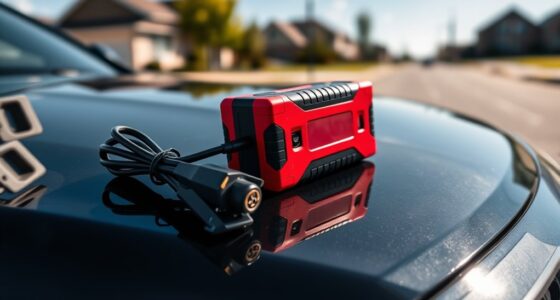

AI-powered note-taking apps now span pocket recorders, wearable microphones, and E Ink tablets, so the right choice depends on how a buyer captures information. My best overall pick is the Plaud Note Pro because it offers the strongest balance of meeting and call recording, transcription, and useful summaries. The standard Plaud Note is the value standout, while the iFLYTEK AINOTE 2 is better for buyers who want handwriting and AI assistance on one larger screen. The main tradeoffs are portability versus writing space, polished software versus generous hardware specifications, and upfront cost versus possible ongoing AI-service fees. Continue reading for the full breakdown of which option fits each buyer type.

Get business pricing on tech for your team
- Business-only prices and quantity discounts
- Tax-exempt purchasing
- Multiple users, one account, clear invoices
Key Takeaways
- Plaud Note Pro ranks first because its meeting-and-call focus gives it broader everyday utility than recorders built mainly around room audio.
- Plaud Note offers the strongest value balance: it keeps the core transcription-and-summary workflow without pushing buyers toward the most expensive hardware.
- iFLYTEK’s E Ink tablets are the better handwriting tools, but their larger bodies and wider feature sets make less sense for buyers who only need automatic meeting notes.
- Plaud NotePin S wins on wearable convenience, while Pocket AI Voice Recorder is the more conventional compact choice for buyers who prefer a device carried in a pocket or bag.
- Storage, battery life, and language counts did not decide the ranking alone; app quality, export flexibility, subscription terms, and recording practicality matter more over time.
| iFLYTEK AINOTE 2 Paper Tablet |  | Best for Handwritten AI Notes | Display technology: Electronic Ink | Screen size: 10.65 inches | Resolution: 1440 x 1920 | VIEW LATEST PRICE | See Our Full Breakdown |
| Plaud Note AI Voice Recorder |  | Best Overall Voice Recorder | Languages supported: 112 | Storage capacity: 64 GB | Recording time: Up to 30 hours | VIEW LATEST PRICE | See Our Full Breakdown |
| Pocket AI Voice Recorder |  | Best for Smartphone Attachment | Compatible device: Smartphone | Hardware interface: Bluetooth | Microphone: Built-in | VIEW LATEST PRICE | See Our Full Breakdown |
| Plaud Note Pro AI Voice Recorder |  | Best for Professional Teams | Languages: 112 | Display: AMOLED | Thickness: 0.12 inches | VIEW LATEST PRICE | See Our Full Breakdown |
| Plaud NotePin S Wearable AI Voice Recorder |  | Best Wearable Recorder | Languages supported: 112 | Storage capacity: 64 GB | Recording time: Up to 20 hours | VIEW LATEST PRICE | See Our Full Breakdown |
| AI Voice Recorder Note Taking Device with Transcription & Summarization |  | Best Battery Life | Storage Capacity: 64GB | Battery Life: 100 hours | Display Size: 1.05 inches | VIEW LATEST PRICE | See Our Full Breakdown |
| 128GB AI Voice Recorder with Transcription and Noise Cancellation |  | Best for Storage-Heavy Workflows | Storage: 128GB | Languages Supported: 118 | Microphone Count: Three | VIEW LATEST PRICE | See Our Full Breakdown |
| iFLYTEK AINOTE Air 2 8.2-inch AI E Ink Tablet |  | Best Compact Writing Tablet | Display: 8.2-inch HD E Ink | Stylus: Included | Transcription Languages: 17 | VIEW LATEST PRICE | See Our Full Breakdown |
| iFLYTEK AINOTE 2 10.65-inch E-Ink Digital Paper Tablet |  | Best Large-Screen Digital Paper | Display: 10.65-inch anti-glare E Ink | Pressure Sensitivity: 1,024 levels | Thickness: 4.2mm | VIEW LATEST PRICE | See Our Full Breakdown |
| Comulytic Note Pro AI Voice Recorder |  | Best for Unlimited Transcription | Compatibility: Smartphone | Interface: Bluetooth | Audio Formats: MP3 and WAV | VIEW LATEST PRICE | See Our Full Breakdown |
| AI-powered note-taking app | Storage capacity | Weight |
|---|---|---|
| iFLYTEK AINOTE 2 Paper Tablet | — | — |
| Plaud Note AI Voice Recorder | 64 GB | 1.06 oz |
| Pocket AI Voice Recorder | 64 GB | — |
| Plaud Note Pro AI Voice Record | — | 1.06 oz |
| Plaud NotePin S Wearable AI Vo | 64 GB | 0.61 oz |
| AI Voice Recorder Note Taking | 64GB | 2.12 oz |
| 128GB AI Voice Recorder with T | — | — |
| iFLYTEK AINOTE Air 2 8.2-inch | — | — |
| iFLYTEK AINOTE 2 10.65-inch E- | — | — |
| Comulytic Note Pro AI Voice Re | 64GB | 27.6g |
More Details on Our Top Picks
iFLYTEK AINOTE 2 Paper Tablet
I rank the iFLYTEK AINOTE 2 highest for buyers who want handwriting, reading, and AI assistance on one device. Its 10.65-inch E-ink display and stylus provide far more space for diagrams and document annotation than the audio-first Plaud Note Pro. ChatGPT-powered assistance and 18-language transcription can turn meetings into searchable notes, while Google Play compatibility broadens the available workflows. Compared with the smaller iFLYTEK AINOTE Air 2, this model favors workspace over compactness. The 14-day battery life also suits travel and long workweeks. I would skip it for frequent dark-room writing because the supplied data lists no adjustable light. Its AI tools also depend on Wi-Fi, making this a weaker choice for offline or highly confidential work.
Pros:- Large E-ink workspace supports handwriting, diagrams, and document annotation
- AI assistance and transcription support 18 languages
- Up to 14 days of battery life reduces charging interruptions
- Google Play compatibility offers more workflow flexibility than a closed recorder
Cons:- AI assistance and transcription require Wi-Fi
- No supplied adjustable-light feature for writing in dark rooms
- Cloud-dependent AI features may not suit confidential material
Best for: Researchers, students, and meeting-heavy professionals who combine handwritten notes, document annotation, and multilingual transcription
Not ideal for: Nighttime writers and privacy-sensitive teams that need every AI and transcription function to work offline
- Display technology:Electronic Ink
- Screen size:10.65 inches
- Resolution:1440 x 1920
- Storage:64 GB
- RAM:4 GB
- Battery life:Up to 14 days
- Connectivity:Wi-Fi
- Supported files:EPUB, MOBI, PDF, TXT
Our verdict“I recommend this model to buyers who want an AI-enhanced digital notebook rather than a dedicated voice recorder.”
Plaud Note AI Voice Recorder
I place the Plaud Note first among the dedicated recorders because it balances portability, language coverage, and mature workflow features without requiring the Pro hardware. It captures up to 30 hours, supports transcription in 112 languages, and syncs across devices, making recorded meetings easier to search and share. Compared with the Pocket AI Voice Recorder, its stated security standards and team-management support make it better suited to structured workplace use. The Plaud Note Pro remains the stronger choice for four-microphone capture, an AMOLED display, and longer recording endurance, but those additions come at a premium. My main reservation is the recurring transcription allowance: the Starter plan includes 300 minutes monthly, so frequent users may need a costly upgrade. Cloud features also require internet access.
Pros:- Supports transcription across 112 languages
- Slim 1.06-ounce body is easy to carry with a phone
- Cross-device sync and team features support shared workflows
- Thirty-hour recording capacity covers long meetings and travel days
Cons:- Heavy transcription use can require a paid subscription tier
- Cloud-based functions depend on an internet connection
- 64GB storage may require regular transfers for large audio archives
Best for: Consultants, journalists, and multilingual professionals who need a thin recorder with organized summaries and cross-device access
Not ideal for: High-volume users who want unlimited transcription without a recurring plan or who regularly work without internet access
- Languages supported:112
- Storage capacity:64 GB
- Recording time:Up to 30 hours
- Standby time:Up to 60 days
- Weight:1.06 oz
- Thickness:0.12 inches
- Starter allowance:300 transcription minutes per month
- Included accessories:Magnetic case, magnetic ring, charging cable
Our verdict“I recommend the Plaud Note as the most balanced recorder for buyers who value portability, multilingual transcription, and organized app workflows.”
Pocket AI Voice Recorder
I assign the Pocket AI Voice Recorder a focused role for buyers who want one-tap capture attached directly to a smartphone. Its MagSafe-compatible design is more convenient for spontaneous calls and ideas than carrying the larger iFLYTEK AINOTE 2, while automatic transcription, summaries, and AI insights reduce the time spent reviewing recordings. Compared with the Plaud Note, though, the supplied data does not specify broad language support or the same workplace security credentials. Smartphone-only compatibility also makes it less flexible for people who want a stand-alone recorder or desktop-led workflow. The stated four-day average battery life is useful for mobile routines, but premium functions may still require a subscription. I rank it below Plaud for professional teams, yet its simple attachment system makes it a more direct fit for phone-centered personal productivity.
Pros:- One-tap recording reduces friction when capturing spontaneous ideas
- MagSafe compatibility supports convenient phone-mounted use
- AI summaries and insights speed up review and organization
- Four-day average battery life suits mobile work routines
Cons:- Full functionality is limited to smartphone-centered workflows
- Premium features may require an additional subscription
- No stated water or dust resistance for outdoor or field use
Best for: Phone-first freelancers, sales representatives, and commuters who want quick MagSafe recording for calls, ideas, and informal meetings
Not ideal for: Desktop-led teams and buyers who need clearly documented multilingual coverage, enterprise privacy standards, or stand-alone operation
- Compatible device:Smartphone
- Hardware interface:Bluetooth
- Microphone:Built-in
- Audio format:RealAudio
- Storage capacity:64 GB
- Average battery life:4 days
- Dimensions:1.77 x 3.2 x 7.4 inches
- Battery:One battery included
Our verdict“I recommend this recorder for buyers who prioritize fast phone attachment over Plaud’s broader professional and multilingual feature set.”
Plaud Note Pro AI Voice Recorder
I rank the Plaud Note Pro as the strongest specialist choice for teams that treat recordings as working documents. Its four MEMS and VPU microphones, automatic speaker labels, and support for 112 languages suit interviews and multi-person meetings better than the standard Plaud Note. The AMOLED display provides immediate status feedback, while audio, images, and typed notes can supply richer context for AI summaries. Battery life reaches 30 to 50 hours, another advantage over the 20-hour Plaud NotePin S. Those gains do not make it the default choice for everyone: I would reserve its premium hardware for frequent professional recording. Higher transcription allowances cost extra, and the broader feature set can take time to learn. Buyers who need simple personal capture will get better value from the standard Plaud Note.
Pros:- Four MEMS and VPU microphones support more capable meeting capture
- Transcription spans 112 languages with automatic speaker labels
- Up to 50 hours of recording suits long sessions and work trips
- Multimodal input adds images and notes to audio-based summaries
Cons:- Premium hardware carries a higher purchase price
- More transcription minutes require a paid plan
- Advanced workflows may take longer to configure and learn
Best for: Consulting groups, research teams, and client-facing professionals who record long multilingual meetings and need speaker-aware summaries
Not ideal for: Occasional personal users who would pay extra for microphones, display, and team features they rarely use
- Languages:112
- Display:AMOLED
- Thickness:0.12 inches
- Weight:1.06 oz
- Battery life:30–50 hours
- Microphone system:Four MEMS and VPU microphones
- Synchronization:App and desktop cross-device sync
- Privacy standards:ISO 27001/27701, SOC 2, HIPAA, GDPR, EN18031
Our verdict“I recommend the Pro to teams that will benefit from stronger capture hardware and richer context enough to justify the added cost.”
Plaud NotePin S Wearable AI Voice Recorder
I choose the Plaud NotePin S for buyers who need hands-free capture rather than another device in a pocket or on a desk. At 0.61 ounces, it can be worn with a pin, clip, lanyard, or wristband, giving it a clear mobility advantage over the card-shaped Plaud Note Pro. Its 112-language transcription and structured AI insights make conversations easier to review, while 64GB of storage supports recording away from a computer. The tradeoff is endurance: its 20-hour recording limit trails the 30-to-50-hour Plaud Note Pro, even though 40-day standby is strong. I also factor in the setup and plan structure; full functionality relies on the companion app, and the included tier supplies 300 transcription minutes monthly. The wearable form is its reason to buy, not lower ongoing costs.
Pros:- Multiple wearing options support hands-free recording
- Very light 0.61-ounce body is suited to all-day use
- Transcription supports 112 languages
- Twenty-hour recording and 40-day standby cover regular workdays
Cons:- Recording endurance is shorter than the Plaud Note Pro
- Full functionality requires companion-app setup
- More than 300 monthly transcription minutes requires another plan
Best for: Clinicians, field researchers, and mobile professionals who need lightweight, hands-free conversation capture throughout the day
Not ideal for: Buyers recording multi-day events or large monthly audio volumes who want to avoid app setup and subscription fees
- Languages supported:112
- Storage capacity:64 GB
- Recording time:Up to 20 hours
- Standby time:Up to 40 days
- Weight:0.61 oz
- Starter allowance:300 transcription minutes per month
- Pro allowance:Up to 1,200 transcription minutes per month
- Included accessories:Magnetic pin, clip, lanyard, wristband, charging dock, USB-C cable
Our verdict“I recommend the NotePin S when discreet hands-free portability matters more than maximum recording endurance or subscription-free use.”
AI Voice Recorder Note Taking Device with Transcription & Summarization
I rank the AI Voice Recorder Note Taking Device as Best Battery Life because its 100-hour rating is the clearest reason to choose it over the 45-hour Comulytic Note Pro. The four-microphone array, AI beamforming, and noise cancellation should make long meetings or lecture days easier to capture, while 132+ language support gives multilingual teams the broadest stated coverage in this batch. At 2.12 ounces and 0.24 inches thick, it also travels easily. The compromise is capacity: its 64GB storage is half that of the 128GB AI Voice Recorder, with no stated expansion path. I would also skip it for a phone-free workflow, since full management depends on a compatible smartphone, and the lack of stated external-microphone support limits specialized recording setups.
Pros:- 100-hour battery supports extended recording schedules
- Four-microphone array uses AI beamforming and noise cancellation
- Transcription and summaries support more than 132 languages
- Compact 2.12-ounce body is easy to carry
Cons:- Full app functionality requires a compatible smartphone
- 64GB storage has no stated expansion option
- No stated support for an external microphone
Best for: Multilingual researchers, lecturers, and traveling professionals who record for many hours between charges
Not ideal for: Phone-free users or audio professionals who need expandable storage and external microphones
- Storage Capacity:64GB
- Battery Life:100 hours
- Display Size:1.05 inches
- Microphone:Built-in four-microphone array with AI beamforming
- Supported Languages:132+
- Connectivity:Bluetooth
- Weight:2.12 oz
- Thickness:0.24 inches
Our verdict“My pick for long recording sessions, provided 64GB and smartphone-based management fit the workflow.”
128GB AI Voice Recorder with Transcription and Noise Cancellation
I place the 128GB AI Voice Recorder first for storage-heavy workflows: it offers twice the onboard capacity of the 64GB Comulytic Note Pro and adds cloud backup plus an offline mode. That combination suits people who accumulate lectures, interviews, or meeting archives and cannot depend on a constant connection. Its triple-microphone system pairs dual noise-canceling microphones with bone-conduction capture, while the AI can turn recordings into transcripts, summaries, and mind maps across 118 languages. It is more ambitious than the simpler 100-hour AI Voice Recorder, but also less approachable. Cloud synchronization and encryption require user approval, and the setup may frustrate buyers who want immediate recording with few decisions. I would choose it for organization and capacity, not for the most clearly documented battery endurance or the easiest onboarding.
Pros:- 128GB onboard storage holds larger recording libraries
- Triple-microphone system includes noise-canceling and bone-conduction capture
- AI produces transcripts, summaries, and mind maps
- Cloud backup and offline operation support flexible workflows
Cons:- Encryption and cloud synchronization require user approval
- Setup may be complicated for less technical users
- No battery-life figure is provided in the supplied data
Best for: Consultants, researchers, and students who retain large audio archives and want AI-generated mind maps
Not ideal for: Non-technical buyers who want minimal setup and no cloud or encryption decisions
- Storage:128GB
- Languages Supported:118
- Microphone Count:Three
- Microphone Configuration:Dual noise-canceling plus bone conduction
- App Control:Supported
- Cloud Backup:Supported
- AI Features:Transcription, summarization, and mind maps
Our verdict“I favor this recorder for high-volume note archives, especially when storage and mind maps matter more than simple setup.”
iFLYTEK AINOTE Air 2 8.2-inch AI E Ink Tablet
I rank the iFLYTEK AINOTE Air 2 as the Best Compact Writing Tablet for buyers who want handwritten notes and AI assistance in one portable device. Unlike the voice-first Comulytic Note Pro, it provides an 8.2-inch E Ink canvas, a stylus, and handwriting conversion across 83 languages, so ideas can remain visual before becoming searchable text. Its 24-level dual-color light also makes it more adaptable for reading than an unlit digital notebook. Compared with the 10.65-inch AINOTE 2, the Air 2 is easier to carry but offers less room for dense documents, split views, or expansive diagrams. Transcription covers only 17 languages, far fewer than the dedicated recorders here. I see it as a writing-led tool with useful AI support, while app dependencies and moderate customer satisfaction make it a less certain fit for buyers seeking a polished standalone system.
Pros:- Paper-like 8.2-inch E Ink writing surface with stylus
- Handwriting conversion supports 83 languages
- Twenty-four brightness levels with adjustable color temperature
- OneDrive cloud synchronization and Google Play access
Cons:- Smaller screen can feel restrictive for detailed documents and diagrams
- Voice transcription is limited to 17 languages
- Full functionality depends on compatible apps
Best for: Mobile writers, students, and meeting attendees who prefer handwriting but need searchable digital notes
Not ideal for: Diagram-heavy users or multilingual teams that need broad voice-transcription coverage
- Display:8.2-inch HD E Ink
- Stylus:Included
- Transcription Languages:17
- Handwriting Conversion Languages:83
- Brightness Levels:24
- Cloud Services:OneDrive and Google Play
- Warranty:1 year
Our verdict“My compact-tablet choice for handwriting-first buyers who can accept a smaller canvas and narrower transcription support.”
iFLYTEK AINOTE 2 10.65-inch E-Ink Digital Paper Tablet
I give the iFLYTEK AINOTE 2 the Best Large-Screen Digital Paper role because its 10.65-inch anti-glare display offers substantially more working space than the 8.2-inch AINOTE Air 2. That larger canvas is better suited to annotated documents, longer handwritten pages, and meeting notes that mix diagrams with text. The 4.2mm body remains slim, while Android 14, format support, note exporting, AI summaries, and voice transcription make it more versatile than a basic E Ink notebook. Voice features cover 16 transcription languages and 11 live-translation languages, however, so the 132+ language voice recorder is a stronger multilingual choice. The 1,024 pressure levels may satisfy routine writing, but buyers receive no supplied battery-life or durability figures. A mixed 3.5-out-of-5 customer rating also makes this harder for me to recommend without reservations.
Pros:- Large 10.65-inch anti-glare E Ink display supports spacious note layouts
- Ultra-slim 4.2mm body remains portable
- AI transcription, live translation, and smart summaries support meeting work
- Android 14 and multi-format exporting broaden document compatibility
Cons:- Supplied data omits battery-life and durability details
- Transcription and translation language coverage trails dedicated recorders
- Mixed 3.5-out-of-5 customer rating reduces confidence
Best for: Professionals and students who annotate documents or create spacious handwritten meeting notes
Not ideal for: Risk-averse buyers who need proven battery endurance, broad transcription coverage, or stronger customer feedback
- Display:10.65-inch anti-glare E Ink
- Pressure Sensitivity:1,024 levels
- Thickness:4.2mm
- Operating System:Android 14
- Transcription Languages:16
- Live Translation Languages:11
- Included Stylus:Yes
- Connectivity:USB-C
Our verdict“I would choose this for a roomy, distraction-light writing surface, but only if the missing endurance details are acceptable.”
Comulytic Note Pro AI Voice Recorder
I assign the Comulytic Note Pro the Best for Unlimited Transcription role because its stated unlimited transcription and cloud backup reduce the pressure to ration AI processing across recurring meetings, calls, and lectures. Support for 113 languages makes it far more multilingual than either iFLYTEK tablet, while real-time Wi-Fi transfer can move recordings into a working archive quickly. Its 27.6g body is also the lightest clearly specified option in this batch. The tradeoff is hardware endurance: its 45-hour battery is useful for several workdays but falls well short of the 100-hour AI Voice Recorder, and its 64GB capacity cannot match the 128GB model. Full functionality relies on a smartphone app, while the missing headphone jack removes direct private playback. I would pick it for transcription volume and portability, not maximum independence from phones or cloud storage.
Pros:- Unlimited transcription suits frequent recording schedules
- Supports 113 languages
- Real-time Wi-Fi transfer and unlimited cloud backup simplify archiving
- Slim 27.6g body is highly portable
Cons:- Full functionality depends on a smartphone app
- No headphone jack for direct private playback
- Battery life and onboard storage trail stronger rivals
Best for: Frequent meeting attendees who generate many transcripts and want a very light recorder with cloud backup
Not ideal for: Phone-averse users, private-playback users, or field workers who need maximum battery endurance
- Compatibility:Smartphone
- Interface:Bluetooth
- Audio Formats:MP3 and WAV
- Storage Capacity:64GB
- Screen Size:0.78 inches
- Battery Life:45 hours
- Dimensions:0.12 x 2.04 x 3.37 inches
- Weight:27.6g
- Headphone Jack:No
Our verdict“My choice for high-volume transcription on the move, as long as app dependence and a 45-hour battery are acceptable.”
How We Picked
I ranked these products by how well each one turns captured speech or handwriting into usable, organized notes. My main criteria were capture versatility, transcription support, summary quality, app usability, and the ease of finding or exporting information later. I also weighed portability, screen and stylus utility, battery claims, storage, language coverage, and compatibility with other software. A long specification list earned less weight when the product gave buyers limited clarity about its companion app or AI workflow.
The order reflects buyer usefulness rather than raw hardware power. Products with mature meeting, call, and summary workflows placed ahead of generic recorders offering large storage capacities but less differentiation in software. E Ink models received extra credit for combining handwriting with voice capture, though I marked them down for bulk and higher expected cost. I also separated near-duplicate iFLYTEK listings by their stated positioning, since buyers should compare the exact bundle, app access, warranty, and seller support before choosing between them. Each selection has a distinct role, from best overall and best value to wearable capture, multilingual recording, compact handwriting, and high-capacity storage.
Factors to Consider When Choosing AI-powered Note-taking Apps
I would choose between these products by starting with the capture habit, not the longest feature list. A recorder, wearable, and E Ink tablet can all create AI notes, but they solve different problems before the software begins its work. The following factors help separate a useful daily system from hardware that may sit unused.
Match the Device to the Way You Capture Ideas
A buyer who spends most of the day in meetings needs a different tool from someone who develops ideas by handwriting. Card-style and pocket recorders favor quick audio capture, while a wearable reduces the chance of leaving the recorder behind. An E Ink tablet adds space for diagrams, annotations, and written planning, but it also demands a bag and more deliberate setup. The common mistake is paying for a writing screen when nearly every note begins as speech. The reverse problem is choosing a voice-only device and later discovering that sketches or manual annotations are central to the workflow. I would pay more for a hybrid tablet only when handwriting will remain a regular part of the note archive.
Judge the AI by Its Output, Not Its Label
Transcription is only the first stage of a useful AI note system. The stronger platforms turn a long recording into speaker-aware text, decisions, action items, and searchable topics without burying the source transcript. Buyers should check whether summaries can be regenerated with different formats and whether edits remain attached to the original recording. A product that advertises AI but produces one fixed summary may become limiting once meetings vary in structure. Names, technical language, and overlapping speakers are common weak points, so editable transcripts matter even when accuracy claims sound strong. I would favor transparent correction and export tools over a larger menu of novelty AI features.
Calculate the Cost Beyond the Recorder
The purchase price may cover the hardware while transcription minutes, advanced summaries, or cloud storage sit behind a recurring plan. Buyers should compare the included monthly allowance with their actual meeting hours rather than assuming the free tier will be enough. A low-cost recorder can become the expensive choice when regular overage charges appear. Occasional users may get better value from a modest allowance, while consultants, researchers, and sales teams can justify a higher tier if it replaces manual note cleanup. I would also check whether unused minutes roll over and whether recordings remain accessible after a plan is canceled. Total two-year cost is a better comparison than the device price alone.
Balance Portability, Battery Life, and Storage
Compact hardware is easier to carry, but smaller controls and limited status displays can make recording errors harder to spot. Wearables offer hands-free capture, though microphone placement and clothing noise can affect the source audio. Large battery and storage figures are useful for travel or all-day events, yet they do not compensate for weak synchronization or a confusing app. Buyers who upload recordings after every session rarely need 128GB, while field researchers working away from reliable internet may value it highly. I would leave enough battery margin for standby drain, repeated uploads, and long sessions instead of planning around the advertised maximum. Reliable daily carry matters more than capacity that never gets used.
Check Language, Privacy, and Export Rules
A high language count can hide wide differences in dialect handling, punctuation, speaker separation, and mixed-language conversations. Buyers should confirm support for the languages they actually speak, including regional accents, rather than treating the largest number as the automatic winner. Cloud processing also means recordings may leave the device, which matters for confidential meetings, medical discussions, interviews, or client work. I would review retention controls, deletion options, account security, and whether local recording works without a network connection. Recording consent rules vary by location and setting, so the buyer must check the rules that apply before capturing other people. Export support for plain text, audio, PDF, or common document formats reduces dependence on one provider. A clean exit path is especially valuable when notes need to remain accessible for years.
Frequently Asked Questions
Should I Buy a Dedicated AI Recorder or Use a Phone App?
I would choose a dedicated recorder when fast capture, battery independence, and consistent microphone placement matter more than carrying one less device. A phone app can be enough for occasional meetings, but calls, notifications, storage pressure, and operating-system permissions may interrupt the workflow. Dedicated hardware also makes recording a more deliberate action and may offer easier controls during interviews or events. The phone remains the better value for light use when its existing microphone and an approved app meet the buyer’s needs. A separate device earns its cost when missed recordings or poor source audio would create real work.
Is Plaud Note Pro Worth Paying More for Than Plaud Note?
Plaud Note Pro makes more sense for buyers who record meetings and calls frequently and want the broadest capture-focused option in this lineup. The standard Plaud Note is the better value when core transcription and summaries are the priority. Buyers should compare the exact hardware differences, included AI allowance, and subscription pricing available at purchase time. Paying more is easier to justify when the device supports revenue-generating calls or replaces hours of manual note preparation. For occasional personal recordings, the non-Pro model is likely the more disciplined purchase.
When Is an E Ink AI Tablet Better Than a Voice Recorder?
An E Ink model is better when handwriting, diagrams, document annotation, and reading share equal weight with transcription. It can keep written and spoken material in one workspace, which helps students, planners, and professionals who think visually. A voice recorder is faster to carry and usually less distracting during meetings. Buyers who rarely revisit handwritten pages may pay for screen space they do not need. I would choose the tablet only when the stylus workflow changes how the notes are created, not merely because the screen looks appealing.
Do I Need 64GB or 128GB of Recorder Storage?
Most buyers do not need 128GB if recordings are synchronized, reviewed, and archived regularly. Higher local capacity is useful for conferences, fieldwork, travel, or environments where cloud uploads are unavailable or restricted. Audio format and quality settings also affect how quickly storage fills, so capacity cannot be judged by hours alone. Large storage may encourage buyers to keep unorganized recordings that become harder to search later. I would prioritize dependable synchronization and clear file management before paying extra for capacity.
Can AI-Generated Meeting Notes Replace Manual Review?
I would treat AI summaries as a fast first draft, not an unquestioned record. Names, numbers, commitments, and comments made by overlapping speakers still deserve a check against the transcript or audio. The time savings come from reviewing a structured summary instead of creating notes from a blank page. For legal, financial, medical, or personnel decisions, human verification carries even more weight. The best product is the one that makes source checking quick and visible rather than hiding the recording behind a polished summary.
Conclusion
For most meeting-heavy buyers, I would choose the Plaud Note Pro as the best overall option because it offers the most balanced recording, transcription, and summary workflow. The standard Plaud Note is my best-value pick, especially for buyers who want the core experience without paying for the flagship device. For a premium handwriting system, the Google Play-compatible iFLYTEK AINOTE 2 makes the strongest case, while the smaller AINOTE Air 2 better suits buyers who want portable E Ink note-taking. I would point beginners toward the Pocket AI Voice Recorder for a familiar compact format, and wearable-first buyers toward the Plaud NotePin S. The 64GB, 100-hour model is aimed at long-session and multilingual users, the 128GB recorder favors buyers who keep large local archives, and Comulytic Note Pro offers another meeting-centered route for shoppers comparing software ecosystems. Buyers looking at the two AINOTE 2 listings should choose by exact bundle and seller support, since their names and stated functions overlap closely.