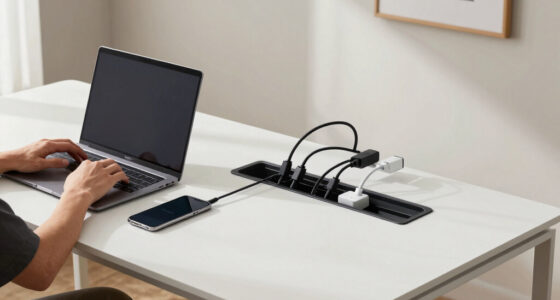
Finding the right laptop docking station that works seamlessly with both Mac and PC can be challenging. The best options offer multiple display support, fast data transfer, and reliable charging, but often come with tradeoffs like compatibility issues or size. The Baseus Spacemate stands out for its comprehensive port selection, while the Anker Prime Docking Station offers impressive power and display capabilities. Meanwhile, some models excel in affordability but may lack advanced features. Keep reading for a detailed breakdown to help you choose the ideal dock for your setup.

Get business pricing on tech for your team
- Business-only prices and quantity discounts
- Tax-exempt purchasing
- Multiple users, one account, clear invoices
Key Takeaways
- Top-performing docks offer multi-monitor support with 4K or 8K display capabilities, essential for productivity.
- Compatibility varies; some docks require specific drivers or firmware updates to work with Mac or Windows reliably.
- Power delivery (PD) wattage is critical—higher wattage ensures faster charging for high-power laptops like MacBooks or gaming PCs.
- Build quality and cooling features matter, especially for intensive use, to prevent overheating and ensure longevity.
- Price varies widely; the most expensive docks usually provide the best multitasking features, but affordable options can suffice for basic needs.


More Details on Our Top Picks
Baseus Spacemate Docking Station, 11-in-1 USB-C Dock for Windows Laptop, Triple Display with 4K HDMI & DP, 10Gbps USB-C & USB-A, Ethernet, Audio, 100W PD Charging for Dell HP Lenovo Acer and More
This pick stands out for its extensive port selection and triple 4K display support, making it ideal for power users who need multiple screens and high-speed data transfer. It surpasses many competitors like the Anker DL7400, which offers fewer ports but emphasizes sleek design, by offering a broader set of connections in a compact upright form. The built-in digital display and magnetic base enhance workspace organization, though it requires a 100W power adapter (not included) and MacOS users should note it only extends one display. The main tradeoff is its slightly higher cost and the need for a dedicated 100W charger, but overall, it delivers a high-performance, all-in-one solution for demanding multitasking.
Pros:- Supports triple 4K @ 60Hz display output
- Extensive port selection including gigabit Ethernet and SD card reader
- Compact upright design with digital connection status display
- 100W Power Delivery for fast charging
Cons:- Requires an external 100W power adapter (sold separately)
- MacOS only supports extended one monitor, not triple display
- Premium price point
Best for: Power professionals and creatives who use multiple external monitors and need fast data and charging capabilities.
Not ideal for: Casual users or those with limited desk space, as the vertical design might feel bulky and the setup requires a compatible power adapter.
- Display Output:Triple 4K @ 60Hz
- USB Ports:4
- Ethernet:Gigabit
- Power Delivery:100W
- Card Slots:SD and TF
- Design:Vertical aluminum with LED display
Bottom line: Ideal for users needing maximum connectivity and multitasking with multiple high-resolution monitors, despite the premium cost and power requirements.
USB C Laptop Docking Station Dual Monitor HDMI for Dell/Lenovo/HP Laptop 14 in 1 USB C Hub Multiport Adapter Dongle Dock USB C to 2 HDMI 4K+DisplayPort+Ethernet+4USB+2USB C+100W PD Charger+SD/TF+Audio
This docking station makes a compelling choice for users who want dual 4K displays and a wide array of ports in a compact form, comparable to the Anker 8-in-1 hub but with added versatility. It supports dual monitors at 4K @ 30Hz, which is slightly lower than some premium options like the Anker DL7400, but it compensates with a full 14-in-1 port array including SD and TF card readers. Setup is straightforward, though compatibility with all USB-C devices isn’t guaranteed, and it does not support macOS for dual monitor output. The main tradeoff is the limited refresh rate for dual 4K displays, but it offers excellent value for extensive connectivity in a small footprint.
Pros:- Supports dual 4K @ 30Hz or single 4K @ 60Hz
- Includes SD/TF card readers and 100W PD charging
- 14-in-1 port setup with Ethernet and multiple USB ports
- Plug and play with Windows
Cons:- Limited to 30Hz for dual 4K monitors, not ideal for high-motion tasks
- Compatibility may vary across USB-C devices
- No native macOS support for dual displays
Best for: Users requiring dual 4K monitor support with comprehensive port options for work or entertainment on Windows laptops.
Not ideal for: MacBook users or those needing higher refresh rates for gaming or high-motion video editing, due to 30Hz limit on dual 4K output.
- Display Output:Dual 4K @ 30Hz
- USB Ports:8
- Ethernet:Gigabit
- Power Delivery:100W
- Card Readers:SD and TF
- Compatibility:Windows only
Bottom line: A versatile and well-equipped hub for Windows users needing dual 4K displays and broad port options, with some limitations on refresh rate.
Anker Prime Docking Station (DL7400), 14-Port Triple Display with DisplayLink, 140W Max, Smart Display, Triple 4K 60Hz, Cooling Fan, for macOS and Windows (The Latest DisplayLink Driver Required)
This model excels for its compatibility with both macOS and Windows, supporting triple 4K @ 60Hz via DisplayLink, which is rare among multi-display docks. It offers a comprehensive port suite, including Ethernet, SD card slots, and multiple USB-A and USB-C ports, making it suitable for demanding multitaskers. The built-in cooling fan and real-time status display are thoughtful features, though it requires the latest DisplayLink driver, and some users may find setup slightly more involved. Compared to the Baseus Spacemate, it emphasizes cross-platform support and a robust cooling system, but at a slightly higher price. The main tradeoff is dependency on DisplayLink drivers, which might introduce compatibility issues with certain streaming services.
Pros:- Supports triple 4K @ 60Hz with DisplayLink
- Compatible with macOS and Windows
- Includes a cooling fan and smart display for monitoring
- 140W Max charging and extensive port options
Cons:- Requires latest DisplayLink driver installation
- Some streaming services may have DRM restrictions with DisplayLink
- Higher price point
Best for: Creative professionals and power users who need triple 4K displays on both Mac and Windows systems with reliable performance.
Not ideal for: Casual users or those on Linux, as DisplayLink driver support is limited and setup can be more complex.
- Display Output:Triple 4K @ 60Hz
- USB Ports:6
- Ethernet:2.5Gbps
- Power Delivery:140W
- Cooling:Built-in fan
- Compatibility:macOS and Windows
Bottom line: Ideal for demanding multitaskers on Mac or Windows seeking triple 4K output with cross-platform support and efficient cooling.
Anker Laptop Docking Station Dual Monitor, 8-in-1 USB C Hub, 4K Dual Monitor with 2 HDMI, 1 Gbps Ethernet Hub, 85W Power Delivery, SD Card Reader, for XPS and More (Charger not Included)
This dock offers a solid balance of features for users needing dual 4K monitors and essential connectivity without the premium price. It supports dual 4K @ 60Hz, matching pricier models like the PowerExpand 8-in-1, while keeping the port count streamlined with HDMI, Ethernet, SD card, and USB ports. Setup is straightforward, but it lacks a built-in display status or advanced features like cooling fans. The lack of included power adapter means additional costs, and it’s best suited for users with compatible chargers. Compared to the higher-end models, it sacrifices some expandability and display management features, but remains a reliable choice for everyday productivity.
Pros:- Supports dual 4K @ 60Hz
- Includes Ethernet and SD card reader
- Compact and easy to use
- Supports high-speed data transfer
Cons:- No built-in display status or cooling features
- Charger not included, additional investment needed
- Limited expandability compared to premium docks
Best for: Budget-conscious users who need dependable dual 4K display support and essential ports for office or home use.
Not ideal for: Power users requiring extensive port options, multiple monitors, or advanced features like cooling and display management.
- Display Output:Dual 4K @ 60Hz
- USB Ports:3
- Ethernet:1Gbps
- Power Delivery:85W
- Card Readers:SD and MicroSD
- Compatibility:Windows, macOS
Bottom line: A budget-friendly, reliable dual monitor dock ideal for basic multitasking and everyday use, with some tradeoffs in features.
Anker Prime Docking Station (DL7400), 14-Port Triple Display with DisplayLink, 140W Max, Smart Display, Triple 4K 60Hz, Cooling Fan, for macOS and Windows (The Latest DisplayLink Driver Required)
This model is tailored for users who need triple 4K @ 60Hz output on both macOS and Windows, with the added benefit of real-time display and charging status on its smart display. Its extensive port set, including Ethernet, SD/TF, and multiple USB-A and USB-C ports, makes it suitable for demanding workflows. The built-in cooling fan ensures stable operation during extended heavy use, and the reliance on DisplayLink drivers broadens compatibility. Compared to the Baseus Spacemate, it emphasizes cross-platform flexibility and thermal management, but the need for driver updates introduces a slight setup complexity. Its high refresh rate and monitoring features justify the premium price for performance-focused users.
Pros:- Supports triple 4K @ 60Hz with DisplayLink
- Compatible with macOS and Windows
- Includes a cooling fan and real-time status display
- High 140W charging capacity
Cons:- Requires latest DisplayLink driver
- Driver-related compatibility issues can occur
- Higher price compared to simpler docks
Best for: Power users and creative professionals requiring triple 4K output on both Mac and Windows with real-time monitoring.
Not ideal for: Casual or Linux users, since DisplayLink drivers are essential and some DRM restrictions may apply.
- Display Output:Triple 4K @ 60Hz
- USB Ports:6
- Ethernet:2.5Gbps
- Power Delivery:140W
- Cooling:Built-in fan
- Compatibility:macOS and Windows
Bottom line: A top-tier choice for cross-platform users demanding triple 4K output, extended monitoring, and thermal stability, with some driver dependency considerations.
Plugable USB-C Triple Monitor Docking Station: 13-in-1 Laptop Dock with 100W Charging for Mac (DisplayLink Driver Required), Windows, Chrome, 3 HDMI, Gigabit Ethernet, SD, USB-C 20W, 4 USB – UD-ULTCDL
This dock stands out for its extensive port selection and multi-monitor support, especially with three HDMI outputs that enable a more expansive workspace. Compared with the Anker Prime Docking Station, which offers similar USB-C and display capabilities, the Plugable model supports up to three monitors even on Macs that are typically limited to one, thanks to DisplayLink technology. The 100W charging ensures your laptop stays powered, but the need for driver installation on Mac can be an obstacle for some users. Its compact size and full connectivity make it ideal for professionals who need flexibility in their setup, although it may require some setup time on macOS. The inclusion of SD card reader, Gigabit Ethernet, and multiple USB-A ports enhances its versatility, making it a comprehensive choice for power users.
Pros:- Supports three extended HDMI displays, enhancing multitasking
- Includes 13 ports for comprehensive connectivity
- Delivers up to 100W charging for all-day use
- Compatible with Mac, Windows, and ChromeOS with DisplayLink driver
Cons:- Requires driver installation on macOS, which may complicate setup
- Limited to 30Hz at 4K on primary monitor, not ideal for high-refresh-rate needs
Best for: Power users and professionals needing multi-monitor setups on both Mac and PC with high connectivity needs.
Not ideal for: Casual users or those seeking plug-and-play simplicity without driver dependencies, especially on Mac.
- Ports:13
- HDMI ports:3
- Wattage:100W
- Compatibility:Windows 10+, macOS 11+ (DisplayLink required), ChromeOS
- Monitor Support:Up to 3 HDMI, 4K at 30Hz
- Dimensions:12″L x 6.7″W x 17.5″H
Bottom line: This dock is best suited for users who need robust multi-monitor support and extensive port options across multiple OS platforms, willing to handle driver setup on Mac.
Plugable USB C Triple Display Docking Station | 100W PD, 3x HDMI (1x 4K 30Hz, 2x 1080p 60Hz), 6x USB 5Gbps Ports | Windows, macOS, ChromeOS Compatible – Enhance Productivity with Multi-Monitor Support
This dock makes a compelling case for enterprise environments, offering full compatibility with USB-C, USB4, and Thunderbolt systems. Unlike the Anker Prime Docking Station which emphasizes consumer and prosumer features, this model prioritizes reliability and security for corporate setups, with six USB ports and dual 4K monitor support. Its 100W Power Delivery supports continuous charging, suitable for heavy workloads, but the dual 4K monitors operate at 30Hz on macOS, which might be limiting for high-refresh-rate workflows. The aluminum finish and lock button add a professional touch, while its broad compatibility ensures it works across a wide range of enterprise laptops. Its emphasis on stable performance and security makes it ideal for business users, though setup on Mac might require driver installation and configuration.
Pros:- Supports up to three HDMI monitors with 4K at 30Hz
- Broad compatibility with Windows, macOS, and ChromeOS
- Includes 6 USB ports for peripherals
- 100W PD for continuous laptop charging
Cons:- Dual 4K at 30Hz on macOS; limited for high-refresh-rate needs
- No dedicated audio ports, less suited for audio production
Best for: IT teams and enterprise users needing dependable multi-monitor support across multiple OS and device types.
Not ideal for: Casual or home users who prioritize plug-and-play simplicity over enterprise-grade features.
- Ports:9
- HDMI ports:3
- Wattage:100W
- Compatibility:Windows 10/11, macOS 11+, ChromeOS
- Monitor Support:Triple HDMI, 4K at 30Hz on macOS
- Dimensions:7.87″L x 3.3″W x 1.2″H
Bottom line: Designed for corporate environments requiring stable multi-monitor setups with extensive connectivity, accepting some limitations on macOS refresh rates.
Acer USB C Docking Station Dual Monitor With 2 HDMI, 9-IN-1 Laptop Docking Station with 4K@60Hz HDMI, USB A&C 3.0, SD/Micro SD, 100W PD, USB C Dock Compatible with Acer/Dell XPS/HP/Mac/Surface (0.5FT)
This dock excels in versatility, supporting dual 4K@60Hz displays through HDMI, and compatible with a broad range of laptops including MacBooks, Dell XPS, and HP models. Unlike the Anker Prime Docking Station, which emphasizes high port density, this model balances performance with broad brand compatibility, making it ideal for mixed-device environments. The 100W charging and SD card reader add to its functional appeal, but some users report that the dual 4K support is limited to 60Hz with HDMI connections, which could be insufficient for fast-paced visual tasks. Its lightweight design and straightforward setup are perfect for users who switch between brands and need reliable dual display support without complex configurations.
Pros:- Supports dual 4K@60Hz via HDMI
- Broad compatibility with various brands and OS
- Includes 100W PD charging
- Supports SD/MicroSD cards
Cons:- Limited to 60Hz on dual 4K displays, not ideal for gaming
- No DisplayLink support; relies on HDMI and USB-C alt mode
Best for: Users with multiple device brands seeking reliable dual 4K display support and broad compatibility.
Not ideal for: Power users demanding higher refresh rates for gaming or high-end graphics work.
- Ports:9
- HDMI ports:2
- Wattage:100W
- Compatibility:Acer, Dell, HP, Mac, Surface
- Monitor Support:Dual 4K@60Hz
- Dimensions:0.5FT cable length
Bottom line: Ideal for users needing dependable dual 4K support across multiple brands with easy, broad compatibility, accepting refresh rate limits.
Anker Prime Docking Station, 14-Port with 160W Max Output, 10Gbps Fast Data Transfer, Real-Time Smart Interface, Audio and Ethernet Ports, Dual 4K Displays for Dell, HP, Lenovo and More
This premium dock offers a high level of performance with 14 ports, including dual 4K display support at 60Hz, and a substantial 160W power output. Compared to the RayCue 15 in 1 Docking Station, which emphasizes multi-monitor capability, the Anker Prime stands out for its faster 10Gbps data transfer and more refined interface, suitable for demanding professional workloads. Its extensive port selection and powerful charging make it suitable for power users, but its higher price and larger footprint might deter casual users. The dock’s compatibility with both Windows and macOS, plus its real-time interface for system feedback, appeal to serious professionals who require speed and reliability, although setup on Mac may involve driver installation.
Pros:- Supports dual 4K@60Hz displays
- 160W power output for multiple devices
- 10Gbps data transfer speeds
- Real-time smart interface feedback
Cons:- Higher price point compared to similar docks
- Larger size may be less portable for mobile users
Best for: High-end professional users demanding fast data transfer, dual 4K support, and extensive connectivity.
Not ideal for: Budget-conscious users or those needing a compact dock for light use.
- Ports:14
- HDMI ports:2
- Wattage:160W
- Transfer Speed:10Gbps
- Monitor Support:Dual 4K@60Hz
- Compatibility:Windows, macOS
Bottom line: This dock is best for professionals who need top-tier data transfer, multiple display support, and extensive port options, accepting a higher cost and size.
The RayCue 15 in 1 offers an impressive array of ports and supports triple 8K displays, making it ideal for visual professionals and creative workflows. Its 3 HDMI ports and DisplayPort support very high resolutions, although the absence of a power adapter limits its usability for charging. Unlike the Anker Prime Docking Station, which emphasizes speed and extensive port support, this station prioritizes ultra-high-resolution output and workflow customization with five shortcut buttons. It’s especially suited for users who need multiple high-res displays but are okay with external power solutions, as power delivery is not included. Its professional-grade video capabilities come with some setup complexity, particularly for macOS users, who may face limited multi-display support.
Pros:- Supports triple 8K@30Hz and 3 monitors simultaneously
- Includes 5 shortcut buttons for workflow efficiency
- Supports multiple USB ports and Gigabit Ethernet
- High-resolution video output
Cons:- No included power adapter, limiting charging capabilities
- Setup may be complex, especially on macOS
- Limited support for high-refresh-rate displays
Best for: Creative professionals and visual workflows requiring high-resolution multi-monitor setups.
Not ideal for: Users seeking an all-in-one solution with included power delivery and plug-and-play simplicity.
- Ports:15
- HDMI ports:3
- Wattage:No Power Adapter
- Display support:Triple 8K@30Hz
- USB Ports:6
- Special features:5 Shortcut Buttons
Bottom line: Best suited for high-resolution, multi-monitor visual professionals willing to manage external power and setup complexity.
How We Picked
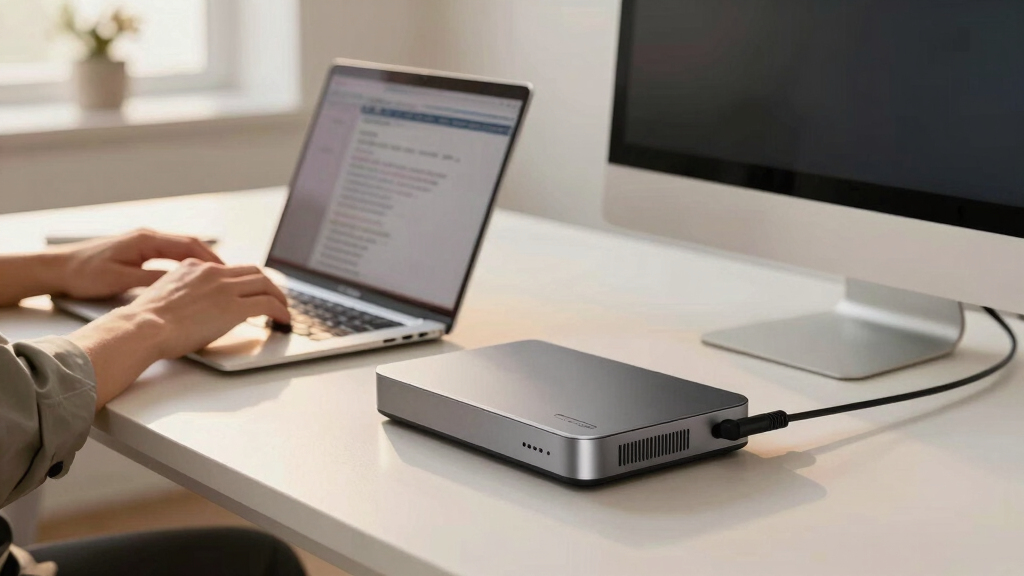
I evaluated each docking station based on performance, build quality, compatibility, and value. Priority was given to multi-monitor support, especially for 4K and 8K displays, as well as power delivery capacity, which affects charging speed. Ease of use, driver stability, and compatibility with both Mac and PC environments also influenced rankings. I aimed to include a range of options from premium to budget-friendly, ensuring each product offers clear advantages for specific use cases. This approach guarantees that every pick addresses a unique set of user needs, from casual users to power professionals.Factors to Consider When Choosing Best Laptop Docking Station For Mac And Pc
Choosing the best docking station involves more than just matching ports. Consider your primary use case—whether for productivity, creative work, or gaming—and select a dock that offers the right combination of display support, power delivery, and connectivity. Compatibility is key; some docks work flawlessly with both Mac and PC, but others might require specific drivers or firmware updates. Durability and build quality are especially important if you’ll be moving your setup or using it intensively. Budgeting for future-proof features, like higher wattage or 8K support, can save money down the line. Be mindful of potential compatibility issues, and verify that the dock’s specifications match your laptop’s requirements.Display Support and Resolution
Multi-monitor setups are common, and the resolution supported can significantly impact your workflow. Docks that support triple 4K displays at 60Hz, like the Anker Prime Docking Station, are ideal for professional creatives or data-intensive tasks. However, not all docks handle 8K or high-refresh-rate displays, which can limit future upgrades. Consider your current and future monitor needs—if you plan to upgrade to 8K or high-refresh-rate screens, prioritize docks that explicitly support these specs. Keep in mind that some docks require specific drivers, like DisplayLink, to achieve full performance, so check compatibility carefully before purchasing.
Power Delivery (PD) and Charging
High wattage PD is crucial for charging high-powered laptops like MacBooks or gaming rigs without sacrificing performance. Docks with 100W or higher power output, such as the RayCue 15-in-1, ensure your device charges quickly even during intensive use. However, higher wattage docks tend to be more expensive and may have larger power adapters. If you only need to power a lightweight ultrabook, a dock with 60W or 85W might suffice and save money. Always verify your laptop’s charging requirements and match them with the dock’s PD capacity to avoid slow charging or insufficient power delivery.
Compatibility and Drivers
Compatibility is often overlooked but can be a major source of frustration. Many docks work well with Windows but encounter driver or firmware issues with macOS, especially when supporting multiple monitors. The Plugable models, for example, often require DisplayLink drivers, which can sometimes be unstable or require updates. To avoid headaches, check the manufacturer’s compatibility list and user reviews for your specific device. Also, consider docks that offer plug-and-play support or have minimal driver dependencies for a smoother experience across both Mac and PC.
Build Quality and Port Selection
Durability matters, especially if you plan to transport your dock or use it in a busy environment. Metal construction and effective cooling features, like fans in the Anker Prime Docking Station, prolong device lifespan. Port variety ensures flexibility—look for docks with USB-C, USB-A, HDMI, DisplayPort, Ethernet, SD card slots, and audio jacks, depending on your needs. Be cautious of docks that skimp on port options or use cheap materials, as these may fail prematurely or limit your connectivity options. Balancing port selection with build quality is key for a reliable setup.
Price and Future-Proofing
Price varies significantly, with premium docks offering features like 8K support and higher wattage, which can be worthwhile investments for power users. Budget options may cut corners on build quality or connectivity, but can still serve basic needs. Consider how long you plan to use the dock and whether it supports upcoming standards like 8K or higher refresh rates. Investing a bit more upfront can extend the lifespan of your setup, while cheaper models may require replacement sooner. Think about your growth plans and select a dock that balances current needs with future expandability.
Frequently Asked Questions
Will a docking station work equally well with Mac and Windows laptops?
Most modern docking stations are designed to be compatible with both Mac and Windows systems, but performance can vary. Some docks rely on drivers like DisplayLink, which may require updates or additional configuration on macOS. Compatibility with high-refresh-rate displays or certain ports may also differ. To ensure smooth operation, verify the manufacturer’s compatibility list and check user reviews for your specific laptop model. In general, choosing docks with broad compatibility and minimal driver dependencies will result in a more reliable experience across both platforms.
Is it necessary to buy a docking station with 4K or 8K support?
Whether you need 4K or 8K support depends on your workflow. If you’re a creative professional working with high-resolution video or images, or if you plan to use multiple high-resolution monitors, then high-resolution support becomes important. For typical office tasks or web browsing, 1080p or 4K at 60Hz is usually sufficient. Keep in mind that higher resolution and refresh rate support often come with a higher price tag and increased power requirements. Assess your monitor setup and future plans to determine if investing in 4K or 8K support aligns with your needs.
Can I charge my MacBook or high-performance PC through a docking station?
Yes, many modern docking stations support charging laptops via Power Delivery (PD). For MacBooks and high-performance PCs, look for docks with at least 85W to 100W PD support to ensure fast, efficient charging. However, some docks with lower wattage may still power your device but at a slower rate, especially during intensive tasks. Always verify your laptop’s power requirements and match them with the dock’s PD output to prevent slow charging or power shortages. Note that some docks may require specific cables or adapters to deliver maximum wattage safely.
Are docking stations with multiple monitors suitable for gaming or high-performance tasks?
While many docking stations support multiple monitors, their suitability for gaming or demanding applications depends on their GPU and display support capabilities. Docks with HDMI and DisplayPort outputs that support high refresh rates and high resolutions—such as 8K or 4K at 120Hz—are better suited for gaming. However, most docks rely on integrated graphics or DisplayLink technology, which may introduce latency or lower refresh rates not ideal for competitive gaming. For high-performance tasks, consider docks explicitly designed with gaming or professional-grade GPU support in mind, and always check the maximum supported resolution and refresh rate.
How important is build quality and cooling in a docking station?
Build quality and cooling are vital for durability and reliable performance, especially during prolonged or intensive use. A well-constructed metal chassis can withstand daily wear and tear, while effective cooling features like fans prevent overheating that could throttle performance or damage internal components. Cheaper docks with poor ventilation may overheat, leading to connectivity issues or hardware failure over time. For heavy workloads or portable setups, investing in a sturdy, well-ventilated dock can save money and frustration in the long run.
Conclusion
If you need the best overall for versatile, reliable performance across both Mac and PC, the Anker Prime Docking Station offers a balanced mix of power, display support, and build quality. For those seeking value, budget-friendly options like certain Plugable models provide solid performance without breaking the bank. Premium users working with high-resolution displays and demanding workflows should consider the RayCue 15-in-1 for its extensive features and future-proofing. Beginners or casual users can opt for simple, plug-and-play docks that handle basic needs without complexity. Tailor your choice to your specific setup, monitor needs, and performance expectations to find the perfect dock for 2026.
Halloween Picks

Star Wars Yoda and R2-D2 Inflatable Halloween Decor, 6 ft with LEDs, Indoor/Outdoor

MGparty 14.5 ft Halloween Inflatable Walk-In Pumpkin House with LED Lights

Vexalify 11-Inch Halloween Pumpkin Fog Machine with 12-Color Lights
As an affiliate, we earn on qualifying purchases.