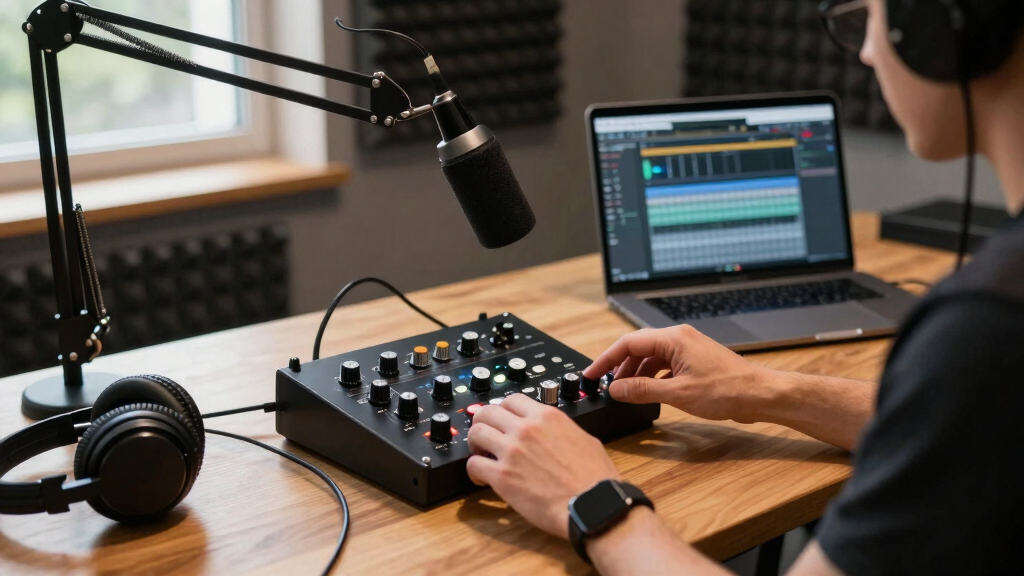

Finding the best audio interface for your podcast studio involves balancing sound quality, ease of use, and budget. The Focusrite Scarlett Solo 3rd Gen stands out as the overall top pick thanks to its reliable performance and user-friendly design. For those seeking value, the MAONO USB Audio Interface offers solid features at a lower price point, while the Focusrite Vocaster One Studio provides professional-grade sound tailored for solo podcasters. Every option involves tradeoffs: more features often mean higher cost, and compact models might sacrifice some connectivity. Continue reading to see how these options compare and which one best fits your podcast needs.
Key Takeaways
- The top-ranked interfaces combine high-quality preamps with straightforward usability for seamless podcast production.
- Budget options like MAONO deliver surprising value but may lack the durability and advanced features of premium models.
- Bundles that include microphones and accessories simplify setup but often come at a higher total cost.
- Professional-grade interfaces like Focusrite offer superior sound clarity but are more complex for beginners.
- Size and connectivity options vary widely; compact devices suit mobile setups, while larger models support multiple microphones and instruments.


More Details on Our Top Picks
MAONO USB Audio Interface for PC: Interface with XLR Input 24-bit/192kHz Routing Software LOOPBACK ASIO Driver for Recording Music, Home-Studio, Guitar, Podcast, Streaming, DAW(PS22 Lite Black)
The MAONO PS22 Lite stands out as an approachable entry point for those just starting their podcast or music recording journey. Its 24-bit/192kHz resolution and 106dB dynamic range deliver clear, detailed sound that rivals more expensive interfaces. Compared with the Focusrite Scarlett Solo, this model offers similar high-resolution recording but at a significantly lower price, though it does come with some tradeoffs in build quality and driver stability. The included powerful routing software expands creative possibilities, especially for live streamers and social media content creators. However, some users report occasional crackles and pop issues, which might be mitigated by using the USB-C connection and reinstalling drivers. Ideal for beginners or budget-conscious creators who want decent audio quality without a steep learning curve or high cost. Its small, lightweight design and plug-and-play setup make it especially appealing for portable use. Drawbacks include driver stability concerns and occasional audio glitches, which can be frustrating for critical recording sessions. Recommended for those starting out or with basic recording needs, willing to troubleshoot driver issues.
Pros:- Very affordable and accessible for newcomers
- High-resolution 24-bit/192kHz recording quality
- Includes advanced routing and loopback software
Cons:- Occasional driver and crackling issues reported
- Build quality feels less sturdy compared to higher-end models
Best for: Beginner content creators who need an affordable, easy-to-use interface for podcasting and streaming.
Not ideal for: Professional podcasters or musicians requiring rock-solid stability and premium preamps, as this may fall short in durability and sound nuance.
- Compatible Devices:Guitar, Headphone, Laptop, Smartphone, Microphone, Speaker
- Supported Software:Avid Pro Tools, Ableton Live, Steinberg Cubase, etc.
- Connectivity Technology:USB
- Number of Channels:2
- Frequency Response:20 KHz
- Impedance:32 Ohms
- Operating System:Android, ChromeOS, Windows, iOS, macOS
- Maximum Sample Rate:192 KHz
- Item Dimensions:6.29″D x 5.19″W x 2″H
Bottom line: This pick is perfect for entry-level podcasters or streamers seeking good sound without breaking the bank.
M-AUDIO M-Track Duo USB Audio Interface for Recording, Streaming and Podcasting with Dual XLR, Line and DI Inputs, plus a Software Suite Included
The M-Audio M-Track Duo offers a compelling balance of portability and multi-input flexibility. Its dual combo XLR/Line inputs and included software suite make it highly adaptable for recording vocals, instruments, and line-level sources. Compared to the Focusrite Scarlett Solo, the M-Track Duo provides more input options, making it better suited for multi-mic setups or simultaneous instrument recording. The 48kHz resolution ensures clear audio quality, though it doesn’t reach the high-end sample rates of pricier interfaces. Its zero-latency monitoring and USB bus power facilitate on-the-go recording sessions. However, some users find the build quality slightly less premium, and the preamps are less refined than higher-tier models. Nonetheless, it excels for podcasters or musicians needing multiple inputs at an affordable price. Its compact size and simple interface make it ideal for quick setups. Downsides include limited sample rate options and less refined preamps. Great for those seeking a versatile, budget-friendly multi-input interface.
Pros:- Multiple inputs for versatile recording setups
- Included comprehensive software bundle
- Compact, portable design for mobile recording
Cons:- Build feels less sturdy than high-end interfaces
- Limited to 48kHz maximum sample rate
Best for: Musicians and podcasters needing multiple inputs for recording or streaming on a budget.
Not ideal for: Professionals seeking studio-grade sound with ultra-low noise and high-fidelity preamps, as this may lack the nuance of premium units.
- Compatible Devices:Guitar, Microphone, Personal Computer, Studio Monitors
- Supported Software:Ableton Live Lite, MPC Beats, Reason+ (6-month)
- Connectivity Technology:USB
- Number of Channels:2
- Frequency Response:20 KHz
- Impedance:1 Megaohm
- Operating System:Windows, macOS, iOS, Android
- Maximum Sample Rate:48 KHz
- Item Dimensions:4.34″D x 7.5″W x 2.13″H
Bottom line: This interface is ideal for multi-source recording and streaming for budget-minded musicians and podcasters.
Facmogu F998 Podcast Equipment Bundle, Audio Interface & BM800 Condenser Microphone with Tripod Stand, Professional Recording Studio Package for Live Streaming, Broadcast, Recording, YouTube, TikTok
The Facmogu F998 Bundle combines an audio interface, condenser microphone, and accessories into a single package, making it perfect for beginners and hobbyists. Its 7 independent control knobs and multiple sound modes offer a flexible setup for podcasts, streaming, and recording. Compared with the Focusrite Scarlett Solo, this bundle provides a comprehensive kit including a microphone, stand, and sound effects, offering greater value for those starting out. The noise cancellation technology and heart-shaped pickup microphone ensure decent recording clarity, suitable for YouTube, TikTok, and casual streaming. However, some users note that the build quality is less durable, and the sound quality isn’t on par with professional-grade interfaces. It’s best suited for entry-level content creators seeking an all-in-one kit. Its multi-function sound card is fun but may be overwhelming for absolute beginners. Downsides include basic build quality and limited professional features. Ideal for newcomers wanting an affordable, complete setup.
Pros:- All-in-one bundle with microphone, stand, and accessories
- Multiple sound modes and effects for creative flexibility
- Affordable starter kit for beginners
Cons:- Build quality feels less durable
- Sound quality is not suitable for professional use
Best for: Aspiring streamers or YouTubers looking for an affordable all-in-one podcast kit.
Not ideal for: Producers or serious musicians seeking high-fidelity recordings with advanced features and rugged durability.
- Compatible Devices:Guitar, Microphone, PC, Smartphone
- Supported Software:Live Sound Effects, Voice Changer, Recording Apps
- Connectivity Technology:USB
- Number of Channels:1
- Frequency Response:Not specified
- Impedance:Not specified
- Operating System:Windows, macOS
- Maximum Sample Rate:Not specified
- Item Dimensions:Not specified
Bottom line: This kit is perfect for beginners who want an easy, budget-friendly way to start podcasting and streaming with all necessary components included.
EBXYA 2×2 Audio Interface for Recording Music, 24-bit/192kHz Plug and Play USB Interface for PC and Mac, Studio, Guitar, Podcast, Streaming(Metallic Black)
The EBXYA 2×2 Audio Interface is a compact, high-resolution solution for on-the-go recording and streaming, supporting 24-bit/192kHz. Its plug-and-play design makes it extremely user-friendly, especially for beginners who need quality sound without fuss. Compared to the Focusrite Scarlett Solo, this interface offers similar high-fidelity performance but with a very portable form factor, ideal for mobile content creators. It features 2 combo inputs and balanced outputs, making it versatile for microphones and instruments alike. The built-in phantom power supports condenser mics, and the minimal latency ensures smooth recording experiences. While it performs well technically, some users note that the build quality feels less premium and that it might lack some professional features like extensive gain control. It’s suited for podcasters, musicians, and streamers needing portable, high-quality audio. The main tradeoff is its more basic construction compared to premium units. Perfect for mobile recording or quick setups for beginners.
Pros:- Supports 24-bit/192kHz high-definition audio
- Very portable and easy to set up
- Plug-and-play with most devices and software
Cons:- Build quality feels less durable
- Lacks advanced features found in higher-end interfaces
Best for: Podcasters and musicians needing a portable, high-resolution interface for mobile or travel use.
Not ideal for: Studio professionals or those requiring extensive input/output options and rugged build quality for demanding environments.
- Compatible Devices:Microphone, Instrument, PC, Mac, iOS
- Supported Software:All DAWs including Logic, Pro Tools, Reaper
- Connectivity Technology:USB
- Number of Channels:2
- Frequency Response:20 KHz
- Impedance:Not specified
- Operating System:macOS, Windows, iOS
- Maximum Sample Rate:192 KHz
- Item Dimensions:4.3″D x 4.3″W x 1.7″H
Bottom line: This interface is ideal for mobile creators seeking high-quality sound in a compact, easy-to-use package.
Focusrite Scarlett Solo 3rd Gen USB Audio Interface for Guitarists, Vocalists, Podcasters or Producers to record and playback studio quality sound
The Focusrite Scarlett Solo 3rd Gen is a stellar choice for serious creators seeking studio-quality sound. Its high-performing mic pre-amps and switchable Air mode provide an extra brightness and clarity, especially for vocals and acoustic instruments. Compared with the MAONO PS22 Lite, this model offers superior build quality, more refined preamps, and higher reliability, making it the best choice for professional podcasting or music production. Its up to 24-bit/192kHz resolution ensures detailed recordings, and the Gain Halo metering simplifies gain setting. The interface’s rugged metal chassis and professional features like balanced outputs make it suitable for studio environments. However, it is priced higher, and some casual users may find its feature set more than they need. Best suited for professional podcasters, musicians, and producers aiming for top-tier audio fidelity. A potential downside is its higher cost and slightly steeper learning curve. Recommended for those prioritizing top-quality recordings and durability.
Pros:- Excellent preamps with Air mode for extra clarity
- Robust metal build for durability
- High sample rate support up to 192kHz
Cons:- Higher price point may deter beginners
- More advanced features can be overwhelming for novices
Best for: Producers and serious podcasters who want reliable, studio-grade audio quality and durability.
Not ideal for: Beginners or casual streamers who need a simple, budget-friendly interface without advanced features.
- Compatible Devices:Guitar, Vocal, Microphone, PC, Mac
- Supported Software:Pro Tools, Ableton, Cubase, Logic
- Connectivity Technology:USB
- Number of Channels:2
- Frequency Response:20 KHz
- Impedance:Not specified
- Operating System:Windows, macOS
- Maximum Sample Rate:192 KHz
- Item Dimensions:5.7″D x 3.8″W x 1.7″H
Bottom line: This interface is ideal for professional users demanding high-fidelity recordings and rugged construction for studio or mobile use.
M-AUDIO M-Track Solo USB Audio Interface for Recording, Streaming and Podcasting with XLR, Line and DI Inputs, Plus a Software Suite Included
This compact and versatile interface stands out for its ability to handle multiple sound sources, including vocals and instruments, with a single combo XLR/Line input. Compared with the Focusrite Vocaster One, it offers more physical inputs, making it better suited for multi-mic setups. Its 48kHz resolution guarantees clear recordings, and zero-latency monitoring simplifies real-time playback. However, it lacks advanced onboard controls or effects found in higher-end models, and its build quality feels more basic. This makes the M-Track Solo ideal for podcasters and musicians who need a reliable, all-in-one device that’s easy to carry and set up. The tradeoff is slightly limited audio processing features, but overall it delivers excellent value for multi-purpose use.
Pros:- Handles microphone and instrument inputs simultaneously
- High 48kHz audio resolution ensures clear recordings
- USB-powered, no need for external power supply
- Includes MPC Beats software for immediate production
Cons:- Basic build quality may feel less durable over time
- Limited onboard controls or effects compared to premium interfaces
Best for: Beginners and hobbyists who want an affordable, portable interface for both podcasting and music recording.
Not ideal for: Professional podcasters or musicians needing extensive control or onboard effects, as this model offers limited processing capabilities.
- Supported Software:Ableton Live Lite, MPC Beats, Reason+ (6-month)
- Connectivity:USB Type B
- Number of Channels:2
- Sample Rate:48 KHz
- Dimensions:4.46″ D x 6.43″ W x 2.14″ H
- Weight:10.6 Ounces
Bottom line: This pick is perfect for newcomers seeking a versatile, portable audio interface that covers recording, streaming, and podcasting needs without complexity.
HOSONGIN Audio Interface for Beginners – Streaming Podcast Mixer with Pro-preamp, 48V Phantom Power, Voice Changer, Customizable Sound Effects, Noise Reduction for Podcasting, Gaming, Recording
This all-in-one device emphasizes sound customization with voice changer, sound effects, and noise reduction, making it ideal for content creators looking to add flair to their recordings. Compared with the M-AUDIO M-Track Solo, it offers more built-in features for voice modulation and effects, which can be a game-changer for gaming or entertainment streams. Its simple USB plug-and-play setup suits beginners, and 48V phantom power supports condenser mics for richer vocals. However, its build feels less sturdy, and the software options are limited. This makes it a strong choice for streamers and podcasters who want creative control without complex equipment. The tradeoff is fewer professional-grade features, but it’s excellent for basic yet dynamic content creation.
Pros:- Includes voice changer and customizable sound effects
- Supports 48V phantom power for condenser mics
- Broad device compatibility via plug-and-play design
- Built-in noise reduction improves audio clarity
Cons:- Less durable build quality
- Limited professional editing features
Best for: Beginner streamers and gamers who want an easy-to-use interface with creative sound effects and voice modulation.
Not ideal for: Advanced audio producers or musicians requiring high-fidelity sound or extensive editing options, as it focuses on fun features over professional quality.
- Number of Channels:4
- Connectivity:USB, Bluetooth, Type C
- Sample Rate:192 KHz
- Supported Software:None required
- Dimensions:Varies
- Weight:0.74 Kilograms
Bottom line: This interface is a smart choice for casual streamers and gamers who want fun sound effects with straightforward operation.
Focusrite Vocaster One Studio – Podcasting Interface for Solo Podcast Recording with Professional Quality Vocaster DM1 Dynamic Microphone & HP60v Headphones
This focused interface excels for solo podcasters, offering professional quality sound with over 70dB of gain and auto-gain setup, making it incredibly easy to achieve studio-quality recordings. Compared with the M-AUDIO M-Track Solo, it provides a dedicated microphone input with enhanced preamps and a tailored podcasting preset, which elevates voice clarity and presence. The bundled dynamic mic and headphones are designed for broadcast standards, improving the overall audio experience. Its intuitive controls for muting and presets streamline the workflow, but it offers fewer inputs if you plan to expand your setup. This device is ideal for solo creators looking for simplicity and professional sound without fussing over settings. The tradeoff is less flexibility for multi-mic setups or music production.
Pros:- Broadcast-quality sound with high microphone gain
- Auto Gain feature simplifies level setting
- Includes professional microphone and headphones
- Easy-to-use interface with presets
Cons:- Limited input options for multi-mic setups
- Higher price point for a single-channel interface
Best for: Solo podcasters aiming for professional sound quality with minimal setup effort.
Not ideal for: Multi-mic or music-focused users who need multiple line inputs and advanced routing options, as this model is designed for simplicity.
- Mic Input:XLR
- Headphone Output:TRS
- Gain Range:Over 70dB
- Sample Rate:High (unspecified but studio quality)
- Connectivity:USB, Phone
- Included Microphone:Vocaster DM1
Bottom line: This interface is ideal for solo podcasters who prioritize ease of use and studio-grade sound in a compact form.
Podcast Equipment Bundle with Dual Condenser Microphones, Audio Interface Mixer Sound Board, Boom Arms, Pop Filters & Cables, Recording Studio Kit for Streaming, Gaming, Voice Over
This comprehensive bundle offers everything needed for a small home studio, featuring dual condenser microphones, an audio interface with mixer controls, and all essential accessories. Compared with the M-AUDIO M-Track Solo, it provides a more complete setup for multiple users or dual voice recordings, making it ideal for collaborative podcasts or interviews. The included boom arms, pop filters, and cables enhance workflow and sound quality, while the interface supports up to 48kHz for clear audio. However, the entire package is heavier and less portable, and some users might find the extensive setup intimidating. It’s best suited for users seeking a ready-made, all-in-one solution for a dedicated podcast space. The main tradeoff is bulk and complexity, but it offers excellent value for beginners wanting a full kit.
Pros:- Includes two condenser microphones for interviews or dual hosts
- Complete set with boom arms, pop filters, and cables
- Supports 48kHz audio quality
- Ready-to-use studio setup
Cons:- Heavy and less portable for on-the-go recording
- Complex setup may be overwhelming for complete beginners
Best for: Aspiring podcasters who want an all-in-one kit to start recording with multiple microphones in a dedicated space.
Not ideal for: Travelers or solo creators with limited space and portability needs, as this is a sizable, stationary setup.
- Microphones:Dual condenser
- Audio Interface:Mixer sound board
- Connectivity:USB, XLR
- Sample Rate:48 KHz
- Included Accessories:Boom arms, pop filters, cables
- Weight:Over 2.2 pounds
Bottom line: This bundle is perfect for beginners setting up a dedicated home studio for multi-person podcasting or streaming.
Focusrite Scarlett Solo 3rd Gen USB Audio Interface for Guitarists, Vocalists, Podcasters or Producers to record and playback studio quality sound
This compact interface is tailored for solo creators seeking professional-grade sound quality, with a single high-quality mic preamp and guitar input. Compared with the M-AUDIO M-Track Solo, it offers slightly better preamps and a more durable build, making it a favorite for on-the-go use or desktop setups. Its straightforward design simplifies recording vocals or guitar at up to 24-bit/192kHz, ensuring high-fidelity output. While it lacks multiple inputs or onboard effects, its simplicity and reliability make it ideal for solo musicians and podcasters. The main tradeoff is limited input options, but it excels in delivering studio-quality sound in a small form factor for individual use.
Pros:- Studio-quality, high-resolution 24-bit/192kHz sound
- Durable, portable build
- Easy to set up with one mic and one instrument input
- Ideal for high-quality solo recordings
Cons:- Limited to one microphone and one instrument input
- No onboard effects or advanced routing
Best for: Solo musicians, podcasters, and voice-over artists prioritizing high-quality sound with minimal fuss.
Not ideal for: Users needing multi-mic setups, live band recording, or complex routing, as this is designed for simple, high-fidelity recordings.
- Microphone Input:XLR
- Instrument Input:1/4″
- Sample Rate:192 KHz
- Resolution:24-bit
- Connectivity:USB
- Microphone Preamps:High quality
Bottom line: This interface suits solo creators demanding excellent sound quality in a small, portable package, with no need for multi-input flexibility.
2026 Upgraded Podcast Equipment Bundle for 2, Recording Studio Kit with Dual Condenser Microphones, Audio Interface Mixer (4 Custom Sound Effects), Easy Setup for Podcasting, Streaming & Gaming
This bundle stands out for its comprehensive approach, combining dual condenser microphones with a versatile audio interface mixer that offers customizable sound effects. Unlike simpler interfaces like the Focusrite Scarlett Solo 3rd Gen, which focuses solely on recording quality, this kit caters to creators who want both ease of setup and expanded sound control in one package. The included video tutorials and manual simplify the setup process, making it perfect for beginners who might be overwhelmed by standalone interfaces. The ability to connect across multiple devices—PC, Mac, phones, consoles—adds a layer of flexibility that goes beyond the typical USB interfaces. However, this all-in-one approach means it’s bulkier and less portable than compact options like the HOSONGIN Audio Interface for Beginners. The tradeoff for this convenience is a higher price point and a larger footprint, which might be a concern for limited desk space. This pick is ideal for podcasters who want a ready-to-go, multi-function setup that minimizes additional gear and setup time.
Pros:- All-in-one bundle with microphones, mixer, and accessories, providing great value
- Includes step-by-step instructions and tutorials, simplifying setup for beginners
- Dual condenser microphones deliver crisp, noise-free audio suitable for professional podcasts
- Built-in sound effects and customizable controls add creative flexibility
Cons:- Bulkier and heavier than standalone interfaces, less portable
- Higher cost compared to basic USB audio interfaces
- Limited upgradeability—designed as an all-in-one kit, not modular
Best for: Podcasters and streamers who need a complete, easy-to-use setup with professional sound quality and flexible device compatibility.
Not ideal for: Podcast creators seeking a compact, lightweight solution for on-the-go recording or those with very limited desk space.
- Microphone Type:Dual Condenser Microphones
- Connectivity:USB, 3.5mm, cross-device compatibility
- Sound Effects:4 customizable sound effect buttons
- Sound Processing:DSP noise reduction, echo, treble, bass control
- Included Accessories:Boom arms, shock mounts, pop filters, cables
- Compatibility:PC, Mac, iOS, Android, PlayStation, Xbox
- Setup Ease:Step-by-step video and illustrated manual
- Input/Output:XLR, 3.5mm, USB
Bottom line: This bundle makes the most sense for new or intermediate podcasters who want a comprehensive, plug-and-play setup without sacrificing sound quality or flexibility.
How We Picked
These products were evaluated based on core factors crucial for podcasting: audio quality, ease of use, build quality, connectivity options, and value. We prioritized interfaces with reliable preamps, low latency, and user-friendly interfaces suitable for both beginners and experienced podcasters. Cost was considered in relation to features, ensuring options cater to different budgets without sacrificing essential performance. Devices with bundled accessories or software were also favored for their convenience, but we avoided overly complex setups that could intimidate new users. This ranking reflects a balance of professional performance and accessible usability for typical podcast studio needs.Factors to Consider When Choosing Best Audio Interface For Podcast Studio
Choosing the best audio interface for a podcast studio requires considering several key factors. Not all interfaces are equal in terms of sound quality, feature set, or ease of use. Understanding your specific needs—such as the number of microphones, portability, and budget—can help you select the right model. Avoid common pitfalls like overpaying for unnecessary features or opting for a device that’s too complex for your skill level. The following sections highlight the main considerations to keep in mind when making your choice.Sound Quality and Preamps
Clear, professional audio is essential for engaging podcasts. Look for interfaces with high-quality preamps that deliver clean, noise-free sound. The difference in preamp quality can significantly impact your recording, especially if you plan to record vocals or multiple microphones simultaneously. While premium models offer better preamps, many mid-range options provide excellent quality that suits most beginners and intermediate users. Avoid cheap interfaces with weak preamps, as they can introduce hiss and distortions that undermine your audio clarity.
Connectivity and Inputs
The number and types of inputs are critical based on your setup. Single-mic interfaces are fine for solo podcasters, but if you plan to bring in multiple guests or instruments, look for models with multiple XLR inputs and line-level options. USB connectivity is standard, but some interfaces also support Thunderbolt or audio over Ethernet for advanced setups. Remember to check whether the interface supports plug-and-play operation with your computer’s OS, reducing setup headaches. Overlooking input types can limit your future expandability or complicate your workflow.
Ease of Use and Software Compatibility
An intuitive interface can save time and frustration, especially if you’re new to audio recording. Features like straightforward controls, clear labeling, and simple driver installation matter. Compatibility with popular DAWs and streaming software is equally important, so verify support before purchasing. Some models come with bundled software, which adds value, but make sure it suits your needs. A complicated setup or poor driver stability can derail recording sessions, so prioritize interfaces known for reliable performance and user-friendly design.
Build Quality and Durability
Podcasts often involve mobile recording or frequent setup and teardown. Investing in a sturdy, well-built interface prevents damage and ensures longevity. Metal enclosures tend to withstand travel better than plastic ones. If your studio is a permanent setup, durability might be less critical, but it still impacts long-term satisfaction. Cheaper plastic models may feel flimsy and could develop issues over time, especially with repeated plugging and unplugging. Think about your environment and choose an interface that withstands your usage habits.
Additional Features and Future-Proofing
Features like phantom power, direct monitoring, and multiple outputs add flexibility to your setup. For example, phantom power is necessary if you plan to use condenser microphones. Direct monitoring helps avoid latency during recording, making it easier to perform in real-time. Consider whether you might expand your studio later; a more versatile interface with extra inputs or outputs can save money and effort down the line. Be cautious about overpaying for bells and whistles you don’t need, but also avoid limiting your options prematurely.
Frequently Asked Questions
Can I use a simple USB microphone instead of an audio interface for podcasting?
Yes, a USB microphone can be a convenient solution for beginner podcasters, offering plug-and-play simplicity. However, an audio interface generally provides better sound quality, more control over your audio, and expandability for multiple microphones or instruments. If you plan to grow your setup or prioritize professional sound, investing in an interface makes more sense. For quick, casual recordings or limited budgets, a good USB mic paired with your computer might suffice, but for serious podcasting, an interface is usually the better choice.
Is it worth paying extra for an interface with more inputs and outputs?
It depends on your future plans. If you only plan to record solo or with one guest, a single-input interface will likely be sufficient. However, if you anticipate adding multiple microphones, instruments, or want to run complex live mixes, more inputs and outputs become valuable. Investing in a slightly more advanced model now can save you from upgrading later, but avoid paying for features you won’t use immediately. Balance your current needs with potential growth to avoid overspending.
How important is build quality for a podcast interface?
Build quality affects both durability and reliability. A sturdy, metal-enclosed interface can withstand frequent handling, travel, and setup routines, reducing the risk of damage. Poorly built models may develop internal issues or become loose over time, especially with repeated connections. Even if your studio setup is stationary, a high-quality build can contribute to overall confidence in your equipment. Skimping on durability might save money upfront but could lead to costly repairs or replacements later.
What features should I prioritize if I’m a beginner?
For beginners, simplicity and reliability matter most. Look for an interface with easy controls, clear labeling, and plug-and-play compatibility with your computer and software. Features like direct monitoring and phantom power are helpful but not mandatory initially. Bundled software can add value, and a straightforward setup minimizes frustration. Focusing on a user-friendly device that provides good sound quality without overwhelming complexity will help you develop your skills confidently.
Should I choose a bundle with microphones and accessories or buy separately?
Bundles can be a smart way to start, especially if they include microphones, stands, and cables tailored for podcasting. They often come at a lower total cost than purchasing each item separately and ensure compatibility. However, check the quality of the included microphones—cheap mics may limit your audio quality. If you have specific preferences or already own some gear, buying items separately allows more customization. For most newcomers, a well-reviewed bundle offers convenience and value, but experienced users might prefer choosing components individually for better quality or features.
Conclusion
For those just starting out, the Focusrite Scarlett Solo 3rd Gen offers reliable, studio-quality sound with a straightforward interface, making it the best overall choice. Budget-conscious podcasters should consider the MAONO USB Audio Interface, which balances performance and affordability. If you want professional-grade features and are willing to invest more, the Focusrite Vocaster One Studio delivers excellent sound and ease of use for solo content creators. Beginners or hobbyists will find simple, all-in-one bundles appealing, while more advanced users should look for interfaces with multiple inputs and expandable features. Ultimately, choosing the right interface depends on your current needs and future plans—consider your microphone setup, budget, and whether portability or expandability matters most.