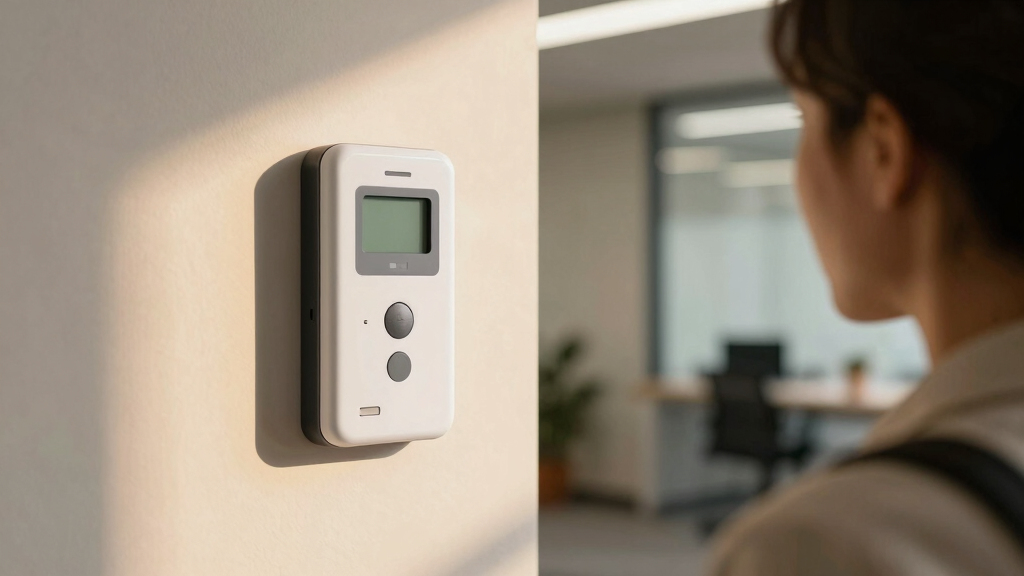

Choosing the best facial recognition time clock for attendance involves balancing accuracy, ease of use, and system versatility. The best overall pick is the NGTeco Time Clock Cloud-Based, TC5, thanks to its reliable WiFi connectivity and comprehensive software options. For those prioritizing affordability, the uAttend Touch-Free Voice Control and Facial Recognition Time Clock offers touchless operation with minimal setup. Meanwhile, the ANVIZ FacePass 7 Pro stands out for its advanced biometric features and integration options. However, tradeoffs include higher costs for premium features and potential complexity for beginners. Continue reading to see how these options compare and which one fits your specific needs.
Key Takeaways
- Accuracy and speed of facial recognition significantly impact real-time attendance tracking reliability.
- System integration capabilities, like app control and cloud software, add value for managing multiple locations.
- Ease of setup and user interface are critical for small businesses with limited IT support.
- Cost varies widely; premium features come at higher prices but offer more automation and security.
- Many top options support additional biometric methods, providing flexibility for diverse workforce needs.


More Details on Our Top Picks
Facial Recognition Attendance Machine for Employees Visible Light Dynamic Face and Card Access Control Time Clock
This facial recognition system stands out for its binocular recognition technology that enhances security and accuracy, especially compared with simpler single-camera models. Its support for up to 100,000 user records, including facial, card, and password data, makes it ideal for growing organizations. The recognition speed of less than 0.2 seconds ensures quick throughput, even in challenging lighting environments thanks to its wide dynamic range. However, its reliance on USB export might be less convenient than cloud options, and setup complexity can be higher than plug-and-play models. This pick is perfect for medium to large enterprises needing robust security and extensive user capacity, but might overwhelm small businesses with simpler needs.
Pros:- High security with binocular facial recognition and card support
- Large user capacity up to 100,000 records
- Fast recognition under diverse lighting conditions
Cons:- Limited data export options (USB only)
- Complex setup compared to plug-and-play devices
Best for: Mid-sized to large organizations prioritizing security, high user capacity, and versatile access methods.
Not ideal for: Small startups or teams needing a straightforward, budget-friendly attendance solution without extensive management features.
- User Capacity:100
- Facial Registrations:500
- Recognition Speed:Less than 0.2 seconds
- Recognition Range:0.3-2 meters
- Display:4.3 Inch LCD Touch Screen
- Recognition Methods:Face, Card, Password
Bottom line: This system makes the most sense for organizations that need a secure, high-capacity facial recognition attendance device and are prepared for a more involved setup.
BISOFICE Time Clock Attendance Face Recognition with Password Palm Print Facial for Employees Access Control Machine Support Multi-Language System USB Port Data Management Device
This pick is notable for combining facial, palm vein, and password recognition, offering greater flexibility than devices like the KUIIYER 3-in-1, which is limited to face, fingerprint, and PIN. It supports up to 1000 faces, palm prints, and ID cards, making it suitable for diverse workplaces with multiple biometric options. Its easy data export via USB simplifies management, especially compared to cloud-dependent systems. The device’s multi-language interface enhances usability across multinational teams. However, its user capacity is smaller than some enterprise models, and build quality might be less robust than high-end systems. It’s ideal for small to medium-sized teams needing multiple biometric options and multi-language support, but not for large-scale enterprises with extensive user bases.
Pros:- Supports facial, palm vein, and password recognition
- Multi-language interface for diverse teams
- USB data export for easy management
Cons:- Limited to 1000 users per modality
- Build quality may be less durable than premium systems
Best for: Small to medium-sized businesses seeking versatile biometric options with easy data management and multi-language support.
Not ideal for: Large enterprises requiring high user capacity and cloud integration for remote management.
- User Capacity:1000
- Biometric Types:Face, Palm, Password
- Recognition Speed:Fast, exact
- Data Management:USB port
- Languages Supported:12
- Recognition Range:0.3-2 meters
Bottom line: This device is suitable for workplaces that need flexible biometric authentication and simple data handling without extensive capacity demands.
Time Clock System: App Control & 5s Fast Connection, Customizable Rules & 4 Payroll Reports, 10 IC Cards, No Monthly Fee Biometric Fingerprint Time Clocks for Employees Small Business
This system excels with instant app control and offline operation, making it ideal compared to cloud-dependent models like the NGTeco TC5, especially in remote or unstable network areas. Its 5-second wireless pairing simplifies setup, and the local data storage provides security even during outages. It supports up to 1000 users with fingerprint, IC card, and PIN options, making it versatile for small to medium businesses. The customizable payroll reports ease administrative tasks. However, its reliance on app control can pose compatibility issues with certain devices, and it lacks cloud-based remote management features. This pick is perfect for small businesses needing offline, flexible payroll integration but less suitable for large enterprises seeking cloud flexibility.
Pros:- Offline operation with local data storage
- Quick wireless setup (5 seconds)
- Supports multiple authentication types (fingerprint, card, PIN)
Cons:- App dependency may cause compatibility issues
- No cloud management option
Best for: Small to medium businesses requiring offline operation, fast setup, and integrated payroll reporting.
Not ideal for: Large organizations that prefer cloud-based attendance management or remote access via web or mobile app.
- User Capacity:1000
- Recognition Speed:5 seconds
- Authentication Methods:Fingerprint, IC Card, PIN
- Reports:4 payroll reports
- Operation Mode:Offline with app control
- Connectivity:Bluetooth/WiFi (app control)
Bottom line: This system is ideal for small firms that need a fast, reliable, offline attendance solution with integrated payroll features.
KUIIYER 3 in 1 Employees Time Clocks for Small Business (Face + Palm Print + Password) Employee Clock in & Out Machine Biometric Attendance Punch Clock Recorder Tracker (No Monthly Fee)
This pick is designed for small businesses needing multi-modal biometric verification, supporting face, palm print, and password recognition. Its fast 0.6-second identification and high user capacity (up to 1000) make it suitable for dynamic work environments. The device’s simple, intuitive interface and no monthly fee setup appeal to budget-conscious small firms. Compared to cloud-based solutions like NGTeco TC5, it offers robust offline operation, ideal where network reliability is a concern. Its USB data management simplifies attendance record export. However, it may lack advanced remote management features, and its physical durability might be less than premium models. This system makes sense for small businesses focused on biometric versatility and straightforward setup, but less so for larger companies requiring remote or cloud access.
Pros:- Supports face, palm, and password recognition
- Fast identification within 0.6 seconds
- No monthly fee, easy USB data export
Cons:- Limited remote management capabilities
- Build quality may be less robust than higher-end systems
Best for: Small businesses seeking a multi-modal biometric attendance system with easy setup and no ongoing fees.
Not ideal for: Large organizations requiring cloud management or extensive remote access features.
- User Capacity:1000
- Recognition Speed:0.6 seconds
- Biometric Types:Face, Palm, Password
- Data Export:USB
- No Monthly Fees:Yes
- Recognition Range:0.3-2 meters
Bottom line: This device offers a versatile, offline biometric solution ideal for small teams prioritizing simplicity and cost-effectiveness.
NGTeco Time Clock Cloud-Based, TC5 Face Recognition Time Clocks for Employees Small Business, 2.4G WiFi Remote Control Clock in and Out Machine with Software & iOS/Android App, No Monthly Fee
This pick excels in cloud-based management with real-time data access via mobile and web, making it ideal compared to offline or USB-only systems like the KUIIYER. The 2.4G WiFi connectivity allows remote clock-in and management, plus the automatic data synchronization streamlines attendance tracking across multiple locations. Its support for up to 1000 users and cloud security offers flexibility and data safety. The device’s fast facial recognition (≤0.3s) suits high-volume environments. While its cloud reliance enhances remote management, it may be less effective in areas with poor internet, and ongoing subscription costs could be a concern for budget-sensitive users. This makes it ideal for small teams needing remote, cloud-based attendance, but less suitable where internet access is unreliable.
Pros:- Cloud-based with real-time remote management
- Fast facial recognition (≤0.3 seconds)
- Supports up to 1000 users with secure data storage
Cons:- Dependent on stable internet connection
- Potential ongoing subscription costs for advanced features
Best for: Small businesses that require remote, cloud-based attendance management with real-time data and flexibility.
Not ideal for: Organizations in areas with limited internet connectivity or those seeking entirely offline solutions.
- User Capacity:1000
- Recognition Speed:≤0.3 seconds
- Connectivity:WiFi 2.4G
- Cloud Storage:AWS servers
- Security:End-to-end encryption
- App Support:iOS & Android
Bottom line: This device is perfect for small businesses that want seamless remote management and cloud security, provided reliable internet is available.
NGTeco APP-Based Time Clocks, 4-in-1 (Face, Fingerprint, RFID, PIN) Times Clock for Employees Small Business, 2.4GHz WiFi Clock in Machine Support Shift Schedules, iOS & Android APP, No Monthly Fee
This option stands out for its multi-method verification, combining facial recognition, fingerprint, RFID, and PIN to significantly reduce buddy punching compared to single-mode systems like the ANVIZ FacePass 7 Pro. Its support for up to 200 users and offline operation makes it a flexible choice for growing businesses, especially those seeking a one-time purchase with no monthly fees. Unlike the higher-end ANVIZ FacePass 7 Pro, it offers fewer advanced features like door access integration but compensates with ease of use and cost-effectiveness. The app-based setup and electronic record keeping streamline payroll, yet the absence of a touchscreen may limit quick access for some users. Overall, this pick makes the most sense for small companies prioritizing affordability without sacrificing verification accuracy.
Pros:- Supports four verification methods—face, fingerprint, RFID, PIN—reducing buddy punching
- No monthly fees, lifetime use with a one-time purchase
- Offline operation ensures reliable recording in poor connectivity areas
- Supports up to 200 users, scalable for growing businesses
Cons:- Limited touchscreen interface, which may slow rapid punch-ins
- Fewer advanced features like door access or detailed analytics
Best for: Small businesses seeking a low-cost, multi-method attendance system with easy setup and no ongoing fees.
Not ideal for: Larger enterprises needing advanced access control features or extensive customization options.
- Method Support:Face, Fingerprint, RFID, PIN
- User Capacity:200
- Connectivity:2.4GHz WiFi, Offline support
- App Compatibility:iOS & Android
- Fee Structure:No monthly fee
- Record Storage:Electronic, cloud syncing
Bottom line: This system is ideal for small businesses prioritizing cost-effective, multi-method attendance tracking without ongoing costs.
ANVIZ Time Clocks for Employees Small Business – Forever Free Cloud Software – W1 Pro Fingerprint Biometric Clock in and Out Attendance Machine, White
This model makes the most sense for small businesses that want a straightforward, cloud-enabled biometric system without monthly fees, similar to the uAttend DR2500 but with a more modern interface. Its support for 500 users and 50,000 logs offers ample capacity, and the cloud software simplifies management without requiring complex setup. Compared to the more advanced FacePass 7 Pro, it lacks a touchscreen but still provides fingerprint, RFID, and PIN options for accurate punch-in/out. The device’s indoor-only design limits outdoor applications, and the reliance on cloud connectivity can pose issues if internet access is unstable. Overall, this pick is best for users who want a reliable, free cloud platform and easy installation for small-scale operations.
Pros:- Supports up to 500 users with 50,000 logs capacity
- Cloud-based software with free, lifetime updates
- Easy plug-and-play setup, no software required on site
- Supports fingerprint, RFID, and PIN punch methods
Cons:- Indoor installation only, not suited for outdoor environments
- Limited interface—no touchscreen or advanced analytics
Best for: Small business owners who prefer a simple, cloud-based biometric attendance system with no ongoing costs.
Not ideal for: Businesses needing outdoor or rugged solutions or advanced access control features.
- User Capacity:500
- Log Capacity:50,000
- Connectivity:WiFi, Cloud
- Software:Free cloud platform
- Power:Indoor, plug-in
- Size:White, compact
Bottom line: This system is ideal for small businesses seeking a free, cloud-based biometric attendance solution with minimal setup fuss.
uAttend Touch-Free Voice Control and Facial Recognition Time Clock with Temperature Reader (DR2500)
This pick is better suited for workplaces requiring touchless solutions, offering voice control, facial recognition, and temperature reading, making it highly hygienic compared to the ANVIZ FacePass 7 Pro. Its cloud connectivity and real-time data access provide flexible management, similar to the B0FBWLTDM2 but with added health safety features. The device’s 3.5-inch touchscreen enhances ease of use, though its higher price and need for subscription plans might deter budget-conscious small firms. Unlike the B0FBWLTDM2, it emphasizes health safety and voice control, which can be critical during health crises but may be overkill for simple attendance needs. Overall, this system is best for organizations prioritizing contactless, health-conscious solutions in a modern setting.
Pros:- Touchless face recognition, reducing contact points
- Built-in temperature reader for health safety measures
- Real-time cloud data access and remote management
- Supports voice commands for punch-in/out
Cons:- Higher subscription and hardware costs
- Complex setup with additional health monitoring features
Best for: Businesses prioritizing touchless, health-safe attendance tracking with temperature monitoring and voice control.
Not ideal for: Small companies with limited budgets or those who prefer purely biometric solutions without voice control features.
- Recognition Method:Face, Voice
- Additional Features:Temperature reader
- Connectivity:WiFi & Cloud
- Screen Size:3.5 inch touchscreen
- User Capacity:Variable
- Warranty:Limited, 1-year
Bottom line: Ideal for health-conscious workplaces seeking a hygienic, contactless attendance system with additional safety features.
NGTeco Time Clock Cloud-Based with Touch Screen, 4-in-1 Remote Control Time Clocks for Employees Small Business, Face/Fingerprint/Card/PIN, 2.4GHz&5GHz WiFi, Software & App, 10 IC Cards, 0 Monthly Fee
This model is better suited for small to medium-sized businesses needing robust remote management, thanks to dual-band WiFi support and a large touchscreen. Its capacity for 1500 users and 100,000 logs surpasses many competitors like the B0F42TGGVY, making it ideal for expanding teams. The inclusion of multiple punch methods—face, fingerprint, RFID, PIN—ensures accurate attendance, while the cloud-based storage guarantees secure data handling. Compared to the B0F42TGGVY, it offers a more versatile interface and network options, but it involves a higher initial investment. However, its extensive capacity and remote access features justify the cost for businesses aiming for scalable, connected attendance management.
Pros:- Supports up to 1500 users and 100,000 logs
- Dual-band WiFi (2.4GHz & 5GHz) for stable connectivity
- Large 4.3-inch touchscreen for easy operation
- Supports face, fingerprint, RFID, PIN punch methods
Cons:- Higher cost than simpler models like the B0F42TGGVY
- Requires network setup and stable WiFi for optimal performance
Best for: Growing small to medium enterprises needing flexible, remote-access capable attendance systems with high capacity.
Not ideal for: Very small businesses that require only basic punch methods or have limited budgets.
- User Capacity:1500
- Log Capacity:100,000
- Connectivity:Dual-band WiFi
- Display:4.3 inch touchscreen
- Methods Supported:Face, Fingerprint, Card, PIN
- Power:WiFi & Cloud-based
Bottom line: This device is ideal for small to mid-sized businesses seeking scalable, remote-ready attendance management with high capacity.
uAttend Touch-Free Voice Control and Facial Recognition Time Clock System for Employees and Small Businesses (DR2000)
This option stands out for its touch-free operation and cloud connectivity, making it ideal for workplaces prioritizing hygiene and remote management. Compared with the Cloud-Based Face Attendance Machine, the uAttend DR2000 offers a more straightforward setup and integrated payroll features, but it relies on a subscription for advanced reporting, which could be a drawback for budget-conscious users. Its user-friendly interface ensures quick onboarding for staff, and real-time attendance monitoring enhances operational control. However, at a lower customer rating of 3.7 stars, some users report occasional glitches or limited customization. This makes the DR2000 best suited for small businesses seeking a hygienic, simple-to-manage system with reliable cloud backups, but less ideal for those needing extensive customization or multi-location support without additional costs.
Pros:- Touch-free, hygienic operation reduces contamination risk
- Cloud-connected with automatic data backups for security
- Simple setup and intuitive interface for staff and managers
- Includes payroll automation features
Cons:- Requires a paid subscription for advanced features, increasing ongoing costs
- Customer rating of 3.7 stars indicates some reliability issues or user dissatisfaction
Best for: Small business owners who need a hygienic, easy-to-use attendance system with payroll integration.
Not ideal for: Larger enterprises with complex multi-site needs or budget constraints, due to subscription costs and limited customization options.
- Color:Black
- Material Type:Plastic
- Number of Settings:5
- Item Weight:1 Pounds
- Screen Size:10 Inches
- Warranty & Support:Amazon 30-Day Return, Lifetime hardware warranty
Bottom line: This pick is best for small businesses wanting an easy, hygienic attendance solution with integrated payroll, but those needing extensive customization may find it limiting.
Cloud-Based Face Attendance Machine, Facial Recognition Time Clock with Mobile App Integration | Auto Salary Calculation & Multi-Branch Support for Businesses | iOS & Android APP
This system excels in supporting multi-branch operations with its cloud-based platform and mobile app integration, making it a strong choice for growing companies. Unlike the uAttend DR2000, which is designed for small-scale use, the TIMOZIA Face Attendance Machine offers scalability and automatic salary calculations, reducing HR workload. Its support for up to 100 employees per device and multi-branch management makes it ideal for expanding businesses. The full cloud setup ensures data security and accessibility from anywhere, but the reliance on app-based management may require staff training. While it provides a 1-year warranty and support, it may involve higher initial costs and subscription plans for advanced features. This makes it ideal for mid-sized to large teams needing flexible, multi-location attendance and payroll management, but less suited for very small businesses or those preferring offline systems.
Pros:- Supports up to 100 employees per device, ideal for scaling
- Multi-branch management in a unified platform
- Automated salary calculations reduce payroll errors
- Full cloud storage ensures data safety and remote access
Cons:- Higher initial investment and ongoing subscription costs
- Dependent on stable internet connection and smartphone app usage
Best for: Mid-sized or multi-location businesses seeking scalable attendance, leave, and salary management through a cloud platform.
Not ideal for: Very small businesses or those preferring offline or standalone systems, due to reliance on internet connectivity and app management.
- Device Support:Up to 100 employees
- Platform:Cloud-based with mobile app
- Salary Calculation:Automatic based on attendance
- Multi-Branch Support:Yes
- Warranty:1 year
- App Compatibility:iOS & Android
Bottom line: This system is best for growing companies needing scalable, cloud-based attendance and payroll solutions across multiple locations, but may be overkill for very small teams or offline environments.
How We Picked
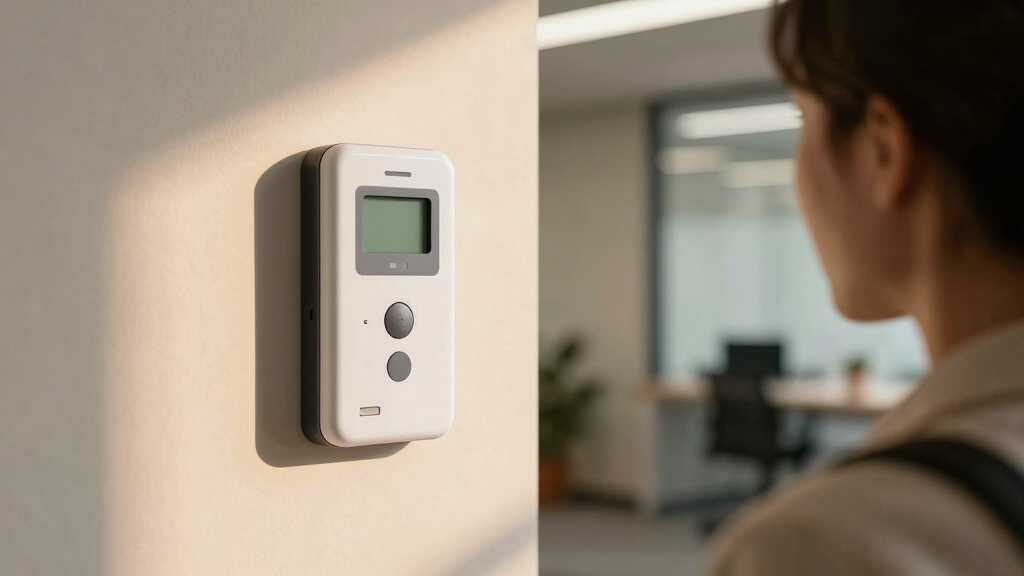
Products were selected based on their core function as facial recognition time clocks designed for attendance tracking in small to medium-sized businesses. We evaluated performance metrics such as recognition speed and accuracy, usability including setup complexity and interface intuitiveness, build quality, and integration options like app support and cloud connectivity. Value was also a key factor, balancing features against price. Our ranking favors systems that offer reliable, fast recognition with user-friendly features and broad compatibility, while also considering the availability of support and ongoing costs.Factors to Consider When Choosing Best Facial Recognition Time Clock For Attendance
When choosing the best facial recognition time clock for attendance, it’s important to consider several key factors beyond just price and brand. These elements determine how well the system will perform in your specific environment, how easy it is to deploy, and whether it can grow with your business. A thoughtful approach ensures you avoid common pitfalls like insufficient accuracy or overly complex setups that hinder daily use.Recognition Accuracy and Speed
The core purpose of a facial recognition system is to quickly and accurately identify employees. Look for options that have proven high accuracy rates and fast recognition times, especially if you have a large workforce. Systems with slower recognition can cause delays during peak hours, leading to frustration and potential payroll errors. Prioritize models with a good track record and ample user reviews confirming their reliability in real-world conditions.
Integration and Software Compatibility
Seamless integration with existing payroll and HR management software can save time and reduce errors. Cloud-based options often offer better compatibility with mobile apps and remote management, which is especially helpful for multi-branch setups. Be aware that some systems may require additional middleware or custom setup, adding complexity and cost. Choose a platform that aligns with your current tech stack and future expansion plans.
Ease of Use and Setup
If your team lacks dedicated IT support, opt for systems that are straightforward to install and operate. Touchless or voice-controlled options can boost hygiene and reduce touchpoints, an increasingly important feature. Also, check if the interface is intuitive for non-technical users. Overly complicated systems may lead to training delays and increased support needs, undermining the initial investment.
Cost and Ongoing Expenses
Initial purchase price is just one part of the total cost. Evaluate whether the system requires monthly licensing fees, software subscriptions, or maintenance costs. Some high-end models include free cloud storage and updates, while others charge for these extras. Decide what features are essential and balance them against your budget to avoid paying for unnecessary capabilities.
Additional Biometrics and Features
Many facial recognition systems also support fingerprint, RFID, or PIN entry, offering fallback options in case of recognition issues. Consider whether multi-biometric support is beneficial for your workforce or if a dedicated facial recognition system suffices. Features like temperature scanning, access control, and multi-location support can add value but also increase complexity and price. Match features to your security and operational needs carefully.
Frequently Asked Questions
Can facial recognition time clocks work in low-light environments?
Many modern facial recognition systems incorporate infrared or other low-light imaging technologies to maintain accuracy in dim conditions. However, performance can still vary based on lighting quality and camera specifications. For environments with poor lighting, choosing a model with IR capabilities is advisable to prevent recognition failures. Testing in your actual workspace is recommended before full deployment.
Are facial recognition time clocks GDPR or privacy-compliant?
Compliance depends on how the data is stored, processed, and protected. Many vendors offer encrypted data transmission and storage, along with user consent options. However, it’s vital to review local privacy laws and ensure that your use of biometric data aligns with regulations like GDPR or CCPA. Selecting systems with clear privacy policies and data management controls helps mitigate legal risks.
What happens if facial recognition fails for some employees?
Most systems include fallback methods such as RFID cards, PIN entry, or fingerprint scans to ensure attendance marking isn’t disrupted. It’s wise to choose a system that supports multiple authentication options, especially for employees with facial recognition difficulties or in environments where recognition might be hindered by accessories or changes in appearance. Proper setup and employee training also improve recognition reliability.
How scalable are these facial recognition systems for growing businesses?
Scalability varies: cloud-based systems generally allow easier expansion as they can add more users without hardware changes. On-premises models might require additional servers or upgrades. Consider future growth plans when selecting a system to avoid costly migrations later. Check if the vendor supports multi-site deployment and has flexible licensing options for expansion.
What maintenance or updates do facial recognition time clocks typically need?
Most systems require regular software updates for security patches and feature improvements, often delivered automatically via cloud platforms. Hardware maintenance includes cleaning cameras and checking network connections. Ensuring the system has remote management features can simplify ongoing support. Budgeting for occasional upgrades or replacement parts helps sustain long-term performance.
Conclusion
For small to medium-sized businesses seeking a reliable, easy-to-use system, the NGTeco TC5 offers the best overall combination of accuracy, features, and connectivity. Budget-conscious companies will find the uAttend DR2000 a solid choice that emphasizes touchless operation without breaking the bank. Larger organizations or those with multiple locations should consider systems like the ANVIZ FacePass 7 Pro for its robust biometric options and integration capabilities. Beginners should prioritize systems with intuitive interfaces and minimal setup, while security-focused buyers might lean toward models supporting multiple authentication methods. Ultimately, matching your specific needs and budget ensures the best investment in facial recognition time clocks for attendance.