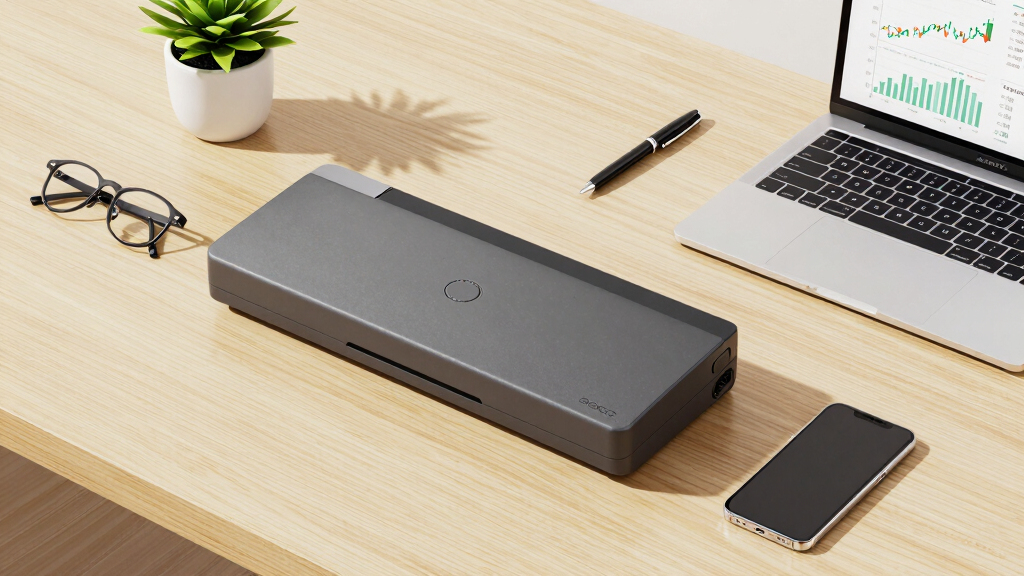

For finance and reporting teams, choosing the right document scanner means balancing speed, accuracy, and reliability. The Epson Workforce ES-C220 stands out as the overall best pick thanks to its fast two-sided scanning and robust auto-feeder, ideal for high-volume tasks. The ScanSnap iX1300 offers seamless wireless connectivity and user-friendly features, making it perfect for dynamic office environments. Meanwhile, the Epson Workforce ES-580W delivers exceptional versatility with a large auto feeder and touchscreen for complex workflows. Each option presents tradeoffs—such as size, price, or feature set—that require careful consideration. Keep reading for a detailed breakdown to help you find the perfect fit for your finance and reporting needs.
Key Takeaways
- Speed and duplex scanning are essential for high-volume finance tasks, making larger auto feeders and fast processors priorities.
- Wireless connectivity and software integration significantly improve workflow efficiency for reporting teams working across multiple devices.
- Compact models often sacrifice features like document capacity or advanced image adjustments but are better for limited space or mobile use.
- Premium options tend to include larger feeders, touchscreen controls, and enhanced data management but come at a higher price point.
- Choosing the right scanner depends on balancing volume, usability, and budget—no single model excels in every category.


More Details on Our Top Picks
Epson Workforce ES-C220 Compact Desktop Document Scanner with 2-Sided Scanning and Auto Feeder (ADF) for PC as Well as Mac
This scanner stands out for its ultra-compact design that saves 60% of desk space, making it ideal for crowded offices or home setups. Unlike bulkier models like the Epson ES-400 II, the ES-C220 packs powerful 2-sided scanning at an impressive 30 ppm/60 ipm with a simple, intuitive software suite. Its versatility allows scanning most document types, from standard papers to passports, with intelligent image adjustments that maintain high quality. The 20-page ADF supports batch scanning, which is a significant advantage over smaller, single-sheet models. However, its reliance on internet for software downloads might be a drawback for offline workflows, and it lacks advanced OCR features out of the box.
Best for: Small teams or individuals needing space-efficient, fast duplex scanning.Pros:- Space-saving, compact footprint
- Fast two-sided scanning at 30 ppm/60 ipm
- Versatile document handling including passports and cards
- Automatic cropping, dirt detection, skew correction
Cons:- Requires internet connection for software updates and OCR
- Limited advanced OCR capabilities without extra software
Best for: Small teams or individuals needing space-efficient, fast duplex scanning
Not ideal for: Large offices requiring high-volume, high-speed scanning or advanced OCR features without additional software
- Scanner Type:Document Scanner
- Connection Type:USB
- Resolution:300 dpi
- Media Type:Most document types including cards/passports
- Sheet Capacity:20 pages
- Image Depth:24-bit
- Wattage:10 watts
- Dimensions:4.1 x 11.7 x 4.9 inches
- Weight:3.85 pounds
Bottom line: This scanner is perfect for finance teams with limited desk space who need quick, reliable double-sided scans.
Epson RapidReceipt RR-60 Mobile Tax Receipt and Color Document Scanner with Complimentary Data Management Software for PC & Mac
This lightweight, portable scanner is tailored for finance teams who handle receipts and invoices frequently. Compared to the larger, desktop-focused Epson ES-320W, the RR-60 emphasizes mobility, weighing under 10 oz, with a quick 10 ppm scan speed and AI-powered data extraction that categorizes receipts automatically. Its ability to create searchable PDFs and export directly to cloud services streamlines expense reporting and bookkeeping. While its compact size is a major advantage, it may not handle large batches as efficiently as bulkier models like the ES-580W. Its reliance on USB power and limited sheet capacity (60 pages) are tradeoffs for portability.
Best for: Small finance teams or freelancers needing on-the-go receipt scanning with AI data extraction.Pros:- Extremely portable and lightweight
- AI-powered automatic data extraction
- Cloud integration for easy file storage
- Creates searchable, editable PDFs
Cons:- Limited sheet capacity of 60 pages
- Requires USB power, not wireless
Best for: Small finance teams or freelancers needing on-the-go receipt scanning with AI data extraction
Not ideal for: Teams requiring high-volume, batch processing or advanced OCR for document digitization
- Scanner Type:Receipt Scanner
- Connection Type:USB
- Resolution:600 dpi
- Media Type:Receipts, invoices, ID cards, long pages
- Sheet Capacity:60 pages
- Image Depth:24-bit
- Wattage:2.5 watts
- Dimensions:13 x 5.5 x 2.5 inches
- Weight:1.19 pounds
Bottom line: Ideal for mobile professionals and small teams needing quick, AI-enhanced receipt digitization in the field.
Brother DS-640 Compact Mobile Document Scanner, (Model: DS640)
This ultra-compact scanner is perfect for those needing high-speed mobile scanning of multiple documents. Unlike the Epson RR-60, the DS-640 can handle stacks of up to 20 pages in one batch, with speeds of 16 ppm, making it suitable for busy professionals on the move. Its versatility with support for Windows, Mac, and Linux, along with multiple ‘Scan-to’ options, is a key advantage. Its small size (less than 1.5 pounds) and USB-powered operation make it highly portable. Though it excels in quick batch scanning, it offers lower resolution (300 dpi) compared to larger desktop models like the ES-580W, which might affect detailed image quality for high-end imaging needs.
Best for: Mobile professionals who need to scan multiple pages quickly and wirelessly.Pros:- Very fast 16 ppm speed
- Supports batch scanning of 20 pages
- Compatible with multiple OS including Linux
- Lightweight and USB-powered
Cons:- Lower resolution (300 dpi) than high-end scanners
- Limited to 20 pages per batch
Best for: Mobile professionals and small offices needing fast, multi-page, portable scanning
Not ideal for: Teams requiring high-resolution scans or extensive OCR capabilities for document archiving
- Scanner Type:Mobile Document Scanner
- Connection Type:USB
- Resolution:300 dpi
- Media Type:Documents, business cards, ID cards
- Sheet Capacity:20 pages
- Image Depth:8-bit
- Wattage:2.5 watts
- Dimensions:14.5 x 9.9 x 1.7 inches
- Weight:3.6 pounds
Bottom line: This scanner is ideal for mobile users who need quick, multi-page scanning without sacrificing portability.
Canon Canoscan Lide 300 Scanner (PDF, AUTOSCAN, Copy, Send)
This flatbed scanner provides excellent high-resolution scanning at 2400 x 2400 dpi, making it suitable for detailed art scans or high-quality document digitization. Compared with portable models like the Brother DS-640, the CanoScan LiDE 300 is better suited for static, high-detail work rather than fast batch processing. Its Auto Scan Mode simplifies operation by automatically detecting document types, and the built-in PDF button allows quick creation of searchable PDFs. While its size makes it less portable than handheld or mobile scanners, it offers a significant quality advantage for detailed images. Its compatibility with older Mac OS versions, as noted in reviews, makes it a preferred choice for users with legacy systems. The main tradeoff is slower speed and lack of multi-page batch support.
Best for: Creative professionals or teams needing detailed, high-resolution scans of documents or artwork.Pros:- High-resolution 2400 x 2400 dpi scans
- Automatic document detection with Auto Scan Mode
- Easy to use with one-touch buttons
- Supports PDF creation for document management
Cons:- Slower scanning speeds unsuitable for bulk processing
- Less portable due to flatbed design
Best for: Creative professionals and teams needing high-res, detailed scans of artwork or documents
Not ideal for: Rapid batch processing of large volumes or mobile scanning needs
- Scanner Type:Flatbed Scanner
- Connection Type:USB
- Resolution:2400 x 2400 dpi
- Media Type:Documents, photos, artwork
- Sheet Capacity:1 (flatbed)
- Image Depth:48 bits
- Wattage:4.5 watts
- Dimensions:14.5 x 9.9 x 1.7 inches
- Weight:3.6 pounds
Bottom line: This scanner is perfect for high-detail, static scans where quality outweighs speed or portability.
Canon CanoScan LiDE 300 Scanner (PDF, AUTOSCAN, Copy, Send)
This flatbed scanner offers remarkable 2400 x 2400 dpi resolution in a compact, energy-efficient design. It excels for users needing detailed scans of artwork, photos, or documents, especially when quality takes precedence over speed. Unlike portable scanners like the Brother DS-640, the LiDE 300 is stationary, making it ideal for high-resolution art scans or archival work. Its Auto Scan feature simplifies operation, and the PDF button facilitates quick document creation. While it doesn’t support high-volume batch scanning, its high resolution and ease of use make it a favorite for creative teams or professionals digitizing critical artwork or detailed prints. Its compatibility with older Mac OS systems, as highlighted in reviews, makes it accessible for legacy setups. The main tradeoffs are slower speed and limited batch capacity.
Best for: Art departments or teams needing detailed, high-res scans of static documents or artwork.Pros:- Exceptional 2400 x 2400 dpi resolution
- Auto Scan Mode for automatic detection
- Compact and energy-efficient design
- Supports PDF export and easy operation
Cons:- Slower speed unsuitable for bulk tasks
- Stationary flatbed design limits portability
Best for: Art departments or teams requiring detailed, high-resolution scans of artwork and documents
Not ideal for: High-volume batch processing or mobile scanning needs
- Scanner Type:Flatbed Scanner
- Connection Type:USB
- Resolution:2400 x 2400 dpi
- Media Type:Photos, artwork, documents
- Sheet Capacity:1
- Image Depth:48 bits
- Wattage:4.5 watts
- Dimensions:14.5 x 9.9 x 1.7 inches
- Weight:3.6 pounds
Bottom line: This scanner is best suited for high-detail, static digitization where image quality is paramount.
Plustek PS186 Desktop Document Scanner, with 50-Pages Auto Document Feeder (ADF)
The Plustek PS186 stands out for its robust build and extensive customization options, making it ideal for finance teams handling large volumes of documents. Its support for OCR and barcode categorization enhances document management efficiency, especially compared to simpler scanners like the Canon imageFORMULA R10, which lacks advanced categorization. The auto-rotate, crop, and deskew features optimize scan quality with minimal user intervention. However, its support is limited to Windows 7/8/10/11, and it doesn’t offer wireless connectivity, which might be a drawback for mobile or remote teams. The 50-page ADF and high resolution (600 dpi) ensure fast, high-quality output under demanding workloads. Overall, this scanner is tailored for teams prioritizing volume and customization over mobility or modern connectivity.
Pros:- High sheet capacity of 50 pages for bulk scanning
- Supports searchable PDFs with OCR
- Barcode support for automatic categorization
- Customizable scan settings with ‘Single Touch’ feature
Cons:- Limited to Windows OS (no Mac or mobile support)
- No wireless or network connectivity
- Bulkier and less portable than handheld scanners
Best for: Finance and reporting teams in large offices requiring high-capacity, customizable scanning workflows.
Not ideal for: Small startups or mobile teams needing wireless, plug-and-play solutions with cross-platform support.
- Scanner Type:Document
- Connection Type:USB
- Resolution:600 dpi
- Sheet Capacity:50 pages
- Color Depth:24 bpp
- Media Type:Paper
- Wattage:18 watts
- Paper Size:8.5 x 11 inches
- Sensor Technology:CIS
Bottom line: This pick is best for teams with significant document processing needs who prioritize customization and volume handling over mobility.
ScanSnap iX1300 Compact Wireless or USB Double-Sided Color Document, Photo & Receipt Scanner
The ScanSnap iX1300 excels in portability and ease of use, making it a top choice for finance teams that need quick, on-the-go scanning. Its wireless capabilities and user-friendly interface allow effortless scanning directly to cloud services or devices, unlike the Epson Workforce ES-580W, which, while feature-rich, is bulkier and less suited for mobile workflows. The duplex scanning at 30ppm and automatic de-skew produce sharp, quick results suitable for receipts, reports, and photos, even for users with minimal technical skills. Yet, compared to the Epson Workforce ES-400 II, it offers slightly lower scan speed and resolution, which might be limiting for high-volume, high-detail needs. This device suits users prioritizing convenience and mobility over raw scanning capacity.
Pros:- Wireless and USB connectivity
- Compact, space-saving design
- Fast duplex scanning at 30ppm
- Supports multiple file formats including searchable PDFs
Cons:- Lower resolution (300 dpi) than high-end models
- Limited sheet capacity of 20 sheets
- No Ethernet or LAN support
Best for: Freelancers, remote finance teams, or small offices needing portable, simple, double-sided scanning.
Not ideal for: Large reporting teams processing hundreds of pages daily who require wired, high-capacity scanners.
- Scanner Type:Document
- Connection Type:Wi-Fi, USB
- Resolution:300 dpi
- Sheet Capacity:20 pages
- Color Depth:30 bits
- Media Type:Paper, Photos
- Wattage:580 watts
- Paper Size:Legal to A4
- Sensor Technology:CCD
Bottom line: Ideal for mobile professionals or small teams that need quick, reliable dual-sided scans without fuss.
Epson Workforce ES-580W Wireless Color Duplex Tax Receipt & Desktop Document Scanner
The Epson Workforce ES-580W is designed for high-volume, versatile document scanning with a 100-sheet auto feeder and wireless capabilities, making it ideal for finance teams managing large batches of receipts, reports, or legal documents. Its fast 35 ppm duplex speed and 1200 dpi resolution surpass many competitors like the ScanSnap iX1300, especially in high-volume environments. While it offers excellent connectivity options, including Wi-Fi and USB, it lacks Ethernet support, which could be a limitation for office networks. The built-in 4.3″ touchscreen simplifies operation, but the device’s size and power consumption (580W) may make it less portable compared to smaller models. Nonetheless, this scanner is perfect for busy offices needing reliable, high-capacity scanning with wireless flexibility.
Pros:- High sheet capacity (100 sheets)
- Wireless and USB connectivity
- Fast 35 ppm duplex scanning
- Large 4.3-inch touchscreen for easy controls
Cons:- Consumes more power (580W)
- No Ethernet port
- Bulkier size may reduce portability
Best for: Large office or mobile teams needing fast, high-capacity wireless scanning with easy-to-use touchscreen controls.
Not ideal for: Small teams or mobile users with limited space and power constraints who prefer battery-powered or smaller devices.
- Scanner Type:Document
- Connection Type:Wi-Fi, USB
- Resolution:1200 dpi
- Sheet Capacity:100 pages
- Color Depth:30 bits
- Media Type:Paper, Receipts
- Wattage:580W
- Paper Size:Legal to A4
- Sensor Technology:CCD
Bottom line: Best suited for high-demand offices seeking fast, wireless, high-capacity scanning with simple interface.
Canon imageFORMULA R10 – Portable Document Scanner, USB Powered, Duplex Scanning
The Canon imageFORMULA R10 is a lightweight, portable scanner perfect for finance professionals who need to digitize documents in various locations. Its compact size, USB-powered operation, and duplex scanning at 12 ppm make it ideal for quick, on-the-fly digitization of receipts, contracts, or reports. Its built-in software and automatic adjustments simplify the process for users with minimal technical expertise. Compared to larger, high-volume scanners like the Epson Workforce ES-580W, the R10 sacrifices capacity and speed for portability and ease of use. It has a 20-sheet auto feeder and offers decent 600 dpi resolution, suitable for most reports and legal documents but less ideal for high-resolution image scans or large batch processing.
Pros:- Lightweight and portable
- USB-powered, no external power needed
- Duplex scanning at 12 ppm
- Automatic image adjustments for quality
Cons:- Limited sheet capacity (20 sheets)
- Lower scan speed and resolution compared to desktop units
- Not suitable for large bulk scanning
Best for: Mobile finance staff, field auditors, or small teams needing quick, portable scanning without complex setup.
Not ideal for: Teams requiring large volume processing or high-resolution scans for detailed images and extensive reports.
- Scanner Type:Portable
- Connection Type:USB
- Resolution:600 dpi
- Sheet Capacity:20 pages
- Color Depth:24 bits
- Media Type:Paper
- Wattage:2.5W
- Paper Size:Legal to A4
- Sensor Technology:CIS
Bottom line: Perfect for mobile professionals needing quick, reliable scans in various locations with minimal fuss.
Epson RapidReceipt RR-600W Wireless Desktop Color 2-Sided Document & Tax Receipt Scanner with ScanSmart AI PRO Data Management Software for PC & Mac Touchscreen & 100-Page Auto Document Feeder
This scanner stands out for its AI-powered data extraction, which automatically categorizes receipts and invoices, making it ideal for finance teams that need to process large stacks efficiently. Unlike the smaller, more portable Epson WorkForce ES-50, the RR-600W offers a robust 100-page auto feeder and duplex speeds up to 35 pages per minute, significantly boosting productivity. The built-in 4.3″ touchscreen allows for PC-free operation, which is a big plus for busy finance departments. However, this comes with a tradeoff: the device is larger and more expensive, making it less suitable for small offices or individuals with limited space. Compared to simpler models, the RR-600W delivers smarter data handling but requires a higher initial investment and setup complexity. It’s best suited for teams that require seamless integration with financial tools like QuickBooks and TurboTax, and can accommodate its size and cost.
Pros:- AI-powered data extraction for categorization and quick processing
- High-capacity 100-page auto feeder with skew and staple protection
- Fast duplex scanning up to 35 pages per minute
Cons:- Larger footprint may not fit small offices or desks
- Higher price point compared to basic scanners
- Complex setup with more advanced software features
Best for: Finance teams handling high volumes of receipts and invoices needing AI-based categorization and integration with accounting software
Not ideal for: Small businesses or solo professionals with limited desk space and budget constraints
- Scanner Type:Document, Receipt
- Connection Type:Wi-Fi
- Resolution:600 dpi
- Standard Sheet Capacity:100
- Wattage:13 watts
- Color Depth:24 bpp
- Measurements:14.25″D x 10.25″W x 12.38″H
- Item Weight:8.2 Pounds
Bottom line: This scanner is ideal for finance teams that need fast, intelligent data handling and have space for a more substantial device.
ScanSnap iX1300 Compact Wireless or USB Double-Sided Color Document, Photo & Receipt Scanner with Auto Document Feeder and Manual Feeder for Mac or PC, Black
This model makes the most sense for finance teams that need a reliable, space-saving scanner without sacrificing speed or quality. Its compact design allows it to fit on even the smallest desks, unlike larger units such as the Epson RR-600W. It offers duplex scanning at up to 30 pages per minute with automatic de-skew, color optimization, and blank page removal, ensuring crisp results with minimal effort. The wireless connectivity and ability to send scans directly to various devices or cloud services provide flexibility for mobile and remote finance teams. The tradeoff is that it has a smaller sheet capacity—up to 50 pages—and fewer advanced data features, making it less suitable for very high-volume environments. Compared to the Epson RR-600W, the iX1300 is less feature-rich but excels in convenience and space efficiency. This pick suits finance professionals who prioritize easy setup and portability alongside solid performance.
Pros:- Small, space-saving design fits tight workspaces
- Fast duplex scanning up to 30 ppm with automatic de-skew
- Wireless connectivity with multiple device and cloud options
Cons:- Limited sheet capacity of 50 pages
- Fewer advanced data features compared to larger scanners
- Slightly slower than larger professional models
Best for: Finance teams in small offices or remote settings needing a compact, versatile scanner with reliable duplex speed
Not ideal for: High-volume processing environments or teams requiring AI-driven data categorization
- Scanner Type:Document, Photo, Receipt
- Connection Type:USB, Wireless
- Resolution:600 dpi
- Standard Sheet Capacity:50
- Wattage:17 watts
- Color Depth:48 bits
- Measurements:4.5″D x 11.7″W x 3.3″H
- Item Weight:4.4 Ounces
Bottom line: This scanner is perfect for small teams or individual users who need reliable, space-efficient dual-sided scanning with good speed.
Epson WorkForce ES-50 Portable Sheet-Fed Document Scanner for PC and Mac
This lightweight and highly portable scanner makes it possible for finance professionals to scan important documents anytime, anywhere. Its simple, single-sheet feed and fast 5.5-second scan time per page make it ideal for quick, on-the-fly capture of receipts or critical paperwork during travel or in fieldwork. Unlike the larger desktop models like the ScanSnap iX1300, the ES-50’s compact size and USB-powered operation mean it can be easily stored in a bag or briefcase, perfect for remote or mobile finance teams. The tradeoff is its limited sheet capacity—just one page at a time—and lack of advanced features such as duplex scanning or AI-driven data extraction. It’s best suited for individual professionals or small teams who need to scan sporadically without taking up desk space. Its fast, simple operation makes it the go-to choice for quick, ad hoc scanning needs.
Pros:- Extremely lightweight and portable for on-the-go use
- Fast scan speed of 5.5 seconds per page
- USB-powered, no external power needed
Cons:- Limited to single-page scans at a time
- No duplex or advanced data features
- Smaller sheet capacity makes it less suitable for bulk tasks
Best for: Mobile finance professionals or small teams needing quick, occasional scanning without desk clutter
Not ideal for: High-volume processing or teams requiring automated data extraction and integration
- Scanner Type:Document
- Connection Type:USB
- Resolution:1200 dpi
- Standard Sheet Capacity:1
- Wattage:2.1 watts
- Color Depth:16 bpp
- Measurements:13.15″D x 5″W x 2.65″H
- Item Weight:9.44 ounces
Bottom line: This scanner is ideal for mobile professionals who need quick, occasional scans without sacrificing portability.
How We Picked
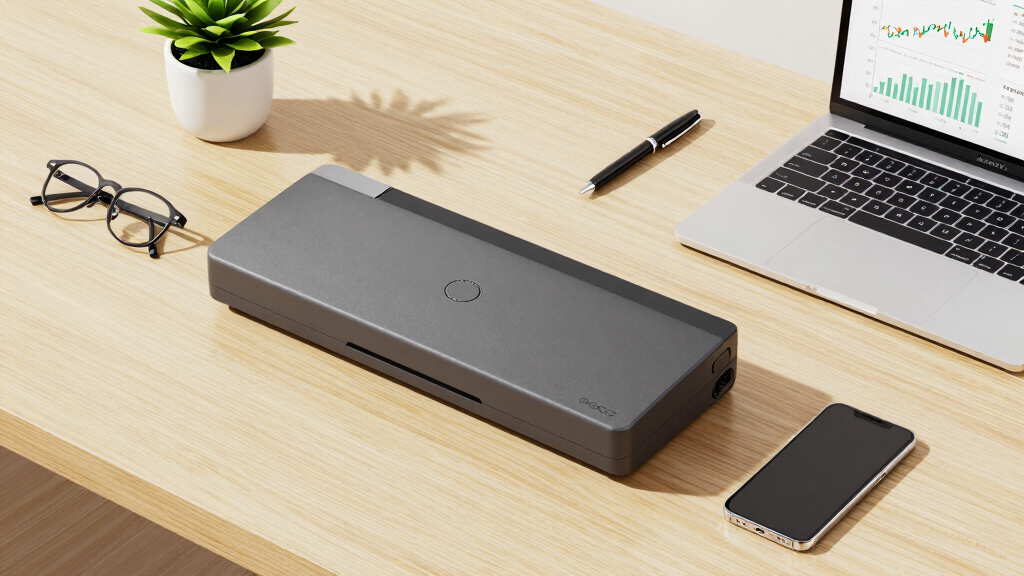
I evaluated these document scanners based on key factors that matter most to finance and reporting teams. Performance metrics such as scan speed, duplex capabilities, and document capacity determined how well they handle high-volume tasks. Usability factors like ease of setup, software compatibility, and connectivity options influence daily efficiency. Build quality and reliability were also considered, ensuring these scanners can withstand frequent use without failure. Finally, the overall value, including price and feature set, helped identify options that deliver the best return on investment for business users. Products are ranked to reflect a balance of these priorities, emphasizing those best suited for professional finance workflows.Factors to Consider When Choosing Best Document Scanner For Finance And Reporting Teams
Selecting the best document scanner for finance and reporting teams involves more than just looking at specs. It’s essential to consider how well a scanner integrates into your existing workflow, its capacity for high-volume scanning, and its compatibility with your software ecosystem. Understanding these broader factors helps prevent common pitfalls, such as overpaying for unnecessary features or choosing a model that can’t handle your daily workload. The following sections outline key considerations to guide your decision-making process, ensuring you select a scanner that boosts productivity and accuracy.Scan Speed and Duplex Capabilities
Speed is critical when handling large batches of financial documents, receipts, and reports. Look for models with fast scan rates, ideally over 20 pages per minute, and duplex scanning to save time on double-sided documents. This ensures your team can keep up with daily volume demands without bottlenecks. However, faster scanners may come at a higher price and sometimes compromise on document capacity, so weigh your volume needs carefully.
Document Capacity and Auto Feeders
High-volume finance teams benefit from large auto feeders, often capable of handling 50 to 100 pages at once. This reduces manual intervention and speeds up workflows. Be cautious with models that have smaller capacities if your daily volume exceeds their limits, as frequent reloading can slow down operations. For occasional use, smaller feeders or flatbed options might suffice, but for heavy-duty tasks, investing in a larger capacity model pays off in time savings.
Connectivity and Software Compatibility
Wireless and network connectivity options enable seamless integration into existing office environments, especially when multiple users need access. Compatibility with common document management and cloud storage platforms enhances automation and reduces manual file handling. It’s worth verifying that the scanner’s software supports your current systems and that setup is straightforward, as complex configurations can hinder adoption and efficiency.
Build Quality and Reliability
Finance teams require scanners that are durable and capable of frequent use. Look for models with robust construction, reliable feeding mechanisms, and good reviews on longevity. Cheaper models may save money upfront but could lead to increased maintenance and downtime, disrupting reporting schedules. Investing in a well-built scanner ensures consistent performance over years of heavy use.
Price and Overall Value
While it might be tempting to choose the cheapest option, consider the long-term benefits of a more capable device that saves time and reduces errors. Premium models with larger capacities and advanced features often justify their higher cost through increased efficiency. Balance your budget against your volume needs and desired features to find a model that offers the best return on investment, especially when considering ongoing maintenance and software updates.
Frequently Asked Questions
How do I choose between a portable and a desktop scanner for my finance team?
If your team frequently works remotely or needs to scan documents on the go, a portable scanner like the Epson WorkForce ES-50 can provide mobility and convenience, though it may lack features like large auto feeders. For office use with high-volume scanning needs, a desktop model such as the Epson Workforce ES-C220 offers faster speeds, larger capacity, and more robust software integration. Consider your workflow size, space constraints, and whether mobility or speed is more critical to your operations.
Is wireless connectivity worth paying extra for in a finance scanner?
Wireless connectivity can significantly streamline workflows by allowing multiple users to scan directly to cloud storage or network folders without physical connections. For teams that collaborate across multiple devices or locations, this feature reduces clutter and setup time. However, it can add to the initial cost and sometimes introduce connectivity issues. If your environment is stable and wired, you might prioritize other features, but for dynamic, multi-user teams, wireless options often justify their premium.
What features are most important for high-volume financial document scanning?
Speed, large auto feeders, and duplex scanning are the cornerstones of high-volume financial document processing. A scanner with a capacity of 50 pages or more, coupled with fast scan rates, ensures your team can handle daily workloads efficiently. Reliability and ease of maintenance also matter, as frequent jams or breakdowns can cause delays. Additionally, features like image correction and OCR support enhance accuracy for reporting and record-keeping tasks.
Should I consider a portable scanner for my finance team?
Portable scanners suit teams that need flexibility and occasional scanning, especially for mobile or field work. They are compact, easy to carry, and usually simpler to set up. However, they often sacrifice features like high capacity or advanced image adjustments, which are vital for high-volume or precise financial reporting. For daily office use or large workloads, a dedicated desktop scanner delivers better speed, reliability, and feature set.
How important is software compatibility when choosing a document scanner?
Software compatibility ensures your scanner integrates smoothly into your existing workflow, minimizing setup time and reducing errors. Many models come with bundled scanning and document management software, which can automate routine tasks like OCR, file naming, and cloud uploads. Compatibility with your current operating systems and document management platforms is essential to maximize productivity and avoid costly reconfigurations later. Investing in a scanner with broad software support pays off in long-term usability.