
AI-powered productivity gadgets can turn conversations into transcripts, summaries, and follow-up documents, but the best choice depends on how you work. I name the Plaud Note Pro best overall for its focused recording-and-notes role, while the Comu Action Pro stands out for long battery life and automated documents, and the XNote Smart Pen suits people who think best on paper. The main tradeoffs are hands-free convenience versus deliberate note-taking, device features versus companion software, and portability versus a larger work hub. Privacy, subscription terms, and transcription quality also matter as much as the AI label. Read on for the full breakdown and help matching each device to your daily workflow.

Get business pricing on tech for your team
- Business-only prices and quantity discounts
- Tax-exempt purchasing
- Multiple users, one account, clear invoices
Key Takeaways
- Dedicated recorders lead this lineup for meeting capture: the Plaud Note Pro, Comu Action Pro, and SOULOG focus on turning spoken information into usable notes, while the smart pen and translator serve different jobs.
- Battery and output format separate the recorder picks: Comu Action Pro emphasizes extended operation and automatic documents, whereas other recorders may suit buyers who prioritize portability or a simpler capture routine.
- Hands-free wearables are a workflow choice, not a universal upgrade: Bee Frontier and Fieldy 3 may fit people who want ambient capture, but wearable comfort, consent, and recording controls deserve extra scrutiny.
- AI features depend on the service behind the device: transcription, summaries, rewind, and document creation can be limited by supported languages, connectivity, usage policies, or ongoing service requirements.
- Specialized formats can beat all-purpose gadgets: XNote is aimed at handwriting-first note-takers, while the Z04 targets language assistance; buyers who do not need those workflows may get more from a dedicated recorder.
| SOULOG AI Voice Recorder with Unlimited Transcription and 30-Minute Rewind |  | Best for Recovering Missed Details | Internal storage: 8 GB | Battery life: 50+ hours | Charging interface: USB Type-C | VIEW LATEST PRICE | See Our Full Breakdown |
| STRATRONIX STA-100 Workie Private AI Office Assistant |  | Best for a Private Desktop AI Assistant | Storage: 32 GB eMMC, expandable to 512 GB via SD card | Operating system: XFCE Linux desktop, Ubuntu base | AI platform: OpenClaw 6.8 | VIEW LATEST PRICE | See Our Full Breakdown |
| XNote Smart Pen and Notebook Starter Set with 5 Ink Refills |  | Best for Paper-First Note Takers | Connectivity: Bluetooth 4.2 | Battery life: Up to 17 hours | Charging time: About 90 minutes | VIEW LATEST PRICE | See Our Full Breakdown |
| Flowtica AI Voice Recorder Pen with Transcription |  | Best for Long, Multi-Speaker Sessions | Microphone: Built-in stereo MEMS microphones | Storage capacity: 32 GB | Digital recording time: 100 hours | VIEW LATEST PRICE | See Our Full Breakdown |
| Bee Frontier Wearable Personal AI |  | Best Wearable for Everyday Conversation Capture | Battery life: 7 days | Supported languages: 40+ | Interface: One button with green LED indicator | VIEW LATEST PRICE | See Our Full Breakdown |
| EurekaMind AI Voice Recorder and Note Taker |  | Best for Flexible Recording | Recording modes: Ambient recording and call recording | AI outputs: Transcripts, summaries, speaker identification, and action items | Languages: 138 | VIEW LATEST PRICE | See Our Full Breakdown |
| AI Companion Hub 15.6″ Voice AI Assistant for Work and Life |  | Best Desktop Voice Assistant | Display: 15.6-inch, non-touch | Interaction: Voice-first | Calendar integration: Google Calendar via companion mobile app | VIEW LATEST PRICE | See Our Full Breakdown |
| Pocket AI Voice Recorder with Transcription, Summaries, and MagSafe Compatibility |  | Best for MagSafe Portability | Storage: 64 GB | Battery life: Up to 4 days | MagSafe compatibility: Yes | VIEW LATEST PRICE | See Our Full Breakdown |
| AI Voice Recorder – Transcribe & Summarize for Meetings, Lectures, Calls |  | Best for Multilingual Transcription | Languages: Up to 152 | Storage: 64 GB | Digital recording time: 35 hours | VIEW LATEST PRICE | See Our Full Breakdown |
| Comu Action Pro AI Voice Recorder with Automatic AI Docs and 70+ Hour Battery Life |  | Best for Turning Conversations into Work | AI outputs: Editable documents, slides, emails, reminders, and to-do lists | Microphone array: Six microphones, including bone-conduction | Battery life: Up to 70 hours | VIEW LATEST PRICE | See Our Full Breakdown |
| Fieldy 3 Wearable AI Note-Taking Device, Black |  | Best for Calendar-Connected Meeting Notes | Model: FL3B | Weight: 8 g | Dimensions: 0.45 × 1.35 × 1.7 in | VIEW LATEST PRICE | See Our Full Breakdown |
| Plaud Note Pro AI Voice Recorder, Silver |  | Best for Long Sessions and Local Storage | Microphones: Four built-in microphones | Pickup range: Up to 5 m (16.4 ft) | Storage capacity: 64 GB | VIEW LATEST PRICE | See Our Full Breakdown |
| Z04 AI Language Translator and Companion Device with Bluetooth 6.0 |  | Best for Multilingual Communication | Translation languages: 102 | Display: HD screen with customizable wallpapers | Connectivity: Bluetooth 6.0 | VIEW LATEST PRICE | See Our Full Breakdown |
| AI-powered productivity gadget | Weight |
|---|---|
| SOULOG AI Voice Recorder with | 1.6 ounces |
| STRATRONIX STA-100 Workie Priv | — |
| XNote Smart Pen and Notebook S | — |
| Flowtica AI Voice Recorder Pen | 400 g |
| Bee Frontier Wearable Personal | — |
| EurekaMind AI Voice Recorder a | 29 g (1.02 oz) |
| AI Companion Hub 15.6" Voice A | — |
| Pocket AI Voice Recorder with | — |
| AI Voice Recorder | 25 g |
| Comu Action Pro AI Voice Recor | 52 g |
| Fieldy 3 Wearable AI Note-Taki | 8 g |
| Plaud Note Pro AI Voice Record | 30 g (1.06 oz) |
| Z04 AI Language Translator and | 1.76 oz |
More Details on Our Top Picks
SOULOG AI Voice Recorder with Unlimited Transcription and 30-Minute Rewind
The SOULOG suits people who want meeting notes without changing how they take calls or attend lectures: its 30-minute rewind can capture audio from before recording began, while automatic transcription turns recordings into structured notes and action items. That makes it more forgiving than the XNote Smart Pen, which focuses on capturing handwritten notes and relies on its companion app for audio. Its 50+ hours of battery life and slim magnetic phone attachment also favor frequent carry over the larger, dedicated Flowtica AI Voice Recorder Pen. The tradeoffs are real: rewind must be enabled while the device is powered on, and its 8 GB of storage limits how much audio it can keep locally. There is no headphone jack for direct monitoring, either. I’d rank it highly for everyday capture, but not for buyers who need expansive onboard storage or audio monitoring.
Pros:- 30-minute rewind can recover audio before recording was started, when the feature is enabled.
- Unlimited automatic transcription with AI-generated structured notes and action items.
- More than 50 hours of battery life, with a quick-charge option.
- Slim magnetic design attaches to compatible phones and card holders.
Cons:- The rewind feature must be enabled in advance and requires the recorder to stay powered on.
- 8 GB of internal storage may constrain locally saved recordings.
- No headphone jack for direct audio monitoring.
Best for: People who regularly miss the start of meetings or lectures and want a compact recorder with automatic notes and long battery life.
Not ideal for: Users who need substantial onboard audio storage or a headphone jack for monitoring recordings directly.
- Internal storage:8 GB
- Battery life:50+ hours
- Charging interface:USB Type-C
- Fast charging:10 minutes for 8 hours of use
- Microphone:Built-in stereo
- Supported languages:120+
- Weight:1.6 ounces
- Dimensions:0.12 × 2.5 × 4 inches
Our verdict“Choose the SOULOG if you want portable meeting capture with rewind and long battery life, but skip it if you need more onboard storage or direct headphone monitoring.”
STRATRONIX STA-100 Workie Private AI Office Assistant
The STA-100 is the lineup’s desk-bound choice for buyers who care more about a dedicated, locally managed assistant than a wearable recorder. It runs an XFCE Linux desktop with the OpenClaw platform and is designed to handle recurring office work such as drafting, scheduling, and meeting notes. Unlike the SOULOG recorder, which is built around capturing audio on the move, Workie is a compact appliance intended to stay plugged in as an always-on workspace tool. Its local-first design may appeal to users who want to keep data on their own device, but the AI model inference still requires an external provider and the user’s API key, so “local” does not mean every AI operation is offline. It also needs continuous power and internet for AI tasks, and each unit supports only one specialized AI role at a time. I’d choose it for a configurable office setup, not spontaneous capture.
Pros:- Compact, silent desktop appliance designed for continuous availability.
- Local-first design keeps data processing and storage on the device, according to the product description.
- Storage can expand from 32 GB to 512 GB with an SD card.
- Setup is described as taking about 8–10 minutes.
Cons:- AI inference requires a separate external model-provider subscription or API arrangement.
- AI tasks need an internet connection, and the appliance must remain plugged in.
- Each unit supports only one specialized AI role at a time.
Best for: Solo founders and small-business operators who want a configurable, always-on desktop assistant and are comfortable managing Linux and an external AI API key.
Not ideal for: People seeking a portable recorder, a fully offline AI service, or one appliance that can run several specialized assistant roles at once.
- Storage:32 GB eMMC, expandable to 512 GB via SD card
- Operating system:XFCE Linux desktop, Ubuntu base
- AI platform:OpenClaw 6.8
- Connectivity:Wi-Fi
- Power:Plug-in power supply
- Form factor:Compact desktop
Our verdict“Pick Workie for a configurable, privacy-focused desktop assistant if you accept the API and always-on power requirements.”
XNote Smart Pen and Notebook Starter Set with 5 Ink Refills
XNote is the most natural fit for people who think with a pen in hand but still want searchable digital notes. The smart pen records handwriting on the included paper and syncs it to the app over Bluetooth 4.2, where users can access summaries, tags, search, and translation. That makes it distinct from the SOULOG recorder: SOULOG prioritizes audio capture and rewind, while XNote centers on written notes and adds app-based audio tools. Offline note storage means a lost connection does not have to interrupt writing, though syncing waits until later. A key limitation is that the pen has no microphone; recording and transcription run through the companion app, so this is not a self-contained meeting recorder. Compared with the Flowtica pen, it better suits handwriting workflows than capturing a room’s discussion. I’d choose it for paper-based study or planning, not hands-free transcription.
Pros:- Captures handwritten notes on real paper and syncs them to the app.
- App tools include summaries, tagging, search, and translation.
- Offline note storage allows later syncing when a connection returns.
- Starter set includes a notebook and five D1 ink refills.
Cons:- The pen itself has no microphone; audio recording and transcription depend on the companion app.
- Bluetooth 4.2 syncing requires a compatible smartphone and app workflow.
- Battery life is up to 17 hours, shorter than the listed runtime of some dedicated recorders.
Best for: Students, workshop participants, and paper-first professionals who want handwritten notes digitized and searchable in an app.
Not ideal for: Buyers who need a standalone audio recorder or hands-free meeting transcription, since audio capture depends on the app and the pen has no microphone.
- Connectivity:Bluetooth 4.2
- Battery life:Up to 17 hours
- Charging time:About 90 minutes
- Offline storage:Yes; notes sync later through the app
- Audio recording:Handled through the companion app; pen has no microphone
- Included items:Smart pen, standard notebook, USB charging cable, quick start guide, five D1 ink refills
- Warranty:1 year
Our verdict“Choose XNote if handwriting is central to your workflow and you want app-based organization, not if your priority is standalone audio capture.”
Flowtica AI Voice Recorder Pen with Transcription
Flowtica combines a recorder and pen-shaped body with tools aimed at meetings where several people contribute. Its app can summarize sessions up to five hours, identify and tag up to 15 voices, and connect highlights to transcripts; the visible recording LED also makes active capture easier to recognize. Compared with the XNote Smart Pen, Flowtica is the stronger pick for recording conversations because it has built-in stereo microphones, while XNote’s pen has no microphone and depends on its app for audio. The tradeoff is that Flowtica is a substantial device at 400 g, so it is less appealing as a light everyday carry pen. Continuous syncing requires the app to remain active, and premium features are subscription-based after the included three-month credit. I’d favor it for structured group sessions, but the SOULOG recorder is a more portable alternative for routine note capture.
Pros:- Built-in stereo microphones capture audio, and the device can also capture photos.
- App supports transcription and summaries for sessions up to five hours.
- Speaker recognition can identify and tag up to 15 voices.
- Visible red LED indicates when recording is active.
Cons:- At 400 g, it is much heavier than the slim SOULOG recorder and less convenient for everyday carry.
- Continuous syncing requires the companion app to remain active.
- Premium features require a subscription after the included three-month credit.
Best for: Teams, interviewers, and researchers who record long, multi-speaker sessions and want speaker tagging and linked highlights.
Not ideal for: People seeking a lightweight pocket recorder, app-independent syncing, or ongoing premium transcription without a subscription.
- Microphone:Built-in stereo MEMS microphones
- Storage capacity:32 GB
- Digital recording time:100 hours
- Maximum session length:5 hours
- Speaker recognition:Up to 15 voices, from up to 16 feet away
- Battery standby:233 days
- Charging time:3 hours
- Weight:400 g
- Body material:Aluminum
Our verdict“Choose Flowtica for long, multi-speaker recordings and speaker tags, but not if portability or subscription-free use matters most.”
Bee Frontier Wearable Personal AI
Bee Frontier takes a different approach from the recorders in this roundup: it is a wearable personal AI for capturing conversations throughout the day, then turning them into searchable, actionable summaries. Its one-button interface avoids the setup steps of a desktop appliance like the STRATRONIX Workie, while its seven-day battery and IP67 rating suit regular wear in changing conditions. Support for 40+ languages makes it a more flexible fit for multilingual conversations than a narrowly focused note-taking workflow. The tradeoff is less control: one button and a green LED keep operation simple, but limit direct interaction with the device. The full feature set also requires a paid Pro subscription. Bee says audio is encrypted and not stored, which may appeal to privacy-minded users, though buyers should weigh that approach against the local storage offered by Workie. I’d choose Bee for ambient capture, not detailed manual control.
Pros:- Wearable capture produces searchable summaries and actionable notes.
- Seven-day battery life supports regular use between charges.
- IP67 weatherproof rating suits active daily wear.
- Supports over 40 languages and uses a simple one-button interface.
Cons:- Full feature access requires a paid Pro subscription.
- Limited physical controls restrict advanced interactions.
- Its audio-not-stored approach may not suit buyers who want recordings saved for later playback.
Best for: People who move between conversations throughout the day and want wearable, multilingual summaries with minimal device interaction.
Not ideal for: Users who need detailed on-device controls, a standalone desktop assistant, or the full feature set without a Pro subscription.
- Battery life:7 days
- Supported languages:40+
- Interface:One button with green LED indicator
- Weather protection:IP67
- Data security:End-to-end encryption; audio not stored
Our verdict“Choose Bee Frontier for low-interaction, wearable conversation summaries, but skip it if you need granular controls or saved audio playback.”
EurekaMind AI Voice Recorder and Note Taker
Ambient and call recording make EurekaMind a flexible choice for people who need to capture more than in-room meetings. It turns recordings into transcripts, speaker labels, summaries, and action items, so the useful output is easier to scan than raw audio. Compared with the MagSafe-focused Pocket recorder, EurekaMind is notably thinner and its stated device compatibility includes computers as well as smartphones. Its unlimited transcription and summaries on the Starter Plan also make ongoing note capture more predictable, though reminders, calendar sync, and some AI tools sit behind premium options. The credit-card-sized body is easy to carry and attaches magnetically, but there is no headphone jack for wired monitoring. I’d choose it for broad capture modes and lightweight follow-up, not for someone who needs every productivity feature without an upgrade.
Pros:- Records both ambient audio and phone calls with one-tap operation.
- Produces transcripts, summaries, speaker labels, and action items.
- Credit-card-sized, 3 mm-thin body with magnetic attachment.
- Starter Plan includes unlimited transcription and AI summaries.
Cons:- Reminders, calendar sync, and some AI features require a premium option.
- No headphone jack for wired listening or monitoring.
- Uses a nonstandard battery.
Best for: People who record both in-person conversations and phone calls and want searchable notes across a computer and smartphone.
Not ideal for: Buyers who need wired audio monitoring or want calendar sync, reminders, and all AI tools included without a premium plan.
- Recording modes:Ambient recording and call recording
- AI outputs:Transcripts, summaries, speaker identification, and action items
- Languages:138
- Compatibility:Mac, personal computer, and smartphone
- Hardware interface:Bluetooth
- Dimensions:3.39 × 0.12 × 2.13 in
- Weight:29 g (1.02 oz)
- Security certifications:ISO 27001, ISO 27701, ISO 20000, and ISO 9001
Our verdict“Choose EurekaMind if you want a very slim recorder that handles calls and room audio, and skip it if you need its full workflow without premium features.”
AI Companion Hub 15.6″ Voice AI Assistant for Work and Life
The AI Companion Hub takes a different approach from the pocket recorders in this lineup: it is a voice-first desktop assistant for research, drafting, task management, and scheduling, rather than a device centered on capturing meetings. Its 15.6-inch display gives responses and task status a dedicated place beside a main computer, while Google Calendar sync can help keep spoken planning connected to an existing schedule. Compared with the Comu Action Pro, which turns conversations into documents and reminders on the go, the Hub is better suited to a stationary work area and broader voice interaction. The tradeoff is a non-touch screen and no built-in camera, so interaction stays voice-led and visual features are limited. Heavy AI use may also depend on a subscription or usage plan.
Pros:- Voice-first assistance supports research, writing, and scheduling without a keyboard or mouse.
- Large 15.6-inch display presents results and task status clearly.
- Syncs with Google Calendar through the companion mobile app.
- Adds real-time translation, photo mode, and file sharing.
Cons:- Non-touch display limits direct interaction.
- No built-in camera for visual interaction.
- Some AI services may require a subscription or usage plan.
Best for: Desk-based professionals who want a separate voice-operated screen for research, writing, task tracking, and Google Calendar planning.
Not ideal for: Mobile workers or people who want touch controls, built-in camera interaction, or an AI assistant that does not depend on a service plan.
- Display:15.6-inch, non-touch
- Interaction:Voice-first
- Calendar integration:Google Calendar via companion mobile app
- Additional functions:Real-time translation, photo mode, and file sharing
- Body material:Metal
- Dimensions:15.6 × 15.6 in
- Color:White and light blue-violet
- Model year:2026
Our verdict“Pick the Companion Hub for a dedicated voice-operated workspace display, but choose a portable recorder if your main need is capturing conversations away from your desk.”
Pocket AI Voice Recorder with Transcription, Summaries, and MagSafe Compatibility
Pocket is the clearest fit for people who want a recorder that stays attached to a compatible phone: MagSafe mounting supports hands-free capture without carrying a separate handheld unit. After recording, its AI can produce summaries, action items, and conversation maps, and users can ask questions about saved recordings to find relevant details. Compared with EurekaMind, Pocket emphasizes smartphone attachment and a stated four-day battery life rather than broad computer compatibility and call-recording modes. Its 64 GB storage provides room for recordings, but the listed compatibility is limited to smartphones, and additional premium features require an optional subscription. The reported dimensions are unusual for a pocket recorder, so I would check the actual form factor before buying. This pick favors phone-centered convenience over a more flexible recording setup.
Pros:- MagSafe compatibility supports hands-free attachment to compatible devices.
- Creates summaries, action items, and conversation maps.
- Allows questions about recorded conversations.
- Lists up to four days of battery life and 64 GB of storage.
Cons:- Additional premium features require an optional subscription.
- Listed as compatible with smartphones rather than computers.
- Uses a nonstandard battery, and the listed dimensions may warrant a form-factor check.
Best for: MagSafe-compatible smartphone owners who want quick meeting capture, hands-free placement, and AI-generated follow-up notes.
Not ideal for: People who need computer compatibility, want all AI features without a subscription, or prefer a recorder with clearly stated call and ambient modes.
- Storage:64 GB
- Battery life:Up to 4 days
- MagSafe compatibility:Yes
- Compatible devices:Smartphones
- Hardware interface:Bluetooth
- AI outputs:Summaries, action items, conversation maps, and questions about recordings
- Dimensions:1.77 × 3.2 × 7.4 in
- Color:Space Grey
Our verdict“Choose Pocket if phone-mounted recording is your priority, but look at EurekaMind for broader device compatibility and clearly specified recording modes.”
AI Voice Recorder – Transcribe & Summarize for Meetings, Lectures, Calls
This EOEPHX recorder is the strongest language-focused option here, with transcription in up to 152 languages and AI-generated summaries, mind maps, and searchable text. That breadth suits multilingual teams, travelers, and lecture notes where finding a passage later matters as much as recording it. Its 64 GB storage and stated 35 hours of recording support longer capture sessions; encrypted cloud syncing adds a privacy-oriented element. Compared with EurekaMind, EOEPHX lists more languages and more recording time, while EurekaMind explicitly supports both ambient and phone-call modes and offers unlimited transcription and summaries on its Starter Plan. The EOEPHX tradeoff is that full AI features require a paid subscription, and there is no headphone or external microphone jack. Its thin 25 g body is portable, but may be less suited to rough handling.
Pros:- Transcribes in up to 152 languages and generates summaries, mind maps, and searchable text.
- Dual-mode microphone system includes 6D MEMS and bone-conduction microphones with noise reduction.
- 64 GB storage and stated 35-hour recording time support extended capture.
- Cloud syncing is described as end-to-end encrypted.
Cons:- Full AI features require a paid subscription after the free tier.
- No headphone jack or external microphone input.
- Thin body may be more vulnerable to wear.
Best for: Multilingual students, professionals, and frequent travelers who need searchable recordings and mind maps across many languages.
Not ideal for: Buyers who need an external microphone, wired monitoring, rugged construction, or ongoing AI features without a paid subscription.
- Languages:Up to 152
- Storage:64 GB
- Digital recording time:35 hours
- Microphones:6D MEMS and bone-conduction, built-in
- Audio format:WAV
- Wireless interface:Bluetooth 5
- Dimensions:2.13 × 3.39 × 0.12 in
- Weight:25 g
Our verdict“Choose EOEPHX for multilingual transcription and long recording sessions, but pick EurekaMind if explicit call recording and included unlimited summaries matter more.”
Comu Action Pro AI Voice Recorder with Automatic AI Docs and 70+ Hour Battery Life
Comu Action Pro goes beyond organizing notes: it aims to turn spoken conversations into editable documents, slides, emails, reminders, and to-do lists without requiring prompts. That makes it a workflow-oriented choice for people who want a meeting to generate draft work, not just a summary. Compared with Pocket, which focuses on conversation maps and questions about recordings, Comu emphasizes ready-to-edit outputs and a 70-hour recording battery life. Its six-microphone array, including bone conduction, is designed for capture across varied environments, and MagSafe attachment supports portable use with compatible iPhones. There are tradeoffs: storage is 16 GB, the small 0.95-inch screen limits previews, and the listed battery type may be difficult to replace. With no headphone jack, it also lacks direct wired audio monitoring.
Pros:- Creates editable documents, slides, emails, reminders, and to-do lists from conversations.
- Six-microphone array includes a bone-conduction microphone.
- Lists up to 70 hours of recording on a charge.
- MagSafe-compatible design attaches to compatible iPhones.
Cons:- 16 GB storage is less than the 64 GB offered by Pocket and EOEPHX.
- The 0.95-inch screen limits navigation and preview.
- No headphone jack, and the listed A-type battery may need replacement.
Best for: iPhone-based professionals who want meeting audio converted into draft documents, slides, emails, reminders, and task lists.
Not ideal for: People who need large local storage, a substantial on-device display, wired monitoring, or a clearly specified standard replacement battery.
- AI outputs:Editable documents, slides, emails, reminders, and to-do lists
- Microphone array:Six microphones, including bone-conduction
- Battery life:Up to 70 hours
- Storage:16 GB
- Screen:0.95 inches
- Connectivity:Bluetooth 5 and Wi-Fi
- MagSafe compatibility:Yes
- Weight:52 g
Our verdict“Choose Comu if automatic work drafts matter more than storage or screen space, and choose Pocket if you mainly want searchable conversation summaries.”
Fieldy 3 Wearable AI Note-Taking Device, Black
Fieldy 3 is the most meeting-workflow-focused pick here: it turns conversations into speaker-labeled transcripts and summaries, flags action items, and can connect those tasks to Google Tasks or Apple Reminders. Matching notes to Google or Outlook calendar events also makes it easier to find what was said in a specific meeting later. Compared with the Plaud Note Pro, Fieldy is far lighter and designed to be worn, but Plaud offers much more local storage and longer stated recording sessions. Fieldy’s encrypted text storage, with no saved audio, may appeal to buyers who want less sensitive media retained. The tradeoff is capacity: the Basic plan includes 150 transcription minutes per month, and listed recording time is six hours at 16 kHz. I’d choose it for frequent, shorter meetings rather than long events or heavy transcription use.
Pros:- Transcribes in over 100 languages with speaker labels and AI summaries.
- Flags action items and syncs with Google Tasks or Apple Reminders.
- Matches transcripts to Google Calendar and Outlook events.
- Stores encrypted text rather than audio, with a noise-filtering microphone and silent haptic alerts.
Cons:- Basic plan includes only 150 transcription minutes per month.
- Listed digital recording time is six hours at 16 kHz.
- Some workflow benefits depend on the Fieldy app or web platform and connected calendars.
Best for: People who attend short in-person or online meetings and want wearable capture, calendar-linked notes, and action items sent to task apps.
Not ideal for: People who routinely record long sessions or need extensive monthly transcription without plan limits; the listed recording time is six hours, and Basic includes 150 transcription minutes per month.
- Model:FL3B
- Weight:8 g
- Dimensions:0.45 × 1.35 × 1.7 in
- Connectivity:Bluetooth
- Microphone:Built-in mono microphone with noise filtering
- Memory storage:1 GB
- Battery life:168 hours
- Digital recording time:6 hours at 16 kHz
- Basic transcription allowance:150 minutes per month
Our verdict“Choose Fieldy 3 if wearable, calendar-linked meeting notes matter more than long recording sessions or a larger transcription allowance.”
Plaud Note Pro AI Voice Recorder, Silver
Plaud Note Pro is the strongest fit for extended recording among these three: it lists up to 50 hours in Endurance mode, four microphones with pickup up to five meters, and 64 GB of storage. That combination suits interviews, workshops, or shared-room discussions where a tiny wearable like the Fieldy 3 may be less convenient for capturing a group. Its display also gives a quick read on recording status and battery, while the app can turn transcripts into summaries and structured work documents. The tradeoff is a less seamless online-meeting workflow: those recordings require Plaud Desktop, whereas Fieldy connects to calendar events and task apps. The Starter Plan includes 300 transcription minutes per month, so frequent transcription users should check whether that allowance fits their routine. At 30 g, it is portable, but not as unobtrusive as Fieldy.
Pros:- Four microphones with a stated pickup range of up to 5 m.
- Records up to 50 hours in Endurance mode.
- 64 GB of storage and a display for recording status and battery level.
- App creates tailored summaries and structured work documents.
Cons:- Online meeting recording requires Plaud Desktop.
- Starter Plan includes 300 transcription minutes per month.
- At 30 g, it is heavier and less discreet to wear than Fieldy 3.
Best for: Interviewers, consultants, and teams recording long in-person sessions who want multiple microphones, substantial onboard storage, and structured AI notes.
Not ideal for: People who primarily need a discreet wearable for brief meetings or a simple way to capture online calls without desktop software.
- Microphones:Four built-in microphones
- Pickup range:Up to 5 m (16.4 ft)
- Storage capacity:64 GB
- Recording time:Up to 30 hours in Enhance mode; up to 50 hours in Endurance mode
- Display:0.95 inches
- Weight:30 g (1.06 oz)
- Bluetooth:Bluetooth 5
- Audio format:WAV
- Starter Plan transcription allowance:300 minutes per month
Our verdict“Pick Plaud Note Pro for long in-person recordings and ample device storage, provided its desktop-based online meeting workflow suits you.”
Z04 AI Language Translator and Companion Device with Bluetooth 6.0
Z04 takes a different path from the note-first Fieldy 3 and Plaud Note Pro: its productivity value is real-time translation in 102 languages, with AI chat and daily assistance through the BagiBagi app. That makes it more relevant to multilingual conversations and travel than to turning meetings into searchable transcripts or structured work documents. Bluetooth audio playback adds a companion-device angle, and the included lanyard supports carrying it close at hand. Its stated 500-hour standby time and roughly one-hour charge are useful for a device that may sit ready between conversations, though standby is not the same as active-use runtime. The key compromise is dependence on a paired smartphone and app for some features. Unlike Plaud’s dedicated recorder storage and microphones, the Z04’s supplied details do not specify recording, transcription, or note-export capabilities, so I’d choose it for translation rather than meeting documentation.
Pros:- Supports real-time translation in 102 languages.
- Adds AI chat and daily assistance through the BagiBagi app.
- Bluetooth 6.0 supports audio playback, with a stated range up to 10 m.
- Portable wearable design includes a lanyard and crystal ball stand.
Cons:- Some features require pairing with a smartphone and using the BagiBagi app.
- Bluetooth range is limited to 10 m.
- Product details do not specify recording, transcription, or meeting-note export features like Plaud Note Pro.
Best for: Travelers and multilingual workers who need on-the-go translation and app-based AI assistance more than searchable meeting transcripts.
Not ideal for: People seeking a dedicated meeting recorder with stated microphone pickup, onboard recording storage, or transcript and summary features.
- Translation languages:102
- Display:HD screen with customizable wallpapers
- Connectivity:Bluetooth 6.0
- Bluetooth range:Up to 10 m
- Battery capacity:400 mAh
- Standby time:Up to 500 hours
- Charging time:About 1 hour
- Weight:1.76 oz
- Included accessories:Lanyard and crystal ball stand
Our verdict“Choose Z04 for multilingual conversations and app-based assistance, not as a replacement for a dedicated AI meeting recorder.”
How We Picked
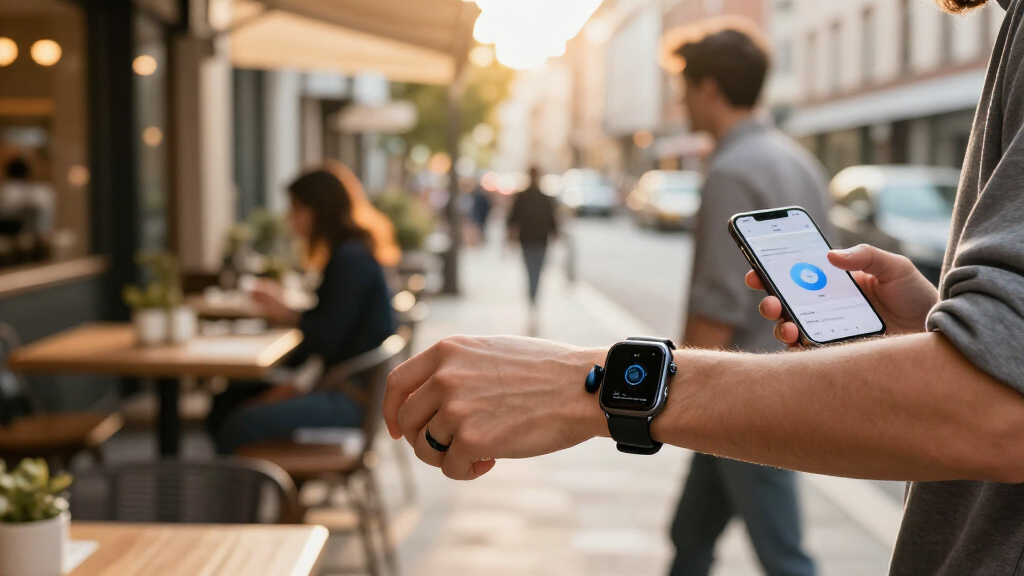
I compared the 13 gadgets by the productivity task they are built to solve: recording and organizing speech, capturing handwriting, offering hands-free personal assistance, supporting desk-based work, or helping with language. I weighed how directly each product could reduce follow-up work, how easy its capture workflow appears to fit into a typical day, and whether its distinguishing features answer a real buyer need rather than simply adding an AI label. Portability, battery claims, included accessories, and the likely effort needed to retrieve and use captured information also informed the comparison.
The ranking favors tools with a clear, repeatable productivity role and useful output after capture. The Plaud Note Pro leads as the strongest dedicated note-taking fit; the Comu Action Pro earns a distinct place for its stated long battery life and automatic AI documents. Picks with narrower uses, such as the XNote pen and Z04 translator, rank by how well they serve their intended audience rather than by trying to replace a general recorder. I also treat privacy, transcription limits, subscription details, and real-world compatibility as purchase checks, since feature claims alone cannot settle those questions.
Factors to Consider When Choosing AI-powered Productivity Gadgets
Before choosing a device, start with the work you want it to remove from your day. A recorder, wearable, smart pen, and language companion may all use AI, but they capture different inputs and produce different kinds of output. These checks help separate a useful workflow tool from a gadget whose features you may rarely use.
Match the capture method to your real routine
Think about where information starts: a scheduled meeting, a phone call, handwritten brainstorming, or quick notes while moving between tasks. A recorder makes sense when speech is the source, while a smart pen is more natural if writing helps you organize ideas. Wearables reduce the need to reach for a device, but ambient capture can feel intrusive and may be inappropriate in some workplaces. A desk hub is less convenient away from a workspace, yet can suit people who want a more visible assistant nearby. Avoid choosing by the broad label “AI productivity”; choose by the input you need to capture most often. If you switch between several inputs, check whether one device can handle them well or whether a specialized tool would create less friction.
Check what happens after recording
A transcript is only useful if you can find the right moment, identify speakers, and turn the result into an action. Look for clear details on summaries, searchable archives, export formats, and whether generated documents can move into the apps you already use. Automatic output can save time, but it may also need editing before it is ready to share. Do not assume that two devices with transcription offer the same workflow: one may stop at text, while another may produce structured notes or documents. Consider who will maintain the notes and how often they need to be reviewed. The fewer steps between capture and a usable task list, the more likely the gadget is to become part of your routine.
Treat privacy and consent as core features
Voice capture can involve colleagues, clients, students, or family members, so check how recording is signaled and controlled. Find out whether audio is processed on the device or sent to a service, how long recordings and transcripts are retained, and whether deletion removes both. Workplace rules and local recording laws may affect when a gadget can be used; a small device does not remove those responsibilities. Wearable products deserve extra attention because other people may not notice when capture is active. If you handle sensitive conversations, compare access controls and data policies before comparing convenience features. A clear privacy policy and an easy-to-use recording control can matter more than another summary mode.
Calculate the full cost of ongoing use
AI features may rely on an app account, cloud processing, or a recurring plan, even when the gadget itself is a one-time purchase. Check what transcription volume, languages, storage, and export tools are included, and what changes when a trial or included allowance ends. A device with generous hardware features may not be the best fit if its useful software functions require a service you do not want to maintain. Compare the expected cost of regular use with the time saved, not just the initial device cost. Also check whether you can still access your notes if you cancel or change phones. This prevents a productivity tool from becoming a locked archive or an unexpected ongoing commitment.
Judge battery and portability against your busiest day
Battery claims matter most when they match the length and pattern of your actual workday. Long operation can benefit people who record extended sessions, but a compact device may be easier to keep charged and carry every day. Consider whether you need recording during travel, back-to-back meetings, or only at a desk. Check charging methods, standby behavior, and whether using extra features affects battery life. A MagSafe-compatible recorder may fit neatly into a phone-centered setup, while a larger hub trades portability for a dedicated workspace presence. Choose for your longest common day rather than an exceptional scenario you rarely face.
Verify language, accuracy, and device compatibility
AI output quality can vary with accents, background noise, technical vocabulary, and the languages spoken in one conversation. Look for support details that match your actual meetings instead of assuming a product handles every language equally well. If you need translation, check whether the device supports the languages and conversation direction you use, and whether it needs a phone connection or internet access. Test policies matter too: confirm whether you can review, correct, and export output before relying on it for formal records. Compatibility with your phone, computer, and note-taking apps can determine whether a gadget saves time or adds another workflow to manage. For important business or study notes, plan to verify names, figures, and commitments rather than treating generated text as a perfect record.
Frequently Asked Questions
Should I choose a dedicated AI recorder or a wearable note-taking device?
Choose a dedicated recorder if you want a clear, intentional way to capture meetings, calls, or lectures and can place or activate it as needed. A wearable such as Bee Frontier or Fieldy 3 is better suited to people who value hands-free capture across changing situations. That convenience brings added questions about comfort, recording indicators, consent, and when ambient capture is appropriate. Compare how each device lets you review and organize recordings, not just how it captures them. If most of your work happens in planned sessions, a dedicated recorder is usually the more straightforward starting point.
Do AI transcription gadgets need a subscription to be useful?
Not always, but the answer depends on which features are included without an ongoing plan. Some workflows may rely on cloud transcription, larger usage allowances, advanced summaries, or online storage. Before buying, check the included transcription limits, supported languages, export options, and what happens to saved notes if a plan ends. If you record frequently, a limit that seems generous for occasional use may become restrictive. Treat service terms as part of the product rather than an optional detail.
Can I use these gadgets to record workplace meetings or calls?
That depends on workplace policy, local law, and whether everyone involved has given any required notice or consent. A device’s ability to record a call does not mean every call is appropriate to capture. Check how recording is indicated and whether you can stop capture quickly, especially with wearable or pocket-sized options. For confidential meetings, review the company’s rules for cloud processing and retention before sending audio to an external service. If you cannot confirm those conditions, use an approved note-taking method instead.
Is a smart pen a better choice than a voice recorder for lectures or brainstorming?
A smart pen may suit people who learn by handwriting, sketching, or organizing ideas visually, and the XNote is the lineup’s paper-first option. A voice recorder is more effective when you need to preserve a full spoken discussion or revisit details that are difficult to write down in real time. For lectures, consider whether you need complete audio, searchable text, handwritten diagrams, or a mix. The pen’s value depends on how well its digital notes connect to your later review process. If you rarely write by hand, a recorder is likely to fit more naturally.
How should I choose between the Plaud Note Pro and Comu Action Pro?
Start with the output and operating pattern you need rather than assuming one is universally better. The Plaud Note Pro is the roundup’s best overall dedicated recorder pick, while the Comu Action Pro is differentiated by its stated long battery life and automatic AI documents. If you record extended sessions or want documents produced from captured material, those Comu features may matter more. If you want a focused recorder for turning conversations into notes, Plaud is the lead recommendation here. Check current service limits, export workflows, and device compatibility for both before deciding.
Conclusion
For most buyers focused on speech-to-notes productivity, I recommend the Plaud Note Pro as best overall because it has the clearest dedicated recorder role in this lineup. The Comu Action Pro is my best value-style workflow pick for buyers who prioritize its stated long battery life and automatic AI documents, while the SOULOG is another option for people drawn to transcription and rewind features. For a first AI note-taking gadget, start with a straightforward recorder that matches your regular meetings before adopting a wearable or a larger hub. Choose the XNote Smart Pen if handwriting is central to your thinking, the Bee Frontier or Fieldy 3 if hands-free capture is your specific need, and the Z04 if language assistance matters more than meeting archives. Before committing, confirm privacy terms, supported languages, and any ongoing service requirements; those details can change which device is the right fit for your work.