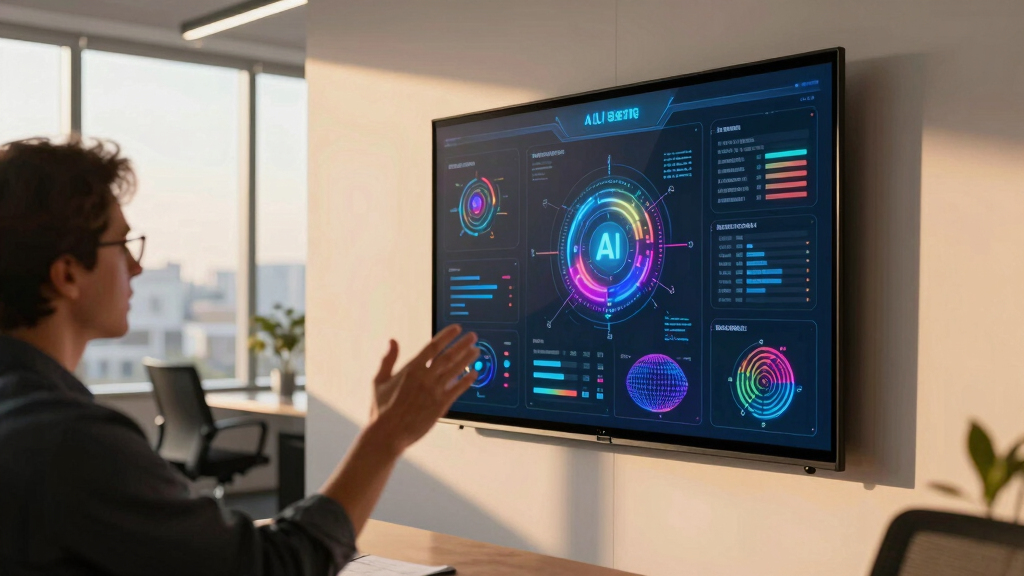

Finding the best conference room display for startup meetings means balancing clarity, ease of use, and affordability. The 65″ Smart Board stands out for its impressive 4K resolution and interactive features, perfect for engaging presentations. The PoE Texas 8″ Touchscreen Scheduler offers a straightforward, plug-and-play setup that simplifies room booking. However, choosing the right display involves tradeoffs between price, size, and functionality. Keep reading to see how these options compare and which one fits your startup’s needs best.
Key Takeaways
- Size and resolution vary widely, impacting visibility and engagement during meetings.
- Touchscreen and interactivity are key features for active collaboration, but often come at a higher cost.
- Room signage options are more affordable but less suited for dynamic presentations or conferencing.
- Ease of installation and integration with existing calendars and systems are decisive factors for startups.
- Premium interactive displays provide advanced features but may be unnecessary for small teams or limited budgets.


More Details on Our Top Picks
Large Conference Room Kit
This comprehensive kit stands out for startups aiming to equip large conference rooms with high-quality visuals and seamless video conferencing. Featuring an 85-inch UN85DU7200F TV and a Webex Room Kit EQ, it offers excellent integration and large display real estate, ideal for engaging meetings. Compared to the Small Conference Room Kit, this setup handles bigger groups and provides more immersive visuals, but it comes with a heavier price tag and requires more space for installation. The built-in microphone array and adjustable wall mount enhance audio clarity and viewing angles, making it suitable for dynamic team discussions. However, its size and setup complexity might be overkill for smaller, more casual meetings. Overall, this pick is perfect for startups with large meeting spaces that want a professional-grade, all-in-one solution.
Pros:- 85-inch large display enhances visibility for big groups
- Integrated Webex Room Kit ensures smooth video conferencing
- Adjustable swivel/tilt wall mount for flexible positioning
- Includes multiple microphones for clear audio coverage
Cons:- Expensive compared to smaller or simpler solutions
- Requires significant space and professional installation
- Heavier weight may complicate mounting
Best for: Startups with dedicated large conference rooms seeking a turnkey, high-end video display and conferencing solution.
Not ideal for: Small startups or teams with limited space and budget, as this setup is bulky and costly.
- Display Size:85 inches
- Video Conferencing Kit:Webex Room Kit EQ
- Mounting Type:Wall Mount Swivel Tilt
- Microphones:Multiple included
- Display Resolution:4K UHD
- Additional Components:TV Wall Mount
Bottom line: This kit is best suited for large startups prioritizing a professional, all-in-one conference room solution that supports big meetings.
PoE Texas 8″ Touchscreen Meeting Room Scheduler Tablet (No Subscription Required)

Best for Small to Medium Startups Looking for a Cost-Effective, Easy-to-Install Room Scheduler
View Latest PriceThis 8-inch PoE touchscreen stands out for startups wanting a straightforward, plug-and-play digital room scheduler that syncs with major calendar platforms like Google and Outlook. Its PoE power delivery simplifies installation—no need for additional outlets—making it ideal for quick setups in smaller spaces. Unlike the larger display options like the 86″ Interactive Board, this device offers a compact footprint suitable for hallway or door mounting. Its ability to update in real-time ensures teams are always aware of room availability, reducing scheduling conflicts. However, the smaller screen may be less visible from a distance and lacks the visual impact of larger displays. This pick makes the most sense for startups seeking a reliable, budget-friendly scheduling tool that’s easy to deploy and maintain.
Pros:- No subscription fees—full functionality included
- Uses Power over Ethernet for simple installation
- Syncs with multiple calendar platforms
- Compact and unobtrusive design
Cons:- Limited screen size reduces visibility from a distance
- Basic visual design compared to larger, more colorful displays
- Requires existing PoE network infrastructure
Best for: Startups needing a simple, cost-effective conference room scheduling display with easy setup and calendar sync.
Not ideal for: Large conference rooms or teams requiring a big, visually prominent signage solution, as the 8″ screen may be too small for broad visibility.
- Screen Size:8 inches
- Connectivity:PoE, Ethernet
- Syncs With:Google Workspace, Outlook, Calendly, others
- Warranty:1 Year
- Resolution:1280×800
- Mounting:Wall Mount
Bottom line: This device is ideal for startups that want an easy, affordable, and reliable room scheduling display without ongoing costs.
9×3 Inch Conference Room Sign, Acrylic Self-stick Door Wall Signage (Elegant White)
This elegant acrylic sign offers a simple, effective way for startups to clearly label conference rooms with a clean, professional look. Its 9×3 inch size provides high visibility at eye level, and the high-contrast printing ensures it is easily readable from a distance. Compared to digital signage, this sign is more affordable, durable, and requires no power, making it ideal for quick, maintenance-free installation. It’s especially suited for startups that need a straightforward, ADA-compliant signage solution that enhances office organization. However, it lacks the dynamic features of digital signs like real-time availability updates. Its adhesive mounting makes installation simple, but it’s less flexible if room labels need frequent updates. Overall, this sign is perfect for startups seeking a durable, stylish way to improve office signage clarity.
Pros:- High visibility with clear text and contrast
- Easy peel-and-stick installation
- Made from durable, tamper-proof acrylic
- ADA compliant with braille
Cons:- Fixed signage—no real-time updates
- Limited to static labels, less flexible for changes
- Adhesive may leave residue or damage walls
Best for: Startups looking for a durable, professional, and easy-to-install signage solution for conference rooms.
Not ideal for: Teams requiring dynamic, digital signage or frequent label changes, as this sign is static and adhesive-based.
- Size:9×3 inches
- Material:Acrylic
- Mounting:Self-adhesive
- Color:White
- ADA Compliant:Yes
- Braille:Grade 2
Bottom line: This sign is best suited for startups that need a simple, durable, and professional static signage for conference rooms.
Small Conference Room Kit
This compact conference room kit offers a practical solution for startups with smaller rooms or tighter budgets. Featuring a 37-70 inch articulating wall mount for a flat-screen TV and a basic mounting bracket, it provides flexibility in display size and positioning. Compared to the Large Conference Room Kit, it’s a more affordable and space-efficient option, ideal for smaller teams or casual meetings. Its articulating mount allows for easy adjustment, improving viewing angles in confined spaces. However, the smaller size and less advanced components mean it might lack the immersive impact or high-end features needed for larger, more formal meetings. This pick makes sense for startups prioritizing functional presentation capabilities in a limited footprint without extensive investment.
Pros:- Adjustable articulating mount for flexible positioning
- Supports screens from 37″ to 70 inches
- Space-efficient and easy to install
- Compatible with a wide range of flat-screen sizes
Cons:- Limited to smaller display sizes compared to larger kits
- Basic setup—lacks integrated audio or conferencing components
- Less suitable for large, formal conference settings
Best for: Startups needing a versatile, space-saving display solution for small to medium conference rooms.
Not ideal for: Large teams or those requiring a high-end setup with integrated conferencing features, as this kit is more basic and space-conscious.
- Supported Screen Size:37-70 inches
- Mount Type:Articulating Wall Mount
- Material:Metal
- Color:Black
- Warranty:Amazon return policy
- Features:Full motion adjustment
Bottom line: This kit is ideal for startups with small conference rooms seeking a flexible, space-efficient display setup on a budget.
ADASigns Conference Room Sign 7″ W x 4″ H Durable Brushed Aluminum with Grade 2 Braille
This ADA-compliant conference room sign combines durability with accessibility, making it an excellent choice for startups committed to inclusive work environments. Crafted from brushed aluminum, it features bold black text and Grade 2 Braille, ensuring visibility and readability for all users. Its 7×4 inch size is compact yet noticeable, fitting well outside office doors or shared spaces. The included double-sided tape allows for quick, tool-free installation, reducing setup time and effort. Compared to static plastic signs, this sign offers a modern, polished look with long-lasting resistance to wear and tampering. However, its static nature means it cannot display real-time status or updates. Suitable for startups aiming to demonstrate professionalism and inclusivity with minimal installation hassle.
Pros:- Durable brushed aluminum finish
- Includes Grade 2 Braille for accessibility
- Easy peel-and-stick installation
- Modern, professional appearance
Cons:- Static signage—no real-time updates
- Limited size—may not be visible from a distance
- Adhesive may damage surfaces or be less secure over time
Best for: Startups seeking ADA-compliant, durable signage to promote accessibility and professionalism.
Not ideal for: Teams needing dynamic or electronic signage, as this sign is static and adhesive-only.
- Size:7×4 inches
- Material:Brushed Aluminum
- Braille:Grade 2
- Mounting:Double-sided tape
- ADA Compliant:Yes
- Color:Brushed Silver
Bottom line: This sign is best suited for startups that want a durable, ADA-compliant signage solution that’s quick to install and maintain.
65″ Smart Board, Interactive Whiteboard, 4K UHD Touch Screen Digital Board, Digital Electronic Smartboard with Dual System, for Classroom,Office & Conference Rooms (Wall Mount Included)
This 65-inch smart board excels in blending presentation, collaboration, and remote conferencing capabilities, making it ideal for startups aiming to streamline hybrid meetings. Its 4K UHD resolution, 20-point touch, and split-screen multitasking support high-quality interactions. Unlike the smaller PoE Texas scheduler, this device offers a full interactive experience with integrated video conferencing tools like a 20MP camera and 8-mic array, which enable seamless remote participation. The open ecosystem allows app downloads and cloud integration, boosting flexibility but adds complexity for less tech-savvy teams. Heavy-duty construction and certifications like FCC/CE/RoHS ensure durability. However, its size and price may be overkill for small or budget-conscious startups. Best suited for startups needing a multifunctional display that combines collaboration, remote meetings, and content sharing.
Pros:- 4K UHD resolution with vibrant image quality
- Supports 20-point multi-touch for natural interaction
- Built-in high-quality camera and microphone for remote conferencing
- Flexible split-screen multitasking and open app ecosystem
Cons:- Relatively large size may not fit in tight spaces
- Higher price point compared to simpler display options
- Complex setup may require technical support
Best for: Startups seeking a comprehensive hybrid meeting solution with interactive whiteboard features.
Not ideal for: Small teams with limited space or tight budgets, as the setup and cost might be excessive.
- Display Size:65 inches
- Resolution:3840×2160 (4K UHD)
- Touch Points:20-point multi-touch
- Built-in Camera:20MP
- Speakers:20W
- Processor:Octa-core
- Storage:32GB + 256GB
- Connectivity:VGA, USB, HDMI, LAN, wireless
Bottom line: This smart board makes the most sense for startups that need a versatile, all-in-one hybrid meeting hub with advanced collaboration features.
JACKLY Conference Room Camera with Microphone and Speaker, Wide Angle USB Video Conference Camera for Mac, PC, Laptop, Desktop (Black with Inverted Phase)
Compared to the larger smart boards, the JACKLY conference camera provides a focused, high-quality video and audio solution for smaller meeting spaces. Its 90-degree wide angle and full HD 1080P resolution ensure everyone is visible and heard clearly, making it ideal for startups with tight conference rooms. The integrated microphone supports voice pickup up to 4 meters with noise cancellation, similar to the dedicated microphones in the Medium Conference Room Kit but without the need for multiple devices. Its plug-and-play USB connection offers simplicity for teams without extensive IT support. While it doesn’t include a display, this camera enhances the quality of remote meetings when paired with a separate monitor like the Medium Conference Room Kit’s display. Limitations include its lack of a built-in screen or speaker, so it relies on external devices. Best suited for startups wanting a plug-and-play, high-quality camera for small, focused meetings.
Pros:- Full HD 1080P resolution with sharp video quality
- Wide 90-degree field of view for inclusive framing
- Built-in microphone with noise cancellation
- Plug-and-play USB connection for easy setup
Cons:- No integrated display or speakers, needing external monitors
- Limited to small room use; not ideal for larger spaces
- No touch interface or interactive features
Best for: Small startups needing a straightforward, reliable video and audio device for remote collaboration.
Not ideal for: Teams requiring a combined display and conferencing system, as this is solely a camera and microphone solution.
- Video Resolution:1080P HD
- Field of View:90 degrees
- Microphone Range:4 meters
- Connection Type:USB
- Built-in Speaker:Yes
- Compatibility:Windows, Mac
Bottom line: This camera provides crystal-clear video and audio for small startups focused on remote communication without extra frills.
Fancy Conference Room Sign (Brushed Silver) – Medium
This sign adds a professional touch to startup conference rooms, providing clear and durable room identification signage. Its brushed silver finish offers a sleek appearance that complements modern office interiors. Unlike digital displays, this sign is highly visible, easy to install with double-sided tape, and requires no power or maintenance. Its simple design makes it ideal for startups looking for a straightforward, low-cost way to mark conference rooms clearly. However, it lacks the interactive or digital features of electronic options like the Medium Conference Room Kit, so it doesn’t assist with occupancy status or scheduling. Its static nature means it’s best for dedicated, regularly used spaces rather than dynamic environments. Ideal for startups wanting a stylish, durable sign for room labeling without complex technology.
Pros:- Durable, lightweight plastic construction
- Sleek brushed silver finish
- Easy installation with included adhesive tape
- No power required, maintenance-free
Cons:- No dynamic or occupancy status display
- Limited customization options
- Static signage may require manual updates for room changes
Best for: Startups needing a simple, elegant way to label conference rooms on a budget.
Not ideal for: Tech-focused teams seeking digital or interactive signage with occupancy indicators.
- Material:Plastic
- Size:7″ x 3.5″
- Finish:Brushed Silver
- Mounting:Double-sided adhesive
- Color:Silver
- Weight:Lightweight
Bottom line: This sign is perfect for startups that want a professional-looking, maintenance-free label for conference rooms.
Medium Conference Room Kit
This kit offers a comprehensive solution for startups wanting to outfit a medium-sized conference room with everything needed for seamless meetings. The 65-inch display is comparable to the 65″ Smart Board but more straightforward in function, focusing on presentation and display. The inclusion of a Webex Room Bar Pro provides integrated video conferencing, similar to the video capabilities of the smart board but in a dedicated device, which simplifies setup. The two microphones enhance audio capture, and the TV wall mount ensures flexible placement. Compared with individual purchases, this kit delivers a balanced, all-in-one setup. A tradeoff is that it lacks the interactive whiteboard features of the smart board, making it less suitable for brainstorming sessions. Ideal for startups seeking a reliable, all-in-one conference room setup with video conferencing and display components.
Pros:- Includes 65-inch display with clear visuals
- Webex Room Bar for integrated video conference calls
- Two microphones for better audio pickup
- Wall mount for flexible placement
Cons:- Lacks interactive whiteboard capabilities
- Less customizable than standalone smart boards
- Bulkier setup with multiple components
Best for: Startups needing a plug-and-play, comprehensive conference room setup for medium spaces.
Not ideal for: Teams requiring advanced interactive whiteboarding or hybrid collaboration features.
- Display Size:65 inches
- Display Resolution:Full HD
- Microphones:2
- Video Conference System:Webex Room Bar Pro
- Mounting:Wall mount
- Included Components:Display, Microphones, Wall Mount
Bottom line: This kit offers a straightforward, reliable conference solution for startups that prioritize video and display quality over interactive whiteboarding.
PoE Texas 8″ Conference Room Scheduler with Color Changing LED Status – PoE Powered Touch Screen Tablet for Meeting Room Booking
Compared to larger, more complex display solutions, the PoE Texas 8″ scheduler focuses on simple, effective room booking and occupancy indication. Its compact size and PoE power make installation straightforward, leveraging existing network infrastructure. The color-changing LED indicator provides clear visual status—green for available, red for occupied—which is ideal for busy startups needing quick occupancy updates. The DASH app supports syncing with major calendar platforms like Outlook, Google, and Teams, making it compatible with many existing schedules. This device is less suited for content sharing or video conferencing but excels at providing clear, real-time room status. Its small screen limits detailed scheduling, but for rapid occupancy updates, it’s a practical choice. Best suited for startups wanting an easy-to-install, status-only room indicator that integrates with their calendar system.
Pros:- Color-changing LED for clear occupancy status
- PoE power and data for easy installation
- Supports syncing with major calendar platforms
- Compact and unobtrusive design
Cons:- Limited to occupancy indication, no content sharing
- Small 8″ screen limits detailed scheduling display
- No interactive or multimedia features
Best for: Startups seeking a simple, reliable occupancy display without the complexity of video or interactive features.
Not ideal for: Teams needing rich scheduling details or video conferencing capabilities, as this is primarily a status indicator.
- Screen Size:8 inches
- Power:PoE (Power over Ethernet)
- Connectivity:Ethernet, Wi-Fi
- Status Indicator:Color-changing LED
- Supported Platforms:Outlook, Google Calendar, Teams
- Mounting:Wall mount included
Bottom line: This scheduler is perfect for startups that want a simple, reliable room occupancy indicator with seamless calendar integration.
Conference Room Sign, In Use/Available Sliding Door Sign, Self-Adhesive Office Meeting Room Status Indicator for Business, School, Hospital – Occupancy or Privacy Sliding Door Placard (9×3 Inches, Black)
This sign stands out for its simple, versatile design that fits multiple environments like offices, schools, and hospitals. Compared to more tech-oriented options like the AVOCOR 86″ 4K Display, it offers a straightforward visual cue without complex setup. Its high-quality frosted acrylic ensures durability and a sleek look, while the strong 3M adhesive allows quick installation without tools—ideal for spaces where permanent fixtures aren’t desired. The tradeoff is that it lacks electronic features or remote management, so it won’t provide dynamic updates or integration with digital calendars. Still, for organizations needing an instant, clear occupancy indicator, this sign delivers reliability and elegance. Its size (9×3 inches) makes it highly visible yet unobtrusive, perfect for busy doorways.
Pros:- Easy to install with no tools required
- High durability due to frosted acrylic material
- Highly visible from a distance
Cons:- No electronic or remote update capability
- Limited to static occupancy status only
Best for: Small to medium-sized startups seeking an unobtrusive, durable occupancy indicator for multiple rooms.
Not ideal for: Tech-focused companies wanting digital, real-time room status updates or integrations.
- Mounting Type:Wall Mount, Door Mount
- Orientation:Landscape
- Pre Printed Text:In Use/Available
- Measurements:9 Inches X 3 Inches
- Material:Acrylic
- Color:Black
Bottom line: Ideal for startups that need quick, reliable signage without digital complexity.
Conference Room Table, Folding Conference Tables with Wheels, Modern Office Meeting Room Table with Strong Metal Frame, Large Business Seminar Furniture for Boardroom, School (6, Walnut 3, 61in)
This folding conference table excels in its reconfigurability, making it a top choice for startups that frequently change meeting layouts. Unlike the AVOCOR 86″ 4K Display, it’s not a digital solution but offers impressive versatility with four size options (47.2” to 70.8”) and a sturdy steel frame supporting up to 330 lbs. Its waterproof, scratch-resistant surface ensures longevity in busy environments, while the 360° locking casters enable quiet, smooth movement for different room setups. The main tradeoff is that it doesn’t include integrated tech features or display capabilities, so it’s suited for physical meetings rather than digital presentations. This table makes perfect sense for startups that need adaptable, space-saving furniture that can transform from conference to training mode in seconds, especially in multi-purpose rooms.
Pros:- Effortless folding and quick storage
- Supports up to 330 lbs with durable steel support
- Smooth, quiet mobility with locking casters
- Multiple sizes for versatile room fitting
Cons:- No built-in technology or display features
- Requires manual setup for reconfiguration
Best for: Startups with evolving meeting needs requiring reconfigurable furniture for training, brainstorming, or formal meetings.
Not ideal for: Tech-heavy teams that prioritize integrated display or digital collaboration tools in their furniture.
- Shape:Rectangular
- Finish:Walnut
- Size:61 inches
- Material:Steel Frame, Pine Wood Top
- Weight:52.9 Pounds
- Mounting Type:Legs
Bottom line: Best suited for startups that need adaptable furniture to maximize space and flexibility without tech integration.
9×3 Inch Conference Room Sign Acrylic Self-stick Door Wall Signage for Business Office House (Royal Black)
This sign is a refined option for conveying occupancy status or privacy reminders, with its high-quality clear acrylic material and a glass-like appearance. Unlike digital displays like the AVOCOR 86″ 4K, it offers a static, maintenance-free signage solution that’s quick to install thanks to included high-adhesion foam tape. Its striking color contrast ensures maximum visibility, making it suitable for various environments from offices to residential spaces. The major tradeoff is that it doesn’t support dynamic updates or remote management, limiting its use to a permanent, unchanging message. Nevertheless, its lightweight design and scratch-resistant surface deliver long-term durability and aesthetic appeal for startups seeking elegant, no-fuss signage that complements modern decor.
Pros:- Elegant, glass-like acrylic finish
- Easy to install with foam adhesive
- High visibility due to striking contrast
Cons:- No remote or digital update capability
- Limited to static messaging
Best for: Startups wanting visually appealing, static signage for rooms or facilities with minimal need for updates.
Not ideal for: Organizations requiring digital, real-time room status updates or integration with room booking systems.
- Size:9 x 3 inches
- Mounting Type:Self-stick Adhesive
- Material:Acrylic
- Color:Royal Black
- Design:Easy to read, high contrast
Bottom line: Ideal for startups that prefer stylish, maintenance-free signage with straightforward installation.
AVOCOR 86″ 4K IR Interactive Display | Perfect for Large Conference Rooms, Classrooms and Digital Signage | 20-Point Touch, Bonded Glass, Built-in Soundbar
As a large, 86-inch 4K display, this AVOCOR model is designed for spaces that demand immersive visual experiences, such as big conference rooms or classrooms. It outshines static signage like the 9×3 inch acrylic signs by offering interactive, multi-user touch support with 20-point infrared technology for precise collaboration. While it provides advanced features like front-facing speakers, HDMI and USB ports, and firmware updates over the air, it involves a significant investment in hardware and installation space, making it less suited for startups with limited budgets or small rooms. The tradeoff is that it’s complex to set up and requires dedicated power and connectivity, but for teams that need dynamic presentations and collaborative interaction, this display delivers unmatched performance and scalability.
Pros:- Large 86-inch 4K UHD display for immersive visuals
- Supports 20-point multi-user touch
- Bonded anti-glare glass for clear writing and viewing
- Built-in 30W soundbar for audio clarity
Cons:- High cost and space requirements
- Complex installation and setup process
- Requires significant power and connectivity infrastructure
Best for: Startups with large conference rooms or classrooms seeking high-resolution, interactive digital displays for collaborative meetings.
Not ideal for: Small teams or startups on tight budgets looking for simple signage or non-interactive screens.
- Display Size:86 inches
- Resolution:4K UHD 3840 x 2160
- Touch Support:20-Point IR
- Viewing Angle:178 Degrees
- Response Time:8 Milliseconds
- Ports:HDMI 2, USB 2
Bottom line: Best suited for startups that need a high-impact, interactive display to facilitate large group collaboration and presentations.
How We Picked
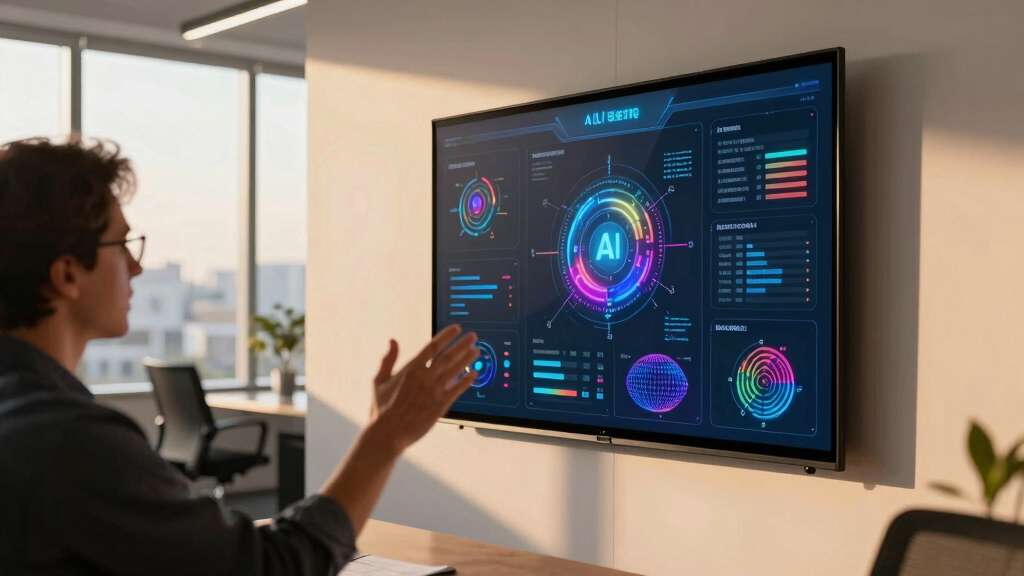
To determine the best conference room displays for startup meetings, I evaluated each product based on performance, usability, build quality, and value. Priority was given to features that enhance collaboration, such as touchscreen capability, size, and resolution, as well as ease of installation and integration with popular calendar systems. Cost-effectiveness was also considered, especially for startups with limited budgets. Products were ranked by how well they balance these factors for typical startup environments, favoring versatile, reliable, and scalable options.Factors to Consider When Choosing Best Conference Room Display For Startup Meetings
Choosing the right conference room display for a startup involves several key considerations. While price is important, features like screen size, resolution, ease of use, and integration often weigh more heavily in making a smart investment. Understanding these factors helps avoid common pitfalls, such as overspending on unnecessary features or selecting a display too small for the room. The right display should support your team’s collaboration style and future growth, making it worth carefully weighing your options.Size and Resolution
Startups should match display size and resolution to their room dimensions and meeting needs. Larger screens (like 65″ or above) improve visibility in bigger spaces, while smaller displays are suitable for huddle rooms. Resolution matters for clarity; 4K screens deliver sharper images, especially important for detailed presentations or visual content. Avoid overly small displays in large rooms, which can hinder communication and engagement.
Interactivity and Touch Features
Touch-enabled screens foster collaboration by allowing participants to interact directly with content. Interactive whiteboards and smart displays support annotations, brainstorming, and real-time editing. However, these features come with higher costs and may require more maintenance. For startups with limited budgets, simpler non-touch displays or projection systems might suffice, but for those prioritizing engagement, investing in interactivity pays off.
Ease of Installation and Integration
Ease of setup is often overlooked but critical for startups that need quick deployment. Features like plug-and-play connectivity, wireless integration, and compatibility with common calendar apps streamline scheduling and use. Some displays, like PoE-powered tablets, simplify wiring and reduce setup time. Skipping detailed compatibility checks can lead to frustration or additional expenses later.
Connectivity and Compatibility
Ensure the display supports the devices and software your team uses daily. HDMI, USB, wireless casting, and compatibility with platforms like Zoom or Teams are essential. Some displays integrate seamlessly with existing workflows, saving time and reducing technical issues. Avoid choosing a display with limited connectivity, which could restrict your team’s flexibility during meetings.
Budget and Future Scalability
Set a realistic budget that balances current needs with future growth. Premium displays with advanced features may be unnecessary for small teams but essential for larger or growing startups aiming for high interactivity. Consider the total cost of ownership, including maintenance and upgrades. Sometimes, investing slightly more upfront results in better longevity and value.
Frequently Asked Questions
Can a startup get by with a non-interactive display?
Yes, many startups successfully use simple digital signage or basic monitors for their conference rooms, especially if meetings are primarily presentation-based without much collaboration. Non-interactive displays tend to be more affordable and easier to maintain, making them suitable for small teams or those just starting out. However, as collaboration needs grow, upgrading to touch-enabled or interactive solutions can significantly enhance engagement and productivity.
How important is resolution for startup conference displays?
High resolution, such as 4K, enhances clarity, making detailed visuals and text easier to see from across the room. For startups that rely on visual content like charts, videos, or design work, a higher resolution can improve the overall presentation experience. In smaller rooms or for less detailed content, Full HD may suffice, allowing you to allocate budget elsewhere. Prioritizing resolution depends on your typical meeting content and room size.
Are interactive displays worth the extra cost?
Interactive displays can transform meeting dynamics by enabling participants to collaborate directly on the screen, annotate, and brainstorm. For startups with frequent, collaborative sessions or creative teams, this investment can improve engagement and streamline workflows. Conversely, if your meetings are mainly for sharing slides or videos, a simpler display may serve just as well at a lower price point. Consider your collaboration style and budget before opting for interactivity.
What features should I prioritize for a small startup with limited space?
For limited spaces, compact displays like 55″ or smaller with straightforward connectivity often work best. Prioritize ease of installation, reliable wireless connection, and compatibility with your existing devices. If budget constraints exist, opting for a basic, high-quality monitor combined with a portable or wall-mounted bracket can save space and costs. Remember, the goal is clear visuals and simple operation without over-investing in features that won’t be used frequently.
Is it better to choose a premium display or a budget option?
The choice depends on your startup’s growth plans and meeting needs. Premium displays offer advanced features like 4K resolution, touch interactivity, and seamless integrations, which are valuable for larger teams or high-stakes presentations. Budget options, however, can be perfectly adequate for smaller teams or occasional use, providing good visual quality at a lower cost. Balancing current requirements with potential future needs helps ensure you make a sustainable investment.