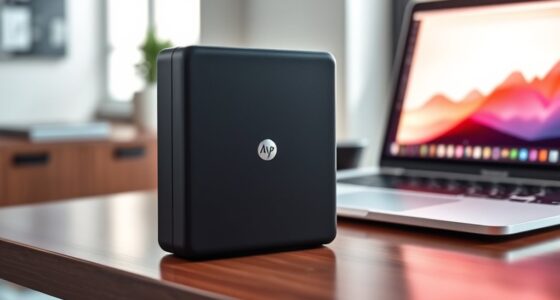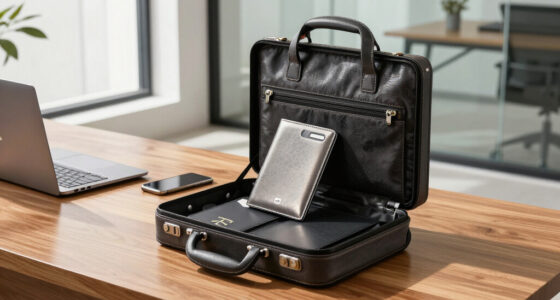

AI transcription devices combine audio recording with tools that turn speech into text, summaries, or translations. My best overall pick is the Plaud Note Pro for its transcription and summary focus, while the Plaud NotePin S suits people who want a wearable recorder and the EVISTR L359 stands out for its 128GB storage and traditional recorder format. The main tradeoffs are how you carry and operate the device, how much storage you need, and whether transcription features fit your workflow. Some options emphasize compact recording, while others add translation or phone-friendly features. Read on for the full comparison and recommendations by buyer type.

Get business pricing on tech for your team
- Business-only prices and quantity discounts
- Tax-exempt purchasing
- Multiple users, one account, clear invoices
Key Takeaways
- Plaud Note Pro is the roundup’s best overall fit for buyers who want recording paired with transcription and summaries; the Note and NotePin S offer different form factors within the same product family.
- EVISTR L359 separates itself with 128GB storage and a conventional digital recorder design, making it a distinct pick for buyers who value onboard capacity.
- Several models list 64GB or 80GB storage, so capacity alone does not settle the choice; recording controls, carry style, and transcription workflow matter too.
- Translation features appear on the 80GB recorder and HUREWA models, making them more relevant to multilingual use than devices centered on transcription and summaries.
- The lineup spans wearable, pocket, magnetic, and traditional recorder formats; the best choice depends as much on where and how you record as on the AI features.
| Plaud NotePin S Wearable AI Voice Recorder, Purple |  | Best Wearable | Transcription languages: 112 | Weight: 0.61 oz | Continuous recording time: Up to 20 hours | VIEW LATEST PRICE | See Our Full Breakdown |
| Comu Action Pro AI Voice Recorder |  | Best for Long Recording Sessions | Microphones: Six: four omnidirectional, one directional, and one bone-conduction | Storage: 16GB | Battery life: Up to 70 hours | VIEW LATEST PRICE | See Our Full Breakdown |
| EurekaMind AI Voice Recorder and Note Taker |  | Best for Call Recording | Compatible devices: Smartphone | Storage capacity: 64GB | Recording modes: Ambient recording and call recording | VIEW LATEST PRICE | See Our Full Breakdown |
| RECPOINT AI Voice Recorder with 64GB Storage |  | Best for On-Device Status Checks | Storage capacity: 64GB | Battery life: Up to 30 hours | Digital recording time: Up to 600 hours | VIEW LATEST PRICE | See Our Full Breakdown |
| Recolx Tap AI Voice Recorder with Transcription and Summaries, 64GB |  | Best for Multilingual Summaries | Storage: 64GB | Weight: 0.96 oz (28 g) | Thickness: 0.11 inches | VIEW LATEST PRICE | See Our Full Breakdown |
| AI Voice Recorder with Playback, Transcription, Translation, and 80GB Storage |  | Best for Multilingual Meetings | Built-in storage: 16 GB | Expandable storage: Memory card up to 128 GB | Microphones: 8: 2 directional and 6 silicone | VIEW LATEST PRICE | See Our Full Breakdown |
| HUREWA AI Voice Recorder with Transcription, Translation, and 80GB Storage |  | Best for Speaker-Labeled Notes | Display: 4.1-inch HD touchscreen | Microphones: Dual silicon microphones | Battery: 1500 mAh; 5–7 hours of continuous recording | VIEW LATEST PRICE | See Our Full Breakdown |
| Comulytic Note Pro AI Voice Recorder |  | Best Compact Recorder | Display: 0.78 inches, protected by Corning Gorilla Glass | Thickness: 3 mm | Body: Aluminum | VIEW LATEST PRICE | See Our Full Breakdown |
| Plaud Note Pro AI Voice Recorder with Transcription and Summaries |  | Best for Context-Rich Meeting Notes | Thickness: 0.12 inches | Weight: 1.06 oz | Microphones: Four MEMS microphones and one VPU microphone | VIEW LATEST PRICE | See Our Full Breakdown |
| RECOLX AI Voice Recorder and Transcriber, Pearl Gray |  | Best for Simple Phone-Based Transcription | Color: Pearl Gray | Storage capacity: 64 GB | Continuous recording time: Up to 30 hours | VIEW LATEST PRICE | See Our Full Breakdown |
| Pocket AI Voice Recorder with Automatic Transcription, Space Grey |  | Best for Fast Follow-Up | Color: Space Grey | Recording control: One-tap recording | Recording uses: Meetings, calls, and conversations | VIEW LATEST PRICE | See Our Full Breakdown |
| AI Voice Recorder with Magnetic Phone Stand |  | Best for Multilingual App Workflows | Design: 360-degree magnetic phone stand | Transcription: Real-time; over 100 languages; claimed accuracy over 95% | Companion app: Echomeet | VIEW LATEST PRICE | See Our Full Breakdown |
| Plaud Note AI Voice Recorder with Transcription and Summaries |  | Best for Phone Calls and Local Recording | Storage: 64 GB | Continuous recording: Up to 30 hours | Standby time: Up to 60 days | VIEW LATEST PRICE | See Our Full Breakdown |
| EVISTR L359 Digital Voice Recorder with 128GB Storage and AI Transcription |  | Best for High-Capacity Recording | Storage: 128 GB | Maximum recording bitrate: 3072 Kbps | Recording time: Up to 33 hours | VIEW LATEST PRICE | See Our Full Breakdown |
| HyBran AI Voice Recorder with Transcription and Summary App |  | Best for Lightweight Exports | Model: HYB-100 | Storage: 32 GB | Recording time: Up to 40 hours continuous recording | VIEW LATEST PRICE | See Our Full Breakdown |
More Details on Our Top Picks
Plaud NotePin S Wearable AI Voice Recorder, Purple
The Plaud NotePin S is the strongest fit here for people who want to capture conversations while keeping their hands free. Its included pin, clip, lanyard, and wristband let me choose how to wear it, while 64GB of local storage supports recording when an internet connection is unavailable. The app can turn audio into transcripts, summaries, and structured insights, and also accepts typed notes and images for added context. Compared with the pocket-sized EurekaMind, this model is more focused on wearable placement than call recording. Its tradeoff is the transcription allowance: the included Starter Plan covers 300 minutes per month, and higher limits require a paid plan. At 20 hours of continuous recording, it also has less stated battery endurance than the Comu Action Pro.
Pros:- Four included wearing options suit different settings.
- 64GB of local storage supports offline recording.
- Combines audio with typed notes, images, and real-time highlights.
- Supports transcription across 112 languages.
Cons:- The Starter Plan includes 300 transcription minutes per month; higher limits require a paid plan.
- Its 20-hour continuous recording time is below the Comu Action Pro’s stated 70 hours.
Best for: People who attend in-person meetings or interviews and want a recorder they can wear in several ways.
Not ideal for: Frequent transcribers who expect to exceed 300 minutes monthly without paying for a higher plan.
- Transcription languages:112
- Weight:0.61 oz
- Continuous recording time:Up to 20 hours
- Standby time:Up to 40 days
- Local storage:64GB
- Included accessories:Magnetic pin, clip, lanyard, wristband, charging dock, and USB-C cable
- Starter Plan transcription:300 minutes per month
- Color:Purple
Our verdict“Choose the NotePin S if wearable flexibility matters more to you than long battery life or a larger included transcription allowance.”
Comu Action Pro AI Voice Recorder
For buyers who need a recorder to last through long stretches away from a charger, the Comu Action Pro stands out with up to 70 hours of recording on one charge. Its six-microphone setup combines omnidirectional, directional, and bone-conduction microphones, while its app and website turn captured audio into searchable transcripts, summaries, and editable follow-ups such as emails or presentation drafts. That puts it ahead of the Plaud NotePin S on stated battery endurance and follow-up tools, though Plaud offers more wearable accessories and local storage capacity. Comu supports transcription and translation in 113 languages and connects through Bluetooth, Wi-Fi, or USB-C. The main tradeoff is that its AI features depend on the Comu app or website; there is no headphone jack for direct wired listening, either.
Pros:- Up to 70 hours of recording per charge.
- Six microphones include directional and bone-conduction types.
- Creates searchable transcripts, summaries, and editable follow-up materials.
- Supports transcription and translation in 113 languages.
Cons:- Core AI features depend on the Comu app or website.
- No headphone jack is provided.
- Its 16GB storage is less than the 64GB offered by the Plaud NotePin S and EurekaMind.
Best for: Researchers, reporters, or students who record long sessions and want transcripts plus editable follow-up materials.
Not ideal for: Buyers who want AI processing independent of an app or website, or who rely on a headphone jack for playback.
- Microphones:Six: four omnidirectional, one directional, and one bone-conduction
- Storage:16GB
- Battery life:Up to 70 hours
- Recording format:MP3
- Connectivity:Bluetooth, Wi-Fi, and USB-C
- Compatible devices:Smartphones
- Design:MagSafe compatible
- Language support:Transcription and translation in 113 languages
Our verdict“Pick the Comu Action Pro for long recording sessions and generated follow-ups, provided app-based AI suits your workflow.”
EurekaMind AI Voice Recorder and Note Taker
The EurekaMind AI Voice Recorder earns its place for buyers who need to capture both room conversations and phone calls. It offers separate ambient and call recording modes, then adds speaker recognition, summaries, and action items to the resulting transcripts. Its credit-card-sized body weighs 29 grams and attaches magnetically, making it easier to carry than the wearable-focused Plaud NotePin S; its 64GB storage also matches Plaud’s listed capacity. EurekaMind’s standout plan detail is unlimited transcription and AI summaries on the Starter Plan, which may suit frequent note takers better than products with stated monthly minute limits. The compromise is dependence on a smartphone, and advanced tools require a premium option. Its listed battery is nonstandard, so buyers may want to check replacement arrangements before relying on it for ongoing use.
Pros:- Supports both ambient recording and call recording.
- Adds speaker recognition and action items to transcripts.
- Starter Plan includes unlimited transcription and AI summaries.
- Compact 29 g body with magnetic attachment and 64GB storage.
Cons:- Requires a smartphone for compatibility.
- Advanced features require a premium option.
- Uses a nonstandard included battery.
Best for: Smartphone users who need one compact recorder for both calls and in-person conversations, with frequent transcription.
Not ideal for: People who want a standalone recorder or need premium AI tools included without an upgrade.
- Compatible devices:Smartphone
- Storage capacity:64GB
- Recording modes:Ambient recording and call recording
- Dimensions:3.39 × 0.12 × 2.13 in
- Weight:29 g (1.02 oz)
- Battery:One nonstandard battery, included
- Transcription languages:138
- Headphones jack:No
Our verdict“Choose EurekaMind if phone-call capture and unlimited Starter Plan transcription matter more than standalone operation.”
RECPOINT AI Voice Recorder with 64GB Storage
The RECPOINT AI Voice Recorder is a good match for buyers who want a visible recording status and a simple one-touch start. Its OLED screen and dual-microphone noise cancellation give it a more recorder-like feel than the app-centered Recolx Tap, while its slim aluminum body and 64GB storage suit a bag or pocket. The listing claims up to 600 hours of digital recording and 30 hours of battery life, plus transcription, translation, summaries, and desktop software. Language support reaches 150 languages. The tradeoff is that included AI access is bounded: the monthly allowance is 360 transcription and summarization minutes, plus 720 translation minutes. Its Micro USB 2.0 connection also feels less convenient than the USB-C connection listed for the Comu Action Pro.
Pros:- OLED screen shows recording status at a glance.
- Dual-microphone noise cancellation and one-touch recording.
- 64GB storage with a claimed 600 hours of recording capacity.
- Supports transcription and translation in 150 languages.
Cons:- Monthly AI allowance is limited to 360 transcription and summarization minutes and 720 translation minutes.
- Uses Micro USB 2.0 rather than USB-C.
- Smartphone compatibility is listed, which may limit buyers seeking a fully independent workflow.
Best for: People who prefer a recorder with a screen and one-touch controls, and whose AI use fits the monthly allowances.
Not ideal for: Frequent transcribers seeking a modern USB-C connection or more than the included monthly AI minutes.
- Storage capacity:64GB
- Battery life:Up to 30 hours
- Digital recording time:Up to 600 hours
- Supported languages:150
- Screen:OLED
- Microphone:Built-in dual-microphone noise cancellation
- Hardware interface:Micro USB 2.0 Type A
- Included monthly AI minutes:360 transcription and summarization minutes, plus 720 translation minutes
Our verdict“Choose RECPOINT if screen-based controls and broad language support outweigh its monthly AI limits and older connector.”
Recolx Tap AI Voice Recorder with Transcription and Summaries, 64GB
The Recolx Tap is aimed at people who want more than a transcript: it can turn recordings into translations, summaries, task lists, and mind maps. Its support for 154+ languages makes it the broadest stated language option among these five products, while AES-256 encryption and syncing across iOS, Android, and web give it a flexible cross-device workflow. Compared with the screen-equipped RECPOINT, Recolx puts the emphasis on templates and synced AI outputs rather than on visible hardware status. It is also slim at 0.11 inches and weighs 28 grams. The limits are the 300 complimentary basic AI minutes per month and the possibility that advanced AI needs a Pro Plan. Buyers should also check which templates and outputs are available under the plan they intend to use.
Pros:- Supports translation in 154+ languages.
- Generates transcripts, summaries, task lists, and mind maps.
- AES-256 encryption with iOS, Android, and web compatibility.
- Compact 28 g design with 64GB storage.
Cons:- Only 300 basic AI minutes are complimentary each month.
- Advanced AI access may require a Pro Plan.
- Its feature set depends on syncing and compatible apps or web access.
Best for: Multilingual teams and mobile professionals who want recordings converted into shareable summaries, task lists, or mind maps.
Not ideal for: People with heavy monthly transcription needs who do not want to manage a minute allowance or paid plan.
- Storage:64GB
- Weight:0.96 oz (28 g)
- Thickness:0.11 inches
- Translation:154+ languages
- AI templates:10,000+
- Complimentary AI minutes:300 basic minutes monthly
- Encryption:AES-256
- Compatibility:iOS, Android, and web
- Export formats:Word, PDF, MP3, and 10+ common formats
Our verdict“Pick Recolx Tap if multilingual AI outputs and cross-platform syncing matter more than generous included transcription time.”
AI Voice Recorder with Playback, Transcription, Translation, and 80GB Storage
Language coverage and flexible recording modes make this recorder a fit for people who regularly work across languages. It offers online transcription and translation in 134 languages, plus offline translation in 15, so it has broader stated language support than the HUREWA AI Voice Recorder, whose transcription covers 13 languages. Eight microphones, including two directional microphones, and four modes let buyers tailor capture for meetings, interviews, or speech; the large touchscreen also makes its controls easier to access than a slim recorder such as the Comulytic Note Pro. The tradeoff is a more device-like footprint, and many language tools need an internet connection. AI assistant access is capped at three uses daily without a subscription, so frequent summarization may require a paid plan.
Pros:- Online transcription and translation support 134 languages, with offline translation in 15.
- Eight microphones and noise reduction support recording at a distance.
- Four recording modes suit interviews, meetings, speech, and general use.
- Memory card expansion and a 5-inch touchscreen provide flexible storage and device controls.
Cons:- AI assistant use is limited to three times daily without a subscription.
- Several transcription and language features require an internet connection.
- The 5-inch touchscreen makes it less pocketable than the Comulytic Note Pro.
Best for: Interviewers and multilingual teams who want a large touchscreen, several recording modes, and broad online translation support.
Not ideal for: People who need frequent AI assistant use without a subscription or dependable transcription and translation while offline.
- Built-in storage:16 GB
- Expandable storage:Memory card up to 128 GB
- Microphones:8: 2 directional and 6 silicone
- Display:5-inch HD touchscreen
- Battery:2600 mAh
- Maximum recording capacity:About 2713 hours
- Online transcription and translation:134 languages
- Offline translation:15 languages
- Camera:5 MP rear camera
Our verdict“Choose this recorder for its broad online language support and adaptable capture modes if you can work around its subscription limit and connectivity needs.”
HUREWA AI Voice Recorder with Transcription, Translation, and 80GB Storage
Automatic speaker identification gives this recorder a clear role for people who need to tell who said what in a meeting or interview. It pairs that with transcription, summaries, and noise reduction, while the AI Voice Recorder with Playback offers eight microphones and more recording modes for varied environments. HUREWA’s dual microphones and 4.1-inch touchscreen make it a more compact touchscreen option, though the stated transcription support is 13 languages, far narrower than that model’s 134 online languages. Its online translation covers 134 languages, with 15 available offline. The practical limit is endurance: continuous recording is listed at 5–7 hours per charge, so long sessions may need recharging. Initial activation also requires 2.4 GHz Wi-Fi, and extra cloud storage or unlimited AI assistant use requires a subscription.
Pros:- Automatic speaker identification helps distinguish voices in group recordings.
- Noise reduction supports clearer capture in busy environments.
- Online translation supports 134 languages, with 15 supported offline.
- Local file encryption is available for files accessed over USB.
Cons:- Continuous recording lasts 5–7 hours per charge.
- Transcription support is limited to 13 languages.
- Initial activation needs 2.4 GHz Wi-Fi, while extra cloud storage and unlimited assistant use require a subscription.
Best for: Students, interviewers, and meeting note-takers who prioritize speaker identification and want touchscreen access to transcription and summaries.
Not ideal for: People recording full workdays away from power or those who need broad transcription language coverage without online access.
- Display:4.1-inch HD touchscreen
- Microphones:Dual silicon microphones
- Battery:1500 mAh; 5–7 hours of continuous recording
- Storage:16 GB internal and 64 GB expandable
- Recording capacity:Up to 300 hours
- Transcription languages:13
- Translation languages:134 online; 15 offline
- Camera:5 MP rear camera
- Wi-Fi requirement:2.4 GHz Wi-Fi for initial activation
Our verdict“Pick HUREWA for speaker-labeled notes and touchscreen controls if its shorter battery life and limited transcription language list fit your routine.”
Comulytic Note Pro AI Voice Recorder
A 3 mm aluminum body and magnetic accessories make the Comulytic Note Pro the most discreet recorder in this group for someone who wants a device that can attach to clothing or a surface. It also stands out on ongoing transcription access: the free Starter Plan includes unlimited transcription and basic summaries, unlike the Plaud Note Pro, whose included Starter Plan is limited to 300 minutes per month. Its triple-microphone array, 5-meter stated recording range, and 64 GB storage suit everyday meetings and interviews, while 45 hours of continuous recording reduces charging interruptions. The screen is only 0.78 inches, however, so it is not built for on-device navigation. Advanced AI features require Premium, and cloud backup and app features depend on the companion app.
Pros:- Slim 3 mm aluminum body with three magnetic accessories for flexible placement.
- Free Starter Plan includes unlimited transcription and basic summaries.
- 64 GB built-in storage and unlimited cloud backup.
- Up to 45 hours of continuous recording and 107 days of standby time.
Cons:- Advanced AI features require the optional Premium Plan.
- Cloud backup and app features depend on the companion app.
- The 0.78-inch display is small for navigating features on the device.
Best for: People who want a slim, attachable recorder for frequent meetings and value unlimited basic transcription through a free plan.
Not ideal for: Buyers who want a larger on-device display, advanced AI features without a paid plan, or app-independent cloud access.
- Display:0.78 inches, protected by Corning Gorilla Glass
- Thickness:3 mm
- Body:Aluminum
- Microphones:Triple-mic array with AI noise reduction
- Recording range:Up to 5 meters
- Built-in storage:64 GB
- Continuous recording:Up to 45 hours
- Transcription languages:113
- Encryption:AES encryption
Our verdict“Choose the Comulytic Note Pro for a slim, magnetic form and generous basic transcription if app-based workflows suit you.”
Plaud Note Pro AI Voice Recorder with Transcription and Summaries
Audio paired with typed notes, photos, and highlighted moments gives the Plaud Note Pro a strong case for people who need a searchable record with extra context. Its four MEMS microphones and VPU microphone support call and meeting capture, while the AMOLED status display keeps recording information visible in a body just 0.12 inches thick. Compared with the Comulytic Note Pro, it offers a richer way to annotate recordings, but its included transcription allowance is much tighter: 300 minutes per month versus Comulytic’s unlimited transcription on its free Starter Plan. Plaud lists up to 30 hours in Enhance Mode or 50 in Endurance Mode, letting users choose between pickup range and runtime. Cloud processing needs explicit authorization, and recording conversations may require consent under local laws.
Pros:- Typed notes, photos, and highlighted moments add context to recordings.
- Four MEMS microphones and a VPU microphone support calls and meetings.
- Up to 50 hours of recording in Endurance Mode.
- Slim, lightweight body with an AMOLED status display and Apple Find My support.
Cons:- The included Starter Plan is limited to 300 transcription minutes per month.
- Cloud processing requires explicit authorization.
- Enhance Mode recording time is listed at up to 30 hours.
Best for: Consultants and meeting-heavy professionals who want to pair transcripts with photos, typed context, and marked audio moments.
Not ideal for: People who transcribe many hours each month and want an included plan without a monthly minute limit.
- Thickness:0.12 inches
- Weight:1.06 oz
- Microphones:Four MEMS microphones and one VPU microphone
- Recording time:Up to 30 hours in Enhance Mode; up to 50 hours in Endurance Mode
- Enhance Mode pickup range:Up to 16.4 ft (5 m)
- Display:AMOLED
- Included transcription:Starter Plan with 300 minutes per month
- Apps:Plaud Desktop, Web, and mobile app
- Security and compliance:ISO 27001/27701, SOC 2, HIPAA, GDPR, and EN18031
Our verdict“Choose the Plaud Note Pro for contextualized meeting records if its monthly transcription allowance covers your workload.”
RECOLX AI Voice Recorder and Transcriber, Pearl Gray
Portable recording with straightforward phone connectivity is the RECOLX’s main appeal. It captures up to 30 hours of audio, stores files on 64 GB of onboard storage, and supports transcription in up to 112 languages with AI summaries. Bluetooth and USB-C provide familiar ways to connect to a smartphone or export files. Compared with the Plaud Note Pro, RECOLX lists broad language support but does not list annotation tools such as adding photos, typed notes, or highlighted moments. The built-in microphone and noise reduction keep the setup simple, though the product data does not specify microphone count or a pickup range, making it harder to judge for distant speakers. AI Pro tools are free for only three months, and there is no headphone jack.
Pros:- Transcription support is listed for up to 112 languages.
- AI summaries help turn recordings into shorter notes.
- Up to 30 hours of continuous recording with 64 GB storage.
- Bluetooth connectivity and USB-C file export support phone-based workflows.
Cons:- AI Pro tools are free for only three months.
- No headphone jack is included.
- Microphone pickup range and microphone count are not specified.
Best for: Smartphone users who want a portable recorder with broad stated transcription language support and USB-C file export.
Not ideal for: People who need a headphone jack, detailed microphone specifications, or ongoing access to AI Pro tools without a paid plan.
- Color:Pearl Gray
- Storage capacity:64 GB
- Continuous recording time:Up to 30 hours
- Supported languages:Up to 112
- Connectivity:Bluetooth and USB-C
- Microphone:Built-in
- Dimensions:3.35 × 2.13 × 0.13 inches
- Compatible devices:Smartphones
Our verdict“Pick RECOLX for portable, phone-connected transcription if you value broad stated language support more than annotation features or a headphone jack.”
Pocket AI Voice Recorder with Automatic Transcription, Space Grey
Pocket’s advantage is what happens after recording: it can turn conversations into summaries, action items, and conversation maps, then let you ask questions about the recording. That makes it a good fit for someone who needs to find decisions and next steps quickly, rather than just save audio. Compared with the Plaud Note AI Voice Recorder, which offers 64 GB of local storage and phone-call recording, Pocket emphasizes MagSafe attachment and a workflow centered on AI outputs. Its one-tap control and claimed four-day battery life suit frequent, quick captures. The tradeoff is subscription dependence: some premium features require an optional plan, so check which tools are included before making it your main transcription workflow. It also lacks listed storage and language details, making capacity and transcription coverage harder to judge.
Pros:- Creates summaries, action items, and conversation maps from recordings
- Lets users ask questions about recorded conversations
- One-tap recording supports quick capture
- Attaches to MagSafe-compatible devices and claims up to four days of battery life
Cons:- Some premium AI features require an optional subscription
- Storage capacity and supported transcription languages are not specified
- MagSafe attachment may not suit buyers without a compatible device
Best for: Busy professionals who want meeting recordings turned into searchable follow-ups and action items.
Not ideal for: People who need clearly specified local storage, broad language coverage, or all AI features without an optional subscription.
- Color:Space Grey
- Recording control:One-tap recording
- Recording uses:Meetings, calls, and conversations
- AI features:Transcription, summaries, action items, conversation maps, and questions about recordings
- Compatibility:MagSafe-compatible devices
- Battery life:Up to 4 days
- Subscription:Optional subscription for some premium features
Our verdict“Choose Pocket if turning recordings into follow-up tasks matters more to you than published storage and language specifications.”
AI Voice Recorder with Magnetic Phone Stand
Language coverage is the main reason to pick this recorder: its Echomeet app supports real-time transcription in over 100 languages and can produce summaries and mind maps. The 360-degree magnetic stand keeps a phone visible during a conversation, while manual one-button control gives the user a clear start and stop point. Compared with the HyBran AI Voice Recorder, which supports 39 languages and exports MP3, PDF, and DOCX files, this model is better suited to multilingual transcription and syncing notes across desktop and mobile platforms. That app-centered design carries a real tradeoff: recording and managing audio depend on Echomeet, and AI processing happens in the cloud. Buyers should also check whether their recording environment and privacy requirements fit that workflow; the claimed transcription accuracy is a product specification, not a guarantee for every situation.
Pros:- Real-time transcription supports over 100 languages
- Magnetic stand holds a phone visibly for hands-free recording
- Syncs recordings and notes across desktop and mobile platforms
- Manual recording control helps prevent accidental capture
Cons:- Requires the Echomeet app to record and manage audio
- AI features process recordings in the cloud
- The provided details do not specify standalone storage or battery capacity
Best for: Multilingual students and teams who want live transcripts synced across phones and computers.
Not ideal for: People who want an app-independent recorder or prefer AI processing to stay off the cloud.
- Design:360-degree magnetic phone stand
- Transcription:Real-time; over 100 languages; claimed accuracy over 95%
- Companion app:Echomeet
- AI features:Transcripts, summaries, overviews, and mind maps
- Compatible platforms:Windows, Mac, iOS, Android, and tablets
- Cloud storage:Up to 1 TB
- Recording control:Manual one-button start and stop
- Included accessories:Magnetic ring, USB-C to USB adapter, charging cable, and user manual
Our verdict“Pick this model if multilingual, cross-device app access outweighs your preference for local or app-independent recording.”
Plaud Note AI Voice Recorder with Transcription and Summaries
The Plaud Note stands out for recording flexibility: it handles both in-person conversations and phone calls, with 64 GB of local storage for capturing audio without an internet connection. Its slim body, up to 30 hours of continuous recording, and app or web transcription in 112 languages make it a more clearly specified choice than the Pocket AI Voice Recorder, whose storage and language coverage are not listed. Plaud also turns audio into summaries, mind maps, and to-do lists, with support for notes, images, and real-time highlights. The tradeoff is that transcription and AI summaries still depend on Plaud’s app or web tools, and the included Starter Plan covers 300 transcription minutes per month. The supplied weight information conflicts, so I would not rely on it to judge portability without checking the product listing.
Pros:- Records phone calls as well as in-person conversations
- 64 GB of local storage supports recording without an internet connection
- Transcribes in 112 languages and creates summaries, mind maps, and to-do lists
- Supports notes, images, and real-time highlights
Cons:- Transcription and AI summaries require the Plaud app or web tools
- Starter transcription plan is limited to 300 minutes per month
- Provided product details list conflicting weights
Best for: People who need one compact recorder for both phone calls and in-person conversations, with local audio storage.
Not ideal for: Heavy transcription users who expect generous included monthly processing or want transcripts generated directly on the device.
- Storage:64 GB
- Continuous recording:Up to 30 hours
- Standby time:Up to 60 days
- Transcription languages:112
- Audio format:WAV
- Microphone:Built-in; mono and stereo modes
- Connectivity:Bluetooth 5
- Starter transcription plan:300 minutes per month
- Dimensions:0.12 × 2.13 × 3.43 inches
Our verdict“Choose Plaud Note if recording calls and keeping substantial audio locally matter more than a high included transcription allowance.”
EVISTR L359 Digital Voice Recorder with 128GB Storage and AI Transcription
Storage is the EVISTR L359’s clearest advantage: 128 GB and up to 33 hours of recording give frequent recorders room to keep substantial audio on hand. Its one-touch controls, voice-activated recording, noise reduction, password protection, and USB-C connection make it feel more like a conventional recorder with AI tools added. Through the AI DVR Link app, it offers transcription in 113 languages, summaries, mind maps, speaker identification, and Ask AI insights. That is a broader listed feature set than the Plaud Note AI Voice Recorder provides for speaker identification and recording capacity, though Plaud specifically supports phone-call recording and lists a 300-minute monthly starter plan. EVISTR’s AI still depends on its app, and OTG phone transfers need a wired connection. The included battery is described as nonstandard, which may complicate replacement.
Pros:- 128 GB storage and up to 33 hours of recording
- AI DVR Link offers 113-language transcription, summaries, mind maps, and speaker identification
- Voice-activated recording and noise reduction support unattended capture
- Password protection and USB-C OTG transfer are included
Cons:- AI features require the AI DVR Link app
- OTG transfer to compatible phones requires a wired connection
- Included battery is specified as nonstandard
Best for: Interviewers and students who record long sessions and want a large local audio archive with AI organization tools.
Not ideal for: Buyers who need app-free transcription, wireless phone transfers, or a clearly standard replaceable battery.
- Storage:128 GB
- Maximum recording bitrate:3072 Kbps
- Recording time:Up to 33 hours
- Transcription languages:113
- Audio formats:MP3, WAV
- Microphone:Built-in, mono
- Interface:USB Type-C
- Headphone jack:3.5 mm
- Weight:2.24 oz (65 g)
Our verdict“Pick the EVISTR L359 if recording capacity and onboard controls matter more than wireless transfer or app-free AI.”
HyBran AI Voice Recorder with Transcription and Summary App
HyBran is the straightforward pick for buyers who want small hardware and usable document exports. At 30 g with 32 GB of storage and up to 40 hours of continuous recording, it can handle long stretches of lectures, meetings, or interviews without the larger capacity focus of the EVISTR L359. Its companion app creates searchable transcripts, summaries, meeting minutes, and action items in 39 languages; MP3, PDF, and DOCX exports make it easier to move the result into an existing workflow. HyBran’s language list is much shorter than the 113 languages claimed for EVISTR, but its lighter body and document-focused exports suit buyers who mainly need notes they can share. Advanced tools or unlimited transcription may require an optional AI plan, and there is no headphone jack for direct wired listening.
Pros:- Lightweight 30 g design with 32 GB of storage
- Up to 40 hours of continuous recording
- App creates searchable transcripts, summaries, meeting minutes, and action items
- Supports 39 languages and MP3, PDF, and DOCX exports
Cons:- Advanced features or unlimited transcription may require an optional AI plan
- No headphone jack
- Supports fewer listed transcription languages than the EVISTR L359
Best for: Students and interviewers who want a lightweight recorder and shareable transcript or meeting-note files.
Not ideal for: Multilingual users needing broad language coverage, or anyone who relies on a headphone jack for playback.
- Model:HYB-100
- Storage:32 GB
- Recording time:Up to 40 hours continuous recording
- Weight:30 g
- Supported languages:39
- Export formats:MP3, PDF, DOCX
- Compatible devices:Smartphones
- Hardware interface:USB 3.0
- Warranty:1 year
Our verdict“Choose HyBran if low weight and document exports fit your routine better than maximum storage or broad language support.”

How We Picked
I compared these devices on the details that shape day-to-day use: recording format, stated storage, transcription and summary features, translation support, playback, and the carrying or mounting style. I gave more weight to a clear match between the device’s features and a common buyer need than to a long feature list on its own. Since the supplied product details do not establish transcription accuracy, supported languages, app terms, or battery performance across the lineup, I have not treated those as verified strengths.
The ranking puts the Plaud Note Pro first for its direct focus on transcription and summaries, then distinguishes alternatives by use case: wearable capture, storage capacity, translation, or phone-friendly placement. Products with less specific information rank lower because it is harder to judge their fit from the listed features. That makes this order a guide to stated capabilities and buyer fit, rather than a claim that every model performs equally well in real-world recording.
Factors to Consider When Choosing AI Transcription Devices
Before choosing a device, map your recording routine: where conversations happen, how you will access the transcript, and what you need to do with it afterward. A recorder’s headline AI features only help if the audio and resulting text fit your workflow.
Match the form factor to where you record
Think about placement before comparing feature lists. A wearable recorder can stay accessible during a walk or an in-person discussion, while a pocket device may be easier to move between meetings. A magnetic stand can suit a phone-centered desk setup, but it adds little if you usually record away from your phone. Traditional handheld recorders make their controls and storage the focus, which some buyers may prefer to a wearable format. A common mistake is choosing the smallest device without asking whether its position will capture the voices you need. Pick the format that fits the setting where you record most often.
Check the whole transcription workflow
Recording speech is only the first step; consider how you will turn the file into notes you can use. Transcription can save manual typing, while summaries can speed up review, but those are different outcomes and should not be treated as interchangeable. Find out how transcripts are exported, edited, searched, and stored before making a decision. Also check whether the required app or account works with your phone and computer. A device can record reliably yet create extra work if its notes are difficult to move into your normal tools. Prioritize a workflow that ends with notes in a place you already use.
Treat storage capacity as a planning question
The listed capacities in this group range from 64GB and 80GB to 128GB, but the largest number is not automatically the right choice. Your needs depend on recording length, audio settings, how often you transfer files, and whether older sessions remain on the device. Ask whether recordings can be copied to a computer or cloud service and whether the device supports straightforward file management. Buyers who archive interviews may value extra onboard space more than someone who regularly clears short meeting recordings. Do not assume that storage also covers transcripts or summaries; those may be handled separately by an app. Choose capacity around your backup habits, not just a headline figure.
Separate translation from transcription
Transcription turns speech into written text, while translation converts content between languages; a product listing that mentions both does not explain how each works. If multilingual use matters, check the languages supported, whether translation happens on the device or through an app, and whether an internet connection is needed. Confirm whether the transcript preserves the original language alongside any translated text. For a single-language workflow, translation features may not justify added setup or complexity. Buyers often focus on the word “AI” without checking which specific tasks the software can complete. Make a short list of the languages and outputs you actually need before comparing models.
Account for ongoing access and data handling
Some transcription and summary workflows depend on companion software, so check what is included and what requires a separate plan before committing. Look for clear information about account requirements, transcription limits, export options, and continued access to recordings if a subscription ends. Because recordings can contain private conversations, review where audio and transcripts are processed and how they can be deleted. A low-friction app may be more useful than extra hardware storage if you need to find and share notes frequently. Avoid assuming that a device’s purchase includes unlimited transcription or permanent cloud storage. Confirm these details against the seller’s current product and service terms.
Frequently Asked Questions
Should I choose a recorder that creates summaries or one that focuses on transcription?
Choose based on what you do after recording. A transcript helps when you need the wording, searchable text, or a record of who said what; a summary can make a long discussion quicker to review. If accuracy and detail matter, summaries should supplement rather than replace the original audio or transcript. Check whether the device provides both outputs and how they can be exported. In this roundup, Plaud’s Note models explicitly pair transcription with summaries, while other listings emphasize different feature combinations.
Is 64GB enough for meeting recordings, or should I look for more?
For many buyers, 64GB may be ample if they record regularly and transfer or delete files. Buyers who keep a large archive on the recorder may prefer a model listing 80GB or the EVISTR L359 with 128GB. Capacity does not tell you how long recordings last without knowing audio settings and file formats, so check those details where available. Confirm how easy it is to back up files before treating onboard storage as your only archive. Your transfer habits can matter more than the difference between capacity figures.
Can an AI transcription device replace a phone recording app?
It can be a better fit if you want dedicated recording controls, a separate device, or a form factor designed for carrying or placement. A phone app may be simpler if you already record occasionally and want fewer devices to manage. Dedicated recorders can still rely on a phone app for transcription, summaries, or file transfer, so they do not always remove the phone from the workflow. Compare how quickly you can start recording and retrieve the resulting text. If your phone already meets your needs, buy a separate recorder only for a specific gap it solves.
What should I check before using one for interviews or sensitive meetings?
Check local consent rules and tell participants when recording is required or appropriate. Then review the device’s storage, app, and processing terms to understand where audio and transcripts go and who can access them. Confirm that files can be exported, backed up, and deleted in the way your work requires. For interviews, test the intended placement and speaking distance before relying on it for an important session. Do not assume that transcription or summaries are a complete or verbatim record; retain the audio when you need to verify details.
When is a wearable recorder worth choosing over a pocket or traditional model?
A wearable can make sense when you need the recorder accessible without holding it or setting it on a table. A pocket model may suit buyers who want a compact item they can take out when needed, while a traditional recorder may be preferable when familiar controls and high listed storage are priorities. Placement affects how clearly nearby voices are captured, so the wearable label alone does not guarantee better audio. Consider clothing, movement, and whether other participants will be at a distance. The Plaud NotePin S is the lineup’s wearable option, while the EVISTR L359 takes a more conventional recorder approach.
Conclusion
For an all-around AI note-taking workflow, I recommend the Plaud Note Pro as best overall because its listed features combine transcription and summaries. For value, compare the RECPOINT 64GB and Recolx Tap 64GB against your must-have features and app requirements; the available details do not establish a price winner. The Plaud Note Pro is also the best premium-style choice in this lineup for buyers who prioritize a focused AI workflow, while the Plaud Note offers a simpler alternative in the same family. Beginners who want a wearable format can start with the Plaud NotePin S, provided that format suits their recording routine. For a large onboard archive, consider the EVISTR L359; for translation features, compare the HUREWA and the listed 80GB recorder. Match the device to your format, workflow, and storage needs, then verify app terms and language support before choosing.
Halloween Picks
halloween
As an affiliate, we earn on qualifying purchases.