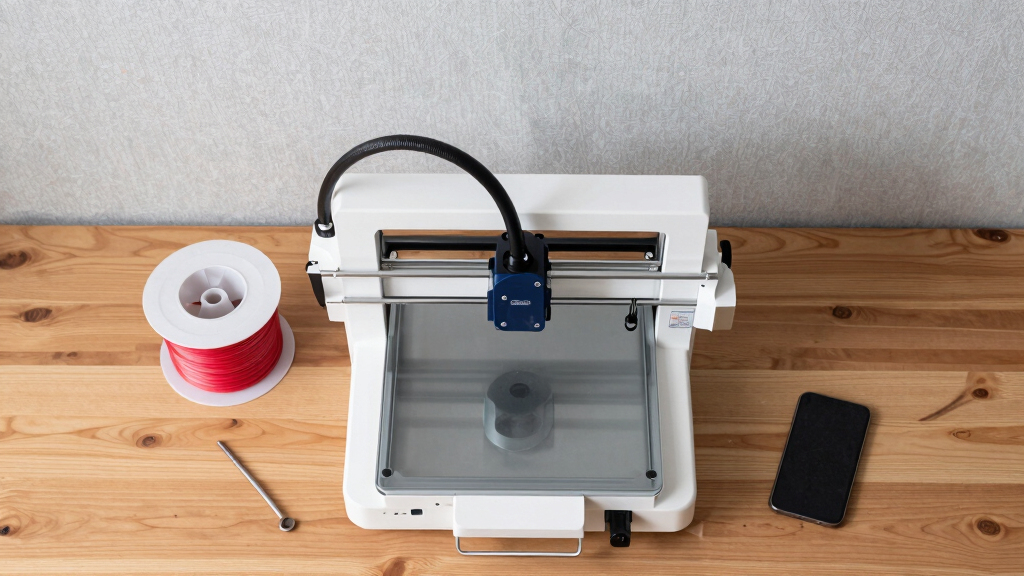

Finding the best 3D printer for hardware prototyping involves balancing speed, precision, build volume, and material compatibility. The ELEGOO Saturn 4 Ultra stands out as the best overall thanks to its large resin build volume and high-resolution output, ideal for detailed prototypes. For rapid iteration, the FLASHFORGE Adventurer 5M Pro offers impressive speed and versatility with its all-metal core XY structure. Budget-conscious buyers may prefer the FLASHFORGE Adventurer 5M for its auto-leveling and reliable performance at a lower price. Keep reading to see detailed comparisons and find the best fit for your prototyping needs.
Key Takeaways
- Large build volume is vital for creating complex hardware prototypes without multiple prints.
- Speed significantly impacts iteration cycles; high-speed printers like the Adventurer 5M series excel here.
- Resin printers such as the ELEGOO Saturn 4 Ultra deliver higher detail, crucial for small, intricate parts.
- Auto-leveling features reduce setup time and improve reliability, especially for frequent prototyping.
- Material compatibility and extruder design influence the range of usable filaments and print quality.





More Details on Our Top Picks
ELEGOO Saturn 4 Ultra 16K Resin 3D Printer with 10″ 16K Mono LCD and Flip-up Lid, Smart Tank Heating at 30 °C, 150mm/h High Speed Printing, Large Printing Size of 8.33 × 4.66 × 8.66 Inches
This resin printer stands out for its ultra-high resolution 16K mono LCD, capable of capturing the finest details—ideal for highly detailed prototypes and miniatures. Compared to the FlashForge Adventurer 5M, which uses filament-based FDM technology, the Saturn 4 Ultra produces smoother surfaces and intricate textures, making it the preferred choice for parts requiring fine surface finishes. The smart tank heating system at 30°C ensures resin fluidity and layer adhesion, reducing print failures common with lower-quality resin printers. The AI camera and real-time monitoring elevate user convenience, although environmental factors can affect detection accuracy. Its auto-leveling and plug-and-play setup make it accessible for users of all skill levels, but resin handling and post-processing are more involved than FDM printers. The main tradeoff is the higher cost and complexity of resin compared to filament printers, which might be less suitable for large or rapid prototyping. Overall, this is best suited for detailed, small-scale prototypes where surface quality matters most.
Pros:- Exceptional 16K resolution for ultra-fine detail
- Smart tank heating ensures better resin flow and fewer defects
- Real-time AI camera monitoring for convenience
- Auto-leveling for quick setup
Cons:- Higher price point compared to FDM printers
- Resin handling and post-processing are more complex
- Limited build volume for larger prototypes
Best for: Designers, artists, and engineers needing high-detail prototypes or miniatures with fine surface finishes.
Not ideal for: Large-scale or rapid iteration projects where speed and size are prioritized over surface detail.
- Resolution:16K mono LCD
- Build Volume:8.33 × 4.66 × 8.66 inches
- Print Speed:150 mm/h
- Heating System:Smart tank at 30°C
- Monitoring:AI camera with light
- Leveling:Auto-leveling
Bottom line: Ideal for professionals seeking sharp, detailed resin prototypes but less suited for high-volume or large parts.
FLASHFORGE Adventurer 5M 3D Printer,600mm/s Max High-Speed FDM 3D Printers with Fully Auto Leveling, 280°C Direct Extruder with Quick Detachable Nozzle, Effective Cooling, Core XY Structure
This model is tailored for speed-focused prototyping and functional parts, capable of printing at speeds up to 600mm/s—more than twice as fast as the FLASHFORGE Adventurer 5M Pro. Compared to resin options like the ELEGOO Saturn 4 Ultra, it excels in larger, quicker production runs, although surface finish and fine detail are less refined. Its automatic bed leveling and quick setup reduce downtime and make it accessible for beginners, but the high-speed operation introduces noise and potential vibration issues that may require tuning. The dual-sided PEI platform simplifies removal and supports various filament types such as PLA, PETG, and ABS, making it versatile for different prototypes. The hotend capable of 280°C and multiple nozzle sizes provide flexibility, though the faster speeds can compromise print quality on complex geometries. Its main tradeoff is the noise level and potential vibration, which might be a concern in quiet environments. Overall, best suited for users prioritizing rapid iteration for large or less detailed parts.
Pros:- Blazing fast printing speeds up to 600mm/s
- Fully automatic bed leveling for easy setup
- Supports a wide range of filaments with high-temperature extrusion
- Quick nozzle detachment for fast filament changes
Cons:- Higher noise levels due to high-speed operation
- Potential vibration affecting delicate features
- Surface quality may be compromised at extreme speeds
Best for: Manufacturers, startups, or hobbyists needing quick turnaround on functional prototypes or testing parts in a variety of materials.
Not ideal for: High-detail, surface-finish-critical projects or environments requiring quiet operation.
- Max Travel Speed:600mm/s
- Build Volume:220 x 220 x 220mm
- Extruder Temp:280°C
- Auto Leveling:Yes
- Connectivity:Remote app control
- Structure:Core XY all-metal
Bottom line: Best for rapid prototyping where speed outweighs surface finesse, but less ideal for detailed or quiet environments.
21-in-1 3D Printer Smoothing Tool Kit, 80W LED Digital Adjustable Temperature Soldering Welding Iron Kit with Insert Brass Heatset Nuts & Soldering Tips, Fast Heating 3D Printing Modify Finishing Tool
This comprehensive multi-functional tool kit excels in post-processing, especially for refining prototypes or installing threaded inserts—comparable to dedicated soldering and smoothing tools but with added versatility. Unlike the FlashForge Adventurer 5M, which is primarily for printing, this kit enhances surface finish and assembly quality, making it a must-have for fine-tuning complex or detailed parts. Its 80W rapid heating ceramic core and multiple brass tips allow precise smoothing, repair, and insert installation, crucial for professional-grade prototypes. The included accessories, like sanding sticks and a high-temp sponge, support a seamless workflow, though the learning curve for temperature and pressure control requires some practice. The main tradeoff is that this is a specialized, manual tool rather than an all-in-one printer, so it complements rather than replaces your main 3D printer. Overall, best for detailed finishing, repair, and insert work on printed parts.
Pros:- Versatile 21-in-1 set with adjustable temperature
- Fast 80W ceramic heating core for quick, stable operation
- Multiple brass tips for smoothing, finishing, and insert installation
- Includes sanding sticks and cleaning sponge for a professional finish
Cons:- Manual operation requires skill and experience
- Not a standalone printer—needs to be paired with a 3D printer
- Limited to post-processing and assembly tasks
Best for: Prototyping engineers, electronics hobbyists, and makers needing precise finishing and insert installation on 3D printed parts.
Not ideal for: Large volume printing or rapid prototype production, as it is a manual, post-processing tool.
- Power:80W
- Temperature Range:180°C–500°C
- Tip Types:M2–M8 brass tips
- Heating Time:Fast, within seconds
- Included Accessories:Sanding sticks, sponge, brass tips
- Size:10.7 x 4.1 x 2 inches
Bottom line: Perfect for detailed finishing and insert work, but not for large-scale or high-speed printing projects.
FLASHFORGE Adventurer 5M Pro 3D Printer with 1 Click Auto Printing System, 600mm/s High-Speed, Quick Detachable 280°C Nozzle, Core XY All-Metal Structure, Multi-Functional 220x220x220mm 3D Printer
This model enhances the speed and ease of use with automatic bed leveling, quick nozzle changes, and a robust Core XY structure. It is comparable to the ELEGOO Saturn 4 Ultra in detail resolution but excels in rapid iteration and larger-volume functional parts. Its automatic leveling and fast warm-up make it ideal for busy prototyping environments, although the high speed can decrease surface quality on complex geometries. The 280°C extruder and multiple nozzle sizes support a variety of materials, facilitating versatile testing. The remote monitoring via Flash Maker app boosts productivity, but noise levels and vibration could be problematic in quiet office or lab settings. Its main advantage is the combination of speed, automation, and multi-material support, making it excellent for high-throughput prototyping but less suited for surface-finish-sensitive projects.
Pros:- Auto bed leveling and quick setup
- High-speed printing up to 600mm/s
- Supports multiple filament types and materials
- Remote mobile app for monitoring and control
Cons:- Noise and vibration at high speeds
- Potential surface quality tradeoffs for speed
- Size and weight are less portable
Best for: Industrial designers, product developers, and startups needing fast, reliable prototypes with moderate surface detail.
Not ideal for: Highly detailed surface finishes or quiet environments where noise is a concern.
- Max Speed:600mm/s
- Build Volume:220 x 220 x 220mm
- Nozzle Temp:280°C
- Auto Leveling:Yes
- Connectivity:Mobile app control
- Frame:All-metal Core XY
Bottom line: Excellent for rapid, functional prototyping with automation, but not optimal for fine surface finishes or noise-sensitive environments.
FLASHFORGE Adventurer 5M 3D Printer with Fully Auto Leveling, Max 600mm/s High Speed Printing, 280°C Direct Extruder with 3S Detachable Nozzle, CoreXY All Metal Structure, Print Size 220x220x220mm
This version provides an excellent balance of high-speed printing, automatic leveling, and user-friendly features. It is very similar to the Adventurer 5M Pro but with slightly fewer advanced features, making it a solid choice for users who want reliable speed and automation without the premium price. Its auto bed leveling and 3-second nozzle swaps reduce setup time, while the dual-fan cooling and multiple nozzle sizes support various materials and complex geometries. Compared with the ELEGOO Saturn 4 Ultra, it offers less surface finesse but is more adaptable for larger or faster prototypes. However, noise levels and vibration at high speeds could be a concern for quiet environments. Overall, this printer provides a dependable, fast, and easy-to-use platform for functional and medium-detail prototypes.
Pros:- Auto bed leveling for quick setup
- High-speed printing up to 600mm/s
- Detachable nozzle for easy maintenance
- Supports multiple filament types
Cons:- Noise at maximum speeds
- Less detail resolution than resin printers
- Vibration can affect delicate features
Best for: Design teams, small startups, and hobbyists seeking fast, reliable, and easy-to-maintain high-speed printing.
Not ideal for: Projects requiring ultra-fine surface detail or ultra-quiet operation.
- Max Speed:600mm/s
- Build Volume:220 x 220 x 220mm
- Nozzle Temperature:280°C
- Auto Leveling:Yes
- Connectivity:App control
- Frame:Core XY all-metal
Bottom line: A versatile, fast, and user-friendly printer ideal for functional prototypes but less suited for high-detail surface work.
FLASHFORGE AD5X Multi-Color 3D Printer, CoreXY 600mm/s High-Speed, 1-Click Auto Leveling, 300°C Direct Drive Extruder, 220x220x220mm Build Volume, Ideal for Precision and Efficiency
The FLASHFORGE AD5X stands out for its exceptional combination of speed, multi-color capability, and user-friendly features, making it ideal for fast-paced hardware prototyping. Its 600mm/s high-speed printing and auto bed leveling streamline the workflow, especially compared to the slower ELEGOO Saturn 4, which excels in resin detail but lacks speed for large prototypes. The AD5X’s ability to support four nozzles and four colors simultaneously unlocks creative possibilities that often involve complex multi-material parts, though it does generate more noise during multi-color swaps. The 300°C direct drive extruder ensures reliable extrusion of a wide range of filaments, supporting versatile material testing. Its compact build volume of 220x220x220mm is well-suited for prototyping parts of moderate size, but may limit larger assemblies. The inclusion of remote monitoring and automatic filament feeding enhances usability, though the high speed can sometimes compromise detail on miniature parts. Overall, this printer makes the most sense for teams needing rapid iteration with vibrant, multi-material prototypes, accepting some noise and waste as tradeoffs.
Pros:- Exceptional 600mm/s printing speed for rapid prototyping
- Supports up to 4 colors simultaneously for complex multi-material prints
- 1-Click auto bed leveling for quick setup and consistent results
- Versatile nozzle options for different detail and speed needs
Cons:- Higher noise levels during multi-color swapping may be disruptive
- Waste filament during purging can be significant, requiring management for batch runs
- Build volume limits larger prototypes or highly complex assemblies
Best for: Design teams or startups focusing on multi-color, high-speed prototyping with moderate-sized models.
Not ideal for: Hobbyists seeking ultra-fine detail or users working with extremely small or delicate parts, due to noise and waste during color swaps.
- Build Volume:220x220x220mm
- Max Speed:600mm/s
- Extruder Temperature:300°C
- Filament Compatibility:PLA, ABS, PETG, TPU
- Nozzle Sizes:0.25mm to 0.8mm
- Connectivity:Wi-Fi, USB
- Auto Bed Leveling:Yes
- Weight:24.2 pounds
Bottom line: This printer is best suited for fast, multi-color prototyping where speed and versatility outweigh noise and waste considerations.
Original Bamboo CyberBrick Beginner Hardware Kit – ZK004 Expansion Parts for Bambu Lab 3D Printer Projects, 3D Print DIY
The Bamboo CyberBrick ZK004 kit excels as an accessible, comprehensive expansion set for enthusiasts and professionals creating custom robotic or mechanical prototypes with their Bambu Lab printers. Compared to the more specialized CyberBrick Ultimate Kit, this ZK004 offers a balanced mix of connectors, motors, and structural parts suitable for intermediate projects, supporting both simple and complex builds. Its easy PC & app configuration allows for precise control and customization, ideal for those experimenting with motion platforms or robotics. However, the kit’s small size—measuring just over an inch—limits its application to small-scale prototypes, and the included allen wrench is of a very tiny size, which may frustrate users needing more torque or durability. The extensive online documentation and compatibility with Lego Technic elements make it a versatile choice for learners and makers aiming for modular, expandable systems without the need for proprietary parts. Its main tradeoff is that it isn’t designed for large or high-torque robotic systems, but it offers excellent value for creative prototyping.
Pros:- Comprehensive set of motors, sensors, and connectors for versatile prototyping
- Supports modular builds with Lego Technic compatibility
- Easy setup via PC or mobile app with microPython support for customization
- Ideal for robotics, motion platforms, and mechanical experiments
Cons:- Extremely small size limits application for large projects
- Tiny allen wrench can be difficult to use and wears out quickly
- Requires additional parts for larger or more complex systems
Best for: Hobbyists, students, or engineers interested in mechanical and robotic prototypes on a Bambu Lab platform, seeking an affordable, expandable kit.
Not ideal for: Users needing large, high-torque systems or extensive structural frameworks, due to its small size and limited payload capacity.
- Package Dimensions:4.1 x 2.1 x 1.3 inches
- Item Weight:10.4 ounces
- Number of Components:Motors, sensors, gears, connectors
- Compatibility:Bambu Lab, Lego Technic
- Setup Support:PC & mobile app, MicroPython
- Ideal Use:Robotics, motion, mechanical prototypes
- Material Type:Plastic, metal
- Price Range:Moderate
Bottom line: This kit offers excellent value for hands-on mechanical prototyping and modular expansion, particularly for smaller robotic projects.
Original Bamboo CyberBrick Ultimate Hardware Kit – ZK003 Expansion Parts for Bambu Lab 3D Printer Projects, 3D Print DIY
The CyberBrick Ultimate Kit is designed for advanced users aiming to create intricate mechanical structures, robotic arms, or custom motion systems with their Bambu Lab printers. Its extensive assortment of motors, sensors, gears, and structural components supports complex, multi-axis builds, making it ideal for prototyping sophisticated robotics or automation projects. Unlike the smaller ZK004, this kit provides a larger component set that can handle higher loads and more detailed assemblies, though it requires more assembly time and technical skill. The setup process is supported by detailed online documentation, but the size and complexity may be intimidating for newcomers or those primarily focused on simple prototypes. The kit’s compatibility with standard Lego elements and Bambu Lab hardware makes it highly adaptable for experimental systems that demand precision and durability. Its main tradeoff is the increased complexity and cost, which might not be suitable for casual or beginner prototyping but pays off for ambitious projects requiring high mechanical complexity.
Pros:- Extensive variety of motors, sensors, and structural parts for complex builds
- Supports creation of robotic arms, multi-axis motion systems, and automation prototypes
- Compatible with Lego Technic and Bambu Lab components for modularity
- Detailed online assembly guides and MicroPython customization
Cons:- Requires significant assembly effort and technical expertise
- Higher cost compared to smaller or less complex kits
- Bulkier components may be less suitable for small-scale prototypes
Best for: Experienced makers and engineers developing complex robotic, automation, or multi-axis mechanical prototypes with high precision requirements.
Not ideal for: Beginners or hobbyists working on simple or low-torque prototypes, due to the kit’s complexity and larger size.
- Component Count:Motors, sensors, gears, frames, connectors
- Compatibility:Bambu Lab, Lego Technic
- Size:Larger, modular components
- Setup Support:Online documentation, MicroPython
- Application:Robotics, automation, multi-axis systems
- Material Compatibility:Plastic, metal
- Price Range:Premium
- Intended User Level:Advanced
Bottom line: This kit is best suited for high-end, complex mechanical and robotic prototyping where precision, durability, and expandability are prioritized over simplicity.

How We Picked
These printers were selected based on a combination of performance metrics, usability, build quality, and value for hardware prototyping. Priority was given to models offering large build volumes, high-resolution output, and reliable automation features that reduce setup time. We also considered speed, material versatility, and user reviews to identify options suitable for rapid prototyping workflows. The ranking reflects a balance between cutting-edge capabilities and practical usability, ensuring that both experienced and emerging prototypers find suitable choices.Factors to Consider When Choosing Best 3d Printer For Hardware Prototyping
Choosing the right 3D printer for hardware prototyping requires understanding key factors that influence productivity and quality. Beyond just raw features, it’s important to consider how the printer integrates into your workflow, budget constraints, and the types of parts you’ll produce. Making informed decisions here can prevent costly mistakes and enhance your prototyping process.Build Volume and Speed
For hardware prototypes, a larger build volume allows you to print more comprehensive parts or multiple components at once, saving time. Speed is equally important, especially if you need fast iteration cycles. High-speed printers like the Adventurer 5M series enable rapid testing of design changes, but often at the expense of some detail or complexity. Balancing size and speed based on your project scope is key.
Material Compatibility and Quality
The ability to work with various materials, from resins to different filaments, broadens your prototyping options. Resin printers excel for high-detail parts, while FDM printers support larger, more functional prototypes. Consider the durability and mechanical properties needed for your prototypes to select compatible materials, and ensure the printer’s extruder and heating capabilities match your material choices.
Ease of Use and Automation
Features like auto-leveling, touchscreen controls, and quick-change extruders reduce setup time and minimize user error. For fast-paced prototyping, automation features directly impact productivity. However, more automated systems tend to come at a higher cost, so weigh this against your budget and technical expertise.
Cost and Maintenance
Initial investment varies widely, with resin printers generally costing more but offering higher detail. Maintenance costs include replacement parts and consumables like resin or filament. A reliable, well-supported model might cost more upfront but can save money and frustration long-term, especially if you plan to use it extensively.
Resolution and Finish Quality
High resolution is essential for detailed prototypes with fine features, which resin printers handle well. However, FDM printers with high-quality nozzles and precise calibration can produce functional parts suitable for mechanical testing. Consider what level of detail your prototypes require and choose accordingly.
Frequently Asked Questions
Can I use a resin printer for functional hardware prototypes?
Resin printers like the ELEGOO Saturn 4 Ultra produce highly detailed parts, but they may lack the mechanical strength needed for functional hardware prototypes. Typically, they are best suited for visual or aesthetic prototypes rather than load-bearing components. For functional testing, FDM printers with durable filaments might be more appropriate, though some high-strength resins are available for specific applications.
Is higher speed always better for hardware prototyping?
Higher speed can significantly reduce iteration times, making it easier to test multiple design revisions quickly. However, faster printers often compromise on detail or surface finish. For prototypes requiring high precision or complex geometries, a slightly slower but more accurate printer may deliver better results. Balancing speed with quality is important depending on your specific needs.
How important is build volume for hardware prototyping?
A larger build volume allows for creating more complex or larger parts in a single print, which can streamline the prototyping process. Small volume printers limit your design scope but often offer higher resolution and easier calibration. Consider your typical part size and whether multi-part assembly or single-piece prints are preferable.
What maintenance should I expect with these printers?
Most 3D printers require regular cleaning of print beds, replacement of nozzles or resin tanks, and occasional calibration. Resin printers need careful handling of chemicals, and FDM models may need extruder and filament path checks. Choosing a model with accessible parts and good support can reduce downtime and maintenance costs over time.
Should I prioritize automation features or manual control?
Automation features like auto-leveling and quick-change extruders speed up setup and reduce errors, especially for frequent prototyping. Manual controls might be suitable if you prefer more hands-on operation or work with custom materials. For fast, reliable prototyping workflows, investing in automation often pays off in saved time and improved consistency.
Conclusion
For those seeking an all-around performer, the ELEGOO Saturn 4 Ultra offers a compelling mix of high resolution, large volume, and ease of use, making it the best choice for experienced prototypers. If speed and versatility are your priorities, the FLASHFORGE Adventurer 5M Pro stands out, especially for rapid iteration cycles. Budget-conscious users or beginners will find the FLASHFORGE Adventurer 5M provides reliable, auto-leveling performance at a more accessible price. For specialized needs like high-detail visual prototypes, resin options excel, while larger FDM models suit more mechanical or functional parts. Tailor your choice based on your project scope, budget, and workflow demands to get the most effective hardware prototyping setup.