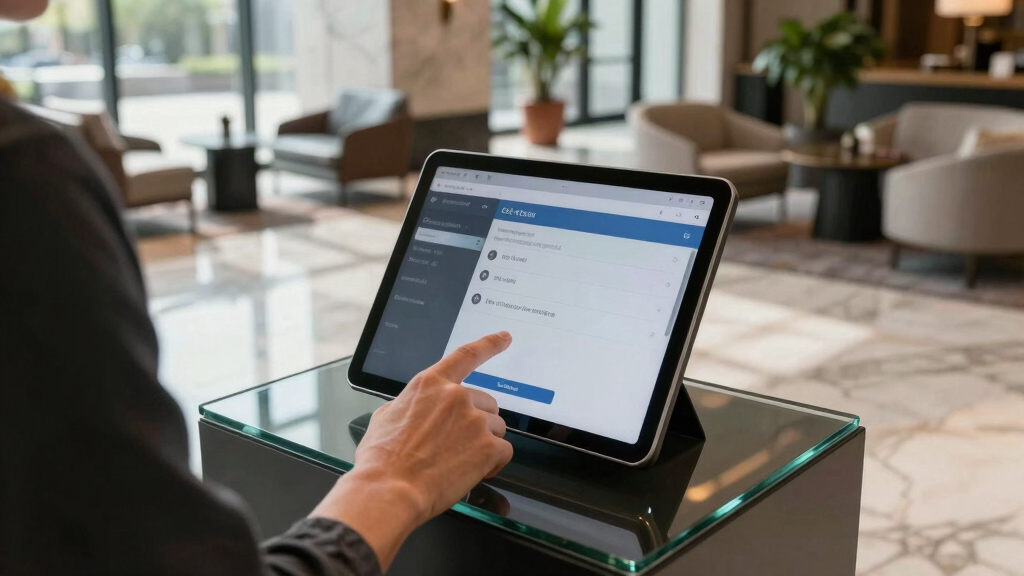

Finding the best tablet kiosk for self check-in workflows requires balancing security, flexibility, and ease of use. The Mount-It! Anti-Theft Universal Tablet Floor Stand stands out for its adjustable height and robust build, making it ideal for high-traffic environments. The SPROCKET T Print Label & Badge Printer Kiosk offers integrated printing, perfect for visitor badges or check-in labels, though it may be more complex to set up. Many options trade off between security features and ease of access, with some more suitable for retail and others for hospitality or corporate settings. Keep reading for a detailed comparison to help you identify the best fit for your self check-in workflow needs.
Key Takeaways
- Security features like anti-theft locks and sturdy enclosures are vital for public-facing kiosks.
- Adjustability and ergonomic design improve user experience and accessibility for diverse users.
- Integrated peripherals like printers streamline workflows but add complexity and cost.
- Floor stands generally offer more security and flexibility than countertop options.
- Price varies significantly based on features, with premium models offering advanced security and printing capabilities.


More Details on Our Top Picks
Mount-It! Anti-Theft Universal Tablet Floor Stand Kiosk, Locking Enclosure for iPad, Galaxy Tab & Surface Pro 9.7″–13.1″, Height Adjustable 27.5″–47″, Commercial Kiosk Stand, Black
This stand stands out for its ability to fit a wide range of bare tablets from 9.7″ to 13.1″, making it ideal for diverse self check-in workflows. Its height adjustment (27.5″–47″) and 180° tilt with 90° rotation provide flexible display orientations, surpassing the more fixed angles of the Mount-It! Anti-Theft iPad Floor Stand. While its universal compatibility supports multiple devices, it requires bare tablets, which might be a drawback for users relying on cases. The telescoping pole and sturdy 14.5″ base ensure stability in high-traffic areas, and concealed cable routing keeps wiring neat. The quick-lock enclosure allows for fast tablet removal, but the included Allen key must be kept secure to prevent unauthorized access. Backed by a lifetime warranty and US support, this model is well-suited for enterprises seeking scalability and durability in self check-in setups.
Pros:- Universal fit for multiple tablets (9.7″–13.1″), reducing hardware limitations
- Height adjustable and fully rotatable, adaptable to various workflows
- Concealed cable routing for a clean appearance
- Lifetime warranty and US-based support for long-term confidence
Cons:- Requires bare tablets, limiting use with cases or protective covers
- Installation involves floor bolting, which may be less flexible for temporary setups
Best for: Retailers or offices deploying multiple device types with frequent updates or removals.
Not ideal for: Small hospitality settings using case-protected tablets, since this model only supports bare devices.
- Height Adjustment:27.5″–47″
- Tablet Compatibility:9.7″–13.1″ bare tablets
- Base Diameter:14.5″
- Tilt Range:180°
- Rotation:90°
- Material:Steel, Aluminum
Bottom line: Ideal for organizations needing flexible, durable, and scalable floor stands that support a variety of tablet models.
Mount-It! Anti-Theft iPad Floor Stand Kiosk, Locking Tablet Floor Stand for iPad Gen 7–11 & A16, Air & Pro (10.2″–11″), Commercial Kiosk for Retail, Lobby & Trade Show, Black
This model excels in providing a secure enclosure for iPads from Gen 7 to 11 and A16 models, with a sturdy 32.95 lbs steel base that resists tipping—much heavier and more stable than the lighter AboveTEK Anti Theft iPad Floor Stand. Its 0–90° rotation and 0–75° tilt can be locked in place, ensuring the device stays exactly where needed, which is a key advantage over flexible but less secure options. The interchangeable mounting plates allow for precise fitment, but it only supports iPads without cases, which could limit flexibility for users with protective covers. Cable management is integrated with a lockable power cabinet, maintaining a professional look during continuous operation. Quick assembly and lifetime warranty make this a reliable choice for permanent or semi-permanent self check-in stations in busy environments.
Pros:- Heavy-duty steel base with high stability for high-traffic areas
- Lockable rotation and tilt for security and device positioning
- Interchangeable plates for different iPad models
- Integrated cable management with lockable power compartment
Cons:- Supports only bare iPads, not cases
- Less flexible in orientation once installed
Best for: Retail or hospitality venues requiring a highly secure, fixed iPad station with stable support.
Not ideal for: Dynamic environments needing frequent device swaps or devices in cases, due to its fixed enclosure design.
- Weight:32.95 lbs
- Device Compatibility:iPad Gen 7–11, A16, Air & Pro (10.2″–11″)
- Base Dimensions:13.4″ x 11.8″
- Tilt Range:0–75°
- Rotation:0–90°
- Material:Steel, Aluminum
Bottom line: Best suited for fixed, highly secure iPad deployments in retail or hospitality settings where device stability and security are priorities.
SPROCKET Premium Kiosk Stand T Print B15 – Most Advanced & Key-Locked Secure Tablet Floor Stand with Label Printer, Adjustable Mount & Ergonomic Design, Compatible with Apple iPad
This kiosk stands out for its integrated Brother QL printer, enabling on-demand label or badge printing directly from the self check-in station, unlike the more basic AboveTEK Anti Theft iPad Floor Stand. Its adjustable mount and ergonomic design improve customer engagement, especially in environments like check-in counters or visitor badges. The key-locked steel and aluminum enclosure offers robust security, comparable to the Mount-It! Anti-Theft iPad Floor Stand, but with added workflow functionality. Setup is straightforward with included brackets and power supply, and the 15″ stable base ensures stability even in busy areas. The main tradeoff is that this stand is more complex and expensive, suited for venues seeking a comprehensive, automated workflow rather than simple device mounting.
Pros:- Built-in support for Brother QL printers for on-demand printing
- Adjustable mount with ergonomic design for user comfort
- Secure key-lock enclosure prevents tampering
- Stable, professional 15″ base
Cons:- Higher cost and complexity compared to simpler stands
- Requires compatible Brother printer (sold separately)
Best for: Organizations integrating badge printing or label printing into their self check-in workflows, such as event venues or healthcare facilities.
Not ideal for: Small-scale or budget-conscious setups that do not require on-site printing capabilities.
- Device Compatibility:iPad (various sizes), Brother QL printers
- Base Dimensions:15″ x 15″
- Adjustability:0–90° tilt
- Material:Steel, Aluminum
- Weight:approx. 12.38 kg
- Additional Features:Printer bracket, integrated power
Bottom line: Best for workflows requiring integrated printing solutions alongside device security in high-traffic or self-service environments.
AboveTEK Anti Theft iPad Floor Stand, Robust Security Kiosk POS Tablet Stand, Height Adjustable Secure Holder Enclosure w/Lock and Key Mechanism for iPads/iPad Air/iPads Pro, Ideal for Retail Business
This stand is a solid choice for secure iPad deployment in retail or restaurant environments, offering height adjustability from 27.6″ to 45.3″ and a lock-and-key mechanism that prevents theft—similar in security to the SPROCKET T Print Label & Badge Printer Kiosk but more focused on simple locking. Its robust aluminum frame and anti-slip base provide stability comparable to the Mount-It! Anti-Theft iPad Floor Stand, yet it lacks the advanced cable management or device rotation features of higher-end options. While its tilt range (-90° to 90°) enhances user interaction, it doesn’t support device rotation or extensive orientation flexibility. The setup is straightforward, making it suitable for quick deployment, but it’s less adaptable for multi-use or dynamic workflows.
Pros:- Height adjustable from 27.6″ to 45.3″ for user comfort
- Secure lock and key with anti-theft design
- Robust aluminum frame with anti-slip base
- Simple assembly for quick deployment
Cons:- Limited rotation and orientation options
- No integrated cable management system
Best for: Small retail stores or quick-service restaurants needing a reliable, secure stand for customer-facing tablets.
Not ideal for: High-volume or complex workflows requiring extensive device adjustments or integrated peripherals.
- Height Range:27.6″–45.3″
- Tilt Range:-90° to 90°
- Device Compatibility:9.7″-10.5″ iPads and Pro models
- Material:Aluminum
- Base Type:Attachable with screw holes
- Weight:6.6 lbs
Bottom line: Best for straightforward, secure iPad deployments where flexibility and advanced features are less critical.
SPROCKET T Print Label & Badge Printer Kiosk – Professional iPad Kiosk Stand with Brother QL Printer Integration – Anti-Theft Tablet Floor Stand for Visitor Badges & Check-Ins, iPad 11-inch (A16)
This stand specializes in combining iPad functionality with Brother QL printer integration, making it ideal for visitor check-in and badge printing, unlike the more general security stands like the AboveTEK Anti Theft iPad Floor Stand. Its compact footprint maintains clear sightlines while providing a professional appearance for customer interactions. The key-locked enclosure ensures security, and the included internal power strip simplifies setup, supporting seamless workflow automation. The adjustable mount and stable 15″ base deliver ergonomic positioning and stability, suitable for environments where badge printing and visitor management are essential. The main tradeoff is that this model is tailored specifically for badge printing workflows, limiting its use for other self check-in applications.
Pros:- Integrated support for Brother QL printers for badge/label printing
- Secure key-lock enclosure with cable management
- Compact design with good sightlines
- Stable 15″ base for high-traffic durability
Cons:- Designed primarily for badge/label printing workflows
- Requires separate printer purchase (not included)
Best for: Visitor management and badge issuance in corporate lobbies, healthcare check-ins, or event registration areas.
Not ideal for: General self check-in workflows that do not include badge or label printing requirements.
- Device Compatibility:iPad 11-inch (A16)
- Printer Compatibility:Brother QL series
- Base Dimensions:15″ x 15″
- Adjustability:0–90°
- Material:Steel, Aluminum
- Weight:Approx. 12.4 kg
Bottom line: Best for facilities needing integrated badge or label printing alongside secure iPad deployment for visitor management.
AboveTEK Security iPad Kiosk Floor Stand, Anti-Theft POS Tablet Stands for Retail Business, Height Adjustable Tablet Floor Stand, 360° Swivel Universal Locking Holder Fits 9.7″-13″ iPads/iPad Pro/Air
This stand stands out for its robust security features, including an anti-theft screw and a specialized wrench, making it ideal for high-traffic retail environments where theft prevention is critical. Compared with the Mount-It! anti-theft floor stand, it offers similar height adjustability but emphasizes anti-theft security, which can be a decisive factor for public-facing setups. Its universal compatibility with 9.7″ to 13″ tablets and full 360° rotation ensures versatile interaction angles, essential for self check-in workflows. The durable steel construction and hidden cable management contribute to a professional and tidy appearance, but the heavier weight (5.3 kg) may complicate repositioning. The adjustable height (from 29.5″ to 45.3″) offers ergonomic flexibility, yet the security lock mechanism adds complexity during tablet swaps. Overall, this option is best for retail managers needing a secure, adjustable, and professional kiosk solution that minimizes theft risk.
Pros:- Heavy-duty steel construction ensures durability and stability.
- Full 360° rotation and tilt facilitate optimal user interaction.
- Height adjustable from 29.5″ to 45.3″ for ergonomic placement.
- Anti-theft screw and specialized wrench provide robust security.
Cons:- Heavier weight (5.3 kg) may hinder easy repositioning.
- Locking mechanism can complicate quick tablet swaps.
- Design may be less sleek compared to minimalistic stands.
Best for: Retail businesses requiring a secure, adjustable self check-in kiosk in busy environments.
Not ideal for: Small offices or low-traffic venues where theft prevention is less of a concern and lighter setups are preferred.
- Compatible Devices:9.7″-13″ tablets including iPad, Galaxy Tab
- Height Adjustability:29.5″ to 45.3″
- Rotation:360° swivel
- Material:Heavy-duty steel
- Base Weight:5.3 lbs
- Cable Management:Hidden
Bottom line: This stand is ideal for retail environments that prioritize theft prevention without sacrificing adjustability and professional appearance.
Mount-It! Anti-Theft iPad Tablet Floor Stand Kiosk with Literature Holder, Lockable Enclosure for iPad Gen 7–11, Pro & Air (A16), 90° Rotation & 75° Tilt, Commercial Kiosk Stand, Bolt Down Base, Black
This model excels by combining a secure lockable enclosure with an integrated literature holder, making it particularly suitable for environments where physical brochures and digital self check-in are both needed. Compared with the AboveTEK stand, it emphasizes versatility in content presentation, with a removable literature holder and a lockable enclosure with four interchangeable mounting plates, tailored for specific iPad models. Its 24.45 lb base allows for stable freestanding deployment or permanent bolt-down, ideal for high-traffic areas like hotels or trade shows. The 90° rotation and 75° tilt offer flexible viewing angles, but the enclosure’s bulk and weight might make it less portable. The four mounting plate options ensure precise fit and access, yet the need for specific model compatibility can limit universal use. Overall, this stand suits venues combining digital self check-in with physical content and requiring a secure, adjustable, and stable fixture.
Pros:- Lockable, tamper-proof enclosure enhances security.
- Includes a removable literature holder for brochures and pamphlets.
- Adjustable height along pole for optimal positioning.
- Four interchangeable mounting plates for model-specific fit.
Cons:- Heavy weight (approx. 24.45 lbs) reduces portability.
- Requires bolting for permanent installation, less suited for temporary setups.
- Design bulk may be less suitable for sleek modern aesthetics.
Best for: Hotels, trade shows, and hospitality venues needing both secure iPad placement and brochure display.
Not ideal for: Small offices or low-traffic settings where mobility and simplicity are more important than physical brochure integration.
- Compatible Devices:iPad Gen 7–11, Pro, Air, A16
- Rotation:90°
- Tilt:75°
- Base Weight:24.45 lbs
- Mounting Options:Bolt-down or freestanding
- Material:Powder-coated steel
Bottom line: This kiosk is best for high-traffic environments that need secure tablet placement combined with physical content display capabilities.
Mount-It! iPad Kiosk Stand, Anti-Theft Locking Countertop Enclosure & 360° Rotating Base, Retail POS & Check-in Stand for iPad Pro, iPad Air & Gen 7–11 (A16), White
This stand makes the most of its locking enclosure and 360° rotating base, providing a secure, versatile countertop solution ideal for reception desks and retail counters. Compared with taller floor stands like the Mount-It! with literature holder, it emphasizes compactness and ease of access, with a locking mechanism that keeps the iPad safe from tampering in busy environments. The 360° rotation and tilt up to 75° allow for flexible viewing angles, essential for self check-in workflows at counters. Its simple, sleek white design integrates well into modern retail or hospitality spaces, but the locked enclosure means it’s limited to bare tablets—cases are incompatible. The rubber pads protect surfaces and allow for stable placement, but the fixed base offers less height adjustability than taller stands. Overall, this is a good choice for counter setups demanding security, flexibility, and a minimal footprint.
Pros:- Secure keyed lock with 2 keys prevents tampering.
- 360° rotation and 75° tilt for flexible viewing angles.
- Compact countertop footprint with sleek white finish.
- Rubber pads protect surfaces and enhance stability.
Cons:- Limited height adjustability—fixed countertop height.
- Requires bare tablets, not compatible with cases.
- Design may be less suitable for standing kiosk applications.
Best for: Reception desks, hotel check-in counters, and retail counters requiring a secure, rotatable tablet setup.
Not ideal for: High-traffic outdoor or public spaces where added security or height adjustability is necessary.
- Compatible Devices:iPad Pro (10.5–11″), iPad Air, Gen 7–11
- Rotation:360°
- Tilt:75°
- Base Material:Aluminum
- Material Finish:Powder-coated
- Form Factor:Countertop
Bottom line: This stand offers a secure, flexible, and compact countertop solution perfect for reception or check-in counters needing quick access and rotation.

How We Picked
I evaluated each product based on durability, security, ease of installation, versatility, and compatibility with common self check-in workflows. Products with adjustable features and strong locking mechanisms scored higher, especially for high-traffic public spaces. The ranking emphasizes a balance between security and usability, ensuring that each selected kiosk can withstand daily use while providing a smooth user experience. Cost-effectiveness was also considered, favoring models that deliver essential features without unnecessary extras. This approach ensures that the top picks meet real-world needs for self check-in environments, from retail to corporate settings.Factors to Consider When Choosing Best Tablet Kiosk For Self Check-in Workflows
Choosing the right tablet kiosk for self check-in involves understanding your specific environment and workflow needs. A well-selected kiosk not only secures devices from theft but also provides a seamless experience for users. Consider the environment—public, semi-private, or private—and how that influences your security and usability priorities. Additional factors like peripheral compatibility, installation complexity, and future expansion should also inform your decision. Making the right choice requires balancing these elements to ensure long-term value and operational efficiency.Security and Theft Prevention
For self check-in workflows, security features such as lockable enclosures, anti-theft hardware, and tamper-resistant mounts are essential. Public environments demand more robust security to prevent theft or vandalism, which can lead to costly replacements or downtime. However, overly secure setups might complicate user access or maintenance, so finding a balance is key. Consider whether you need a lockable enclosure or a floor stand with a secure base. Security should always align with the environment’s risk level and operational needs.
Adjustability and Ergonomics
An adjustable kiosk ensures that users of different heights can comfortably interact with the device, reducing frustration and improving accessibility. Ergonomic design also means considering tilt and rotation features, which can facilitate better viewing angles and ease of use. This is especially important in environments with diverse user demographics. Be wary of models with fixed mounts if your use case requires flexibility, as poor ergonomics can hinder productivity and user satisfaction.
Compatibility with Peripherals
Many self check-in workflows rely on peripherals like printers, card readers, or scanners. Choosing a kiosk compatible with these devices can streamline operations and reduce setup costs. Integrated printing for badges or receipts often enhances user experience but may increase the complexity and cost of the kiosk. Always verify peripheral compatibility and consider future needs—buying a flexible, upgradeable model can save money over time.
Installation and Maintenance
Ease of installation can significantly impact total cost of ownership. Floor stands typically require more setup but offer greater security and flexibility, whereas countertop models are simpler to deploy but may lack the stability needed for high-traffic use. Maintenance considerations include accessibility for repairs and cleaning, especially in busy environments. Choosing a model with straightforward access points and durable construction will reduce downtime and ongoing costs.
Cost and Future Scalability
While budget constraints are real, investing in a higher-quality kiosk with advanced security, adjustable features, and peripheral compatibility can provide better value over time. Cheaper models might seem attractive initially but often lack durability or security features needed for long-term use. Consider your future needs—if you plan to expand your workflow or integrate more peripherals, selecting a scalable and versatile kiosk now can prevent costly replacements later.
Frequently Asked Questions
How secure should my self check-in kiosk be?
The security level depends on your environment. For high-traffic or public spaces, a kiosk with a lockable enclosure, anti-theft hardware, and a sturdy mount is advisable to prevent theft or vandalism. In private or controlled environments, a simpler enclosure may suffice, but security should still be a priority to protect your device and data. Assess your risk level and choose a model that balances security with ease of use for your staff and users.
Can I add peripherals like printers or scanners to these kiosks?
Most kiosks designed for self check-in workflows are compatible with common peripherals such as printers, scanners, or card readers. Some models have built-in integration options or dedicated ports, making workflow automation more seamless. However, not all stands support peripherals equally—some may require additional accessories or upgrades. Verify peripheral compatibility before purchase to ensure your workflow remains smooth and future-proof.
Are floor-standing kiosks more secure than countertop options?
Generally, floor-standing kiosks offer increased security because they are more difficult to move or tamper with, especially when bolted down. They also tend to have more robust locking mechanisms and enclosure options. Countertop kiosks, while easier to deploy, can be more vulnerable to theft, especially in open or semi-public spaces. The choice ultimately depends on your environment’s security needs and available space.
What should I consider regarding installation and ongoing maintenance?
Ease of installation varies; floor stands often require more initial setup and securing, but they tend to be more durable and flexible. Countertop options are simpler to deploy but may need more frequent replacement if they lack durability. Maintenance considerations include ease of access for repairs, cleaning, and peripheral upgrades. Selecting a model with accessible panels and durable construction can significantly reduce operational disruptions.
How much should I budget for a high-quality self check-in kiosk?
Pricing varies widely based on features, security, and peripherals. Basic models may start around a few hundred dollars, while advanced kiosks with integrated printers, locks, and adjustable features can cost over a thousand dollars. Investing in a higher-quality kiosk often pays off through durability, security, and streamlined workflows. Consider your long-term needs and whether the additional upfront cost will deliver better value over time.
Conclusion
The best overall choice for most users is the Mount-It! Anti-Theft Universal Tablet Floor Stand because of its flexibility, security, and adaptability for various environments. If you prioritize value, the AboveTEK Anti Theft iPad Floor Stand offers solid security features at a more accessible price point. For those seeking a premium, fully integrated solution, the SPROCKET T Print Label & Badge Printer Kiosk provides built-in printing capabilities ideal for visitor management. Beginners or small-scale setups should consider simpler countertop models for quick deployment, while larger enterprises with high security needs should opt for rugged, floor-standing options designed to withstand demanding workflows. Ultimately, your choice depends on balancing security, usability, and budget for your specific check-in environment.