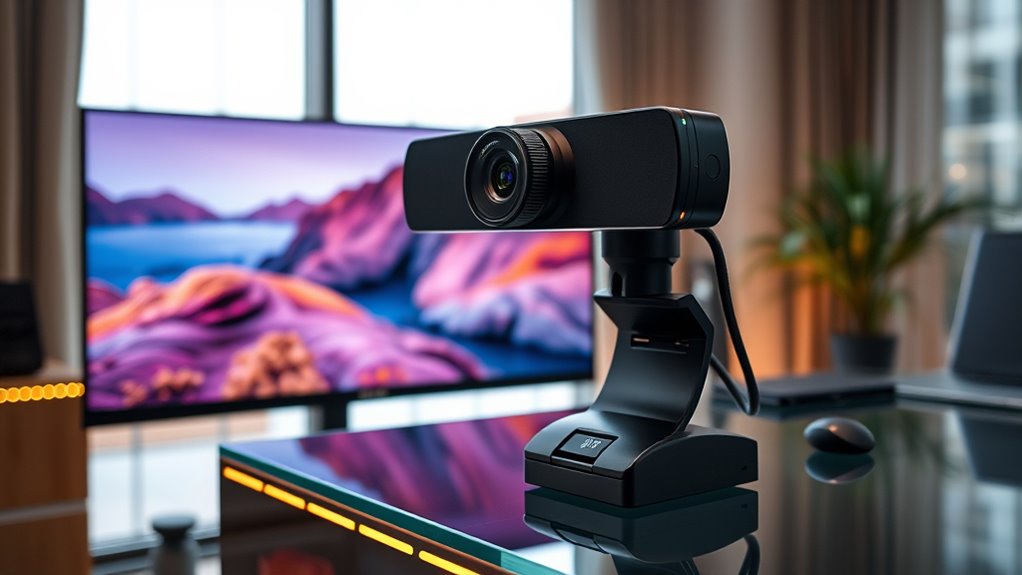

If you’re looking to upgrade your video quality in 2025, I recommend checking out the top 15 4K webcams, including models like the Logitech Brio and the EMEET Nova with advanced autofocus, HDR, and dual microphones. These webcams offer sharp visuals, smooth motion, and versatile features like AI tracking and background replacement, perfect for streaming and professional calls. Keep exploring, and you’ll discover all the details that help you pick the best one for your needs.
Key Takeaways
- Look for webcams with true 4K resolution at 30FPS or higher for crisp, detailed streaming quality.
- Prioritize models with advanced autofocus, auto light correction, and HDR for consistent image clarity in various environments.
- Choose webcams with high-quality microphones, noise reduction, and stereo sound for clear audio during streams.
- Ensure compatibility with USB-C or USB-A and streaming platforms like OBS, Zoom, or Teams for seamless setup.
- Consider features like AI tracking, background replacement, and auto framing to enhance versatility and viewer engagement.
EMEET C960 4K Webcam with Sony Sensor and Dual Mics
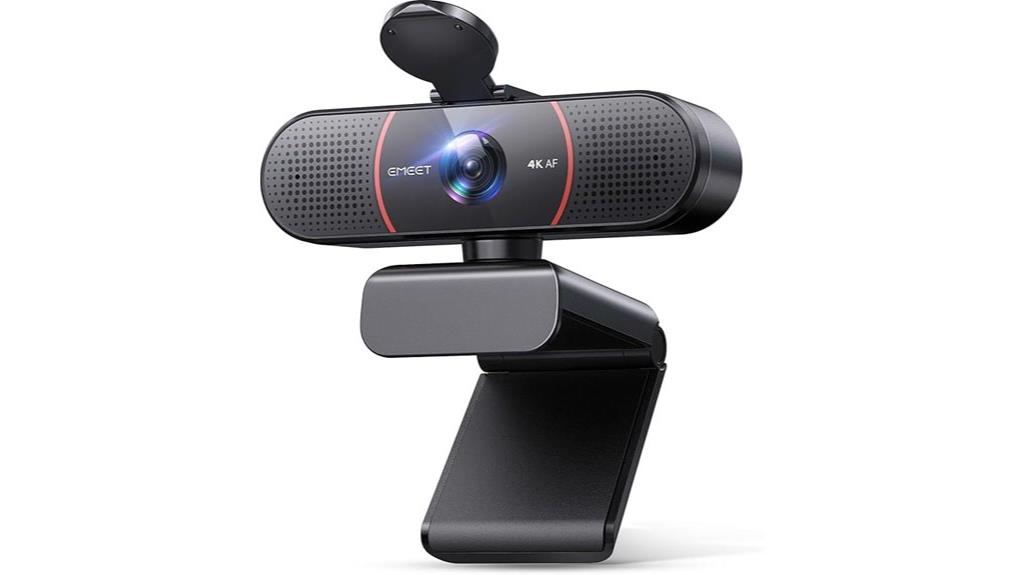
If you’re looking for a webcam that delivers professional-quality 4K video without breaking the bank, the EMEET C960 is an excellent choice. Its Sony CMOS sensor provides true 4K UHD resolution, ensuring sharp, detailed visuals, ideal for meetings, lectures, or content creation. Autofocus with PDAF technology keeps images crisp, even during movement, while auto light correction adapts to lighting conditions. The dual AI noise-canceling microphones deliver clear, natural sound, perfect for remote calls. Easy to set up with plug-and-play USB-A compatibility, it also offers adjustable mounting options. Despite some limitations like lighting dependency and build quality, it’s highly praised for affordability and reliable performance.
Best For: remote professionals, educators, or content creators seeking an affordable yet high-quality 4K webcam with reliable autofocus and clear audio.
Pros:
- True 4K UHD resolution with Sony CMOS sensor for sharp, professional-quality video
- Autofocus with PDAF technology ensures stable, crisp images during movement
- Dual AI noise-canceling microphones provide clear, natural sound for calls and recordings
Cons:
- Performance can be affected by lighting conditions, requiring good lighting for optimal clarity
- Build quality and stability may be lacking, with some users experiencing flimsy stands or plastic parts
- Limited FOV (73°) and no optical zoom, which may restrict framing flexibility
EMEET S600 4K Streaming Webcam
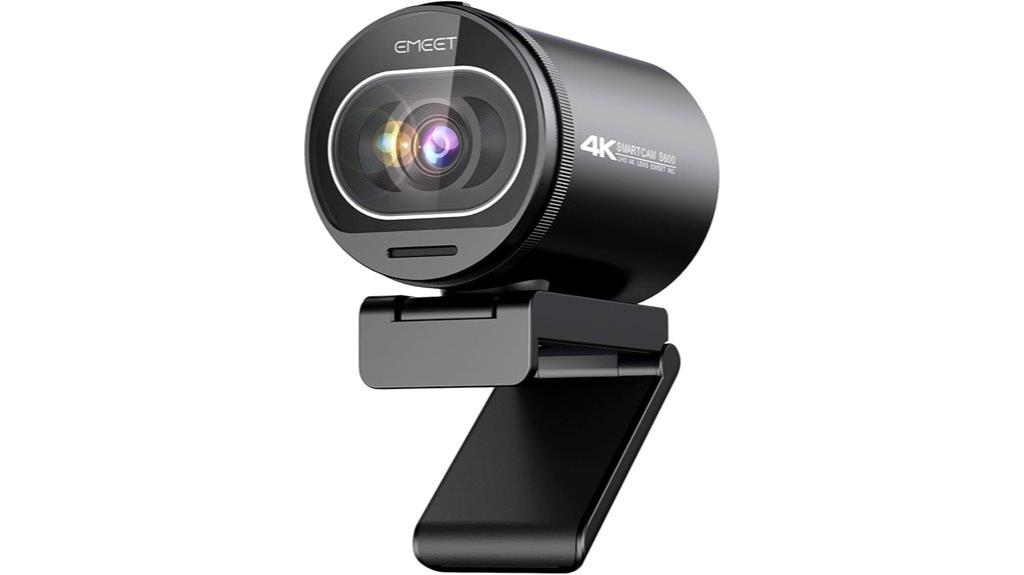
The EMEET S600 4K Streaming Webcam stands out as an excellent choice for content creators and professionals seeking top-tier video quality without breaking the bank. Its Sony 1/2.5 sensor delivers stunning 4K resolution at 30FPS and smooth 1080P at 60FPS, ensuring crisp images, vibrant colors, and minimal lag. Advanced autofocus and auto light correction maintain sharp focus in various lighting conditions. Dual noise-canceling microphones provide clear audio, rivaling dedicated mics. With a sturdy design, privacy cover, and easy setup, the S600 is versatile for streaming, conferencing, and content creation. Overall, it offers impressive performance at an affordable price, earning high user praise.
Best For: content creators, remote professionals, and streamers seeking high-quality 4K video and clear audio in an affordable, easy-to-use webcam.
Pros:
- Delivers stunning 4K resolution at 30FPS and smooth 1080P at 60FPS for versatile streaming options
- Equipped with advanced autofocus and auto light correction for sharp images in various lighting conditions
- Built-in dual noise-canceling microphones provide clear, professional-quality audio
Cons:
- Fixed FOV at 4K (73°) may be less adjustable compared to other models
- Minor setup quirks such as ensuring device is set as default in system settings
- Slightly larger profile due to rugged design may require more space on smaller setups
EMEET NOVA 4K Webcam for PC with 4K HD, Autofocus, Dual Mics, 73° FOV, Light Correction, USB-A, Privacy Cover
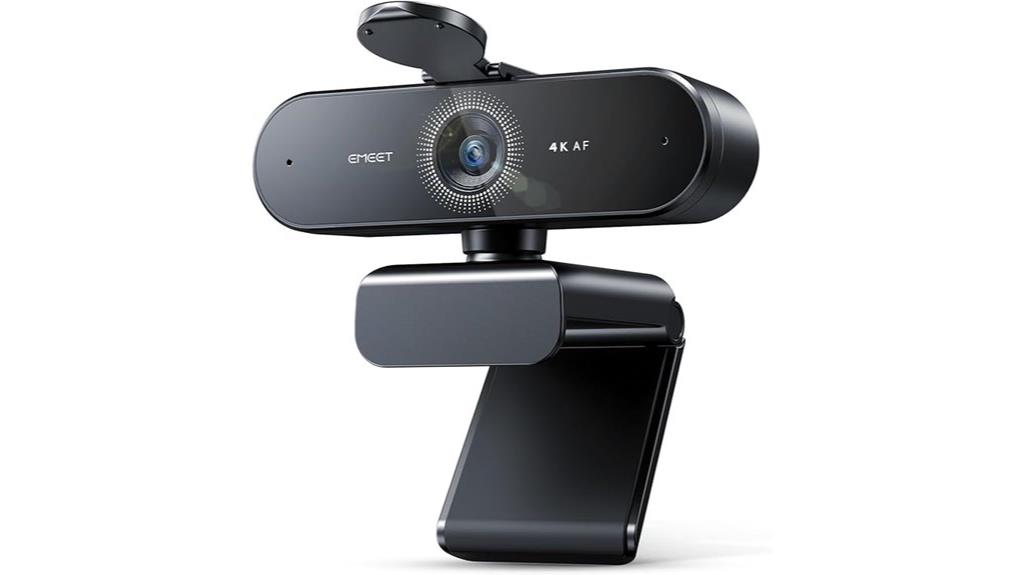
For professionals and content creators seeking exceptional video quality with minimal hassle, the EMEET NOVA 4K Webcam stands out as an ideal choice. It delivers crisp 4K visuals at 30FPS, with auto light correction and vibrant colors, making it perfect for meetings, streaming, or online teaching. The autofocus with PDAF technology ensures sharp images even with motion, while dual noise-cancelling microphones provide clear audio up to 8 feet away. Its plug-and-play USB-A connection, privacy cover, and flexible mounting options make setup easy and secure. Overall, the NOVA combines high performance with user-friendly features, elevating your video presence effortlessly.
Best For: professionals, content creators, and online educators seeking high-quality 4K video and clear audio for meetings, streaming, or teaching.
Pros:
- Delivers crisp 4K resolution at 30FPS with auto light correction and vibrant colors
- Autofocus with PDAF technology ensures sharp images even with motion
- Dual noise-cancelling microphones provide clear audio up to 8 feet away
Cons:
- Video defaults to 1080P and requires software to switch to 4K
- Built-in microphones may pick up ambient sounds during streaming or podcasts
- Requires USB-A port, which may be incompatible with some newer devices without adapters
Logitech Brio 4K Webcam
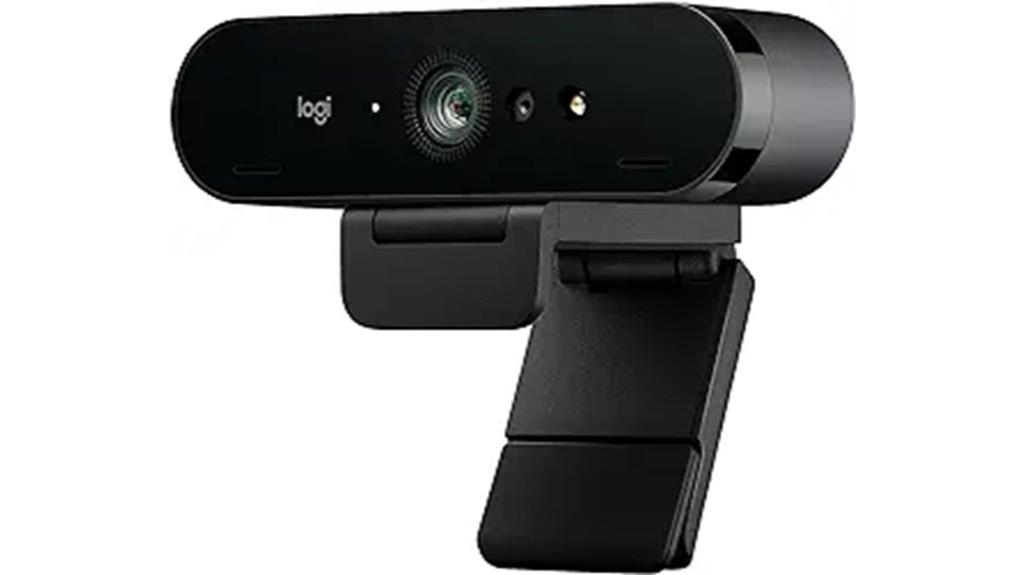
Designed for professionals and streamers who demand top-tier video quality, the Logitech Brio 4K Webcam delivers stunning Ultra HD resolution at 30fps, guaranteeing sharp, detailed images in any setting. It offers flexible options for 1080p and 720p, with adjustable fields of view (65°, 78°, 90°) via Logi Tune, plus autofocus and HDR for superior clarity in various lighting conditions. Its dual noise-canceling microphones provide clear audio, while the privacy shutter ensures security. Compatible with Windows, Mac, ChromeOS, and major platforms, it’s a reliable, versatile choice for conferencing, streaming, or recording, priced around $170.
Best For: professionals, streamers, and remote workers seeking high-quality 4K video with versatile features and reliable performance.
Pros:
- Exceptional 4K Ultra HD resolution with adjustable fields of view and HDR technology for clear, detailed images.
- Superior audio quality with dual noise-canceling microphones suitable for professional and streaming use.
- Compatibility across multiple platforms and easy plug-and-play setup, complemented by useful software features like Windows Hello login.
Cons:
- Premium price point around $170 may be costly for some users.
- Stand design offers less flexibility compared to other models, limiting mounting options.
- Lacks built-in pan or tilt features, requiring tripod use for flexible positioning.
Logitech MX Brio Ultra HD 4K Webcam

If you’re serious about professional-quality video, the Logitech MX Brio Ultra HD 4K Webcam stands out with its exceptional clarity and advanced features. It captures 4K resolution at 30fps and 1080p at 60fps, thanks to larger pixels and HDR technology for sharp, detailed images. It offers 2x better face visibility in low light and uses AI enhancements for auto-exposure, white balance, noise reduction, and autofocus. With adjustable fields of view, support for major conferencing apps, and customizable controls, it’s perfect for streaming or professional calls. Plus, dual noise-reducing microphones and versatile mounting options make it a top-tier choice for content creators and professionals alike.
Best For: professionals, streamers, and content creators seeking ultra-high-definition video quality and advanced customization features for video calls, streaming, or recording.
Pros:
- Exceptional 4K resolution at 30fps and 1080p at 60fps with HDR technology for sharp, detailed images
- Advanced AI enhancements for auto-exposure, white balance, noise reduction, and autofocus
- Flexible mounting options and customizable controls for tailored setup and performance
Cons:
- Weak magnet mounts and adhesive that may require additional solutions for secure placement
- Premium price point reflecting its high-end features and build quality
- Slightly larger size may be less convenient for portable or space-constrained setups
Insta360 Link 2 4K Webcam with AI Tracking and HDR
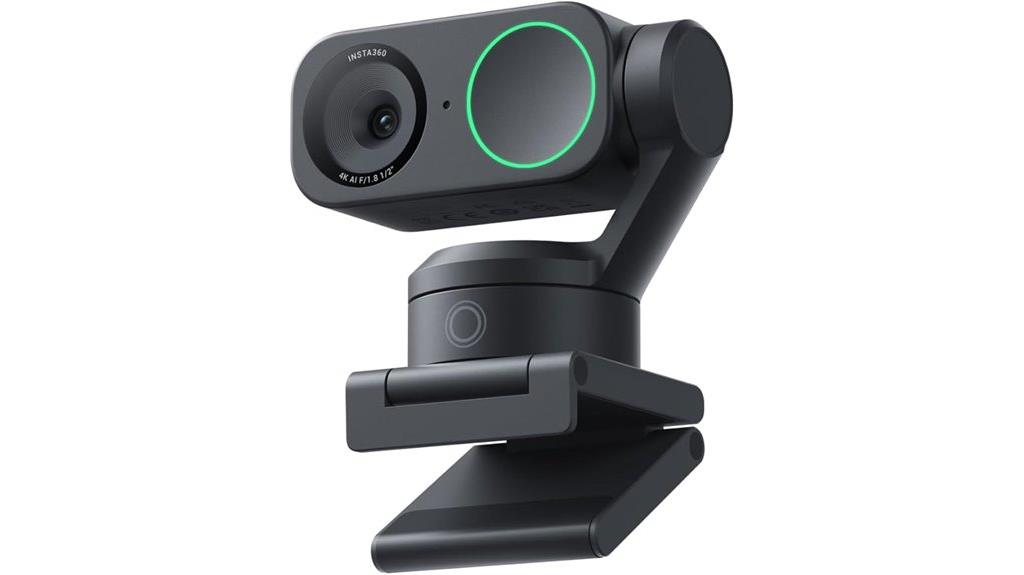
The Insta360 Link 2 4K Webcam stands out with its advanced AI tracking, making it an ideal choice for content creators and professionals who need to stay perfectly framed during dynamic movements. Its 1/2 sensor delivers true-to-life 4K visuals with HDR and excellent low-light performance, ensuring crisp, detailed images. The camera’s compact design hides powerful panning and tilting mechanisms, responding smoothly to AI tracking and gesture controls. With specialized modes like Whiteboard and background replacement, it’s versatile for various scenarios. The built-in noise-canceling mic and user-friendly software complete the package, making it a top-tier option for high-quality streaming and recording.
Best For: content creators and professionals seeking high-quality, versatile webcams with advanced AI tracking and customizable modes for dynamic and engaging video production.
Pros:
- Delivers true-to-life 4K visuals with HDR and excellent low-light performance
- Advanced AI tracking with smooth panning and tilting for perfect framing during movement
- Supports specialized modes like Whiteboard, background replacement, and downward orientation for diverse scenarios
Cons:
- Premium price point (~$199 USD) may be a barrier for some users
- Slightly larger size than standard webcams, requiring dedicated space on desks or setups
- Reliance on software for full feature utilization may require learning curve and updates
EMEET C950 4K Webcam for PC

For anyone seeking professional-quality video at an affordable price, the EMEET C950 4K Webcam for PC stands out with its impressive 4K resolution and fast autofocus. It supports resolutions from 4K@30FPS to 1080P@60FPS, delivering sharp, detailed images, especially in good lighting. Its 8-megapixel CMOS sensor improves low-light performance, while the 70° field of view keeps the focus on you. The autofocus with PDAF is quick and stable, though some minor lag may occur. Its built-in noise-canceling microphone captures clear audio up to 6 feet, perfect for remote meetings or streaming. The compact design, privacy cover, and plug-and-play USB 2.0 make it easy to set up and use.
Best For: professionals, educators, and content creators seeking affordable, high-quality 4K video with reliable autofocus and clear audio for remote meetings and streaming.
Pros:
- Supports high-resolution 4K@30FPS and up to 1080P@60FPS for crisp, detailed images
- Quick, stable autofocus with PDAF enhances video clarity and focus accuracy
- Built-in noise-canceling microphone provides clear audio up to 6 feet, suitable for calls and streaming
Cons:
- Minor focus lag reported by some users during video
- Lacks tripod mount, limiting versatile positioning options
- Build quality and stability may feel somewhat cheap or less sturdy
OBSBOT Tiny 2 Lite 4K Webcam with AI Tracking and Microphones
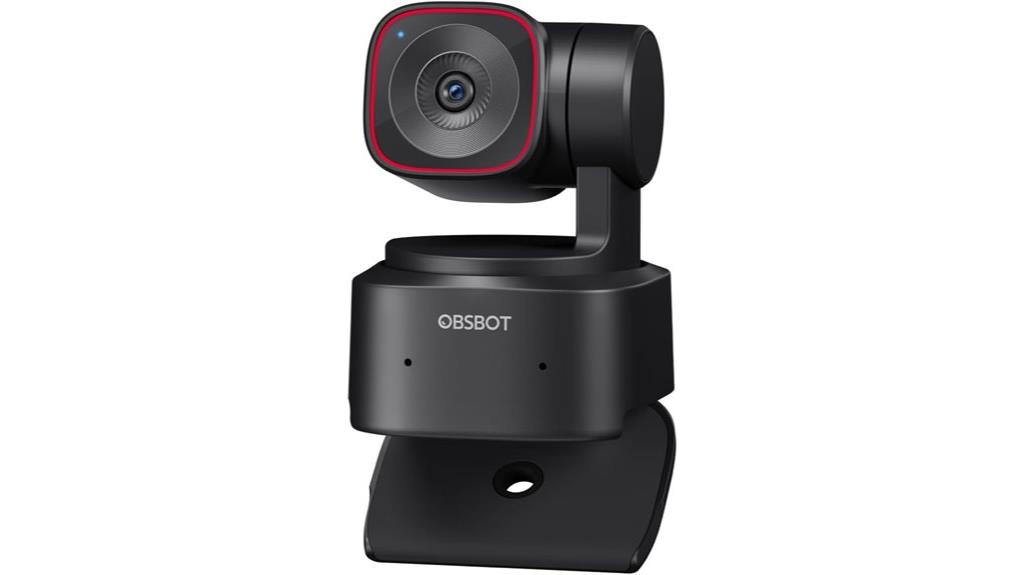
With its advanced AI tracking modes and 4K resolution, the OBSBOT Tiny 2 Lite is ideal for streamers and content creators who need precise camera control without complicated setup. It features multiple AI-driven tracking options, including upper body and hand tracking, with customizable areas and saved presets for quick scene changes. Its sharp 4K images perform well in various lighting conditions, and auto-focus is smooth and natural. The webcam’s plug-and-play design makes it straightforward to use, while support for SDK and hotkeys allows for advanced customization. Overall, it offers a versatile, high-quality solution perfect for live streaming, meetings, and content creation.
Best For: content creators, streamers, and professionals seeking a high-quality, AI-enabled webcam for live broadcasts, meetings, and video content.
Pros:
- Excellent 4K resolution with sharp, clear images and natural color reproduction
- Advanced AI tracking modes with customizable areas and presets for quick scene adjustments
- Easy plug-and-play setup with support for SDK and hotkeys for further customization
Cons:
- Occasional software glitches such as automatic reset positioning
- Built-in microphone quality is acceptable but may not suit professional audio needs
- Gesture control accuracy can vary depending on lighting and user movement
4K Webcam with Sony Sensor, Auto Focus & Privacy Cover
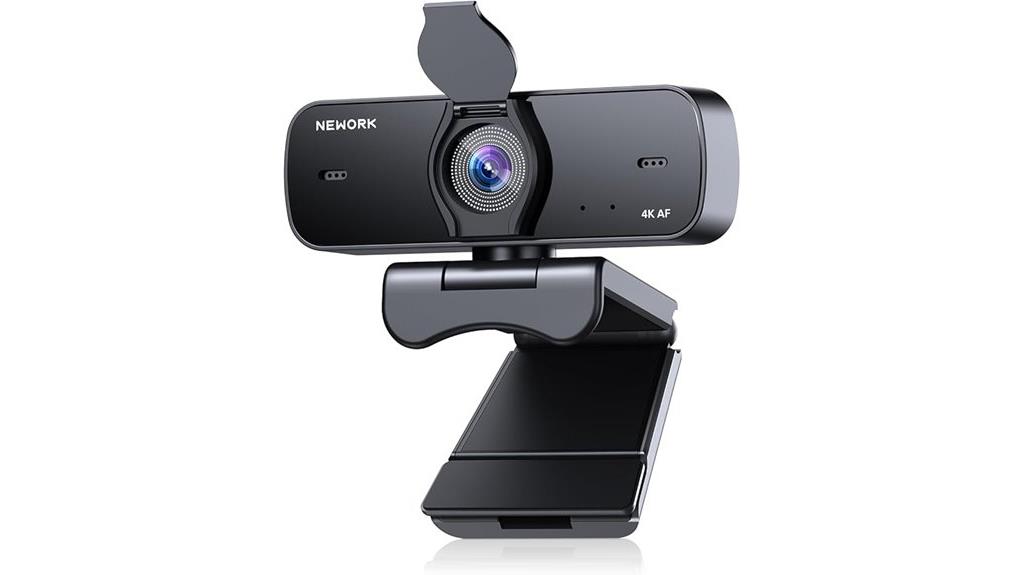
If you’re serious about professional-quality video, a webcam featuring a Sony sensor combined with auto-focus and a privacy cover is an excellent choice. The 4K resolution delivers crisp, vibrant visuals that surpass many built-in cameras, perfect for streaming and video calls. Its intelligent auto-focus adjusts smoothly, keeping you sharp even during movement. The wide-angle lens and flexible tilt allow for natural framing, and plug-and-play connectivity makes setup quick and easy. Plus, the privacy cover ensures your lens is protected when not in use. Overall, this webcam offers excellent image quality, durability, and user-friendly features, making it a top pick for both work and content creation.
Best For: professionals, content creators, and remote workers seeking high-quality, reliable 4K video with easy setup and advanced auto-focus.
Pros:
- Crystal-clear 4K resolution with vibrant, professional-quality visuals
- Seamless auto-focus and wide-angle lens support dynamic framing and movement
- Plug-and-play USB connectivity with privacy cover for security and easy installation
Cons:
- Some users report occasional focus inconsistencies or weak clasp on the privacy cover
- External microphones may be needed for enhanced audio clarity in noisy environments
- Slightly larger footprint may require additional space for optimal positioning
Insta360 Link 2C 4K Webcam for PC/Mac
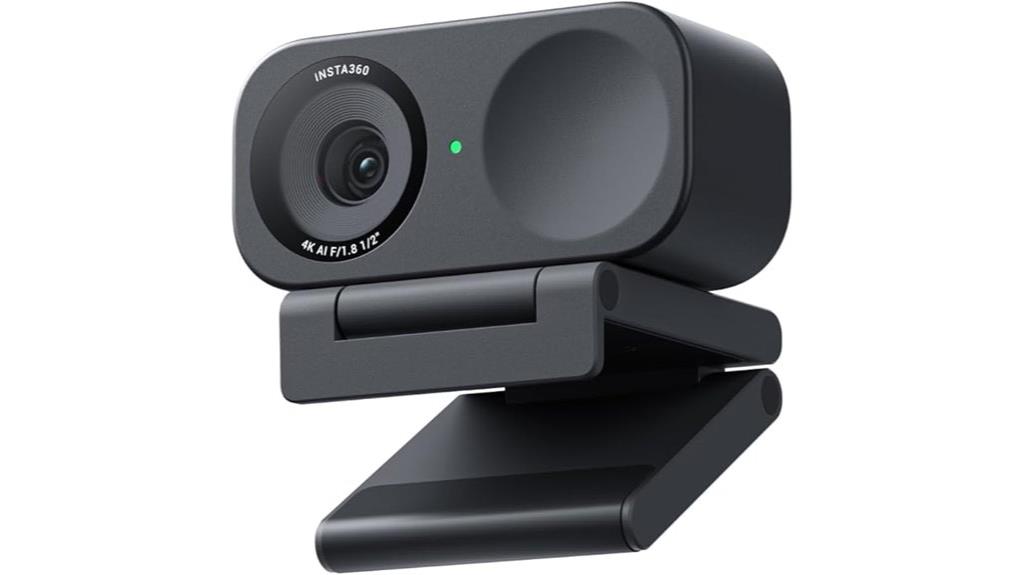
The Insta360 Link 2C 4K Webcam stands out thanks to its true-to-life 4K visuals enhanced by HDR and excellent low-light performance, making it ideal for professionals who demand sharp, vibrant video quality. Its 1/2 sensor and True Phase Detection Auto Focus ensure fast, accurate focusing, delivering crisp images every time. The natural DSLR-like bokeh adds a professional touch with beautiful depth of field. Auto Framing adjusts seamlessly to keep you in view, while modes like DeskView, Whiteboard, and 4K Portrait adapt to different scenarios. With AI noise-canceling microphones and gesture controls, it offers a complete, user-friendly streaming experience for work or content creation.
Best For: professionals, streamers, and content creators seeking high-quality 4K video with advanced auto-framing and versatile modes.
Pros:
- Delivers true-to-life 4K visuals with HDR and excellent low-light performance
- Fast and accurate focus with True Phase Detection Auto Focus ensures crisp images
- Auto Framing and specialized modes like DeskView and Whiteboard adapt to various scenarios
Cons:
- May be more expensive compared to standard webcams with lower resolutions
- Requires compatible software and devices to access all features fully
- Slightly larger form factor might not suit all setups
Logitech Brio 4K Webcam with Noise-Cancelling Mic
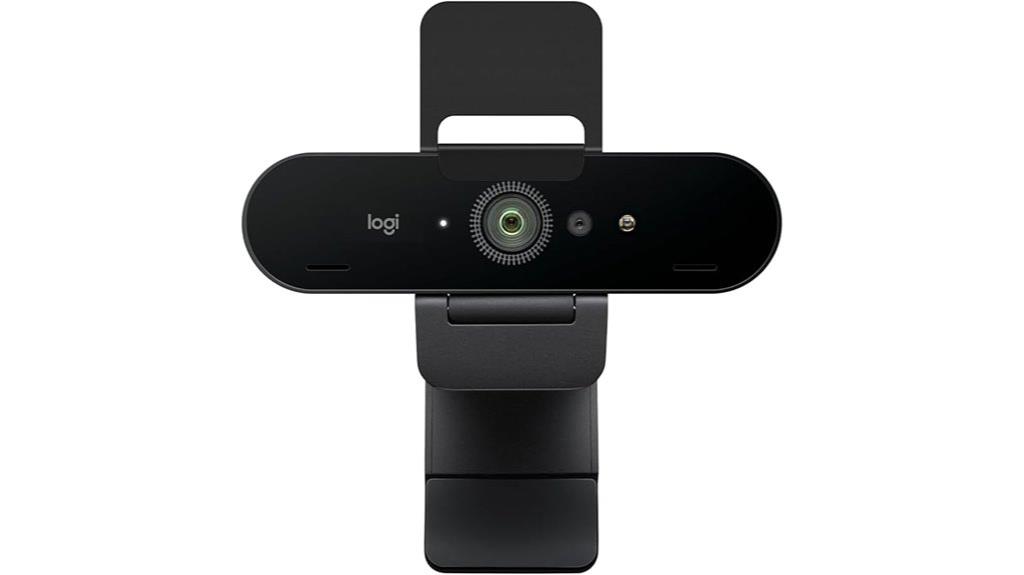
For professionals and streamers seeking top-tier video quality, the Logitech Brio 4K Webcam with Noise-Cancelling Mic stands out as a premier choice in 2025. It delivers ultra HD resolution with 4K at 30 fps, ensuring sharp, vibrant images, complemented by HDR and RightLight 3 technology that adapt to various lighting conditions. Its adjustable field of view offers flexibility for different shots, while dual omnidirectional microphones with noise cancellation minimize background noise for clear audio. Compatibility with multiple platforms, Windows Hello support, and easy setup make it user-friendly. The built-in privacy shutter adds security, though some find it fragile. Overall, it’s a high-performance webcam for any professional setting.
Best For: professionals, streamers, and remote workers seeking high-quality, versatile video and audio performance for meetings, streaming, or telehealth.
Pros:
- Ultra HD 4K resolution with vibrant, detailed images
- Advanced HDR and RightLight 3 technology for optimal lighting adjustment
- Noise-canceling dual microphones for clear audio in various environments
Cons:
- Fragile privacy shutter that may require careful handling
- Can generate heat during extended use
- Higher price point compared to other webcams with similar features
N NewEye 4K Webcam with Autofocus for PC and Streaming

Designed for streamers, remote workers, and content creators seeking sharp, reliable visuals, the N NewEye 4K Webcam with Autofocus stands out with its quick 1-second PDAF autofocus and 4K resolution. Its high-performance Sony sensor delivers ultra-clear images, supporting 30FPS for smooth streaming or 1080P at 60FPS for fluid video calls. Auto light correction guarantees clarity in various lighting conditions, while two noise-reduction microphones capture natural voice within nearly 10 feet. Its wide 79° field of view offers versatility, and the plug-and-play USB-A connection makes setup effortless. Built-in privacy cover and durable design make it a dependable choice for professional and personal use.
Best For: streamers, remote workers, and content creators who need high-quality, reliable visuals for streaming, video calls, and recording.
Pros:
- 4K resolution with Sony sensor for ultra-clear, detailed visuals
- Fast 1-second PDAF autofocus for quick and stable focus adjustments
- Auto light correction and noise-reduction microphones for optimal clarity in various conditions
Cons:
- Requires USB-A port, which may limit compatibility with newer devices
- May be overkill for simple video conferencing needs that do not require 4K quality
- Slightly larger size could affect portability for some users
EMEET PIXY 4K AI-Powered PTZ Webcam with Dual Cameras
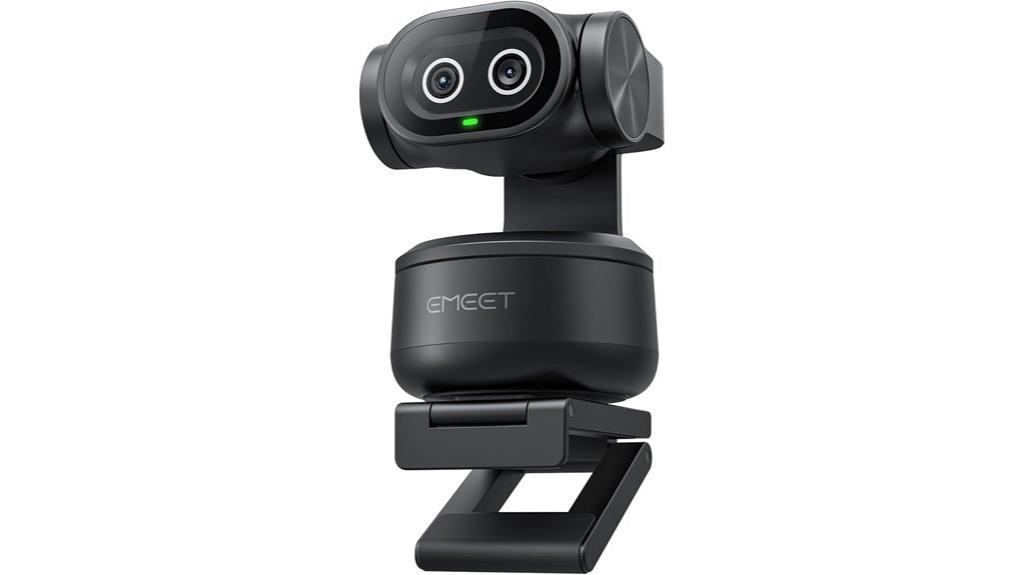
If you want a webcam that combines cutting-edge AI tracking with stunning 4K clarity, the EMEET PIXY 4K AI-Powered PTZ Webcam with Dual Cameras is an excellent choice. It features the world’s first dual-camera setup with a 1/2.55 Sony sensor, offering ultra-clear video and rapid autofocus thanks to PDAF and AI technology. Its advanced AI tracking predicts motion, keeping subjects centered with smooth pan and tilt, while gesture control adds hands-free convenience. With versatile resolutions, studio-grade microphones, and intuitive software, PIXY is perfect for content creators, streamers, and professionals seeking effortless, high-quality video performance.
Best For: content creators, streamers, and professionals seeking high-quality, AI-enhanced video with versatile tracking and easy operation.
Pros:
- Ultra-clear 4K video quality with fast autofocus and intelligent face tracking
- Advanced AI tracking with gesture control for hands-free operation
- Versatile resolutions and professional-grade microphones suitable for various streaming and conferencing needs
Cons:
- Software can have bugs and limited manual control options
- Some users find 4K video quality not matching high-end DSLR standards
- Not compatible with gaming consoles like Xbox or PlayStation
4K Webcam with Dual Autofocus and Noise Reduction Mic

The K Webcam with Dual Autofocus and Noise Reduction Mic stands out for its quick and precise focusing capabilities, making it ideal for anyone who needs sharp, clear images during fast-paced movements or changing lighting conditions. It delivers ultra HD 4K resolution at 30FPS and supports 1080P at 60FPS for smooth streaming and video calls. Its dual autofocus system, combining PDAF and CDAF, ensures crisp images even when you’re moving or the lighting shifts. The webcam’s built-in noise-canceling microphones and auto light correction guarantee clear audio and superior picture quality in any environment. Compact, portable, and easy to set up, it’s perfect for professional and personal use.
Best For: content creators, online educators, and professionals seeking high-quality video and audio for streaming, video conferencing, and live presentations.
Pros:
- Ultra HD 4K resolution at 30FPS with support for 1080P at 60FPS ensures smooth, detailed video quality
- Dual autofocus system (PDAF and CDAF) provides quick, precise focusing even with movement or changing lighting conditions
- Built-in noise-canceling microphones and auto light correction improve audio clarity and image quality in various environments
Cons:
- Some users have noted minor issues with mounting pad adhesion, affecting stability
- The compact size may limit some mounting options or adjustments for certain setups
- As a relatively new product (launched in March 2025), long-term durability reviews are limited
Webcam 4K with Microphone and Cover for Streaming and Video Calls
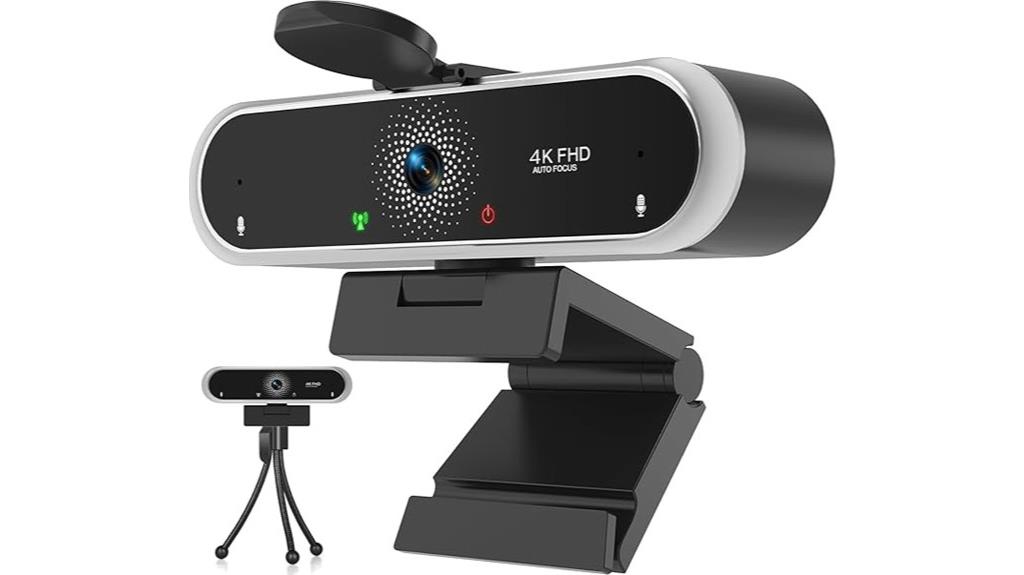
For those seeking a webcam that combines 4K video quality with practical features like a built-in microphone and privacy cover, this model offers a compelling option. It delivers crisp images with HDR and smooth 30 fps, even in challenging lighting, thanks to auto light correction and auto focus. The stereo microphones enhance audio clarity for calls and streaming, though some users report mic issues. A privacy cover ensures security, and the sturdy clamp and tripod provide flexible mounting. While the webcam is praised for ease of use and stability, actual 4K performance and color vibrancy may vary. Overall, it’s a solid, affordable choice for casual streaming and video calls.
Best For: casual streamers, video callers, and users seeking an affordable, easy-to-use webcam with 4K capabilities and privacy features.
Pros:
- Supports 4K resolution with HDR for clear, vibrant images and smooth 30 fps video.
- Includes auto light correction, auto focus, and 360° rotation for versatile, sharp visuals.
- Comes with a privacy cover, sturdy clamp, and mini tripod for flexible and secure mounting.
Cons:
- Some users report limited actual video quality, often around 1080p with inconsistent frame rates and dull colors.
- Microphone performance may be unreliable, with reports of poor audio quality or non-functionality.
- The webcam’s size and weight make it bulky and less portable, which could be inconvenient for travel.
Factors to Consider When Choosing Webcams 4K Streaming

When selecting a 4K streaming webcam, I focus on key factors like resolution, frame rate, and autofocus to guarantee sharp, smooth video. I also consider microphone quality, compatibility with my setup, and privacy features to make my streams seamless and secure. Understanding these points helps me choose a webcam that matches my needs perfectly.
Video Resolution & Frame Rate
Choosing the right webcam involves paying close attention to its video resolution and frame rate, as these factors directly influence the clarity and smoothness of your streams. A 4K resolution provides about 8.3 million pixels, delivering ultra-clear, detailed video perfect for professional streaming or content creation. Frame rate, measured in FPS, impacts motion smoothness; 30FPS offers smooth visuals, while 60FPS ensures ultra-smooth motion, ideal for fast-paced content like gaming or dynamic presentations. Some webcams allow you to adjust resolution and frame rate, helping you balance image quality with bandwidth limitations. Consistently high resolution and frame rate are essential for sharp visuals and fluid motion, making your streams look professional and engaging. Prioritizing both guarantees you get the best visual experience tailored to your needs.
Autofocus & Light Correction
Autofocus and auto light correction are critical features to contemplate because they directly impact the clarity and professionalism of your 4K streams. Autofocus, whether PDAF or contrast detection, ensures sharp images by adjusting focus automatically during movement or scene changes. High-quality webcams often feature fast autofocus, with focus speeds as quick as 0.2 seconds, keeping your image crisp even during rapid movements. Auto light correction enhances visibility by adjusting exposure and contrast in real-time, which is essential in varying lighting conditions—from dim rooms to bright sunlight. While proper lighting still plays a role, effective light correction can compensate for poor environments. Together, autofocus and light correction create a stable, professional-looking stream that maintains clarity and detail, making your content stand out.
Microphone Quality & Noise
Clear visuals are important, but audio quality can make or break your streaming experience. High-quality webcams often include dual noise-canceling microphones that effectively filter out background noise, ensuring your voice comes through clearly. The microphone’s pickup range varies, with some models capturing sound up to 9.8 feet, which suits different room sizes and setups. However, environmental noise can still impact audio, so external microphones might be necessary in noisy surroundings. Built-in microphones sometimes produce glitches or inconsistent sound, but software updates or adjustments can help. For professional-grade audio, many users prefer webcams with AI noise reduction or the option to connect dedicated external mics for even better clarity. Good microphone quality is essential for engaging, professional streams.
Compatibility & Setup Ease
When selecting a 4K streaming webcam, guaranteeing easy setup and broad compatibility can save you time and frustration. Look for models that support plug-and-play connectivity via USB-A or USB-C, so you won’t need extra drivers or complicated installations. Confirm that the webcam works seamlessly with your operating system—whether it’s Windows, macOS, Linux, or Android—to avoid recognition issues. It’s also important to verify compatibility with your preferred video conferencing or streaming platforms, like Zoom, OBS, or Teams. Features like automatic device detection and clear installation instructions make setup straightforward. Additionally, software support for customizing camera settings can simplify adjustments and enhance your user experience. Prioritizing these factors ensures a smooth setup process and reliable performance for all your streaming needs.
Privacy & Mounting Options
Choosing the right webcam involves considering how it can be securely mounted and how well it protects your privacy. A flexible mounting system, like adjustable clamps, tripod threads, or monitor mounts, ensures stable placement and helps you frame your shot perfectly. Look for webcams with built-in privacy covers that allow you to quickly block the lens when not in use, giving you peace of mind. Compatibility with various surfaces and adjustable tilt or rotation angles lets you customize positioning to suit different environments. Some models feature 360° horizontal rotation and vertical tilt, making aiming effortless without extra tools. Secure, stable mounts prevent camera shake or accidental displacements during streaming or calls, maintaining a professional appearance and smooth experience.
Additional Features & Software
Enhanced image quality and user experience often hinge on the additional features and software controls built into 4K webcams. Auto light correction, auto focus, and wide-angle lenses ensure sharp images and proper framing without manual adjustments, saving time and effort. Software controls let me customize brightness, contrast, saturation, and field of view, giving me precise control over my video output. Some webcams incorporate AI-powered features like auto framing, background removal, and gesture control, making interactions more seamless and professional. Privacy tools such as physical covers and software-based shutters add peace of mind during idle periods. Compatibility with various applications and platforms is also essential, with dedicated software providing firmware updates and performance enhancements to keep my setup optimized and secure.
Frequently Asked Questions
How Do 4K Webcams Perform in Low-Light Conditions?
4K webcams can perform quite well in low-light conditions, especially models with larger sensors and advanced night vision features. I’ve noticed that many newer webcams automatically adjust exposure and brightness, which helps improve image clarity even in dim settings. However, for the best results, I recommend using additional lighting or choosing a webcam with good low-light capabilities, so your video stays clear and sharp regardless of the lighting situation.
Are 4K Webcams Compatible With All Operating Systems?
Yes, most 4K webcams are compatible with popular operating systems like Windows, macOS, and Linux. I’ve found that manufacturers usually specify system requirements clearly, so I always check before buying. If you’re using an older OS, you might need to update drivers or software. Overall, these webcams are designed to work seamlessly across different platforms, making setup straightforward whether you’re on a PC or Mac.
What Is the Typical Latency for Live Streaming With 4K Webcams?
You might find it surprising, but the typical latency for live streaming with 4K webcams usually ranges from 100 to 300 milliseconds. I’ve noticed that factors like your internet speed, streaming platform, and computer performance play big roles. When everything’s optimized, I can get pretty smooth, near real-time video. Still, it’s good to remember that some delay is inevitable—just part of the streaming game!
How Do Privacy Features Like Covers and Software Impact Webcam Security?
Privacy features like covers and software markedly boost webcam security. Covers physically block the lens when not in use, preventing unauthorized access or spying. Security software can alert me to suspicious activity, control access permissions, and even disable the webcam remotely. I always use both for peace of mind, knowing I’m protected from potential hacks or privacy breaches. These tools are essential in today’s digital world to keep my personal space safe.
Can 4K Webcams Be Used Effectively for Virtual Backgrounds or Green Screens?
Sure, 4K webcams are perfect for virtual backgrounds or green screens—if you enjoy chasing shadows and wrestling with chroma key magic. Their high resolution means sharper images, but you’ll need good lighting and software finesse to make backgrounds seamless. Otherwise, you might end up looking like you’re floating in a digital fog. So, yes, they can be effective, but don’t forget to invest in proper setup and patience!
Conclusion
Choosing the right 4K webcam is like picking the perfect lens for a clear shot—each feature sharpens your overall quality. Whether you want superb autofocus, dual mics, or advanced light correction, there’s a model that fits your needs. Investing in a top-tier webcam elevates your video calls and streams from good to crystal clear. So, take your time, consider what matters most, and get ready to impress with visuals as sharp as a razor.