Choosing the best conference room display for a contact center involves balancing size, interactivity, and integration capabilities. The Yealink MeetingBoard 86 Pro stands out for its massive 86-inch 4K screen, perfect for immersive meetings, but it comes with a hefty price and weight. The KanDao Meeting Ultra offers a high-tech all-in-one solution with AI features and dual 4K cameras, making it ideal for dynamic, hybrid environments—yet it may be overkill for smaller teams or budgets. For versatile digital signage and conferencing, the HORION 75-inch provides vibrant visuals and wireless capabilities, though its brightness might cause glare in bright rooms. Balancing size, features, and price will help determine the best fit for your contact center’s needs.

Get business pricing on tech for your team
- Business-only prices and quantity discounts
- Tax-exempt purchasing
- Multiple users, one account, clear invoices
Key Takeaways
- Large screens like the Yealink MeetingBoard 86 Pro excel for immersive collaboration but come at higher costs and require sturdy mounting.
- All-in-one systems like the KanDao Meeting Ultra combine high-definition video, AI tracking, and touch controls, suited for advanced hybrid meetings.
- Commercial displays such as the HORION 75-inch offer vibrant visuals and versatility, ideal for multi-purpose conference rooms with digital signage needs.
- Size and weight are critical considerations—more expansive displays demand robust mounting and space planning.
- Features like AI auto-tracking or wireless casting enhance meeting productivity but may increase complexity and price.
| Yealink MeetingBoard 86 Pro 86-Inch LED Backlight LCD Display |  | Best Overall for Immersive, Interactive Meetings | Display Size: 86 inches | Resolution: 4K UHD | Brightness: 400 cd/m² | VIEW LATEST PRICE | See Our Full Breakdown |
| KanDao Meeting Ultra All-in-One Conference System with 4K HDR 360° Cameras and 15.6″ Touchscreens |  | Best for Advanced Hybrid Meeting Capabilities | Display: Two 15.6″ 1080P FHD IPS touchscreens | Cameras: Dual 4K HDR 360° panoramic webcams | Microphones: 8 omnidirectional microphone arrays | VIEW LATEST PRICE | See Our Full Breakdown |
| HORION 75″ 4K UHD Commercial Display – Digital Signage & Conference Monitor with Wireless Casting |  | Best Versatile Display for Digital Signage & Conferencing | Display Size: 75 inches | Resolution: 4K UHD | Brightness: 320 cd/m² | VIEW LATEST PRICE | See Our Full Breakdown |
| Samsung QB65R 65-Inch 4K UHD LED Commercial Signage Display for Business |  | Best for Compact, Vivid Conference & Signage Use | Display Size: 65 inches | Resolution: 4K UHD | Brightness: 350 nit | VIEW LATEST PRICE | See Our Full Breakdown |
| JAV 55-Inch Smart Board Pro with 4K UHD Touchscreen, AI Camera, Android 14, Wall Mount Included |  | Best Interactive Whiteboard for Collaboration & Learning | Screen Size: 55 inches | Resolution: 4K UHD | Touch Points: 20 | VIEW LATEST PRICE | See Our Full Breakdown |
| contact center conference room display | Resolution | Display Size | Brightness |
|---|---|---|---|
| Yealink MeetingBoard 86 Pro 86 | 4K UHD | 86 inches | 400 cd/m² |
| KanDao Meeting Ultra All-in-On | — | — | — |
| HORION 75" 4K UHD Commercial D | 4K UHD | 75 inches | 320 cd/m² |
| Samsung QB65R 65-Inch 4K UHD L | 4K UHD | 65 inches | 350 nit |
| JAV 55-Inch Smart Board Pro wi | 4K UHD | — | — |
More Details on Our Top Picks
Yealink MeetingBoard 86 Pro 86-Inch LED Backlight LCD Display
The Yealink MeetingBoard 86 Pro stands out for its enormous 86-inch 4K UHD screen, making it ideal for large, engaging conference rooms. Its multi-touch functionality and built-in whiteboard turn it into a collaborative platform, while the integrated 4K camera and 16 microphones ensure high-quality audio and video. Compared to smaller displays, it offers unmatched visual presence but is significantly heavier and more expensive, which limits flexibility for smaller spaces or tighter budgets. Its size and weight demand sturdy mounting solutions, and the high cost may be a barrier for some organizations. Still, for those prioritizing visual impact and interactive features, this model delivers a compelling package.
Pros:- Massive 86-inch 4K UHD display creates an immersive experience
- Multi-touch screen with interactive whiteboard features
- Built-in 4K camera and 16 microphones for high-quality audio/video
- Android OS for flexible app integration
Cons:- Very heavy at 191.7 pounds, requiring robust mounting
- High price point may be prohibitive
- Limited portability due to size and weight
Best for: Large contact centers needing an immersive, interactive conference display
Not ideal for: Smaller rooms, budget-conscious teams, or those requiring portability
- Display Size:86 inches
- Resolution:4K UHD
- Brightness:400 cd/m²
- Operating System:Android
- Weight:191.7 pounds
- Model Number:MB86PRO-A02
Our verdict“This display is best suited for large, dedicated conference rooms where visual impact and interactivity are priorities.”
KanDao Meeting Ultra All-in-One Conference System with 4K HDR 360° Cameras and 15.6″ Touchscreens
The KanDao Meeting Ultra offers a comprehensive, high-tech conference system with dual 4K HDR 360° cameras and two 15.6-inch touchscreens. Its AI-powered auto-tracking and auto-framing features adapt seamlessly to dynamic meeting situations, making it perfect for medium to large rooms where high-definition virtual collaboration matters. Compared with larger, traditional displays, this system emphasizes smart features over sheer size, providing a more integrated experience. Its complexity and cost can be drawbacks, especially if organizations lack technical support or need a simpler setup. However, for teams that value AI-driven automation and high-quality video, this system elevates the virtual meeting experience significantly.
Pros:- Dual 4K HDR 360° cameras for panoramic, high-quality video
- AI auto-tracking and auto-framing improve focus and engagement
- High-definition touchscreens with intuitive controls
- Compatible with major platforms like Zoom, Teams, and WebEx
Cons:- Potentially high cost for advanced features
- Requires ample space for optimal camera coverage
- Setup may need technical expertise
Best for: Medium to large hybrid contact centers seeking a high-tech, AI-enabled conference solution
Not ideal for: Small teams, budget-sensitive organizations, or those preferring simple setups
- Display:Two 15.6″ 1080P FHD IPS touchscreens
- Cameras:Dual 4K HDR 360° panoramic webcams
- Microphones:8 omnidirectional microphone arrays
- Speakers:10W Hi-Fi speakers
- AI Features:Auto-tracking, auto-framing
- Compatibility:Zoom, Teams, Skype, Google Meet
Our verdict“This system is ideal for contact centers that prioritize smart, high-definition hybrid meetings with automated focus features.”
HORION 75″ 4K UHD Commercial Display – Digital Signage & Conference Monitor with Wireless Casting
The HORION 75-inch 4K UHD display combines vibrant visuals with versatile conference features, such as wireless casting and multiple connectivity options. Its 75-inch size strikes a balance between impact and manageability, making it suitable for multi-purpose conference rooms that also function as digital signage hubs. Its high brightness and wide viewing angles enhance visibility in various lighting conditions. Compared to larger, more specialized displays, this model offers excellent value with broad functionality, though its brightness might cause glare in very bright settings, and its hardware specifics are less detailed. It’s a practical choice for organizations needing a flexible, all-in-one display.
Pros:- Vibrant 4K display with wide viewing angles
- Wireless casting and multiple connection options
- Supports digital signage and conferencing in one device
- Certified for low blue light for eye comfort
Cons:- High brightness may cause glare in bright environments
- Limited internal hardware detail available
- Requires professional installation for optimal setup
Best for: Medium-sized contact centers seeking a versatile, high-quality visual and conferencing solution
Not ideal for: Rooms with very bright lighting or users requiring detailed hardware customization
- Display Size:75 inches
- Resolution:4K UHD
- Brightness:320 cd/m²
- Viewing Angles:178°
- Connectivity:Wireless casting, HDMI, WiFi, Bluetooth 5.1
- Speakers:15W Dolby Audio
Our verdict“Ideal for organizations that need a flexible display capable of serving both digital signage and conference needs without sacrificing visual quality.”
Samsung QB65R 65-Inch 4K UHD LED Commercial Signage Display for Business
The Samsung QB65R offers a 65-inch 4K UHD display that excels at vibrant visuals and simple content management. Its slim, elegant design makes it easy to install in various conference rooms, especially where space is limited. It supports wireless control and content sharing via Wi-Fi and Bluetooth, and is compatible with collaboration tools like Cisco WebEx. However, its smaller size compared to larger displays can limit immersive impact, and details about audio capabilities are sparse. It’s a practical choice for smaller conference rooms or environments where visual quality and ease of use are more important than size or advanced features.
Pros:- Vivid 4K UHD picture quality with Crystal Color
- Easy to install with slim profile and clean design
- Supports wireless content sharing and control
- UHD upscaling for high-quality media
Cons:- Limited internal hardware details
- Size may limit immersion in large rooms
- No detailed info on audio features
Best for: Smaller contact centers or conference rooms needing vivid visuals and simple management
Not ideal for: Large rooms requiring an immersive display or advanced AI features
- Display Size:65 inches
- Resolution:4K UHD
- Brightness:350 nit
- Contrast Ratio:4000:1
- Connectivity:Wi-Fi, Bluetooth, Media Player
Our verdict“Best suited for smaller spaces that prioritize high-quality visuals and straightforward operation.”
JAV 55-Inch Smart Board Pro with 4K UHD Touchscreen, AI Camera, Android 14, Wall Mount Included
The JAV 55-Inch Smart Board Pro combines a 4K UHD touchscreen with AI-powered tools and Android 14, making it a strong choice for interactive meetings and collaborative sessions. Its 20-touch points and AI camera support multi-user interaction, ideal for classrooms, training sessions, or small to medium contact centers emphasizing interactivity. Compared with larger displays, its smaller size and focus on touch and AI features make it less suitable for immersive presentations but excellent for hands-on collaboration. The price is not specified, but its feature set suggests a premium segment. It’s best for teams needing dynamic engagement and AI-driven tools in a compact form.
Pros:- High-resolution 4K UHD touchscreen with multi-touch support
- AI camera and noise suppression for clearer meetings
- Powerful processor with ample storage and Android 14 OS
- Supports wireless screen sharing
Cons:- Large size requires significant setup space
- Features may have a learning curve for new users
- Price not specified, possibly high
Best for: Small to medium contact centers or teams prioritizing interactive collaboration
Not ideal for: Large conference rooms or organizations needing a large visual impact
- Screen Size:55 inches
- Resolution:4K UHD
- Touch Points:20
- Camera:48MP AI Camera
- Processor:8-core Cortex-A73
- OS:Android 14
Our verdict“Best suited for organizations seeking an interactive, AI-enhanced whiteboard for engaging, collaborative sessions.”
How We Picked
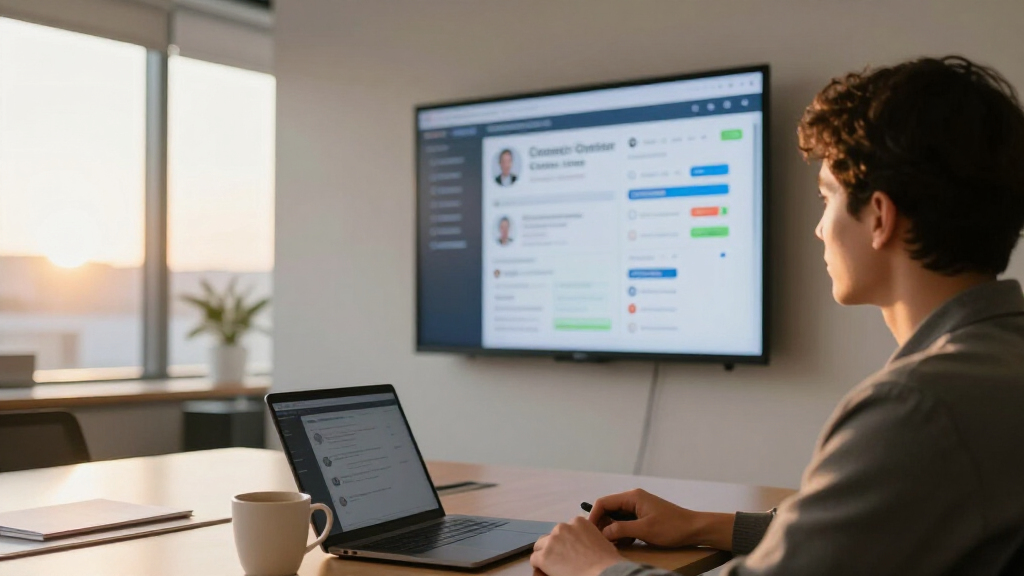
Our selection process focused on displays that are specifically designed or highly suitable for contact center conference rooms. We prioritized high-resolution screens, interactivity, and integration with conferencing platforms. Size was a key factor—larger displays for immersive meetings and versatile signage—along with ease of use, installation requirements, and overall value. We included a range of options from large interactive whiteboards to compact signage displays, ensuring each product offers distinct advantages for different contact center environments. Tradeoffs such as cost, complexity, and hardware weight were carefully considered to provide balanced recommendations.
Factors to Consider When Choosing Best Contact Center Conference Room Display
Selecting the right contact center conference room display requires understanding your room size, meeting needs, and technical integration. The decision hinges on whether you prioritize large immersive screens, smart AI features, or versatile signage capabilities. Features like touch interactivity, camera quality, and wireless connectivity can make a significant difference in meeting productivity and engagement. Considering your space constraints, budget, and desired level of automation will guide you to the best fit for your organization.Size and Visual Impact
The display size should align with your room dimensions and meeting style. Larger screens like the Yealink MeetingBoard 86 Pro create an immersive experience but require sturdy mounting and ample space. Smaller options such as the Samsung QB65R are more suited for compact rooms but may lack the visual dominance needed for larger groups. Balance size with your room’s capacity and the level of visual engagement you desire.
Interactivity and Collaboration
Touch capabilities, whiteboard features, and AI tools enhance collaboration. The JAV Smart Board Pro offers multi-touch and AI tools for dynamic engagement, while the Yealink provides multi-touch with whiteboard functionality. If your team relies on interactive sessions or digital annotations, prioritize displays with robust touch and collaboration features over basic signage models.
Video and Audio Quality
High-quality cameras and microphones are vital for hybrid meetings. The KanDao Meeting Ultra’s dual 4K cameras and AI auto-tracking stand out, whereas the Yealink’s built-in camera and microphones are suitable for most standard rooms. Smaller displays like the Samsung or HORION may lack integrated video features, making external systems necessary. Consider the importance of visuals and sound clarity in your meetings.
Connectivity and Compatibility
Seamless integration with conferencing platforms is essential. Most models support popular platforms like Zoom, Teams, and WebEx. Wireless casting and media sharing are common features, but check compatibility with your existing network infrastructure. Advanced features like auto-framing or AI tracking may require additional setup or technical support.
Frequently Asked Questions
What size display is best for a contact center conference room?
The ideal size depends on your room dimensions and the number of participants. Larger displays like the Yealink MeetingBoard 86 Pro are perfect for big, immersive environments where everyone needs a clear view. For smaller to medium-sized rooms, 55 to 75-inch screens like the JAV Smart Board or HORION display offer a good balance between impact and space efficiency.
Are AI features necessary in a contact center display?
AI features such as auto-tracking, auto-framing, and noise suppression can significantly improve hybrid meeting quality by focusing on active speakers and reducing background noise. If your organization hosts frequent virtual or hybrid meetings, investing in AI-enabled systems like the KanDao Ultra can boost engagement and clarity, though they tend to come at a higher cost.
Can I use these displays for digital signage as well?
Yes, many of these models, such as the HORION and Samsung QB65R, are versatile enough to serve as digital signage solutions when not in meetings. They support wireless casting, media playback, and are designed for continuous use, making them suitable for dual-purpose environments where visual communication and information sharing are needed.
What are the main considerations when installing a large display?
Installing large displays requires sturdy mounting hardware, sufficient space for placement, and consideration of power and connectivity access. Heavier models like the Yealink need professional installation to ensure safety and optimal positioning. Also, ensure your room lighting minimizes glare and reflections to maximize visibility.
How do I choose between a large interactive whiteboard and a smaller signage display?
If your primary goal is active collaboration, whiteboard features, and immersive visuals, a large interactive display like the Yealink or KanDao makes sense. For environments where space is limited or the focus is on visual communication and digital signage, a smaller display like the Samsung QB65R or HORION offers flexibility and ease of use without sacrificing quality.
Conclusion
For organizations prioritizing immersive, interactive meetings with advanced collaboration tools, the Yealink MeetingBoard 86 Pro is the clear choice, despite its cost and weight. Contact centers seeking high-tech hybrid solutions will find the KanDao Ultra a compelling option, especially with AI automation. Smaller teams or those on a budget should consider the Samsung QB65R or HORION 75-inch for vibrant visuals and versatility. The JAV Smart Board Pro caters to users needing a compact, AI-powered whiteboard for engaging, collaborative sessions. Your specific needs—room size, interactivity level, budget—will determine the best fit among these top displays.
Halloween Picks
halloween
As an affiliate, we earn on qualifying purchases.