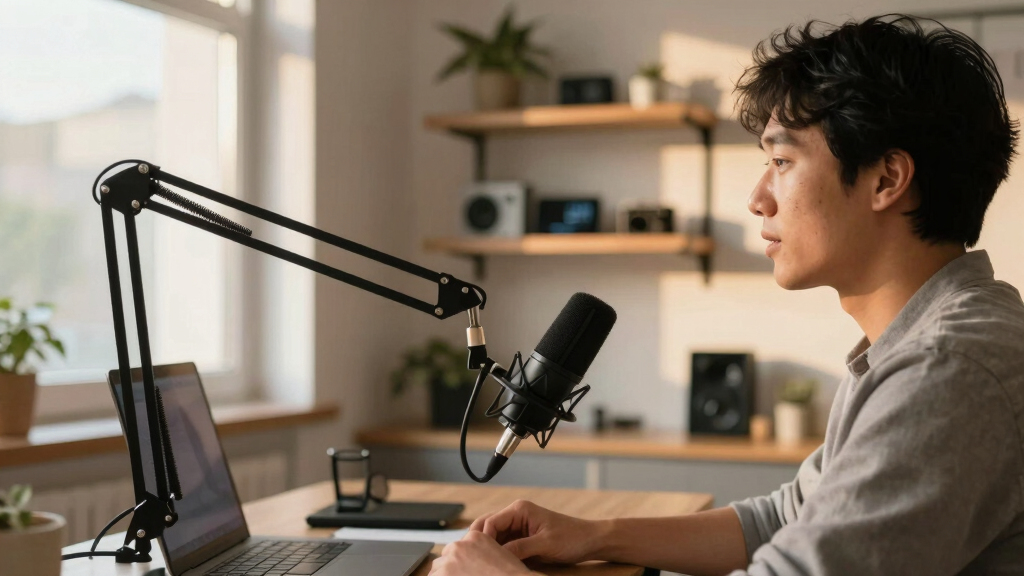

Choosing the best podcast microphone for business owners involves balancing sound quality, ease of setup, and value. The RØDE NT1 Signature Series stands out for its studio-grade clarity, making it ideal for professional branding. Meanwhile, the Blue Yeti USB Microphone offers plug-and-play convenience perfect for quick setups and streaming. The Shure MV7+ bridges professional XLR quality with USB simplicity, catering to versatile use. As tradeoffs, higher-end mics often require more investment or setup complexity, while budget options might compromise on sound detail. Continue reading for a detailed breakdown of each option to find the best fit for your business podcasting needs.

Get business pricing on tech for your team
- Business-only prices and quantity discounts
- Tax-exempt purchasing
- Multiple users, one account, clear invoices
Complete the kit



Key Takeaways
- Top picks balance professional sound quality with ease of use, especially for remote or on-the-go recording.
- XLR mics tend to offer better sound fidelity but require additional equipment and setup complexity.
- USB microphones provide straightforward plug-and-play functionality, ideal for quick setups and less technical users.
- Build quality and additional features like mute buttons or gain control significantly impact usability during live sessions.
- Price correlates with sound quality and features, but the best value often depends on how much a business owner prioritizes professional sound versus convenience.
| RØDE NT1 Signature Series Studio Condenser Microphone, Black |  | Best Overall for Studio-Quality Content | Connectivity Technology: XLR | Connector Type: XLR | Polar Pattern: Unidirectional | VIEW LATEST PRICE | See Our Full Breakdown |
| Logitech Blue Yeti USB Microphone for PC, Mac, Gaming, Recording, Streaming, Podcasting, Studio, and Computer – Blackout |  | Best for Beginners and Versatile Use | Pickup Patterns: Cardioid, Omni, Bidirectional, Stereo | Connectivity: USB | Software: Blue VO!CE | VIEW LATEST PRICE | See Our Full Breakdown |
| Samson Q2U USB/XLR Dynamic Microphone Recording and Podcasting Pack |  | Best for Flexibility and Basic Recording Needs | Type: Dynamic microphone | Connectivity: USB-C and XLR | Includes: Tripod stand, extension, mic clip, windscreen, USB-C and XLR cables | VIEW LATEST PRICE | See Our Full Breakdown |
| FIFINE AmpliTank K688CT Podcast Microphone Kit, USB/XLR Dynamic Vocal Mic | 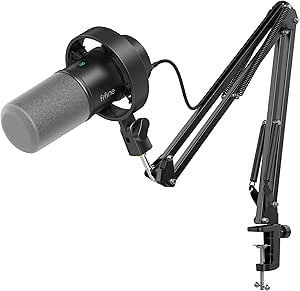 | Best for All-in-One Professional Setup | Connection Types: USB and XLR | Microphone Type: Dynamic | Included Accessories: Boom arm, shock mount, windscreen | VIEW LATEST PRICE | See Our Full Breakdown |
| Shure MV7+ USB-C & XLR Podcast Dynamic Microphone – Black |  | Best for Advanced, Feature-Rich Podcasting | Connectivity: USB-C & XLR | Features: Auto level, real-time denoising, reverb | Color: Black | VIEW LATEST PRICE | See Our Full Breakdown |
| Shure MV7+ USB-C & XLR Podcast Dynamic Microphone with Stand – Black |  | Best Overall for Versatility and Professional Sound | Connectivity: USB-C and XLR | Color: Black | Features: OBS Certified, Voice Isolation, Built-in DSP, LED Touch Panel | VIEW LATEST PRICE | See Our Full Breakdown |
| RØDE PodMic Cardioid Dynamic Broadcast Microphone, XLR |  | Best for Broadcast-Quality Voice with Durability | Type: Dynamic Broadcast Microphone | Polar Pattern: Cardioid | Connectivity: XLR | VIEW LATEST PRICE | See Our Full Breakdown |
| Tonor Dynamic Podcast Microphone for Content Creators, Cardioid XLR/USB Mic |  | Best for Versatile Recording with Multiple Modes | Audio Modes: Bass Roll-off, Vocal Clarity, Mid-Range Emphasis | Outputs: USB and XLR | Material: Built-in shock mount | VIEW LATEST PRICE | See Our Full Breakdown |
| MAONO PD200W Hybrid Wireless Podcast Microphone for PC, Dynamic XLR USB Mic |  | Best for Wireless Flexibility and Dual Microphone Use | Connectivity: USB, Wireless, XLR | Signal-to-Noise Ratio: 82 dB | Frequency Response: 16 KHz | VIEW LATEST PRICE | See Our Full Breakdown |
| ZealSound Podcast Microphone for PC, Noise Cancellation USB Mic with Gain, Volume Adjustment & Mute Button, Monitoring & Echo, for YouTube, TikTok, Podcasting, Streaming, iPhone, iPad, Android, Mac |  | Best for High-Quality USB Audio with Controls | Frequency Response: 40Hz–18kHz | Sampling Rate: 46kHz | Sensitivity: –45dB ±3dB | VIEW LATEST PRICE | See Our Full Breakdown |
| podcast microphone for business owner | Connectivity | Color |
|---|---|---|
| RØDE NT1 Signature Series Stud | — | — |
| Logitech Blue Yeti USB Microph | USB | Blackout |
| Samson Q2U USB/XLR Dynamic Mic | USB-C and XLR | — |
| FIFINE AmpliTank K688CT Podcas | — | — |
| Shure MV7+ USB-C & XLR Podcast | USB-C & XLR | Black |
| Shure MV7+ USB-C & XLR Podcast | USB-C and XLR | Black |
| RØDE PodMic Cardioid Dynamic B | XLR | — |
| Tonor Dynamic Podcast Micropho | — | Black |
| MAONO PD200W Hybrid Wireless P | USB, Wireless, XLR | Black |
| ZealSound Podcast Microphone f | USB-C, Lightning adapters | — |
More Details on Our Top Picks
RØDE NT1 Signature Series Studio Condenser Microphone, Black
The RØDE NT1 Signature Series stands out for delivering exceptional sound clarity, thanks to its ultra-low self-noise and large diaphragm design. Compared to the Shure MV7+, which offers more versatility with onboard effects, the NT1 is better suited for those who prioritize pristine audio quality over extra features. Its included accessories—shock mount, pop filter, and XLR cable—make it a complete package for serious content creators. However, its reliance on an audio interface makes setup more complex and less portable than USB options. Best suited for business owners who have a dedicated recording space and want professional-grade sound.
Pros:- Exceptional low self-noise for ultra-clean recordings
- Includes comprehensive accessories for professional use
- Handles high SPLs, suitable for loud sound sources
- Versatile for vocals, instruments, and voice-overs
Cons:- Requires an external audio interface or mixer
- Higher price point may deter casual users
- Bulkier setup compared to USB-only microphones
Best for: Owners with a home studio setup seeking broadcast-quality audio
Not ideal for: Business owners who need a portable, plug-and-play mic for on-the-go recording
- Connectivity Technology:XLR
- Connector Type:XLR
- Polar Pattern:Unidirectional
- Audio Sensitivity:4 dB
- Microphone Form Factor:Large Diaphragm
- Power Source:Corded Electric
- Signal-to-Noise Ratio:78 dB
Our verdict“This mic is perfect for business owners with a dedicated studio space who prioritize studio-level audio quality.”
Logitech Blue Yeti USB Microphone for PC, Mac, Gaming, Recording, Streaming, Podcasting, Studio, and Computer – Blackout
The Blue Yeti USB is a favorite among entry-level podcasters thanks to its plug-and-play design, multiple pickup patterns, and onboard controls. Unlike the Shure MV7+, which offers more advanced features like auto level and denoising, the Yeti excels in simplicity and immediate usability. Its four pickup patterns—cardioid, omni, bidirectional, and stereo—offer flexibility for various recording scenarios, making it ideal for users new to podcasting or business owners who need quick setup. The bulkier form factor, however, can take up valuable desk space and may look less professional on a cluttered workspace. Best suited for business owners starting out or those who want a straightforward, reliable microphone.
Pros:- Multiple pickup patterns for versatile recording
- Onboard controls make adjustments quick and simple
- Blue VO!CE effects enhance voice quality
- Plug-and-play setup minimizes technical barriers
Cons:- Bulkier design can clutter workspace
- May need additional accessories for optimal positioning
- Lacks advanced features like real-time denoising
Best for: Small business owners or entrepreneurs new to podcasting who need an easy setup
Not ideal for: Owners seeking a high-end, professional studio microphone with minimal fuss
- Pickup Patterns:Cardioid, Omni, Bidirectional, Stereo
- Connectivity:USB
- Software:Blue VO!CE
- Color:Blackout
- Included Accessories:Desktop stand
Our verdict“This mic makes the most sense for business owners who want plug-and-play convenience without sacrificing sound quality for casual or beginner podcasting.”
Samson Q2U USB/XLR Dynamic Microphone Recording and Podcasting Pack
The Samson Q2U offers a solid balance of flexibility with both USB-C and XLR outputs, making it suitable for a range of recording environments. Compared with the FIFINE AmpliTank K688CT, which includes more accessories like a boom arm and shock mount, the Q2U provides a straightforward, no-fuss option for business owners who want versatility without extra frills. Its dynamic capsule can handle noisy environments better than condenser mics, but it lacks features like gain control or onboard monitoring, limiting fine-tuning options. This makes it a good choice for those who need reliable, multi-purpose recording on a budget. Best for small business owners who want a dependable, all-in-one microphone for podcasting and quick recordings.
Pros:- Dual USB-C and XLR connectivity for adaptability
- Includes comprehensive accessories for immediate use
- Built for recording in varied environments with dynamic capsule
Cons:- Lacks gain control and monitoring features
- Limited to basic recording without advanced onboard features
- Potentially less ideal for high-fidelity studio recording
Best for: Owners needing a versatile microphone for both studio and on-the-go recording
Not ideal for: Business owners seeking advanced onboard controls or high-end studio sound
- Type:Dynamic microphone
- Connectivity:USB-C and XLR
- Includes:Tripod stand, extension, mic clip, windscreen, USB-C and XLR cables
Our verdict“This mic suits business owners who need a flexible, reliable tool for different recording scenarios without complex features.”
FIFINE AmpliTank K688CT Podcast Microphone Kit, USB/XLR Dynamic Vocal Mic
The FIFINE AmpliTank K688CT combines versatility with professional features, including both USB and XLR connections. Compared to the Logitech Blue Yeti, which is simpler but bulkier, the K688CT offers a more comprehensive setup with a durable boom arm and noise-reducing accessories, making it ideal for business owners who want a high-quality, noise-free environment. Its gain control on USB and XLR, along with the included accessories, allows for fine-tuning in various environments. The only caveat is that adjustment for XLR connections requires an external mixer, adding complexity for less experienced users. Best suited for business owners seeking a professional-grade, all-in-one podcasting kit.
Pros:- Dual USB and XLR connectivity for versatility
- Includes boom arm, shock mount, and windscreen for professional use
- Effective noise suppression for clear audio
- Gain controls for precise sound adjustments
Cons:- USB controls active only in USB mode
- XLR adjustments require external audio interface or mixer
- Clamp size limited to desks up to 2 inches thick
Best for: Entrepreneurs who want a professional, versatile setup with noise reduction
Not ideal for: Owners who prefer a simple, single-connection microphone with minimal setup
- Connection Types:USB and XLR
- Microphone Type:Dynamic
- Included Accessories:Boom arm, shock mount, windscreen
- Input Volume Control:Gain knob (USB), external control for XLR
Our verdict“This kit is ideal for business owners who want a complete professional setup with flexible connectivity and noise suppression features.”
Shure MV7+ USB-C & XLR Podcast Dynamic Microphone – Black
The Shure MV7+ offers a suite of advanced features like auto level, real-time denoising, and built-in reverb, making it perfect for business owners who want a professional sound with added control. In comparison to the Blue Yeti, which emphasizes ease of use, the MV7+ is more complex but provides superior customization through its touch panel and app integration. Its dual USB-C and XLR outputs give flexibility in various setups, whether streaming or in a dedicated studio. The main tradeoff is that the complex features introduce a learning curve and higher cost, which might not appeal to casual users. Best suited for entrepreneurs seeking a high-tech, customizable microphone for both streaming and studio recording.
Pros:- Flexible USB-C and XLR connectivity
- Auto level adjustment and real-time denoising
- Customizable LED touch controls
- Built-in reverb effects for richer sound
Cons:- Features may require time to learn
- Higher price point compared to simpler mics
- Requires power source for LED and effects
Best for: Business owners who prioritize advanced features and customization in their audio setup
Not ideal for: Owners who need a simple, plug-and-play microphone with minimal fuss
- Connectivity:USB-C & XLR
- Features:Auto level, real-time denoising, reverb
- Color:Black
- Intended Use:Podcasting, streaming, voiceover
Our verdict“This mic is best for business owners with a serious investment in audio quality and who want extensive control over their sound environment.”
Shure MV7+ USB-C & XLR Podcast Dynamic Microphone with Stand – Black
The Shure MV7+ stands out for its flexible connectivity options, allowing seamless switching between USB-C and XLR, which makes it ideal for business owners who want both simplicity and upgrade paths. Unlike the RØDE PodMic, which is solely XLR and suited for dedicated studio setups, the MV7+ offers real-time noise reduction and app control that help produce clear, professional audio without requiring additional equipment. However, this versatility comes with a steeper learning curve, especially if you wish to fully utilize its advanced features, and it demands a software setup that might overwhelm beginners. The included stand and touch controls make it straightforward to operate once set up, but the price may be a concern for those on a tight budget. Overall, this pick makes the most sense for business owners who need a high-quality, adaptable microphone capable of professional broadcast sound.
Pros:- Flexible connectivity with USB-C and XLR for future-proofing
- Advanced noise reduction and voice isolation technology
- Customizable LED touch controls and app integration
- OBS Certified for streaming and broadcasting
Cons:- Complex features may be overwhelming for new users
- Requires software for full customization
- Price not specified, potentially higher than basic models
Best for: Business owners who want a flexible, feature-rich microphone that can grow with their podcasting setup
Not ideal for: Beginners or users seeking a plug-and-play device without the need for software customization
- Connectivity:USB-C and XLR
- Color:Black
- Features:OBS Certified, Voice Isolation, Built-in DSP, LED Touch Panel
- Included:Microphone, Stand
- App Control:Yes
- Price:Not specified
Our verdict“This microphone is best suited for business owners seeking a versatile, professional-grade solution that can adapt to various recording environments.”
RØDE PodMic Cardioid Dynamic Broadcast Microphone, XLR
The RØDE PodMic excels at delivering broadcast-quality sound tailored for speech, especially when paired with a quality audio interface like the Focusrite Scarlett. Its all-metal build and internal pop protection make it durable for daily use, standing out against more delicate condenser mics like the Blue Yeti. However, its reliance on XLR connectivity means it’s less plug-and-play than USB models—users must invest in an audio interface and possibly additional accessories like a shock mount. Compared to the Tonor model, which offers USB convenience and built-in noise reduction, the PodMic’s strength lies in its professional sound quality, but it’s less suited for those seeking simplicity. This microphone makes the most sense for business owners who already have or plan to invest in a professional audio setup for broadcast-level clarity.
Pros:- High-quality broadcast sound tailored for speech
- Robust all-metal construction for durability
- Built-in pop filter and shock mount reduce noise and plosives
- Compatible with XLR interfaces and mixers
Cons:- Requires an external audio interface or mixer
- No USB connection, limiting portability
- Setup is more complex for beginners
Best for: Business owners with existing audio gear or those willing to build a professional broadcast setup
Not ideal for: Beginners expecting a simple, all-in-one plug-and-play microphone
- Type:Dynamic Broadcast Microphone
- Polar Pattern:Cardioid
- Connectivity:XLR
- Built-in Pop Protection:Yes
- Material:All-metal
- Included:Swing mount
Our verdict“Ideal for business owners who want a durable, broadcast-quality microphone and are prepared for a more complex setup.”
Tonor Dynamic Podcast Microphone for Content Creators, Cardioid XLR/USB Mic
The Tonor Microphone offers a compelling mix of versatility and sound quality, featuring three audio enhancement modes—Bass Roll-off, Vocal Clarity, and Mid-Range Emphasis—that help tailor your voice for different content styles. Its support for both USB and XLR outputs makes it adaptable for casual podcasters and those who want to upgrade later to a professional setup, similar to the MAONO PD200W. While it provides a straightforward experience with physical controls for volume and tone, the absence of included XLR cables and the lack of Xbox compatibility could limit some users. Compared to the ZealSound model, which emphasizes noise cancellation and device compatibility, the Tonor’s standout feature is its versatile mode selection. This makes it suitable for business owners starting with basic needs but planning to expand their equipment over time.
Pros:- Supports multiple audio modes for tailored sound
- Dual USB and XLR outputs for future upgrade flexibility
- Built-in pop filter and shock mount included
- Good value for versatile features
Cons:- XLR cables are not included
- Not compatible with Xbox consoles
- Setup may be tricky for complete beginners
Best for: Content creators and business owners seeking adaptable sound profiles for different environments
Not ideal for: Users who need a simple, plug-and-play USB microphone with minimal setup or Xbox gamers
- Audio Modes:Bass Roll-off, Vocal Clarity, Mid-Range Emphasis
- Outputs:USB and XLR
- Material:Built-in shock mount
- Compatible Devices:PC, PS4, PS5, sound cards
- Included:Microphone, stand
- Color:Black
Our verdict“Best suited for business owners who want a flexible microphone capable of delivering different voice profiles and expanding with their setup.”
MAONO PD200W Hybrid Wireless Podcast Microphone for PC, Dynamic XLR USB Mic
The MAONO PD200W offers unmatched flexibility with its hybrid connectivity—wireless, USB, and XLR—making it attractive for business owners who need mobility and professional sound. Its dual microphone support allows for interviews or collaborative podcasts, similar to the ZealSound’s dual-channel feature, but with the added convenience of wireless operation. The MaonoLink app provides customizable sound profiles and noise reduction, although setup can be daunting for those unfamiliar with wireless gear. Battery management adds a layer of complexity not found in basic models like the Tonor. Compared to wired-only options, this microphone’s ability to switch seamlessly among multiple modes makes it ideal for dynamic environments, but the reliance on batteries and extra accessories can be a drawback. This pick is best for business owners who value mobility and versatility in their recording setup.
Pros:- Supports wireless, USB, and XLR connections for maximum flexibility
- Studio-quality sound with noise cancellation
- Supports dual microphones for interviews or team recordings
- Customizable sound profiles via MaonoLink app
Cons:- Requires batteries for wireless operation
- Setup can be complex for new users
- Additional accessories may be needed for full functionality
Best for: Business owners who need a flexible, wireless microphone for collaborative or mobile podcasting
Not ideal for: Beginners who prefer simple, wired solutions without dealing with batteries or complex setup
- Connectivity:USB, Wireless, XLR
- Signal-to-Noise Ratio:82 dB
- Frequency Response:16 KHz
- Power Source:Battery (1 C included)
- Special Features:MaonoLink Software, Noise Reduction
- Color:Black
Our verdict“Best suited for business owners who prioritize mobility and multi-connection options in their podcasting setup.”
The ZealSound K66 delivers studio-quality sound with noise reduction features tailored for versatile content creation, from podcasts to streaming. Its wide device compatibility, including mobile platforms and gaming consoles, makes it more flexible than many USB-only microphones like the Blue Yeti. The physical controls for gain, monitoring, and echo allow precise adjustments in real time, beneficial for busy business owners managing live sessions. However, setup can be intricate, especially for those unfamiliar with software or hardware configurations, and the physical controls may lack the fine precision of software-based adjustments. Unlike the Blue Yeti, which is plug-and-play but less customizable, the ZealSound provides deeper control at the cost of a slightly steeper learning curve. It’s best for business owners who want a professional-grade USB microphone with real-time monitoring and noise cancellation.
Pros:- Studio-quality sound with noise reduction
- Wide device compatibility including mobile and gaming platforms
- Physical gain, monitoring, and echo controls
- Real-time zero-latency monitoring
Cons:- Setup can be complex for newcomers
- Limited to USB connection, no XLR option
- Physical controls may lack software-level fine tuning
Best for: Business owners seeking a high-performance USB microphone with physical controls and broad device compatibility
Not ideal for: Beginners or users who prefer a simple, no-fuss plug-and-play setup without advanced controls
- Frequency Response:40Hz–18kHz
- Sampling Rate:46kHz
- Sensitivity:–45dB ±3dB
- Connectivity:USB-C, Lightning adapters
- Features:Noise Reduction, Monitoring, Echo
- Device Compatibility:Windows, Mac, iPhone, iPad, Android
Our verdict“Ideal for business owners who want a professional USB microphone with tactile controls and broad device support.”

How We Picked
These microphones were evaluated based on a combination of sound performance, build quality, ease of use, connectivity options, and value for money. I prioritized products that cater specifically to business owners who need reliable, clear audio for podcasts, interviews, or streaming. The ranking reflects how well each microphone balances professional audio quality with user-friendly features and setup simplicity, which are critical for busy entrepreneurs. Additionally, I considered versatility—whether the mic can serve multiple recording scenarios—and long-term durability. Products with strong reviews for reliability and ease of maintenance earned higher positions in this list.| podcast microphone for business owner | Connectivity | Color |
|---|---|---|
| RØDE NT1 Signature Series Stud | — | — |
| Logitech Blue Yeti USB Microph | USB | Blackout |
| Samson Q2U USB/XLR Dynamic Mic | USB-C and XLR | — |
| FIFINE AmpliTank K688CT Podcas | — | — |
| Shure MV7+ USB-C & XLR Podcast | USB-C & XLR | Black |
| Shure MV7+ USB-C & XLR Podcast | USB-C and XLR | Black |
| RØDE PodMic Cardioid Dynamic B | XLR | — |
| Tonor Dynamic Podcast Micropho | — | Black |
| MAONO PD200W Hybrid Wireless P | USB, Wireless, XLR | Black |
| ZealSound Podcast Microphone f | USB-C, Lightning adapters | — |
Factors to Consider When Choosing Best Podcast Microphone For Business Owners
When selecting the best podcast microphone for your business, it’s essential to consider several factors that influence sound quality, usability, and cost. A good mic should match your recording environment and technical comfort level, whether you prefer USB for simplicity or XLR for professional-grade audio. Understanding these considerations helps avoid common pitfalls like underestimating the importance of noise cancellation or overpaying for unnecessary features. Here are the key points to keep in mind:Sound Quality and Audio Fidelity
Clear, professional sound is the foundation of a good podcast. Look for microphones with a cardioid pickup pattern to minimize background noise, especially if you record in less-than-ideal environments. Remember, XLR mics often deliver superior audio quality, but they require an audio interface. USB mics are more straightforward but might not achieve the same depth, so assess your quality needs before choosing.
Ease of Use and Setup
For busy business owners, a plug-and-play USB microphone can save time and reduce frustration. However, if you plan to expand or want higher control over audio, investing in an XLR mic with an audio interface pays off in the long run. Consider your technical comfort level and whether you prefer quick setup or are willing to handle additional equipment.
Connectivity and Compatibility
Ensure your chosen microphone supports your devices—whether that’s a PC, Mac, or mobile device. USB mics are generally compatible across platforms, but XLR mics need proper interfaces. Check for compatibility with your recording software as well, to avoid technical issues during recording sessions.
Build Quality and Durability
Since your microphone might see frequent use, opt for models with sturdy construction. Metal housings and high-quality components extend lifespan and prevent damage during transport or setup. Budget models may save money upfront but could require replacement sooner.
Additional Features and Accessories
Features like mute buttons, gain control, headphone monitoring, and shock mounts add convenience and improve recording quality. Consider whether these extras match your workflow, especially if you record solo or conduct live interviews. Investing in a package with these features can streamline your production process.
Frequently Asked Questions
Should I choose a USB or XLR microphone for my business podcast?
Choosing between USB and XLR depends on your priorities. USB microphones are easier to set up and perfect for quick, casual recordings or streaming, making them ideal for small-scale or on-the-go business podcasts. XLR mics typically offer superior sound quality and flexibility for future expansion, but they require additional equipment like an audio interface. If your focus is on professional sound and you’re comfortable with some setup effort, an XLR mic is the better choice.
Can I use a gaming microphone for my business podcast?
Many gaming microphones, like the Blue Yeti, are suitable for podcasting due to their good sound quality and straightforward setup. However, some gaming mics prioritize features like RGB lighting or built-in effects that might not be necessary for professional business use. They can work well if you need a versatile, budget-friendly option, but for a polished, professional sound, dedicated podcast mics tend to perform better.
What is the most important feature for a podcast microphone used in a busy office?
Noise cancellation and off-axis rejection are vital features in noisy environments. A microphone with a cardioid or hypercardioid pattern minimizes background noise, capturing your voice clearly. Additionally, features like mute buttons and adjustable gain help manage unwanted sounds during recordings or live sessions, making your audio more professional and less distracting.
Is it worth investing in a premium microphone for my business podcast?
Investing in a premium microphone can significantly improve your audio quality, which reflects positively on your brand. If your podcast is a key part of your marketing strategy or involves high-profile interviews, a higher-end model often provides better clarity, durability, and additional features. However, if budget constraints exist, many mid-range options still deliver excellent results suitable for most business needs.
How much should I spend on a podcast microphone as a business owner?
The ideal budget depends on your recording needs and future plans. Basic USB microphones can start around $50 and are suitable for casual or beginner podcasters. For more professional sound and versatility, spending between $150 and $300 on a quality XLR or premium USB model offers a noticeable upgrade. Consider your goals—if podcasting is a core part of your business, investing more can pay off in higher-quality content.
Conclusion
For business owners, the choice of microphone hinges on your specific needs. The RØDE NT1 Signature Series makes the best overall impression for those prioritizing studio-quality sound. The Blue Yeti USB is perfect for entrepreneurs who want quick setup with decent quality. The Shure MV7+ offers a versatile hybrid solution suitable for those who want professional-grade audio without complex equipment. Beginners or casual users will find the Tonor or FIFINE models more accessible, while those looking for maximum durability and features should consider premium options. Your ideal pick depends on whether your focus is ease of use, sound fidelity, or future-proofing your setup.
As an affiliate, we earn on qualifying purchases.Halloween Picks
halloween