Choosing the best USB-C monitor for remote work involves balancing performance, versatility, and price. The Dell 27 Plus USB-C Monitor stands out as the overall top pick thanks to its high refresh rate and excellent color accuracy, ideal for demanding tasks. For those seeking a budget-friendly option, the Dell P2425DE offers solid performance with a smaller size and lower price. Meanwhile, the BenQ MA270U shines for Mac users with its P3 color gamut and adjustable stand. The main tradeoffs often involve balancing resolution, refresh rate, and build quality against budget constraints. Keep reading for a detailed breakdown that will help you find the perfect fit for your remote work needs.

Get business pricing on tech for your team
- Business-only prices and quantity discounts
- Tax-exempt purchasing
- Multiple users, one account, clear invoices
Key Takeaways
- High refresh rates (up to 144Hz) are beneficial for smooth multitasking and media consumption, especially on larger screens.
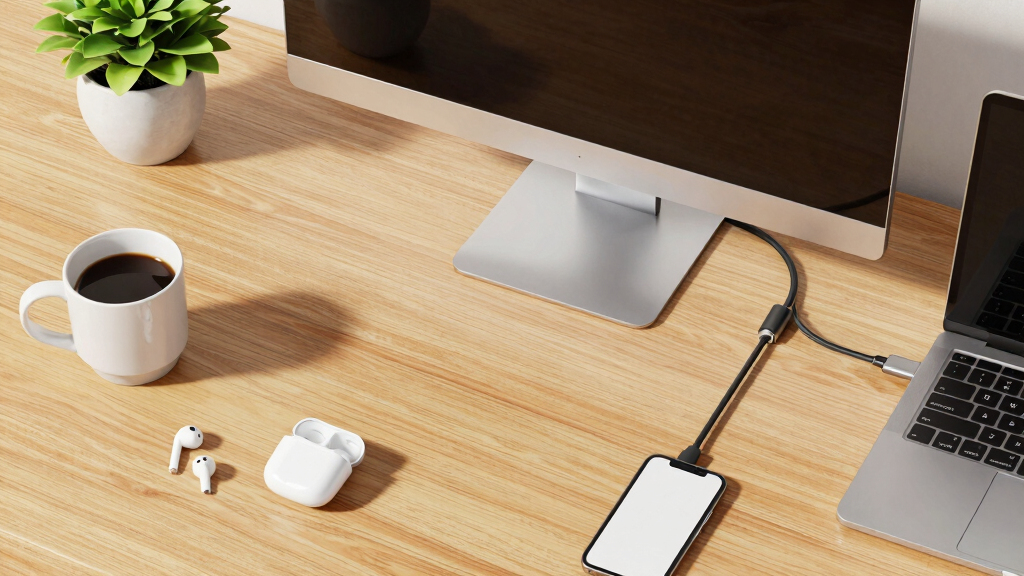
- USB-C with power delivery simplifies desk setups by reducing cable clutter—prioritize monitors with at least 65W charging to support laptops effectively.
- Color accuracy and wide gamuts like P3 are key for creative professionals but might be overkill for basic office tasks.
- Build quality and ergonomic features, such as height adjustment and swivel, significantly impact long-term comfort during extended work sessions.
- Larger screens and higher resolutions improve productivity but may come at a higher cost and require more desk space.
| Dell 27 Monitor S2725QC 4K UHD IPS with 120Hz Refresh Rate |  | Best Overall for Versatile High-Quality Work and Entertainment | Display Size: 27 inches | Resolution: 4K UHD | Panel Type: IPS | VIEW LATEST PRICE | See Our Full Breakdown |
| LG 27UP850K-W 27-inch 4K UHD IPS Monitor |  | Best Value for Versatility and Color Accuracy | Display Size: 27 inches | Resolution: 3840 x 2160 (4K UHD) | Color Gamut: 95% DCI-P3 | VIEW LATEST PRICE | See Our Full Breakdown |
| Dell S2722DC Monitor – 27-inch WQHD (2560×1440) 75Hz 4ms Display |  | Best for Smooth Visuals and Adjustability Without 4K | Display Size: 27 inches | Resolution: 2560×1440 | Refresh Rate: 75Hz | VIEW LATEST PRICE | See Our Full Breakdown |
| BenQ MA270U 27” 4K Monitor for MacBook with USB-C, P3 Color Gamut, Adjustable Stand | 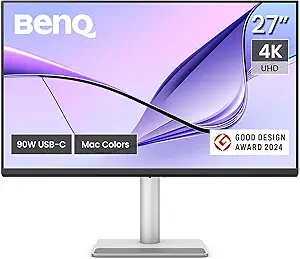 | Best for MacBook Users Needing Precise Color and Ergonomics | Display Size: 27 inches | Resolution: 3840×2160 (4K) | Color Gamut: P3 | VIEW LATEST PRICE | See Our Full Breakdown |
| Dell P2425DE 23.8-Inch QHD USB-C Hub Monitor |  | Best for Budget-Friendly, Compact Office Setup | Display Size: 23.8 inches | Resolution: 2560×1440 | Refresh Rate: 60Hz | VIEW LATEST PRICE | See Our Full Breakdown |
| ASUS ZenScreen 15.6 Inch Portable Monitor – Full HD IPS, USB Type-C, Eye Care, Kickstand |  | Best Portable USB-C Monitor for Remote Work | Display Size: 15.6 inches | Resolution: 1080P Full HD | Display Type: IPS | VIEW LATEST PRICE | See Our Full Breakdown |
| LG 27U631A-B 27-inch QHD IPS Computer Monitor, 100Hz, HDR10, USB-C, Black |  | Best Mid-Size Monitor with Vibrant Visuals for Remote Work | Display Size: 27 inches | Resolution: 2560 x 1440 (QHD) | Panel Type: IPS | VIEW LATEST PRICE | See Our Full Breakdown |
| Dell 27 Plus USB-C Monitor – S2725DC, QHD (2560×1440), 144Hz, IPS, 1ms MPRT, AMD FreeSync, 99% sRGB, Height Adjustment, Built-in Speakers, 2 USB-C, DisplayPort, HDMI, 2 USB-A, 3 Year Warranty |  | Best Ergonomic and Fast-Response Monitor for Productivity | Display Size: 27 inches | Resolution: 2560 x 1440 (QHD) | Refresh Rate: 144Hz | VIEW LATEST PRICE | See Our Full Breakdown |
| ASUS ProArt PA247CV 24-Inch 1080p USB-C Professional Monitor |  | Best Color-Accurate Monitor for Creative Remote Workers | Display Size: 24 inches | Resolution: 1920 x 1080 (Full HD) | Color Gamut: 100% sRGB, Rec. 709 | VIEW LATEST PRICE | See Our Full Breakdown |
| Dell P2725DE Pro 27-inch QHD Monitor |  | Best Feature-Rich Ergonomic QHD Monitor for Remote Work | Display Size: 27 inches | Resolution: 2560 x 1440 (QHD) | USB Power: 90W | VIEW LATEST PRICE | See Our Full Breakdown |
| usb-c monitor for remote work | Display Size | Resolution | Connectivity | Features |
|---|---|---|---|---|
| Dell 27 Monitor S2725QC 4K UHD | 27 inches | 4K UHD | — | — |
| LG 27UP850K-W 27-inch 4K UHD I | 27 inches | 3840 x 2160 (4K UHD) | USB-C, HDMI, DisplayPort | — |
| Dell S2722DC Monitor | 27 inches | 2560×1440 | USB-C, HDMI, USB 3.2 | AMD FreeSync, adjustable stand |
| BenQ MA270U 27” 4K Monitor for | 27 inches | 3840×2160 (4K) | USB-C, HDMI | — |
| Dell P2425DE 23.8-Inch QHD USB | 23.8 inches | 2560×1440 | USB-C, USB 2.0, USB 3.0 | Matte screen, ComfortView Plus |
| ASUS ZenScreen 15.6 Inch Porta | 15.6 inches | 1080P Full HD | USB Type-C, USB Type-A | Anti-glare, Eye Care, Kickstand |
| LG 27U631A-B 27-inch QHD IPS C | 27 inches | 2560 x 1440 (QHD) | USB Type-C (15W PD) | — |
| Dell 27 Plus USB-C Monitor | 27 inches | 2560 x 1440 (QHD) | 2 USB-C, DisplayPort, HDMI, 2 USB-A | Height Adjustment, Built-in Speakers |
| ASUS ProArt PA247CV 24-Inch 10 | 24 inches | 1920 x 1080 (Full HD) | USB-C with 65W Power Delivery | Wide viewing angles |
| Dell P2725DE Pro 27-inch QHD M | 27 inches | 2560 x 1440 (QHD) | USB-C, DisplayPort, HDMI, USB-A | Ergonomic adjustments, Ethernet port |
More Details on Our Top Picks
Dell 27 Monitor S2725QC 4K UHD IPS with 120Hz Refresh Rate
This Dell model stands out for combining stunning 4K visuals with a high 120Hz refresh rate, making it ideal for those who want crisp image quality alongside smooth motion—an advantage over the LG 27UP850K-W, which offers similar color and connectivity but at a higher price. Its HDR support enhances video quality, but it lacks details on ergonomic features and built-in speakers, which could impact long working sessions or multimedia use. The single USB-C port with 65W charging simplifies connectivity, reducing desk clutter. Overall, this monitor suits remote workers who need vibrant visuals and smooth motion without sacrificing clarity, especially if they prioritize a clean setup over adjustable stands or audio features.
Pros:- Vivid 4K visuals with wide color coverage
- Fast 120Hz refresh rate ensures smooth motion
- Low blue light mode reduces eye strain during long sessions
- Single USB-C cable simplifies desk setup
Cons:- Limited information on built-in speaker quality
- No adjustable stand or ergonomic features specified
Best for: Remote workers seeking a 4K monitor with high refresh rate for productivity and entertainment
Not ideal for: Users needing extensive ergonomic adjustments or integrated audio for all-day comfort and multimedia
- Display Size:27 inches
- Resolution:4K UHD
- Panel Type:IPS
- Refresh Rate:120Hz
- Response Time:4ms
- HDR:HDR ready
Our verdict“This monitor is perfect for remote workers who want vibrant 4K visuals with smooth motion and a clutter-free setup.”
LG 27UP850K-W 27-inch 4K UHD IPS Monitor
Compared with the Dell S2725QC, the LG 27UP850K-W offers a wider range of ergonomic adjustments—height, tilt, pivot—that benefit those who work long hours and need customized comfort. Its HDR 400 support and 95% DCI-P3 color gamut make it excellent for color-critical tasks, though its premium price may be a barrier for casual users. The inclusion of built-in speakers and multiple connectivity options including USB-C with power delivery boosts its all-in-one appeal. This model is best suited for remote professionals who value adjustability, color fidelity, and multimedia features over ultra-high refresh rates or gaming-specific features.
Pros:- Vivid 4K UHD display with wide color gamut
- Multiple connectivity options, including USB-C with 95W charging
- Ergonomic stand with height, tilt, pivot adjustments
- Built-in stereo speakers with Waves MaxxAudio
Cons:- Premium price may be high for some budgets
- HDR performance can vary with content
Best for: Remote workers needing a versatile, high-quality 4K monitor with ergonomic flexibility
Not ideal for: Budget-conscious users who prioritize affordability over extensive ergonomic features or premium specs
- Display Size:27 inches
- Resolution:3840 x 2160 (4K UHD)
- Color Gamut:95% DCI-P3
- HDR:VESA DisplayHDR 400
- Connectivity:USB-C, HDMI, DisplayPort
- Stand Adjustments:Height, tilt, pivot
Our verdict“This monitor offers a well-rounded package for remote workers who prioritize comfort and color accuracy at a higher price point.”
Dell S2722DC Monitor – 27-inch WQHD (2560×1440) 75Hz 4ms Display
The Dell S2722DC provides a balance between resolution and refresh rate, with a WQHD display that offers sharp visuals without the demanding hardware of 4K. Its 75Hz refresh rate and AMD FreeSync make it more suitable for casual gaming and smooth scrolling, compared to the higher-refresh-rate Dell S2725QC. It includes a versatile adjustable stand—height, tilt, swivel, pivot—for ergonomic comfort, and a USB-C port with 65W power delivery, similar to higher-end models. However, it lacks 4K resolution, which might be a drawback for those needing pixel-perfect detail, but it offers a more budget-friendly option for everyday productivity.
Pros:- Sharp WQHD resolution with vibrant colors
- Adjustable stand for ergonomic comfort
- USB-C with 65W power delivery reduces cable clutter
- Includes AMD FreeSync for smooth visuals
Cons:- Limited to 75Hz, not ideal for fast gaming
- No mention of built-in speakers or additional ports
Best for: Remote workers who want a versatile, adjustable monitor with good resolution and smooth visuals on a budget
Not ideal for: Users requiring 4K clarity or fast-paced gaming, due to its 75Hz refresh rate and lower resolution
- Display Size:27 inches
- Resolution:2560×1440
- Refresh Rate:75Hz
- Response Time:4ms
- Connectivity:USB-C, HDMI, USB 3.2
- Features:AMD FreeSync, adjustable stand
Our verdict“This monitor is a solid choice for remote workers who want a balance of resolution, adjustability, and affordability without 4K demands.”
BenQ MA270U 27” 4K Monitor for MacBook with USB-C, P3 Color Gamut, Adjustable Stand
The BenQ MA270U targets MacBook users with its calibrated P3 color gamut, delivering accurate, vibrant colors for creative professionals. Its 90W USB-C power delivery simplifies connections for MacBook owners, and the adjustable stand enhances long-term comfort. Unlike the Dell 27 Monitor S2725QC, which emphasizes high refresh rate and gaming performance, this model prioritizes color accuracy and ergonomic flexibility, making it ideal for detailed design work. However, its focus on Mac compatibility and higher price may limit appeal for Windows users or those seeking broader features without a premium budget. This monitor suits remote workers who rely heavily on color fidelity and ergonomic setup.
Pros:- Calibrated P3 wide color gamut for color accuracy
- Single USB-C with 90W charging streamlines desk setup
- Adjustable stand for ergonomic comfort
- Integrated MacBook controls for convenience
Cons:- Limited compatibility outside Mac ecosystem
- No built-in speakers mentioned
- Higher price point for premium features
Best for: MacBook users who need a calibrated, color-accurate monitor with ergonomic features
Not ideal for: Windows users seeking a more affordable solution or higher refresh rates for gaming
- Display Size:27 inches
- Resolution:3840×2160 (4K)
- Color Gamut:P3
- Connectivity:USB-C, HDMI
- Power Delivery:90W
- Stand Adjustments:Height, tilt, swivel, pivot
Our verdict“This monitor excels for MacBook users requiring precise color and ergonomic flexibility at a premium price.”
Dell P2425DE 23.8-Inch QHD USB-C Hub Monitor
The Dell P2425DE offers a compact 24-inch QHD display suitable for space-constrained setups or secondary monitors. Its 60Hz refresh rate limits its appeal for fast-paced tasks, but the high 2560×1440 resolution ensures sharp visuals for everyday work. Its multiple USB ports, including USB-C with 4 USB 2.0 and 1 USB 3.0 ports, make it a practical hub, reducing cable clutter—an advantage over more expensive, single-port monitors like the LG 27UP850K-W. The matte screen finish and ComfortView Plus technology help reduce glare and blue light, supporting long hours at the desk. This monitor is best for those prioritizing affordability, workspace efficiency, and basic productivity, rather than high refresh rates or gaming performance.
Pros:- High-resolution QHD display with sharp visuals
- Multiple USB ports including USB-C for easy connectivity
- Matte finish reduces glare
- Blue light reduction technology for comfort
Cons:- Limited to 60Hz refresh rate, not suitable for fast motion
- No built-in speakers or extensive ergonomic adjustments
- Smaller screen size may limit multitasking space
Best for: Budget-conscious remote workers needing a space-efficient, USB-C hub monitor for daily tasks
Not ideal for: Gamers or users requiring high refresh rates and fast response times for competitive gaming or high-speed workflows
- Display Size:23.8 inches
- Resolution:2560×1440
- Refresh Rate:60Hz
- Connectivity:USB-C, USB 2.0, USB 3.0
- Features:Matte screen, ComfortView Plus
- Response Time:5ms
Our verdict“This monitor fits remote workers who want a budget-friendly, space-efficient display with good resolution and USB-C hub features.”
ASUS ZenScreen 15.6 Inch Portable Monitor – Full HD IPS, USB Type-C, Eye Care, Kickstand
The ASUS ZenScreen excels as a travel-friendly option, offering a lightweight design that easily slips into a bag, making it ideal for remote workers on the go. Its Full HD IPS display delivers vibrant colors and wide viewing angles, surpassing smaller portable screens that often compromise visual quality. The inclusion of eye care technology ensures comfortable viewing during long sessions, which is essential for frequent travelers. However, its reliance on compatible USB-C ports for power and video output can limit usability with some older laptops or desktops. Compared with larger, stationary monitors, this model prioritizes portability over screen real estate, which may hinder multitasking for power users. Still, for remote workers needing a secondary display during travel, this makes a compelling choice.
Pros:- Lightweight and compact for easy portability
- Full HD IPS display with anti-glare surface for comfortable viewing
- Supports multiple devices via USB Type-C, including smartphones and gaming consoles
Cons:- Requires compatible USB-C ports for both power and signal, limiting device compatibility
- Limited to 15.6 inches, which may not suit users needing extensive multitasking space
Best for: Remote workers who need a lightweight, portable monitor to work comfortably while traveling
Not ideal for: Home office users who require larger screens for multitasking or detailed work, as the 15.6-inch size might feel restrictive
- Display Size:15.6 inches
- Resolution:1080P Full HD
- Display Type:IPS
- Connectivity:USB Type-C, USB Type-A
- Features:Anti-glare, Eye Care, Kickstand
- Warranty:3 years
Our verdict“This monitor is best suited for remote workers who prioritize portability and convenience over large screen real estate.”
LG 27U631A-B 27-inch QHD IPS Computer Monitor, 100Hz, HDR10, USB-C, Black
The LG 27U631A-B stands out for its larger 27-inch size, making it more suitable for multitasking than the smaller ASUS ZenScreen. Its QHD resolution provides crisp visuals, and with HDR10 support, it offers richer colors and contrast—ideal for creative or detailed work. The monitor’s single USB-C cable simplifies setup by delivering both power and data, similar to Dell’s S2725DC but with a broader display. While it lacks detailed ergonomic adjustments and built-in speakers, its sleek, borderless design maximizes workspace. This model makes the most sense for remote workers who want a compact yet capable secondary display, but those needing extensive ergonomic features might find it lacking.
Pros:- Vibrant visuals with HDR10 and wide color spectrum
- Large 27-inch display offers ample workspace
- Single USB-C connection for power and data simplifies setup
Cons:- No ergonomic adjustments like height or tilt
- Lacks built-in speakers, which limits multimedia use
Best for: Remote workers seeking a portable, visually rich secondary display for multitasking and content creation
Not ideal for: Users who need adjustable height or integrated audio, as this model lacks those features
- Display Size:27 inches
- Resolution:2560 x 1440 (QHD)
- Panel Type:IPS
- Refresh Rate:100Hz
- HDR:HDR10
- Connectivity:USB Type-C (15W PD)
Our verdict“This monitor is well-suited for remote workers who want a larger, color-rich display without additional ergonomic features.”
Dell 27 Plus USB-C Monitor – S2725DC, QHD (2560×1440), 144Hz, IPS, 1ms MPRT, AMD FreeSync, 99% sRGB, Height Adjustment, Built-in Speakers, 2 USB-C, DisplayPort, HDMI, 2 USB-A, 3 Year Warranty
The Dell S2725DC offers a compelling mix of performance and adjustability that appeals to demanding remote workers. Its 144Hz refresh rate and 1ms response time are particularly beneficial for fast-paced tasks or multimedia editing, outperforming the LG 27U631A-B’s 100Hz in motion clarity. The addition of height adjustment and ergonomic features makes it a standout for long work sessions, surpassing the basic tilt and swivel options of many competitors. With dual USB-C ports and a robust set of connectivity options, it caters well to multi-device setups. However, the built-in speakers may disappoint audiophiles, and the price could be a concern compared to less feature-rich models.
Pros:- High refresh rate and rapid response time for smooth visuals
- Adjustable height for ergonomic comfort
- Multiple connectivity options, including dual USB-C ports
Cons:- Built-in speakers may lack quality for multimedia use
- Higher price point compared to simpler monitors
Best for: Remote workers who need a high-performance, ergonomically adjustable monitor for long hours and fast visuals
Not ideal for: Budget-conscious users who don’t require ultra-fast response times or extensive ergonomic adjustments
- Display Size:27 inches
- Resolution:2560 x 1440 (QHD)
- Refresh Rate:144Hz
- Response Time:1ms MPRT
- Features:Height Adjustment, Built-in Speakers
- Connectivity:2 USB-C, DisplayPort, HDMI, 2 USB-A
Our verdict“This monitor best suits remote workers who prioritize speed, ergonomic comfort, and multiple device connections for intensive daily use.”
ASUS ProArt PA247CV 24-Inch 1080p USB-C Professional Monitor
The ASUS ProArt PA247CV is tailored for professionals who need precise color accuracy, making it a strong choice for remote content creators or designers. Its factory-calibrated 100% sRGB and Rec. 709 coverage outperforms many general-use monitors, including the LG 27U631A-B, which lacks calibration details. The USB-C port providing 65W power streamlines desk setup, supporting multi-screen workflows with daisy chaining. Despite its impressive color fidelity, the 75Hz refresh rate may be a drawback for fast-paced gaming or high-motion video editing, and its 24-inch size might feel cramped for those needing more workspace. Still, for detailed work, this monitor’s strengths outweigh the limitations.
Pros:- Factory calibration ensures professional-grade color accuracy
- Wide color gamut covering 100% sRGB and Rec. 709
- USB-C with 65W power delivery simplifies connectivity
Cons:- Limited to 75Hz, less suitable for high-end gaming
- Smaller 24-inch display may restrict multitasking
Best for: Remote professionals who prioritize color accuracy and calibration for creative tasks
Not ideal for: Gamers or users needing high refresh rates and larger screens for multitasking
- Display Size:24 inches
- Resolution:1920 x 1080 (Full HD)
- Color Gamut:100% sRGB, Rec. 709
- Factory Calibration:Calman Verified
- Connectivity:USB-C with 65W Power Delivery
- Features:Wide viewing angles
Our verdict“This monitor fits remote workers engaged in color-critical work who need precise visuals over high refresh rates.”
Dell P2725DE Pro 27-inch QHD Monitor
The Dell P2725DE provides a balanced package for remote workers who need both sharp visuals and flexible ergonomics. Its QHD resolution ensures detailed images, and the 90W USB hub simplifies cable management for multiple devices. The monitor’s ergonomic adjustments—including height, tilt, and swivel—set it apart from more basic models like the LG 27U631A-B, which lack such features. While it doesn’t include built-in speakers, the broad connectivity options and Ethernet port enhance its versatility. The absence of a VESA mount may be a drawback for those with custom setups. Overall, this model makes sense for remote workers seeking a well-rounded, adjustable monitor with enterprise-grade features.
Pros:- Sharp QHD display with wide viewing angles
- Ergonomic adjustments for personalized comfort
- High-power USB hub with 90W charging
Cons:- Lacks built-in speakers for multimedia use
- No VESA mounting options, limiting custom setups
Best for: Remote professionals needing a versatile, adjustable monitor with high-resolution output and multiple connectivity options
Not ideal for: Users who prioritize built-in audio or VESA compatibility for custom mounting
- Display Size:27 inches
- Resolution:2560 x 1440 (QHD)
- USB Power:90W
- Features:Ergonomic adjustments, Ethernet port
- Connectivity:USB-C, DisplayPort, HDMI, USB-A
Our verdict“This monitor suits remote workers who need a feature-rich, adjustable display with reliable connectivity and sharp visuals.”

How We Picked
I evaluated these monitors based on key factors that matter most for remote work: performance, connectivity, build quality, and value. Performance metrics included resolution, refresh rate, and color accuracy, which influence multitasking and visual comfort. Connectivity options focused on USB-C with power delivery and additional ports for expandability. Build quality and ergonomic features like height adjustment and tilt were also essential to ensure comfort during extended use. Monitors were ranked by balancing these features against price, selecting options that offer the best mix of usability, durability, and value for remote workers.| usb-c monitor for remote work | Features |
|---|---|
| Dell 27 Monitor S2725QC 4K UHD | — |
| LG 27UP850K-W 27-inch 4K UHD I | — |
| Dell S2722DC Monitor | AMD FreeSync, adjustable stand |
| BenQ MA270U 27” 4K Monitor for | — |
| Dell P2425DE 23.8-Inch QHD USB | Matte screen, ComfortView Plus |
| ASUS ZenScreen 15.6 Inch Porta | Anti-glare, Eye Care, Kickstand |
| LG 27U631A-B 27-inch QHD IPS C | — |
| Dell 27 Plus USB-C Monitor | Height Adjustment, Built-in Speakers |
| ASUS ProArt PA247CV 24-Inch 10 | Wide viewing angles |
| Dell P2725DE Pro 27-inch QHD M | Ergonomic adjustments, Ethernet port |
Factors to Consider When Choosing Best Usb-c Monitor For Remote Work
When choosing a USB-C monitor for remote work, it’s important to consider several factors that will influence your daily experience. First, evaluate the resolution and size—larger screens with higher resolutions boost productivity but require more space and a capable graphics setup. Second, check the USB-C specifications: a monitor with power delivery reduces cable clutter and can charge your laptop, but the wattage must match your device’s needs. Third, consider ergonomic features like height adjustment, tilt, and swivel to maintain comfort over long hours. Fourth, assess color accuracy if your work involves creative tasks, which can be a deciding factor for professionals. Lastly, weigh the overall build quality and additional ports to future-proof your investment and streamline your workspace.Performance and Display Quality
For remote work, a sharp, clear display with good color accuracy enhances both comfort and productivity. Monitors with at least 1080p resolution are functional, but 1440p or 4K screens provide crisper images and more workspace. Refresh rate is less critical unless you do video editing or gaming, but a 75Hz or higher rate can make scrolling smoother and reduce eye strain. Brightness and contrast also matter for reducing eye fatigue and ensuring visibility in various lighting conditions. Keep in mind that higher resolutions require more powerful hardware, so balance your choice with your laptop’s capabilities.
Connectivity and Power Delivery
USB-C with power delivery simplifies your desk setup by providing both video signal and laptop charging through a single cable. Look for monitors that offer at least 65W charging if you want to power a laptop like a MacBook or high-performance ultrabook. Additional ports—such as USB-A, HDMI, or DisplayPort—can extend your connectivity options, especially if you connect peripherals or external storage. Avoid models that only support video transfer without power delivery if you need a clutter-free, streamlined workspace. Consider your device’s power needs to choose a monitor that delivers the right wattage without sacrificing display quality.
Ergonomics and Build Quality
Long hours in front of your monitor demand adjustable ergonomic features. Height adjustment, tilt, swivel, and pivot capabilities are crucial for maintaining good posture and reducing fatigue. A sturdy, well-built stand and a solid chassis help ensure durability over years of use. Budget models may lack some of these features, so weigh comfort against cost. Also, consider the monitor’s bezel design—minimal bezels maximize screen real estate and reduce distractions, especially on multi-monitor setups. Good build quality extends the lifespan of your investment and enhances the overall user experience.
Additional Features and Future Proofing
Extras like built-in speakers, USB hubs, and HDR support can add convenience but are often secondary to core performance. Think about your specific needs: creative professionals benefit from wide color gamuts and accurate calibration, while general office users may prioritize simplicity and affordability. Future-proofing your setup involves selecting a monitor with ample ports and a size that remains comfortable as your needs evolve. Also, check for firmware updates and manufacturer reliability ratings, which can extend the monitor’s lifespan and ensure ongoing compatibility.
Frequently Asked Questions
Can I use a USB-C monitor with a non-USB-C laptop?
Yes, many USB-C monitors can connect to non-USB-C laptops via adapters or docking stations that convert HDMI or DisplayPort signals to USB-C. However, to take full advantage of features like power delivery and a single-cable setup, your laptop must support USB-C with DisplayPort Alt Mode and charging capabilities. Check your device’s specifications to confirm compatibility. Using adapters may introduce some latency or reduce charger wattage, so assess whether these tradeoffs are acceptable for your workflow.
Is a higher refresh rate necessary for remote work?
For most remote work tasks, a refresh rate of 60Hz to 75Hz is sufficient, contributing to smooth scrolling and comfortable visuals. Higher refresh rates, like 120Hz or 144Hz, are more beneficial for gaming or video editing, where motion clarity is critical. If your work involves a lot of multitasking, video conferencing, or general productivity, prioritizing resolution and color accuracy may be more impactful than a high refresh rate. However, if you frequently work with fast-moving content, a higher refresh rate can reduce eye strain and improve overall experience.
How important is color accuracy in a remote work monitor?
Color accuracy becomes crucial if your remote work involves creative tasks like photo editing, video production, or graphic design. Monitors with wide color gamuts and factory calibration can display more accurate colors, reducing the need for external calibration tools. For typical office tasks, color accuracy is less critical, and you can focus on resolution and ergonomics instead. Keep in mind that high color accuracy monitors tend to be more expensive, so weigh this factor against your professional needs and budget.
Should I prioritize resolution over size?
Resolution and size are both important but serve different purposes. A larger screen provides more screen real estate, which can boost productivity, especially with multiple windows or detailed spreadsheets. Higher resolution enhances image sharpness and allows for more workspace on the same screen size. Ideally, choose a monitor that balances both, such as a 27-inch 1440p or 4K display, to get clear visuals without sacrificing desk space. Consider your desk size, hardware capabilities, and the nature of your work when making this tradeoff.
Are built-in speakers worth having in a remote work monitor?
Built-in speakers offer convenience, especially if your workspace is limited or you want to minimize cable clutter. However, their audio quality typically falls short of dedicated speakers or headphones, so they are best for casual listening or video conferencing. If audio quality is important for your work, investing in external speakers or headphones may provide a better experience. Consider whether the monitor’s speakers are a secondary feature or a primary need before making your decision.
Conclusion
The best overall choice for most remote workers is the Dell 27 Plus USB-C Monitor due to its high refresh rate, excellent color performance, and versatile connectivity. Budget-conscious buyers should consider the Dell P2425DE, which provides reliable 1080p performance in a smaller package. Creative professionals or those with demanding visual needs will find the BenQ MA270U offers superior color accuracy and calibration options. For beginners or users with simple setups, an affordable, straightforward monitor with USB-C and ergonomic features will suffice. Ultimately, your pick depends on your specific work requirements and budget constraints.
Halloween Picks
halloween
As an affiliate, we earn on qualifying purchases.