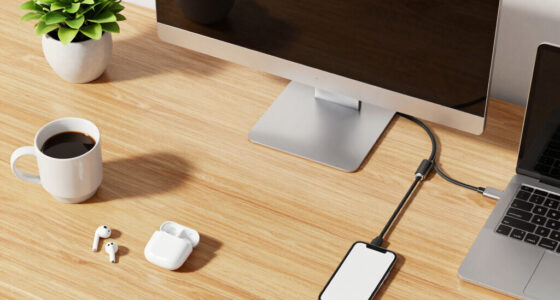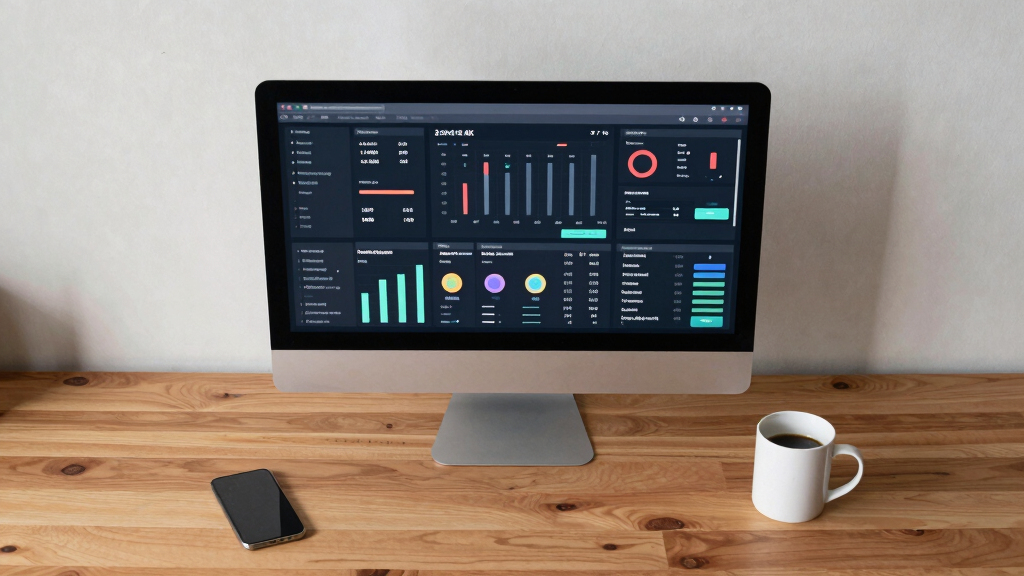
Choosing the best 32-inch 4K monitor for dashboard work requires balancing clarity, connectivity, and comfort. The Samsung ViewFinity S7 (S71H) stands out as the top overall pick for its high resolution and exceptional color accuracy. For those prioritizing versatility, the LG 32UP83AK-W offers USB-C and an adjustable stand, making it a flexible choice. Meanwhile, the Dell S3225QS provides a solid VA panel with high contrast, ideal for detailed data display. Readers should consider factors like panel type, refresh rate, and ergonomic features, as these influence long-term usability. Keep reading to see how these models compare in our detailed review.

Get business pricing on tech for your team
- Business-only prices and quantity discounts
- Tax-exempt purchasing
- Multiple users, one account, clear invoices
Key Takeaways
- High resolution alone isn’t enough; panel type and color accuracy significantly impact dashboard clarity.
- Connectivity options like USB-C and multiple ports add flexibility for diverse workspace setups.
- Ergonomic features such as adjustable stands and VESA compatibility improve comfort during extended use.
- Tradeoffs often exist between contrast (VA panels) and color accuracy (IPS panels), affecting display choice.
- Budget options can serve well for basic dashboard tasks but may lack advanced features for intensive work.
| Samsung 32″ ViewFinity S7 (S71H) 4K UHD IPS HDR10 High Resolution Monitor |  | Best Overall for Professional Dashboard Work | Screen Size: 32 inches | Resolution: 3840 x 2160 (4K UHD) | Panel Type: IPS | VIEW LATEST PRICE | See Our Full Breakdown |
| ViewSonic VX3276-4K-MHD 32 Inch 4K UHD Monitor with HDR10, HDMI, DisplayPort |  | Best Value with HDR Support | Size: 32 inches | Resolution: 3840 x 2160 (4K UHD) | HDR: HDR10 | VIEW LATEST PRICE | See Our Full Breakdown |
| Samsung 32″ ViewFinity S7 (S70H) High-Resolution Monitor |  | Best for High-Detail Visuals and Wide Viewing Angles | Size: 32 inches | Resolution: 3840 x 2160 (4K UHD) | HDR: HDR10 | VIEW LATEST PRICE | See Our Full Breakdown |
| Dell 32 Monitor S3225QS 4K UHD VA, 120Hz, FreeSync Premium, Eye Comfort |  | Best for Smooth Motion and Vivid Colors | Size: 32 inches | Resolution: 3840 x 2160 (4K UHD) | Panel Type: VA | VIEW LATEST PRICE | See Our Full Breakdown |
| Samsung 32-Inch Flat Computer Monitor |  | Best for Multi-Monitor Setups and Everyday Work | Size: 32 inches | Display: Flat | Refresh Rate: 75Hz | VIEW LATEST PRICE | See Our Full Breakdown |
| KTC 32 Inch 4K UHD Monitor, 3840 x 2160, 60Hz, HDR, Adjustable Stand, VESA Wall Mount, White |  | Best Overall for Ergonomic Dashboard Work | Screen Size: 32 inches | Resolution: 3840 x 2160 (4K UHD) | Contrast Ratio: 3000:1 | VIEW LATEST PRICE | See Our Full Breakdown |
| LG 32UR550K-B 32-inch 4K UHD HDR Computer Monitor |  | Best for Color-Accurate Visuals and Multitasking | Display Size: 32 inches | Resolution: 3840 x 2160 (4K UHD) | HDR: HDR10 | VIEW LATEST PRICE | See Our Full Breakdown |
| LG 32UP83AK-W 32-inch 4K UHD IPS Computer Monitor with HDR10, USB-C, Adjustable Stand |  | Best for Wide Angles and Connectivity Flexibility | Display Size: 32 inches | Resolution: 3840 x 2160 (4K UHD) | HDR: HDR10 | VIEW LATEST PRICE | See Our Full Breakdown |
| Sceptre 32-inch 4K UHD Monitor with 70Hz Refresh Rate, Built-in Speakers, and Multiple Ports |  | Best for Versatile Work and Light Gaming | Display Size: 32 inches | Resolution: 3840 x 2160 (4K UHD) | Refresh Rate: 70Hz | VIEW LATEST PRICE | See Our Full Breakdown |
| 32-inch 4k monitor for dashboard work | Resolution | HDR | Connectivity | Refresh Rate |
|---|---|---|---|---|
| Samsung 32" ViewFinity S7 | 3840 x 2160 (4K UHD) | HDR10 | HDMI, DisplayPort | — |
| ViewSonic VX3276-4K-MHD 32 Inc | 3840 x 2160 (4K UHD) | HDR10 | HDMI, DisplayPort, Mini DisplayPort | — |
| Samsung 32" ViewFinity S7 | 3840 x 2160 (4K UHD) | HDR10 | HDMI, DisplayPort | — |
| Dell 32 Monitor S3225QS 4K UHD | 3840 x 2160 (4K UHD) | Yes | — | 120Hz |
| Samsung 32-Inch Flat Computer | — | — | — | 75Hz |
| KTC 32 Inch 4K UHD Monitor | 3840 x 2160 (4K UHD) | — | — | 60Hz |
| LG 32UR550K-B 32-inch 4K UHD H | 3840 x 2160 (4K UHD) | HDR10 | HDMI, DisplayPort, USB Type-C | 60Hz |
| LG 32UP83AK-W 32-inch 4K UHD I | 3840 x 2160 (4K UHD) | HDR10 | HDMI, DisplayPort, USB Type-C | 60Hz |
| Sceptre 32-inch 4K UHD Monitor | 3840 x 2160 (4K UHD) | — | HDMI, DisplayPort | 70Hz |
More Details on Our Top Picks
Samsung 32″ ViewFinity S7 (S71H) 4K UHD IPS HDR10 High Resolution Monitor
This Samsung ViewFinity S7 (S71H) stands out for its stunning 4K UHD resolution combined with an IPS panel that delivers vibrant colors and wide viewing angles, making it ideal for detailed dashboard displays. Compared to the ViewSonic VX3276-4K-MHD, this model offers more precise color accuracy and better contrast, although it comes at a higher price point. Its HDR10 support enhances contrast for visual clarity, which is vital for monitoring dashboards with varied data visualizations. However, the monitor’s ergonomic features are limited, so users who need height adjustability or swivel might find it lacking. The inclusion of multiple ports adds flexibility for diverse setups, but the absence of adjustable stand options means less customization for prolonged use.
Pros:- Vivid 4K UHD with accurate colors for detailed dashboards
- Wide viewing angles ensure consistent display across multiple seating positions
- HDR10 support enhances contrast for complex visualizations
- Multiple connectivity options for versatile setup
Cons:- Lacks adjustable stand or ergonomic features
- Price can be prohibitive for budget-conscious users
Best for: Data analysts and professionals who need precise color and sharp details for dashboard work
Not ideal for: Gamers or users requiring extensive ergonomic adjustments, due to limited stand features
- Screen Size:32 inches
- Resolution:3840 x 2160 (4K UHD)
- Panel Type:IPS
- HDR:HDR10
- Viewing Angle:178°
- Connectivity:HDMI, DisplayPort
Our verdict“This monitor suits professionals prioritizing color accuracy and image clarity over adjustable ergonomics.”
ViewSonic VX3276-4K-MHD 32 Inch 4K UHD Monitor with HDR10, HDMI, DisplayPort
The ViewSonic VX3276-4K-MHD offers a 32-inch 4K display with HDR10, providing vibrant visuals ideal for dashboard work that benefits from high detail and color. While it doesn’t match the color precision of the Samsung S7, it compensates with a more budget-friendly price point. Its multiple connectivity options, including Mini DisplayPort, make it flexible for various devices, but it lacks advanced ergonomic features, similar to the Samsung model. Its eye care technologies, like Flicker-Free and Blue Light Filter, make it suitable for long hours at the dashboard. However, it doesn’t include built-in speakers, which could be a drawback for users seeking all-in-one convenience.
Pros:- Affordable 4K UHD resolution with HDR10 support
- Multiple connectivity options including Mini DisplayPort
- Eye care features reduce fatigue during long sessions
- Vibrant visuals suitable for detailed dashboards
Cons:- Limited ergonomic adjustments
- No built-in speakers or advanced stand features
Best for: Budget-conscious professionals needing detailed visuals without sacrificing connectivity options
Not ideal for: Users requiring advanced ergonomic adjustments or integrated audio features
- Size:32 inches
- Resolution:3840 x 2160 (4K UHD)
- HDR:HDR10
- Connectivity:HDMI, DisplayPort, Mini DisplayPort
- Eye Care:Flicker-Free, Blue Light Filter
Our verdict“This monitor is a solid choice for budget-conscious users who need high resolution and good connectivity for dashboard work.”
Samsung 32″ ViewFinity S7 (S70H) High-Resolution Monitor
This Samsung ViewFinity S70H emphasizes high pixel density with its 4K UHD resolution, offering exceptional detail for dashboard data and graphics. Its wide 178° viewing angle and HDR10 support make it comparable to the S71H but with a focus on visual clarity across broader viewing positions. Compared with the S71H, it emphasizes high-end features like TÜV-certified eye comfort technology, though it shares the same limited ergonomic adjustments. Its multiple connectivity options ensure compatibility with various setup needs. The absence of built-in speakers keeps it streamlined, but users looking for integrated audio might need external solutions.
Pros:- High pixel density ensures crisp, detailed visuals
- Wide 178° viewing angle maintains image quality from various positions
- HDR10 support enriches visual contrast
- Includes eye comfort technology for prolonged use
Cons:- No built-in speakers
- Limited stand adjustments
Best for: Professionals who prioritize detailed visuals and wide-angle viewing for complex dashboards
Not ideal for: Gamers or those needing extensive ergonomic customization, due to limited stand features
- Size:32 inches
- Resolution:3840 x 2160 (4K UHD)
- HDR:HDR10
- Viewing Angle:178°
- Connectivity:HDMI, DisplayPort
- Eye Comfort:TÜV certified, Eye Saver Mode
Our verdict“This monitor fits users requiring high pixel density and wide viewing angles for detailed dashboard monitoring.”
Dell 32 Monitor S3225QS 4K UHD VA, 120Hz, FreeSync Premium, Eye Comfort
Unlike the IPS-based options, the Dell S3225QS uses a VA panel that delivers richer contrast and vivid colors, making it appealing for dashboards with colorful data visualizations. Its 120Hz refresh rate and FreeSync Premium support provide smoother motion, especially useful if dashboards include animated elements or live updates. While it doesn’t match the color accuracy of the Samsung models, its high contrast ratio makes data pop more vividly. The monitor’s design features ultra-thin bezels, suitable for multi-monitor setups, and its eye comfort features help reduce fatigue. However, its response time and limited sound options may be drawbacks for some users needing audio or faster responsiveness.
Pros:- Rich contrast with VA panel enhances colorful dashboards
- 120Hz refresh rate provides smoother updates
- High color coverage (99% sRGB, 95% DCI-P3)
- Elegant ultra-thin bezel design
Cons:- Limited sound control, external speakers recommended
- Not suited for fast-paced gaming or high refresh rate needs
Best for: Dashboard users who value contrast, color depth, and smooth motion over ultra-high resolution
Not ideal for: High-end color-critical work or users desiring the highest refresh rates for gaming
- Size:32 inches
- Resolution:3840 x 2160 (4K UHD)
- Panel Type:VA
- Refresh Rate:120Hz
- Color Coverage:99% sRGB, 95% DCI-P3
- HDR:Yes
Our verdict“This monitor is ideal for users who prioritize contrast and smooth motion for dynamic dashboard visuals.”
Samsung 32-Inch Flat Computer Monitor
This Samsung 32-inch flat monitor features a sleek borderless design that pairs well with multiple screens, making it a good choice for dashboard arrays. Its 75Hz refresh rate and AMD FreeSync provide smooth visuals but fall short for fast-paced gaming or animated dashboard elements. The monitor’s eye care technology reduces strain, which is beneficial for prolonged data monitoring sessions. While it lacks detailed specifications on resolution, it is expected to support 4K UHD, aligning with the other models. The absence of built-in speakers and limited ergonomic features means it’s best suited for users who prioritize a clean, modern look over adjustability or audio.
Pros:- Sleek borderless, modern design for multi-screen setups
- Smooth visuals with 75Hz and FreeSync support
- Eye care technology reduces eye strain during long use
Cons:- Limited refresh rate for high-end gaming or fast dashboard updates
- No detailed info on resolution or built-in speakers
Best for: Professionals setting up multi-monitor dashboards where aesthetics and fluid visuals matter
Not ideal for: Gamers or users needing high refresh rates or extensive ergonomic adjustments
- Size:32 inches
- Display:Flat
- Refresh Rate:75Hz
- Features:Borderless design, AMD FreeSync, Eye Care Technology
Our verdict“This monitor is well-suited for multi-monitor configurations and everyday dashboard tasks, prioritizing style and fluidity over high refresh rates.”
KTC 32 Inch 4K UHD Monitor, 3840 x 2160, 60Hz, HDR, Adjustable Stand, VESA Wall Mount, White
This KTC 32-inch 4K UHD monitor stands out for its versatile ergonomic adjustments, including height, tilt, and swivel, making it ideal for long hours of dashboard work. Its sharp visuals with 3840×2160 resolution and 125% sRGB color gamut ensure clear, vibrant displays for multiple data streams. Compared with the LG 32UP83AK, it offers more flexibility in positioning, which is critical for comfortable viewing during extended sessions. However, the 60Hz refresh rate and absence of built-in speakers limit its appeal for gaming or multimedia use. Its VESA compatibility adds mounting options, ideal for sleek, space-saving setups.
Pros:- Sharp 4K resolution with vibrant color accuracy
- Highly adjustable stand for ergonomic comfort
- Multiple connectivity options including HDMI and DisplayPort
- Low blue light technology reduces eye strain
Cons:- Limited to 60Hz refresh rate, not suited for high-end gaming
- No built-in speakers, requiring external audio setup
- Vivid colors may need calibration for professional editing
Best for: Professionals who spend hours monitoring dashboards and need customizable ergonomic settings
Not ideal for: Gamers or multimedia creators seeking higher refresh rates or integrated speakers
- Screen Size:32 inches
- Resolution:3840 x 2160 (4K UHD)
- Contrast Ratio:3000:1
- Refresh Rate:60Hz
- Color Gamut:125% sRGB
- Display Technology:LCD
Our verdict“This monitor is a strong choice for dashboard users prioritizing comfort and detailed visuals over gaming performance.”
LG 32UR550K-B 32-inch 4K UHD HDR Computer Monitor
The LG 32UR550K-B offers a vibrant 4K UHD HDR display with wide viewing angles thanks to its IPS panel, making it well-suited for editing and multitasking. Its 60Hz refresh rate is comparable to the Sceptre or LG 32UP83AK, but the IPS technology provides more consistent color and contrast across different viewing positions. Unlike the Sceptre, which includes built-in speakers, this LG model emphasizes color accuracy and ergonomics with tilt, height, and pivot adjustments. Its USB-C port with 60W charging adds convenience for modern setups. The main tradeoff is its limited 60Hz refresh rate, which might disappoint gamers seeking higher performance.
Pros:- IPS panel delivers wide viewing angles and vivid colors
- Supports HDR10 for enhanced contrast and color depth
- Adjustable stand with tilt, height, and pivot
- USB-C with 60W power delivery for streamlined connections
Cons:- Limited to 60Hz, not suitable for high-performance gaming
- No built-in speakers, requiring external audio
- Price may be higher compared to similar models
Best for: Creative professionals and multitaskers needing precise colors and flexible ergonomics
Not ideal for: High-speed gamers or users requiring higher refresh rates for fast-paced gaming
- Display Size:32 inches
- Resolution:3840 x 2160 (4K UHD)
- HDR:HDR10
- Refresh Rate:60Hz
- Connectivity:HDMI, DisplayPort, USB Type-C
- Stand Adjustments:Tilt, Height, Pivot
Our verdict“This monitor makes sense for users prioritizing color fidelity and ergonomic flexibility over gaming refresh rates.”
LG 32UP83AK-W 32-inch 4K UHD IPS Computer Monitor with HDR10, USB-C, Adjustable Stand
The LG 32UP83AK-W excels with its IPS panel, providing broad viewing angles and accurate color, making it ideal for detailed dashboard work. Its HDR10 support enhances contrast, while the USB-C port with 60W power delivery simplifies cable management. Compared with the Sceptre, which offers a higher refresh rate at 70Hz, this LG emphasizes color consistency and ergonomic adjustments with height, tilt, and pivot options. The 5ms response time is acceptable for most dashboard applications but less ideal for fast-paced gaming. Its matte finish reduces glare, further aiding prolonged use.
Pros:- IPS panel provides wide viewing angles and accurate color
- HDR10 support enhances visual contrast
- USB-C with 60W charging simplifies workspace setup
- Ergonomic stand with multiple adjustments
Cons:- Limited to 60Hz refresh rate, less ideal for gaming
- Response time of 5ms may not satisfy gamers seeking faster response
- Higher price point compared to some competitors
Best for: Dashboard professionals and creative users who need wide viewing angles and external device connectivity
Not ideal for: High-refresh-rate gamers or users who prioritize fast response times
- Display Size:32 inches
- Resolution:3840 x 2160 (4K UHD)
- HDR:HDR10
- Refresh Rate:60Hz
- Connectivity:HDMI, DisplayPort, USB Type-C
- Stand Adjustments:Tilt, Height, Pivot
Our verdict“This monitor suits those who value color accuracy and connectivity options for dashboard and professional work.”
Sceptre 32-inch 4K UHD Monitor with 70Hz Refresh Rate, Built-in Speakers, and Multiple Ports
The Sceptre 32-inch 4K UHD monitor provides a notable upgrade in refresh rate at 70Hz, which benefits smoother visuals during multitasking and casual gaming. Its IPS technology ensures broad viewing angles and vivid colors, similar to the LG 32UP83AK, but with the added advantage of built-in speakers, making it more convenient for multimedia. Compared to the LG models, its higher refresh rate offers a slight edge for light gaming or fast scrolling tasks, though it still isn’t tailored for demanding high-end gaming. Its eye protection features and wide port selection make it a flexible choice for creative, office, or casual use.
Pros:- 70Hz refresh rate improves smoothness over standard 60Hz
- Built-in speakers add convenience
- Multiple ports support various devices
- Eye protection features reduce eye fatigue
Cons:- Limited to 70Hz, still not high enough for competitive gaming
- No USB-C port, less convenient for modern laptops
- Large size may not suit small desks
Best for: Users who want a high-resolution display with better refresh rates for light gaming and multimedia
Not ideal for: Serious gamers seeking 120Hz or higher, or professionals needing calibrated color accuracy
- Display Size:32 inches
- Resolution:3840 x 2160 (4K UHD)
- Refresh Rate:70Hz
- Display Technology:IPS
- Brightness:350 nits
- Connectivity:HDMI, DisplayPort
Our verdict“This monitor offers a good balance of high resolution and refresh rate for users combining work with light gaming or multimedia tasks.”

How We Picked
Each monitor was evaluated based on key factors critical for dashboard work: display quality, connectivity options, ergonomic features, build quality, and value. We prioritized models with high-resolution IPS or VA panels for sharpness and contrast, ensuring detailed data visualization. Connectivity versatility was essential to accommodate various devices and workflows, especially USB-C and multiple HDMI/DisplayPort options. Ergonomic design, including adjustable stands and VESA compatibility, was also a key consideration, as prolonged use demands comfort. The final ranking reflects a balanced mix of performance, usability, and affordability to meet different user needs in dashboard work environments.| 32-inch 4k monitor for dashboard work | HDR | Connectivity |
|---|---|---|
| Samsung 32" ViewFinity S7 | HDR10 | HDMI, DisplayPort |
| ViewSonic VX3276-4K-MHD 32 Inc | HDR10 | HDMI, DisplayPort, Mini DisplayPort |
| Samsung 32" ViewFinity S7 | HDR10 | HDMI, DisplayPort |
| Dell 32 Monitor S3225QS 4K UHD | Yes | — |
| Samsung 32-Inch Flat Computer | — | — |
| KTC 32 Inch 4K UHD Monitor | — | — |
| LG 32UR550K-B 32-inch 4K UHD H | HDR10 | HDMI, DisplayPort, USB Type-C |
| LG 32UP83AK-W 32-inch 4K UHD I | HDR10 | HDMI, DisplayPort, USB Type-C |
| Sceptre 32-inch 4K UHD Monitor | — | HDMI, DisplayPort |
Factors to Consider When Choosing Best 32-inch 4k Monitor For Dashboard Work
When selecting the best 32-inch 4K monitor for dashboard work, you should consider several factors that influence both performance and comfort. Understanding these elements can help you avoid common pitfalls, such as choosing a monitor with poor color accuracy or inadequate connectivity. A well-rounded monitor enhances your workflow and reduces fatigue, especially during long hours of dashboard analysis or monitoring. Let’s explore the most important considerations to keep in mind before making your purchase.Panel Type and Image Quality
Choosing the right panel type directly impacts your ability to distinguish fine details on your dashboard. IPS panels are known for their superior color accuracy and wide viewing angles, making them ideal for detailed data visualization. VA panels typically offer higher contrast ratios, which can make dashboards with dark backgrounds easier to read. Avoid TN panels for this purpose, as they usually deliver poorer image quality and limited viewing angles. Beyond resolution, consider color calibration and uniformity, especially if your dashboards rely on precise color coding.
Connectivity and Compatibility
Look for monitors with versatile connectivity options such as USB-C, HDMI, and DisplayPort, which enable seamless connection to your devices and peripherals. USB-C is particularly useful for reducing cable clutter and delivering power, video, and data through a single port. Ensure the monitor supports your existing hardware specifications to prevent compatibility issues. Multi-port options allow for connecting multiple devices, which is common when managing several dashboards or data sources. Skipping this can lead to frustration and the need for additional adapters or docks.
Ergonomics and Build Quality
Since dashboard work often involves long hours, ergonomic features like height, tilt, and swivel adjustments are essential. An adjustable stand can significantly reduce neck and eye strain. VESA mount compatibility adds further flexibility, allowing you to customize your workspace setup. A sturdy build quality ensures durability, especially if you plan to reposition or transport the monitor occasionally. Cheaper models may lack these features, which can lead to discomfort over time or limited placement options.
Color Accuracy and Calibration
Accurate color reproduction is vital for many dashboard applications, especially if color-coded alerts or status indicators are used. Monitors with factory calibration or support for calibration tools ensure consistent visuals. While not as critical for purely numerical dashboards, color accuracy still enhances overall clarity and reduces misinterpretation. Budget monitors often sacrifice this aspect, so investing in a color-accurate model can boost your productivity and reduce eye fatigue caused by misrepresented visuals.
Price and Overall Value
Balancing features against your budget is key. Higher-priced models typically offer better image quality, more ergonomic options, and longer durability, but affordable options can still handle standard dashboard tasks effectively. Consider your specific needs—if you require color precision or multiple ports, spending more may be justified. Conversely, for basic data monitoring, a mid-range model might deliver the best value without unnecessary extras. Avoid overspending on features you won’t use, but don’t compromise on core display quality.
Frequently Asked Questions
Is a 32-inch 4K monitor worth it for dashboard work?
Yes, a 32-inch 4K monitor provides ample screen real estate and sharp detail, which enhances the clarity of dashboards with multiple data points. The high resolution allows for better multitasking and reduces the need for zooming or scrolling. This size also strikes a good balance between workspace and desk space, making it suitable for most setups. While it may cost more than smaller monitors, the productivity gains and comfort often justify the investment, especially for professionals who rely on detailed data analysis.
Should I prioritize IPS or VA panels for dashboard work?
Choosing between IPS and VA panels depends on your specific priorities. IPS panels excel in color accuracy and wide viewing angles, making them ideal if you need precise visuals or work in collaborative environments. VA panels, on the other hand, typically offer higher contrast ratios, which can improve readability of dark dashboards or UI elements. For most dashboard tasks that require clarity and color fidelity, IPS remains the preferred choice, but VA panels can be advantageous if contrast is more critical in your workflow.
Is adjustable height and tilt necessary for dashboard work?
Absolutely. Adjustable height and tilt features help you position the monitor at eye level, reducing neck and eye strain during extended periods of monitoring. Proper ergonomics can prevent fatigue and discomfort, especially when working long hours. Even if your desk setup is fixed, a monitor with adjustable features provides flexibility to optimize your viewing angle. Skipping these options may save costs initially but can lead to discomfort and decreased productivity over time.
How important is connectivity for a dashboard monitor?
Connectivity options are vital, especially if you manage multiple data sources or devices. USB-C ports can streamline your setup by providing power and video through a single cable, reducing clutter. HDMI and DisplayPort are also standard and necessary for integrating with various computers or laptops. Multiple ports allow for easier switching between sources or connecting additional peripherals. Overlooking connectivity can limit your options and may require extra adapters, complicating your workspace.
Is it worth paying more for a premium 32-inch 4K monitor?
Investing in a premium model often yields better image quality, build durability, and ergonomic features. These monitors typically feature higher color accuracy, better calibration support, and more versatile connectivity, which are beneficial for detailed dashboard work. However, if your needs are basic, a mid-range monitor can suffice. Consider your use case—if you spend many hours daily monitoring complex dashboards, the added comfort and accuracy of a premium model can significantly enhance your workflow.
Conclusion
For most users seeking a reliable all-rounder, the Samsung ViewFinity S7 (S71H) offers excellent display quality and features that justify its price. Those on a tighter budget might prefer the ViewSonic VX3276-4K-MHD, which delivers solid performance without breaking the bank. If ergonomic adjustments and versatile connectivity are priorities, the LG 32UP83AK-W stands out as a premium choice. Beginners or casual users can opt for more affordable models, while professionals needing precision and comfort should consider investing in higher-end options. Each choice aligns with specific needs, ensuring you find a monitor that enhances your dashboard workflow effectively.
As an affiliate, we earn on qualifying purchases.Halloween Picks
halloween