You should display real-time metrics that motivate your team and improve performance, like call volume, CSAT, and handle time. Focus on clear, actionable data that directly impacts goals, and highlight top performers for recognition. Avoid cluttering your wallboard with complex or irrelevant info, and use automation to keep data accurate. By keeping it simple and focused, you’ll boost morale and efficiency—continue exploring to optimize your contact center’s visual tools.

Get business pricing on tech for your team
- Business-only prices and quantity discounts
- Tax-exempt purchasing
- Multiple users, one account, clear invoices
Key Takeaways
- Display only key, actionable metrics like call volume, CSAT, and handle time that directly impact team performance.
- Highlight top performers to motivate, while avoiding overwhelming with excessive or complex data.
- Integrate with contact center systems for real-time, accurate data updates.
- Use wallboards for transparency and recognition, focusing on current performance rather than historical data.
- Exclude irrelevant or overly detailed analytics that can distract or demoralize agents.

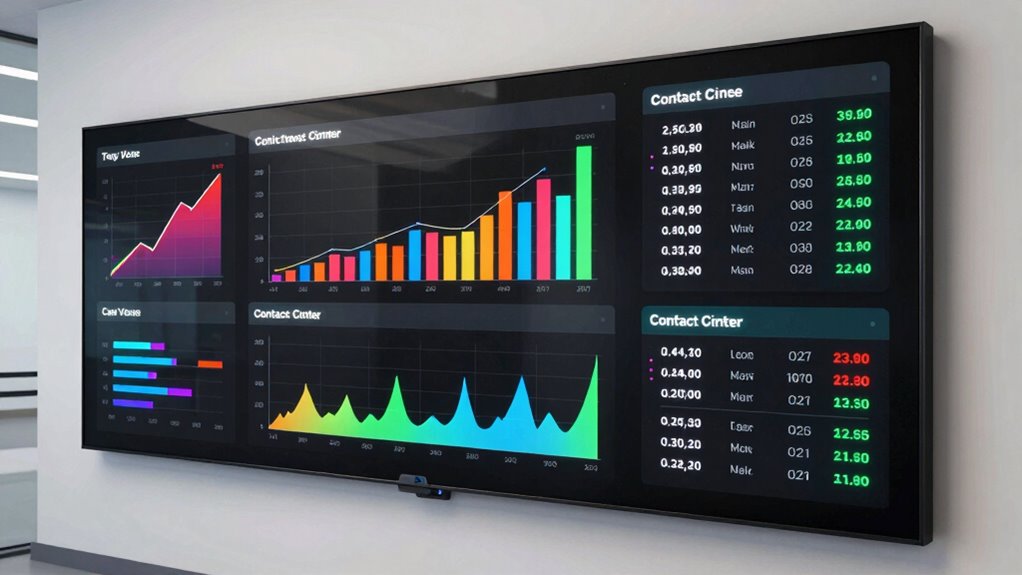
Contact center wallboards are essential tools that provide real-time insights into your team’s performance, helping you stay informed and make quick, data-driven decisions. When used effectively, they can boost agent motivation by offering immediate feedback and highlighting achievements. But the key to maximizing their impact lies in knowing what to display—and what to ignore. Too much information can overwhelm your team, leading to confusion rather than clarity. Focus on the metrics that truly matter, such as call volume, average handle time, and customer satisfaction scores, instead of cluttering the wallboard with every available data point.
Effective wallboards highlight key metrics like call volume and CSAT to boost motivation and clarity.
In today’s fast-paced environment, technology integration plays a critical role in guaranteeing your wallboards remain effective. Seamlessly connect your wallboards with your contact center software, CRM, and other tools to provide a unified view of performance metrics. This integration allows agents to see their progress in real-time and understand how their efforts contribute to overall team goals. It also reduces manual updates and ensures data accuracy, so your team can trust what they see. Incorporating real-time data synchronization ensures your metrics stay current and reliable. Additionally, leveraging automation tools can further streamline updates and reduce manual oversight. Understanding data accuracy is fundamental to building trust in your metrics and ensuring effective decision-making. Regularly reviewing and validating your data sources can prevent discrepancies and improve overall data integrity.
When deciding what to display, prioritize metrics that directly influence agent motivation. Recognize top performers by highlighting their achievements, such as high CSAT scores or quick resolution times. Celebrating these wins publicly encourages healthy competition and reinforces positive behaviors. Conversely, avoid displaying metrics that might demoralize your team—like long wait times or low scores—without context. Instead, use these as opportunities for coaching and improvement, not just punitive measures.
Ignore metrics that don’t add value to your daily operations. For example, historical data or overly complex analytics might be better suited for weekly reports rather than real-time wallboards. Your goal should be to keep the display simple, actionable, and focused on immediate performance. If your wallboard becomes cluttered with irrelevant data, agents may tune out or become distracted, defeating its purpose altogether.
Finally, remember that the best wallboards foster engagement and transparency. Use them as a communication tool, not just a monitoring device. Keep the display clean, relevant, and aligned with your team’s objectives. When your agents can easily see their progress and understand what’s expected, motivation naturally improves. By carefully selecting what to display—and leveraging technology integration—you create an environment where data drives success and morale stays high.
contact center wallboard display
As an affiliate, we earn on qualifying purchases.
As an affiliate, we earn on qualifying purchases.
Frequently Asked Questions
How Often Should Wallboards Be Updated for Accuracy?
You should update your wallboards as often as possible to guarantee real-time accuracy, ideally with data refresh cycles happening every few minutes. Frequent updates help you spot issues quickly and make informed decisions. For critical metrics, aim for near-instant updates, but for less urgent data, refresh every 15-30 minutes. Consistently maintaining real-time accuracy boosts team performance and customer satisfaction.
Can Wallboards Be Customized for Different Team Roles?
Absolutely, wallboards can be customized for different team roles with incredible flexibility. You can tailor role-specific metrics to highlight what matters most to each team, making performance insights crystal clear. This customization flexibility guarantees that your agents see relevant data, boosting motivation and efficiency. By focusing on what’s vital for each role, you turn your wallboards into powerful tools that can transform your contact center into a well-oiled machine!
What Are Common Mistakes to Avoid When Designing Wallboards?
When designing wallboards, avoid common mistakes like visual clutter and data overload. You should keep the display clean, focusing only on essential metrics to prevent overwhelming your team. Use clear visuals and avoid cramming too much information into one screen. Regularly update the content to stay relevant, and test the layout to guarantee it’s easy to interpret at a glance. This approach helps your team stay focused and responsive.
How Do Wallboards Impact Agent Motivation and Performance?
Wallboards are like a rallying flag, sparking your agent engagement and fueling their drive. When designed with clear performance metrics, they turn numbers into a map guiding agents toward success. This visibility boosts motivation, pushing agents to hit targets and improve their performance. By showing real-time progress, you create a culture of achievement, inspiring everyone to perform at their best and keep the momentum alive.
Are There Privacy Concerns With Displaying Real-Time Data?
Yes, there are privacy risks with displaying real-time data on wallboards. You might inadvertently expose sensitive information about agents or customers, which can breach confidentiality agreements. To minimize these risks, focus on data transparency by showing aggregated or anonymized metrics rather than individual details. Regularly review your display policies to guarantee compliance with privacy standards, protecting both your team’s privacy and your customers’ trust.
real-time performance dashboard for call center
As an affiliate, we earn on qualifying purchases.
As an affiliate, we earn on qualifying purchases.
Conclusion
Think of your contact center wallboards as the dashboard of a car—they’re your quick glance at how well things are running. Focus on displaying the metrics that steer your team toward success, and ignore the noise that distracts from your destination. By tuning your wallboards to show only what truly matters, you keep your team on the fast track to excellent service and efficiency. Drive your contact center forward with clarity and purpose.
agent performance recognition software
As an affiliate, we earn on qualifying purchases.
As an affiliate, we earn on qualifying purchases.
As an affiliate, we earn on qualifying purchases.
Fall Picks
fall essentials
As an affiliate, we earn on qualifying purchases.