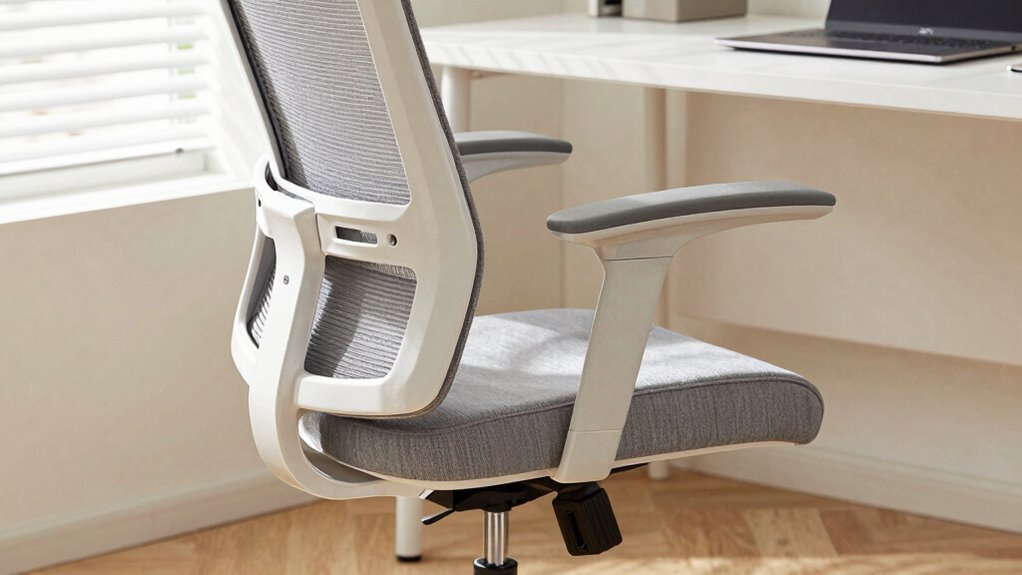

To stay comfortable during all-day desk work, focus on adjusting your chair for proper support. Make sure your feet rest flat on the floor and your knees are at a 90-degree angle. Adjust the backrest to support your lower back’s natural curve, and set armrests so your shoulders relax and elbows are at a comfortable 90 degrees. Fine-tuning your seat depth and tilt can also prevent pressure and promote good posture. Keep exploring to discover more tips for maximum comfort.
Listen free for 30 days with Audible
Thousands of audiobooks and originals — cancel anytime.
As an affiliate, we earn on qualifying purchases.
Key Takeaways
- Proper chair height ensures feet are flat and knees are at a 90-degree angle to support circulation and comfort.
- Adjusting the lumbar backrest maintains the natural spine curve, reducing slouching and back strain.
- Armrest height should keep shoulders relaxed and elbows at approximately 90 degrees to prevent tension.
- Seat depth should allow a 2-3 inch gap between the seat edge and knees for optimal blood flow.
- Fine-tuning seat tilt and overall ergonomic features promotes better posture and reduces musculoskeletal issues during long sitting periods.
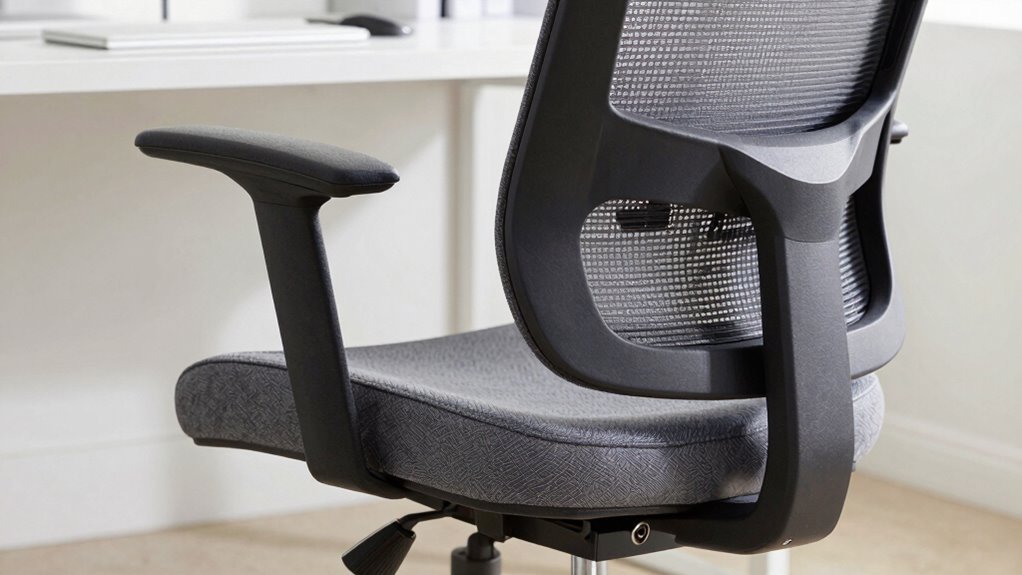
Sitting comfortably at your desk all day requires more than just a good chair; it demands proper adjustments to support your body and prevent discomfort. When you focus on ergonomic features, you guarantee your chair promotes correct posture alignment, which is essential for maintaining comfort and reducing strain. The height adjustment is the first step — your feet should rest flat on the floor, with knees bent at roughly 90 degrees. If your chair is too high or low, it can lead to pressure on your thighs or improper circulation. Adjust the seat height so your hips are slightly above your knees, creating a stable base that supports your lower back and encourages proper posture.
Adjust your chair height so feet rest flat and hips are slightly above knees for optimal support and posture.
Next, consider the backrest. An ergonomic chair should have a backrest that supports the natural curve of your spine, especially the lumbar region. Adjust the backrest’s height and angle to fit the small of your back snugly. When your lower back is supported, you’re less likely to slouch or hunch forward, which can cause long-term discomfort. The backrest should be firm but comfortable, encouraging you to sit back naturally while keeping your spine aligned. If your chair offers lumbar support, fine-tune it so it fills the curve of your lower back, providing continuous support throughout your work session. Ensuring your ergonomic features are properly adjusted can greatly reduce the risk of developing musculoskeletal issues. Additionally, choosing a chair with adjustable seat depth can further optimize your seating posture. Proper ergonomic support helps distribute your weight evenly and reduces pressure points during extended periods of sitting. Incorporating adjustable features that allow for personalized comfort can make a significant difference in your overall well-being.
Armrests also play an essential role in maintaining proper posture. Adjust them so your shoulders are relaxed and your elbows rest comfortably at about a 90-degree angle. When armrests are too high, they can elevate your shoulders and cause tension; too low, and your arms may hang unsupported, leading to shoulder strain. Proper armrest height helps distribute your upper body weight evenly and keeps your arms in an ergonomically friendly position, reducing fatigue over hours of work.
Finally, don’t forget about the seat depth. Your chair should allow you to sit back fully against the backrest with a small gap — about two to three inches — between the edge of the seat and the back of your knees. This ensures good blood flow and prevents pressure points. Adjusting the seat pan tilt slightly forward can also help improve posture alignment by encouraging an upright sitting position. Incorporating proper ergonomic adjustments can significantly enhance your comfort and productivity during long hours at your desk. These adjustments, when combined, create a workspace that supports your body’s natural posture, minimizes discomfort, and promotes focus and productivity. Remember, small tweaks can make a significant difference, so take the time to fine-tune your chair and prioritize ergonomic comfort during long hours at your desk.
ergonomic office chair with adjustable lumbar support
As an affiliate, we earn on qualifying purchases.
As an affiliate, we earn on qualifying purchases.
Frequently Asked Questions
How Often Should I Adjust My Chair During the Day?
You should adjust your chair every 30 to 60 minutes to maintain good posture cues and prevent discomfort. Regular adjustment helps you stay aligned and reduces strain on your back and neck. Pay attention to how you feel—if you notice any soreness or poor posture, make quick tweaks. Keeping your adjustment frequency consistent guarantees you stay comfortable and focused throughout the day, promoting better ergonomic habits overall.
What’s the Best Chair Height for Different Desk Setups?
The perfect chair height hinges on your desk setup—set it so your feet are flat on the floor, knees at a 90-degree angle, and your hips slightly higher than your knees. This promotes ergonomic posture and keeps lumbar support effective. It’s a simple tweak that makes a huge difference, preventing strain and fatigue. Keep adjusting until your chair fits just right, and watch your comfort improve dramatically.
How Can I Prevent Strain Despite Chair Adjustments?
To prevent strain, focus on posture awareness and guarantee proper foot support. Keep your back straight and shoulders relaxed while sitting, and adjust your chair so your feet rest flat on the floor. Use a footrest if needed. Regularly check your posture, take breaks to stretch, and avoid slouching. These habits help reduce muscle tension and promote comfort throughout your workday.
Are There Ergonomic Features to Look for in a Chair?
Did you know that poor ergonomic design causes 86% of work-related musculoskeletal disorders? When choosing a chair, look for features like lumbar support to maintain your lower back’s natural curve and padded armrests to reduce shoulder strain. These ergonomic features help prevent discomfort and injury, making your long hours at the desk more comfortable and sustainable. Prioritize these elements for better posture and overall well-being.
How Do I Know if My Chair Adjustments Are Correct?
You’ll know your chair adjustments are correct when you maintain good posture awareness and feel comfortable. Make sure your feet are flat on the floor, with knees at a 90-degree angle. Adjust the seat height so your hips are slightly higher than your knees. Keep your back supported, shoulders relaxed, and monitor your posture regularly. If you feel strain or discomfort, revisit your adjustments to find better alignment.
height adjustable desk chair with armrest
As an affiliate, we earn on qualifying purchases.
As an affiliate, we earn on qualifying purchases.
Conclusion
Remember, making the right chair adjustments can markedly boost your comfort and productivity. Did you know that ergonomic chairs can reduce musculoskeletal disorders by up to 48%? That’s a powerful reason to prioritize proper setup. Take the time to fine-tune your chair—your body will thank you. Small tweaks can lead to big improvements in your workday, helping you stay focused, pain-free, and energized from morning to evening.
ergonomic chair with seat depth adjustment
As an affiliate, we earn on qualifying purchases.
As an affiliate, we earn on qualifying purchases.
office chair with adjustable tilt and backrest
As an affiliate, we earn on qualifying purchases.
As an affiliate, we earn on qualifying purchases.
Flea & tick season Picks
flea and tick prevention
As an affiliate, we earn on qualifying purchases.