
To improve focus and reduce neck pain, position your monitor arm so your screen is at eye level. Adjust the height easily to fit your body and task needs, keeping your neck straight and relaxed. This setup prevents slumping and eye strain, supporting better posture throughout the day. Choosing a high-quality ergonomic monitor arm makes quick adjustments simple and promotes long-term comfort. Keep exploring to discover how the right setup can transform your workspace and well-being.

Get business pricing on tech for your team
- Business-only prices and quantity discounts
- Tax-exempt purchasing
- Multiple users, one account, clear invoices
Key Takeaways
- Position the monitor at eye level to reduce neck strain and maintain proper posture.
- Adjust the monitor arm to ensure the screen is directly in front of your eyes.
- Keep the monitor at an arm’s length distance to minimize eye fatigue.
- Use ergonomic accessories to support a comfortable, natural viewing angle.
- Regularly reposition the monitor for different tasks to prevent repetitive strain.
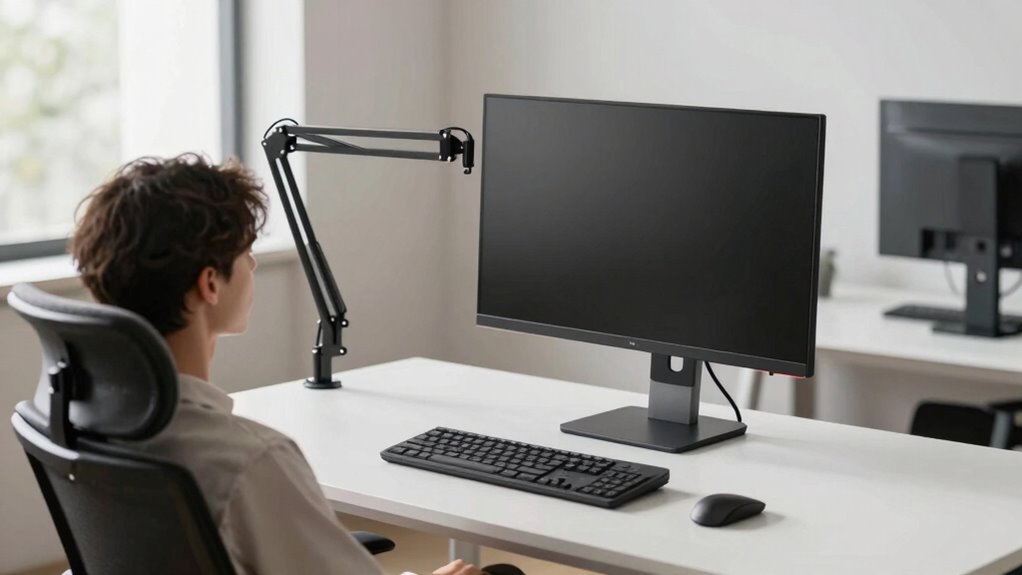
Proper monitor arm positioning can markedly boost your focus and reduce neck pain, especially if you spend long hours at your desk. One of the easiest ways to achieve this is by investing in ergonomic accessories, like a high-quality monitor arm with adjustable height. These accessories allow you to customize your workspace, aligning your monitor perfectly with your eye level. When your screen is positioned correctly, you’ll avoid slumping or craning your neck, which often leads to discomfort and long-term strain.
An adjustable height monitor arm makes it simple to find the ideal position. You should set the monitor so that the top of the screen is roughly at eye level, with your gaze looking slightly downward. This setup minimizes the need to tilt your head forward or backward, reducing neck tension. When you can effortlessly adjust the height, you’re more likely to maintain proper posture throughout the day. Keep in mind that a well-positioned monitor also decreases eye strain, as your eyes won’t have to work as hard to focus on the screen, especially if you’re working on detailed tasks for hours on end.
Using ergonomic accessories like a monitor arm isn’t just about comfort—it also enhances your productivity. When your workspace is ergonomically optimized, you won’t be bothered by constant discomfort or distraction caused by poor positioning. Instead, you can focus more on your work, knowing your setup supports your health. Adjustability is key here because everyone’s body is different, and what works for one person might not work for another. With a flexible monitor arm, you can quickly make adjustments as needed, whether you’re working in a different chair, changing tasks, or sharing your workspace with others. Additionally, ergonomic accessories can promote better overall posture and reduce the risk of musculoskeletal issues over time. Incorporating ergonomic principles into your workspace setup can further enhance your comfort and health.
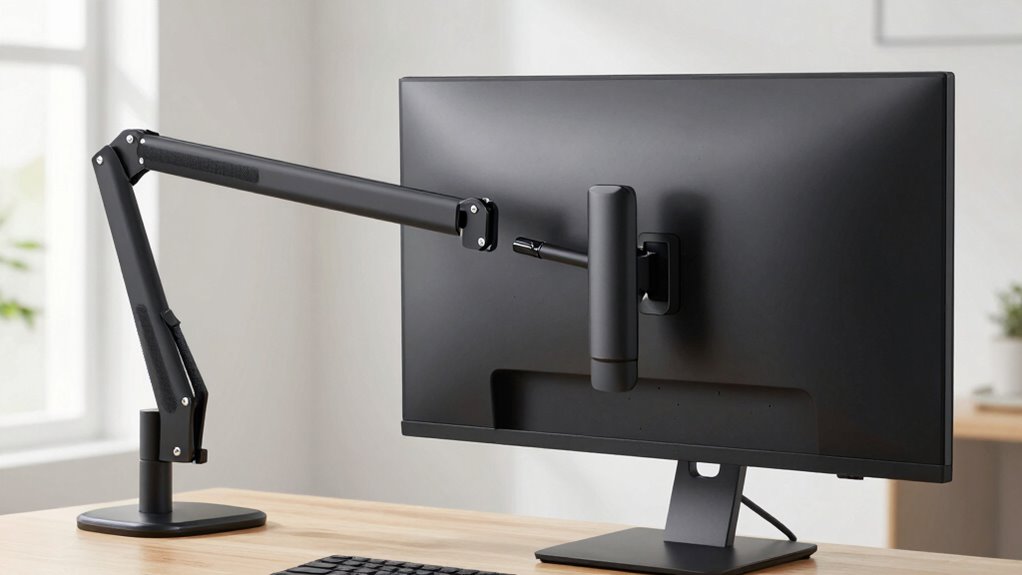
Another benefit of a monitor arm with adjustable height is that it frees up space on your desk, making your workspace cleaner and more organized. Without a bulky stand taking up room, you gain more space for other ergonomic accessories, like a keyboard tray or document holder. This holistic approach to your workspace setup can considerably improve your efficiency and comfort. Remember, investing in quality ergonomic accessories isn’t just about convenience—it’s about protecting your long-term health and making your workday less stressful on your body. Proper monitor positioning, combined with an adjustable height setup, ensures you stay comfortable, focused, and free from unnecessary neck pain during those long work hours. Additionally, choosing a monitor arm with adjustable height can help accommodate various monitor sizes and configurations for optimal ergonomic benefit.
Products Worth Considering

Samsung Odyssey G4 25-inch FHD Gaming Monitor

Samsung 27-inch Odyssey G5 QHD Gaming Monitor (G51F)

LG UltraGear 34GX90SA-W 34-inch WQHD Curved OLED Gaming Monitor
As an affiliate, we earn on qualifying purchases.
Frequently Asked Questions
How Do I Adjust My Monitor Arm for Different Tasks?
To adjust your monitor arm for different tasks, start by adjusting the height so the top of your screen is at eye level, reducing neck strain. Next, swivel the monitor to find the best angle for your focus, whether you’re reading or designing. Remember to also tweak the tilt if needed, ensuring comfort during long sessions. These adjustments help improve focus and minimize neck discomfort.
Can Monitor Arm Positioning Reduce Eye Strain?
You might notice that proper monitor arm positioning can considerably reduce eye strain. When you adjust your monitor to keep the eye level, you improve eye comfort and minimize screen glare, which can cause discomfort. By aligning your monitor correctly, you allow your eyes to relax, reducing fatigue and preventing headaches. It’s like giving your eyes a break, making your work easier and more comfortable throughout the day.
What Are the Best Materials for Durable Monitor Arms?
For durable monitor arms, you should look for those made from high-quality materials like steel or aluminum. Steel offers excellent material durability, ensuring your arm withstands daily use, while aluminum provides a lightweight yet sturdy option. Also, consider arms with adjustable features for arm customization, allowing you to position your monitor comfortably and reduce strain. Investing in these materials means your monitor arm will last longer and adapt to your workspace needs effectively.
How Often Should I Check My Monitor Arm’s Stability?
You should check your monitor arm’s stability at least once a month. Don’t wait until you notice sagging or wobbling—regular monitor maintenance guarantees arm safety and prevents accidents. By proactively inspecting your monitor arm, you avoid potential damage or injury. Tighten screws, verify the arm’s movement, and replace worn parts promptly. Consistent checks keep your workspace safe, comfortable, and help maintain peak focus without risking neck strain or equipment failure.
Are There Ergonomic Guidelines for Multi-Monitor Setups?
Yes, ergonomic guidelines for multi-monitor setups recommend adjusting lighting conditions to reduce glare and eye strain, ensuring screens are at eye level, and maintaining good desk ergonomics. Position monitors directly in front of you with minimal glare, and keep a comfortable distance to avoid neck strain. Proper lighting and desk setup help you stay focused and prevent discomfort, making your workspace healthier and more efficient.
Conclusion
By adjusting your monitor arm correctly, you can boost your focus and reduce neck strain. Isn’t your comfort and productivity worth the small effort it takes? Remember, a well-positioned monitor isn’t just about better posture—it’s about taking care of yourself while working smarter. So next time you sit down, ask yourself: are you giving your workspace the attention it deserves? Small changes can make a big difference in your daily well-being.