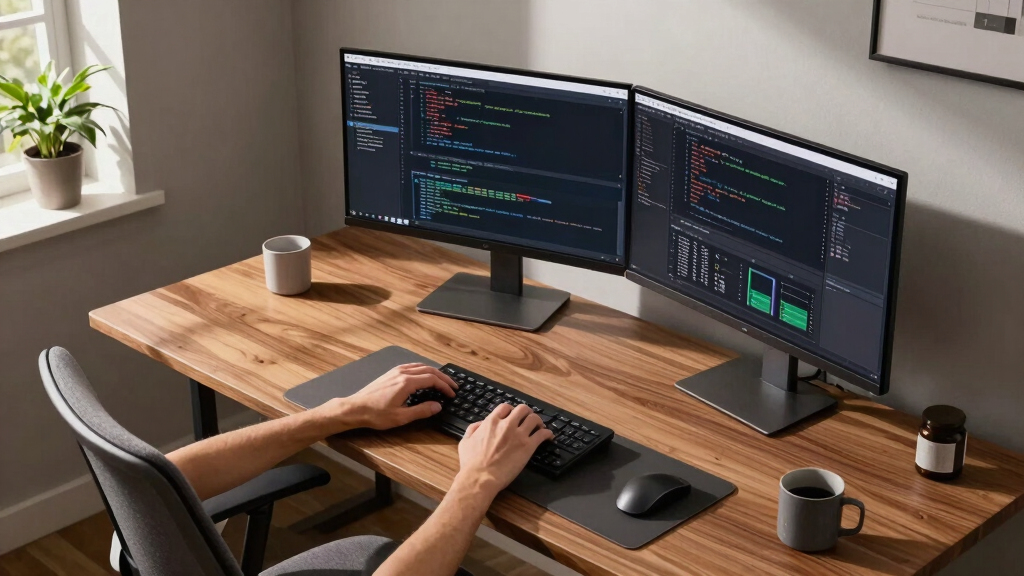
For remote professionals, a dual monitor setup can dramatically boost productivity by expanding screen real estate and streamlining multitasking. The KEFEYA Laptop Screen Extender stands out as the best overall due to its portability and easy plug-and-play design, perfect for mobile work. The Kado Dual Monitor Setup – 27″ Curved Series offers a larger, immersive experience ideal for multitasking and content creation, while the ViewSonic VA2456A-MHD provides a reliable, budget-friendly dual pack for office setups. These options highlight the main tradeoffs: portability versus screen size, and simplicity versus advanced features. Continue reading for a detailed breakdown to find the setup that best fits your remote work needs.

Get business pricing on tech for your team
- Business-only prices and quantity discounts
- Tax-exempt purchasing
- Multiple users, one account, clear invoices
Key Takeaways
- Portability is a key factor for remote workers frequently on the move, making portable monitors like KEFEYA and InnoView top contenders.
- Size matters: larger 27″ curved monitors enhance immersion and multitasking, but can be less portable and more expensive.
- VESA compatibility and adjustable mounts are essential for ergonomic flexibility and desk organization.
- Budget options like ViewSonic still deliver solid performance, but premium choices offer better build quality and features.
- Connecting options—USB-C, HDMI, and adapters—are critical for seamless setup across different laptops and devices.


More Details on Our Top Picks
KEFEYA Laptop Screen Extender 14″, FHD 1080P IPS Laptop Monitor Extender Dual Screen, Portable Monitor for Laptops 13-17″ with USB-C/HDMI Port, Plug n Play for Windows/Mac/Android/Switch/PS5
This lightweight, plug-and-play portable monitor supports a wide range of devices, making it ideal for those who need mobility without sacrificing productivity. Compared to larger options like the Kado 24″ dual series, it offers a more compact footprint, perfect for travel and quick setup. Its FHD IPS panel delivers vivid images, and the multiple modes including mirror and extension enhance versatility. However, the smaller 14″ size may limit workspace compared to full-sized monitors, and brightness at 300 nits, while sufficient indoors, might struggle in bright environments. Setup is straightforward with included cables, but it requires an additional USB-A to USB-C cable for HDMI connections, which could be a hassle. Tradeoffs include portability versus screen real estate.
Pros:- Lightweight and highly portable for travel
- Plug-and-play with no driver installation needed
- Supports a wide range of devices and OS
Cons:- Limited to 14-inch size, less workspace compared to larger monitors
- Requires an extra cable for HDMI power supply
Best for: Remote workers on the go who need a reliable, portable dual display with broad device compatibility.
Not ideal for: Desk-bound professionals who prefer larger screens and higher brightness for detailed tasks.
- Display Size:14 inches
- Resolution:1920×1080
- Refresh Rate:60Hz
- Brightness:300 nits
- Ports:HDMI, USB-C
- Weight:1.04 kg
Bottom line: This pick is perfect for mobile professionals who prioritize portability and quick setup over large screen size.
Kado Dual Monitor Setup – 2-Pack 27″ 1920×1080 Computer Monitor 75Hz VESA Mount HDMI Office Gaming Hybrid Built-in Speakers (E27X Dual Series)
This 27″ dual setup excels in delivering immersive visuals with a 75Hz refresh rate and 100% sRGB color gamut, making it ideal for creative work and gaming alike. Compared to the smaller KEFEYA 14″, it provides ample screen real estate for multitasking and detailed editing. The VESA mount compatibility adds flexibility for ergonomic setups. Its built-in speakers and high responsiveness are advantages, but the large size makes it less portable and more desk space-consuming. The 75Hz refresh rate offers smoother visuals than typical office monitors but isn’t quite suited for high-end gaming. The setup is straightforward, though mounting and cable management require some space. Tradeoffs involve size and portability versus workspace and immersive experience.
Pros:- Large 27-inch screens with vivid color accuracy
- VESA mount support for flexible positioning
- Built-in speakers enhance multimedia use
Cons:- Bulkier and less portable than smaller monitors
- Requires ample desk space for optimal setup
Best for: Remote professionals who need large, vivid screens for multitasking, creative work, or casual gaming at a dedicated desk.
Not ideal for: Frequent travelers or those with limited desk space, due to its size and weight.
- Display Size:27 inches
- Resolution:1920×1080
- Refresh Rate:75Hz
- Color Gamut:100% sRGB
- Ports:HDMI, VESA Mount
- Weight:N/A
Bottom line: Ideal for home offices or dedicated workspaces where size and image quality trump portability.
Kado Dual Monitor Setup – 2-Pack 24″ Curved 1500R 1920×1080 Computer Monitor 75Hz VESA Mount HDMI Office Gaming Built-in Speakers (C24 Dual Series)
The 24″ curved monitors with a 1500R curvature offer a more immersive experience, reducing eye strain during long sessions. Compared to flat monitors like the ViewSonic VA2456A, the curvature enhances depth perception, making it well-suited for gaming and detailed tasks. The 75Hz refresh rate ensures smoother motion, and the VESA compatibility allows flexible mounting. The built-in speakers are a bonus, but the 24″ size may feel restrictive for multitasking compared to larger models. The curved design improves comfort but can be less ideal for tasks requiring precise straight-line views, such as CAD or spreadsheets. Portability is limited, making it a better fit for permanent setups. Tradeoffs involve immersive viewing versus workspace flexibility.
Pros:- 1500R curvature for immersive viewing
- Reduces eye fatigue during extended use
- VESA mount support for flexible positioning
Cons:- Less suited for precise straight-line tasks
- Limited to 24 inches, less workspace than larger monitors
Best for: Remote workers seeking an immersive, comfortable dual monitor experience for gaming or prolonged use at a fixed desk.
Not ideal for: Travelers or those needing larger workspace for complex multitasking, due to its size and design.
- Display Size:24 inches
- Resolution:1920×1080
- Refresh Rate:75Hz
- Curve Radius:1500R
- Ports:HDMI, VESA
- Weight:11.64 lbs
Bottom line: Perfect for users prioritizing comfort and immersion in a dedicated workspace, not portability.
InnoView Portable Dual Monitor 15.6″ 1920×1080 Dual Stacked Foldable Monitor | 315° Screen Adjustment | USB-C/HDMI Second Monitor for Laptop, Mac, Windows
This foldable 15.6″ dual monitor set combines portability with flexibility, supporting multiple modes including extend, split, and mirror, making it ideal for on-the-go multitasking. Compared to the larger, less portable Kado 27″ monitors, it offers significant space-saving benefits. Its 315° adjustment allows personalized viewing angles, and the plug-and-play USB-C connection simplifies setup, especially for Mac and Windows. The IPS panels provide sharp images and wide viewing angles, but the smaller size limits workspace for intensive multitasking. The foldable design is robust but can be less stable than fixed monitors. Using HDMI connections only supports mirror and split modes, which may limit extended desktop use unless drivers are installed on Mac. Tradeoffs involve portability and compactness versus screen size.
Pros:- Foldable, space-saving design
- Supports multiple modes including extend and mirror
- 315° adjustable for ergonomic viewing
Cons:- Limited to 15.6″, less workspace than larger monitors
- Less stable due to foldable stand design
Best for: Remote professionals who need a compact, flexible dual monitor solution for travel or mobile work.
Not ideal for: Users requiring large screens for detailed design or extensive multitasking at a fixed desk.
- Display Size:15.6 inches
- Resolution:1920×1080
- Response Time:3 ms
- Viewing Angle:178°
- Ports:HDMI, USB-C
- Weight:3.5 lbs
Bottom line: Great for mobile professionals seeking versatile, space-efficient dual screens, not suited for heavy multitasking or detailed work.
15.6″ Laptop Screen Extender, 1080P FHD Triple Portable Monitor for Laptops, Ultra-Slim Travel Dual Monitor Fit for 13-17.3″ Laptops, USB-C Plug&Play Extended Screen Compatible with Win/Mac/Android
The triple monitor setup significantly boosts productivity with a three-screen configuration, ideal for multitasking professionals. Compared to dual setups like the InnoView 15.6″, it offers even more workspace, though at the cost of increased size and weight. Its ultra-slim aluminum shell makes it portable, and with minimal cables, setup remains clean and simple. It supports multiple modes, including extended, mirror, and portrait, but note that full extended mode on Mac may require driver installation. The 1080P resolution provides sharp images, and the inclusion of a leather carry bag adds to its travel-friendly design. The setup is best suited for those who need extensive multitasking on the move, but it’s less optimal for users who prefer a single large monitor or minimal setup.
Pros:- Triple-screen expansion for maximum multitasking
- Lightweight and portable with included bag
- Supports multiple modes including extend, mirror, and portrait
Cons:- Larger size and weight reduce portability for some
- Requires multiple cables and setup considerations
Best for: Travelers and remote professionals who need maximum screen space without sacrificing portability.
Not ideal for: Desk-bound users who prefer larger monitors or minimal setup complexity.
- Display Size:3 x 15.6 inches
- Resolution:1920×1080
- Response Time:3 ms
- Viewing Angle:178°
- Ports:USB-C, HDMI
- Weight:4 lbs
Bottom line: Ideal for highly mobile users demanding extensive screen real estate on the go, but less suited for fixed desk setups.
Kado Dual Monitor Setup – 2-Pack 27″ Curved 1920×1080 Computer Monitor 1500R 75Hz VESA Mount HDMI Office Gaming Hybrid Built-in Speakers (C27X Dual Series)
This dual monitor set stands out for its curved 1500R design that provides a highly immersive viewing experience, especially beneficial for remote professionals who require both detailed work and occasional gaming or media use. Compared to the ViewSonic VA2456A-MHD, it offers a larger, more engaging display at 27 inches, making it ideal for multitasking and creative tasks. The monitors feature a 75Hz refresh rate and true-to-life colors with a 99% sRGB gamut, ensuring vivid visuals. The ergonomic VESA mount and built-in speakers add to space-saving convenience. However, the 1080p resolution may fall short for high-precision design work, and the curved design might not suit everyone’s workflow preferences. This pick makes the most sense for remote professionals who want an immersive, space-efficient setup that supports gaming and multimedia.
Pros:- Immersive 1500R curved design reduces eye strain and peripheral distortion
- VESA mount compatibility for flexible installation
- Built-in speakers save desk space and simplify setup
Cons:- 1080p resolution may be insufficient for detailed design or editing tasks
- Curved screens might not suit all workflows or preferences
Best for: Remote professionals who need a large, curved display for multitasking, media, and light gaming
Not ideal for: Graphic designers requiring ultra-high resolution or precise color accuracy, as the 1080p resolution and limited color calibration may not meet their standards
- Screen Size:27 inches
- Resolution:1920 x 1080
- Refresh Rate:75Hz
- Color Gamut:99% sRGB
- Panel Type:LED LCD
- Mounting:VESA Compatible
Bottom line: Ideal for remote workers seeking an immersive, space-saving dual monitor setup with multimedia versatility.
ViewSonic VA2456A-MHD_H2 24 Inch 1080p Dual Pack Head-Only Monitors, IPS Display with 120Hz for Dual-Screen Home and Office Setups, HDMI, DisplayPort, and VGA Inputs
This set makes the list for its 120Hz refresh rate and IPS technology that delivers accurate, bright visuals from any angle, ideal for remote professionals who often switch views or collaborate. Compared with the Kado C27X’s larger size and curved design, these 24-inch IPS monitors provide a more neutral, flat display that suits varied tasks like coding, spreadsheets, or video conferencing. Their extensive connectivity options, including HDMI, DisplayPort, and VGA, support diverse devices. The Flicker-Free and Blue Light Filter features reduce eye fatigue during long work sessions. However, at 24 inches, they are less immersive than larger curved options, and the 60Hz refresh rate is lower than some gaming-focused monitors, which may matter for fast-paced media. This pick is perfect for those wanting reliable, color-accurate dual screens at a budget-friendly price for everyday productivity.
Pros:- 120Hz refresh rate for smooth visual transitions
- IPS panel ensures consistent color and wide viewing angles
- Multiple input options accommodate various devices
Cons:- Limited to 24 inches, less immersive for multitasking or media editing
- 60Hz refresh rate not ideal for fast-paced gaming or video editing
Best for: Remote workers needing accurate color and multiple connectivity options on a budget
Not ideal for: Gamers or multimedia creators requiring higher refresh rates or larger screens for detailed visuals
- Screen Size:24 inches
- Resolution:1920 x 1080
- Refresh Rate:120Hz
- Panel Type:IPS
- Connectivity:HDMI, DisplayPort, VGA
- Viewing Angle:178°
Bottom line: Excellent for budget-conscious remote professionals who prioritize color accuracy and flexibility over size and refresh rate.
This stand is a standout for its heavy-duty build supporting monitors up to 40 inches and 26.4 lbs per arm, making it perfect for remote professionals with larger or heavier screens. Compared to the dual monitor setups with integrated screens, this arm offers full motion adjustments—swivel, tilt, and rotation—allowing personalized positioning for maximum comfort. Its dual USB ports and cable management system help declutter the workspace, which is crucial for a tidy, efficient remote work area. Setup can be adjusted for clamp or grommet mounting, fitting various desk types. The main tradeoffs involve the need for a larger desk space for the stand itself and the potential complexity of installation for some users. This is ideal for remote professionals who need flexible, ergonomic support for heavy, large monitors.
Pros:- Supports large and heavy monitors up to 40 inches and 26.4 lbs
- Full motion articulation for ergonomic customization
- Built-in USB ports for device charging and connectivity
Cons:- Requires more desk space for the mount and arms
- Installation may be complex without prior experience
Best for: Remote workers with large, heavy monitors seeking ergonomic flexibility and workspace organization
Not ideal for: Those with small desks or lightweight monitors who do not need full motion adjustability or heavy support
- Supported Screen Size:13-40 inches
- Weight Capacity:26.4 lbs per arm
- Mounting Type:Clamp or Grommet
- Adjustability:Swivel, Tilt, Rotation
- USB Ports:2
- Material:Solid Aluminum
Bottom line: Perfect for remote professionals who need robust, adjustable support for larger monitors and workspace clutter reduction.
KYY 15.6″ Laptop Screen Extender, 1080P FHD IPS Portable Monitor, One Cable USB-C Triple Monitor, Dual Travel Screen for 12″-17” Laptops, 360° Rotation & Kickstand,X90D
This portable extender is ideal for remote professionals on the move needing up to three screens with minimal setup. Its dual 15.6-inch FHD IPS screens and 360° rotation support versatile viewing angles, especially helpful during meetings or travel. Compared with larger, fixed monitors like the Kado C27X series, the X90D offers ultra-lightweight design and single-cable USB-C connection, drastically reducing desk clutter and setup time. Its built-in kickstand and multiple modes (extend/mirror/portrait) enhance flexibility. However, the small 15.6-inch screens may not suffice for intensive multitasking or detailed editing, and drivers are needed for full functionality, which could be a hurdle for some users. This makes the most sense for remote professionals who prioritize portability and multi-screen flexibility during travel or mobile work.
Pros:- Supports triple-screen extension with a portable design
- 360° rotatable screens for flexible viewing modes
- Single USB-C cable simplifies setup
Cons:- Small 15.6-inch screens limit multitasking capacity
- Requires driver installation, which may be complex for some users
Best for: Remote professionals needing portable multi-monitor solutions for travel or flexible work environments
Not ideal for: Power users requiring larger screens or high refresh rates for gaming or detailed design work
- Screen Size:15.6 inches (x2)
- Resolution:1920 x 1080
- Connectivity:USB-C
- Rotation:360°
- Power:USB-C
- Mode Support:Extend, Mirror, Portrait
Bottom line: Excellent for remote workers who need portable, multi-screen setups without sacrificing mobility.
WALI Dual Monitor Stand for 13-32 inch Computer Screens, Dual Monitor Arms for 2 Monitors Holds up to 22 lbs, Height Adjustable Dual Monitors Mount, VESA 75×75/100x100mm (GSMP002N), Black
This WALI dual monitor stand stands out for its impressive versatility and ergonomic adjustability, making it ideal for remote professionals who need to customize their workspace. Its smooth gas spring mechanism surpasses many traditional fixed stands, offering effortless movement and stable positioning, which is crucial during long work hours. Compared to the StarTech USB-A dual monitor adapter, this stand provides physical height and angle adjustments rather than just extending your screen space, directly improving comfort and reducing strain. The full range of tilt, swivel, and rotation ensures you can set up a highly personalized workstation, but its maximum weight limit of 22 lbs may restrict heavier or larger screens. Installation is straightforward with a choice of C-clamp or grommet mount, adding flexibility for various desk types. Cable management channels keep your setup tidy, supporting a clutter-free environment. However, it requires some space on your desk for the extension range, which might be a drawback in compact setups.
Best for those prioritizing ergonomic flexibility and sturdy build quality in their dual monitor setup.Pros:- Smooth gas spring tension adjustment for effortless repositioning
- Supports monitors from 13 to 32 inches with VESA compatibility
- Full tilt, swivel, and rotation for ergonomic flexibility
- Easy installation with C-clamp or grommet options
Cons:- Maximum weight capacity of 22 lbs limits use with some heavier large monitors
- Requires sufficient desk space for maximum extension and height adjustment
Best for: Remote professionals who need customizable, ergonomic monitor positioning for long hours of work.
Not ideal for: Users with very limited desk space or those using very heavy or ultrawide monitors over 34 inches, as the weight capacity and extension range may be restrictive.
- Supported Screen Size:13-32 inches
- Maximum Load Capacity:22 lbs
- VESA Compatibility:75x75mm / 100x100mm
- Tilt Range:+70° / -45°
- Swivel Range:+90° / -90°
- Rotation:360°
- Maximum Extension:19.3 inches
- Height Adjustment:up to 17.3 inches
Bottom line: This pick is perfect for remote workers seeking a durable, highly adjustable monitor mount that enhances comfort and workspace organization.
StarTech USB-A 3.0 to Dual HDMI Adapter for Windows, Dual Monitor USB to 2x HDMI Display Converter, 4K 30Hz + 1080p 60Hz, Extend or Mirror Multi-Screen Setup
This StarTech USB-A dual HDMI adapter offers a simple, space-saving way to add multiple screens to a Windows laptop or desktop, making it ideal for those who need quick multi-display expansion without extra hardware. Its plug-and-play design is straightforward—compared to the WALI mount, which is more suited for permanent desk setups—allowing instant setup for temporary or portable workstations. The support for 4K at 30Hz on one monitor and 1080p at 60Hz on the other ensures good visual clarity, but the refresh rate may be limiting for fast-paced tasks like gaming or video editing. Its compact footprint and single USB connection make it perfect for small desks, though it relies heavily on the host PC’s processing power and USB bandwidth, which could introduce performance bottlenecks. The two HDMI outputs can mirror or extend your display, but users should be aware it’s limited to Windows and might not support more advanced multi-monitor configurations.
Best for remote professionals who need an affordable, portable dual monitor solution that is easy to set up and move.Pros:- Simple plug-and-play setup without software installation
- Supports 4K resolution at 30Hz and 1080p at 60Hz
- Compact, lightweight design ideal for portable use
- No additional power supply needed
Cons:- Limited to Windows OS, no support for Mac, Linux, or ChromeOS
- Potential performance issues if host PC has limited USB bandwidth
- Maximum refresh rate of 30Hz on 4K may not suit fast-motion tasks
Best for: Windows users looking for a quick, affordable way to expand their workspace with dual screens on a portable, desk-efficient device.
Not ideal for: Users requiring high refresh rates for gaming or professional video work, or those using non-Windows systems, as it’s limited to Windows and 30Hz 4K output.
- Device Compatibility:Windows 10, 11, 8/8.1, 7
- Input:USB-A 3.0
- HDMI Outputs:2
- Maximum Resolution:4K @ 30Hz on one monitor
- Supported Resolutions:up to 4K (3840×2160) / 1080p
- Power Supply:None, powered via USB
- Warranty:2 years
Bottom line: This adapter is a cost-effective, space-efficient choice for remote professionals needing quick dual monitor expansion on Windows laptops or desktops.
How We Picked
Products were evaluated based on performance, build quality, ease of setup, versatility, and value. We prioritized monitors and accessories that cater specifically to remote professionals who need reliable, flexible, and space-efficient solutions. Compatibility with various operating systems, ease of transport, and ergonomic features played a significant role in the ranking. The goal was to identify setups that maximize productivity without sacrificing convenience or breaking the bank, ensuring options for different budgets and work styles.Factors to Consider When Choosing Best Dual Monitor Setup For Remote Professionals
When selecting the best dual monitor setup for remote work, it’s important to consider several factors that impact usability and long-term satisfaction. The right setup depends on your workspace size, mobility needs, and budget. Carefully weighing these considerations can prevent costly mistakes and help you choose a solution that truly elevates your productivity.Portability vs. Size
Deciding between portable monitors and larger desktop-friendly displays hinges on your work environment. Portable options like the KEFEYA or InnoView excel for remote workers who travel frequently, offering lightweight, plug-and-play convenience. Conversely, larger monitors such as 27″ curved displays provide more screen real estate for multitasking but are less mobile. Consider your typical work setting to strike the right balance between flexibility and workspace comfort.
Connectivity and Compatibility
Ensuring your monitors support your device’s ports—USB-C, HDMI, or DisplayPort—is crucial for a seamless setup. Many portable monitors now include multiple connection options, but some may require adapters, adding complexity. If you work across different operating systems or use gaming consoles, check compatibility to avoid connectivity issues. Investing in versatile, future-proof ports can save headaches later.
Adjustability and Ergonomics
Ergonomics should never be an afterthought, especially for long work sessions. VESA compatibility and adjustable mounts allow you to customize height, tilt, and orientation, reducing strain. Fixed stands are simpler but less flexible, potentially leading to discomfort over time. Prioritize adjustable setups if you spend many hours in front of your monitors, and consider stands that support multiple configurations.
Budget vs. Premium Features
While budget monitors can meet basic needs, they often lack advanced features like higher refresh rates, better color accuracy, or durable build quality. Premium options tend to offer enhanced durability, better ergonomics, and extras like built-in speakers or curved screens for immersive viewing. Weigh your work demands against your budget to find the most cost-effective yet capable setup.
Setup Complexity and Space
Some dual monitor solutions require complex mounting or multiple cables, which can clutter your workspace. Simpler plug-and-play options reduce setup time but may limit customization. Also, consider your available desk space—compact monitors and adjustable arms can help maximize small areas. A clutter-free, organized workspace boosts efficiency and reduces distraction.
Frequently Asked Questions
Can I use a single monitor to simulate a dual monitor setup?
Using a single monitor with split-screen or window management software can mimic dual screens, but it doesn’t offer the same level of multitasking efficiency or screen real estate as a true dual monitor setup. For seamless productivity, two physical displays provide dedicated space for different tasks, reducing the need to switch windows constantly. If your work involves multitasking or detailed workflows, investing in a genuine dual monitor setup is worth it.
Are portable monitors durable enough for frequent travel?
Many portable monitors are designed with travel in mind, featuring slim profiles and protective cases. However, their durability varies; cheaper models may be prone to scratches or internal damage from bumps. Look for models with reinforced edges, sturdy materials, and good reviews on build quality. Proper handling and protective accessories can extend the lifespan of portable monitors in mobile setups.
Is VESA mounting necessary for a dual monitor setup?
VESA mounting provides flexibility to position monitors at ergonomic heights and angles, making it a valuable feature for long-term comfort. While not essential, it allows for cleaner desk setups and better workspace organization. If you’re considering adjustable mounts or dual arms, choosing monitors with VESA compatibility simplifies installation and upgrades.
What is the ideal size for a dual monitor setup for remote work?
Most remote professionals find 24 to 27 inches per monitor to be ideal for balancing screen space and desk fit. Larger monitors offer more viewing area but can be cumbersome in smaller spaces. Curved screens at 27 inches can improve immersion and reduce eye strain, especially during extended work sessions. Consider your desk size and viewing distance when choosing monitor sizes.
Do I need a special graphics card for dual monitors?
Most modern laptops and desktops support dual monitors through integrated graphics or basic dedicated cards. However, for high-resolution displays or multiple high-refresh-rate monitors, a dedicated graphics card with sufficient outputs can improve performance and compatibility. Check your device’s specifications to ensure it can handle your desired monitor setup without issues.
Conclusion
For the best overall experience, remote professionals who need a balance of portability and performance should consider the KEFEYA Laptop Screen Extender. Those seeking maximum screen real estate and immersion will appreciate the Kado 27″ Curved Monitors. Budget-conscious users will find the ViewSonic Dual Pack a reliable choice. For ergonomic flexibility, the HUANUO Dual Monitor Stand offers excellent adjustability. Beginners and casual users might start with simpler setups, while power users in creative or intensive multitasking roles should lean toward premium, VESA-compatible monitors with adjustable mounts. Tailor your choice to your work style, space, and budget for the best remote work experience in 2026.
Halloween Picks
halloween
As an affiliate, we earn on qualifying purchases.